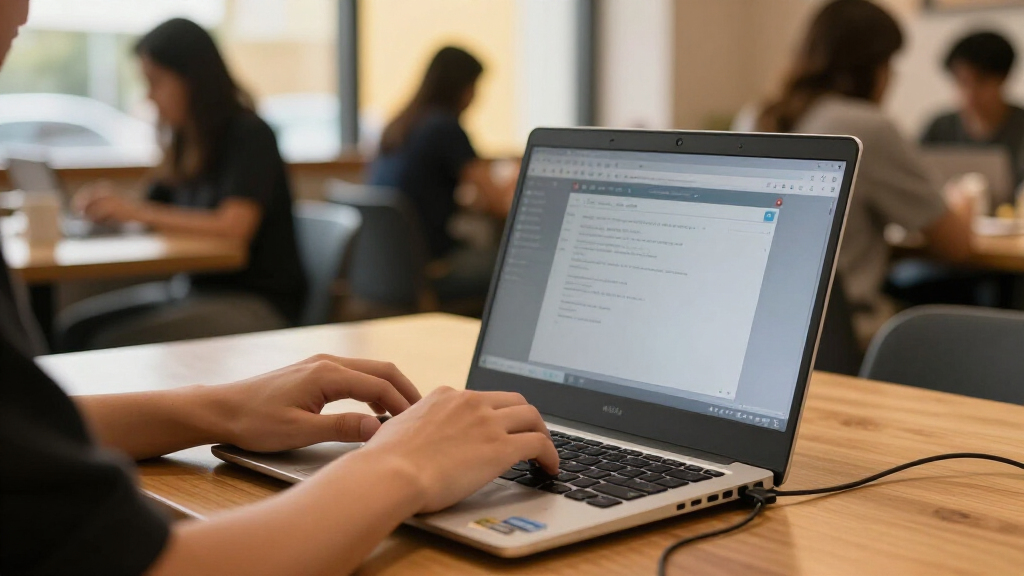

The best refurbished laptops for students balance dependable everyday performance, manageable weight, and enough storage for coursework. My best overall pick is the Dell Latitude 5420, which pairs a recent Core i5 processor with 16GB of RAM and a 512GB SSD. The Dell Latitude 5430 is a strong alternative for students who want a newer-generation model, while the Surface Laptop Go 2 suits those who value a compact touchscreen. The main tradeoffs are Windows versatility versus ChromeOS simplicity, screen size versus portability, and newer hardware versus older models with limited storage or memory. Read on for the full comparison, buying advice, and picks for different student needs.

Get the latest gadgets delivered free with Prime
- Fast, free delivery on millions of items
- Prime Video, Amazon Music and more included
- Member-only deals all year
Complete the kit



Key Takeaways
- The Latitude 5420 leads on everyday flexibility: its Core i5-1145G7, 16GB RAM, and 512GB SSD give students more room for multitasking and files than most options here.
- The Latitude 5430 is the newer-generation alternative: it keeps 16GB RAM and a 14-inch Full HD screen but has a smaller 256GB SSD.
- Screen size changes the study setup: the Latitude 5520 and ASUS Chromebook offer 15-inch-class screens, while the Surface Laptop Go 2 is easier to carry between classes.
- The Chromebooks favor simplicity over software range: the Dell Chromebook 3100 and ASUS Chromebook suit browser-based schoolwork, but their 4GB RAM may limit heavier multitasking.
- Older Apple models require more careful matching: the 2017 MacBook Pro and 2018 MacBook Air offer macOS, but both have 8GB RAM and the Air has only 128GB of storage.
| Dell Chromebook 11 3100, 11.6-inch, Celeron N4020, 4 GB RAM, 16 GB Flash, Chrome OS (Renewed) |  | Best Compact Chromebook for Basic Coursework | Display: 11.6 inches, 1366 × 768 | Processor: Intel Celeron N4020 | Memory: 4 GB RAM | VIEW LATEST PRICE | See Our Full Breakdown |
| Dell Latitude 7490 Laptop, Intel Core i7-8650U, 16GB RAM, 512GB SSD, Windows 11 Pro (Renewed) |  | Best for Students Who Need Room for Local Files | Display: 14 inches, 1920 × 1080 | Processor: Intel Core i7-8650U, 4 cores | Processor speed: 1.9 GHz, up to 4.2 GHz | VIEW LATEST PRICE | See Our Full Breakdown |
| Dell Latitude 5430 14-inch Laptop, Intel Core i5, 16GB RAM, 256GB SSD, FHD, Windows 11 Pro (Renewed) |  | Best for a Newer Processor and Campus Security | Model year: 2022 | Processor: 12th-generation Intel Core i5, 1.6 GHz up to 4.4 GHz | Memory: 16 GB DDR3 SODIMM | VIEW LATEST PRICE | See Our Full Breakdown |
| ASUS 15-Inch FHD IPS Chromebook, Intel Celeron, 4GB RAM, 128GB Storage (Renewed) |  | Best Chromebook for a Larger Study Screen | Display: 15-inch IPS, 1920 × 1080, 60 Hz | Processor: Dual-core Intel Celeron, up to 2.8 GHz | Memory: 4 GB DDR4 | VIEW LATEST PRICE | See Our Full Breakdown |
| Dell Latitude 5420 14-Inch Laptop, Intel Core i5-1145G7, 16GB RAM, 512GB SSD, FHD, Windows 11 Pro (Renewed) |  | Best All-Round Windows Laptop for Students | Processor: Intel Core i5-1145G7, 4 cores, up to 4.4 GHz | Memory: 16 GB DDR4 | Storage: 512 GB PCIe SSD | VIEW LATEST PRICE | See Our Full Breakdown |
| Microsoft Surface Laptop 5 13.5-Inch Touchscreen, Intel Core i7, 16GB RAM, 256GB SSD, Windows 11 Pro, Matte Black (Renewed) |  | Best for a Premium Student Display | Processor: 12th-generation Intel Core i7-1265U, up to 4.5 GHz | Memory: 16GB DDR SDRAM | Storage: 256GB SSD | VIEW LATEST PRICE | See Our Full Breakdown |
| Dell Latitude 5520 15.6-Inch Laptop, Intel Core i5-1145G7, 16GB RAM, 256GB NVMe SSD, Windows 11 Pro (Renewed) |  | Best for a Large Study Screen | Processor: Intel Core i5-1145G7, 11th Gen, 2.6 GHz | Memory: 16GB DDR4 | Storage: 256GB NVMe PCIe SSD | VIEW LATEST PRICE | See Our Full Breakdown |
| Dell Latitude 5400 14-Inch HD Laptop, Intel Core i5-8365U, 16GB RAM, 256GB SSD, Windows 11 Pro (Renewed) |  | Best for Ports and Wired Campus Setups | Processor: Intel Core i5-8365U, 4 cores, 1.6 GHz up to 4.1 GHz | Memory: 16GB RAM | Storage: 256GB SSD | VIEW LATEST PRICE | See Our Full Breakdown |
| Apple MacBook Pro 13-inch (2017), 2.3 GHz Core i5, 8 GB RAM, 256 GB SSD, Space Gray (Renewed) |  | Best for Students Committed to macOS | Year and processor: 2017; 2.3 GHz Intel Core i5 | Memory: 8GB LPDDR3 | Storage: 256GB SSD | VIEW LATEST PRICE | See Our Full Breakdown |
| Microsoft Surface Laptop Go 2 12.4-Inch Touchscreen Laptop, Core i5, 16GB RAM, 256GB SSD, Windows 11 Pro (Renewed) |  | Best Compact Windows Pick | Processor: 11th-generation Intel Core i5-1135G7 | Memory: 16GB RAM | Storage: 256GB SSD | VIEW LATEST PRICE | See Our Full Breakdown |
| Apple MacBook Air 13-inch Retina (2018), Core i5, 8GB RAM, 128GB SSD, Gold (Renewed) |  | Best for Students Who Want a Compact Mac | Display: 13.3-inch Retina LCD, 2560 × 1600 pixels | Processor: 1.6 GHz dual-core 8th-generation Intel Core i5 | Memory: 8GB DDR4 | VIEW LATEST PRICE | See Our Full Breakdown |
| refurbished laptops for student | Display | Memory | Storage | Operating system |
|---|---|---|---|---|
| Dell Chromebook 11 3100 | 11.6 inches, 1366 × 768 | 4 GB RAM | 16 GB flash memory | Chrome OS |
| Dell Latitude 7490 Laptop | 14 inches, 1920 × 1080 | 16 GB DDR4 SDRAM | 512 GB SSD | Windows 11 Pro |
| Dell Latitude 5430 14-inch Lap | 14-inch LED LCD, 1920 × 1080, non-touch | 16 GB DDR3 SODIMM | 256 GB SSD | Windows 11 Pro |
| ASUS 15-Inch FHD IPS Chromeboo | 15-inch IPS, 1920 × 1080, 60 Hz | 4 GB DDR4 | 128 GB SSD | ChromeOS |
| Dell Latitude 5420 14-Inch Lap | 14-inch LED, 1920 × 1080, anti-glare, non-touch | 16 GB DDR4 | 512 GB PCIe SSD | Windows 11 Pro |
| Microsoft Surface Laptop 5 13. | 13.5-inch PixelSense touchscreen, 2256 × 1504, 60Hz | 16GB DDR SDRAM | 256GB SSD | Windows 11 Pro |
| Dell Latitude 5520 15.6-Inch L | 15.6-inch Full HD LCD, 1920 × 1080 | 16GB DDR4 | 256GB NVMe PCIe SSD | Windows 11 Pro |
| Dell Latitude 5400 14-Inch HD | 14-inch LED, 1366 × 768 | 16GB RAM | 256GB SSD | Windows 11 Pro 64-bit |
| Apple MacBook Pro 13-inch | 13-inch Retina, 2560 × 1600 | 8GB LPDDR3 | 256GB SSD | macOS |
| Microsoft Surface Laptop Go 2 | 12.4-inch LCD touchscreen, 1536 × 1024 | 16GB RAM | 256GB SSD | Windows 11 Pro |
| Apple MacBook Air 13-inch Reti | 13.3-inch Retina LCD, 2560 × 1600 pixels | 8GB DDR4 | 128GB SSD | macOS 10.14 Mojave |
More Details on Our Top Picks
Dell Chromebook 11 3100, 11.6-inch, Celeron N4020, 4 GB RAM, 16 GB Flash, Chrome OS (Renewed)
The renewed Dell Chromebook 11 3100 is the easiest pick here to carry between classes: its 11.6-inch body weighs 2.9 pounds, and the advertised battery life reaches up to 14 hours. ChromeOS suits students whose work is mainly browser-based, such as writing in online documents, checking course portals, and joining web classes. Compared with the larger ASUS 15-Inch FHD IPS Chromebook, this Dell is more portable but gives you less screen space for split-screen notes or long reading sessions. Its 4 GB RAM and 16 GB of flash storage are the central tradeoffs: keep files in the cloud and avoid expecting comfortable local storage or heavy multitasking. I’d choose it for simple school tasks and skip it for software that requires Windows or substantial storage.
Pros:- Compact 11.6-inch size and 2.9-pound weight make it easy to carry
- Advertised battery life of up to 14 hours suits long school days away from an outlet
- ChromeOS fits common web-based coursework
- Wi-Fi and Bluetooth support wireless school and study accessories
Cons:- 16 GB of flash storage leaves little room for local files and applications
- 4 GB of RAM limits heavier multitasking
- The 1366 × 768 display offers less workspace than the Full HD screens on the ASUS Chromebook and Dell Latitude models
Best for: Students who primarily use browser-based school tools and want a lightweight laptop for carrying between classes.
Not ideal for: Students who need Windows-only applications, store large projects locally, or regularly keep many tabs and programs open.
- Display:11.6 inches, 1366 × 768
- Processor:Intel Celeron N4020
- Memory:4 GB RAM
- Storage:16 GB flash memory
- Operating system:Chrome OS
- Weight:2.9 pounds
- Battery life:Advertised up to 14 hours
- Warranty:90-day limited warranty
Our verdict“Choose this compact Dell for cloud-based coursework and portability, but not for demanding applications or substantial local storage.”
Dell Latitude 7490 Laptop, Intel Core i7-8650U, 16GB RAM, 512GB SSD, Windows 11 Pro (Renewed)
The renewed Dell Latitude 7490 pairs a four-core Core i7 with 16 GB of RAM and a 512 GB SSD, giving students more breathing room for local coursework, multiple applications, and everyday multitasking than either Chromebook in this lineup. Its 14-inch Full HD display is a practical middle ground: more workspace than the Dell Chromebook 11 3100, without the ASUS Chromebook’s larger footprint. Windows 11 Pro also makes it a better fit than those ChromeOS options for students whose classes require desktop software. The tradeoff is that this is an older processor generation, and the listed memory tops out at 16 GB. It lacks the Latitude 5430’s fingerprint reader, too. I’d favor the newer Latitude 5430 for its more recent processor, but this 7490 offers substantially more storage than that model.
Pros:- 16 GB of RAM supports everyday multitasking
- 512 GB SSD provides more local file space than the Latitude 5430’s 256 GB SSD
- 14-inch Full HD display offers a useful balance of workspace and portability
- Windows 11 Pro supports desktop applications
Cons:- Older Core i7-8650U generation than the 12th-generation Core i5 in the Latitude 5430
- No fingerprint reader for biometric sign-in
- Memory is listed with a 16 GB maximum
Best for: Students who need Windows desktop applications and want generous local storage for files, coursework, and several active programs.
Not ideal for: Students prioritizing a newer processor, biometric sign-in, or a Chromebook-style setup for mostly browser-based schoolwork.
- Display:14 inches, 1920 × 1080
- Processor:Intel Core i7-8650U, 4 cores
- Processor speed:1.9 GHz, up to 4.2 GHz
- Memory:16 GB DDR4 SDRAM
- Storage:512 GB SSD
- Operating system:Windows 11 Pro
- Graphics:Integrated Intel UHD Graphics 620
- Video output:HDMI and DisplayPort
Our verdict“Pick the Latitude 7490 if local storage and Windows compatibility matter more than a newer processor or fingerprint sign-in.”
Dell Latitude 5430 14-inch Laptop, Intel Core i5, 16GB RAM, 256GB SSD, FHD, Windows 11 Pro (Renewed)
For students who want a more recent business laptop without jumping to a premium touchscreen model, the renewed Dell Latitude 5430 stands out with its 12th-generation Core i5, 16 GB of memory, and fingerprint reader. Its 14-inch Full HD anti-glare screen is well suited to documents and coursework, though it is non-touch. Compared with the Latitude 7490, this model has a newer processor generation and biometric sign-in, while the 7490 gives you 512 GB rather than 256 GB of storage. The 5430’s ports, including Thunderbolt and HDMI, also help when connecting campus displays or compatible accessories. I’d put it ahead of the older Latitude for students who value processor generation and security; choose the 7490 if keeping more files on the laptop matters more.
Pros:- 12th-generation Intel Core i5 processor
- 16 GB of memory and a 256 GB SSD support general coursework and multitasking
- Fingerprint reader and Windows 11 Pro
- USB-C power adapter and ports including Thunderbolt and HDMI
Cons:- 256 GB SSD offers less local storage than the Latitude 7490 and Latitude 5420
- 14-inch display is non-touch
- Renewed condition and a listed 90-day warranty may not suit buyers seeking a new laptop or longer coverage
Best for: Students who want a relatively recent Windows business laptop with a fingerprint reader, Full HD screen, and varied connectivity.
Not ideal for: Students who need a touchscreen, want more than 256 GB of included storage, or expect the lowest-cost Chromebook-style setup.
- Model year:2022
- Processor:12th-generation Intel Core i5, 1.6 GHz up to 4.4 GHz
- Memory:16 GB DDR3 SODIMM
- Storage:256 GB SSD
- Display:14-inch LED LCD, 1920 × 1080, non-touch
- Operating system:Windows 11 Pro
- Weight:3 pounds
- Ports:4 USB ports, 2 Thunderbolt ports, HDMI, Ethernet
- Warranty:90 days
Our verdict“Choose the Latitude 5430 for a newer processor generation and fingerprint sign-in, unless you need the 7490’s larger SSD or a touchscreen.”
ASUS 15-Inch FHD IPS Chromebook, Intel Celeron, 4GB RAM, 128GB Storage (Renewed)
The renewed ASUS 15-Inch FHD IPS Chromebook is the better classroom choice for students who spend hours reading, writing, or keeping course materials visible side by side. Its 15-inch 1920 × 1080 IPS display gives you substantially more workspace than the Dell Chromebook 11 3100, and its listed 128 GB SSD offers more storage than that Dell’s 16 GB flash drive. HDMI, USB-C, and USB-A add flexibility for classroom displays and peripherals. The compromise is a two-core Celeron and 4 GB of RAM, so it is best kept to lighter ChromeOS tasks rather than heavy multitasking. Battery capacity is listed as just 4 Wh, and no battery-life estimate is provided; students who need a full day away from an outlet should favor the Dell Chromebook’s advertised up-to-14-hour runtime.
Pros:- 15-inch Full HD IPS display provides more workspace than the Dell Chromebook 11 3100
- 128 GB SSD is roomier than the Dell Chromebook’s 16 GB flash storage
- HDMI, USB-C, and USB-A support displays and common accessories
- Includes an AC charger
Cons:- 4 GB RAM and a two-core Celeron limit demanding multitasking
- Battery capacity is listed as 4 Wh, with no runtime estimate supplied
- Larger screen is less suited to students prioritizing a compact carry
Best for: Students who mainly use web-based school tools and want a larger Full HD screen for reading and split-screen work.
Not ideal for: Students who need demanding desktop software, routinely multitask heavily, or rely on a clearly documented all-day battery life.
- Display:15-inch IPS, 1920 × 1080, 60 Hz
- Processor:Dual-core Intel Celeron, up to 2.8 GHz
- Memory:4 GB DDR4
- Storage:128 GB SSD
- Operating system:ChromeOS
- Ports:USB-C, USB-A, HDMI, headphone/microphone combo jack
- Battery capacity:Listed as 4 Wh
- Warranty:30 days
Our verdict“Choose the ASUS for a roomy Chromebook screen and more listed storage, but not for heavy workloads or dependable unplugged study time.”
Dell Latitude 5420 14-Inch Laptop, Intel Core i5-1145G7, 16GB RAM, 512GB SSD, FHD, Windows 11 Pro (Renewed)
The renewed Dell Latitude 5420 earns the broadest student fit in this group by combining an 11th-generation Core i5, 16 GB of RAM, and a 512 GB PCIe SSD with Windows 11 Pro. That mix is more versatile for campus software and locally stored projects than either Chromebook, while its storage matches the Latitude 7490’s and its processor generation is newer than the 7490’s. Against the Latitude 5430, the 5420 offers double the listed SSD capacity, though the 5430 has a 12th-generation processor. Its backlit keyboard, Wi-Fi 6, and broad selection of ports—including Thunderbolt 4 and Ethernet—make it a useful study and desk-work machine. The screen is non-touch, and the product details give conflicting battery capacities, so I wouldn’t choose it based on an assumed battery runtime.
Pros:- 16 GB of RAM and a 512 GB PCIe SSD support multitasking and local coursework
- Backlit keyboard is useful for dim lecture halls and evening study
- Wi-Fi 6, Bluetooth 5.2, Thunderbolt 4, HDMI, microSD, and Ethernet provide broad connectivity
- Includes a 65W USB-C AC adapter and a listed one-year Dell warranty
Cons:- Non-touch 14-inch display
- Battery capacity is inconsistent across the product details: 63 Whr in one listing and 36 Wh in another
- Listed weight of 3.9 pounds is higher than the Latitude 5430’s 3 pounds
Best for: Students who need Windows applications, substantial local file space, a backlit keyboard, and flexible connections for coursework and peripherals.
Not ideal for: Students who want a touchscreen, need an unambiguous battery-capacity specification, or prefer a lighter laptop; this model is listed at 3.9 pounds.
- Processor:Intel Core i5-1145G7, 4 cores, up to 4.4 GHz
- Memory:16 GB DDR4
- Storage:512 GB PCIe SSD
- Display:14-inch LED, 1920 × 1080, anti-glare, non-touch
- Operating system:Windows 11 Pro
- Wireless:Wi-Fi 6 and Bluetooth 5.2
- Ports:USB 3.2, 2 Thunderbolt 4, HDMI 2.0, microSD, RJ45
- Weight:3.9 pounds
- Warranty:1 year Dell
Our verdict“Pick the Latitude 5420 for a well-rounded Windows setup with ample storage and ports, but verify battery details if unplugged runtime is a priority.”
Microsoft Surface Laptop 5 13.5-Inch Touchscreen, Intel Core i7, 16GB RAM, 256GB SSD, Windows 11 Pro, Matte Black (Renewed)
The Surface Laptop 5 is the strongest fit here for students who read, annotate, and work across several apps on a compact, high-resolution screen. Its 2256 × 1504 PixelSense touchscreen gives text and diagrams more room and detail than the Dell Latitude 5400’s 1366 × 768 panel, while 16GB RAM and a 12th-generation Core i7 suit demanding coursework and multitasking. Windows 11 Pro and Windows Hello add useful school and sign-in features. The tradeoff is its 256GB SSD, which leaves less room for large media projects than the Latitude 7490’s 512GB drive, and integrated graphics are not suited to graphics-heavy workloads. At 3.4 pounds, it is also less featherweight than its screen size suggests. Refurbished packaging may be generic, and the listed warranty is at least 90 days.
Pros:- High-resolution 13.5-inch PixelSense touchscreen
- 16GB RAM and a 12th-generation Core i7
- Windows Hello sign-in and Windows 11 Pro
- USB-C, USB-A, headphone jack, and Surface Connect
Cons:- 256GB SSD may fill quickly with coursework and media
- Integrated graphics limit demanding visual workloads
- Renewed unit may arrive in generic packaging
Best for: Students who want a sharp touchscreen for reading, handwritten notes, presentations, and multitasking in Windows.
Not ideal for: Students storing large video or design files locally, or anyone who needs dedicated graphics for demanding creative or 3D work.
- Processor:12th-generation Intel Core i7-1265U, up to 4.5 GHz
- Memory:16GB DDR SDRAM
- Storage:256GB SSD
- Display:13.5-inch PixelSense touchscreen, 2256 × 1504, 60Hz
- Operating system:Windows 11 Pro
- Graphics:Integrated Intel UHD Graphics
- Connectivity and ports:Wi-Fi 6, Bluetooth 5.0, USB-C, USB-A, 3.5mm headphone jack, Surface Connect
- Weight:3.40 lb
- Condition and warranty:Certified refurbished; minimum 90-day warranty
Our verdict“Choose the Surface Laptop 5 for a premium, detailed touchscreen and strong multitasking, provided 256GB storage and integrated graphics fit your coursework.”
Dell Latitude 5520 15.6-Inch Laptop, Intel Core i5-1145G7, 16GB RAM, 256GB NVMe SSD, Windows 11 Pro (Renewed)
The Dell Latitude 5520 is the practical choice for students who prefer a full-size screen for split-window research, spreadsheets, and online classes. Its 15.6-inch Full HD panel offers more workspace than the 14-inch Dell Latitude 5400, and the 16GB RAM paired with an 11th-generation Core i5 should handle typical academic multitasking. The NVMe SSD helps with responsive file access, while HDMI and Thunderbolt give students useful options for connecting external displays and accessories. Its larger chassis and five-pound weight are the cost of that roomier setup, making daily campus carrying less appealing than the 12.4-inch Surface Laptop Go 2. Storage is limited to 256GB, so students with extensive local media may need external storage. This renewed unit includes a charger and battery, with a 90-day warranty.
Pros:- 15.6-inch Full HD display provides generous workspace
- 16GB DDR4 memory supports everyday multitasking
- 256GB NVMe SSD and Windows 11 Pro
- HDMI and Thunderbolt support external display connections
Cons:- Five-pound weight makes it less convenient for daily commuting
- 256GB storage may be restrictive for large project files
- Renewed condition and 90-day warranty offer limited reassurance compared with a new device
Best for: Students who work at a desk, use split-screen documents, or want a large display for lectures and spreadsheets.
Not ideal for: Students who carry a laptop between classes all day or need ample built-in storage for large media collections.
- Processor:Intel Core i5-1145G7, 11th Gen, 2.6 GHz
- Memory:16GB DDR4
- Storage:256GB NVMe PCIe SSD
- Display:15.6-inch Full HD LCD, 1920 × 1080
- Operating system:Windows 11 Pro
- Graphics:Integrated Intel graphics
- Connectivity:HDMI, Thunderbolt, USB, Wi-Fi, Bluetooth
- Weight:5 lb
- Condition and warranty:Renewed; 90-day warranty
Our verdict“Pick the Latitude 5520 if a roomy Full HD screen matters more than a light campus carry and you can work within 256GB of storage.”
Dell Latitude 5400 14-Inch HD Laptop, Intel Core i5-8365U, 16GB RAM, 256GB SSD, Windows 11 Pro (Renewed)
The Dell Latitude 5400 earns its place for students who need practical connections more than a polished display. Its Ethernet port, HDMI, USB-C, and three USB-A ports make it easy to connect to campus networks, projectors, and older peripherals without leaning on adapters. With 16GB RAM, a 256GB SSD, and a backlit keyboard, it covers common coursework and late study sessions. Compared with the Dell Latitude 5520, it is lighter at 3.3 pounds and has a smaller footprint, but its 14-inch screen is only 1366 × 768. That lower resolution means less workspace and less crisp text than the 5520’s Full HD display or the Surface Laptop 5’s high-resolution touchscreen. Its older Core i5 also makes it a less appealing pick for especially demanding workloads. The certified-refurbished unit includes a minimum 90-day warranty.
Pros:- Ethernet, HDMI, USB-C, and three USB-A ports
- 16GB RAM and a 256GB SSD for everyday coursework
- Backlit keyboard suits dim lecture rooms and late study
- 3.3-pound weight is lighter than the Latitude 5520
Cons:- 1366 × 768 resolution offers limited workspace and text detail
- Older 8th-generation Core i5 is less suited to demanding workloads
- Refurbished unit may arrive in generic packaging
Best for: Students who connect to wired Ethernet, classroom projectors, and USB-A accessories and want a backlit keyboard.
Not ideal for: Students who spend long hours reading detailed text, editing images, or keeping multiple documents open on screen.
- Processor:Intel Core i5-8365U, 4 cores, 1.6 GHz up to 4.1 GHz
- Memory:16GB RAM
- Storage:256GB SSD
- Display:14-inch LED, 1366 × 768
- Operating system:Windows 11 Pro 64-bit
- Graphics:Integrated Intel UHD Graphics 620
- Ports:3 × USB 3.1 Gen 1 Type-A, USB-C 3.1 Gen 2, HDMI, RJ-45, headphone/microphone combo
- Weight:3.3 lb
- Condition and warranty:Certified refurbished; minimum 90-day warranty
Our verdict“Choose the Latitude 5400 for its useful wired connections and manageable weight, but skip it if screen clarity is a priority.”
Apple MacBook Pro 13-inch (2017), 2.3 GHz Core i5, 8 GB RAM, 256 GB SSD, Space Gray (Renewed)
This 2017 MacBook Pro is the macOS pick for students who value a high-resolution display and already rely on Apple software. Its 13-inch Retina screen has a 2560 × 1600 resolution, delivering more detail than the Dell Latitude 5400’s HD panel, while the 256GB SSD gives more room than the 128GB drive in the 2018 MacBook Air listed in this roundup. The tradeoff is age: its 2.3 GHz Intel Core i5 and 8GB RAM offer less headroom for heavy multitasking than the 16GB Surface Laptop Go 2 or Dell Latitude 5520. It may also arrive with screen scratches, dents, or other cosmetic wear, so appearance is less predictable than the newer refurbished options. A 90-day limited warranty adds a short coverage window, and students should check that their required apps still support its macOS version.
Pros:- 13-inch Retina display with 2560 × 1600 resolution
- 256GB SSD offers more capacity than the 2018 MacBook Air in this roundup
- Tested and listed as fully functional
- Up to 10 hours of listed battery life
Cons:- 8GB RAM gives less multitasking headroom than the 16GB Windows options
- Older 2017 hardware may not suit demanding or future software needs
- Renewed unit may have screen scratches, dents, or other visible wear
Best for: Students already using macOS who want a Retina display for writing, research, and everyday coursework.
Not ideal for: Students running memory-heavy creative workloads, needing a newer machine, or unwilling to accept possible cosmetic wear.
- Year and processor:2017; 2.3 GHz Intel Core i5
- Memory:8GB LPDDR3
- Storage:256GB SSD
- Display:13-inch Retina, 2560 × 1600
- Graphics:Intel Iris Plus Graphics 640
- Operating system:macOS
- Connectivity:Bluetooth, USB, DisplayPort, Thunderbolt 3
- Weight:3 lb
- Condition and warranty:Renewed, tested functional with possible cosmetic wear; 90-day limited warranty
Our verdict“Pick this MacBook Pro if macOS and a sharp Retina screen matter more than newer hardware, 16GB RAM, or predictable cosmetic condition.”
Microsoft Surface Laptop Go 2 12.4-Inch Touchscreen Laptop, Core i5, 16GB RAM, 256GB SSD, Windows 11 Pro (Renewed)
The Surface Laptop Go 2 is the most campus-friendly Windows option in this group for students who value a compact touchscreen and 16GB of memory. Its 12.4-inch size is easier to fit on a crowded desk than the Dell Latitude 5520’s 15.6-inch screen, while the 11th-generation Core i5, 16GB RAM, and 256GB SSD provide a solid base for research, documents, and video calls. Wi-Fi 6 and Windows Hello add useful everyday conveniences. Its 1536 × 1024 display is smaller and less detailed than the Surface Laptop 5’s 2256 × 1504 panel, so students who prioritize reading space or detailed visual work should favor that model instead. Integrated graphics are not for demanding gaming or rendering, and fingerprint sign-in is available only on select models. The renewed unit includes relevant accessories and a minimum 90-day warranty.
Pros:- Compact 12.4-inch touchscreen suits campus use
- 16GB RAM and 256GB SSD support everyday student workloads
- Wi-Fi 6 and Windows Hello sign-in
- Includes relevant accessories and a minimum 90-day warranty
Cons:- Smaller 1536 × 1024 display offers less workspace than the Surface Laptop 5
- Integrated Intel UHD Graphics are unsuitable for demanding graphics work
- Fingerprint sign-in is present only on select models
Best for: Students who carry a Windows laptop between classes and want a compact touchscreen with 16GB RAM.
Not ideal for: Students who need a large, high-resolution display for detailed creative work or expect to run graphics-intensive software.
- Processor:11th-generation Intel Core i5-1135G7
- Memory:16GB RAM
- Storage:256GB SSD
- Display:12.4-inch LCD touchscreen, 1536 × 1024
- Operating system:Windows 11 Pro
- Graphics:Integrated Intel UHD Graphics
- Connectivity and security:Wi-Fi 6, Bluetooth, Windows Hello; fingerprint power button on select models
- Condition and warranty:Certified refurbished; minimum 90-day warranty
Our verdict“Choose the Surface Laptop Go 2 for portable Windows study and everyday multitasking, not for a large screen or graphics-heavy coursework.”
Apple MacBook Air 13-inch Retina (2018), Core i5, 8GB RAM, 128GB SSD, Gold (Renewed)
This renewed MacBook Air makes the most sense for students who value a sharp screen and a light carry over maximum storage. At 2.8 pounds, it is easier to tote between classes than the 15.6-inch Dell Latitude 5520, while its 2560 × 1600 Retina display gives reading, research, and media a crisp presentation. Touch ID also makes signing in convenient. The tradeoff is its 128GB SSD and 8GB of memory: students with large project files or demanding creative workloads may be better served by the Dell Latitude 7490’s larger storage and memory. The stated battery life is up to 12 hours, but renewed condition and the included 90-day limited warranty make battery health and long-term support less certain than the headline suggests.
Pros:- High-resolution 13.3-inch Retina display suits reading and detailed coursework.
- Light 2.8-pound body is convenient for daily campus carry.
- Touch ID provides quick fingerprint sign-in.
- Stated battery life of up to 12 hours can support long stretches away from an outlet.
Cons:- 128GB SSD can fill quickly with coursework, applications, and media.
- 8GB of memory is less accommodating for demanding multitasking than several Windows alternatives in this roundup.
- Renewed condition and a 90-day limited warranty offer less reassurance about long-term battery health.
Best for: Students already using macOS who carry a laptop across campus and mainly handle documents, browsing, and streaming.
Not ideal for: Students with large local media or project libraries, demanding editing workloads, or a preference for Windows and more memory.
- Display:13.3-inch Retina LCD, 2560 × 1600 pixels
- Processor:1.6 GHz dual-core 8th-generation Intel Core i5
- Memory:8GB DDR4
- Storage:128GB SSD
- Graphics:Intel UHD Graphics 617
- Operating system:macOS 10.14 Mojave
- Weight:2.8 pounds
- Battery life:Up to 12 hours stated
- Warranty:90-day limited warranty
Our verdict“Choose this MacBook Air for portable macOS coursework and a sharp display, but pick a higher-storage, higher-memory option if your studies involve large files or heavier workloads.”

How We Picked
I ranked these refurbished laptops around student tasks: writing papers, using a browser and video calls at once, managing class files, and carrying a computer through a school day. I gave weight to processor generation, memory, storage capacity, screen resolution and size, operating system, and the practical limits suggested by each configuration. A 16GB Windows laptop with an SSD generally ranks ahead of a 4GB Chromebook for students who need broad software support, while a Chromebook can still make sense for web-first coursework.
The order reflects versatility rather than a single spec. The Latitude 5420 ranks first because its 16GB RAM and 512GB SSD combine with a relatively recent Core i5 platform; the Latitude 5430 and 5520 follow for their capable configurations but trade storage or portability differently. Compact touchscreen models and Apple laptops have distinct strengths, yet older components, smaller drives, or limited memory keep them from leading as all-purpose student choices. Refurbished condition can vary by seller, so I also treat battery health, return terms, and included accessories as checks buyers should make before choosing.
| refurbished laptops for student | Operating system | Graphics |
|---|---|---|
| Dell Chromebook 11 3100 | Chrome OS | — |
| Dell Latitude 7490 Laptop | Windows 11 Pro | Integrated Intel UHD Graphics 620 |
| Dell Latitude 5430 14-inch Lap | Windows 11 Pro | — |
| ASUS 15-Inch FHD IPS Chromeboo | ChromeOS | — |
| Dell Latitude 5420 14-Inch Lap | Windows 11 Pro | — |
| Microsoft Surface Laptop 5 13. | Windows 11 Pro | Integrated Intel UHD Graphics |
| Dell Latitude 5520 15.6-Inch L | Windows 11 Pro | Integrated Intel graphics |
| Dell Latitude 5400 14-Inch HD | Windows 11 Pro 64-bit | Integrated Intel UHD Graphics 620 |
| Apple MacBook Pro 13-inch | macOS | Intel Iris Plus Graphics 640 |
| Microsoft Surface Laptop Go 2 | Windows 11 Pro | Integrated Intel UHD Graphics |
| Apple MacBook Air 13-inch Reti | macOS 10.14 Mojave | Intel UHD Graphics 617 |
Factors to Consider When Choosing Best Refurbished Laptops For Students
A refurbished student laptop is a configuration decision as much as a model decision. I would start with course software and daily routines, then check the exact condition and support terms attached to the individual listing. These factors help prevent a tempting specification sheet from turning into a poor fit for a semester.
Match the operating system to your coursework
Before comparing processors, check whether your school requires Windows, macOS, or specific desktop applications. Web-based learning platforms and document editing often work well on ChromeOS, but specialist programs for engineering, design, or some exams may need Windows or macOS. Ask your department about software access, remote labs, and device rules before buying. A Chromebook can be a practical companion for browser-first classes, but it is a risky sole computer if required tools are unavailable in its web or Android versions. Students uncertain about requirements may get more flexibility from a Windows laptop. Confirm compatibility with the school rather than assuming a familiar brand will run every class application.
Choose memory and storage for your actual workload
Memory affects how comfortably a laptop handles several open tabs, video calls, and documents at once; 4GB can feel restrictive when those tasks overlap. Storage is a separate issue: a small drive can fill quickly with downloaded readings, media projects, and offline files. Cloud storage can ease pressure, but it depends on reliable internet and may not cover every course workflow. Check whether the RAM or SSD can be upgraded, since many thin laptops and Chromebooks offer limited service options. Do not treat a large advertised storage number as a substitute for checking whether it is local SSD storage or another type of flash storage. For a computer expected to last through several academic years, leave headroom rather than buying only for this semester’s files.
Balance screen comfort with daily carry
A 15-inch display can make split-screen reading and spreadsheets more comfortable, but the larger chassis takes up more space in a backpack and on a lecture-hall desk. A 12- to 13-inch laptop is easier to carry, though extended reading or side-by-side work may feel cramped. Screen resolution matters too: Full HD gives more usable workspace than an HD panel at similar physical sizes. Touch input can help with browsing or handwritten interaction, but it does not replace a keyboard for long essays. Think about where most work happens—at a dorm desk, in a library, or between classes—before choosing a size. If possible, check the laptop’s dimensions and weight rather than relying on screen size alone.
Treat refurbished condition as part of the configuration
Two listings for the same model can differ in battery wear, cosmetic condition, included charger, and seller support. Read the refurbishment grade carefully and check what it does and does not promise; cosmetic grading alone says little about remaining battery capacity. Look for a clear return window and warranty terms, especially when the laptop will be needed for time-sensitive coursework. Confirm the keyboard layout, webcam, ports, and charger specifications before ordering. A low battery can make a portable laptop far less useful, even when its processor and memory look suitable. If the seller does not state battery expectations, ask before buying or choose a listing with clearer coverage.
Pay more for the limit you are most likely to hit
Students often spend on processor branding while overlooking memory, storage, screen quality, or battery condition. For general coursework, a balanced configuration can feel better than a high-end processor paired with little RAM or a cramped drive. Pay extra attention to memory and software compatibility if you run demanding applications; prioritize portability if you commute daily. A bigger screen may be the better investment for long hours of reading, while a smaller, lighter machine can reduce the burden of carrying it all day. Also check whether ports match your accessories, since adapters add cost and hassle. Set priorities by identifying the constraint that would interrupt your work most often, then choose around that constraint.
Frequently Asked Questions
Is 4GB of RAM enough for a student’s main laptop?
It can work for basic browsing, online documents, and a small number of open tabs, particularly on ChromeOS. It is less comfortable when video conferencing, research tabs, and note-taking apps run together. The Dell Chromebook 3100 and ASUS Chromebook in this roundup both have 4GB, so I would choose one only if the student’s work is mostly web-based and the school does not require demanding desktop software. Check whether the laptop can accept more memory before relying on a future upgrade. For a single computer expected to handle varied coursework, 16GB offers more multitasking room.
Should I choose a refurbished Chromebook or a Windows laptop for college?
Choose by required applications, not by the assumption that one operating system is always better for school. Chromebooks suit browser-based coursework and students who store most files online, while Windows supports a wider range of desktop programs and peripherals. Some courses provide remote access to specialist software, which can make a Chromebook workable, but that depends on the school’s setup and internet access. Ask instructors or IT staff about exam tools, lab software, and device restrictions before ordering. If you cannot confirm compatibility, a Windows model is the more flexible choice in this lineup.
What should I check about the battery before buying a refurbished laptop?
Ask whether the seller provides a battery-health figure, a minimum capacity standard, or a replacement guarantee. A laptop can have strong specifications and still be inconvenient for classes if it needs to stay plugged in. Read the return and warranty terms to see whether battery issues are covered and for how long. When the listing gives no battery details, treat runtime as uncertain rather than assuming it matches the original specification. After delivery, test it promptly during your return window with ordinary school tasks such as browsing, video calls, and document editing.
Is an older MacBook still a sensible choice for student work?
An older MacBook can suit a student who specifically needs macOS or already relies on Apple software and services. The two Apple models here have 8GB RAM, and the 2018 MacBook Air has a 128GB SSD, so storage and multitasking headroom are tighter than on several of the Latitude options. Check the operating system support status and confirm that required course apps still run on that version before buying. Also inspect battery condition and ports, since repairs or adapters can affect day-to-day convenience. If macOS is not a requirement, a newer-generation Windows laptop in this roundup offers a more balanced configuration for varied coursework.
How much storage should I choose if I use cloud services?
Cloud storage can reduce the amount of local space needed for documents, but it does not eliminate the need for a useful drive. Offline course materials, large downloads, media projects, and application updates still occupy local storage. Check whether your school account has storage limits and whether you can access files without an internet connection. Students who work with photos, video, or large datasets should favor more local capacity; for mostly text-based work, a smaller SSD may be manageable with regular file cleanup. Do not assume a Chromebook’s cloud-first design will suit every class or commute.
Conclusion
For the broadest mix of coursework and storage headroom, my best overall pick is the Dell Latitude 5420; the 16GB RAM and 512GB SSD make it the strongest all-round configuration here. The best value-style choice is the Latitude 5400 for students who want 16GB RAM and Windows in a more basic, older-generation setup, provided its HD screen meets their needs. For a more recent Latitude configuration, choose the Latitude 5430; students who want a larger workspace can look to the Latitude 5520. The best premium pick is the Surface Laptop 5 for buyers who prioritize its touchscreen form and a more polished compact experience, while the best for beginners is the Dell Chromebook 3100 when schoolwork is browser-based and expectations are modest. Choose the Surface Laptop Go 2 for portability, the ASUS Chromebook for a larger ChromeOS screen, or an older MacBook only when macOS is a specific need. Before choosing any refurbished model, verify battery condition, return coverage, and compatibility with your courses.
Halloween Picks

Haunted Hill Farm 2-Ft. Zombie Raccoon Halloween Animatronic

Panefright Halloween Window Projector – Scary Projector for Spooky Decor

8.5 Foot Halloween Inflatable Haunted House Castle with Skeleton, Ghost & Skulls
As an affiliate, we earn on qualifying purchases.