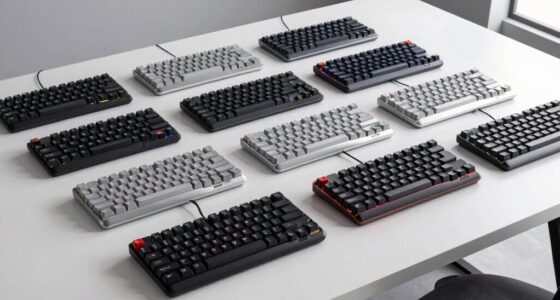

The best wireless mechanical keyboard overall in this roundup is the ASUS ROG Strix Scope II 96 Wireless, which combines a compact full-function layout with gaming-focused features. For a quieter work setup, the Logitech MX Mechanical offers tactile quiet switches, while the AULA F75 Pro stands out for buyers who want a compact 75% board. Choosing among wireless mechanical keyboards means balancing layout, connection flexibility, switch feel, and battery needs; not every wireless option here is mechanical, so check the AULA S99’s membrane design before buying. Read on for the full breakdown and a guide to matching a keyboard to your desk and daily use.

Get the latest gadgets delivered free with Prime
- Fast, free delivery on millions of items
- Prime Video, Amazon Music and more included
- Member-only deals all year
Complete the kit



Key Takeaways
- The ASUS ROG Strix Scope II 96 Wireless is the most versatile pick: its 96-key layout keeps number-pad access while using less desk space than a traditional full-size board.
- Layout shapes the choice more than RGB: the 75% AULA F75 Pro and Kisnt KN85 save space, while the Redragon K556 PRO and K768 PRO retain more keys for users who rely on a number pad.
- Wireless options are not interchangeable: models with tri-mode connectivity can suit devices that use different connection types, while Bluetooth-focused designs may better fit a simple multi-device work setup.
- Hot-swappable switches offer room to personalize: the Kisnt KN85 and AULA F75 Pro appeal to buyers who want to change switch feel, while fixed-switch boards call for more careful selection up front.
- Product naming can obscure the underlying type: the AULA S99 is a wireless membrane gaming keyboard, not a mechanical keyboard, so it belongs only on a shortlist where membrane feel is acceptable.
| Logitech MX Mechanical Wireless Illuminated Keyboard, Tactile Quiet, Graphite |  | Best for Multi-Device Office Use | Layout: Full-size QWERTY, 104 keys | Switches: Low-profile Tactile Quiet | Connectivity: Bluetooth Low Energy or Logi Bolt receiver | VIEW LATEST PRICE | See Our Full Breakdown |
| Kisnt KN85 Wireless 75% Mechanical Keyboard, Tri-Mode Connectivity, RGB Backlit, Hot-Swappable Linear Switches, Retro Beige |  | Best for Switch Customization | Layout: 75% QWERTY, 85 keys | Dimensions: 13.68 x 5.51 x 1.77 inches | Switches: Pre-lubed Bsun linear, 45–50 gf actuation | VIEW LATEST PRICE | See Our Full Breakdown |
| AULA F75 Pro 75% Wireless Mechanical Keyboard |  | Best for On-Keyboard Controls | Layout: 75% QWERTZ, 81 keys | Switches: Linear, hot-swappable; supports 3-pin and 5-pin switches | Connectivity: Bluetooth 5.0, 2.4GHz wireless, USB-C | VIEW LATEST PRICE | See Our Full Breakdown |
| AULA S99 99-Key Wireless Membrane Gaming Keyboard |  | Best for Wireless Number-Pad Users | Layout: 96% QWERTY, 99 keys | Switch type: Membrane | Connectivity: Bluetooth 5.0, 2.4GHz wireless, USB-C wired | VIEW LATEST PRICE | See Our Full Breakdown |
| ProtoArc K310 Pro Backlit Bluetooth Mechanical Keyboard |  | Best for Quiet Full-Size Typing | Layout: Full-size, 108 keys | Switches: Low-profile linear red | Connectivity: Bluetooth and USB receiver | VIEW LATEST PRICE | See Our Full Breakdown |
| ASUS ROG Strix Scope II 96 Wireless Mechanical Gaming Keyboard |  | Best for Compact Full-Size Gaming | Layout: 96%, 96 keys | Switches: ROG NX Snow linear, hot-swappable | Connectivity: Bluetooth, 2.4 GHz wireless, USB wired | VIEW LATEST PRICE | See Our Full Breakdown |
| Redragon K556 PRO 104-Key Wireless RGB Mechanical Gaming Keyboard |  | Best Value Full-Size Customization | Layout: Full-size QWERTY, 104 keys | Switches: Linear Red | Switch compatibility: Hot-swappable 3-pin and 5-pin switches | VIEW LATEST PRICE | See Our Full Breakdown |
| AULA F99 Wireless Mechanical Keyboard |  | Best for Multi-Device Switching | Layout: 96%, 99 keys | Connectivity: Bluetooth 5.0, 2.4 GHz wireless, USB-C wired | Multi-device support: Up to 5 devices | VIEW LATEST PRICE | See Our Full Breakdown |
| Redragon K671KS Wireless Mechanical Gaming Keyboard |  | Best Compact Pick with Included Spares | Layout: 81 keys, QWERTY | Connectivity: USB-C wired, Bluetooth 3.0/5.0, 2.4 GHz wireless | Device capacity: Up to 5 devices | VIEW LATEST PRICE | See Our Full Breakdown |
| Redragon K673 PRO Wireless 81-Key RGB Gasket Gaming Keyboard |  | Best Compact Gasket-Mounted Option | Layout: 81 keys, QWERTY | Connectivity: USB-C, Bluetooth, 2.4 GHz wireless | Switches: Redragon Red linear; hot-swappable 3-pin and 5-pin | VIEW LATEST PRICE | See Our Full Breakdown |
| Redragon K768 PRO Wireless 100-Key Gasket Gaming Keyboard |  | Best for Customization | Layout: 100-key QWERTY | Connectivity: USB-C, Bluetooth, and 2.4GHz wireless | Switches: Custom linear; hot-swappable 3-pin and 5-pin sockets | VIEW LATEST PRICE | See Our Full Breakdown |
| Redragon K710 Wireless Typewriter-Style Mechanical Keyboard, Black | 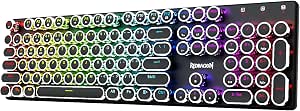 | Best for Retro Styling | Layout: 104-key QWERTY | Connectivity: USB-C wired, Bluetooth 3.0/5.0, and 2.4GHz wireless | Switches: Clicky blue mechanical switches | VIEW LATEST PRICE | See Our Full Breakdown |
| wireless mechanical keyboard | Layout | Connectivity | Backlighting | Switches |
|---|---|---|---|---|
| Logitech MX Mechanical Wireles | Full-size QWERTY, 104 keys | Bluetooth Low Energy or Logi Bolt receiver | Single color, proximity activated, automatic brightness adjustment | Low-profile Tactile Quiet |
| Kisnt KN85 Wireless 75% Mechan | 75% QWERTY, 85 keys | USB-C, 2.4GHz wireless, Bluetooth 5.0 | RGB | Pre-lubed Bsun linear, 45–50 gf actuation |
| AULA F75 Pro 75% Wireless Mech | 75% QWERTZ, 81 keys | Bluetooth 5.0, 2.4GHz wireless, USB-C | RGB, 16.8 million colors | Linear, hot-swappable; supports 3-pin and 5-pin switches |
| AULA S99 99-Key Wireless Membr | 96% QWERTY, 99 keys | Bluetooth 5.0, 2.4GHz wireless, USB-C wired | RGB | — |
| ProtoArc K310 Pro Backlit Blue | Full-size, 108 keys | Bluetooth and USB receiver | 10 effects with adjustable speed and brightness | Low-profile linear red |
| ASUS ROG Strix Scope II 96 Wir | 96%, 96 keys | Bluetooth, 2.4 GHz wireless, USB wired | Per-key RGB | ROG NX Snow linear, hot-swappable |
| Redragon K556 PRO 104-Key Wire | Full-size QWERTY, 104 keys | USB-C, Bluetooth, 2.4 GHz wireless | RGB, 20 preset modes | Linear Red |
| AULA F99 Wireless Mechanical K | 96%, 99 keys | Bluetooth 5.0, 2.4 GHz wireless, USB-C wired | RGB, 16 lighting effects | Pre-lubed linear; hot-swappable 3-pin and 5-pin |
| Redragon K671KS Wireless Mecha | 81 keys, QWERTY | USB-C wired, Bluetooth 3.0/5.0, 2.4 GHz wireless | RGB, 16 preset effects | Linear Cherry MX Red; hot-swappable |
| Redragon K673 PRO Wireless 81- | 81 keys, QWERTY | USB-C, Bluetooth, 2.4 GHz wireless | RGB | Redragon Red linear; hot-swappable 3-pin and 5-pin |
| Redragon K768 PRO Wireless 100 | 100-key QWERTY | USB-C, Bluetooth, and 2.4GHz wireless | Adjustable RGB | Custom linear; hot-swappable 3-pin and 5-pin sockets |
| Redragon K710 Wireless Typewri | 104-key QWERTY | USB-C wired, Bluetooth 3.0/5.0, and 2.4GHz wireless | RGB with up to 16 lighting modes | Clicky blue mechanical switches |
More Details on Our Top Picks
Logitech MX Mechanical Wireless Illuminated Keyboard, Tactile Quiet, Graphite
I’d choose the Logitech MX Mechanical for a desk shared between work devices, especially when quiet, low-profile mechanical typing matters more than gaming customization. Its Tactile Quiet switches give each keystroke a discernible bump without the louder character associated with many mechanical boards, while proximity-activated backlighting adapts to the room instead of staying bright all day. It pairs with up to three devices over Bluetooth or Logi Bolt, a more office-focused setup than the Kisnt KN85, which adds 2.4GHz wireless and hot-swappable switches for customization. The tradeoff is a full-size footprint and fewer enthusiast features: the MX Mechanical is not hot-swappable, and some customization relies on Logi Options+ software. Its backlit battery life is also much shorter than its backlight-off estimate, so frequent charging is part of the deal for illuminated use.
Pros:- Tactile Quiet switches provide feedback while keeping typing noise restrained.
- Pairs with up to three devices across Bluetooth Low Energy and Logi Bolt.
- Proximity-activated backlighting adjusts brightness to the surrounding light.
- USB-C rechargeable battery supports extended use with backlighting turned off.
Cons:- Full-size layout takes more desk space than compact 75% options such as the Kisnt KN85.
- Switches are not hot-swappable, limiting hardware customization.
- Battery life drops to up to 15 days when backlighting is in use.
Best for: Office workers switching among a computer, tablet, and phone who want a full-size layout with quieter tactile feedback.
Not ideal for: Keyboard hobbyists seeking hot-swappable switches, or desk-space-conscious users who do not need a number pad.
- Layout:Full-size QWERTY, 104 keys
- Switches:Low-profile Tactile Quiet
- Connectivity:Bluetooth Low Energy or Logi Bolt receiver
- Multi-device pairing:Up to 3 devices
- Backlighting:Single color, proximity activated, automatic brightness adjustment
- Battery and charging:1500 mAh rechargeable Li-Po; USB-C
- Battery life:Up to 15 days with backlighting; up to 10 months with backlighting off
- Weight and dimensions:828 g; 26.1 x 433.85 x 131.55 mm
- Operating systems:Windows, macOS, Linux, Chrome OS, iOS, iPadOS, Android
Our verdict“Choose the MX Mechanical if quiet tactile typing and easy switching among work devices matter more than a compact footprint or switch customization.”
Kisnt KN85 Wireless 75% Mechanical Keyboard, Tri-Mode Connectivity, RGB Backlit, Hot-Swappable Linear Switches, Retro Beige
The Kisnt KN85 makes the most sense for someone who wants a compact wireless mechanical keyboard that can change as their preferences do. Its 75% layout keeps the function row and arrow keys while dropping the number pad, and hot-swap sockets accept 3-pin or 5-pin switches without soldering. That gives it a clear enthusiast advantage over the Logitech MX Mechanical, whose quiet tactile switches are fixed. The KN85 also offers USB-C, Bluetooth 5.0, and 2.4GHz connections, so it can serve different devices and setups. Its gasket mount and pre-lubed linear switches are designed for a cushioned, smooth feel, though the included linear switches will not suit buyers who prefer a tactile bump. Windows-only software limits remapping and macro work on other systems, and the keyboard has no water resistance.
Pros:- Hot-swap support accommodates 3-pin and 5-pin switches without soldering.
- 75% layout retains function and arrow keys while saving space.
- Offers USB-C, 2.4GHz wireless, and Bluetooth 5.0 connectivity.
- Gasket mount and pre-lubed linear switches are designed for a cushioned, smooth keystroke.
Cons:- No number pad, unlike the full-size Logitech MX Mechanical.
- Remapping and macro software is Windows-only and works only in wired or 2.4GHz mode.
- Not water resistant, leaving it vulnerable to spills.
Best for: Keyboard enthusiasts who want a compact board with hot-swappable switches and wireless options for a Windows PC, laptop, or mobile device.
Not ideal for: Buyers who need a number pad, want full software customization on macOS, or need protection from spills.
- Layout:75% QWERTY, 85 keys
- Dimensions:13.68 x 5.51 x 1.77 inches
- Switches:Pre-lubed Bsun linear, 45–50 gf actuation
- Hot-swappable:Supports 3-pin and 5-pin switches
- Connectivity:USB-C, 2.4GHz wireless, Bluetooth 5.0
- Backlighting:RGB
- Battery:4000 mAh rechargeable
- Compatibility:Android, Linux, macOS, Windows
- Water resistance:Not water resistant
Our verdict“Pick the KN85 if you want room to experiment with switches in a compact tri-mode board and can work around its Windows-only software.”
AULA F75 Pro 75% Wireless Mechanical Keyboard
The AULA F75 Pro is a compact pick for buyers who want more controls on the keyboard itself, rather than relying on software for every adjustment. Its multifunction knob, programmable keys, and RGB lighting give it a broader control set than the Kisnt KN85’s listed feature set, while Bluetooth, 2.4GHz wireless, and USB-C cover both mobile and wired setups. Hot-swap support also lets owners change 3-pin or 5-pin switches later. The main catch is the supplied QWERTZ layout: buyers accustomed to QWERTY may find the key arrangement a poor fit, regardless of the compact 75% format. Like the KN85, it omits a number pad, and its listed features do not specify battery life. I’d favor it over the Logitech MX Mechanical for onboard customization, but not for a familiar QWERTY typing layout.
Pros:- Multifunction knob and programmable keys add convenient onboard controls.
- Bluetooth 5.0, 2.4GHz wireless, and USB-C provide three connection modes.
- Hot-swappable linear switches support both 3-pin and 5-pin replacements.
- Side-printed PBT keycaps and RGB lighting add distinctive hardware features.
Cons:- QWERTZ layout may frustrate buyers accustomed to QWERTY, including the Kisnt KN85’s listed layout.
- 75% layout leaves out a dedicated numeric keypad.
- Battery life is not specified in the provided product details.
Best for: Users who want a compact wireless board with a physical control knob, programmable keys, RGB lighting, and switch-swap options.
Not ideal for: QWERTY typists who do not want to adjust to QWERTZ, or spreadsheet users who rely on a dedicated number pad.
- Layout:75% QWERTZ, 81 keys
- Switches:Linear, hot-swappable; supports 3-pin and 5-pin switches
- Connectivity:Bluetooth 5.0, 2.4GHz wireless, USB-C
- Battery:4000 mAh rechargeable
- Backlighting:RGB, 16.8 million colors
- Keycaps:Side-printed PBT
- Controls and customization:Programmable keys and multifunction knob
- Compatible devices:Gaming console, laptop, PC, smartphone, tablet
- Other feature:Water repellent
Our verdict“Choose the F75 Pro if its QWERTZ layout suits you and a knob plus programmable controls are more useful than a number pad.”
AULA S99 99-Key Wireless Membrane Gaming Keyboard
The AULA S99 is the outlier in this wireless mechanical keyboard roundup: it is a membrane keyboard, not a mechanical one. I’ve included it as a layout-focused alternative for buyers who want wireless convenience, RGB, and a numeric keypad in a more compact footprint than a full-size board. Its 96% layout keeps the number pad, and Bluetooth, 2.4GHz wireless, and USB-C offer flexible connections. The macro programming and dual-mode knob add controls that the Logitech MX Mechanical does not list, while the adjustable stand gives users a way to change the typing angle. But the membrane switches do not provide the mechanical switch feel or hot-swap flexibility found on the Kisnt KN85 and AULA F75 Pro. Choose it for its layout and controls, not for a mechanical typing experience.
Pros:- 96% layout includes a numeric keypad in a space-saving design.
- Bluetooth 5.0, 2.4GHz wireless, and USB-C support multiple connection setups.
- Offers full-key macro programming, M1/M2/M3 shortcut keys, and a rotary knob.
- Two-stage adjustable stand lets users change the typing angle.
Cons:- Membrane switches make it a mismatch for buyers seeking a mechanical keyboard.
- Does not support hot-swapping, unlike the Kisnt KN85 and AULA F75 Pro.
- One-year warranty is specified.
Best for: Buyers who prioritize a compact numeric keypad, wireless connections, and macro controls over mechanical switches.
Not ideal for: Anyone specifically seeking a mechanical switch feel, hot-swapping, or a keyboard with a clearly stated mechanical switch type.
- Layout:96% QWERTY, 99 keys
- Switch type:Membrane
- Connectivity:Bluetooth 5.0, 2.4GHz wireless, USB-C wired
- Backlighting:RGB
- Programmable controls:Full-key macro programming, M1/M2/M3 shortcut keys, dual-mode rotary knob
- Compatibility:Windows XP/7/8/10, Mac, Android, iOS
- Stand:Adjustable two-stage stand
- Color:Green and beige
- Warranty:1 year
Our verdict“Consider the S99 only if a compact number pad and wireless controls matter more to you than a genuine mechanical switch feel.”
ProtoArc K310 Pro Backlit Bluetooth Mechanical Keyboard
The ProtoArc K310 Pro suits buyers who want a conventional full-size layout and quiet, smooth keystrokes without giving up wireless device switching. Its 108-key design adds a complete number pad, and low-profile linear red switches offer a different feel from the Logitech MX Mechanical’s tactile bumps. The K310 Pro also connects to up to three devices through Bluetooth or a USB receiver, while adjustable backlighting and two-level tilt legs support a more tailored desk setup. Its stated standby time of up to 150 days is appealing, but standby is not the same as active use, so I would not treat it as a direct comparison to the MX Mechanical’s usage-based battery figures. Macro customization has specific limits: it requires a 2.4GHz USB connection, the keyboard is not detected through a multi-port hub, and Safari is unsupported for that feature.
Pros:- Full-size 108-key layout includes a numeric keypad.
- Low-profile linear red switches provide a quiet, smooth typing option compared with the MX Mechanical’s tactile switches.
- Connects to up to three devices through Bluetooth or a USB receiver.
- USB-C charging, adjustable backlighting, macro customization, and two-level tilt legs add setup flexibility.
Cons:- Macro customization requires a 2.4GHz USB connection rather than Bluetooth.
- Not detected through a multi-port hub, which can complicate desk setups.
- Up to 150 days refers to standby time, not a stated active-use battery duration.
Best for: People who want a full-size wireless mechanical keyboard with a number pad, quieter linear switches, and connections for up to three devices.
Not ideal for: Users who want tactile feedback, rely on a multi-port hub, or need to customize macros over Bluetooth or in Safari.
- Layout:Full-size, 108 keys
- Switches:Low-profile linear red
- Connectivity:Bluetooth and USB receiver
- Device connections:Up to 3 devices
- Backlighting:10 effects with adjustable speed and brightness
- Charging:USB-C rechargeable
- Standby time:Up to 150 days after 6–8 hours of charging
- Design:Aluminum top case and two-level adjustable tilt legs
- Compatibility:Windows 8/10, Mac OS X 10.12, Android 4.4 or higher, iOS
Our verdict“Pick the K310 Pro if you want a quiet, full-size board with a number pad and multi-device wireless support, and can live with its macro connection limits.”
ASUS ROG Strix Scope II 96 Wireless Mechanical Gaming Keyboard
I’d choose the ROG Strix Scope II 96 when a number pad matters but a standard full-size footprint feels too wide. Its 96-key layout keeps number-entry keys alongside a more compact arrangement, while Bluetooth, 2.4 GHz, and USB cover multi-device use and wired play. The pre-lubricated linear switches, sound dampening, and detachable wrist rest give it a more complete out-of-box setup than the simpler Redragon K556 PRO. Its stated up to 1,500-hour battery life in 2.4 GHz mode is another useful distinction, though actual use with per-key RGB may differ. The tradeoff is a learning curve: the compressed layout can make familiar key positions harder to find, and its QWERTZ layout may not suit QWERTY typists. I’d skip it if water resistance is a priority.
Pros:- 96-key layout keeps a number pad while taking less space than a conventional full-size board
- Bluetooth, 2.4 GHz wireless, and USB connectivity
- Hot-swappable, pre-lubricated linear switches with sound dampening
- Detachable wrist rest and stated long 2.4 GHz battery life
Cons:- Compressed 96% layout may take time to learn
- QWERTZ layout may not match a buyer’s preferred key arrangement
- Not water resistant
Best for: PC gamers and desk users who need a number pad, want three connection modes, and can adapt to a compressed QWERTZ layout.
Not ideal for: QWERTY-first typists who rely on familiar full-size key spacing, or anyone who needs a water-resistant keyboard.
- Layout:96%, 96 keys
- Switches:ROG NX Snow linear, hot-swappable
- Connectivity:Bluetooth, 2.4 GHz wireless, USB wired
- Battery life:Up to 1,500 hours in 2.4 GHz mode
- Backlighting:Per-key RGB
- Keyboard layout:QWERTZ
- Dimensions:14.84 × 5.16 × 1.57 in
- Compatibility:PC, Mac, gaming consoles
Our verdict“Choose the ASUS if you want a compact gaming board that retains a number pad and offers a long stated wireless runtime, but skip it if you need familiar QWERTY spacing.”
Redragon K556 PRO 104-Key Wireless RGB Mechanical Gaming Keyboard
The Redragon K556 PRO is the straightforward pick for buyers who want a familiar full-size layout and room to change switches later. Its 104 keys keep the number pad and standard spacing, unlike the more compressed ASUS ROG Strix Scope II 96. Tri-mode USB-C, Bluetooth, and 2.4 GHz connectivity also makes it flexible for a desk shared between devices. The aluminum plate provides a firm typing base, while hot-swap sockets support most 3-pin and 5-pin switches without soldering. That makes experimentation easier than committing to the built-in linear switches on the K673 PRO. The costs of this simpler approach are a larger footprint and less information about wireless endurance: battery life isn’t specified. Deeper RGB and macro changes rely on companion software, so I wouldn’t pick it for a plug-and-play customization experience.
Pros:- Full 104-key layout retains standard spacing and a number pad
- USB-C, Bluetooth, and 2.4 GHz connectivity
- Hot-swappable sockets support most 3-pin and 5-pin switches
- Aluminum plate creates a sturdy typing base
Cons:- Full-size body takes more desk space than the ASUS ROG Strix Scope II 96
- Battery life is not specified
- Deeper RGB and macro customization requires companion software
Best for: Buyers who want a conventional full-size wireless mechanical keyboard with switch-swapping flexibility and a sturdy plate.
Not ideal for: Desk-space-limited users, or people who want stated battery-life figures and easy customization without software.
- Layout:Full-size QWERTY, 104 keys
- Switches:Linear Red
- Switch compatibility:Hot-swappable 3-pin and 5-pin switches
- Connectivity:USB-C, Bluetooth, 2.4 GHz wireless
- Backlighting:RGB, 20 preset modes
- Plate material:Aluminum
- Dimensions:17.1 × 4.9 × 1.1 in
- Weight:1,074 g
Our verdict“Pick the K556 PRO if you prefer a full-size layout and want to swap switches without soldering, but look elsewhere for battery-life clarity or a smaller footprint.”
AULA F99 Wireless Mechanical Keyboard
I’d put the AULA F99 near the top for someone moving among several computers or mobile devices: it supports up to five devices across Bluetooth, 2.4 GHz, and USB-C. Its 99-key compact layout retains both arrows and a number pad, a useful middle ground between the smaller Redragon K673 PRO and full-size K556 PRO. The gasket structure, layered sound dampening, pre-lubed linear switches, and double-shot PBT keycaps give it a more acoustically considered setup than the K556 PRO’s aluminum-plate emphasis. Its 8000 mAh battery capacity is substantial, though the product data does not give a runtime figure. Buyers should check the layout before ordering: the listing specifies AZERTY, which can frustrate QWERTY users. Driver software is also needed for RGB effects and macro customization.
Pros:- Supports up to five devices through Bluetooth, 2.4 GHz, and USB-C
- Compact 99-key layout retains arrow keys and a number pad
- Gasket structure and layered sound dampening
- Hot-swappable switches and double-shot PBT keycaps
Cons:- AZERTY layout may not suit QWERTY users
- RGB effects and macro customization require driver software
- Battery capacity is listed, but runtime is not
Best for: People who switch among several PCs, tablets, or phones and want a compact number-pad layout with damped linear typing.
Not ideal for: QWERTY typists who don’t want to adapt to AZERTY, or users who prefer to customize lighting without installing software.
- Layout:96%, 99 keys
- Connectivity:Bluetooth 5.0, 2.4 GHz wireless, USB-C wired
- Multi-device support:Up to 5 devices
- Switches:Pre-lubed linear; hot-swappable 3-pin and 5-pin
- Backlighting:RGB, 16 lighting effects
- Keycaps:Double-shot PBT
- Battery capacity:8000 mAh
- Water resistance:Water repellent
Our verdict“Choose the F99 if five-device switching and a damped compact layout matter more than getting a QWERTY board or software-free customization.”
Redragon K671KS Wireless Mechanical Gaming Keyboard
The Redragon K671KS suits buyers who want a compact wireless board and useful customization parts in the box. Its 81-key QWERTY layout takes up less space than the full-size K556 PRO, while Bluetooth, 2.4 GHz, and USB-C give it both wireless and wired options. Hot-swappable linear switches, programmable macros, per-key lighting, and double-injection PBT keycaps make it more adaptable than a basic compact keyboard. Redragon also includes spare switches, extra keycaps, and a puller, which helps owners make small repairs or try replacements. The smaller layout does mean giving up keys found on full-size models such as the ASUS ROG Strix Scope II 96, including its number pad. Battery life isn’t specified, and the stated OS compatibility is Windows, leaving Mac support unclear.
Pros:- Compact 81-key QWERTY layout saves desk space
- USB-C, Bluetooth, and 2.4 GHz connectivity with support for up to five devices
- Hot-swappable linear switches, macros, and per-key lighting
- Includes spare switches, extra keycaps, and a keycap puller
Cons:- Lacks the number pad retained by the ASUS ROG Strix Scope II 96
- Battery life is not specified
- Listed operating-system compatibility is Windows, so Mac support is unclear
Best for: Windows users seeking a space-saving wireless gaming keyboard with hot-swap support and spare switches included.
Not ideal for: Number-pad users, buyers who need published battery-life information, or Mac users who require clearly stated compatibility.
- Layout:81 keys, QWERTY
- Connectivity:USB-C wired, Bluetooth 3.0/5.0, 2.4 GHz wireless
- Device capacity:Up to 5 devices
- Switches:Linear Cherry MX Red; hot-swappable
- Keycaps:Double-injection PBT
- Backlighting:RGB, 16 preset effects
- Materials:Metal panel and plate
- Included accessories:8 spare linear switches, 2 extra red keycaps, keycap puller, USB cable
Our verdict“Pick the K671KS if you want a compact, customizable board with spare parts included, but choose a larger model if a number pad is part of your daily workflow.”
Redragon K673 PRO Wireless 81-Key RGB Gasket Gaming Keyboard
The Redragon K673 PRO is the compact choice for buyers who care more about a cushioned, quieter typing feel than about retaining a number pad. Its gasket mount and five layers of noise dampening give it a different priority from the Redragon K556 PRO, which offers a full-size layout and aluminum plate but no stated layered dampening. The K673 PRO also adds a control knob for lighting and media playback, so frequent adjustments don’t have to start with a software menu. Tri-mode USB-C, Bluetooth, and 2.4 GHz keeps it practical across a desk setup, and hot-swap sockets accept 3-pin and 5-pin switches. The 81-key format is the main compromise: it gives up keys available on the ASUS ROG Strix Scope II 96, including a number pad. Advanced lighting and macros also depend on software, and the listed OS compatibility is Windows.
Pros:- Gasket mount and five-layer dampening support a cushioned, quieter typing feel
- USB-C, Bluetooth, and 2.4 GHz connectivity
- Hot-swappable sockets accept 3-pin and 5-pin switches
- Control knob handles lighting and media playback
Cons:- 81-key layout omits keys and the number pad found on the ASUS ROG Strix Scope II 96
- Advanced lighting and macro customization requires software
- Listed operating-system compatibility is Windows
Best for: Desk-space-conscious typists and gamers who want a compact board with a damped feel, a control knob, and switch-swapping options.
Not ideal for: Users who need a number pad, prefer full-size key availability, or require clearly listed Mac compatibility.
- Layout:81 keys, QWERTY
- Connectivity:USB-C, Bluetooth, 2.4 GHz wireless
- Switches:Redragon Red linear; hot-swappable 3-pin and 5-pin
- Mount and dampening:Gasket mount, 5 layers of noise dampening
- Backlighting:RGB
- Control:Knob for lighting and media playback
- Color:Abyssal Blue
- Compatibility:PC, laptop, tablet; Windows listed
Our verdict“Choose the K673 PRO if a compact gasket-mounted board and control knob matter more than a number pad or clearly documented cross-platform support.”
Redragon K768 PRO Wireless 100-Key Gasket Gaming Keyboard
The K768 PRO is the more flexible pick for buyers who want a wireless board they can tune over time. Its tri-mode connections cover USB-C, Bluetooth, and 2.4GHz, while hot-swappable sockets accept 3-pin and 5-pin switches, so changing the linear feel does not require replacing the whole keyboard. The gasket design and PBT keycaps add a cushioned, durable-leaning setup; the control knob also puts lighting and media adjustments within easy reach. Compared with the more compact Redragon K673 PRO, this 100-key layout gives you more keys but takes up more desk space. The 8000mAh battery is a generous capacity on paper, though no runtime is specified, so I would not assume how often it needs charging. Choose it for adjustability, not minimal size.
Pros:- USB-C, Bluetooth, and 2.4GHz connectivity support wired use and wireless device switching
- Hot-swappable sockets support both 3-pin and 5-pin switches
- Gasket construction, custom linear switches, and PBT keycaps provide a cushioned, customizable setup
- Control knob, programmable macros, and adjustable RGB add convenient onboard and software customization
Cons:- The 100-key layout occupies more space than compact options such as the Redragon K673 PRO
- Battery runtime is not specified, despite the 8000mAh capacity
- Programmable software may be more involved than buyers seeking a simple plug-and-type keyboard want
Best for: PC and laptop users who want a wireless gaming keyboard with switch-swapping options, a control knob, and room for more than a compact layout provides
Not ideal for: Small-desk users or frequent travelers who prioritize a compact footprint, and buyers who need a stated battery runtime before choosing
- Layout:100-key QWERTY
- Connectivity:USB-C, Bluetooth, and 2.4GHz wireless
- Switches:Custom linear; hot-swappable 3-pin and 5-pin sockets
- Keycaps:PBT
- Construction:Gasket design
- Battery:8000mAh
- Backlighting:Adjustable RGB
- Compatible devices:PC, laptop, and tablet
- Warranty:1 year
Our verdict“Pick the K768 PRO if you want a customizable wireless keyboard with a larger battery and accept a wider footprint and unspecified runtime.”
Redragon K710 Wireless Typewriter-Style Mechanical Keyboard, Black
The K710 is aimed at buyers who want a keyboard to make a visual statement as well as provide wireless mechanical typing. Its round retro-style keycaps and metal panel give it a different character from the more conventional Redragon K768 PRO, while clicky blue switches deliver audible, tactile feedback instead of the K768 PRO’s linear feel. It also offers USB-C, Bluetooth, and 2.4GHz connections, so the vintage styling does not mean giving up modern connection choices. The tradeoff is practical: clicky switches are noisy for shared rooms or calls, and its full 104-key layout needs more desk space than compact boards such as the K673 PRO. The listed operating-system compatibility is Windows only, so I would verify support before pairing it with another platform.
Pros:- USB-C wired, Bluetooth, and 2.4GHz wireless modes provide flexible connection options
- Round typewriter-style keycaps and a metal panel create a distinctive retro look
- Clicky blue switches provide audible feedback for buyers who enjoy a pronounced typing response
- RGB lighting, programmable keys, and anti-ghosting support add customization and gaming utility
Cons:- Clicky blue switches produce sound that can bother nearby people
- The 104-key layout takes more desk space than compact wireless options
- Windows is the only compatible operating system listed
Best for: Windows users who want a full-size wireless mechanical keyboard with retro round keycaps, audible clicky feedback, and a metal panel
Not ideal for: People typing in quiet offices or shared spaces, buyers who prefer linear or quiet switches, and users relying on a non-Windows operating system
- Layout:104-key QWERTY
- Connectivity:USB-C wired, Bluetooth 3.0/5.0, and 2.4GHz wireless
- Switches:Clicky blue mechanical switches
- Keycaps:Round retro-style keycaps
- Panel:Metal
- Battery:Rechargeable, 4000mAh
- Backlighting:RGB with up to 16 lighting modes
- Compatible operating system:Windows
- Anti-ghosting:Supported
Our verdict“Choose the K710 if retro styling and clicky typing matter more to you than quiet operation, compact size, or broad stated OS support.”

How We Picked
I ranked these keyboards by how well their wireless design, layout, and typing features serve real buyer needs, rather than by lighting or gaming claims alone. I weighed connection modes, key count, switch choice, hot-swap support, backlighting, and the practical space each board takes up. I also checked whether the product description supports calling the keyboard mechanical; the AULA S99 is membrane-based, which changes its place in a roundup centered on mechanical typing.
The ranking favors boards with a clear advantage for a common use case and a useful balance of features and tradeoffs. The ASUS ROG Strix Scope II 96 Wireless leads for its space-conscious layout and broad gaming fit, while the Logitech MX Mechanical ranks highly for quiet office typing. Compact and configurable models follow for buyers with narrower priorities, and full-size or more specialized boards rank lower when their layout, switch details, or category fit serves fewer people. I do not treat an unlisted specification as a confirmed feature, so buyers should verify details such as battery capacity and included wireless modes for the exact version they plan to purchase.
Factors to Consider When Choosing Wireless Mechanical Keyboards
Before choosing a model, I would narrow the field by how you work, where the keyboard sits, and how much you want to customize it. These broader decisions often matter more than lighting effects or a gaming label.
Choose a layout by the keys you actually use
A compact layout can free desk space and bring the mouse closer, but fewer keys may mean using function layers for controls you expect to reach directly. A 75% board usually keeps the main navigation cluster while dropping the number pad; a 96% layout retains more functions in a tighter footprint. Full-size designs make sense for frequent spreadsheet entry or workflows built around dedicated keys. Before choosing, compare the keyboard’s layout image with your current board and list keys you use every day. A smaller board is not automatically more ergonomic if its missing keys interrupt your routine.
Match wireless modes to your devices and environment
Wireless keyboards may use Bluetooth, a dedicated USB receiver, or both, and a tri-mode label can indicate additional connection flexibility. Bluetooth is convenient for laptops and tablets, while a receiver-based link may suit a desktop setup where you want a direct wireless connection. Think about whether you will switch between devices, leave a receiver plugged in, or use the keyboard wired at times. Also check whether the exact version includes the receiver and connection modes you need; product names alone do not confirm the package contents. A common mistake is buying for the word wireless without checking how the board connects to each device.
Pick switch feel before focusing on sound or lighting
Switch type affects the feel of every keystroke, so it should guide the shortlist before RGB patterns do. Tactile switches provide a noticeable bump, while linear switches move without that bump; neither is universally better for typing or gaming. Quiet-focused designs can be a better fit for shared rooms, though a quiet switch does not make every part of a keyboard silent. Hot-swappable models allow compatible switches to be changed later, which can reduce the risk of being stuck with a feel you dislike. Check compatibility and switch details carefully, since hot-swap support does not mean every switch will fit.
Treat battery life and backlighting as a connected choice
Backlighting can help in dim rooms, but using it may affect how often a wireless board needs charging. Buyers who type in bright spaces may prefer to keep lighting low or off and prioritize a simpler battery routine. Look for battery-life information tied to a stated lighting setting rather than relying on a single headline figure. If the manufacturer does not provide clear usage conditions, avoid assuming the longest claimed runtime will match your setup. A practical choice is one whose charging method and expected upkeep fit your desk habits.
Decide how much customization you will use
Hot-swap sockets, software controls, and customizable lighting can add flexibility, but they matter most if you expect to adjust the board after purchase. A buyer who wants a ready-to-use work keyboard may gain little from features that require time and compatible parts. For gaming, consider whether the controls and layout support your actual games rather than treating a gaming label as proof of a better fit. For work, prioritize dependable device pairing and a comfortable layout over effects you may turn off. Paying more for customization makes sense when you have a specific plan for it, not just because the feature list is longer.
Verify that the keyboard is truly mechanical
Some listings place membrane keyboards beside mechanical models because they target similar gaming setups, but the typing mechanism is different. If a mechanical switch feel is the reason you are shopping, confirm the switch type in the product details rather than relying on the title or backlit appearance. Membrane designs can still suit buyers who prefer their feel or want a different kind of keyboard, but they should not be treated as direct mechanical substitutes. Product names and model variants can also differ by region, so confirm the exact version before ordering. This check is especially relevant in this roundup because the AULA S99 is explicitly a membrane keyboard.
Frequently Asked Questions
Which wireless keyboard here keeps a number pad without taking up as much space as a full-size board?
The ASUS ROG Strix Scope II 96 Wireless is the clearest fit for that request because its 96-key layout retains number-pad functionality in a more compact arrangement than a conventional full-size design. The tradeoff is that tightly grouped keys may take adjustment if you are used to a standard layout. Compare its key arrangement with the full-size Redragon K556 PRO or K768 PRO before choosing. If you rarely use the number pad, a 75% board may leave more room for mouse movement.
Is a tri-mode keyboard worth choosing if I mainly type on one laptop?
It may not be, unless you expect to add devices or want more than one way to connect. A simpler Bluetooth-focused option can be a better match for a single laptop and avoids paying attention to modes you will not use. Tri-mode flexibility becomes more useful when the keyboard must serve a desktop, laptop, or other compatible device. Check which modes the exact model supports and whether switching between them is straightforward before making that flexibility a deciding factor.
Should I choose a hot-swappable keyboard if I have never changed mechanical switches?
Hot-swap support is useful if you are uncertain about switch feel or want the option to customize later, but it is not required for a satisfying first keyboard. A beginner may prefer a board with a clearly described switch type and a layout that suits daily tasks. If you do plan to swap switches, confirm socket compatibility and understand that replacement switches may need to be purchased separately. Do not treat hot-swap support as a guarantee that every switch will fit or that the process requires no care.
Can I use the AULA S99 as a mechanical keyboard alternative?
The AULA S99 is identified as a wireless membrane gaming keyboard, so it does not provide the mechanical switch mechanism this roundup focuses on. It may still suit someone who likes its layout or gaming-oriented presentation and prefers membrane typing. If a mechanical feel, switch replacement, or mechanical-specific customization is your priority, compare it with models such as the AULA F75 Pro or the ASUS ROG Strix Scope II 96 Wireless instead. Confirm the product type in the listing before purchasing.
For a shared office, should I prioritize quiet switches or a compact layout?
Start with the issue that affects your daily comfort most: noise or desk space. The Logitech MX Mechanical is a sensible direction when quiet tactile typing matters, while compact models such as the AULA F75 Pro can reduce keyboard footprint and leave more room for a mouse. Compactness does not guarantee quieter typing, and quiet switches do not make keycaps or desk contact silent. If possible, check switch descriptions and consider how the board sits on your desk, especially in a room where sound carries.
Conclusion
For the broadest mix of gaming use and everyday function, I recommend the ASUS ROG Strix Scope II 96 Wireless as best overall. The best value-oriented choice is the Kisnt KN85 if you want a compact layout, tri-mode connectivity, and hot-swappable linear switches in one board; check its exact configuration before buying. For best premium office use, choose the Logitech MX Mechanical for its quiet tactile focus, while the best beginner-friendly direction is a straightforward layout and switch setup that matches your daily typing rather than a feature-heavy board. For a smaller desk, compare the AULA F75 Pro with the 81-key Redragon K673 PRO; for a number pad, favor the ASUS 96% layout or a full-size Redragon. Skip the AULA S99 if mechanical switches are a requirement, since it is a membrane model.
Evergreen bestsellers Picks
bestsellers
As an affiliate, we earn on qualifying purchases.