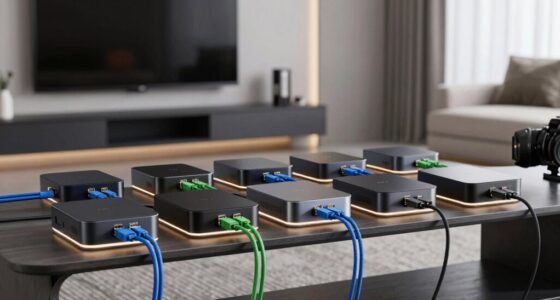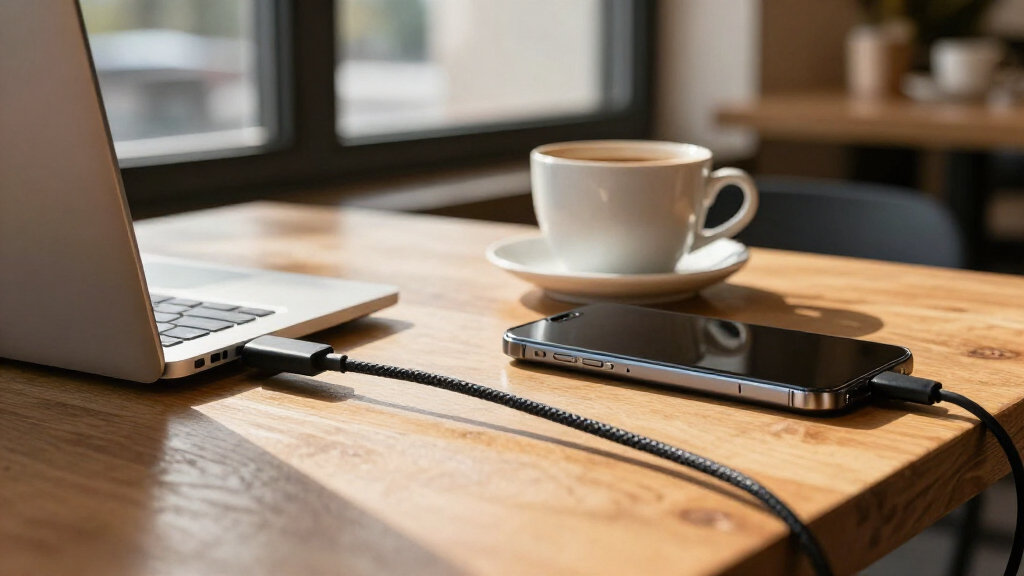
The best USB-C splitter cables depend on whether you need to charge two devices, connect different plug types, or keep cables tidy in a shared setup. My best overall pick is the Duttek 140W braided Y-cable for its high stated power capacity and longer reach, while the UGREEN magnetic splitter stands out for combining headphone use with charging. For a compact setup, the BERANMEY 12-inch two-pack is a more space-conscious alternative. The main tradeoffs are power sharing, connector direction, cable length, and whether a splitter supports data or only charging. Read on for the full breakdown of all 14 options and how I’d match them to different needs.

Get the latest gadgets delivered free with Prime
- Fast, free delivery on millions of items
- Prime Video, Amazon Music and more included
- Member-only deals all year
Complete the kit



Key Takeaways
- Power claims do not tell the whole story: The Duttek and Danfetsoy cables state 140W, but a splitter’s actual output can depend on the charger, device negotiation, and whether power is shared.
- Connector layout changes compatibility: The list includes male-to-dual-female Y-cables, female-to-dual-male designs, and multi-connector charging cables; these are not interchangeable.
- Length is a practical differentiator: The 6-foot IFLASH and iFlash options suit outlets farther away, while BERANMEY’s 12-inch pair fits compact desks or travel kits.
- More connectors can mean more compromises: The multi-headed 3-in-1 and 4-in-1 cables serve mixed-device setups, but buyers should check which connector types and charging functions they actually need.
- Special-purpose picks earn their place: UGREEN’s headphone-and-charging design addresses a different need from basic charging splitters, while the 2-pack options make sense when a cable must be available in more than one location.
| 3-in-1 Right-Angle USB-C Charging Cable, 5 ft |  | Best for Low-Profile Multi-Device Charging | Cable configuration: 3 × USB-C | Length: 5 ft | Connector gender: Male-to-male | VIEW LATEST PRICE | See Our Full Breakdown |
| Duttek USB-C Splitter (1-in-2-Out), 140W PD Braided Y-Cable, 1.5m |  | Best for High-Power Charging | Connector configuration: USB-C male to 2 × USB-C male | Maximum power: 140W | Maximum current: 5A | VIEW LATEST PRICE | See Our Full Breakdown |
| IFLASH 6ft Dual Port USB-C Splitter Charging Cable (Black) |  | Best for Extra Reach | Connector configuration: USB-C to dual USB-C | Length: 6 ft | Maximum current: 2A shared | VIEW LATEST PRICE | See Our Full Breakdown |
| KiwiBird USB-C Splitter, 1-In-2-Out |  | Best Compact Adapter for Basic Use | Connector configuration: 1 male USB-C input to 2 female USB-C outputs | Data transfer rate: Up to 30MB/s (480Mbps) | Maximum current: 1.5A | VIEW LATEST PRICE | See Our Full Breakdown |
| IFlash Dual Port USB-C Splitter Charging Cable (Black, 6ft) |  | Best for Simple Two-Device Charging | Connector configuration: USB-C to dual USB-C | Cable length: 6 ft | Maximum current: 2A total, split between devices | VIEW LATEST PRICE | See Our Full Breakdown |
| 4-Port USB-C Splitter Charging Cable, 5 ft, 2-Pack |  | Best for Multi-Device Charging | Cable length: 5 ft | USB-C connectors: 4 | Connector compatibility: USB Type-C and USB Type-A via included converter | VIEW LATEST PRICE | See Our Full Breakdown |
| Danfetsoy 5 ft USB-C Splitter Cable, 1 to 2, 140W |  | Best for High-Power Charging | Cable length: 5 ft | Output design: 1 USB-C input to 2 USB-C outputs | Maximum single-device power: 140W | VIEW LATEST PRICE | See Our Full Breakdown |
| MOGOOD 60W USB-C Splitter Cable, USB-C Male to Dual USB-C Female |  | Best for Charging While Using a Peripheral | Connector type: USB-C male to dual USB-C female | Port functions: 1 USB-C data port and 1 USB-C charging port | Maximum charging power: 60W | VIEW LATEST PRICE | See Our Full Breakdown |
| BERANMEY USB-C 1-to-2 Splitter Cable, 2-Pack, 12 Inch |  | Best Compact Two-Pack | Connector configuration: USB-C female to dual USB-C male | Cable length: 12 inches (0.3 m) | Maximum current: 3A | VIEW LATEST PRICE | See Our Full Breakdown |
| KAYQINHO USB-C Charging Splitter, 1 Female to 2 Male |  | Best for Simple Everyday Charging | Connector configuration: 1 USB-C female to 2 USB-C male | Maximum output: Up to 15W (3A) per port | Cable material: TPE | VIEW LATEST PRICE | See Our Full Breakdown |
| UGREEN Magnetic USB-C Splitter for Headphones and Charging |  | Best for Charging While Listening | Ports: 1 USB-C input, 2 USB-C outputs | Maximum charging power: 60W PD | Audio and charging: Supported simultaneously on one device | VIEW LATEST PRICE | See Our Full Breakdown |
| 4-in-2 USB-C Splitter Charging Cable, 2-Pack, 4 ft |  | Best for Multi-Device Charging on a Budget | Cable configuration: USB-A or USB-C input to four USB-C connectors | Cable length: 4 ft (1.2 m) | Quantity: 2 cables | VIEW LATEST PRICE | See Our Full Breakdown |
| Bismdky 2-Pack 4 ft 4-in-1 USB-C Charging Cable, QC 3.0, Nylon Braided, Green |  | Best Color-Coded Multi-Device Pair | Quantity: 2 cables | Cable length: 4 ft | Connector type: USB Type-C | VIEW LATEST PRICE | See Our Full Breakdown |
| iFlash Dual-Port USB-C Splitter Charging Cable, Red |  | Best for Charging Two Devices with Basic Data Access | Connector type: USB Type-C | Connector gender: Female-to-female | Data transfer rate: Up to 480 Mbps through one marked port | VIEW LATEST PRICE | See Our Full Breakdown |
| USB-C splitter cable | Maximum current | Data transfer rate | Cable length |
|---|---|---|---|
| 3-in-1 Right-Angle USB-C Charg | — | — | — |
| Duttek USB-C Splitter | 5A | 480Mbps | 1.5m (4.92ft) |
| IFLASH 6ft Dual Port USB-C Spl | 2A shared | Up to 480Mbps | — |
| KiwiBird USB-C Splitter | 1.5A | Up to 30MB/s (480Mbps) | — |
| IFlash Dual Port USB-C Splitte | 2A total, split between devices | — | 6 ft |
| 4-Port USB-C Splitter Charging | — | — | 5 ft |
| Danfetsoy 5 ft USB-C Splitter | — | Up to 480 Mbps on the first-connected device only | 5 ft |
| MOGOOD 60W USB-C Splitter Cabl | 900 mA | Up to 480 Mbps | — |
| BERANMEY USB-C 1-to-2 Splitter | 3A | — | 12 inches (0.3 m) |
| KAYQINHO USB-C Charging Splitt | — | — | — |
| UGREEN Magnetic USB-C Splitter | — | — | — |
| 4-in-2 USB-C Splitter Charging | 3.1 A | Up to 480 Mbps (60 MB/s) | 4 ft (1.2 m) |
| Bismdky 2-Pack 4 ft 4-in-1 USB | 3.1 A | — | 4 ft |
| iFlash Dual-Port USB-C Splitte | — | Up to 480 Mbps through one marked port | — |
More Details on Our Top Picks
3-in-1 Right-Angle USB-C Charging Cable, 5 ft
The three-connector layout is the reason to choose this cable: it can reach several USB-C devices without adding separate leads, while the 90-degree plug sits closer to a laptop or charger edge. Its 5-foot braided length suits a desk, bedside setup, or travel bag. Compared with the Duttek USB-C Splitter, it favors connector count and a low-profile fit over specified high-power delivery; this model does not support fast charging, and power can vary when multiple devices are attached. That makes it a better match for low-to-moderate-power devices than for quickly charging a laptop alongside a phone. I’d skip it if speed or predictable power sharing matters more than having three branches in one cable.
Pros:- Three USB-C connectors provide more branches than the two-output Duttek and IFLASH options.
- Right-angle input plug sits close to a device and can reduce cable protrusion.
- Five-foot length offers useful reach around a desk or car.
- Nylon braid and reinforced connector joint add protection against everyday wear.
Cons:- Does not support fast charging.
- Power distribution may vary with multiple devices connected.
- Designed for low-to-moderate-power devices, limiting its usefulness for demanding laptop charging.
Best for: People who want one cable to connect several low-to-moderate-power USB-C devices in a tight desk, bedside, or travel setup.
Not ideal for: Buyers who need fast charging or reliable high-power charging for a laptop and another device at the same time.
- Cable configuration:3 × USB-C
- Length:5 ft
- Connector gender:Male-to-male
- Connector design:90-degree right angle
- Material:Nylon-braided
- Charging:Does not support fast charging
- Compatible devices:Laptops, PCs, smartphones, and tablets
Our verdict“Choose this cable when three USB-C connections and a low-profile plug matter more than fast or high-power charging.”
Duttek USB-C Splitter (1-in-2-Out), 140W PD Braided Y-Cable, 1.5m
The Duttek stands apart from the lower-power KiwiBird and IFLASH options with a stated 140W Power Delivery maximum, making it the strongest candidate here for a laptop-capable charging setup. Its 1.5-meter reach and braided, reinforced construction suit a desk or bedside arrangement, while two USB-C outputs let one source serve two devices. That power figure is a ceiling, not a guarantee that both connected devices receive it: the total output is shared, so a laptop may charge more slowly when another device is attached. Data is limited to 480Mbps, too, which is adequate for basic transfers but not a high-speed data link. Compared with the three-connector 3-in-1 cable, Duttek trades an extra branch for a more clearly specified high-power role.
Pros:- Specifies up to 140W Power Delivery for compatible power sources and devices.
- Two USB-C outputs can serve a laptop and another device from one source.
- Braided nylon jacket and reinforced connectors are designed for repeated handling.
- Nearly five-foot length provides practical reach at a desk or bedside.
Cons:- Power is shared between connected devices, potentially slowing laptop charging.
- 480Mbps data rate is limited to USB 2.0 speeds.
- The 140W maximum depends on the source and connected devices and is not available to each output independently.
Best for: USB-C laptop owners who want one cable for charging a second device as well and whose charger supports Power Delivery.
Not ideal for: People who need fast data transfers or expect two connected devices to each receive the full 140W.
- Connector configuration:USB-C male to 2 × USB-C male
- Maximum power:140W
- Maximum current:5A
- Maximum voltage:28V
- Data transfer rate:480Mbps
- Cable length:1.5m (4.92ft)
- Material:Braided nylon
- Weight:12g
Our verdict“Pick Duttek for a two-device setup where high-power PD capability matters, but not if both devices need maximum charging speed at once.”
IFLASH 6ft Dual Port USB-C Splitter Charging Cable (Black)
At 6 feet, this IFLASH cable gives more room between a USB-C source and two connected devices than the shorter KiwiBird adapter or the 4.92-foot Duttek. The double-braided nylon jacket also suits a cable likely to be moved between a couch, desk, or bedside charger. Its limits are more important than its reach: the cable shares a maximum 2A between both outputs, so connecting two devices can reduce charging speed, and data works with only one device at a time. Unlike Duttek, it does not list a 140W PD rating, so I wouldn’t pick it for fast laptop charging. It makes more sense for basic charging where convenient cable placement matters more than charging speed or simultaneous syncing.
Pros:- Six-foot length offers more reach than the Duttek cable.
- Two USB-C outputs charge two compatible devices from one port.
- Double-braided nylon construction is suited to repeated bending and handling.
- One-year manufacturer replacement warranty is listed.
Cons:- The 2A maximum is shared, limiting charging speed when both outputs are in use.
- Data transfer is limited to one connected device at a time.
- Requires a USB-C source and does not work with traditional USB-A chargers.
Best for: People charging two USB-C devices from one source who need a longer cable for a couch, bedside, or workstation setup.
Not ideal for: Laptop users who need high-power PD charging, or anyone who wants to sync data to two devices at once.
- Connector configuration:USB-C to dual USB-C
- Length:6 ft
- Maximum current:2A shared
- Data transfer rate:Up to 480Mbps
- Data use:One device at a time
- Material:Double-braided nylon
- Compatibility:USB-C phones, tablets, laptops, and other USB-C devices
- Warranty:1 year manufacturer replacement
Our verdict“Choose this IFLASH cable for extra reach and basic two-device charging, not for fast charging or dual-device data syncing.”
KiwiBird USB-C Splitter, 1-In-2-Out
The KiwiBird takes a different approach from the cable-style IFLASH and Duttek splitters: its male-to-two-female adapter is compact, so it adds ports without leaving a long lead to coil or pack. Plug-and-play operation keeps setup simple for compatible USB-C phones, tablets, computers, chargers, and peripherals. The tradeoff is a distinctly low-power, basic-use role: it is limited to 5V, 1.5A, and 7.5W, with USB 2.0 data speeds. The product also cautions that simultaneous charging and data transfer may not work in every setup. Compared with the longer IFLASH cable, KiwiBird is easier to carry but offers less placement flexibility and no listed high-power charging capability. I’d treat the two outputs as added convenience, not a dependable fast-charging hub.
Pros:- Compact, lightweight design is easier to carry than a long splitter cable.
- Adds two female USB-C outputs to one USB-C port.
- Plug-and-play setup requires no drivers.
- One-year warranty is listed.
Cons:- Maximum output is limited to 7.5W, 5V, and 1.5A.
- USB 2.0 data transfer is limited to 480Mbps.
- Simultaneous charging and data transfer may not work in all setups.
Best for: Travelers and desk users who want a lightweight port adapter for basic USB-C peripherals or low-power charging.
Not ideal for: Anyone charging a laptop, relying on fast charging, or needing simultaneous charging and data to work consistently.
- Connector configuration:1 male USB-C input to 2 female USB-C outputs
- Data transfer rate:Up to 30MB/s (480Mbps)
- Maximum current:1.5A
- Maximum voltage:5V
- Maximum wattage:7.5W
- Weight:14.2g
- Compatibility:USB-C phones, tablets, computers, chargers, and peripherals
- Warranty:1 year
Our verdict“Choose KiwiBird for a small, simple port expander, but skip it for laptop power or dependable multi-function use.”
IFlash Dual Port USB-C Splitter Charging Cable (Black, 6ft)
This IFlash cable covers the straightforward case: connect one USB-C power source to two compatible devices, with six feet of cable for flexible placement. Its double-braided nylon construction offers a sturdier everyday format than the compact KiwiBird adapter, while its 480Mbps data support allows one connected device to sync. The central compromise is the 2A total current, which is split between the outputs; two connected devices will not charge at full speed. Data syncing is also restricted to one device at a time, and the cable needs a USB-C source. Compared with Duttek, this model is a simpler basic-charging pick without a stated 140W PD capability. It suits phones and other modest-power devices better than a laptop-first charging setup.
Pros:- Six-foot cable gives more placement flexibility than compact adapters.
- Two outputs allow simultaneous charging from one USB-C source.
- Double-braided nylon construction is suited to regular handling.
- Supports data transfer for one connected device at up to 480Mbps.
Cons:- The 2A total current is split between connected devices, reducing charging speed.
- Data syncing is limited to one device at a time.
- Requires a USB-C power source and is not compatible with traditional USB-A chargers.
Best for: People who want a long, braided cable to charge two phones or other modest-power USB-C devices from one USB-C source.
Not ideal for: Buyers who need high-speed charging, two-device data syncing, or compatibility with a USB-A charger.
- Connector configuration:USB-C to dual USB-C
- Cable length:6 ft
- Maximum current:2A total, split between devices
- Data transfer speed:Up to 480Mbps
- Data syncing:One device at a time
- Material:Double-braided nylon
- Color:Black
- Warranty:1 year manufacturer replacement
Our verdict“Choose this IFlash for simple two-device charging with extra cable reach, but look to Duttek for a stated high-power PD option.”
4-Port USB-C Splitter Charging Cable, 5 ft, 2-Pack
For charging several compatible devices from one cable, this four-connector layout offers more reach than the two-output Danfetsoy 5 ft USB-C Splitter Cable. The 5-foot braided lead and two-cable package suit households or travel kits that need a spare, while the included converter adds USB-A compatibility. The key limitation is functional, not just physical: data transfer and CarPlay work through only one USB-C connector, so the other branches are for charging rather than equivalent connections. That makes it a better match for spreading power among devices than for a car setup or a desk where every connection needs data access. Choose it for connector count and flexibility; skip it if you need all four ports to behave alike.
Pros:- Four USB-C connectors provide more charging branches than two-output splitters.
- Two 5-foot cables offer a spare or allow placement in separate locations.
- USB-A converter broadens compatibility with older power sources.
- Braided nylon construction is designed to resist tangling and wear.
Cons:- Data transfer and CarPlay are limited to one USB-C port.
- The listing does not specify a maximum charging wattage or current.
- Multiple connectors do not mean each branch supports the same functions.
Best for: People charging several compatible USB-C phones or accessories who want two cables and occasional USB-A compatibility.
Not ideal for: Drivers relying on CarPlay or users who need data transfer from more than one connected device.
- Cable length:5 ft
- USB-C connectors:4
- Connector compatibility:USB Type-C and USB Type-A via included converter
- Cable material:Braided nylon
- Package quantity:2 cables
- Data transfer:Supported through one USB-C port only
- CarPlay:Supported through one USB-C port only
- Safety features:Overheat, overvoltage, and overcurrent protection
Our verdict“Choose this two-pack when charging several devices matters more than having data and CarPlay on every branch.”
Danfetsoy 5 ft USB-C Splitter Cable, 1 to 2, 140W
The Danfetsoy is the power-focused choice in this group: it splits one USB-C source across two devices and specifies up to 140W for a single device. That makes it a more suitable fit for higher-power charging than the BERANMEY 12-inch splitter, which is capped at 15W. Its E-Marker chip monitors current and voltage on both branches, and the braided jacket is rated for more than 15,000 bending cycles. But the large wattage figure applies to one device, not both simultaneously, and the product description does not state the combined power split. Data is also limited to 480 Mbps on the first-connected device. I’d choose it when power capability and a longer cable matter, not when both branches need equal high-speed data access.
Pros:- Supports charging two USB-C devices from one source.
- Specifies up to 140W for a single connected device.
- E-Marker chip monitors current and voltage on both branches.
- Braided jacket and reinforced casing are designed for durability.
Cons:- The 140W maximum is for one device, and combined output is not specified.
- 480 Mbps data works only on the first-connected device.
- The package includes only the cable body.
Best for: Buyers who want a 5-foot two-device charging splitter with a stated high single-device power ceiling.
Not ideal for: People who need high-speed data on both branches or expect both connected devices to receive 140W simultaneously.
- Cable length:5 ft
- Output design:1 USB-C input to 2 USB-C outputs
- Maximum single-device power:140W
- Data transfer rate:Up to 480 Mbps on the first-connected device only
- Cable material:Nylon braided jacket
- Connector finish:Gold-plated
- Durability:Bending life exceeding 15,000 cycles
Our verdict“Pick the Danfetsoy for a durable, longer two-way splitter when high single-device power matters more than shared data access.”
MOGOOD 60W USB-C Splitter Cable, USB-C Male to Dual USB-C Female
Unlike the BERANMEY and KAYQINHO splitters, which focus on charging two devices, the MOGOOD separates its branches by job: one USB-C port handles data while another accepts charging input up to 60W. That arrangement is useful for a compatible mouse, keyboard, headphones, or card reader when you also want to keep a device charging. Data is limited to USB 2.0 speeds up to 480 Mbps, and the stated 900 mA maximum current and 5 V DC limit the data side’s capabilities. This is not a general-purpose hub: it does not support video output or SSDs, and its charging port is not recommended for laptops or Samsung fast charging. I’d choose it for basic peripherals, not storage or display expansion.
Pros:- Separate data and charging ports let a compatible peripheral remain connected during charging.
- Charging input supports up to 60W PD.
- USB 2.0 data supports compatible headphones, mice, keyboards, flash drives, and card readers.
- Braided nylon cable offers a more durable jacket than basic PVC splitters.
Cons:- Does not support video output or HDMI adapters.
- Not compatible with SSDs.
- Charging is not recommended for laptops and does not support Samsung fast charging.
Best for: People who want to connect a basic USB-C peripheral while charging a compatible phone or other device.
Not ideal for: Laptop users, Samsung fast-charging users, or anyone connecting an SSD, display, or HDMI adapter.
- Connector type:USB-C male to dual USB-C female
- Port functions:1 USB-C data port and 1 USB-C charging port
- Maximum charging power:60W
- Data transfer rate:Up to 480 Mbps
- Maximum current:900 mA
- Maximum voltage:5 V DC
- Cable material:Nylon braided
- Color:Silver
Our verdict“Choose the MOGOOD for simple peripheral use alongside charging, but not as a storage, video, or laptop hub.”
BERANMEY USB-C 1-to-2 Splitter Cable, 2-Pack, 12 Inch
The BERANMEY stands out for portability rather than power: its 12-inch cable and two-pack are easy to keep in a bag or use at a bedside where a long lead would get in the way. It splits one USB-C source between two devices, but the 15W maximum makes it a low-power charging option, unlike the 140W-rated Danfetsoy. Phones, earbuds, and smartwatches are the intended audience; laptops and demanding tablets are not. It also carries no data, file-sync, or video signal, so the two branches are strictly for charging. I’d favor it over the longer KAYQINHO when compact storage and a spare cable matter, but buyers wanting more reach or broader functionality should choose another type of splitter.
Pros:- Two cables provide a spare or allow use in separate locations.
- Compact 12-inch length packs easily and avoids excess cable on a small surface.
- Supports simultaneous charging of two low-power devices.
- PVC construction is flexible and designed to resist abrasion.
Cons:- Maximum output is limited to 15W and 3A at 5V.
- Does not support data transfer, file synchronization, or video mirroring.
- Short length may not reach comfortably from a distant power source.
Best for: Travelers and commuters who want two compact cables for charging phones, earbuds, or smartwatches.
Not ideal for: People charging laptops or power-hungry tablets, or anyone who needs data transfer, synchronization, or video.
- Connector configuration:USB-C female to dual USB-C male
- Cable length:12 inches (0.3 m)
- Maximum current:3A
- Maximum power:15W
- Input voltage:5V
- Cable material:PVC
- Package quantity:2 cables
- Warranty:1 year
Our verdict“Choose this two-pack for compact, low-power charging on the go, not for laptops or data connections.”
KAYQINHO USB-C Charging Splitter, 1 Female to 2 Male
The KAYQINHO keeps the proposition simple: connect one USB-C source to two low-power devices, with intelligent power distribution when both branches are occupied. That makes it a straightforward alternative to the BERANMEY two-pack if you need one cable and don’t need a travel spare. Like that model, it is charging-only—there is no data transfer, video output, or hub functionality—so it suits phones and small accessories rather than laptop docks or file transfers. The listed output is up to 15W (3A) per port, but the description does not state how power is divided between ports when both are active. Its flexible TPE cable and nickel-plated connectors favor everyday handling, though buyers wanting a short two-pack may find the BERANMEY more convenient.
Pros:- One USB-C source can charge two compatible devices.
- Intelligent power distribution manages output when both branches are in use.
- Flexible TPE cable is suited to everyday handling.
- Nickel-plated connectors are designed to resist corrosion.
Cons:- Does not support data transfer, video output, or hub functions.
- Designed for low-power charging rather than high-power devices.
- Power division between ports when both are active is not specified.
Best for: People who need one uncomplicated splitter for charging a phone and another low-power USB-C device.
Not ideal for: Users who need data, video, hub features, a spare cable, or dependable charging for high-power devices.
- Connector configuration:1 USB-C female to 2 USB-C male
- Maximum output:Up to 15W (3A) per port
- Cable material:TPE
- Connector finish:Nickel-plated
- Color:Black
- Intended use:Charging only
- Data transfer:Not supported
- Unit count:1
Our verdict“Choose the KAYQINHO for a single, no-frills cable to charge two low-power devices, provided you do not need data or video.”
UGREEN Magnetic USB-C Splitter for Headphones and Charging
The UGREEN Magnetic USB-C Splitter is the most purpose-specific pick here: it lets one USB-C device charge at up to 60W while sending audio through a second port. That makes it a better fit for a phone or tablet without a headphone jack than the iFlash Dual-Port USB-C Splitter, which focuses on charging two devices and data through one marked port. Its magnetic connection, braided cable, and aluminum housing add practical durability, but the compact design does not make it a general-purpose hub. It supports neither data transfer nor screen expansion, and its two outputs cannot charge or play audio on separate devices at the same time. I’d choose it for single-device listening, not for expanding a workstation or sharing power.
Pros:- Supports audio and charging on one device at the same time
- Up to 60W Power Delivery charging
- Magnetic connection and braided cable support everyday durability
- Aluminum alloy housing is designed to dissipate heat
Cons:- Does not support data transfer or screen expansion
- Cannot charge or transmit audio to two devices simultaneously
- Does not support external USB-C-to-3.5mm adapters
Best for: USB-C phone and tablet owners who want to listen through a USB-C audio accessory while keeping their device charged.
Not ideal for: People who need file transfers, display output, two-device charging, or an external USB-C-to-3.5mm adapter.
- Ports:1 USB-C input, 2 USB-C outputs
- Maximum charging power:60W PD
- Audio and charging:Supported simultaneously on one device
- Data transfer:Not supported
- Cable material:Braided nylon
- Housing material:Aluminum alloy
- Dimensions:0.63 x 1.1 x 0.35 inches
- Weight:1.76 ounces
- Model:CM821
Our verdict“Choose the UGREEN if your priority is listening through USB-C audio while charging one device, rather than splitting power or data across multiple devices.”
4-in-2 USB-C Splitter Charging Cable, 2-Pack, 4 ft
This two-pack stands out for connector count and source flexibility: each four-foot cable accepts USB-A or USB-C power and branches to four USB-C devices. Compared with the Bismdky 2-Pack 4 ft 4-in-1 cable, its stated USB 2.0 data transfer gives it a clearer role beyond charging, while the two included cables suit households that want a spare. The limit is shared output: the cable is rated for 3.1A and 40W, so connecting several devices does not mean each gets fast charging. QC 3.0 performance also depends on compatible devices and a suitable charger. Its braided build and over-current and overvoltage protection are useful, but this is a convenience splitter, not a replacement for dedicated high-power chargers.
Pros:- Each cable can connect up to four USB-C devices
- Works with USB-A or USB-C power sources
- Supports USB 2.0 data transfer up to 480 Mbps
- Two braided cables include over-current and overvoltage protection
Cons:- The 3.1A maximum current is shared across connected devices
- QC 3.0 fast charging depends on compatible chargers and devices
- The 40W maximum is limited for charging multiple power-hungry devices
Best for: Households or travelers who need two four-foot cables to top up several USB-C phones or tablets from USB-A or USB-C adapters.
Not ideal for: Users who need high-speed charging for several devices at once or dependable full-power charging for laptops.
- Cable configuration:USB-A or USB-C input to four USB-C connectors
- Cable length:4 ft (1.2 m)
- Quantity:2 cables
- Maximum current:3.1 A
- Maximum wattage:40 W
- Maximum voltage:12.9 V
- Data transfer rate:Up to 480 Mbps (60 MB/s)
- Materials and design:Nylon braid with SR anti-break design
- Durability test:Passed 12,000 bend tests
Our verdict“Pick this two-pack when reaching several USB-C devices from varied power adapters matters more than fast, dedicated charging for each one.”
Bismdky 2-Pack 4 ft 4-in-1 USB-C Charging Cable, QC 3.0, Nylon Braided, Green
The Bismdky pair is a straightforward choice for buyers who want four USB-C charging ends per cable and a distinctive green finish. Like the 4-in-2 USB-C Splitter Charging Cable, 2-Pack, 4 ft, it offers two four-foot cables and a 3.1A maximum current; the difference is that Bismdky highlights QC 3.0 charging and an aluminum housing but does not specify data transfer or protection features. That makes the other two-pack the more versatile pick for anyone who needs stated data capability or broader input compatibility. Bismdky’s nylon braid and aluminum are intended to help with wear and heat, yet the description does not say how charging speed changes when all four connectors are occupied. I’d treat it as a shared charging cable, not a guaranteed fast-charge solution for a full set of devices.
Pros:- Four USB-C connectors allow several compatible devices to charge
- Two cables provide a spare or a second charging location
- Nylon braid is designed to resist tangling and abrasion
- Aluminum housing is designed for heat and corrosion resistance
Cons:- All output connectors are USB-C
- Charging speed with multiple devices connected is not specified
- Data transfer support is not stated
Best for: Buyers who want a pair of four-foot, green USB-C splitters for charging several compatible phones or tablets.
Not ideal for: People who need documented data transfer, non-USB-C device connectors, or confirmed charging speeds with multiple devices connected.
- Quantity:2 cables
- Cable length:4 ft
- Connector type:USB Type-C
- Cable design:4-in-1 splitter with four USB-C connectors
- Fast charging:QC 3.0
- Maximum current:3.1 A
- Materials:Nylon braid and aluminum housing
- Color:Green
- Warranty:12 months
Our verdict“Choose Bismdky for a two-cable, USB-C-only charging setup; choose the 4-in-2 USB-C Splitter instead if stated data transfer and USB-A input support matter.”
iFlash Dual-Port USB-C Splitter Charging Cable, Red
The red iFlash takes a simpler route than the UGREEN Magnetic USB-C Splitter: it branches one USB-C charger to two USB-C devices, with charging current shared between them. Its distinguishing extra is 480 Mbps data transfer through one marked port when connected to a PC, so it can serve a basic file-transfer role as well as charging. That data support is limited: only one device transfers data at a time, and the cable needs a USB-C charger rather than USB-A. Unlike the 4-in-2 USB-C Splitter, it has just two outputs, but that smaller count fits buyers who want a simpler cable rather than a four-way branch. The braided nylon and low listed weight suit portable use; shared current makes it a poor choice when both devices need fast charging.
Pros:- Can charge two USB-C devices from one USB-C charger
- Supports data transfer up to 480 Mbps through one marked port
- Double-braided nylon construction is designed for bend resistance
- Plug-and-play operation requires no setup
Cons:- Charging current is divided between connected devices
- Data transfer works with only one device at a time
- Not compatible with USB-A chargers
Best for: USB-C device owners who want one compact cable to charge two devices and occasionally transfer data through a marked port.
Not ideal for: People using USB-A chargers, needing data access for two devices at once, or expecting each connected device to receive full charging current.
- Connector type:USB Type-C
- Connector gender:Female-to-female
- Data transfer rate:Up to 480 Mbps through one marked port
- Charging:Charges two USB-C devices with shared current
- Charger compatibility:USB-C charger required; USB-A chargers unsupported
- Material and design:Double-braided nylon
- Item weight:14.2 g
- Package quantity:1
- Warranty:1-year manufacturer replacement warranty
Our verdict“Pick the iFlash for two-device charging with occasional single-port data transfer, but skip it if you need USB-A compatibility or independent charging speeds.”
How We Picked
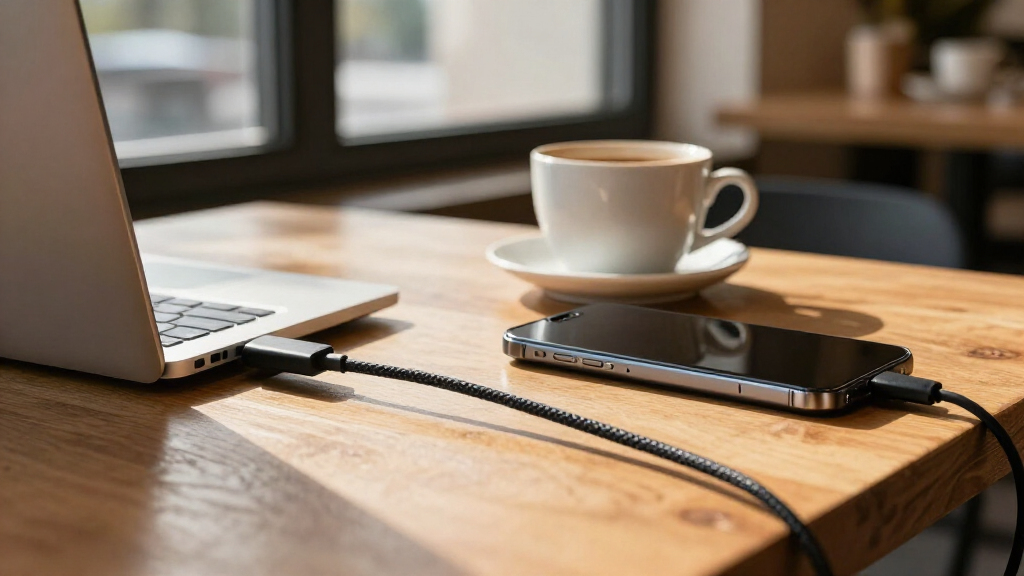
I compared the 14 listings by the factors that most affect day-to-day fit: connector direction and type, stated power capacity, cable length, number of usable ends, portability, and whether a product targets a special task such as headphone listening. Those details matter more than the word “splitter” on a package: a cable with two USB-C female ends does a different job from one with two USB-C male ends or a multi-connector head.
The ranking favors options with a clear use case, useful reach, and a stated capability that suits the intended setup, while accounting for limitations such as short cables, unclear data support, or power sharing. I distinguish basic charging splitters from multi-device and audio-oriented designs rather than treating them as direct substitutes. Product names and listed specifications are not proof that every device combination will work, so buyers should confirm charging protocols, port roles, and data support before choosing.
Factors to Consider When Choosing Best USB-C Splitter Cables
Before choosing a USB-C splitter, start with the job it must perform. The same-looking Y shape can split a power source, adapt a connector layout, or combine charging with another function, and those differences affect compatibility more than cable color or braid style.
Check What Each Connector Does
Read the product’s port directions rather than relying on “1-to-2” wording alone. A USB-C male plug that branches to two female ports is often meant to connect one source to separate device cables, while a female-to-two-male design may suit a different power arrangement. This matters when connecting a wall charger, a laptop, a phone, or an accessory because USB-C ports can act as either power sources or sinks. Do not assume two output ends can charge two devices at full speed simultaneously. If the listing does not clearly identify the source end and device ends, treat compatibility as uncertain and verify the intended setup before buying.
Treat Wattage as a Limit, Not a Promise
A stated wattage such as 60W or 140W describes a claimed capability, not necessarily the power each connected device will receive. When two devices are attached, a charger may divide available power, and the devices must support compatible USB Power Delivery profiles to draw higher output. A cable marked 140W cannot make a lower-capacity charger deliver more power. For a laptop plus phone setup, check the charger’s total output and the manufacturer’s explanation of power distribution. If the listing omits how power is shared, choosing a splitter for simultaneous high-demand charging carries more uncertainty than using separate charger ports.
Separate Charging From Data and Video
Many splitter cables are designed for charging only, even when their USB-C plugs physically fit data-capable devices. A charging splitter may not support file transfers, USB peripherals, display output, or full USB-C alternate modes. This is a common source of disappointment for buyers trying to connect a monitor, external drive, or dock through a simple Y-cable. Look for explicit data-rate or video-support information if those tasks matter, and do not infer support from a USB-C connector or a high wattage label. When a listing only describes charging, choose it only for charging unless the seller provides clear compatibility details.
Choose Cable Length Around the Setup
Length affects more than convenience: excess cable can clutter a travel pouch, while a short branch can leave devices hanging from a wall outlet or desk. Measure the distance from the power source to the devices, then leave a little slack for routing and movement. Longer options such as the 6-foot cables in this roundup suit distant outlets, while short splitters fit compact layouts better. A multi-connector cable can reduce the number of separate cords, but its branching point may still sit awkwardly if the devices are far apart. For travel, a short two-pack can be easier to pack; for a bedside or sofa setup, reach may matter more than compactness.
Pay for Extra Functions Only When You Need Them
Multi-headed cables and headphone-and-charging splitters can simplify a specific setup, but every added connector is another compatibility detail to check. A 3-in-1 or 4-in-1 cable is useful when the devices in your household use different connector types, yet it may be unnecessary if everything already charges over USB-C. Audio-oriented splitters address the need to listen while charging, which a basic Y-cable may not handle. Before paying for extra versatility, list the devices you will connect and confirm the cable includes the exact plugs each one needs. A simpler design is often easier to pack and understand when only one charging task is involved.
Check the Listing for Device and Charger Limits
USB-C compatibility can vary across phones, tablets, laptops, chargers, and accessories, so a cable’s connector shape alone is not enough. Look for a stated supported use, such as charging two devices, headphone listening while charging, or a particular charging protocol. If the cable is bundled as a two-pack, confirm that both pieces have the same connector layout and intended function. Braided jackets and right-angle plugs can help with wear or tight spaces, but they do not establish electrical compatibility. When support details are vague, contact the seller or choose a design whose use is described plainly.
Frequently Asked Questions
Can a USB-C splitter charge two devices at the same time?
Some splitter cables are intended to connect two devices for charging, but simultaneous charging does not guarantee each device receives the charger’s full output. The charger, cable design, and connected devices all affect power negotiation and distribution. Check whether the listing explicitly supports two-device charging and whether it explains how power is shared. For two power-hungry devices, a charger with separate USB-C ports is usually a clearer way to manage output. Avoid treating a high wattage printed on the cable as a per-port guarantee.
Will a USB-C splitter let me charge a laptop and use a monitor?
Usually, a basic charging splitter should not be assumed to support video output. USB-C monitor connections can rely on DisplayPort Alternate Mode or other capabilities that many charging cables do not carry. The product must explicitly state video or display support, and the laptop, monitor, and any adapter must also be compatible. If the listing only describes charging or power delivery, use a dedicated dock or video-capable adapter instead. This avoids buying a cable that fits the ports but cannot perform the display task.
Does a splitter preserve fast charging when two devices are connected?
Not necessarily. Fast charging depends on the charger’s available power, the cable’s supported profile, and whether both devices can negotiate compatible charging modes. Connecting a second device may reduce the power available to the first, even when the splitter lists a high maximum wattage. Check the charger’s total output and the splitter’s stated behavior under dual-device use. If fast charging for one device is the priority, connecting it directly to the charger is the more predictable choice.
How do I know whether I need a male-to-dual-female or female-to-dual-male splitter?
Start by identifying the port on the power source and the ports on the devices, then match each cable end to the port it must connect to. A male-to-dual-female layout places one plug at the source side and two receptacles at the branch, while a female-to-dual-male layout reverses that arrangement. Product labels can be ambiguous, so inspect the connector descriptions or images and confirm the intended direction of power flow. Do not buy based only on “1-in-2-out” wording. If the source and device roles are unclear in the listing, choose a cable with a plainly documented connection diagram.
Can I use one USB-C splitter for charging, headphones, and data transfer?
Only if the product explicitly supports all three functions; a shared USB-C connector does not mean every cable carries power, audio, and data. Some designs focus on charging, while audio-oriented models may pair headphone use with charging but still omit general data transfer. Check for clear statements about audio compatibility, supported data rates, and charging behavior rather than assuming one feature implies another. Also confirm that your phone or tablet supports the accessory arrangement. If you need reliable data transfer, a separate data cable is often the simpler choice.
Conclusion
For most buyers seeking a standard charging branch with useful reach, I’d start with the Duttek 140W braided Y-cable as the best overall pick, while keeping its power-sharing limits in mind. The BERANMEY 12-inch two-pack is my best value-style choice for compact setups or keeping a spare nearby, and the UGREEN magnetic splitter is the best premium-style option for buyers who specifically need headphone use alongside charging. Beginners should favor a plainly labeled, single-purpose cable and verify connector direction before ordering; the KiwiBird 1-In-2-Out is a straightforward option to compare against more specialized layouts. For longer reach, look at the 6-foot IFLASH or iFlash cables; for mixed connector needs, compare the multi-headed 3-in-1 and 4-in-1 options. Choose by the devices and tasks you need to connect, not by the splitter label alone.