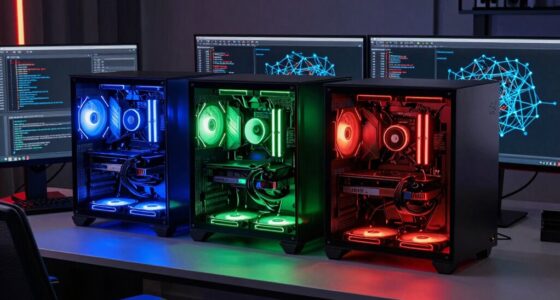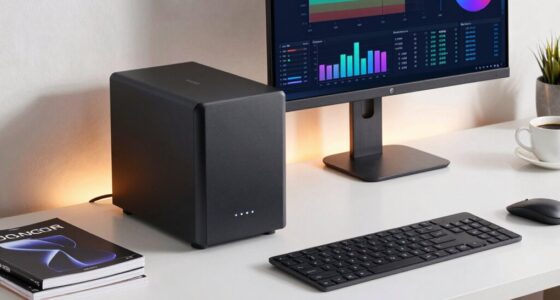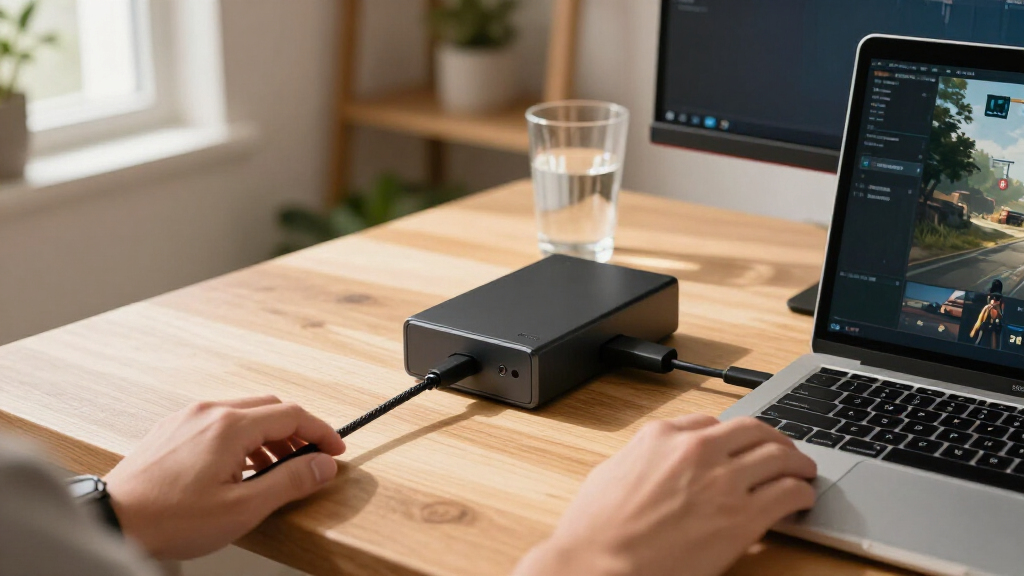

The best external GPU enclosures depend on how your computer connects to an external graphics card: the Razer Core X V2 is my best overall pick for a conventional enclosure, while the MINISFORUM DEG1 is a strong fit for systems with OCuLink. For a dock with a graphics card built in, the MINISFORUM MGA1 pairs its enclosure with an AMD Radeon 7600M XT, while the Plugable TBT5-AI and Sonnet Breakaway Box 850 T5 target Thunderbolt 5 setups. The main tradeoffs are connection bandwidth, host compatibility, power delivery, noise, and whether you want to supply a desktop GPU yourself. Some open docks rely on OCuLink and offer less enclosure protection, while all-in-one models limit your choice of graphics hardware. Read on for the full comparison and guidance on matching an enclosure to your computer.

Get the latest gadgets delivered free with Prime
- Fast, free delivery on millions of items
- Prime Video, Amazon Music and more included
- Member-only deals all year
Complete the kit



Key Takeaways
- The Razer Core X V2 leads this list for buyers seeking a traditional enclosure, while OCuLink docks such as the MINISFORUM DEG1 suit compatible hosts that prioritize a direct GPU connection.
- Thunderbolt 5 models such as the Plugable TBT5-AI and Sonnet Breakaway Box 850 T5 are aimed at newer hosts; a Thunderbolt 5 enclosure does not give an older computer Thunderbolt 5 bandwidth.
- The MINISFORUM MGA1 is a distinct choice because its AMD Radeon 7600M XT is included, trading desktop GPU flexibility for a more self-contained setup.
- Power supply capacity and GPU clearance are separate compatibility checks: a high-wattage supply alone does not confirm that a particular graphics card will fit or be supported.
- Several products are open OCuLink docks rather than enclosed, broadly connected boxes, so buyers should weigh cable and component exposure alongside bandwidth and ease of setup.
| Maskedfish Thunderbolt 3/4 and USB4 eGPU Enclosure, 85W PD |  | Best Open-Frame Flexibility | Host connection: Thunderbolt 3/4 or USB4; 40 Gbps | PCIe mode: PCIe 4.0 x16 | Bandwidth: 32 Gbps | VIEW LATEST PRICE | See Our Full Breakdown |
| Razer Core X V2 External Graphics Enclosure |  | Best for Thunderbolt 5 Hosts | Host connection: Thunderbolt 5, Thunderbolt 4, or USB4 | Thunderbolt 5 bandwidth: Up to 80 Gbps | Maximum GPU width: Up to 4 slots | VIEW LATEST PRICE | See Our Full Breakdown |
| MINISFORUM DEG1 OCuLink eGPU Dock |  | Best for OCuLink Mini PC Builds | Upstream interface: OCuLink 4i, PCIe 4.0 x4 | Downstream interface: PCIe x16, PCIe 4.0 x4 | Power supply support: ATX and SFX | VIEW LATEST PRICE | See Our Full Breakdown |
| MINISFORUM MGA1 eGPU Docking Station with AMD Radeon 7600M XT |  | Best All-in-One OCuLink Dock | GPU: AMD Radeon 7600M XT | Graphics memory: 8 GB GDDR5 | GPU power: 120 W | VIEW LATEST PRICE | See Our Full Breakdown |
| External eGPU Enclosure with 240W Power Supply |  | Best Compact Kit | Host interface: Thunderbolt 3, Thunderbolt 4, or USB4 | GPU compatibility: Most NVIDIA and AMD graphics cards up to 205 × 150 × 55 mm | Power supply: 240W included | VIEW LATEST PRICE | See Our Full Breakdown |
| Plugable TBT5-AI Thunderbolt 5 eGPU Enclosure and Dock |  | Best for AI Workloads | Model: TBT5-AI | Thunderbolt bandwidth: 80Gbps | Power supply: 850W ATX 3.1, 80+ Gold | VIEW LATEST PRICE | See Our Full Breakdown |
| RGEEK PCIe 5.0 x4 OCuLink eGPU Dock |  | Best for PCIe 5.0 OCuLink Setups | Interface: OCuLink SFF-8611 to PCIe x16 | Bandwidth: Up to 128Gbps with PCIe 5.0 x4 | Backward compatibility: PCIe 4.0 and 3.0 | VIEW LATEST PRICE | See Our Full Breakdown |
| OCuLink eGPU Dock with PCIe 4.0 x4 and 64 Gbps Bandwidth |  | Best for an Open-Frame, Multi-Brand Setup | Interface: PCIe 4.0 x4 OCuLink | Bandwidth: 64Gbps | Enclosure connection: SFF-8612 to PCIe x16 | VIEW LATEST PRICE | See Our Full Breakdown |
| MINISFORUM DEG2 USB4 V2 and OCuLink eGPU Dock |  | Best for Flexible Connectivity | Interfaces: USB4 V2 (Thunderbolt 5 compatible) and OCuLink | USB4 V2 transfer speed: Up to 80Gbps | OCuLink transfer speed: Up to 64Gbps | VIEW LATEST PRICE | See Our Full Breakdown |
| Sonnet Breakaway Box 850 T5 Thunderbolt 5 eGPU Enclosure |  | Best Premium Enclosure | Connectivity: Thunderbolt 5; compatible with Thunderbolt 4 and most USB4 Windows 11 computers | Bandwidth: 80Gbps bi-directional | Power supply: 850W | VIEW LATEST PRICE | See Our Full Breakdown |
| OCuLink External GPU Dock, PCIe 4.0 x4 64 Gbps, SFF-8612 to PCIe x16 |  | Best for Flexible GPU Builds | Interface: OCuLink SFF-8612 to PCIe x16 | Bandwidth: PCIe 4.0 x4, up to 64 Gbps | Included cable: SFF-8611 male-to-male, 50 cm | VIEW LATEST PRICE | See Our Full Breakdown |
| Sonnet Breakaway Box 750ex Thunderbolt 3 eGPU Enclosure |  | Best for Desktop Connectivity | Connection: Thunderbolt 3 | Power supply: 750 W | GPU length support: Up to 312 mm | VIEW LATEST PRICE | See Our Full Breakdown |
| PCIe 4.0 x4 OCuLink eGPU Dock with SFF-8611 Cable |  | Best for Portable OCuLink Setups | Interface: OCuLink SFF-8612 to PCIe x16 | Transfer speed: PCIe 4.0 x4, up to 64 Gbps | Included cable: SFF-8611 male-to-male, 50 cm | VIEW LATEST PRICE | See Our Full Breakdown |
| Thunderbolt 4/3 and USB4 External GPU Enclosure with 240W Power Supply |  | Best Compact Enclosure | Host interfaces: Thunderbolt 3, Thunderbolt 4, or USB4 | Maximum GPU dimensions: 205 × 150 × 55 mm | Power supply: 240 W | VIEW LATEST PRICE | See Our Full Breakdown |
| AOOSTAR AG01 External GPU Docking Station with 800W Power Supply |  | Best High-Power OCuLink Dock | Power supply: Built-in Huntkey 800 W | Maximum graphics card power: 600 W | Interface: 1 × OCuLink | VIEW LATEST PRICE | See Our Full Breakdown |
| external GPU enclosure | Power supply |
|---|---|
| Maskedfish Thunderbolt 3/4 and | ATX power supply required |
| Razer Core X V2 External Graph | — |
| MINISFORUM DEG1 OCuLink eGPU D | — |
| MINISFORUM MGA1 eGPU Docking S | 240 W GaN |
| External eGPU Enclosure with 2 | 240W included |
| Plugable TBT5-AI Thunderbolt 5 | 850W ATX 3.1, 80+ Gold |
| RGEEK PCIe 5.0 x4 OCuLink eGPU | — |
| OCuLink eGPU Dock with PCIe 4. | Standard ATX power supply required; not included |
| MINISFORUM DEG2 USB4 V2 and OC | — |
| Sonnet Breakaway Box 850 T5 Th | 850W |
| OCuLink External GPU Dock | — |
| Sonnet Breakaway Box 750ex Thu | 750 W |
| PCIe 4.0 x4 OCuLink eGPU Dock | — |
| Thunderbolt 4/3 and USB4 Exter | 240 W |
| AOOSTAR AG01 External GPU Dock | Built-in Huntkey 800 W |
More Details on Our Top Picks
Maskedfish Thunderbolt 3/4 and USB4 eGPU Enclosure, 85W PD
The open-frame aluminum design makes this Maskedfish enclosure a flexible base for builders choosing their own desktop graphics card and ATX power supply. It supports Thunderbolt 3/4 and USB4 hosts, and its 85W power delivery can charge a compatible laptop while the enclosure is connected. Compared with the Razer Core X V2, it offers an open layout and a DisplayPort interface, while the Razer adds Thunderbolt 5, a fan, and up to 140W delivery in a more enclosed setup. That makes the Maskedfish better suited to buyers who prioritize access and airflow over a finished enclosure. The tradeoff is that the ATX power supply is separate, and a regular USB-C port without Thunderbolt or USB4 will not work. I would also treat the listed Apple Silicon support as limited to AI deep learning, not gaming or 3D rendering.
Pros:- Open frame accommodates a wide range of NVIDIA and AMD graphics cards.
- 85W power delivery can charge a compatible connected device.
- Dual Thunderbolt ports and a DisplayPort interface provide useful connection options.
- Aluminum alloy construction keeps the enclosure lightweight.
Cons:- Requires a separate ATX power supply.
- Works only with Thunderbolt 3/4 or USB4 hosts, not ordinary USB-C.
- Apple Silicon support is limited and does not cover gaming or 3D rendering.
Best for: PC builders who want an open-frame eGPU setup, already own or plan to choose an ATX power supply, and have a Thunderbolt or USB4 host.
Not ideal for: Buyers who want a complete, enclosed setup or use a Mac with Apple Silicon for gaming or 3D rendering.
- Host connection:Thunderbolt 3/4 or USB4; 40 Gbps
- PCIe mode:PCIe 4.0 x16
- Bandwidth:32 Gbps
- Power delivery:85W
- GPU compatibility:NVIDIA and AMD graphics cards, including RTX 50 and RX 7000 series
- Ports:Dual Thunderbolt ports and DisplayPort interface
- Operating systems:Windows 10/11, Linux, and select macOS models
- Power supply:ATX power supply required
Our verdict“Choose the Maskedfish if you want an adaptable open frame and already have a compatible host and ATX power supply.”
Razer Core X V2 External Graphics Enclosure
For a compatible Windows laptop or gaming handheld, the Razer Core X V2 is the forward-looking enclosure in this group: its Thunderbolt 5 connection offers up to 80 Gbps bandwidth, while support for Thunderbolt 4 and USB4 keeps it usable with some existing systems. It accepts GPUs up to four slots wide and supplies up to 140W power delivery to compatible laptops, which can reduce the need for a separate charger at the desk. Compared with the Maskedfish, Razer adds Thunderbolt 5 and an automatically adjusted 120 mm fan; Maskedfish instead uses an open-frame design and asks less of the buyer who wants to manage cooling themselves. The Razer is still a component-based purchase: the graphics card and ATX power supply are separate. It also does not support eGPUs on Macs with M1 or later chips.
Pros:- Thunderbolt 5 connection offers up to 80 Gbps bandwidth.
- Supports desktop NVIDIA and AMD graphics cards up to four slots wide.
- Up to 140W power delivery can charge compatible laptops.
- Tool-free installation and an automatically adjusted 120 mm fan simplify setup and cooling.
Cons:- Graphics card and standard ATX power supply are sold separately.
- Mac devices with M1 or later chipsets do not support eGPUs.
- Its Thunderbolt 5 advantage requires a compatible host to be useful.
Best for: Windows laptop and handheld owners with Thunderbolt 5, Thunderbolt 4, or USB4 who want broad desktop GPU fit and high laptop charging capacity.
Not ideal for: Mac users with M1 or later chips, or buyers seeking an enclosure that includes its graphics card and power supply.
- Host connection:Thunderbolt 5, Thunderbolt 4, or USB4
- Thunderbolt 5 bandwidth:Up to 80 Gbps
- Maximum GPU width:Up to 4 slots
- GPU compatibility:PCIe desktop graphics cards from NVIDIA or AMD
- Power delivery:Up to 140W to compatible laptops
- Cooling:120 mm fan with automatic speed adjustment
- Power supply compatibility:Standard ATX power supply
- Mac compatibility:Mac devices with M1 or later chipsets do not support eGPUs
Our verdict“Pick the Razer Core X V2 if your compatible Windows host can use Thunderbolt 5 and you want room for a wide desktop GPU.”
MINISFORUM DEG1 OCuLink eGPU Dock
The MINISFORUM DEG1 suits buyers who want to pair a compatible computer with their own desktop GPU over OCuLink 4i. Its PCIe 4.0 x4 link is a direct expansion path for systems equipped with OCuLink, and the dock accepts either ATX or SFX power supplies, giving builders more choice than the ATX-only Maskedfish enclosure. That flexibility comes with a more hands-on setup: the GPU and power supply are both separate, and this dock has no Thunderbolt connection. It also cannot be hot-plugged, so the computer must be off before connecting or disconnecting the GPU. Compared with the MINISFORUM MGA1, the DEG1 leaves the graphics choice to you, while the MGA1 provides a built-in Radeon 7600M XT, power supply, and display outputs. I would choose the DEG1 for a modular build, not a quick desk upgrade.
Pros:- OCuLink 4i connects compatible computers to a desktop graphics card.
- PCIe 4.0 x4 upstream interface supports a direct expansion link.
- Accepts either ATX or SFX power supplies.
- Leaves GPU selection open to the builder.
Cons:- GPU and power supply are sold separately.
- Does not support Thunderbolt or hot-plugging.
- Follow-start works only with MINISFORUM Mini PCs using original wires.
Best for: Mini PC builders with an OCuLink 4i port who want to select their own desktop GPU and power supply.
Not ideal for: Laptop owners who need Thunderbolt, or anyone who wants hot-plugging and a ready-to-use dock with a GPU included.
- Upstream interface:OCuLink 4i, PCIe 4.0 x4
- Downstream interface:PCIe x16, PCIe 4.0 x4
- Power supply support:ATX and SFX
- GPU included:No
- Power supply included:No
- Hot-plugging:Not supported; turn off the machine before connecting or disconnecting
- Thunderbolt support:No
- Follow-start compatibility:MINISFORUM Mini PCs using original wires only
Our verdict“Choose the DEG1 for a modular OCuLink build if you accept manual power-up and shutdown procedures.”
MINISFORUM MGA1 eGPU Docking Station with AMD Radeon 7600M XT
The MINISFORUM MGA1 takes a different approach from the DEG1: its Radeon 7600M XT, 240 W GaN power supply, and display connections come built in, so buyers do not have to source a separate desktop GPU and power supply. With three display outputs and four USB ports, it can serve as a compact graphics and peripheral hub for a compatible OCuLink system. Its fixed 8 GB GDDR5 graphics card makes this a less customizable choice than the DEG1, which can take a user-selected card, while the MGA1’s OCuLink connection means it is not a universal USB-C eGPU dock. The listed compatibility centers on ThinkBook 14+/16+ systems, and its follow-start feature has narrower requirements still: a MINISFORUM Mini PC with original cables. I would favor it for a tidy, defined setup over a build that needs upgrade freedom.
Pros:- Built-in Radeon 7600M XT avoids sourcing a separate graphics card.
- Integrated 240 W GaN power supply keeps the setup self-contained.
- HDMI and two DisplayPort outputs support up to three connected displays.
- USB-C and three USB-A ports add peripheral connectivity.
Cons:- The included GPU limits graphics upgrades compared with the user-configurable DEG1.
- Uses OCuLink rather than Thunderbolt for its listed PCIe expansion interface.
- Follow-start requires a compatible MINISFORUM Mini PC and original cables.
Best for: Owners of listed ThinkBook 14+/16+ systems seeking a compact OCuLink graphics dock with built-in GPU, power, and display connections.
Not ideal for: Buyers who need to choose or upgrade the graphics card, require Thunderbolt connectivity, or depend on broad host compatibility.
- GPU:AMD Radeon 7600M XT
- Graphics memory:8 GB GDDR5
- GPU power:120 W
- Power supply:240 W GaN
- Expansion interface:OCuLink 4i, PCIe 4.0 x4
- Display outputs:1x HDMI 2.1 and 2x DisplayPort
- USB ports:1x USB-C 3.2 Gen 2 with 65 W DP output; 3x USB 3.2 Gen 2
- Maximum display resolution:7680 x 4320
- Dimensions:9.72 x 4.98 x 1.73 inches
Our verdict“Choose the MGA1 if your system is compatible and you want a compact dock with its GPU and power supply already built in.”
External eGPU Enclosure with 240W Power Supply
This compact enclosure is the easiest of these picks to carry as a kit: it includes a 240W power supply, Thunderbolt 4 cable, PCIe power cable, and carrying case, while leaving the graphics card choice to the buyer. Its 8.5-inch length and stated card limit of 205 × 150 × 55 mm make that flexibility more bounded than the open-frame Maskedfish, which does not list a graphics-card size limit. The included supply and accessories make setup more self-contained than the MINISFORUM DEG1, but its PCIe 3.0 x16 data path is a different specification from the DEG1’s PCIe 4.0 x4 OCuLink link. Check both host support and card dimensions before choosing it: ordinary USB-C is not enough, and larger desktop GPUs will not fit. The card is sold separately.
Pros:- Includes a 240W power supply, Thunderbolt 4 cable, PCIe power cable, and carrying case.
- Compact aluminum enclosure measures 8.5 × 3 × 6.3 inches.
- Supports Thunderbolt 3, Thunderbolt 4, and USB4 hosts.
- Provides 85W and 15W power delivery.
Cons:- Graphics card is sold separately.
- GPU fit is limited to 205 × 150 × 55 mm.
- Uses a PCIe 3.0 x16 data path.
Best for: Laptop, mini PC, or handheld owners who want a compact Thunderbolt or USB4 enclosure with power and key cables included.
Not ideal for: Builders with full-size graphics cards outside the listed dimensions, or users whose host USB-C port lacks Thunderbolt 3/4 or USB4.
- Host interface:Thunderbolt 3, Thunderbolt 4, or USB4
- GPU compatibility:Most NVIDIA and AMD graphics cards up to 205 × 150 × 55 mm
- Power supply:240W included
- Power delivery:85W and 15W
- Data transfer:PCIe 3.0 x16
- Video interface:DisplayPort
- Operating systems:Windows 10/11 and Linux
- Included accessories:Thunderbolt 4 cable, 8-pin PCIe power cable, carrying case
- Dimensions:8.5 × 3 × 6.3 inches
Our verdict“Pick this enclosure if portability and included power accessories matter more than fitting a large graphics card.”
Plugable TBT5-AI Thunderbolt 5 eGPU Enclosure and Dock
The Plugable TBT5-AI pairs an eGPU enclosure with a full Thunderbolt 5 dock, making it a strong fit for Windows 11 users who want one desktop GPU setup for local AI work and everyday peripherals. Its 850W power supply can support graphics cards drawing up to 600W, while 96W host charging, 2.5Gbps Ethernet, and USB ports reduce the need for separate desk accessories. Compared with the more connection-flexible MINISFORUM DEG2, Plugable offers a clearly specified high-wattage GPU allowance and built-in Ethernet, but it lacks the DEG2’s OCuLink option and M.2 storage slot. The tradeoff is strict platform support: it excludes macOS, Linux, ChromeOS, and Thunderbolt 3, and the GPU must be bought separately. Check both card dimensions and USB4 eGPU support before choosing it.
Pros:- 850W ATX 3.1 power supply supports GPUs drawing up to 600W
- 96W host charging, 2.5Gbps Ethernet, Thunderbolt 5, and USB ports add useful docking features
- Thunderbolt 5 connection supports up to 80Gbps bandwidth
- Includes a Thunderbolt 5 cable and lifetime support from a North American team
Cons:- Graphics card is sold separately
- Does not support macOS, Linux, ChromeOS, or Thunderbolt 3
- USB4 hosts must support eGPU, and the GPU must fit within the stated dimensions
Best for: Windows 11 users building a high-power eGPU workstation for local AI workloads who also want charging, Ethernet, and USB ports in one dock
Not ideal for: Mac, Linux, ChromeOS, and Thunderbolt 3 users, or buyers who need an included graphics card
- Model:TBT5-AI
- Thunderbolt bandwidth:80Gbps
- Power supply:850W ATX 3.1, 80+ Gold
- GPU power:Up to 600W
- GPU slot:PCIe x16 with 4 lanes of PCIe 4.0
- Maximum GPU dimensions:346 × 170 × 77 mm; up to 3.5 slots wide
- Host charging:96W
- Ethernet:2.5Gbps
- Compatibility:Windows 11; Thunderbolt 5, Thunderbolt 4, and eGPU-compatible USB4
Our verdict“Choose the Plugable if you want a high-power Windows eGPU and a Thunderbolt 5 dock with charging and Ethernet in the same enclosure.”
RGEEK PCIe 5.0 x4 OCuLink eGPU Dock
The RGEEK PCIe 5.0 x4 OCuLink dock is aimed at mini PC and laptop owners whose hardware exposes a compatible OCuLink connection and who want a direct route to a desktop graphics card. Its advertised PCIe 5.0 x4 bandwidth is higher than the PCIe 4.0 x4 link on the open-frame OCuLink dock in this roundup, and backward compatibility can help when the host runs an older PCIe generation. The aluminum frame and support for ATX, SFX, and SFX-L power supplies give buyers more room to use existing parts. That openness also means the dock arrives without a GPU or power supply, and it is not a self-contained enclosure like the Sonnet Breakaway Box 850 T5. Hot plugging is unsupported; full PCIe 5.0 speed also depends on a compatible M.2 slot or separately purchased adapter.
Pros:- Supports PCIe 5.0 x4 with backward compatibility for PCIe 4.0 and 3.0
- Aluminum construction helps dissipate heat
- Accepts ATX, SFX, and SFX-L power supplies
- Compatible with mainstream NVIDIA and AMD graphics cards
Cons:- Graphics card and power supply are sold separately
- Hot plugging is unsupported
- Full PCIe 5.0 speed requires a compatible M.2 slot or separately purchased adapter
Best for: Mini PC and laptop owners with an OCuLink-capable PCIe 5.0 host who already have, or plan to source, a desktop GPU and power supply
Not ideal for: Buyers who need plug-and-play Thunderbolt connectivity, hot swapping, or a complete enclosure with power supply included
- Interface:OCuLink SFF-8611 to PCIe x16
- Bandwidth:Up to 128Gbps with PCIe 5.0 x4
- Backward compatibility:PCIe 4.0 and 3.0
- Cable length:50cm (19.7in)
- Material:Aluminum
- Supported power supplies:ATX, SFX, and SFX-L
- Included:eGPU dock with cable
- Not included:Graphics card, power supply, and PCIe 5.0 to OCuLink adapter
Our verdict“Pick the RGEEK when your host supports OCuLink and PCIe 5.0 and you want a flexible open dock for parts you source yourself.”
OCuLink eGPU Dock with PCIe 4.0 x4 and 64 Gbps Bandwidth
This open-frame PCIe 4.0 x4 OCuLink dock keeps the setup straightforward for buyers who want to connect a desktop GPU without a boxed enclosure. Its stated compatibility with NVIDIA, AMD, and Intel graphics cards is broader than the RGEEK dock’s listed NVIDIA and AMD support, while a shielded 50cm cable comes in the box. With no GPU length limit stated, it may suit unusually long cards, though buyers should still check clearance and mounting needs themselves. Compared with the RGEEK PCIe 5.0 x4, this model uses the older PCIe 4.0 link and has lower stated bandwidth, so it is a simpler match for PCIe 4.0 hosts than a route to PCIe 5.0 speeds. You must supply a standard ATX power supply and install graphics drivers before use. OCuLink also requires powering down to connect or disconnect.
Pros:- PCIe 4.0 x4 OCuLink connection supports up to 64Gbps
- Listed compatibility includes NVIDIA, AMD, and Intel graphics cards
- Includes a 50cm shielded OCuLink cable
- Open-frame layout has no GPU length limit stated
Cons:- GPU and standard ATX power supply are sold separately
- Requires driver installation before use
- Must be powered off before connecting or disconnecting
Best for: Mini PC users with an OCuLink port who want an open dock compatible with NVIDIA, AMD, or Intel graphics cards and already have an ATX power supply
Not ideal for: Buyers seeking an enclosed, hot-pluggable setup or those who need PCIe 5.0 bandwidth
- Interface:PCIe 4.0 x4 OCuLink
- Bandwidth:64Gbps
- Enclosure connection:SFF-8612 to PCIe x16
- Included cable:50cm SFF-8611 OCuLink cable
- Power supply:Standard ATX power supply required; not included
- GPU compatibility:NVIDIA, AMD, and Intel graphics cards
- Design:Open-frame; no GPU length limit stated
- Hot plugging:Not supported
Our verdict“Choose this dock for a flexible, open OCuLink setup with broad GPU brand support if PCIe 4.0 bandwidth meets your needs.”
MINISFORUM DEG2 USB4 V2 and OCuLink eGPU Dock
The MINISFORUM DEG2 stands out for offering two ways to attach an external GPU: USB4 V2 for hosts with a compatible USB-C connection, and OCuLink for systems that expose that interface. That choice makes it more adaptable than the OCuLink-only RGEEK and PCIe 4.0 docks, though the connection that works depends on the host’s ports and capabilities. It also adds an M.2 2280 NVMe slot, useful for expanding storage alongside a GPU, and supports both ATX and SFX power supplies. The product description highlights single-cable data, display, and laptop charging, but buyers should verify host compatibility and power requirements before building around it. Compared with the Plugable TBT5-AI, the DEG2 offers OCuLink and storage expansion, while Plugable specifies an included 850W supply, 96W host charging, and Ethernet.
Pros:- Supports both USB4 V2 and OCuLink connections
- Includes an M.2 2280 NVMe storage slot
- Accepts ATX and SFX power supplies
- Single-cable connectivity is designed to handle data, display, and laptop charging
Cons:- Requires a compatible host and a separately sourced desktop graphics card
- Power supply and graphics card compatibility need checking before setup
- Maximum transfer speeds depend on the selected interface and host
Best for: Mini PC or laptop owners who need a choice between USB4 V2 and OCuLink and want GPU and NVMe expansion at the same desk
Not ideal for: Buyers who want a complete enclosure with a graphics card and power supply included, or whose host lacks a supported connection
- Interfaces:USB4 V2 (Thunderbolt 5 compatible) and OCuLink
- USB4 V2 transfer speed:Up to 80Gbps
- OCuLink transfer speed:Up to 64Gbps
- Graphics card interface:PCIe x16
- Storage slot:M.2 2280 NVMe
- Compatible power supplies:ATX and SFX
- Color:Black
Our verdict“Choose the DEG2 if your eGPU setup needs both USB4 V2 and OCuLink options plus an onboard NVMe slot.”
Sonnet Breakaway Box 850 T5 Thunderbolt 5 eGPU Enclosure
The Sonnet Breakaway Box 850 T5 is the most enclosure-like option in this group: it combines an 850W power supply, a temperature-controlled fan, and useful desk ports in a metal case. That gives it a more contained setup than the open-frame RGEEK or 64Gbps OCuLink docks, where buyers must source and arrange a separate power supply. Its 80Gbps Thunderbolt 5 connection, support for triple-wide cards, three USB-A ports, and 5GbE Ethernet suit a Windows 11 desktop workflow that needs both graphics expansion and networking. Compared with the Plugable TBT5-AI, Sonnet offers faster listed Ethernet and named NVIDIA and AMD card families, while Plugable specifies up to 600W GPU power and 96W host charging. Sonnet still requires a compatible host and a separately purchased GPU, and the product description limits its target systems to Windows 11.
Pros:- 850W power supply supports high-power graphics cards
- Fits triple-wide GPUs
- Includes Thunderbolt 5, three USB-A ports, and 5GbE Ethernet
- Variable-speed temperature-controlled fan manages enclosure cooling
Cons:- Graphics card is not included
- Designed for compatible Windows 11 systems
- Its 14.1-pound weight and desktop dimensions make it less suited to frequent transport
Best for: Windows 11 users who want a contained Thunderbolt 5 eGPU enclosure with a high-capacity power supply, triple-wide GPU support, and fast Ethernet
Not ideal for: Buyers with macOS or Linux systems, or those who want a graphics card included or an open dock for custom power-supply choices
- Connectivity:Thunderbolt 5; compatible with Thunderbolt 4 and most USB4 Windows 11 computers
- Bandwidth:80Gbps bi-directional
- Power supply:850W
- GPU support:Triple-wide cards; NVIDIA GeForce RTX 50, 40, and 30 Series; AMD Radeon RX 9000, 7000, and 6000 Series
- Ports:One Thunderbolt 5 peripheral port, three 10Gbps USB-A ports, and one 5GbE Ethernet port
- Cooling:Built-in variable-speed, temperature-controlled fan
- Material:Alloy steel
- Weight and dimensions:14.1lb; 15.75 × 8.25 × 9.75in (D × W × H)
Our verdict“Pick the Sonnet if you want a substantial, self-contained Thunderbolt 5 enclosure for a Windows 11 desktop GPU setup.”
OCuLink External GPU Dock, PCIe 4.0 x4 64 Gbps, SFF-8612 to PCIe x16
The open-frame layout makes this dock a flexible choice for buyers who already have a graphics card and ATX power supply and want to pair them with an OCuLink-equipped laptop or mini PC. Its PCIe 4.0 x4 connection offers up to 64 Gbps, and the included 50 cm shielded cable gives some room to position the host beside the GPU. Compared with the AOOSTAR AG01, this model leaves the power supply choice to you, which can suit an existing build but adds setup work and another purchase. The bracket helps secure the card and supply, while status LEDs and start modes aid operation. OCuLink must be connected or disconnected with the system powered off, and neither the GPU nor power supply is included.
Pros:- PCIe 4.0 x4 OCuLink interface supports up to 64 Gbps
- Open frame accommodates different graphics card sizes
- Bracket secures the graphics card and ATX power supply
- Includes a 50 cm shielded cable and LED status indicators
Cons:- Graphics card and ATX power supply are sold separately
- OCuLink cable cannot be connected or disconnected while powered
Best for: Laptop or mini PC owners with an OCuLink port who already own an ATX power supply and want an open dock that can accommodate different GPU sizes
Not ideal for: Buyers who want an all-in-one enclosure or need to connect and disconnect their GPU while the computer is running
- Interface:OCuLink SFF-8612 to PCIe x16
- Bandwidth:PCIe 4.0 x4, up to 64 Gbps
- Included cable:SFF-8611 male-to-male, 50 cm
- Power supply compatibility:ATX
- Dimensions:7.8 × 5 inches
- Included components:GPU dock and cable; graphics card and power supply not included
- Features:LED status indicators, auto-start and forced-start modes
Our verdict“Choose this dock if you want an adaptable open frame and already have the GPU and ATX supply to complete the setup.”
Sonnet Breakaway Box 750ex Thunderbolt 3 eGPU Enclosure
The Breakaway Box 750ex pairs a Thunderbolt 3 eGPU connection with four USB-A ports and Gigabit Ethernet, making it a useful fit for a desk where one cable can connect graphics and everyday peripherals. Its 750 W power supply supports selected compatible GPUs up to 312 mm, with continuous GPU power specified at 375 W. Compared with the Thunderbolt 4/3 and USB4 enclosure with 240W power supply, the Sonnet supports longer cards and has more power capacity, but it is a larger enclosure and still requires you to supply a compatible GPU. Mac and Windows support broadens its use, though M1 Macs cannot use external GPUs. Buyers should check the supported GPU list and host compatibility before choosing it.
Pros:- 750 W power supply supports demanding compatible GPUs
- Fits compatible graphics cards up to 312 mm
- Four USB-A ports add peripheral connectivity
- Gigabit Ethernet provides a wired network connection
Cons:- M1 Macs are not compatible with external GPUs
- Compatible graphics card must be supplied separately
- Larger than compact portable eGPU options
Best for: Mac or Windows users with a compatible Thunderbolt 3 computer who want an eGPU enclosure that also adds USB-A ports and wired Ethernet to a desk setup
Not ideal for: Owners of M1 Macs, people seeking a compact portable enclosure, or buyers whose GPU is outside the supported models or 312 mm limit
- Connection:Thunderbolt 3
- Power supply:750 W
- GPU length support:Up to 312 mm
- Continuous GPU power:375 W
- USB ports:4 × USB-A, 5 Gb/s
- Networking:Gigabit Ethernet
- Dimensions:13.38 × 7.25 inches
- Compatible operating systems:Mac and Windows; M1 Macs not compatible
Our verdict“Pick the Sonnet if your compatible Thunderbolt 3 computer needs both eGPU support and useful wired desk connectivity.”
PCIe 4.0 x4 OCuLink eGPU Dock with SFF-8611 Cable
At 0.47 kg, this dock is the more portable pick among the open OCuLink options in this batch. It connects a laptop or mini PC with an OCuLink SFF-8612 port to a PCIe x16 graphics card and includes a 50 cm cable; its detachable design can make storage and transport easier than leaving a larger dock assembled. Compared with the OCuLink External GPU Dock with LED status indicators, the supplied specs here emphasize weight and portability, while both require a separate ATX power supply and GPU. PCIe 4.0 x4 supports up to 64 Gbps, but OCuLink is not hot-pluggable: shut down the computer before disconnecting it. This is a practical option for users willing to handle a more hands-on setup.
Pros:- Lightweight 0.47 kg dock is easier to transport and store
- PCIe 4.0 x4 connection supports up to 64 Gbps
- Includes a 50 cm shielded SFF-8611 cable
- LED indicators provide device status feedback
Cons:- Graphics card and standard ATX power supply are not included
- Computer must be shut down before disconnecting OCuLink
- Requires a host device with an OCuLink connection
Best for: Owners of an OCuLink-equipped laptop or mini PC who move their dock between workspaces and can provide a standard ATX power supply
Not ideal for: Buyers who need a self-contained enclosure, hot-plug convenience, or a setup that includes the graphics card and power supply
- Interface:OCuLink SFF-8612 to PCIe x16
- Transfer speed:PCIe 4.0 x4, up to 64 Gbps
- Included cable:SFF-8611 male-to-male, 50 cm
- Compatible devices:Laptop and mini PC
- Power supply compatibility:Standard ATX power supply
- Weight:0.47 kg
- Cooling method:Air
- Hot plugging:Not supported
Our verdict“Choose this dock if portability matters and you are comfortable supplying the GPU and ATX power separately.”
Thunderbolt 4/3 and USB4 External GPU Enclosure with 240W Power Supply
This enclosure is aimed at buyers who want a compact, cased eGPU rather than an open OCuLink dock. Its anodized aluminum shell, carrying case, included cables, and 240 W power supply make it easier to pack as a complete enclosure, provided your graphics card fits the 205 × 150 × 55 mm limit. Thunderbolt 3, Thunderbolt 4, and USB4 host support gives it a different fit from the OCuLink docks, but a USB-C-shaped port alone is not enough; the host needs one of the listed protocols. Compared with the Sonnet Breakaway Box 750ex, this model is much more size-conscious, while its lower power capacity and shorter card allowance restrict GPU choice. The graphics card remains a separate purchase.
Pros:- Supports Thunderbolt 3, Thunderbolt 4, and USB4 hosts
- Includes a 240 W power supply and essential cables
- Anodized aluminum enclosure comes with a carrying case
- Provides two Thunderbolt ports and one DisplayPort
Cons:- Graphics card is sold separately
- GPU must fit within the 205 × 150 × 55 mm limit
- 240 W supply limits compatible GPU choices
Best for: Owners of a Thunderbolt 3, Thunderbolt 4, or USB4 laptop who want a portable enclosure and have a short, low-power graphics card
Not ideal for: Users with full-length or high-power graphics cards, or computers with USB-C ports that lack Thunderbolt or USB4 support
- Host interfaces:Thunderbolt 3, Thunderbolt 4, or USB4
- Maximum GPU dimensions:205 × 150 × 55 mm
- Power supply:240 W
- Data transfer mode:PCIe 3.0 x16
- Ports:2 Thunderbolt ports and 1 DisplayPort
- Power delivery:85 W and 15 W
- Operating systems:Windows 10/11 and Linux
- Material:Anodized aluminum
Our verdict“Pick this compact enclosure if portability and a cased design matter more than fitting a large, power-hungry GPU.”
AOOSTAR AG01 External GPU Docking Station with 800W Power Supply
The AOOSTAR AG01 is the strongest fit here for buyers who want an open OCuLink dock without sourcing a separate power supply. Its built-in 800 W Huntkey supply supports graphics cards drawing up to 600 W, and the open frame places no stated limit on card length. Compared with the two standalone OCuLink docks in this batch, the AG01 reduces the parts a buyer must provide, though the supplied power is for the dock and the graphics card is still separate. Its 64 Gbps effective PCIe 4.0 x4 link requires a device with an OCuLink port, and the connection cannot be hot-plugged. The dock supports Mac and Windows, with Windows 11 22H2 or later recommended, but compatibility still depends on the host.
Pros:- Built-in 800 W Huntkey power supply
- Supports graphics cards drawing up to 600 W
- Open frame has no stated graphics card length limit
- Supports Mac and Windows hosts with OCuLink
Cons:- Graphics card is not included
- Requires a compatible OCuLink port and cannot be hot-plugged
- Built-in power supply powers the dock; it does not replace the need for a compatible GPU
Best for: Owners of an OCuLink-equipped laptop or mini PC building around a high-power graphics card who want the dock’s power supply included
Not ideal for: Users whose computer lacks OCuLink, who need hot-plug operation, or who want a fully enclosed portable eGPU
- Power supply:Built-in Huntkey 800 W
- Maximum graphics card power:600 W
- Interface:1 × OCuLink
- OCuLink bandwidth:64 Gbps effective, PCIe 4.0 ×4
- Graphics card power connectors:2 × 8-pin
- Dimensions:22.5 × 11 × 6 cm
- Weight:1.5 kg
- Warranty:12 months
Our verdict“Choose the AG01 if you have an OCuLink host and want an open dock ready to power a high-draw graphics card.”

How We Picked
I ranked these options by how well their connection, GPU support, power, and physical design match the needs of external GPU buyers. I gave the broadest appeal to conventional enclosures with a clear host connection and a practical path to using a desktop graphics card. OCuLink docks earned a place for compatible systems, but their narrower host support and open construction limit their fit for general-purpose setups. Thunderbolt 5 products stand out for newer computers, while Thunderbolt 3/4 and USB4 models may make more sense for existing devices. Products with a built-in mobile GPU serve a different buyer from docks that let the owner choose a card.
I also considered what buyers must supply or verify themselves: host ports, cables, graphics card dimensions, power requirements, and whether the enclosure provides laptop charging or useful dock functions. The ranking favors products with a clearer role and fewer setup compromises for that role. A specialized dock can rank well for a compatible workstation even if it is not the easiest choice for a typical laptop owner. Product names alone do not confirm full compatibility, so I treat specific host and GPU support as something buyers should verify against the manufacturer’s documentation.
Factors to Consider When Choosing Best External GPU Enclosures
Before choosing an enclosure, match it to the computer and graphics card you already have or plan to buy. A connection label can sound impressive while still being incompatible with the host, and a strong power supply cannot solve a clearance problem. These checks help separate a convenient upgrade from a setup that needs extra hardware or compromises.
Match the connection to your computer
Start with the ports and protocols your computer actually supports, rather than the enclosure’s headline specification. Thunderbolt 3, Thunderbolt 4, Thunderbolt 5, USB4, and OCuLink are not interchangeable labels for one universal eGPU connection. Check the host manufacturer’s specifications and the enclosure’s compatibility notes, including any firmware or operating system requirements. OCuLink docks can suit systems built with that port, but they are a poor fit when your laptop has only USB-C. Thunderbolt enclosures offer a familiar cable-based setup, though their performance depends on the host connection and workload. Leave room in your decision for the cable and any required adapter, since an unsupported link cannot be fixed by choosing a larger power supply.
Choose between a desktop GPU and a built-in graphics card
A conventional enclosure lets you select a desktop graphics card, which can make future upgrades easier and gives you control over the card’s capabilities. That flexibility also means checking card length, width, slot thickness, connector position, and power needs before buying. An all-in-one dock such as one with a mobile Radeon GPU avoids the separate card purchase and installation, but ties the graphics performance to the hardware included in the unit. Open docks simplify access to a desktop card, though they expose components and may require a stable place to sit. Avoid assuming that every enclosure described as PCIe x16 accepts every full-size graphics card; the slot interface and the physical space are different questions.
Treat power delivery and GPU power as separate requirements
Some enclosures can charge a laptop over the connection cable, while others focus on powering the graphics card or provide no laptop charging. Check the stated power delivery output against your computer’s charging needs, especially if it normally uses a high-wattage adapter. Separately, confirm that the enclosure’s power supply has the required connectors and capacity for your chosen GPU. A 240W or 800W figure describes only part of the setup and does not prove card compatibility by itself. Leave headroom for the card’s power draw and account for its connector arrangement. If charging is important, verify that the enclosure supplies it through the same host connection you plan to use.
Decide how much enclosure protection and desk space you need
A closed enclosure can keep a desktop GPU contained and make the setup feel more like a conventional peripheral, but it still needs room for ventilation and cable access. A bare dock can take up less surrounding volume and make card swaps easier, though the GPU and its connections remain exposed. Think about where the unit will sit, whether it can be bumped, and how easily you can route the power and host cables. Fan noise and heat depend on the graphics card and enclosure cooling, so do not assume a larger chassis will be silent. Check dimensions and airflow guidance before planning to place an enclosure inside a cabinet or tight shelf. Buyers who move their setup often should account for the card’s weight and how securely it is supported.
Pay for the connection and features you can use
A newer Thunderbolt generation can be valuable when both the computer and enclosure support it, but it cannot upgrade an older host’s port. Additional docking features may reduce cable clutter if you need them, while a simpler enclosure can be the more sensible match for a desktop GPU and a single host connection. Compare the actual ports and charging output with the devices you intend to attach instead of relying on the word “dock.” Older Thunderbolt enclosures can still suit compatible computers, particularly when you do not need the newest connection standard. Likewise, an OCuLink model may be compelling for a purpose-built system but offers little benefit if your computer cannot connect to it. Spend more attention on verified host support and GPU fit than on specifications your setup cannot use.
Frequently Asked Questions
Will any Thunderbolt eGPU enclosure work with my USB-C laptop?
No. USB-C describes the connector shape, not the data protocol or eGPU support. Check your laptop’s specifications for Thunderbolt or USB4 support and confirm that the enclosure lists your operating system and host type. Also verify charging separately: a compatible connection does not mean the enclosure can replace your laptop’s power adapter. If the laptop supports only standard USB data, a Thunderbolt enclosure is unlikely to provide the expected graphics connection.
Should I choose OCuLink or Thunderbolt for an external GPU?
Choose based on the ports your host has and how you use the computer. OCuLink docks such as the DEG1 are aimed at compatible systems and typically have a narrower setup path than cable-based Thunderbolt enclosures. Thunderbolt offers broader convenience across supported laptops and can combine the GPU link with other dock functions, depending on the model. Neither label alone guarantees a performance result; host implementation, GPU, and workload all matter. Check the computer and dock documentation before deciding that one protocol is faster or more suitable for your setup.
Can an external GPU enclosure charge my laptop at the same time?
Some models provide power delivery to the host, but the amount varies and may not meet every laptop’s charging needs. Compare the enclosure’s stated output with the wattage your computer requires, then check whether that output is available over the connection you plan to use. A dock’s graphics power supply rating does not tell you how much power it sends to the laptop. If the enclosure’s charging output is too low, you may need to keep the laptop’s own adapter connected. Confirm this before buying if reducing desk cables is a priority.
How do I know whether my graphics card will fit and work?
Check the enclosure’s supported card dimensions against the GPU’s length, height, and thickness, including clearance for its power cables. Then compare the GPU’s power draw and connector needs with the enclosure’s supply and available leads. Confirm that the host connection and operating system support the enclosure, since physical fit alone does not establish compatibility. Open docks may accept cards that would not fit in a closed chassis, but they leave the hardware exposed and need stable placement. When documentation is unclear, verify the exact card model with the enclosure manufacturer before ordering.
Is a Thunderbolt 5 enclosure worthwhile if my computer has Thunderbolt 4?
A Thunderbolt 5 enclosure can still be a forward-looking choice if you expect to pair it with a compatible newer computer later, but your current host will not gain Thunderbolt 5 capabilities. Its current performance and features will depend on the Thunderbolt 4 connection and the enclosure’s backward compatibility. If you do not plan to change computers and do not need its extra docking features, an older compatible enclosure may be a more direct match. Check the manufacturer’s backward-compatibility notes rather than assuming every port and feature works identically across generations. The computer, enclosure, and cable all need support for the capabilities you want.
Conclusion
For most buyers building around a desktop graphics card, I’d start with the Razer Core X V2 as the best overall enclosure in this lineup. The MINISFORUM DEG1 is my best value fit for a compatible OCuLink system, while the Sonnet Breakaway Box 850 T5 is the best premium direction for a Thunderbolt 5 host. Beginners who want fewer separate parts should look at the MINISFORUM MGA1 and its included Radeon 7600M XT, after confirming it suits their host and graphics needs. For a newer computer where Thunderbolt 5 docking features matter, compare the Plugable TBT5-AI with Sonnet’s enclosure by their listed ports and host compatibility. If your computer has OCuLink, consider the open docks; if it has Thunderbolt or USB4, focus on a compatible enclosed model and verify GPU fit before choosing.
Halloween Picks
halloween
As an affiliate, we earn on qualifying purchases.