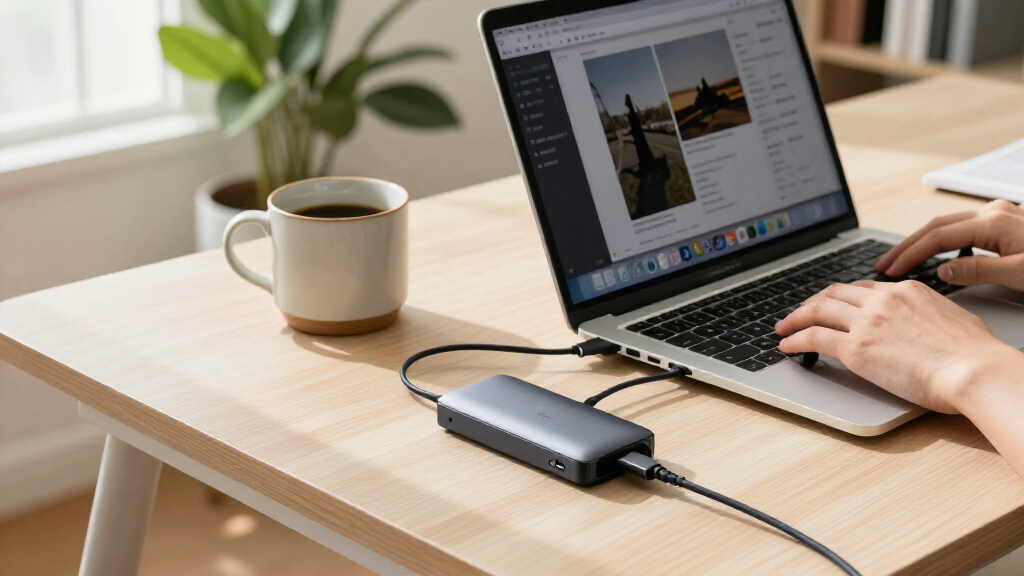
The best MacBook Pro accessories depend on what your setup lacks: the Anker 547 7-in-2 USB-C Hub is my best overall pick for adding everyday ports, while the Apple Magic Trackpad stands out for gesture-focused work and the UGREEN Vertical Laptop Stand for clearing desk space. The main tradeoffs are portability versus connectivity, and convenience versus the extra bulk or compatibility checks that accessories can bring. Small add-ons such as shortcut stickers and screen liners can address specific annoyances, but they are less versatile than a hub or input device. I compare all 15 options by usefulness, fit, build, and how clearly each one solves a MacBook Pro problem. Read on for the full breakdown and a buying guide tailored to different setups.

Get the latest gadgets delivered free with Prime
- Fast, free delivery on millions of items
- Prime Video, Amazon Music and more included
- Member-only deals all year
Complete the kit



Key Takeaways
- Hubs provide the broadest everyday benefit: The Anker 547 ranks ahead of simpler adapters for its MacBook-focused 7-in-2 layout, while the other hubs suit different port mixes and needs.
- Not every desk needs another pointing device: The Magic Trackpad is the gesture-focused choice; the Magic Mouse suits buyers who prefer a compact mouse, with a different comfort and charging tradeoff.
- Protection depends on the surface you want to shield: The GhostBlanket protects the screen during transport, the GhostShield covers the palm-rest area, and the plug set targets ports and camera privacy.
- Shortcut stickers are a learning aid, not a performance upgrade: Three options serve a similar purpose, so buyers should choose based on label design and keyboard fit rather than collecting more than one.
- Compatibility checks matter for thin add-ons: Keyboard covers, webcam sliders, and port plugs can interfere with fit or closure, making model dimensions and lid clearance more important than their small size suggests.
| UGREEN Adjustable Vertical Laptop Stand, Aluminum, Gray |  | Best for a Space-Saving Desk | Material: Aluminum alloy | Laptop thickness compatibility: 0.47–1 inch | Laptop size compatibility: Up to 17.3 inches | VIEW LATEST PRICE | See Our Full Breakdown |
| Synerlogic Mac OS and Word/Excel Shortcut Stickers for Mac (Clear/White) |  | Best for Learning Keyboard Shortcuts | Material: Vinyl | Finish: Matte | Color: Clear/White | VIEW LATEST PRICE | See Our Full Breakdown |
| UPPERCASE GhostBlanket Microfiber Screen Liner, X-Large, 2-Pack |  | Best for Screen Protection in Transit | Material: Microfiber | Thickness: 0.4 mm | Dimensions: 13.2 × 8.4 inches (335 × 214 mm) | VIEW LATEST PRICE | See Our Full Breakdown |
| Selore&S-Global 6-in-1 USB-C Hub Adapter for MacBook Pro and MacBook Air |  | Best for Card Readers and Extra USB Ports | Ports: 6 total: 3 USB 3.0, 1 Thunderbolt 3, SD and microSD card readers | Power delivery: Up to 100W | USB data transfer rate: Up to 5Gbps | VIEW LATEST PRICE | See Our Full Breakdown |
| Soonjet Ultra-Thin TPU Keyboard Cover for MacBook Pro 14/16 and MacBook Air 13/15 |  | Best for Everyday Keyboard Protection | Material: Thermoplastic polyurethane (TPU) | Thickness: 0.11 mm | Layout: US ANSI | VIEW LATEST PRICE | See Our Full Breakdown |
| Anker 547 7-in-2 USB-C Hub for MacBook with 4K HDMI |  | Best MacBook Pro Hub for Built-In Port Variety | Model: A8354 | Ports: 7: multifunction USB-C, USB-C data, 2 USB-A, HDMI, SD, and microSD | Maximum charging power: 100W | VIEW LATEST PRICE | See Our Full Breakdown |
| UPPERCASE GhostShield Palm Rest Protector for MacBook Pro 14-inch (2021 and newer), Space Black |  | Best for Protecting a Space Black Palm Rest | Material: PET film | Color: Space Black | Design: Two-piece set | VIEW LATEST PRICE | See Our Full Breakdown |
| Apple Magic Trackpad – White |  | Best Desktop Trackpad for Gesture Users | Manufacturer and model: Apple MXK93AM/A | Connectivity: Wireless | Surface: Edge-to-edge glass | VIEW LATEST PRICE | See Our Full Breakdown |
| Synerlogic macOS Keyboard Shortcuts Sticker for MacBook Air and Pro |  | Best Simple Shortcut Reference | Brand: Synerlogic | Material and finish: Laminated vinyl | Water resistance: Waterproof | VIEW LATEST PRICE | See Our Full Breakdown |
| Afterplug macOS Shortcuts Sticker for MacBook Air, Pro & Neo |  | Best Shortcut Sticker for Broad MacBook Compatibility | Brand: Afterplug | Material: Laminated vinyl | Dimensions: 3.35 × 2.95 × 0.01 inches | VIEW LATEST PRICE | See Our Full Breakdown |
| CloudValley Ultra-Thin Metal Laptop Camera Cover, Pink, 2-Pack |  | Best Simple Webcam Privacy Pick | Brand: CloudValley | Material: Metal | Color: Pink | VIEW LATEST PRICE | See Our Full Breakdown |
| CaseBuy 14-Piece MacBook Pro Port Dust Plug and Webcam Cover Set |  | Best for Port Protection | Brand: CaseBuy | Material: Silicone | Compatibility: 2021 and later 14-inch and 16-inch MacBook Pro models | VIEW LATEST PRICE | See Our Full Breakdown |
| Apple Magic Mouse – White | 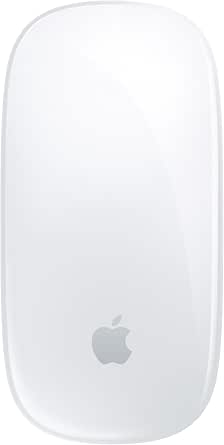 | Best for Multi-Touch Gestures | Color: White | Connectivity: Wireless | Surface: Multi-Touch | VIEW LATEST PRICE | See Our Full Breakdown |
| 8-in-2 USB-C Hub Adapter for MacBook Pro and Air |  | Best for Display and Port Expansion | Ports: 8 | Hardware interfaces: HDMI, MicroSD, Thunderbolt, USB 2.0, USB 3.0, USB Type-C | Compatible devices: MacBook Air (2018–2026) and MacBook Pro (2016–2026) | VIEW LATEST PRICE | See Our Full Breakdown |
| Anker 7-in-1 USB-C Hub with 4K HDMI, USB-A, USB-C, and SD/TF Card Reader |  | Best Compact Hub for Everyday Connections | Model: A83D2 | Number of ports: 7 | Ports: 1 HDMI, 2 USB-A 3.0, 1 USB-C data, 1 USB-C PD input, SD and TF card slots | VIEW LATEST PRICE | See Our Full Breakdown |
| MacBook Pro accessorie | Dimensions | Material | Compatibility |
|---|---|---|---|
| UGREEN Adjustable Vertical Lap | 1.97 × 5.91 × 3.15 inches | Aluminum alloy | — |
| Synerlogic Mac OS and Word/Exc | 3.25 × 3.25 × 0.01 inches | Vinyl | MacBook Air, MacBook Pro, iMac, and Mac Mini; excludes MacBook Neo and 11- and 12-inch MacBooks |
| UPPERCASE GhostBlanket Microfi | 13.2 × 8.4 inches (335 × 214 mm) | Microfiber | MacBook Pro 16-inch and similarly sized laptops |
| Selore&S-Global 6-in-1 USB-C H | 4.72 × 1.37 × 0.48 inches | — | MacBook Pro and MacBook Air; minimum macOS 13 Ventura |
| Soonjet Ultra-Thin TPU Keyboar | — | Thermoplastic polyurethane (TPU) | — |
| Anker 547 7-in-2 USB-C Hub for | 4.72 × 1.14 × 0.39 inches | — | Compatible MacBook Air and MacBook Pro; not compatible with MacBook Neo |
| UPPERCASE GhostShield Palm Res | 5 × 5 inches | PET film | MacBook Pro 14-inch (2021 and newer), including models A2442, A2779, A2918, and A2992 |
| Apple Magic Trackpad | 6.89 × 5.1 × 0.98 inches | — | — |
| Synerlogic macOS Keyboard Shor | 3.25 × 3.25 × 0.01 inches | — | — |
| Afterplug macOS Shortcuts Stic | 3.35 × 2.95 × 0.01 inches | Laminated vinyl | MacBook Air 13-inch and 15-inch; MacBook Pro 14-inch and 16-inch; MacBook Neo 13-inch |
| CloudValley Ultra-Thin Metal L | — | Metal | Laptops, computers, smartphones, and tablets |
| CaseBuy 14-Piece MacBook Pro P | — | Silicone | 2021 and later 14-inch and 16-inch MacBook Pro models |
| Apple Magic Mouse | 5.12 x 2.91 x 1.42 inches | — | — |
| 8-in-2 USB-C Hub Adapter for M | — | Aluminum | — |
| Anker 7-in-1 USB-C Hub with 4K | 5.17 x 1.46 x 0.47 in | — | Windows and MacBook computers with USB-C DP Alt Mode and Power Delivery; USB4 and Thunderbolt 3, 4, and 5 ports |
More Details on Our Top Picks
UGREEN Adjustable Vertical Laptop Stand, Aluminum, Gray
The UGREEN Adjustable Vertical Laptop Stand earns its place by giving a MacBook Pro a compact home when it is connected to an external display. Its adjustable slot accommodates laptops 0.47–1 inch thick, so it can fit more than one machine, while silicone pads help limit slipping and scratches. Compared with the Selore&S-Global 6-in-1 USB-C Hub, this is not a connectivity upgrade; it solves the separate problem of reclaiming desk space. The aluminum base is sturdy for tabletop storage, but this stand is not a travel mount, and fit depends on checking your MacBook’s thickness. Skip it if you regularly use the laptop open on your desk or need a stand that raises the screen for ergonomics.
Pros:- Stores a closed laptop vertically to reduce desk footprint.
- Adjustable slot fits laptops from 0.47 to 1 inch thick.
- Aluminum construction provides a sturdy tabletop base.
- Silicone pads help prevent slipping and surface scratches.
Cons:- Designed for stationary tabletop use rather than travel mounting.
- Fit is limited to laptops between 0.47 and 1 inch thick.
Best for: MacBook Pro owners who use an external monitor and want to store their closed laptop upright to free desk space.
Not ideal for: People who use their MacBook open as their main screen, need a height-adjustable ergonomic stand, or have a laptop outside the 0.47–1-inch thickness range.
- Material:Aluminum alloy
- Laptop thickness compatibility:0.47–1 inch
- Laptop size compatibility:Up to 17.3 inches
- Dimensions:1.97 × 5.91 × 3.15 inches
- Weight:176 g
- Color:Silver gray
- Mounting type:Tabletop
Our verdict“Choose this stand if your MacBook Pro spends much of the day closed beside an external monitor and desk space matters more than screen elevation.”
Synerlogic Mac OS and Word/Excel Shortcut Stickers for Mac (Clear/White)
The Synerlogic Mac OS and Word/Excel Shortcut Sticker is a simple reference for MacBook Pro owners who are still building keyboard-shortcut habits or frequently switch between macOS and Office apps. Its 3.25-inch laminated vinyl sheet puts commands within quick view, unlike the UPPERCASE GhostBlanket, which protects and cleans the screen rather than helping with workflow. The matte, waterproof finish suits a desk setup, and the adhesive is intended to hold firmly. That stronger hold comes with a tradeoff: removal may leave light residue, and the sticker is single-use. It also does not fit every Apple laptop, including MacBook Neo and 11- and 12-inch MacBooks. Buyers who already know their shortcuts or want a removable reference should skip it.
Pros:- Provides quick access to macOS and Word/Excel shortcut reminders.
- Laminated vinyl is waterproof and has a matte finish.
- Compatible with MacBook Pro, MacBook Air, iMac, and Mac Mini.
- Compact dimensions suit a desk-side reference.
Cons:- Single-use adhesive may leave light residue when removed.
- Not compatible with MacBook Neo or 11- and 12-inch MacBooks.
Best for: MacBook Pro learners, office users, and frequent Word or Excel users who want a visible shortcut prompt at their workstation.
Not ideal for: Experienced shortcut users, buyers who want a reusable or residue-free reference, and owners of MacBook Neo or 11- and 12-inch MacBooks.
- Material:Vinyl
- Finish:Matte
- Color:Clear/White
- Dimensions:3.25 × 3.25 × 0.01 inches
- Weight:2.86 g
- Pieces:1
- Adhesive:Single use; may leave light residue when removed
- Compatibility:MacBook Air, MacBook Pro, iMac, and Mac Mini; excludes MacBook Neo and 11- and 12-inch MacBooks
Our verdict“Pick this sticker if you are learning Mac and Office shortcuts and are comfortable leaving a small, single-use reference on your workspace.”
UPPERCASE GhostBlanket Microfiber Screen Liner, X-Large, 2-Pack
For MacBook Pro owners who close their laptop and carry it in a bag, the UPPERCASE GhostBlanket addresses the contact between keyboard and screen: its thin microfiber layer helps reduce keyboard imprints and oil transfer, and can also wipe away fingerprints and dust. The two-pack makes it easier to keep one liner in use while the other is being cleaned. Compared with the Soonjet Ultra-Thin TPU Keyboard Cover, GhostBlanket protects the screen when the laptop is shut rather than shielding keys during use. Its 0.4 mm fabric is machine washable and dryable, but the large 13.2 × 8.4-inch format needs a size check, especially for laptops other than the 16-inch MacBook Pro. Care instructions are not specified beyond machine washing and drying.
Pros:- Helps reduce keyboard imprints and oil transfer on the screen.
- Microfiber can clean fingerprints, smudges, dust, and grime.
- Two liners provide a spare while one is being washed.
- Lint-free material has laser-trimmed edges and is machine washable and dryable.
Cons:- Dimensions may not suit smaller MacBook Pro models; fit should be checked.
- Detailed washing and drying instructions are not provided.
Best for: MacBook Pro 16-inch owners who carry a closed laptop and want a reusable barrier against keyboard marks and screen smudges.
Not ideal for: Owners of smaller MacBooks who have not checked the liner dimensions, or buyers seeking protection for keys while typing.
- Material:Microfiber
- Thickness:0.4 mm
- Dimensions:13.2 × 8.4 inches (335 × 214 mm)
- Size:X-Large
- Quantity:2
- Compatibility:MacBook Pro 16-inch and similarly sized laptops
- Features:Lint-free, laser-trimmed edges
- Care:Machine washable and dryable
Our verdict“Choose GhostBlanket if screen contact during storage is your concern; choose the Soonjet cover instead if you want to protect the keyboard while working.”
Selore&S-Global 6-in-1 USB-C Hub Adapter for MacBook Pro and MacBook Air
The Selore&S-Global 6-in-1 USB-C Hub is a practical pick for MacBook Pro owners whose workflow still depends on USB-A accessories and SD cards. It combines three USB 3.0 ports, SD and microSD readers, and Thunderbolt 3 in a compact aluminum body, with support for up to 100W power delivery and high-resolution video output. Unlike the Anker 547 7-in-2 USB-C Hub, this model’s listed strengths center on card access and USB-A expansion rather than an HDMI port; it has no HDMI connection. The Thunderbolt 3 port also supports faster transfers than its USB ports, but the hub has limits: it does not work with protective cases or Apple SuperDrive, cannot handle high-power devices, and supports only one hard drive. Check your MacBook’s macOS version and port fit before buying.
Pros:- Combines three USB 3.0 ports, SD and microSD readers, and Thunderbolt 3.
- Supports up to 100W power delivery.
- Lists video output up to 5K or dual 4K at 60Hz.
- Compact aluminum body is designed to dissipate heat.
Cons:- Has no HDMI port, unlike the Anker 547 7-in-2 USB-C Hub.
- Does not work with protective cases or Apple SuperDrive.
- Supports a maximum of one hard drive and excludes high-power devices.
Best for: MacBook Pro photographers and office users who need SD and microSD access, several USB-A connections, and a Thunderbolt 3 port in one compact adapter.
Not ideal for: People who need HDMI, use a protective case or Apple SuperDrive, connect multiple hard drives, or rely on high-power USB devices.
- Ports:6 total: 3 USB 3.0, 1 Thunderbolt 3, SD and microSD card readers
- Power delivery:Up to 100W
- USB data transfer rate:Up to 5Gbps
- Thunderbolt 3 data transfer rate:Up to 40Gbps
- Video output:Up to 5K or dual 4K at 60Hz
- Card reader speed:Up to 104Mbps
- Dimensions:4.72 × 1.37 × 0.48 inches
- Compatibility:MacBook Pro and MacBook Air; minimum macOS 13 Ventura
Our verdict“Choose this hub if card readers and multiple USB-A ports matter more than HDMI, but verify your case clearance and device power needs first.”
Soonjet Ultra-Thin TPU Keyboard Cover for MacBook Pro 14/16 and MacBook Air 13/15
The Soonjet Ultra-Thin TPU Keyboard Cover suits MacBook Pro owners who want a washable barrier against crumbs, dust, pet hair, and small spills without adhesive. At 0.11 mm thick, it is designed to preserve backlight visibility and Touch ID access, and it can be removed for cleaning and reused. That makes it a more direct choice for protecting keys during daily work than the UPPERCASE GhostBlanket, which sits between the keyboard and screen when the laptop is closed. The tradeoff is fit: this cover is for specified MacBook Air and Pro models with a US ANSI layout, so model and keyboard checks matter. It also needs to be washed and dried to clean it, and users who dislike any layer over their keys may prefer no cover at all.
Pros:- 0.11 mm TPU construction is designed to preserve backlight visibility.
- Compatible with Touch ID.
- Washable and reusable, with no adhesive required.
- Designed to protect against dust, crumbs, pet hair, and spills.
Cons:- Fits only specified MacBook models with a US ANSI keyboard layout.
- Must be washed and dried to clean it for reuse.
Best for: MacBook Pro owners with a listed US ANSI model who want reusable protection from crumbs, dust, pet hair, and accidental spills.
Not ideal for: Owners of unsupported MacBook models or non-US keyboard layouts, and typists who do not want a cover over the keys.
- Material:Thermoplastic polyurethane (TPU)
- Thickness:0.11 mm
- Layout:US ANSI
- Compatible devices:Select MacBook Air 13/15-inch and MacBook Pro 14/16-inch models
- Finish:Glossy
- Color:Translucent tinted
- Touch ID compatibility:Yes
- Care:Washable and reusable
- Warranty:One year
Our verdict“Choose this cover for washable, day-to-day key protection on a compatible US ANSI MacBook; choose GhostBlanket if your priority is the closed-screen surface.”
Anker 547 7-in-2 USB-C Hub for MacBook with 4K HDMI
The Anker 547 earns its place for MacBook Pro owners who want common connections in one compact adapter: HDMI, USB-A, USB-C, SD, and microSD. Its dedicated HDMI output handles 4K at 60Hz, while the multifunction USB-C port can pass through charging and connect a display up to 5K at 60Hz. That makes it more flexible than the Selore&S-Global 6-in-1 Hub for users who need both card formats alongside familiar ports. The tradeoff is that the hub’s display capability does not mean every MacBook can run two external displays; M1, M2, and M3 models do not support that setup through this hub. Its plastic enclosure keeps the unit light, but it feels less substantial than an aluminum adapter, and it does not work with MacBook Neo.
Pros:- Combines HDMI, USB-A, USB-C, SD, and microSD connections in a compact hub.
- Multifunction USB-C port supports up to 100W charging and data transfer up to 40 Gb/s.
- HDMI supports 4K at 60Hz, and the multifunction port supports displays up to 5K at 60Hz.
- Designed to avoid obstructing the MacBook MagSafe port.
Cons:- M1, M2, and M3 MacBooks do not support dual external displays through this hub.
- Not compatible with MacBook Neo.
- Plastic enclosure feels less substantial than a metal-bodied alternative.
Best for: MacBook Pro owners who regularly connect an HDMI display, USB-A accessories, and SD or microSD cards from one compact hub.
Not ideal for: MacBook Neo owners or M1, M2, and M3 MacBook users who need this hub to provide dual external displays.
- Model:A8354
- Ports:7: multifunction USB-C, USB-C data, 2 USB-A, HDMI, SD, and microSD
- Maximum charging power:100W
- Maximum data transfer rate:40 Gb/s
- HDMI output:Up to 4K at 60Hz
- Multifunction USB-C display output:Up to 5K at 60Hz
- Dimensions:4.72 × 1.14 × 0.39 inches
- Weight and material:1.92 ounces; plastic enclosure
- Compatibility:Compatible MacBook Air and MacBook Pro; not compatible with MacBook Neo
Our verdict“Choose the Anker 547 if you want a compact hub with both card readers and a 4K HDMI output, but not if you need dual displays on an M1, M2, or M3 MacBook.”
UPPERCASE GhostShield Palm Rest Protector for MacBook Pro 14-inch (2021 and newer), Space Black
The UPPERCASE GhostShield is a low-profile pick for MacBook Pro 14-inch owners who want to protect the palm rest without adding a case or bulky cover. Its two-piece PET film set targets scratches, grime, and everyday contact in the area where wrists rest during work. Compared with a surface-mounted shortcut decal such as the Afterplug macOS Shortcuts Sticker, this protector is about preserving the laptop finish rather than adding information to it. Air channels in the adhesive are intended to help application go smoothly, and the film can be removed without residue. The compromise is visual: its near-invisible finish may reflect light differently from the aluminum and become noticeable at some angles. It also fits only specified 14-inch MacBook Pro models, so buyers should check their model before ordering.
Pros:- Helps shield the palm rest from scratches, grime, and everyday wear.
- Two-piece design and air-channel adhesive support smoother application.
- Removable adhesive is designed to come off without residue.
- PET film is intended to blend with the laptop’s color and texture.
Cons:- The film and aluminum can reflect light differently, making the protector visible at some angles.
- Compatibility is limited to specified 14-inch MacBook Pro models from 2021 onward.
Best for: Owners of a compatible 14-inch Space Black MacBook Pro who want to limit wear on the palm rest while keeping the laptop’s original look.
Not ideal for: MacBook users with another screen size or model, and buyers who want a protector that is completely invisible in every lighting condition.
- Material:PET film
- Color:Space Black
- Design:Two-piece set
- Compatibility:MacBook Pro 14-inch (2021 and newer), including models A2442, A2779, A2918, and A2992
- Adhesive:Removable adhesive with air channels
- Features:Sweat-proof
- Weight:1 ounce
- Dimensions:5 × 5 inches
- Warranty:1-year limited warranty against manufacturing defects
Our verdict“Choose GhostShield if protecting the palm rest of a compatible 14-inch Space Black MacBook Pro matters more than a perfectly invisible finish.”
Apple Magic Trackpad – White
The Apple Magic Trackpad adds a broad, edge-to-edge glass surface for MacBook Pro users who want more room for swipes, scrolling, and cursor control at a desk. Its Multi-Touch gestures and Force Touch give it more interaction options than the included laptop trackpad, while automatic Mac pairing keeps setup simple. Unlike the Apple Magic Mouse elsewhere in this roundup, it offers a flat surface suited to gesture-heavy work rather than a mouse shape for pointer movement. That difference makes the trackpad a better fit for users who already rely on swipes and pinch gestures, but a less natural choice for those who prefer a traditional mouse. It is also a separate 11.7-ounce accessory to carry, and its rechargeable battery means occasional charging is part of ownership.
Pros:- Large glass surface provides room for scrolling and multi-finger gestures.
- Multi-Touch and Force Touch add interaction options beyond basic pointer control.
- Wireless pairing is designed to happen automatically with Mac.
- Battery lasts about a month or more between charges.
Cons:- Designed to pair with Mac, limiting its fit for users who also work across other platforms.
- Requires recharging.
- Larger and heavier to carry than a small pointing accessory.
Best for: MacBook Pro users who work at a desk and prefer a large gesture surface for scrolling, swiping, and pressure-sensitive controls.
Not ideal for: People who want a mouse-shaped pointer device, need a compact travel accessory, or prefer not to recharge peripherals.
- Manufacturer and model:Apple MXK93AM/A
- Connectivity:Wireless
- Surface:Edge-to-edge glass
- Features:Multi-Touch gestures and Force Touch
- Battery life:About a month or more between charges
- Dimensions:6.89 × 5.1 × 0.98 inches
- Weight:11.7 ounces
- Color:White
- Battery:One included lithium-ion battery
Our verdict“Pick the Magic Trackpad for a Mac-centered desk setup built around gestures, and choose a mouse instead if you prefer a conventional pointer shape.”
Synerlogic macOS Keyboard Shortcuts Sticker for MacBook Air and Pro
The Synerlogic macOS Keyboard Shortcuts Sticker keeps a compact shortcut reference close at hand for MacBook Pro users still learning macOS commands. Its laminated, waterproof vinyl can sit on a laptop or desktop Mac, giving it broader device compatibility than the UPPERCASE GhostShield, which protects only the palm rest of specified 14-inch MacBook Pro models. This is a practical aid for checking commands without interrupting a task to search online, especially for new Mac users who are building keyboard habits. Its square 3.25-inch format is still a visible addition to the laptop, and the stronger adhesive may leave light residue when removed. Application also calls for care: going gradually can help reduce bubbles. Skip this version if you use a MacBook Neo or an 11- or 12-inch MacBook.
Pros:- Keeps macOS shortcuts visible for quick reference during everyday tasks.
- Laminated vinyl is waterproof.
- Works with MacBook Air, MacBook Pro, iMac, and Mac Mini.
- Compact square format can be placed on a compatible Mac.
Cons:- Not compatible with MacBook Neo or 11- and 12-inch MacBooks.
- Removal may leave light adhesive residue.
- Careful application is needed to reduce air bubbles.
Best for: New MacBook Pro users who want a durable, visible reference for common macOS shortcuts on a laptop or desktop Mac.
Not ideal for: MacBook Neo owners, people with 11- or 12-inch MacBooks, and buyers who want a decal that removes with no adhesive residue.
- Brand:Synerlogic
- Material and finish:Laminated vinyl
- Water resistance:Waterproof
- Dimensions:3.25 × 3.25 × 0.01 inches
- Pieces:1
- Compatible devices:MacBook Air, MacBook Pro, iMac, and Mac Mini
- Not compatible with:MacBook Neo and 11- or 12-inch MacBooks
- Made in:USA
Our verdict“Choose this sticker if you want a straightforward shortcut cheat sheet for a compatible Mac and can accept careful application and possible light residue.”
Afterplug macOS Shortcuts Sticker for MacBook Air, Pro & Neo
The Afterplug macOS Shortcuts Sticker suits MacBook Pro owners who want a denser shortcut guide and a low-profile finish. Its 52 shortcuts are grouped by task, including navigation, screenshots, and Finder commands, so the reference is more organized than a basic shortcut decal like the Synerlogic macOS Keyboard Shortcuts Sticker. The matte, water-repellent vinyl is designed to resist smudges and spills, while the stated residue-free adhesive makes it appealing to buyers who may want a clean palm rest later. Compatibility also includes MacBook Neo, which the Synerlogic sticker excludes. The main limitation is that this is a single-use decal: once removed, it cannot be reapplied. Buyers should also select the color variant that matches their laptop finish.
Pros:- Displays 52 shortcuts grouped by task, including navigation, screenshots, and Finder commands.
- Ultra-thin profile is designed to stay unobtrusive under the wrists.
- Residue-free adhesive is intended to allow clean removal.
- Matte, water-repellent vinyl is designed to resist spills and smudges.
Cons:- Single-use design means it cannot be reapplied after removal.
- Color variants need to match the laptop finish.
- The sticker occupies space on the palm rest.
Best for: MacBook Pro owners who want an organized, low-profile reference with broad compatibility, including support for MacBook Neo.
Not ideal for: People who expect to reposition or reuse a removed sticker, or who are unsure which color variant matches their laptop.
- Brand:Afterplug
- Material:Laminated vinyl
- Dimensions:3.35 × 2.95 × 0.01 inches
- Weight:1.8 grams
- Compatibility:MacBook Air 13-inch and 15-inch; MacBook Pro 14-inch and 16-inch; MacBook Neo 13-inch
- Finish:Matte
- Adhesive:Residue-free; single-use
- Water resistance:Water-repellent
- Shortcut count:52
Our verdict“Choose Afterplug over the Synerlogic sticker if you want grouped shortcuts, MacBook Neo compatibility, and residue-free removal, provided you are comfortable with a one-time application.”
CloudValley Ultra-Thin Metal Laptop Camera Cover, Pink, 2-Pack
The CloudValley camera cover is a focused choice for MacBook Pro owners who want a physical privacy barrier without adding much bulk. Its 0.6 mm metal slider is designed to sit over the camera without blocking the indicator light or interfering with closing the laptop. Compared with the CaseBuy 14-Piece Set, this two-cover pack does not protect ports, but its narrower purpose also means fewer pieces to fit or keep track of. The adhesive installation calls for firm pressure for 15 seconds, so placement needs care; after attaching it, the cover slides open and shut as needed. It suits buyers who want straightforward camera privacy across several devices, though it offers no help against dust or splashes elsewhere on the MacBook.
Pros:- Sliding metal cover creates a physical barrier over the camera
- 0.6 mm profile is designed to add little bulk and allow the laptop to close
- Designed not to obstruct the camera indicator light
- Two covers can be used on separate compatible devices
Cons:- Adhesive placement requires pressing the cover firmly in place for 15 seconds
- Does not protect ports or other MacBook surfaces
- Not water resistant
Best for: MacBook Pro owners who want a low-profile physical camera block and may also use it on a phone or tablet
Not ideal for: Buyers seeking port protection as well as webcam privacy, or anyone who wants an accessory that can be moved without adhesive
- Brand:CloudValley
- Material:Metal
- Color:Pink
- Thickness:0.023 in (0.6 mm)
- Quantity:2 covers
- Compatibility:Laptops, computers, smartphones, and tablets
- Installation:Align over the camera, attach, and press firmly for 15 seconds
- Water resistance:Not water resistant
Our verdict“Choose this two-pack for discreet webcam privacy, but choose the CaseBuy set if protecting MacBook ports matters too.”
CaseBuy 14-Piece MacBook Pro Port Dust Plug and Webcam Cover Set
The CaseBuy 14-piece set is the broadest protection option in this group: its silicone plugs cover Thunderbolt, MagSafe, HDMI, SDXC, and headphone ports, and it includes two webcam covers. That makes it a better fit than the CloudValley two-pack for owners concerned about dust, debris, and liquid splashes reaching several openings. The flexible, low-profile silicone is designed for easy removal without residue, but the plugs also mean extra pieces to manage whenever you connect a charger, card, or accessory. Compatibility is its main limit: the set is specified for 2021 and later 14-inch and 16-inch MacBook Pro models, not every MacBook generation or size. I’d pick it for a compatible laptop that spends time in dusty spaces; for webcam privacy alone, CloudValley is the simpler choice.
Pros:- Includes plugs for Thunderbolt, MagSafe, HDMI, SDXC, and headphone ports
- Two webcam covers are included
- Flexible silicone is designed to help guard against dust, debris, scratches, and liquid splashes
- Low-profile covers are designed for removal without leaving residue
Cons:- Compatibility is limited to specified 2021 and later 14-inch and 16-inch MacBook Pro models
- Port plugs must be removed whenever the covered connections are needed
- Multiple small pieces can be easy to misplace
Best for: Owners of 2021-or-later 14-inch or 16-inch MacBook Pro models who want covers for multiple ports as well as the camera
Not ideal for: MacBook Pro owners with other sizes or generations, or people who frequently use ports and do not want to remove plugs
- Brand:CaseBuy
- Material:Silicone
- Compatibility:2021 and later 14-inch and 16-inch MacBook Pro models
- Set contents:4 Thunderbolt plugs, 2 MagSafe plugs, 2 HDMI plugs, 2 SDXC plugs, 2 headphone jack plugs, 2 webcam covers, and 1 plastic case
- Package dimensions:6.14 x 3.15 x 0.43 inches
- Item weight:0.528 ounces
Our verdict“Choose CaseBuy for broad port coverage on a compatible MacBook Pro; skip it if you mainly want a single webcam cover.”
Apple Magic Mouse – White
The Apple Magic Mouse is the gesture-focused pointing option here, with a Multi-Touch surface for swiping between pages and scrolling through documents. Automatic Mac pairing makes setup more direct than choosing a general-purpose hub such as the 8-in-2 USB-C adapter, though that comparison highlights how this accessory serves a different need: it changes how you interact with the MacBook rather than expanding its connections. Its gliding feet and battery life of about a month or more between charges suit desk users who prefer a compact wireless mouse. The tradeoff is the charging arrangement: it recharges over USB-C, and you’ll need to plan for charging rather than using it as a wired mouse. Buyers who prefer a trackpad-style gesture surface may find the Apple Magic Trackpad more suited to their workflow.
Pros:- Multi-Touch surface supports swiping and scrolling gestures
- Designed to glide smoothly across a desk
- Battery lasts about a month or more between charges
- Pairs automatically with a Mac
Cons:- Charging requires a USB-C connection
- Gesture-focused surface may not suit users who prefer a traditional button layout
- Adds no connectivity or port expansion
Best for: MacBook Pro users who want a wireless mouse with Mac gestures for scrolling and moving between pages
Not ideal for: Buyers who prefer a larger trackpad surface, need a mouse that works while connected by cable, or want an accessory that adds ports
- Color:White
- Connectivity:Wireless
- Surface:Multi-Touch
- Dimensions:5.12 x 2.91 x 1.42 inches
- Weight:8 ounces
- Battery life:About a month or more between charges
- Included accessory:Woven USB-C Charge Cable
- Model number:MXK53AM/A
Our verdict“Choose the Magic Mouse for a compact Mac gesture mouse, or the Apple Magic Trackpad if you want a larger touch surface.”
8-in-2 USB-C Hub Adapter for MacBook Pro and Air
This 8-in-2 hub is the more display-oriented choice between the two hubs in this roundup. Its port mix includes HDMI, Thunderbolt, USB, USB-C, SD, and microSD, with HDMI up to 4K at 60Hz and Thunderbolt display support up to 5K at 60Hz. It also accepts up to 100W of power input and supplies up to 85W to the laptop, making it useful for a desk setup that combines a monitor, charging, and card access. Compared with the Anker 7-in-1 hub, it adds Thunderbolt display support and higher stated Thunderbolt data speeds, while Anker offers a compact, clearly specified USB-A and card-reader layout. This adapter may not fit with a bottom case, and M1 MacBooks cannot use it for two external monitors; high-power devices may also cause instability.
Pros:- Combines display, charging, data, SD, and microSD connections
- Supports HDMI up to 4K at 60Hz and Thunderbolt displays up to 5K at 60Hz
- Thunderbolt data transfer is specified up to 40Gbps
- Aluminum enclosure with up to 85W power delivery to the laptop
Cons:- May not fit MacBooks with a bottom case attached
- M1 models cannot use it to display on two external monitors
- Not compatible with Apple USB SuperDrive, and high-power devices may cause connection instability
Best for: MacBook Pro owners building a monitor-focused desk setup who need HDMI, Thunderbolt, card-reader, and charging connections in one adapter
Not ideal for: Owners who keep a bottom case on their MacBook, need two external displays from an M1 model, or rely on an Apple USB SuperDrive
- Ports:8
- Hardware interfaces:HDMI, MicroSD, Thunderbolt, USB 2.0, USB 3.0, USB Type-C
- Compatible devices:MacBook Air (2018–2026) and MacBook Pro (2016–2026)
- HDMI resolution:Up to 4K at 60Hz
- Thunderbolt display support:Up to 5K at 60Hz
- Thunderbolt data transfer:Up to 40Gbps
- Power delivery:100W input, up to 85W output
- Material:Aluminum
- Minimum operating system:macOS 14 Sonoma
Our verdict“Choose this hub for its Thunderbolt display support and broad connections, provided your MacBook fits it and your monitor setup matches its limits.”
Anker 7-in-1 USB-C Hub with 4K HDMI, USB-A, USB-C, and SD/TF Card Reader
The Anker 7-in-1 hub is the straightforward everyday expansion pick: it combines HDMI, two USB-A ports, USB-C data, USB-C power input, and SD and TF card slots in a compact metal body. Its 4K at 60Hz HDMI output covers a common single-monitor setup, while data ports reach up to 5Gbps for moving files or connecting peripherals. Compared with the 8-in-2 hub, Anker’s layout is more clearly aimed at USB-A accessories and card transfers, but it does not list Thunderbolt display support or 40Gbps data speeds. The USB-C data port cannot send video, and charging tops out at 85W with a compatible adapter; a charger is not included. For a MacBook Pro owner who wants a portable, practical set of connections rather than a Thunderbolt-focused dock, those limits may be acceptable.
Pros:- Combines HDMI, two USB-A ports, USB-C data, and SD and TF card slots
- HDMI supports up to 4K at 60Hz
- USB-A and USB-C data ports support transfer speeds up to 5Gbps
- Compact metal body weighs 67 g
Cons:- USB-C data port does not support video projection
- Charger is not included
- Laptop charging is limited to up to 85W
Best for: MacBook Pro users who travel with USB-A peripherals, SD or TF cards, and a single HDMI display
Not ideal for: People who need Thunderbolt display connections, video over USB-C, a charger included, or more than 85W laptop charging
- Model:A83D2
- Number of ports:7
- Ports:1 HDMI, 2 USB-A 3.0, 1 USB-C data, 1 USB-C PD input, SD and TF card slots
- Video output:Up to 4K at 60Hz via HDMI
- Data transfer rate:Up to 5Gbps
- Charging:Up to 85W laptop charging; USB-C PD input supports up to 100W
- Dimensions:5.17 x 1.46 x 0.47 in
- Weight:67 g
- Compatibility:Windows and MacBook computers with USB-C DP Alt Mode and Power Delivery; USB4 and Thunderbolt 3, 4, and 5 ports
Our verdict“Choose Anker for a compact mix of common ports and card slots; pick the 8-in-2 hub if Thunderbolt display support is the priority.”
How We Picked
I ranked these accessories by how directly they solve common MacBook Pro setup problems: limited ports, desk clutter, input preferences, device protection, and unfamiliar shortcuts. I also weighed MacBook fit and compatibility, ease of use, portability, build materials, and whether each item offers a distinct benefit rather than duplicating another pick. A hub or input device can change how a computer works day to day, while a sticker or cover addresses a narrower need, so the ranking reflects breadth of usefulness as well as specialization.
The order favors accessories with clear practical value and a well-defined role. Among the hubs, I gave more weight to a MacBook-oriented layout and useful connection options than to port count alone; among protective accessories, I considered what area each protects and the risk of adding material near a closing display. Similar shortcut stickers are grouped by purpose, with their differences treated as matters of fit and labeling rather than invented performance claims. Compatibility can vary by MacBook generation, screen size, and port arrangement, so buyers should verify the exact model before ordering.
Factors to Consider When Choosing Best MacBook Pro Accessories
Choosing MacBook Pro accessories is less about adding the most gear and more about fixing a specific friction point. I would start with the way the laptop is used—at a desk, on the move, or across both—then check whether an accessory introduces a new fit, cable, or charging constraint.
Match a hub to the devices you actually connect
Count the connections you use at the same time, not just the ports listed on a product page. An external display, card reader, wired accessory, and power input can quickly use up a compact hub’s capacity. Check the hub’s supported display output and whether it passes power through before relying on it for a full desk setup. A larger port count does not automatically mean a better match if the layout blocks neighboring ports or adds cables you will not use. Buyers who move between locations may prefer a smaller adapter, while a fixed desk can justify a more capable hub. Leave room for the devices you may add later, but do not buy a port mix based only on hypothetical needs.
Check port placement and case clearance
MacBook Pro generations can differ in dimensions and connection layouts, so confirm the exact model and year before buying an accessory that attaches directly to the laptop. Side-mounted hubs can be convenient, but their fit may depend on port spacing and whether a case is installed. Cable-connected hubs are often easier to position, though they create another item to pack and manage. Also check whether the hub’s connectors suit the way the laptop sits on your desk; a stiff or awkwardly oriented connection can make a tidy setup harder. Avoid assuming that a product marked for MacBook Pro will fit every screen size or generation. A quick compatibility check can prevent an accessory from becoming a drawer spare.
Choose protection with lid clearance in mind
Protective accessories serve different surfaces, and combining them can add thickness where the laptop closes. A screen liner, keyboard cover, palm-rest protector, webcam slider, and port plugs are not interchangeable forms of protection. Before adding material between the display and keyboard, check the manufacturer’s guidance for your specific model and make sure nothing presses against the screen when closed. Adhesive covers may also leave residue or wear differently from removable liners, so consider how permanent you want the solution to be. Port plugs can keep debris out when a machine is stored, but they need to be removed before connecting accessories. Prioritize the areas exposed to your actual routine instead of covering every surface by default.
Pick the input device that fits your work style
A trackpad and a mouse can both control a MacBook Pro, but they support different habits. Gesture-heavy workflows may feel more natural on a dedicated trackpad, while a mouse can suit precise pointer movement or users who already prefer that shape. Think about desk space, travel, and whether you want an external device at all; the built-in trackpad may already meet your needs. Check charging and connectivity details before choosing, since those affect how an accessory fits into a daily routine. For extended sessions, comfort and hand position matter more than matching a particular Apple aesthetic. If possible, decide based on the movements you repeat most, not on a feature list alone.
Treat shortcuts and covers as optional learning tools
Shortcut stickers can make unfamiliar commands easier to recall, but they take up space on keys and change the keyboard’s appearance. A single, legible set is usually more useful than layering multiple labels or choosing one that does not match the keyboard layout. Covers may help keep dust or spills away, yet extra material can alter key feel and may affect how the lid closes. Look for the exact keyboard layout and MacBook size rather than relying on a broad compatibility claim. If you already know the shortcuts you use, a digital reference or practice may be less intrusive. These small accessories make the most sense when they address a specific learning or cleanup concern.
Frequently Asked Questions
Which USB-C hub should I choose if I connect an external display?
Start by checking the display resolution and refresh rate your monitor needs, then confirm that the hub explicitly supports that output. The Anker 547 is the strongest all-round choice in this lineup for a MacBook-focused expansion setup, while the Anker 7-in-1 and the other adapters may suit different port combinations. Check whether the hub can pass power to the MacBook while the display and other accessories are connected. Also consider whether an attached hub or a cable-connected design fits your desk and case better. Do not choose on port count alone when display support is the deciding need.
Can I leave a keyboard cover or screen liner on my MacBook Pro when I close it?
Do not assume that an accessory is safe to leave in place with the lid closed. MacBook clearances are tight, and added thickness between the keyboard and display can create pressure or marks. Check the accessory maker’s instructions for your exact MacBook Pro generation and screen size, and follow Apple’s guidance for the computer. A removable screen liner can be taken out before closing if clearance is uncertain; a fitted keyboard cover may need the same check. If the lid does not close normally, remove the accessory rather than forcing it.
Are shortcut stickers useful if I already know basic macOS commands?
They can still help if you are learning less familiar shortcuts or switching between macOS and another operating system. If your routine relies on a small set of commands you already know, the labels may add visual clutter without much benefit. The three sticker options in this roundup fill a similar role, so the best choice depends on legibility, appearance, and keyboard-layout fit. Avoid buying multiple sets for the same keyboard unless you have a clear reason to use different labels. A digital shortcut reference is a more flexible alternative if you do not want anything attached to the keys.
Do I need a separate Magic Trackpad or Magic Mouse if my MacBook has a built-in trackpad?
No; the built-in trackpad may be enough, especially if you work away from a desk or have limited space. A separate Magic Trackpad makes more sense when you want a larger gesture surface at a workstation, while the Magic Mouse suits people who prefer mouse-style pointer control. Choosing both adds cost and charging to manage without helping every workflow. Think about hand comfort, desk space, and the tasks you repeat before adding either device. If you are unsure, start with the input method you already find natural rather than buying both.
Which accessories are safest to buy before I know my MacBook Pro’s exact model?
Non-attached accessories, such as an external pointing device or a cable-connected hub, are generally easier to match than fitted covers and plug sets. Even then, confirm that the hub’s connections work with your MacBook and the devices you plan to use. Items shaped around the laptop—keyboard covers, palm-rest protectors, webcam sliders, and port plugs—need a closer check of generation, screen size, and layout. A broad claim that an accessory works with MacBook Pro models may not cover every variant. If the model is unknown, wait before buying anything that adheres to, covers, or plugs directly into the computer.
Conclusion
For a single accessory with broad everyday utility, I recommend the Anker 547 7-in-2 USB-C Hub as best overall; it addresses port limits more directly than the narrow protective and learning aids. The Selore&S-Global 6-in-1 Hub is my best value-style choice for buyers who need a straightforward set of extra connections, while the Apple Magic Trackpad is the best premium-style pick for gesture-focused desk work. Beginners learning macOS shortcuts should start with one well-fitting sticker set, such as the Synerlogic Mac OS and Word/Excel option, rather than buying several overlapping sets. For specific needs, choose the UGREEN Vertical Laptop Stand to free desk space or the UPPERCASE GhostBlanket to separate the screen from the keyboard during transport. Check model fit before buying any cover, slider, or port plug; the right accessory solves a real problem without creating a new one.