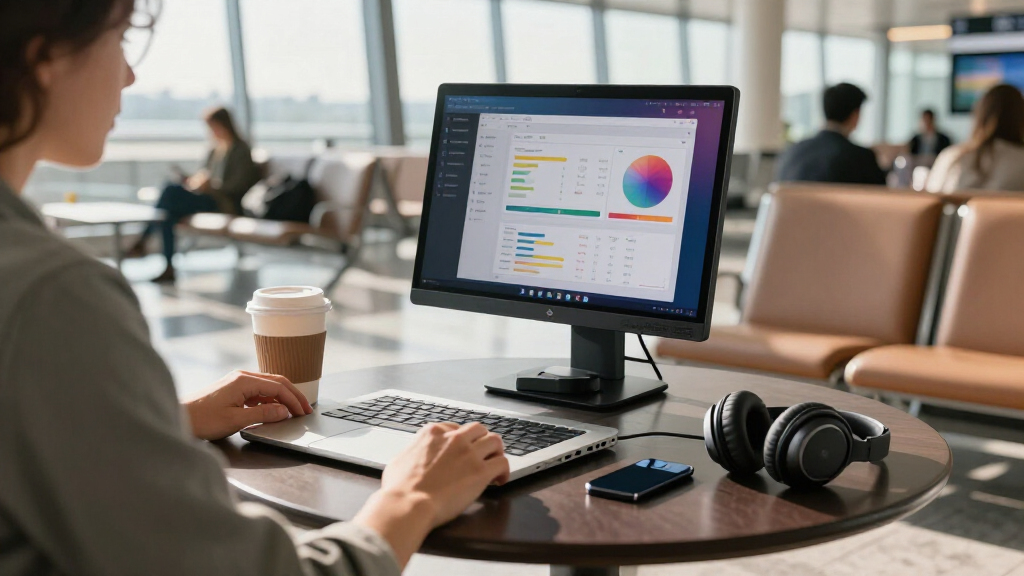

USB-C portable monitors have become the easiest way to turn a laptop into a dual-screen workstation, but the category is crowded with lookalike 15.6-inch panels that differ sharply in build quality, power delivery, and stand design. The ASUS ZenScreen MB16ACV stands out as the best overall pick thanks to its slim chassis, foldable smart case, and reliable single-cable USB-C operation. For buyers watching their budget, the VILVA 15.6-Inch FHD and KYY 15.6-Inch deliver the same core screen real estate at a lower cost, while the MSI Pro MP165 appeals to travelers who want tripod mounting and metal construction. The main tradeoffs you will face are weight versus durability, single-cable simplicity versus HDMI flexibility, and bundled stands versus VESA mounting. Read on for the full breakdown of all fifteen models and which one fits your setup.

Get the latest gadgets delivered free with Prime
- Fast, free delivery on millions of items
- Prime Video, Amazon Music and more included
- Member-only deals all year
Complete the kit



Key Takeaways
- The ASUS ZenScreen family (MB16ACV, MB16ACE, MB16AC) separated itself from budget rivals through consistent panel quality, slimmer bezels, and smarter stand solutions — the MB16ACV is the strongest all-rounder of the three.
- Budget models like VILVA, KYY, MNN, and cocopar share nearly identical 15.6-inch 1080p IPS panels, so the real differentiators are the bundled stand, cable quality, and warranty — not image quality.
- Only a handful of models, including the MSI Pro MP165 and VisionOwl, offer VESA or tripod mounting, which matters if you plan to use the monitor at a desk rather than propped on a table.
- The ViewSonic VA1653 and Lenovo L15 sit in a middle tier: stronger brand support and more consistent quality control than generic panels, but heavier and less travel-friendly than the slimmest ASUS options.
- Models that include a protective sleeve or smart cover (InnoView, Yodoit, KYY, ASUS MB16ACV) are better long-term value for frequent travelers since portable screens are vulnerable in bags.
| VILVA 15.6-Inch FHD IPS Portable Monitor with USB-C and HDMI |  | Best for Everyday Office Use | Screen size: 15.6 inches | Resolution: 1920 × 1080 (FHD) | Panel: IPS LCD, matte finish | VIEW LATEST PRICE | See Our Full Breakdown |
| ASUS ZenScreen 15.6″ 1080P Portable USB Monitor (MB16ACE) |  | Best Premium Pick | Screen size: 15.6 inches | Resolution: 1920 × 1080 (Full HD) | Panel: IPS, anti-glare surface | VIEW LATEST PRICE | See Our Full Breakdown |
| InnoView 15.6″ 1080P Portable Monitor with Protective Sleeve & Adjustable Stand |  | Best Value Pick | Screen size: 15.6 inches | Resolution: 1920 × 1080 (FHD) | Panel: IPS A+ with HDR and low blue light | VIEW LATEST PRICE | See Our Full Breakdown |
| MSI Pro MP165 E6 Ultra Slim & Light 15.6″ Portable Monitor |  | Best for Travel | Screen size: 15.6 inches | Resolution: 1920 × 1080 (FHD) | Panel: IPS, 178°/178° viewing angles | VIEW LATEST PRICE | See Our Full Breakdown |
| WGK 15.6″ Portable Monitor 1080P FHD with HDMI/USB-C, Stand, Speakers, VESA Mount |  | Best for Gaming Consoles on the Go | Screen size: 15.6 inches | Resolution: 1920 × 1080 (FHD 1080p) | Panel: IPS, matte finish, HDR | VIEW LATEST PRICE | See Our Full Breakdown |
| ASUS ZenScreen MB16ACV 15.6-Inch Full HD Portable Monitor |  | Best Warranty and Support | Screen size: 15.6 inches | Resolution: 1920 x 1080 (Full HD) | Panel: IPS LED | VIEW LATEST PRICE | See Our Full Breakdown |
| ASUS ZenScreen MB16AC 15.6 Inch 1080p USB-C Portable Monitor |  | Best for ASUS Laptop Owners | Screen size: 15.6 inches | Resolution: 1920 x 1080 (FHD) | Panel: IPS | VIEW LATEST PRICE | See Our Full Breakdown |
| Lenovo L15 Portable Monitor 15.6″ FHD IPS |  | Best Ergonomics | Screen size: 15.6 inches | Resolution: 1920 x 1080 (FHD) | Panel: IPS | VIEW LATEST PRICE | See Our Full Breakdown |
| Yodoit Portable Monitor 15.6″ 1920×1080 FHD IPS Travel Screen |  | Best for Presenters | Screen size: 15.6 inches | Resolution: 1920 x 1080 (FHD) | Panel: IPS LCD, matte finish | VIEW LATEST PRICE | See Our Full Breakdown |
| cocopar 15.6-Inch Portable Monitor, 1080p FHD, 60Hz |  | Best Value for Creators | Screen size: 15.6 inches | Resolution: 1920 x 1080 (FHD) | Panel: IPS | VIEW LATEST PRICE | See Our Full Breakdown |
| InnoView Portable Monitor, 15.6 Inch FHD 1080P HDMI USB C Second External Monitor |  | Best Budget Workhorse | Screen Size: 15.6 inches | Resolution: 1920 x 1080 (FHD) | Panel: IPS, 178° viewing angle | VIEW LATEST PRICE | See Our Full Breakdown |
| VisionOwl Portable Monitor 15.6 Inch 1080P FHD 85% sRGB Second Screen |  | Best for Mounting Flexibility | Screen Size: 15.6 inches | Resolution: 1920 x 1080 (FHD) | Color Gamut: 85% sRGB | VIEW LATEST PRICE | See Our Full Breakdown |
| ViewSonic VA1653 16″ 1080p FHD IPS Portable Monitor |  | Best Brand-Backed Pick | Screen Size: 15.6 inches | Resolution: 1920 x 1080 (FHD) | Panel: IPS | VIEW LATEST PRICE | See Our Full Breakdown |
| MNN 15.6-Inch FHD Portable Monitor |  | Best Value All-Rounder | Screen Size: 15.6 inches | Resolution: 1920 x 1080 | Panel: IPS, 178° viewing angle | VIEW LATEST PRICE | See Our Full Breakdown |
| KYY 15.6-Inch FHD Portable Monitor with Smart Cover |  | Best for Media and Audio | Screen Size: 15.6 inches | Resolution: 1920 x 1080 (FHD) | Panel: IPS, matte finish | VIEW LATEST PRICE | See Our Full Breakdown |
| USB-C portable monitor | Screen size | Resolution | Panel | Weight |
|---|---|---|---|---|
| VILVA 15.6-Inch FHD IPS Portab | 15.6 inches | 1920 × 1080 (FHD) | IPS LCD, matte finish | 1.74 kg |
| ASUS ZenScreen 15.6" 1080P Por | 15.6 inches | 1920 × 1080 (Full HD) | IPS, anti-glare surface | — |
| InnoView 15.6" 1080P Portable | 15.6 inches | 1920 × 1080 (FHD) | IPS A+ with HDR and low blue light | 2 lbs (0.9 kg) |
| MSI Pro MP165 E6 Ultra Slim & | 15.6 inches | 1920 × 1080 (FHD) | IPS, 178°/178° viewing angles | 0.78 kg |
| WGK 15.6" Portable Monitor 108 | 15.6 inches | 1920 × 1080 (FHD 1080p) | IPS, matte finish, HDR | 2.7 lbs (1.22 kg) |
| ASUS ZenScreen MB16ACV 15.6-In | 15.6 inches | 1920 x 1080 (Full HD) | IPS LED | — |
| ASUS ZenScreen MB16AC 15.6 Inc | 15.6 inches | 1920 x 1080 (FHD) | IPS | 1.7 lbs |
| Lenovo L15 Portable Monitor 15 | 15.6 inches | 1920 x 1080 (FHD) | IPS | Under 2 lbs |
| Yodoit Portable Monitor 15.6" | 15.6 inches | 1920 x 1080 (FHD) | IPS LCD, matte finish | 1.5 lbs (943 g with case) |
| cocopar 15.6-Inch Portable Mon | 15.6 inches | 1920 x 1080 (FHD) | IPS | 1.5 lb without cover; 2.4 lb with cover |
| InnoView Portable Monitor | 15.6 inches | 1920 x 1080 (FHD) | IPS, 178° viewing angle | 2.7 lbs |
| VisionOwl Portable Monitor 15. | 15.6 inches | 1920 x 1080 (FHD) | — | 1.4 lbs (2.3 lbs with cover) |
| ViewSonic VA1653 16" 1080p FHD | 15.6 inches | 1920 x 1080 (FHD) | IPS | 1.5 lbs |
| MNN 15.6-Inch FHD Portable Mon | 15.6 inches | 1920 x 1080 | IPS, 178° viewing angle | 1.5 lbs |
| KYY 15.6-Inch FHD Portable Mon | 15.6 inches | 1920 x 1080 (FHD) | IPS, matte finish | 1.7 lbs |
More Details on Our Top Picks
VILVA 15.6-Inch FHD IPS Portable Monitor with USB-C and HDMI
This option stands out for balanced everyday utility: a matte IPS panel that handles office lighting better than glossy rivals, dual connectivity via USB-C and mini HDMI, and built-in stereo speakers that the MSI Pro MP165 E6 also offers but with less flexibility in accessories. The magnetic cover doubling as a stand is the same approach ASUS uses on the ZenScreen MB16ACE, and here it keeps the desk setup clean without extra parts to lose.
Compared with the InnoView model, the VILVA skips HDR and its 800:1 contrast ratio is noticeably weaker, which shows up in washed-out dark scenes during video calls with dark themes or evening movie duty. It is also the heaviest screen in this batch at 1.74 kg, so travelers who count every gram will prefer the MSI. This pick makes the most sense for a permanent desk-to-desk second screen rather than a frequent-flyer companion.
Pros:- Matte finish cuts glare in bright offices better than glossy panels
- USB-C and mini HDMI cover laptops, consoles, and phones
- Built-in stereo speakers remove the need for external audio
- Magnetic cover protects the screen and folds into a stand
Cons:- 800:1 contrast is noticeably flatter than the InnoView’s 1200:1 panel
- Heaviest monitor in this lineup at 1.74 kg
- Listed brightness omits a unit, making real-world brightness uncertain
Best for: Remote workers who want a matte, glare-resistant second screen for daily desk setups with occasional trips
Not ideal for: Frequent travelers — at 1.74 kg it is the heaviest pick here, and the cover-stand is less rigid than a built-in kickstand
- Screen size:15.6 inches
- Resolution:1920 × 1080 (FHD)
- Panel:IPS LCD, matte finish
- Refresh rate:60 Hz
- Contrast ratio:800:1
- Connectivity:USB-C, mini HDMI
- Weight:1.74 kg
- Accessories:Magnetic cover stand, USB-C and mini HDMI cables
Our verdict“A sensible everyday second screen for desk-bound workers, as long as you rarely carry it far.”
ASUS ZenScreen 15.6″ 1080P Portable USB Monitor (MB16ACE)
The MB16ACE justifies its premium placement through polish rather than raw specs. Its hybrid USB Type-C and Type-A connectivity means it works with older laptops that lack USB-C — something no other monitor in this batch can claim — while automatic landscape/portrait rotation makes it genuinely useful for reading documents or code side-by-side. The 3-year warranty is the longest here and reflects ASUS’s brand support, which matters when you are carrying a screen daily.
The tradeoff: the foldable smart case must serve as the stand, and it is less stable on wobbly tables than the InnoView’s rigid 90-degree built-in stand. Compared with the MSI Pro MP165 E6, you also give up VESA and tripod mounting. This model is better suited to professionals who value reliability and document-friendly portrait mode over mounting flexibility.
Pros:- Works with both USB-C and USB-A laptops, including older machines
- Auto-rotation enables portrait mode for documents and coding
- TÜV Rheinland-certified flicker-free and low blue light eye care
- 3-year warranty, the longest coverage in this lineup
Cons:- Foldable smart case stand is less rigid than dedicated kickstands
- No VESA or tripod mounting unlike the MSI Pro MP165 E6
Best for: Consultants and professionals who present to clients and want brand-backed reliability plus portrait-mode document work
Not ideal for: Buyers who want a sturdy built-in stand or VESA/tripod mounting — the foldable case stand is the only option
- Screen size:15.6 inches
- Resolution:1920 × 1080 (Full HD)
- Panel:IPS, anti-glare surface
- Connectivity:USB Type-C, USB Type-A
- Features:Auto-rotation, ASUS Eye Care
- Stand:Foldable Lite Smart Case
- Warranty:3 years
Our verdict“The most dependable all-rounder for frequent business travel, provided you accept the case-based stand.”
InnoView 15.6″ 1080P Portable Monitor with Protective Sleeve & Adjustable Stand
InnoView delivers the strongest feature-per-dollar case in this batch. Its 1200:1 contrast ratio beats both the VILVA (800:1) and the WGK (1000:1), which translates to visibly deeper blacks in HDR content. The built-in 90-degree adjustable stand is the key structural advantage over the ASUS MB16ACE — you get angle flexibility without relying on a folding case, and the bundled protective sleeve handles travel protection separately.
Where corners are cut: the 250 cd/m² brightness is the lowest in this lineup, making sunny-window use frustrating, and USB-C operation demands a fairly modern laptop with Thunderbolt 3/4 or USB 3.1 DP Alt Mode, plus a 15W+ adapter for stable power. Compared with the WGK, you get a full-size HDMI port instead of the mini variant, which is one less adapter to lose. This pick makes the most sense for students and hybrid workers watching their budget.
Pros:- 1200:1 contrast with HDR delivers the richest image in this batch
- Built-in 90° adjustable stand is sturdier than case-based stands
- Two full-function USB-C ports plus full-size HDMI for wide compatibility
- Includes protective sleeve for travel
Cons:- 250 cd/m² brightness is the dimmest here, struggling near windows
- Needs a 15W+ power adapter and modern USB-C DP Alt Mode support
- 18-month warranty is shorter than the ASUS’s 3-year coverage
Best for: Students and hybrid workers who want the best image quality and stand flexibility per dollar
Not ideal for: Owners of older or budget laptops without USB-C DP Alt Mode, or anyone working in very bright rooms
- Screen size:15.6 inches
- Resolution:1920 × 1080 (FHD)
- Panel:IPS A+ with HDR and low blue light
- Refresh rate:60 Hz
- Contrast ratio:1200:1
- Brightness:250 cd/m²
- Ports:2x USB-C (full-function), 1x HDMI
- Weight:2 lbs (0.9 kg)
- Warranty:18 months (excludes physical damage)
Our verdict“The smartest budget choice if your laptop has modern USB-C and you mostly work indoors.”
MSI Pro MP165 E6 Ultra Slim & Light 15.6″ Portable Monitor
At 0.78 kg and 1.38 cm thick, the MSI is less than half the weight of the VILVA and meaningfully lighter than everything else here — for people whose monitor lives in a backpack, that difference compounds every single day. Its mounting flexibility is also unmatched in this batch: a 1/4-inch tripod thread plus VESA compatibility means it can sit on a camera tripod for field demos or bolt to an arm at a desk, options the ASUS MB16ACE simply does not offer.
The compromises are real, though. The built-in speakers are thin — fine for video calls, weak for media — and the panel is a straightforward 1080p/60Hz with no HDR, so image punch falls short of the InnoView. This model is better suited to mobile professionals and content creators who prioritize portability and positioning over picture quality.
Pros:- Lightest monitor in this roundup at 0.78 kg
- Tripod mount and VESA compatibility offer unmatched positioning options
- Single-cable USB-C for power and video
- TÜV Rheinland-certified low blue light and flicker-free panel
Cons:- Built-in speakers underperform for music or film playback
- No HDR and plain 1080p/60Hz image quality lag behind the InnoView
Best for: Mobile professionals, photographers, and creators who mount screens on tripods or need the lightest possible carry
Not ideal for: Media-first users — the speakers are weak and the panel lacks the HDR and contrast of the InnoView
- Screen size:15.6 inches
- Resolution:1920 × 1080 (FHD)
- Panel:IPS, 178°/178° viewing angles
- Refresh rate:60 Hz
- Ports:USB Type-C (DP 1.2a Alt Mode), HDMI
- Weight:0.78 kg
- Thickness:1.38 cm
- Mounting:1/4-inch tripod mount, VESA, foldable kickstand
Our verdict“The clear choice when weight and mounting versatility matter more than image richness.”
WGK 15.6″ Portable Monitor 1080P FHD with HDMI/USB-C, Stand, Speakers, VESA Mount
The WGK earns its spot as the console companion. Its dual USB-C plus mini HDMI connectivity plays nicely with PS5, Xbox, and Switch, and its support of copy, extended, and second-screen modes with both orientations gives it more display flexibility than the VILVA or the MSI. The built-in adjustable stand plus VESA mounting combination means it can prop itself up in a hotel room or bolt onto an arm at home — a versatility mix only the MSI partially matches.
The catches: a 72% color gamut makes this the weakest panel here for photo or design work, and 60Hz caps it for competitive gaming despite the gaming-friendly port selection. Sustained console sessions also need an external 5V/2A power source, and the mini HDMI port may force an adapter where the InnoView offers full-size HDMI. This pick makes the most sense for casual gamers and media consumers rather than purists.
Pros:- Works plug-and-play with PS, Xbox, and Switch over USB-C or HDMI
- Copy, extended, and second-screen modes with horizontal and vertical orientation
- Built-in adjustable stand plus VESA mount covers both travel and desk use
- Matte IPS panel with HDR and low blue light reduces eye strain
Cons:- 72% color gamut is the weakest color accuracy in this lineup
- Requires external 5V/2A power for sustained use with some devices
- Mini HDMI port instead of full-size may require an adapter
Best for: Casual gamers and media consumers who want one screen for a Switch or PS5 and a laptop while traveling
Not ideal for: Color-critical creatives or competitive gamers — 72% gamut and 60Hz fall short of professional and fast-paced needs
- Screen size:15.6 inches
- Resolution:1920 × 1080 (FHD 1080p)
- Panel:IPS, matte finish, HDR
- Refresh rate:60 Hz
- Contrast ratio:1000:1
- Color gamut:72%
- Connectivity:2x USB-C, Mini HDMI
- Weight:2.7 lbs (1.22 kg)
- Mounting:Built-in stand, VESA mountable
Our verdict“A flexible all-rounder for casual gaming and travel media, as long as color precision is not on your checklist.”
ASUS ZenScreen MB16ACV 15.6-Inch Full HD Portable Monitor
The ASUS ZenScreen MB16ACV earns its place here on the strength of its three-year warranty with advanced replacement service, which most budget rivals like the cocopar or Yodoit simply don’t match. For buyers whose portable screen is a daily work tool rather than an occasional accessory, that safety net matters more than flashy specs. The hybrid USB-C connection carries both power and video over one cable, and the included ZenScreen sleeve means there’s one less accessory to buy — a nicety the Lenovo L15 doesn’t offer. The kickstand handles portrait and landscape modes reasonably well, and the anti-glare surface is a genuine advantage over the glossier Lenovo panel for window-side work.
The tradeoffs are real, though: a 60 Hz refresh rate limits appeal for gamers, and despite the anti-glare coating, the glossy finish still throws reflections under harsh overhead lighting. This is the dependable, backed-by-a-major-brand pick rather than the most exciting one.
Pros:- Three-year warranty with advanced replacement service from a major manufacturer
- Hybrid USB-C connection carries power and video in a single cable
- Anti-glare surface reduces reflections compared with glossy rivals
- Included ZenScreen sleeve protects the panel during travel
Cons:- 60 Hz refresh rate is limiting for gaming or fast-motion content
- Glossy screen finish still produces noticeable reflections under strong light
Best for: Professionals who depend on a second screen daily and want long-term manufacturer support and a bundled travel sleeve
Not ideal for: Gamers or media-heavy users — the 60 Hz panel and glossy finish fall short of smoother, more matte alternatives like the Yodoit
- Screen size:15.6 inches
- Resolution:1920 x 1080 (Full HD)
- Panel:IPS LED
- Refresh rate:60 Hz
- Viewing angle:178 degrees
- Connectivity:USB-C hybrid signal; USB Type-A compatibility
- Features:Kickstand, anti-glare, flicker-free, low blue light, FreeSync
- Warranty:3 years
Our verdict“Buy this if you want a brand-name portable monitor with the strongest warranty in the lineup and can live without high refresh rates.”
ASUS ZenScreen MB16AC 15.6 Inch 1080p USB-C Portable Monitor
As the older sibling of the MB16ACV, the ZenScreen MB16AC remains on this list for one reason: it’s tuned to pair with ASUS laptops. At 1.7 pounds and 0.3 inches thick, it matches the footprint and finish of ASUS notebooks better than anything generic like the cocopar, and the DisplayWidget app gives ASUS users a cleaner settings experience than the on-screen buttons most budget monitors rely on. Auto rotation between landscape and portrait via the Smart Pen Hole works smoothly, and the TUV Rheinland-certified flicker-free backlight is a comfort plus for long writing sessions.
The catch is the hybrid Type-A connection — it requires a DisplayLink driver installation, which can be a hassle on locked-down corporate machines and rules out true plug-and-play convenience. Compared with the newer MB16ACV, you also give up the anti-glare coating and sleeve. Choose this only if the ASUS pairing genuinely appeals; otherwise the ACV is the smarter buy.
Pros:- Featherweight 1.7 lb, 0.3-inch design matches ASUS laptops aesthetically
- DisplayWidget app makes display settings easier than button menus
- TUV Rheinland-certified flicker-free and blue light filtering
- Three-year warranty with advanced replacement and repair service
Cons:- USB-A connection requires DisplayLink driver installation that may be blocked on work machines
- Superseded by the MB16ACV, which adds an anti-glare surface and sleeve
Best for: ASUS laptop owners who want a matching second screen with software-based controls and corporate IT staff who need Type-A compatibility
Not ideal for: Users on locked-down work laptops — the required DisplayLink driver for USB-A connections may be blocked, and there are newer ZenScreen models available
- Screen size:15.6 inches
- Resolution:1920 x 1080 (FHD)
- Panel:IPS
- Viewing angle:178 degrees horizontal and vertical
- Connectivity:USB Type-C and Type-A (DisplayLink driver required for Type-A)
- Weight:1.7 lbs
- Thickness:0.3 inches
- Warranty:3 years
Our verdict“A smart match for ASUS laptop loyalists, but everyone else should opt for the newer MB16ACV or a cheaper alternative.”
Lenovo L15 Portable Monitor 15.6″ FHD IPS
Most portable monitors ask you to prop them at one fixed angle and live with it. The Lenovo L15 is the rare exception with its height-adjustable stand, which lets you raise the panel toward eye level — a genuine comfort advantage over fixed-kickstand designs like the ASUS ZenScreen MB16ACV if you’re working full days at a desk. At just under two pounds with a clean grey aesthetic, it looks and feels like a corporate tool rather than a hobbyist gadget, and the two USB-C ports keep cable routing tidy on either side of your laptop.
The compromises center on raw output. At 250 nits, it’s dimmer than the Yodoit’s 300-nit panel, so bright cafe windows or outdoor use will wash it out. Like nearly everything in this price tier, it tops out at 60 Hz. There’s also no HDMI port, so older laptops and consoles need adapters — a flexibility gap versus the cocopar’s three-input setup.
Pros:- Height-adjustable stand raises the screen to eye level, unlike fixed-kickstand rivals
- Lightweight at under two pounds with a professional grey finish
- Flicker-free technology eases eye strain during long sessions
- Two USB-C ports allow flexible left- or right-side cable routing
Cons:- 250 nits brightness is dimmer than the Yodoit and struggles in bright conditions
- USB-C only — no HDMI input for consoles or older laptops
Best for: Desk-based remote workers and Lenovo laptop owners who value ergonomic adjustability and all-day viewing comfort
Not ideal for: Frequent outdoor users or console gamers — 250 nits of brightness and USB-C-only connectivity limit where and with what it works
- Screen size:15.6 inches
- Resolution:1920 x 1080 (FHD)
- Panel:IPS
- Brightness:250 nits
- Refresh rate:60 Hz
- Connectivity:2x USB-C
- Stand:Height-adjustable
- Weight:Under 2 lbs
Our verdict“The pick for desk-bound professionals who want adjustable ergonomics, provided they work indoors and connect over USB-C.”
Yodoit Portable Monitor 15.6″ 1920×1080 FHD IPS Travel Screen
The Yodoit is the lineup’s choice for people who face clients, not just spreadsheets. Its matte anti-glare coating paired with 300 nits brightness beats both the Lenovo L15 (dimmer) and the ASUS ZenScreen MB16ACV (glossier) for visibility when you’re presenting beside a window or passing the screen across a table — and the 178-degree viewing angle makes that pass-around practical. The built-in dual speakers handle audio in a pitch meeting without hunting for headphones, something the Lenovo can’t do at all.
Connectivity is flexible: single-cable USB-C for modern laptops and phones, or mini HDMI with USB-A power for consoles and legacy machines. But color accuracy is where corners get cut — a 45% color gamut is well below the cocopar’s 85% sRGB, so photo editors and designers should look elsewhere. It’s a presentation and productivity tool, not a creative reference display.
Pros:- Matte anti-glare finish with 300 nits stays readable in bright sunlight
- Built-in dual speakers for presentations without headphones
- Dual connectivity: single-cable USB-C or mini HDMI plus USB-A power
- Ultra-portable at 1.5 lbs and 0.43 inches thick
Cons:- 45% color gamut is far below the 85% sRGB of the cocopar for creative work
- Smart cover stand is less stable than the Lenovo’s height-adjustable base
Best for: Consultants, salespeople, and traveling presenters who share their screen in bright spaces and need onboard speakers
Not ideal for: Photographers and video editors — the narrow 45% color gamut makes this unusable for color-critical work
- Screen size:15.6 inches
- Resolution:1920 x 1080 (FHD)
- Panel:IPS LCD, matte finish
- Brightness:300 nits
- Refresh rate:60 Hz
- Viewing angle:178 degrees
- Connectivity:USB-C, mini HDMI + USB-A power
- Weight:1.5 lbs (943 g with case)
- Audio:Dual built-in speakers
Our verdict“The best pick for client-facing work in unpredictable lighting, as long as color accuracy isn’t part of your job.”
cocopar 15.6-Inch Portable Monitor, 1080p FHD, 60Hz
Among the budget options in this roundup, the cocopar stands out for color coverage that punches above its price tier: 85% sRGB makes it a legitimate option for hobbyist photo editing and content consumption, where the Yodoit’s 45% gamut falls flat. Add VESA mounting holes, and you get flexibility none of the ASUS ZenScreen models offer — attach it to an arm or tripod for a permanent desk setup, then detach it for travel. The three-input layout (two USB-C plus HDMI) covers consoles, older laptops, and modern machines alike.
The tradeoff is weight and cable dependence. At 2.4 pounds with the cover attached, it’s noticeably heavier than the 1.5-pound Yodoit, and single-cable USB-C operation requires a device with Thunderbolt 3/4 or USB-C DP Alt Mode — older ports mean extra cables dangling. It’s a desktop-flexible monitor that travels when needed, not an ultralight.
Pros:- 85% sRGB color coverage beats most budget rivals for creative work
- VESA mountable for arms and tripods, unlike the ASUS ZenScreen options
- Three inputs: two USB-C plus HDMI covers consoles and legacy devices
- HDR with extend and mirror modes plus low blue light
Cons:- Weighs 2.4 lbs with the cover, heavier than most travel-focused rivals
- Single-cable USB-C requires Thunderbolt 3/4 or DP Alt Mode support
Best for: Hobbyist photographers, streamers, and desk-focused users who want better color coverage and VESA mounting on a budget
Not ideal for: Minimalist travelers with older laptops — 2.4 lbs with the cover and DP Alt Mode requirements make it clunkier than the Yodoit
- Screen size:15.6 inches
- Resolution:1920 x 1080 (FHD)
- Panel:IPS
- Refresh rate:60 Hz
- Color gamut:85% sRGB
- Ports:2x USB-C, 1x HDMI
- Mounting:VESA mountable
- Weight:1.5 lb without cover; 2.4 lb with cover
- Features:HDR, low blue light, extend/mirror modes, power pass-through
Our verdict“The smartest budget choice for color-sensitive desk work and mounting flexibility, at the cost of true travel-light portability.”
InnoView Portable Monitor, 15.6 Inch FHD 1080P HDMI USB C Second External Monitor
Of the value-tier options in this roundup, the InnoView 15.6-inch stands out for keeping the essentials intact while trimming the extras. Its A+ IPS panel with HDR and a 1200:1 contrast ratio actually edges out both the VisionOwl and MNN on paper, which matters if you spend hours reading documents or editing spreadsheets on a second screen. Plug-and-play works over a single USB-C cable on Thunderbolt 3/4 laptops, and reverse charging means one cable handles power and video.
The tradeoffs are real, though. There’s no VESA mounting like the VisionOwl, brightness is a modest 250 nits, and low-power laptops may cause flickering unless you supply separate power — a caveat the brand itself acknowledges. Compared with the KYY, the included PU leather cover feels more like a necessity than a bonus, since there’s no other stand in the box.
Pros:- Higher 1200:1 contrast ratio than similarly priced rivals for better document clarity
- Single-cable USB-C connection with reverse charging on compatible laptops
- Flicker-free, low blue light modes for long work sessions
- Dual-angle PU leather cover protects the screen in a backpack
Cons:- 250-nit brightness is dimmer than the VisionOwl and KYY, struggling near windows
- No VESA mounting holes limits flexible desk setups
- Screen can flicker or restart with low-power devices unless separately powered
Best for: Students and remote workers who want a reliable one-cable second screen for everyday productivity without paying for premium build materials
Not ideal for: Owners of older laptops without Thunderbolt 3 or USB 3.1 DP Alt Mode — they’ll need a separate HDMI and power cable setup, which undercuts the portability
- Screen Size:15.6 inches
- Resolution:1920 x 1080 (FHD)
- Panel:IPS, 178° viewing angle
- Brightness:250 cd/m²
- Contrast Ratio:1200:1
- Connectivity:2x full-function USB-C, 1x HDMI
- Weight:2.7 lbs
- Warranty:18 months
Our verdict“A sensible pick for budget-minded laptop users who prioritize contrast and one-cable simplicity over brightness and mounting flexibility.”
VisionOwl Portable Monitor 15.6 Inch 1080P FHD 85% sRGB Second Screen
The VisionOwl earns its spot by being the only aluminum-built model here with standard 75x75mm VESA holes, a combination that opens up mounting options the InnoView, MNN, and KYY simply can’t match. If your workflow involves an arm, a tripod, or a portrait-mode vertical display for coding and long spreadsheets, this model makes the most sense. Its 85% sRGB coverage and 300-nit brightness also position it above the InnoView for color-sensitive work and bright-room viewing.
At 1.4 lbs without the cover, it’s lighter than the InnoView by nearly half, and the box includes every cable plus a power adapter — something several cheaper rivals omit. The compromises: contrast is a slightly lower 1000:1, the 60Hz panel is nothing special for fast gaming despite FreeSync, and the silver aluminum finish shows scuffs more readily than matte plastic would.
Pros:- VESA 75x75mm mounting with full portrait and landscape rotation
- Aluminum alloy chassis dissipates heat better than plastic rivals
- 85% sRGB gamut suits photo editing and design
- Complete accessory bundle including power adapter and all cables
Cons:- 1000:1 contrast is weaker than the InnoView for deep blacks
- 60Hz refresh rate limits appeal for serious gaming
- Silver finish is more prone to visible scuffs and fingerprints
Best for: Developers, traders, and creators who want portrait-mode or arm-mounted vertical screens and decent color accuracy for design work
Not ideal for: Competitive gamers wanting high refresh rates — the standard 60Hz panel won’t outpace cheaper alternatives like the MNN
- Screen Size:15.6 inches
- Resolution:1920 x 1080 (FHD)
- Color Gamut:85% sRGB
- Brightness:300 cd/m²
- Response Time:3 ms
- Connectivity:2x USB-C, 1x HDMI, VESA 75x75mm
- Weight:1.4 lbs (2.3 lbs with cover)
- Build:Aluminum alloy
Our verdict“The pick when mounting flexibility and color coverage matter more than raw contrast or refresh rate.”
ViewSonic VA1653 16″ 1080p FHD IPS Portable Monitor
Most panels in this roundup come from brands you’ve likely never heard of; the ViewSonic VA1653 brings something the InnoView, MNN, and KYY can’t match: a 3-year limited warranty with US-based support. For buyers who treat a portable monitor as a long-term work tool rather than a gadget, that backing changes the risk calculus. Its 1.5 lb, 0.7-inch frame with two-way USB-C power delivery keeps desk clutter to a single cable, while the foldable stand and included sleeve cover the travel basics.
Where it falls short is ambition. There’s no VESA mounting like the VisionOwl, contrast sits at typical IPS levels rather than the InnoView’s higher figure, and pass-through charging may still require the bundled AC adapter on power-hungry laptops. One quirk worth flagging: the title says 16 inches while the spec sheet lists 15.6, so expect the standard portable size rather than a true upgrade.
Pros:- 3-year limited warranty with US-based customer service
- Featherlight 1.5 lb build with 0.7-inch profile
- Two-way USB-C power delivery keeps wiring minimal
- Foldable stand supports both portrait and landscape
Cons:- No VESA mount limits placement flexibility
- Pass-through charging can require the included AC adapter
- Inconsistent listed screen size (16-inch title vs 15.6-inch specs)
Best for: Professionals and IT buyers who value long warranty coverage and established support channels over cutting-edge specs
Not ideal for: Users wanting arm or tripod mounting — no VESA holes here, unlike the VisionOwl
- Screen Size:15.6 inches
- Resolution:1920 x 1080 (FHD)
- Panel:IPS
- Thickness:0.7 inches
- Weight:1.5 lbs
- Inputs:USB-C, Mini-HDMI
- Power:USB-C PD pass-through with AC adapter
- Warranty:3-year limited
Our verdict“The safest long-term ownership choice in this batch, trading mounting options and spec flash for warranty peace of mind.”
MNN 15.6-Inch FHD Portable Monitor
The MNN 15.6-inch is the model I’d point budget shoppers toward first, because it quietly matches or beats pricier rivals on the specs that matter daily. Its 300-nit brightness outshines the InnoView by 20%, HDR support carries over from the KYY, and the dual USB-C plus HDMI layout mirrors the VisionOwl’s connectivity without the aluminum price premium. At 1.5 lbs, it ties the ViewSonic VA1653 for lightest in this batch, making it a genuinely effortless backpack companion.
Compromises exist at this tier. The 1000:1 contrast falls behind the InnoView, there’s no VESA mounting, and USB-C video strictly requires Thunderbolt 3 or DP Alt Mode devices — older laptops need the HDMI route plus power. The brand’s own spec listings are also muddled on resolution, though the panel is standard 1080p FHD.
Pros:- 300-nit brightness beats the InnoView for well-lit rooms
- Featherweight 1.5 lb body with slim profile
- HDR support plus landscape, portrait, and extended display modes
- Dual USB-C and HDMI covers laptops, consoles, and phones
Cons:- USB-C video demands Thunderbolt 3 or DP Alt Mode compatibility
- 1000:1 contrast trails the InnoView for dark-scene depth
- Listed display specifications are inconsistent across listings
Best for: First-time portable monitor buyers who want bright, HDR-capant visuals and broad connectivity at the lowest possible commitment
Not ideal for: Color-critical designers — the unverified gamut coverage trails the VisionOwl’s stated 85% sRGB
- Screen Size:15.6 inches
- Resolution:1920 x 1080
- Panel:IPS, 178° viewing angle
- Brightness:300 cd/m²
- Contrast Ratio:1000:1
- Connectivity:2x USB-C, 1x HDMI
- Refresh Rate:60 Hz
- Weight:1.5 lbs
Our verdict“The smart default for budget buyers who want brightness and flexibility without brand-tax pricing.”
KYY 15.6-Inch FHD Portable Monitor with Smart Cover
Where the KYY differentiates itself from the MNN and InnoView is audio flexibility: alongside built-in stereo speakers, it includes a 3.5 mm audio jack, letting you route sound to headphones or external speakers without an adapter dongle — handy for hotel-room movies or console gaming with a Switch or PS5. Its matte, anti-glare 1080p IPS panel at 300 nits matches the MNN for bright-room usability, and the magnetic PU cover folds into a stand the way nearly every rival here does.
That cover is also its weak point: just two fixed viewing angles, compared with the more adjustable foldable stand on the ViewSonic VA1653 or the VESA-mount escape hatch on the VisionOwl. USB-C one-cable operation again requires DP Alt Mode support, and the 0.35-inch thickness is chunkier than the svelte ViewSonic.
Pros:- Built-in stereo speakers plus 3.5 mm audio out for flexible sound routing
- Matte anti-glare finish reduces reflections in bright environments
- 300-nit brightness with HDR and 178° viewing angles
- Broad compatibility from MacBooks to Switch, Xbox, and PS5
Cons:- Cover stand offers only two viewing-angle positions
- No VESA mounting for arm or tripod setups
- 0.35-inch profile is thicker than the ViewSonic VA1653
Best for: Travelers and console gamers who watch media on the go and want headphone output plus speakers built in
Not ideal for: Ergonomics-focused desk users — the two-position cover stand can’t dial in a precise viewing angle
- Screen Size:15.6 inches
- Resolution:1920 x 1080 (FHD)
- Panel:IPS, matte finish
- Brightness:300 cd/m²
- Ports:2x USB-C, mini HDMI, 3.5 mm audio
- Speakers:2 built-in stereo speakers
- Weight:1.7 lbs
- Power Consumption:12 watts
Our verdict“The entertainment-first choice for buyers who care about audio options and anti-glare viewing as much as screen size.”
How We Picked
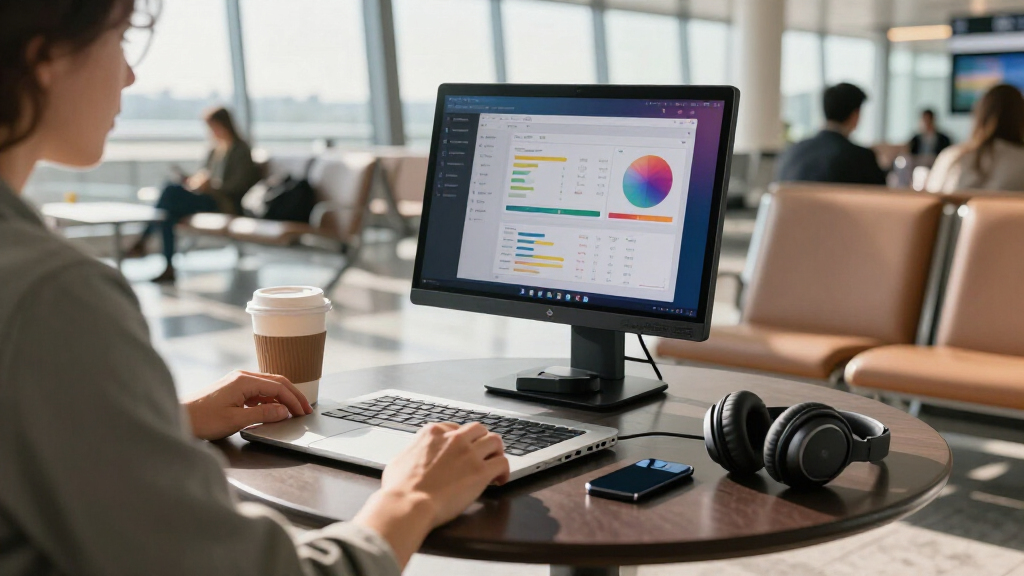
I evaluated each monitor against the criteria that actually decide a purchase in this category: single-cable USB-C reliability, panel quality, stand and cover design, portability, and connectivity flexibility. Because nearly every option here is a 15.6-inch 1080p IPS panel, specs alone do not separate the winners — so I weighted build quality, bundled accessories, and how well each monitor works with laptops, phones, and consoles. Models that require two cables or flaky handshakes with macOS were marked down, while those with thoughtful stands and protective covers moved up.
The ranking logic is role-based rather than a strict hierarchy of quality. Brand-backed models with proven support (ASUS, Lenovo, ViewSonic, MSI) occupy the top slots for buyers who prioritize reliability, while value-focused generic panels fill the best-budget roles where the tradeoffs are acceptable. Every pick was also judged on who should skip it — a great travel monitor is a mediocre desk monitor, and vice versa — so the ordering reflects fit, not just feature counts.
Factors to Consider When Choosing USB-C Portable Monitors
Before choosing a specific model, it helps to understand what actually separates a satisfying portable monitor from one that gathers dust in a drawer. These are the factors I weighed most heavily, plus the mistakes buyers make with each.True Single-Cable USB-C Versus USB-C Data Only
The phrase “USB-C portable monitor” hides an important distinction: some monitors draw power and video over one cable from a compatible laptop, while others need a second USB connection or external power depending on your device. Check whether your laptop’s USB-C port supports DisplayPort Alt Mode and power delivery — most modern MacBooks and premium Windows laptops do, but many budget laptops only output video over HDMI. A true single-cable setup is what makes these monitors genuinely portable; a two-cable requirement tethers you to a desk. Buyers who skip this check are the single largest group reporting compatibility problems. ASUS and Lenovo models tend to have the most dependable USB-C implementations, while generic panels can be hit-or-miss with certain phones and older laptops.
Weight and Thickness Decide Whether You Actually Travel With It
A monitor that stays home is just a small desktop display, so weight matters more than most buyers expect. The practical threshold is around 1.8 pounds with the cover attached — anything heavier tends to get left behind, especially alongside a laptop and charger. Thickness matters too: models under 0.3 inches slide easily into a laptop sleeve, while thicker panels with protruding connectors need their own compartment. Frequent flyers should prioritize slim designs with folio covers; desk-based users can ignore weight entirely and favor sturdier stands or VESA mounting instead. This is the single biggest reason a great spec sheet still disappoints after purchase.
Stand Design Is the Most Underrated Factor
Almost every panel here displays a fine image, but the stand determines whether the monitor is usable on a hotel desk, airplane tray table, or café counter. Folio-style smart covers (ASUS, KYY, Yodoit) fold into a triangle stand that works everywhere but only offers one or two angles. Kickstand-style or adjustable rear stands (InnoView, WGK) give more tilt range but add bulk. VESA and tripod mounts (MSI Pro MP165, VisionOwl, WGK) are the most flexible for fixed workstations but require extra hardware you have to carry separately. Match the stand type to your actual usage, not the marketing photos.
Panel Quality: What 1080p at 15.6 Inches Really Means
Nearly every monitor in this category uses a 15.6-inch 1080p IPS panel, which works out to roughly 141 pixels per inch — sharp enough for documents and video, but noticeably less crisp than a modern laptop screen when viewed at arm’s length. The real quality differences show up in brightness, color gamut coverage, and backlight bleed, not resolution. Panels rated at 300 nits handle a bright office reasonably well; dimmer 220-nit panels struggle near windows. If you do photo or video work, look for stated sRGB coverage like VisionOwl’s 85% figure rather than generic “vivid color” claims. And since generic panels come from shared factories, expect more unit-to-unit variation from budget brands than from ASUS, ViewSonic, or Lenovo.
Gaming and Console Use Changes the Math
If you plan to connect a Switch, PS5, Xbox, or phone, HDMI input and built-in speakers become much more useful than they sound in a work context. All of these panels top out at 60Hz, so competitive PC gamers should look elsewhere — but for console gaming on the go, 60Hz is fine and the built-in speakers save you packing headphones. Check that the monitor powers from a standard USB adapter when used with consoles, since consoles cannot deliver monitor power over USB-C the way laptops can. Models like the MSI Pro MP165 and Yodoit handle this dual role more gracefully than bare-bones work monitors. This is also where tripods shine for couch or bed setups.
Brand Support Versus Budget Savings
The generic monitors in this lineup cost meaningfully less than the brand-name options, and the hardware gap is smaller than the price gap suggests. What you give up is warranty service, driver support, and replacement parts — if a budget panel arrives with dead pixels or a failing backlight, the resolution process is slower and less certain. ASUS, ViewSonic, Lenovo, and MSI all maintain standard warranty channels and firmware updates. My rule of thumb: buy budget when the monitor is a secondary, occasionally used screen, and buy brand-name when it is your daily second display for work. That single framing resolves most of the price anxiety in this category.
Frequently Asked Questions
Can I use one of these monitors with a MacBook using only a single USB-C cable?
Yes, as long as your MacBook has a Thunderbolt or USB-C port with DisplayPort Alt Mode, which all modern MacBooks do. A single cable carries both video and power in this setup, so the monitor draws its electricity from the MacBook — expect slightly faster battery drain on the laptop. The ASUS ZenScreen models and Lenovo L15 are the most dependable single-cable options with macOS, with fewer handshake glitches on wake. One caveat: budget panels sometimes take a few seconds to re-detect after the MacBook sleeps, which is annoying but not a dealbreaker. If you use an older MacBook with only HDMI-style output, you will need an adapter.
Why do two monitors with identical 1080p specs cost such different amounts?
The panel is usually the cheapest part to match, so the price difference comes from everything around it: chassis materials, stand design, cable quality, quality control, and warranty support. A brand-name monitor like the ASUS ZenScreen MB16ACV uses an aluminum chassis, a well-engineered folio cover, and consistent panels, while budget models share commodity parts with looser quality control. That also means budget panels have higher odds of backlight bleed or dead pixels out of the box. If you get a good budget unit, the image can look nearly identical to a premium one. The premium price is really buying reliability and support, not pixels.
Do these monitors need their own power adapter?
It depends on the source device. When connected to a laptop over USB-C, most of these monitors draw power through that same cable and need no separate adapter. When connected to a games console, streaming stick, or phone over HDMI, the monitor cannot receive power from that connection, so you will need a USB power source — usually the same wall adapter style used for phones. Some travelers carry a small USB battery pack to run the monitor away from outlets. Check the required wattage before assuming a random charger will work; underpowered adapters cause flickering and dimming. This is the most common surprise for first-time portable monitor buyers.
Is 1080p at 15.6 inches sharp enough for reading text all day?
For most people, yes — 1080p at this size produces text that is comfortably readable at a normal viewing distance of 20 to 24 inches. It will not match a 4K laptop display for crispness, and small UI text in dense spreadsheets can look slightly soft compared with a modern retina screen. If your work involves fine typography or hours of reading, sit slightly farther back or scale text up in your OS settings. Users coming from 1080p laptops will notice no difference at all; users coming from high-resolution displays will notice it in the first hour and mostly forget it after that. Viewing angles matter more here than resolution, which is why IPS panels dominate this category.
Are these monitors good for gaming on a Switch or console?
They are well suited to casual and travel gaming, with some limitations. All fifteen models here refresh at 60Hz, which matches the output of a Nintendo Switch and is fine for console gaming generally, but competitive PC players will find the latency and refresh rate limiting. Built-in speakers, present on models like the MSI Pro MP165, Yodoit, and WGK, make console setups much more convenient since you avoid carrying headphones. The tripod-mount option on the MSI is especially handy for couch or bedside gaming. Just remember you will need external power for the monitor when using HDMI sources, so pack the adapter.
Conclusion
The right pick depends less on specs — which are remarkably uniform here — and more on how you plan to live with the monitor. For most buyers, the ASUS ZenScreen MB16ACV is the best overall choice: slim, dependable single-cable USB-C, and a clever folio stand that travels well. Best value goes to the KYY 15.6-Inch or VILVA FHD, which deliver the core experience at a lower price if you can accept more variable quality control. Best premium options are the ASUS ZenScreen MB16ACE and Lenovo L15, which offer the strongest brand support for daily work use.
For beginners who want zero setup friction, the Yodoit with its smart cover and plug-and-play USB-C is the easiest first portable monitor. Specific needs: choose the MSI Pro MP165 for tripod mounting and travel durability, the ViewSonic VA1653 if you want a brand-backed panel in a slightly larger 16-inch size, the VisionOwl for VESA desk mounting with better color coverage, and the InnoView with adjustable stand if you need more tilt range than a folio cover provides. Whatever you choose, verify your laptop’s USB-C video support first — that single check prevents the most common disappointment in this category.
Halloween Picks
halloween
As an affiliate, we earn on qualifying purchases.