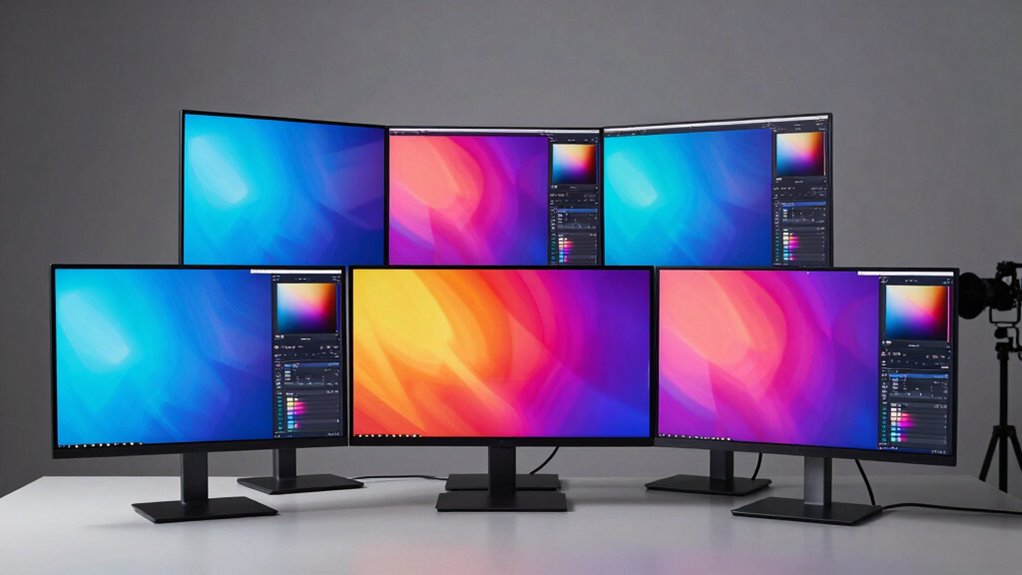

Choosing a color accurate monitor for photo editing comes down to three things: how much of the color gamut the panel covers, how well it holds calibration over time, and whether the resolution and connectivity fit your editing setup. My top pick, the BenQ SW272Q, stands out for its 99% Adobe RGB coverage, factory calibration, and Nano Matte panel that tames glare without dulling image detail — the closest thing here to a dedicated photographer’s display. For tighter budgets, the ASUS ProArt PA279CRV delivers 4K resolution and strong color accuracy at a friendlier price, while the ASUS ProArt PA278QV is the value play if you’re building your first editing station. The main tradeoff in this category is gamut coverage versus cost: sRGB-only panels like the Dell S2725QC are fine for web-focused work, but print and client work demand Adobe RGB. Read on for the full breakdown of all seven monitors and which one fits your workflow.

Get the latest gadgets delivered free with Prime
- Fast, free delivery on millions of items
- Prime Video, Amazon Music and more included
- Member-only deals all year
Complete the kit



Key Takeaways
- The BenQ SW272Q was the only monitor in this lineup with 99% Adobe RGB coverage and hardware calibration support, which is why it ranks first despite a higher cost — everything below it is sRGB-focused.
- Two very different ASUS ProArt models landed near the top: the PA279CRV wins on 4K detail per dollar, while the cheaper PA247CV trades resolution for USB-C convenience, showing that connectivity can matter as much as panel specs.
- The Dell S2725QC illustrates the biggest trap in this category: excellent general-purpose specs (4K, 120Hz, 99% sRGB) that don’t translate to serious photo editing because it lacks wide gamut and calibration features.
- The ViewSonic VP2756A-2K and ASUS PA278QV occupy the same mid-range QHD slot, but the ViewSonic’s 90W USB-C power delivery and Pantone validation make it the better laptop-based editing hub.
- Resolution emerged as the clearest price divider: 1080p and QHD options are workable for learning, but 4K at 27 inches gives the pixel density that makes fine retouching and masking noticeably easier.
| ASUS ProArt PA279CRV 27-Inch 4K HDR Professional Monitor |  | Best Overall | Screen size: 27 inches | Resolution: 4K UHD (3840 × 2160) | Panel type: IPS, matte finish | VIEW ON AMAZON | See Our Full Breakdown |
| ASUS ProArt PA278QV 27″ WQHD Professional Monitor |  | Best Value | Screen size: 27 inches | Resolution: 2560 × 1440 (WQHD) | Panel type: IPS | VIEW ON AMAZON | See Our Full Breakdown |
| BenQ PD2706U 27-inch 4K UHD IPS Monitor |  | Best for Hybrid Workstations | Screen size: 27 inches | Resolution: 4K UHD | Panel type: IPS | VIEW ON AMAZON | See Our Full Breakdown |
| ASUS ProArt PA247CV 24″ 1080p USB-C Professional Monitor |  | Best for Beginners | Screen size: 23.8 inches | Resolution: 1920 × 1080 (FHD) | Panel type: IPS LED | VIEW ON AMAZON | See Our Full Breakdown |
| ViewSonic VP2756A-2K 27-Inch QHD 120Hz Monitor with 90W USB-C |  | Best Hybrid Photo-and-Gaming Pick | Screen size: 27 inches | Resolution: 2560 × 1440 (QHD) | Panel type: IPS | VIEW ON AMAZON | See Our Full Breakdown |
| Dell 27″ S2725QC 4K UHD IPS Monitor – 120Hz, 99% sRGB, FreeSync Premium |  | Best Hybrid Pick for Photo Editing Plus Gaming | Screen Size: 27 inches | Resolution: 4K UHD (3840 x 2160) | Panel Type: IPS | VIEW ON AMAZON | See Our Full Breakdown |
| BenQ SW272Q 27-inch 2K QHD Photographer Monitor with 99% Adobe RGB and Nano Matte Panel |  | Best for Print Photographers | Screen Size: 27 inches | Resolution: 2560 x 1440 (QHD) | Color Gamut: 99% Adobe RGB, 98% DCI-P3 | VIEW ON AMAZON | See Our Full Breakdown |
| color accurate monitor for photo editing | Screen size | Resolution | Panel type | Color coverage |
|---|---|---|---|---|
| ASUS ProArt PA279CRV 27-Inch 4 | 27 inches | 4K UHD (3840 × 2160) | IPS, matte finish | 99% DCI-P3, 99% Adobe RGB |
| ASUS ProArt PA278QV 27" WQHD P | 27 inches | 2560 × 1440 (WQHD) | IPS | 100% sRGB, 100% Rec. 709 |
| BenQ PD2706U 27-inch 4K UHD IP | 27 inches | 4K UHD | IPS | 95% P3; 99% sRGB/Rec.709 |
| ASUS ProArt PA247CV 24" 1080p | 23.8 inches | 1920 × 1080 (FHD) | IPS LED | 100% sRGB, 100% Rec. 709 |
| ViewSonic VP2756A-2K 27-Inch Q | 27 inches | 2560 × 1440 (QHD) | IPS | 100% sRGB, 100% Rec.709 |
| Dell 27" S2725QC 4K UHD IPS Mo | 27 inches | 4K UHD (3840 x 2160) | IPS | — |
| BenQ SW272Q 27-inch 2K QHD Pho | 27 inches | 2560 x 1440 (QHD) | — | — |
More Details on Our Top Picks
ASUS ProArt PA279CRV 27-Inch 4K HDR Professional Monitor
This model earns the top spot because it covers the widest range of photo editing needs in one package: 99% DCI-P3 and 99% Adobe RGB coverage, factory calibrated to Delta E < 2 with Calman verification. Compared with the ASUS ProArt PA278QV, which tops out at 100% sRGB, the PA279CRV handles print-oriented Adobe RGB workflows without forcing an upgrade later. The 96W USB-C connection drives a laptop, video, and data over a single cable — more charging headroom than the BenQ PD2706U’s 90W. The matte finish is the right call for judging shadows without room reflections interfering. The tradeoff is honesty about pace: 60Hz and HDR400-tier brightness make this a color tool, not a gaming or HDR grading display.
Pros:- 99% DCI-P3 and 99% Adobe RGB coverage covers both web and print workflows
- Factory calibration to Delta E < 2 means accurate color out of the box
- 96W USB-C with DisplayPort support enables true single-cable setups
- Matte anti-glare finish suits shadow-critical retouching work
Cons:- 60Hz refresh rate limits appeal beyond creative work
- HDR brightness is modest for serious HDR grading
- Heavier than some rivals at 18.3 pounds
Best for: Serious photo editors and hybrid photo/video professionals who need Adobe RGB coverage for print work
Not ideal for: Gamers or anyone wanting a dual-purpose display — the 60Hz refresh rate and modest HDR performance limit versatility
- Screen size:27 inches
- Resolution:4K UHD (3840 × 2160)
- Panel type:IPS, matte finish
- Color coverage:99% DCI-P3, 99% Adobe RGB
- Color accuracy:Delta E < 2, Calman Verified
- USB-C power delivery:96W
- Refresh rate:60 Hz
- Stand adjustments:Tilt, swivel, pivot, height
Our verdict“The most complete color-accurate pick here for photographers whose work spans screen and print.”
ASUS ProArt PA278QV 27″ WQHD Professional Monitor
For most hobbyist and freelance photographers, this option makes the most sense: Calman-Verified Delta E < 2 accuracy and 100% sRGB/Rec. 709 coverage at a 27-inch, 1440p size that keeps detail work comfortable. Compared with its sibling the ASUS ProArt PA247CV, the extra screen real estate and sharper pixel density make retouching far less fatiguing. Where the ViewSonic VP2756A-2K tempts with USB-C and 120Hz, the PA278QV answers with a 5-year warranty and broad legacy connectivity including DVI-D and Mini DisplayPort — useful in mixed old-and-new studios. The real compromise is the missing USB-C port, so laptop users will juggle separate video and power cables, and there’s no wide-gamut support for Adobe RGB print work.
Pros:- Factory calibration to Delta E < 2 with Calman verification
- Full 100% sRGB and Rec. 709 coverage for web and general editing
- Fully ergonomic stand with tilt, pivot, swivel, and height adjustment
- 5-year warranty plus a 3-month Adobe Creative Cloud subscription
Cons:- No USB-C connectivity despite being a newer standard
- Limited to 60Hz, poor for gaming on the side
- No wide-gamut Adobe RGB or DCI-P3 coverage
Best for: Freelancers and enthusiasts who want trusted color accuracy and a long warranty on a tighter budget
Not ideal for: Laptop-centric editors who want single-cable USB-C docking, or print photographers needing Adobe RGB coverage
- Screen size:27 inches
- Resolution:2560 × 1440 (WQHD)
- Panel type:IPS
- Color coverage:100% sRGB, 100% Rec. 709
- Color accuracy:Calman Verified, Delta E < 2
- Ports:DisplayPort, HDMI, DVI-D, Mini DisplayPort, USB hub
- Stand adjustments:Tilt, pivot, swivel, height
- Warranty:5 years (3 standard + 2 with registration)
Our verdict“The smartest spend for sRGB-only editors who prioritize verified accuracy and warranty length over modern connectivity.”
BenQ PD2706U 27-inch 4K UHD IPS Monitor
This model is better suited to editors juggling two computers — a desktop rig and a laptop, say — thanks to a built-in KVM switch that shares one keyboard, mouse, and display between systems. The BenQ PD2706U pairs that with 4K resolution and 95% P3 coverage, sitting between the sRGB-only ASUS ProArt PA278QV and the full Adobe RGB coverage of the ASUS ProArt PA279CRV. Its 90W USB-C handles charging while the KVM flips sources, which is a workflow upgrade no other pick here matches. Pantone and Calman validation add credibility, though Delta E ≤ 3 is a looser tolerance than the Delta E < 2 offered by both ProArt models — fine for most work, but perfectionists doing print correction may notice.
Pros:- Built-in KVM switch controls two computers from one keyboard and mouse
- 4K resolution with 95% P3 coverage suits photo and video work
- 90W USB-C combines video, data, and laptop charging
- Ergonomic stand plus flicker-free and low blue light eye-care
Cons:- Delta E ≤ 3 accuracy is looser than rival ProArt panels
- Lacks Adobe RGB coverage for dedicated print workflows
- 60Hz refresh rate limits use beyond creative applications
Best for: Photographers and designers working across two machines who want one display and one set of peripherals
Not ideal for: Print-focused retouchers demanding the tightest Delta E < 2 calibration out of the box
- Screen size:27 inches
- Resolution:4K UHD
- Panel type:IPS
- Color coverage:95% P3; 99% sRGB/Rec.709
- Color accuracy:Delta E ≤ 3, Pantone and Calman validated
- USB-C power delivery:90W
- KVM switch:Supports two PC systems with one keyboard and mouse
- Eye-care features:Flicker-Free, Anti-glare, Low Blue Light
Our verdict“The pick for dual-system studios that value workflow convenience alongside solid, validated color.”
ASUS ProArt PA247CV 24″ 1080p USB-C Professional Monitor
This is the entry point I’d point new photographers toward: Calman-Verified Delta E < 2 accuracy and full sRGB/Rec. 709 coverage at a compact 23.8-inch size. What separates it from other starter monitors is the USB-C with 65W Power Delivery — a single cable runs a laptop’s display, charging, and peripherals, which the otherwise similar ASUS ProArt PA278QV can’t do. DisplayPort daisy-chaining also lets a beginner add a second screen later without extra graphics ports. The obvious tradeoff is resolution: 1080p at this size means less room for panels and palettes than the 27-inch WQHD PA278QV, and pixel peeping at 100% zoom shows less detail. For learning the craft, though, color accuracy matters more than pixel count, and that’s exactly where this delivers.
Pros:- Calman-Verified factory calibration with Delta E < 2
- USB-C with 65W power delivery simplifies laptop connectivity
- DisplayPort daisy-chaining supports future multi-monitor setups
- 5-year warranty plus 3-month Adobe Creative Cloud subscription
Cons:- 1080p resolution falls short of similarly priced larger monitors
- 75Hz refresh rate is limiting for casual gaming
- Small 23.8-inch screen restricts workspace for editing panels
Best for: Beginners and students with limited desk space who want accurate color and one-cable laptop docking on a budget
Not ideal for: Retouchers working on high-resolution files — 1080p offers limited screen space and detail
- Screen size:23.8 inches
- Resolution:1920 × 1080 (FHD)
- Panel type:IPS LED
- Color coverage:100% sRGB, 100% Rec. 709
- Color accuracy:Calman Verified, Delta E < 2
- Connectivity:USB-C (65W PD), DisplayPort, HDMI, USB 3.1 hub
- Refresh rate:75 Hz
- Warranty:5 years (3 + 2 with registration)
Our verdict“A confident first editing monitor that prioritizes verified color and tidy cabling over screen real estate.”
ViewSonic VP2756A-2K 27-Inch QHD 120Hz Monitor with 90W USB-C
This option stands out as the only panel here that doesn’t force a choice between color work and play: 120Hz refresh rate alongside Pantone-Validated, Delta E < 2 color with full sRGB and Rec. 709 coverage. Compared with the ASUS ProArt PA278QV at the same 27-inch QHD size, the ViewSonic VP2756A-2K trades legacy ports for 90W USB-C docking and doubles the refresh rate — a meaningful difference for photographers who also game or edit motion content. Against the BenQ PD2706U, it gives up 4K sharpness and the KVM switch but wins on smoothness and responsiveness. Gamut coverage stops at sRGB, however, so print photographers needing Adobe RGB should step up to the ASUS ProArt PA279CRV instead.
Pros:- 120Hz refresh rate doubles the smoothness of the 60Hz rivals
- Factory-calibrated Delta E < 2 with Pantone validation
- 90W USB-C handles laptop charging plus data, audio, and video
- Fully adjustable ergonomic stand
Cons:- No Adobe RGB or DCI-P3 coverage for print workflows
- QHD resolution lags the 4K sharpness of competing panels
- 60Hz-focused rivals offer longer warranty coverage on the ProArt side
Best for: Photo editors who game on the same machine and want one display that does both well
Not ideal for: Print-oriented photographers — the sRGB-only gamut can’t represent Adobe RGB colors
- Screen size:27 inches
- Resolution:2560 × 1440 (QHD)
- Panel type:IPS
- Refresh rate:120Hz
- Color coverage:100% sRGB, 100% Rec.709
- Color accuracy:Delta E < 2, Pantone Validated
- USB-C charging:90W
- Stand adjustments:Tilt, swivel, rotation, height
Our verdict“The rare monitor that satisfies both a color-managed editor and a gamer sharing one desk.”
Dell 27″ S2725QC 4K UHD IPS Monitor – 120Hz, 99% sRGB, FreeSync Premium
Most monitors in this roundup ask you to pick a lane: photography precision or smooth gaming motion. The Dell S2725QC refuses to choose. With 4K UHD resolution, 99% sRGB coverage, and a 120Hz refresh rate at a 0.03ms response time, this option handles RAW file retouching by day and fast-paced gameplay by night without feeling compromised in either direction. Compared with the BenQ SW272Q, it wins on resolution and motion clarity but gives up the wide Adobe RGB gamut that print photographers depend on. The single-cable USB-C connection with 65W power delivery keeps a laptop desk tidy, though that’s less charging headroom than the BenQ’s 90W. The 1500:1 contrast ratio is respectable for an IPS panel, yet deep shadow detail in dark images won’t match a VA alternative. ComfortView Plus cuts blue light without visibly shifting colors, which is a genuine plus for long editing sessions.
Pros:- Sharp 4K UHD resolution with 99% sRGB coverage for detailed photo work
- 120Hz refresh rate and 0.03ms response time double as a serious gaming display
- Single-cable USB-C connectivity with 65W power delivery keeps the desk clean
- ComfortView Plus reduces blue light without distorting on-screen colors
Cons:- No Adobe RGB coverage, limiting accuracy for wide-gamut print workflows
- 1500:1 contrast ratio produces shallower blacks than VA panels in dark images
Best for: Hobbyist photographers and hybrid creators who edit photos but also game on the same display
Not ideal for: Print-focused professionals who need Adobe RGB coverage and hardware calibration for color-managed workflows
- Screen Size:27 inches
- Resolution:4K UHD (3840 x 2160)
- Panel Type:IPS
- Refresh Rate:120Hz
- Response Time:0.03ms
- Color Gamut:99% sRGB
- Contrast Ratio:1500:1
- Adaptive Sync:AMD FreeSync Premium
- Connectivity:USB-C with up to 65W power delivery
Our verdict“This pick makes the most sense for creators who want one display that edits photos well and games brilliantly, as long as print-critical color isn’t the priority.”
BenQ SW272Q 27-inch 2K QHD Photographer Monitor with 99% Adobe RGB and Nano Matte Panel
The BenQ SW272Q is the only monitor in this lineup built specifically for people whose work ends up on paper. Its 99% Adobe RGB and 98% DCI-P3 coverage, paired with a 16-bit 3D LUT and hardware calibration through Palette Master Ultimate, deliver the kind of color fidelity the ASUS ProArt PA278QV can’t match with its sRGB-focused gamut. The standout feature is the Nano Matte panel — TUV-certified anti-glare with a paper-like texture that makes judging prints by eye far more reliable, especially next to a window. Paper Color Sync software ties screen output to your printer profiles for screen-to-print consistency. The tradeoffs are real: at 2560 x 1440 and 60Hz, it’s lower resolution than the BenQ PD2706U and far slower than the Dell S2725QC, so gamers should look elsewhere. At 18.3 pounds, it’s also the heaviest display here, demanding a sturdy arm or stand.
Pros:- 99% Adobe RGB and 98% DCI-P3 coverage for true wide-gamut, print-ready editing
- Nano Matte anti-reflection panel simulates paper texture for print evaluation
- Hardware calibration with 16-bit 3D LUT preserves accuracy at the panel level
- 90W USB-C powers a laptop over a single cable
Cons:- QHD resolution at 60Hz limits detail and motion compared to 4K/120Hz rivals
- 18.3-pound build is heavy and awkward to mount or reposition
- 1000:1 contrast is modest for evaluating HDR or shadow-heavy images
Best for: Print and studio photographers who need Adobe RGB accuracy, hardware calibration, and reliable screen-to-print matching
Not ideal for: Gamers or video-first creators who want 4K resolution and high refresh rates over print-calibrated color
- Screen Size:27 inches
- Resolution:2560 x 1440 (QHD)
- Color Gamut:99% Adobe RGB, 98% DCI-P3
- Color Depth:1.07 billion colors, 16-bit 3D LUT
- Brightness:300 nits
- Panel:Nano Matte (TUV anti-reflection certified)
- Refresh Rate:60Hz
- Connectivity:DisplayPort, HDMI, USB Type-C (90W power delivery)
Our verdict“If your photos are destined for print and Adobe RGB fidelity is non-negotiable, this is the specialist tool worth its tradeoffs.”
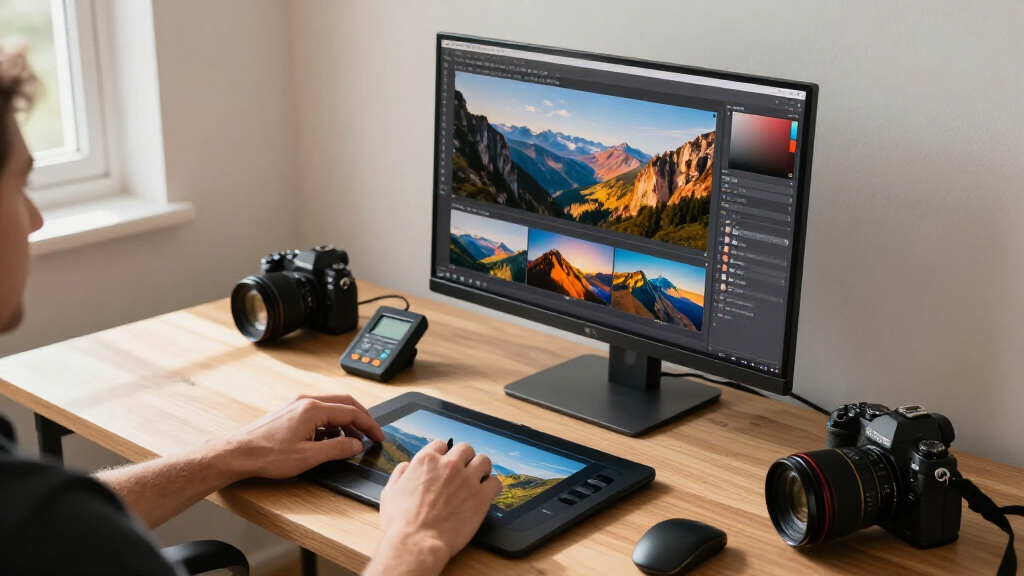
How We Picked
I ranked these monitors through the lens of one question: which display will show my edited photos the way they’ll actually look in print or on other screens? That starts with gamut coverage — 99% sRGB is the floor for web work, while Adobe RGB coverage matters the moment prints or client deliverables enter the picture. Next I weighed factory calibration and Delta-E accuracy, since a monitor that arrives pre-tuned saves the cost and hassle of a hardware calibrator. Panel uniformity, coating quality, and contrast consistency across the screen also factored in, because uneven brightness at the edges is a subtle but real problem when judging exposure.
Beyond image quality, I evaluated workflow fit: resolution and pixel density for retouching precision, USB-C power delivery for laptop-based editors, and ergonomics for long editing sessions. I deliberately included a mix of price tiers and one general-purpose monitor (the Dell S2725QC) to show what you gain and lose when you step outside purpose-built photo displays. The ranking favors monitors whose accuracy you can trust over ones that simply look impressive on a spec sheet.
| color accurate monitor for photo editing | Panel type | Color accuracy |
|---|---|---|
| ASUS ProArt PA279CRV 27-Inch 4 | IPS, matte finish | Delta E < 2, Calman Verified |
| ASUS ProArt PA278QV 27" WQHD P | IPS | Calman Verified, Delta E < 2 |
| BenQ PD2706U 27-inch 4K UHD IP | IPS | Delta E ≤ 3, Pantone and Calman validated |
| ASUS ProArt PA247CV 24" 1080p | IPS LED | Calman Verified, Delta E < 2 |
| ViewSonic VP2756A-2K 27-Inch Q | IPS | Delta E < 2, Pantone Validated |
| Dell 27" S2725QC 4K UHD IPS Mo | IPS | — |
| BenQ SW272Q 27-inch 2K QHD Pho | — | — |
Factors to Consider When Choosing Color Accurate Monitor For Photo Editing
Before settling on a specific model, it helps to understand what actually drives color accuracy and editing comfort — and where buyers most often overspend or underspend. These are the factors that shaped my rankings and should shape your decision too.Color Gamut: sRGB Versus Adobe RGB
The single most consequential decision is which gamut you need, because it can double the price of a monitor for a difference you may never see. If your photos live on Instagram, websites, and social platforms, 100% sRGB coverage is all that matters — those platforms strip out wider color anyway. Adobe RGB becomes worth paying for when you print your work, sell to clients who print, or submit to stock agencies, since it captures a much wider range of greens and cyans that commercial printers can reproduce. A common mistake is buying Adobe RGB coverage “just in case” and then editing in the wrong color space, which makes web images look oversaturated. Match the gamut to your actual output, not to future hypotheticals.
Resolution and Pixel Density at Your Screen Size
Resolution only matters relative to screen size — a 27-inch 4K panel packs roughly 163 pixels per inch, while the same size at 1080p looks visibly coarse when retouching. Higher pixel density lets you judge fine detail like eyelashes, fabric texture, and noise without zooming in constantly, which speeds up your whole workflow. The tradeoff is that 4K demands more from your computer’s graphics output and can scale interface elements awkwardly on older software. For beginners still learning the craft, a QHD (2560×1440) display is a sensible middle ground that stays sharp without the 4K price premium or hardware demands. Don’t pay for 4K unless your machine can drive it comfortably and you actually do detail-level retouching.
Factory Calibration and Delta-E Accuracy
Delta-E measures how far a displayed color deviates from its true value — anything under 2 is considered visually indistinguishable from perfect for most people. Monitors that ship with an individual calibration report give you a trustworthy starting point, and models supporting hardware calibration (where the lookup table lives in the monitor, not the operating system) maintain accuracy far better over time. This is a genuinely underrated differentiator: two panels with identical gamut specs can behave very differently after six months of use. If you plan to buy a colorimeter anyway, factory calibration matters less; if you don’t, it matters a lot. Budget for a calibration device as part of your total cost unless your monitor arrives certified accurate.
Panel Coating and Viewing Environment
Glossy versus matte coating changes how you perceive contrast and color more than most buyers expect. A matte coating kills reflections in bright rooms but can add a slight graininess to fine detail; premium options like BenQ’s Nano Matte try to split the difference by diffusing glare without softening the image. Equally important is where the monitor will live: a window behind you will defeat even the best anti-glare coating, and a lamp to the side introduces color contamination into your perception of the image. Room lighting matters as much as panel quality — a mid-range monitor in a controlled dim room will outperform a high-end monitor fighting sunlight. Set up your environment before blaming your display.
Connectivity and Docking Features
If you edit on a laptop, a monitor with USB-C that carries video, data, and power over one cable can transform your daily routine — one connection docks you with charging included. Power delivery of 65W handles most ultrabooks, while 90W or more covers performance laptops used for heavy RAW processing. Also check for a built-in USB hub if you use card readers, calibration pucks, or external drives that you’d rather leave permanently connected. Desktop users can safely ignore these features and save money, which is one reason cheaper models without USB-C still rank well here. The mistake to avoid is assuming all USB-C ports are equal — some carry only data, not video.
When to Pay More — and When Not To
The price curve in this category is steep at the top: dedicated photography monitors with hardware calibration, uniformity compensation, and shading hoods cost substantially more than excellent general-purpose displays. Pay up when color errors will cost you money — client work, prints, stock submissions — because a botched print run costs more than the upgrade. Skip the premium when you’re building skills, posting to social media, or editing family photos where perfect accuracy is invisible. A well-calibrated mid-range monitor beats an uncalibrated expensive one every time, so a calibrator plus a cheaper panel often outperforms a flagship bought alone. Spend on accuracy features before spending on refresh rates or gaming features you’ll never use while editing.
Frequently Asked Questions
Do I need 99% Adobe RGB, or is 99% sRGB enough for photo editing?
For most photographers publishing online, 99% sRGB is genuinely sufficient — social platforms and web browsers display in sRGB, and wider gamuts get compressed or clipped anyway. Adobe RGB earns its price premium when you print your work, deliver files to commercial clients, or submit to stock agencies, because it represents a much larger slice of what inkjet and offset printers can reproduce. If you shoot landscapes, foliage, or saturated textiles destined for print, the wider greens and cyans of Adobe RGB are visible in the final output. The honest middle path: start with a strong sRGB monitor, and upgrade only when a specific paid deliverable demands it. Buying Adobe RGB “for someday” usually means paying for capability you never activate.
Is a 4K monitor necessary for photo editing, or is 1440p fine?
1440p is entirely workable and plenty of professionals use it daily, but 4K at 27 inches provides noticeably finer pixel density that helps when masking hair, cleaning sensor dust, or judging sharpening at moderate zoom levels. The practical difference shows up in how often you zoom in: with 4K you can evaluate more detail at fit-to-screen viewing sizes. On the other hand, 4K requires a more capable computer, may need interface scaling that some older editing plugins handle poorly, and costs more per unit of color accuracy. If you do heavy retouching or print large, 4K justifies itself; if your edits are exposure, color, and cropping, 1440p saves money you could put toward a calibrator instead. Beginners lose very little by starting at QHD.
Are gaming monitors like the Dell S2725QC good for photo editing?
Some are, but with real caveats. The Dell covers 99% sRGB and offers 4K sharpness, so casual editing and web publishing look fine on it. Where it falls short for serious photo work is the absence of wide-gamut coverage, hardware calibration support, and the uniformity tuning that purpose-built displays receive at the factory. High refresh rates — the main selling point of gaming monitors — do nothing for stills editing, so you’re partly paying for features you won’t use. If you share one display between gaming and hobby photography, a hybrid like this is a reasonable compromise. If photography is your primary purpose, the same money buys a dedicated creator monitor with better accuracy guarantees.
Do I still need a calibration device if the monitor comes factory calibrated?
Factory calibration gets you an accurate starting point, but panels drift over time as the backlight ages — typically enough to matter within months of daily use. A hardware calibrator like a ColorChecker or Spyder measures your specific panel and corrects that drift, and it also lets you build custom profiles for different color spaces or paper types. Without one, your factory-accurate monitor gradually becomes a good-enough monitor, and you’ll never know by how much. If you only publish to social media, annual or occasional calibration is fine; if you print or deliver to clients, calibrate monthly. Treat the calibrator as part of the total cost of a color-managed workflow rather than an optional accessory.
How much does USB-C with power delivery actually matter for a photo editing setup?
It matters almost entirely depending on whether you edit on a laptop. With USB-C power delivery of 65W to 90W, one cable connects your laptop to the display, charges it, and often powers a hub for card readers and backup drives — a genuine quality-of-life upgrade if you dock and undock regularly. Desktop users get almost nothing from it and can redirect that budget toward better panel specs or a larger screen. Check your laptop’s charging requirements before assuming 65W is enough; performance laptops used for RAW processing often need 90W or more to charge under load. Also confirm the port carries video, since some USB-C connections handle data only. Among the monitors compared here, this single feature explains most of the price gap between otherwise similar QHD models.
Conclusion
After comparing all seven, the right choice depends on what your editing work actually demands. Best overall goes to the BenQ SW272Q — its 99% Adobe RGB coverage, hardware calibration support, and glare-taming Nano Matte panel make it the only option here built specifically for photographers whose output needs to survive printing and client scrutiny. Best value is the ASUS ProArt PA278QV, which delivers trustworthy color at QHD resolution for editors who don’t need 4K or USB-C. Best for beginners is the ASUS ProArt PA247CV: its compact 1080p panel keeps the entry cost low while the USB-C connection makes it a clean first editing station for a laptop.
For specific needs, the ASUS ProArt PA279CRV is the strongest 4K-per-dollar option for detail-oriented retouchers, and the ViewSonic VP2756A-2K is the pick for laptop-based editors who want a single-cable docking hub with 90W charging. The BenQ PD2706U suits designers who split time between photography and other creative work. The Dell S2725QC makes sense only if gaming shares your desk time. Whatever you choose, budget for a calibration device — an accurately tuned mid-range monitor will always outperform an uncalibrated flagship.
Evergreen bestsellers Picks
bestsellers
As an affiliate, we earn on qualifying purchases.