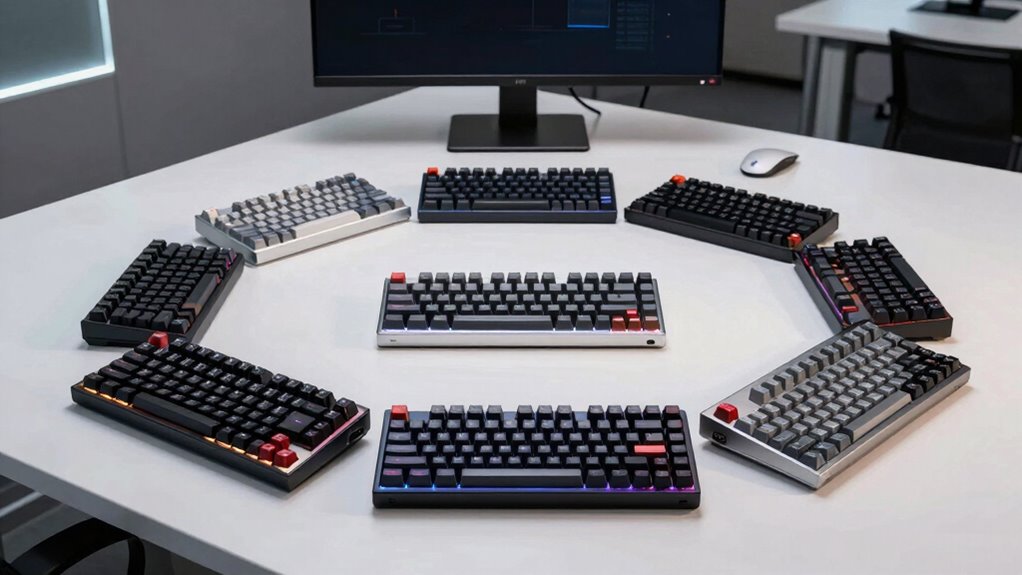

Choosing the right mechanical keyboard for office work involves balancing typing comfort, noise levels, and build quality. The Cherry KC 200 MX Wired Mechanical Office Keyboard stands out as the best overall thanks to its reliable switches and durable design. For those prioritizing wireless convenience, the Logitech MX Mechanical offers seamless connectivity and illumination, while the Cherry KC 200 Silent Red Switches provide a quieter typing experience for shared workspaces. Each option reflects different tradeoffs: wired vs. wireless, tactile vs. quiet switches, and premium vs. budget-friendly models. Continue reading for a detailed breakdown of how these keyboards stack up and which one fits your needs best.

Get the latest gadgets delivered free — and shop member deals
- Fast, free delivery on millions of items
- Access to Prime Big Deal Days deals on October 6–7
- Prime Video, Amazon Music and more included
Complete the kit



Key Takeaways
- Wired keyboards like the Cherry KC 200 excel in reliability and minimal latency, ideal for focused work.
- Wireless options such as the Logitech MX Mechanical add convenience but may sacrifice some immediacy in responsiveness.
- Switch choice significantly impacts typing feel and noise levels; tactile switches suit productivity, while silent switches favor shared environments.
- Build quality and key durability vary widely, affecting long-term comfort and investment value.
- Additional features like backlighting, hot-swappable switches, and volume knobs personalize and enhance the office experience.
| Cherry KC 200 MX Wired Mechanical Office Keyboard with Brown Switches |  | Best Overall for Durable, Reliable Office Typing | Switch Type: Cherry MX2A Brown | Connectivity: Wired | Material: Anodized metal plate | VIEW ON AMAZON | See Our Full Breakdown |
| Logitech MX Mechanical Wireless Illuminated Keyboard Tactile – Graphite |  | Best for Wireless Efficiency and Multi-Device Use | Switch Type: Tactile Quiet Mechanical | Backlit Keys: Yes, auto-adjusting | Connectivity: Bluetooth, Logi Bolt receiver | VIEW ON AMAZON | See Our Full Breakdown |
| Newmen GM325Pro Mechanical Gaming Keyboard, 104 Keys, Red Switches |  | Best for Bright Visual Appeal and Gaming Versatility | Keys: 104 | Switch Type: Red switches | Lighting: RGB side-edge effects | VIEW ON AMAZON | See Our Full Breakdown |
| Keychron C2 Full Size Wired Mechanical Keyboard, Brown Switch, Retro |  | Best for Retro Style and Multi-OS Compatibility | Number of Keys: 104 | Switch Type: Brown Tactile | Connectivity: Wired | VIEW ON AMAZON | See Our Full Breakdown |
| RK Royal Kludge R98 Pro Wired Mechanical Gaming Keyboard with RGB Backlit, Number Pad, and Volume Knob |  | Best for Customization and Gaming Versatility | Layout: 98 keys | Switch Support: 3/5-pin hot-swappable | Switch Type: Pre-lubed linear cream | VIEW ON AMAZON | See Our Full Breakdown |
| Logitech G413 SE Full-Size Mechanical Gaming Keyboard – Black |  | Best Durable Full-Size Mechanical Keyboard | Keycaps: PBT, heat- and wear-resistant | Switches: Tactile mechanical switches | Lighting: White LED backlighting | VIEW ON AMAZON | See Our Full Breakdown |
| Cherry KC 200 MX Wired Mechanical Office Keyboard with Silent Red Switches | | Best Quiet Office Mechanical Keyboard | Switch Type: Cherry MX2A Silent Red | Connectivity: Wired | Key Features: Full N-key rollover, anti-ghosting, molded keycaps | VIEW ON AMAZON | See Our Full Breakdown |
| SOLAKAKA KI99 Pro Wireless Mechanical Keyboard with RGB Backlit and Hot Swappable Switches |  | Best Versatile Wireless Mechanical Keyboard | Connection Modes: Bluetooth 5.0, 2.4G, Type-C | Battery Capacity: 10,000mAh | Layout: 96% compact | VIEW ON AMAZON | See Our Full Breakdown |
| mechanical keyboard for office | Switch Type | Material | Connectivity |
|---|---|---|---|
| Cherry KC 200 MX Wired Mechani | Cherry MX2A Brown | Anodized metal plate | Wired |
| Logitech MX Mechanical Wireles | Tactile Quiet Mechanical | 45% post-consumer recycled plastic | Bluetooth, Logi Bolt receiver |
| Newmen GM325Pro Mechanical Gam | Red switches | — | — |
| Keychron C2 Full Size Wired Me | Brown Tactile | ABS | Wired |
| RK Royal Kludge R98 Pro Wired | Pre-lubed linear cream | — | — |
| Logitech G413 SE Full-Size Mec | — | Brushed aluminum-magnesium alloy | — |
| Cherry KC 200 MX Wired Mechani | Cherry MX2A Silent Red | Anodized metal plate | Wired |
| SOLAKAKA KI99 Pro Wireless Mec | Hot-swappable, silent switches | — | — |
More Details on Our Top Picks
Cherry KC 200 MX Wired Mechanical Office Keyboard with Brown Switches
The Cherry KC 200 MX stands out as a highly reliable wired option with a sturdy anodized metal construction, making it ideal for daily office use. Its Cherry MX2A Brown switches deliver tactile feedback without the noise of clicky switches, offering a comfortable typing experience for long hours. Compared to the Keychron C2, it lacks wireless connectivity, but it compensates with full N-key rollover and durable molded keycaps, ensuring dependable performance. The inclusion of shortcut keys like calculator and volume control adds to productivity, though the absence of wireless options might be a drawback for some. Overall, this model provides a balance of durability and tactile feel, perfect for users prioritizing reliability over aesthetics or wireless features.
Pros:- Tactile Cherry MX2A Brown switches for precise, non-click feedback
- Robust anodized metal construction resists wear and tear
- Full N-key rollover and anti-ghosting for reliable input
Cons:- Lacks audible click feedback, which some typists prefer
- No wireless connectivity options, limiting flexibility
Best for: Office workers who need a durable, wired keyboard with tactile feedback for extensive typing sessions
Not ideal for: Users seeking wireless flexibility or a more compact setup, as it is fully wired and full-sized
- Switch Type:Cherry MX2A Brown
- Connectivity:Wired
- Material:Anodized metal plate
- Key Features:Full N-key rollover, anti-ghosting, molded keycaps
- LED Indicators:Caps Lock, Scroll Lock, Num Lock
- Additional Keys:Calculator, volume control
Our verdict“This keyboard is best suited for those who prioritize durability and tactile feedback in a wired office setup.”
Logitech MX Mechanical Wireless Illuminated Keyboard Tactile – Graphite
The Logitech MX Mechanical offers a seamless wireless experience with smart auto-adjusting backlit keys and multi-device support, making it ideal for multitasking environments. Its tactile quiet switches provide a refined typing feel, similar to the Cherry KC 200 MX, but with the added benefit of wireless connectivity via Bluetooth or Logi Bolt receiver. Compared to the wired Cherry, it provides greater flexibility and can switch between devices effortlessly, although it comes with a higher price tag. The environmentally conscious recycled plastic build enhances sustainability but limits color choices, with only Graphite available. This model excels for users who need a versatile, quiet, and rechargeable keyboard for office multitasking across devices.
Pros:- Quiet, tactile mechanical switches for refined typing
- Auto-adjusting backlit keys for optimal visibility in varying lighting
- Supports multi-OS and multi-device pairing for flexibility
Cons:- Premium cost may deter budget-conscious buyers
- Requires Bluetooth or Logi Bolt receiver, which might add complexity
Best for: Multi-device professionals seeking a quiet, wireless keyboard with smart lighting features
Not ideal for: Users on a tight budget or those preferring wired, no-frills keyboards, as it commands a premium price
- Switch Type:Tactile Quiet Mechanical
- Backlit Keys:Yes, auto-adjusting
- Connectivity:Bluetooth, Logi Bolt receiver
- Device Compatibility:Multi-device, multi-OS
- Battery Life:Up to 15 days with backlighting, 10 months without
- Material:45% post-consumer recycled plastic
Our verdict“Ideal for professionals who want a wireless, quiet keyboard with adaptive lighting and multi-device support.”
Newmen GM325Pro Mechanical Gaming Keyboard, 104 Keys, Red Switches
The Newmen GM325Pro combines full-size durability with vivid RGB side lighting, making it a lively addition to any office with a casual gaming element. Its durable metal build ensures longevity, but compared to office-focused keyboards like the Keychron C2, it’s heavier and less streamlined for desk space. The responsiveness of its red switches makes it suitable for typing and gaming alike, although the RGB effects are limited to side illumination, unlike full RGB backlighting seen in gaming-specific models like the RK Royal Kludge R98 Pro. The detachable USB cable offers portability, but the overall aesthetic and features lean more toward gaming than professional office decor. It’s a good fit for users who want a versatile keyboard that doubles as a gaming device, with emphasis on visual flair.
Pros:- Vivid RGB side lighting effects enhance visual appeal
- Metal construction offers durability and stability
- Responsive red switches for fast typing and gaming
Cons:- RGB lighting limited to side effects, not full backlighting
- No wireless connectivity options, limiting flexibility
Best for: Office users who enjoy a touch of gaming aesthetics and need a durable, full-size keyboard
Not ideal for: Those seeking a minimalist or strictly professional look, or wireless functionality, as it’s wired and gamer-style
- Keys:104
- Switch Type:Red switches
- Lighting:RGB side-edge effects
- Build Material:Full-size metal panel
- Cable:Detachable USB
- Full-Key Rollover:Yes
Our verdict“A solid choice for users who want a durable, RGB-enhanced keyboard with gaming-style flair for casual office use.”
Keychron C2 Full Size Wired Mechanical Keyboard, Brown Switch, Retro
The Keychron C2 excels by blending retro aesthetics with practical office features, offering a full-size wired keyboard with tactile Brown switches. Its retro color keycaps stand out visually, but the non-backlit design might disappoint those who prefer illuminated keys for low-light environments. Compared to the Cherry KC 200 MX, it provides broader OS compatibility with Mac and Windows, along with adjustable feet for ergonomic comfort. While it’s not suited for gaming or high-visibility needs, its durable ABS keycaps and long lifespan make it suitable for consistent office use. The focus on style and compatibility makes it a good choice for users who want a vintage look without sacrificing functionality, albeit at the expense of illumination features.
Pros:- Retro-inspired aesthetic with durable keycaps
- Compatible with Mac and Windows with included keycap sets
- Adjustable feet for ergonomic comfort
Cons:- No backlit or RGB lighting, limiting usability in dark environments
- Limited to light productivity tasks and casual use
Best for: Design-conscious office workers who want a stylish, ergonomic keyboard compatible with multiple OS
Not ideal for: Users needing backlit keys or gaming features, as it’s a simple, non-illuminated model
- Number of Keys:104
- Switch Type:Brown Tactile
- Connectivity:Wired
- Connection Type:USB Type-C
- Material:ABS
- Dimensions:17.1″ L x 5.1″ W x 1.5″ H
Our verdict“Best suited for users seeking a vintage aesthetic and multi-OS compatibility in a wired office keyboard.”
RK Royal Kludge R98 Pro Wired Mechanical Gaming Keyboard with RGB Backlit, Number Pad, and Volume Knob
The RK Royal Kludge R98 Pro offers a compact yet feature-rich design with hot-swappable switches, RGB lighting, and a programmable volume knob, making it versatile for both office productivity and gaming. Its 98-key layout saves space compared to full-sized models like the Newmen GM325Pro, while the support for pre-lubed linear cream switches provides smooth, responsive keystrokes suitable for typing and gaming. The PBT keycaps resist fading, and the multiple RGB modes add visual flair, but the setup can be overwhelming for users unfamiliar with customization. The slightly bulky size may not suit small desks, but for those who enjoy tinkering and personalization, this keyboard balances function and style well. It’s ideal for users who want a customizable, feature-packed keyboard that can handle both work and play.
Pros:- Supports hot-swappable switches for easy customization
- Premium PBT keycaps resist fading and wear
- Includes a detachable aluminum volume knob for quick control
Cons:- Complex features might be daunting for beginners
- Size might be slightly bulky for limited desk space
Best for: Power users who enjoy switch customization and RGB lighting for a versatile work and gaming setup
Not ideal for: Beginners or those preferring plug-and-play simplicity, as setup can be complex
- Layout:98 keys
- Switch Support:3/5-pin hot-swappable
- Switch Type:Pre-lubed linear cream
- Keycaps:Double shot PBT
- Backlight:RGB with 20+ modes
- Additional Features:Detachable aluminum CNC volume knob
Our verdict“Perfect for advanced users who want a customizable, multifunctional keyboard for both office tasks and gaming.”
Logitech G413 SE Full-Size Mechanical Gaming Keyboard – Black
This model stands out for its robust build quality, featuring a brushed aluminum top case and heat- and wear-resistant PBT keycaps. Compared to the Cherry KC 200 MX, it offers a more gaming-oriented feature set with anti-ghosting, 6-key rollover, and dedicated media controls, making it ideal for those who need reliable performance during intense work sessions or occasional gaming. Its wired-only connection limits flexibility, and the lack of customization options means it’s less suited for users who want tailored key functions or RGB lighting. The white LED backlighting enhances visibility in low-light environments, yet its minimalist approach may feel too plain for users seeking aesthetic flair.
Pros:- Durable PBT keycaps resist wear and shine
- Solid aluminum top case provides premium feel
- Reliable anti-ghosting and 6-key rollover for accurate input
- Backlit with white LED for clear visibility
Cons:- Wired connection only limits placement flexibility
- Limited customization and lighting options compared to higher-end models
Best for: Office workers who prioritize durability and straightforward performance over customization or wireless connectivity
Not ideal for: Users seeking wireless convenience or RGB customization, or those who want a more compact, space-saving layout
- Keycaps:PBT, heat- and wear-resistant
- Switches:Tactile mechanical switches
- Lighting:White LED backlighting
- Layout:Full-size, TKL option available
- Material:Brushed aluminum-magnesium alloy
- Features:6-Key rollover, anti-ghosting, media controls
Our verdict“This keyboard makes sense for professionals needing a durable, full-size board with reliable performance, but it’s less suited for those wanting wireless or aesthetic customization.”
Cherry KC 200 MX Wired Mechanical Office Keyboard with Silent Red Switches
This choice is tailored for office environments where noise reduction is essential. Compared with the Logitech G413 SE, which favors durability and gaming features, the Cherry KC 200 emphasizes silent operation thanks to its Cherry MX2A Silent Red switches, making it ideal for shared workspaces. Its full key rollover and anti-ghosting ensure precise typing, while the abrasion-resistant molded keycaps promise long-term durability. However, the limited color options and minimalist design might feel too sparse for users wanting a more personalized look or RGB lighting. Its wired setup keeps things simple but sacrifices wireless flexibility, which could be a downside for some users.
Pros:- Silent Cherry MX2A Red switches provide quiet and smooth keystrokes
- Durable, abrasion-resistant keycaps withstand heavy use
- Full N-key rollover and anti-ghosting ensure accurate input
- Includes useful shortcut keys for productivity
Cons:- Limited color and aesthetic customization options
- No wireless connectivity, which reduces flexibility
- Design might be too minimalistic for users seeking visual flair
Best for: Office workers who need a quiet, reliable keyboard with straightforward features and long-term durability
Not ideal for: Users who prefer wireless setups or are looking for customizable lighting and aesthetic options
- Switch Type:Cherry MX2A Silent Red
- Connectivity:Wired
- Key Features:Full N-key rollover, anti-ghosting, molded keycaps
- Additional Keys:Calculator, volume control
- Material:Anodized metal plate
- LED Indicators:Caps Lock, Scroll Lock, Num Lock
Our verdict“This keyboard is perfect for professionals needing quiet, dependable typing with minimal distractions, though it lacks wireless and aesthetic customization features.”
SOLAKAKA KI99 Pro Wireless Mechanical Keyboard with RGB Backlit and Hot Swappable Switches
This model excels in offering a flexible, feature-rich experience suitable for office and light gaming. Its 96% compact layout saves space compared to full-size options like the Logitech G413 SE, and the wireless connectivity via Bluetooth 5.0, 2.4G, and Type-C provides excellent flexibility for different setups. The hot-swappable switches enable quick customization, catering to users who want a personalized typing feel. Its long-lasting 10,000mAh battery allows extended use without frequent charging, and the RGB lighting with 16.8 million colors adds aesthetic appeal. However, the setup process can be complex, especially with software customization, which might intimidate less tech-savvy users. Limited color options without software means the lighting isn’t fully customizable without extra effort.
Pros:- Supports multiple connection modes for maximum flexibility
- Hot-swappable switches allow custom tuning or replacement
- Long-lasting battery supports extended work and gaming sessions
- Quiet typing with noise-reducing gasket structure
Cons:- Software setup can be complex for non-technical users
- Limited color options unless configured through software
- Requires initial configuration for full feature access
Best for: Tech-savvy professionals who want a compact, wireless keyboard with customization options and long battery life
Not ideal for: Users uncomfortable with software setup or seeking a plug-and-play, minimalist design
- Connection Modes:Bluetooth 5.0, 2.4G, Type-C
- Battery Capacity:10,000mAh
- Layout:96% compact
- Switch Type:Hot-swappable, silent switches
- Keycap Material:PBT
- Lighting:RGB with 16.8 million colors
- Additional Features:Control knob, customizable software
Our verdict“This keyboard suits users who demand portability, customization, and long battery life, though it demands a bit of technical familiarity to maximize its features.”

How We Picked
These keyboards were evaluated based on key factors that matter in an office setting: typing comfort, build quality, connectivity options, noise levels, and additional features. We prioritized models with reliable switches and solid construction to ensure durability over years of daily use. Performance aspects like latency and responsiveness were considered for those using keyboards for both typing and occasional multimedia tasks. Value was also a factor—balancing features against price—to help buyers find options suited for different budgets. The ranking reflects a combination of these criteria, emphasizing usability and longevity in a typical office environment.| mechanical keyboard for office | Connectivity |
|---|---|
| Cherry KC 200 MX Wired Mechani | Wired |
| Logitech MX Mechanical Wireles | Bluetooth, Logi Bolt receiver |
| Newmen GM325Pro Mechanical Gam | — |
| Keychron C2 Full Size Wired Me | Wired |
| RK Royal Kludge R98 Pro Wired | — |
| Logitech G413 SE Full-Size Mec | — |
| Cherry KC 200 MX Wired Mechani | Wired |
| SOLAKAKA KI99 Pro Wireless Mec | — |
Factors to Consider When Choosing Mechanical Keyboard For Office
When selecting a mechanical keyboard for the office, understanding your priorities can streamline the decision. Consider how much you value noise levels, connectivity, and typing feel. Think about the space available on your desk—full-size keyboards offer more keys, but compact models save space. Durability and switch type are critical for long-term comfort, especially if you’ll be typing for many hours daily. Additionally, features like backlighting or hot-swappable switches can enhance usability but may increase cost. Avoid common pitfalls like choosing a keyboard solely based on aesthetics or brand reputation without considering your actual workspace needs and preferences.Switch Type and Typing Feel
Switch choice directly influences your typing experience. Tactile switches like Cherry MX Brown provide feedback that can increase accuracy and reduce fatigue, making them suitable for prolonged office work. Red switches, often used in gaming keyboards, are lighter and faster but may lack the feedback needed for heavy typing. Silent switches are designed to minimize noise, which is crucial if you work in shared spaces or open offices. Picking the right switch involves balancing comfort, noise, and responsiveness, so consider testing different types if possible before buying.
Connectivity Options
Deciding between wired and wireless keyboards depends on your workspace setup and preference for cable clutter. Wired models like the Cherry KC 200 offer dependable, zero-latency connections, which are ideal for tasks requiring precision and responsiveness. Wireless options like the Logitech MX Mechanical provide cleaner desks and mobility, but may introduce slight delays or require charging. Some models support Bluetooth or proprietary dongles—choose based on your device compatibility and whether you prioritize seamless pairing or minimal latency.
Build Quality and Longevity
Office keyboards see heavy daily use, so durability matters. Look for sturdy materials such as metal backplates and high-quality plastics. Key switch durability ratings, typically expressed in millions of keystrokes, also signal longevity. A well-built keyboard maintains stability during intense typing sessions and resists wear over years. Cheaper models may feel flimsy or develop issues with key registration over time, so investing in a solidly constructed keyboard can pay off in the long run, especially if you type extensively each day.
Additional Features and Ergonomics
Features like backlit keys, hot-swappable switches, and volume controls add convenience but can influence price. Backlighting improves visibility in low-light conditions, though it’s less necessary in bright office environments. Hot-swappable switches allow customization and maintenance without soldering, extending your keyboard’s lifespan. Ergonomics, such as adjustable tilt and wrist rests, can reduce strain during long typing sessions. Being mindful of these extras helps tailor a keyboard that enhances comfort and productivity without unnecessary extras that drive up cost.
Cost and Value Balance
High-end models come with premium features and build quality but may be excessive for casual or budget-conscious users. Conversely, budget options often cut corners on durability or typing feel. Striking a balance involves identifying which features genuinely improve your workday. For most office users, investing in a mid-range keyboard with reliable switches and decent build quality offers the best value. Remember that a slightly higher upfront cost can translate into greater comfort, durability, and overall satisfaction over years of use.
Frequently Asked Questions
Are mechanical keyboards suitable for all-day office use?
Mechanical keyboards can be suitable for all-day use if you select models with quieter switches, ergonomic features, and appropriate key feel. Tactile or silent switches reduce fatigue and noise, making them less disruptive in shared environments. Proper ergonomics, such as adjustable height and wrist rests, further support comfort for long typing sessions. However, some users may find the typing noise or the heavier keys tiring over extended periods, so choosing the right switch type and design is essential for prolonged office use.
Should I prioritize wired or wireless for my office keyboard?
If responsiveness and reliability are your top concerns, wired keyboards tend to be the better choice because they eliminate latency issues and connection drops. They also don’t require charging, which means zero downtime during critical work moments. Wireless keyboards offer greater flexibility and a cleaner setup, but some may experience slight delays or need frequent recharging. Consider your workspace size, preference for cable clutter, and whether responsiveness or convenience matters more for your daily tasks.
What switch type is best for office work?
The best switch type for office work depends on your priorities. Tactile switches like Cherry MX Brown provide feedback that improves accuracy and reduces typing fatigue, making them popular for productivity. Silent switches, such as Cherry MX Red Silent, minimize noise, which benefits shared workspaces. Linear switches are smooth and require less force, but they lack tactile feedback, which some users find less satisfying for typing. Testing different switches can help determine what feels most natural for your workflow and environment.
Are hot-swappable switches worth the extra cost?
Hot-swappable switches offer the advantage of customizing and replacing keys without soldering, potentially extending your keyboard’s lifespan and allowing personalization. For users who like tinkering or want to adapt their keyboard over time, this feature provides flexibility and convenience. However, it adds to the initial cost and complexity, which may not be necessary for everyone. If you prefer a set-it-and-forget-it approach, a non-hot-swappable keyboard with quality switches may serve you just as well.
How important is backlighting on a mechanical office keyboard?
Backlighting can improve visibility in dimly lit environments, but in a typical office setting with good lighting, it’s often an unnecessary feature. It can add to the cost and sometimes compromise battery life in wireless models. If you work in low-light conditions or prefer aesthetic customization, backlit keys are beneficial. For most office tasks, however, a non-backlit keyboard with clear, high-contrast legends is sufficient and more cost-effective.
Conclusion
For those seeking a reliable, all-around office keyboard, the Cherry KC 200 MX Wired Mechanical Office Keyboard offers excellent durability and typing feel. If convenience is key, the Logitech MX Mechanical stands out for wireless performance and modern features. Budget-conscious buyers will find the Cherry KC 200 Silent Red Switches a quiet, cost-effective option, while enthusiasts interested in customization should consider the SOLAKAKA KI99 Pro with hot-swappable switches. Beginners or casual users should prioritize comfort and simplicity, while heavy typists or tech-savvy users may benefit from premium features like backlighting and customizable switches. Ultimately, the best choice aligns with your specific work habits and workspace needs.
Halloween Picks
halloween
As an affiliate, we earn on qualifying purchases.