

Get the latest gadgets delivered free with Prime
- Fast, free delivery on millions of items
- Prime Video, Amazon Music and more included
- Member-only deals all year
Complete the kit


Key Takeaways
- Color accuracy and factory calibration are vital for professional graphic work, making the ASUS ProArt models the best choices here.
- For smooth visuals and casual content creation, the Dell S2725QC offers a high refresh rate with good color coverage.
- Connectivity with USB-C and ergonomic adjustments are essential for seamless workflow and comfort in creative setups.
- Budget considerations matter—more affordable options like the LG 27UP650K provide decent visuals but lack advanced features.
- Premium models with wide color gamuts and HDR support suit high-end, detail-oriented design work.
| ASUS ProArt PA279CV 27 Inch 4K UHD USB-C Professional Monitor |  | Best Overall for Color Accuracy and Reliability | Display Size: 27 inches | Resolution: 4K UHD (3840 x 2160) | Panel Type: IPS | VIEW ON AMAZON | See Our Full Breakdown |
| Dell 27 Monitor S2725QC 4K UHD IPS with USB-C, HDMI, DisplayPort, FreeSync Premium |  | Best for Smooth Visuals and Versatility | Display Size: 27 inches | Resolution: 3840×2160 (4K UHD) | Refresh Rate: 120Hz | VIEW ON AMAZON | See Our Full Breakdown |
| ASUS ProArt PA279CRV 27 Inch 4K UHD USB-C HDR Professional Monitor for Mac |  | Best for High-Color Coverage and Ergonomics | Display Size: 27 inches | Resolution: 3840 x 2160 (4K UHD) | Panel Type: IPS | VIEW ON AMAZON | See Our Full Breakdown |
| LG 27UP650K-W 27-inch 4K UHD IPS Computer Monitor with HDR400, Adjustable Stand, HDMI & DisplayPort |  | Best Budget-Friendly 4K for Creative Work | Display Size: 27 inches | Resolution: 3840 x 2160 (4K UHD) | HDR: HDR400 | VIEW ON AMAZON | See Our Full Breakdown |
| LG 27US500-W Ultrafine Monitor 27-Inch 4K UHD HDR10 IPS Borderless Design |  | Best for Style and Everyday Creative Use | Size: 27 inches | Resolution: 3840×2160 (4K UHD) | HDR: HDR10 | VIEW ON AMAZON | See Our Full Breakdown |
| monitor for graphic design 4k | Resolution | Display Size | Color Gamut | Connectivity |
|---|---|---|---|---|
| ASUS ProArt PA279CV 27 Inch 4K | 4K UHD (3840 x 2160) | 27 inches | 100% sRGB, 100% Rec. 709 | USB-C with 65W PD, HDMI, DisplayPort, USB 3.1 hub |
| Dell 27 Monitor S2725QC 4K UHD | 3840×2160 (4K UHD) | 27 inches | — | USB-C (up to 65W), HDMI, DisplayPort |
| ASUS ProArt PA279CRV 27 Inch 4 | 3840 x 2160 (4K UHD) | 27 inches | 99% DCI-P3, 99% Adobe RGB | USB-C with 96W PD, DisplayPort, HDMI, USB hub |
| LG 27UP650K-W 27-inch 4K UHD I | 3840 x 2160 (4K UHD) | 27 inches | 95% DCI-P3 | HDMI, DisplayPort |
| LG 27US500-W Ultrafine Monitor | 3840×2160 (4K UHD) | — | 90% DCI-P3 | — |
More Details on Our Top Picks
ASUS ProArt PA279CV 27 Inch 4K UHD USB-C Professional Monitor
The ASUS ProArt PA279CV is designed explicitly for professionals who demand precision. Its factory-calibrated color accuracy, covering 100% sRGB and Rec. 709, paired with Calman verification, makes it an ideal tool for serious content creators. Unlike many competitors, it offers versatile connectivity, including USB-C with 65W Power Delivery, which simplifies workspace setup. While it’s a bit pricier and an inconsistency about the display size is noted, this monitor’s extended warranty and ergonomic stand make it a reliable, long-term investment.
Pros:- Factory-calibrated with excellent color precision
- Wide connectivity including USB-C with Power Delivery
- Ergonomic stand and eye care features
- Long 5-year warranty for professional reliability
Cons:- Higher price point for advanced features
- Inconsistent description about display size in some sources
- Lacks built-in speakers or gaming features
Best for: Professional graphic designers and content creators needing top-tier color accuracy.
Not ideal for: Casual users or those seeking budget-friendly options with fewer professional features.
- Display Size:27 inches
- Resolution:4K UHD (3840 x 2160)
- Panel Type:IPS
- Color Gamut:100% sRGB, 100% Rec. 709
- Response Time:5.0 ms
- Connectivity:USB-C with 65W PD, HDMI, DisplayPort, USB 3.1 hub
Our verdict“This pick excels for professionals prioritizing color fidelity and reliable performance over cost.”
Dell 27 Monitor S2725QC 4K UHD IPS with USB-C, HDMI, DisplayPort, FreeSync Premium
The Dell S2725QC offers vibrant 4K visuals with 99% sRGB coverage, making it suitable for general creative work and multimedia. Its 120Hz refresh rate with FreeSync Premium provides smooth motion, beneficial for video editing or casual gaming. Connectivity is straightforward with USB-C supporting up to 65W power, plus HDMI and DisplayPort. However, it lacks extensive ergonomic adjustments, which could be a drawback for long hours of detailed work. Its mid-range price balances performance with affordability.
Pros:- Vivid visuals with 99% sRGB coverage
- 120Hz refresh rate with FreeSync for smooth playback
- Single-cable USB-C with power delivery
- Affordable for its feature set
Cons:- Limited ergonomic adjustments
- No detailed info on built-in speakers
- Not designed for intensive color grading
Best for: Content creators who want vivid visuals with smooth motion and flexible connectivity.
Not ideal for: High-end professional workflows requiring ultra-wide color coverage or HDR calibration.
- Display Size:27 inches
- Resolution:3840×2160 (4K UHD)
- Refresh Rate:120Hz
- Response Time:4ms
- Color Coverage:99% sRGB
- Connectivity:USB-C (up to 65W), HDMI, DisplayPort
Our verdict“This monitor balances vibrant display quality and smooth motion at a mid-range price, suited for versatile and casual creative use.”
ASUS ProArt PA279CRV 27 Inch 4K UHD USB-C HDR Professional Monitor for Mac
The ASUS ProArt PA279CRV is tailored for professionals needing wide color coverage, with 99% DCI-P3 and Adobe RGB, and factory calibration for minimal color variance. Its USB-C port supports 96W Power Delivery, ideal for Mac setups or high-power laptops. Ergonomically, it offers tilt, swivel, pivot, and height adjustments, along with daisy-chain support for larger multi-monitor setups. However, its premium price might deter casual or infrequent users, and it’s best suited to those working in demanding color-critical workflows.
Pros:- Exceptional color coverage and factory calibration
- Wide connectivity including high wattage USB-C
- Ergonomic adjustments and daisy-chain support
- Long warranty for professional reassurance
Cons:- High price point
- Limited appeal for non-professional workflows
- Requires compatible hardware for full features
Best for: Creative professionals seeking high color fidelity and flexible workspace setup.
Not ideal for: Budget-conscious users or casual content viewers.
- Display Size:27 inches
- Resolution:3840 x 2160 (4K UHD)
- Panel Type:IPS
- Color Gamut:99% DCI-P3, 99% Adobe RGB
- Color Accuracy:Delta E < 2
- Connectivity:USB-C with 96W PD, DisplayPort, HDMI, USB hub
Our verdict“Ideal for professionals demanding extensive color accuracy and workspace flexibility, albeit at a higher price.”
LG 27UP650K-W 27-inch 4K UHD IPS Computer Monitor with HDR400, Adjustable Stand, HDMI & DisplayPort
The LG 27UP650K-W provides a solid 4K IPS display with HDR400 support, covering 95% DCI-P3 for vibrant colors. Its adjustable stand ensures ergonomic comfort, and connectivity options include HDMI and DisplayPort. While its 60Hz refresh rate is less ideal for fast-paced gaming, it’s perfectly suited for detailed design work and multimedia tasks. The main tradeoff is the absence of premium features like extensive color coverage or built-in speakers, making it a good entry-level choice for budget-conscious creatives.
Pros:- Vivid 4K display with 95% DCI-P3
- HDR400 support enhances contrast and color
- Ergonomic stand with multiple adjustments
- Affordable price point
Cons:- 60Hz refresh rate limits fast-motion performance
- No built-in speakers
- Limited advanced features
Best for: Entry-level professionals or hobbyists seeking reliable 4K visuals without high costs.
Not ideal for: High-end multimedia editing or gaming requiring higher refresh rates.
- Display Size:27 inches
- Resolution:3840 x 2160 (4K UHD)
- HDR:HDR400
- Color Gamut:95% DCI-P3
- Response Time:5ms
- Connectivity:HDMI, DisplayPort
Our verdict“A budget-friendly option that delivers decent 4K visuals and ergonomic flexibility, suitable for basic creative tasks.”
LG 27US500-W Ultrafine Monitor 27-Inch 4K UHD HDR10 IPS Borderless Design
The LG 27US500-W features a borderless 4K UHD IPS panel with HDR10 support, offering a sleek aesthetic and vibrant visuals. Its wide viewing angles and customizable onscreen controls make it accessible for daily creative work and general use. While it lacks detailed specifications on color coverage and advanced features, its ergonomic stand and borderless design provide a clean workspace. However, it does not include built-in speakers, and connectivity options are somewhat limited for demanding workflows.
Pros:- Elegant borderless design
- Vivid 4K display with HDR10
- Adjustable ergonomic stand
- Wide viewing angles
Cons:- Limited connectivity details
- No built-in speakers
- Not aimed at high-end professional use
Best for: Casual creatives and professionals seeking a stylish, versatile monitor for daily tasks.
Not ideal for: Color-critical workflows or gaming requiring high refresh rates.
- Size:27 inches
- Resolution:3840×2160 (4K UHD)
- HDR:HDR10
- Color Gamut:90% DCI-P3
- Contrast Ratio:1000:1
- Features:Borderless Design, Flicker Safe
Our verdict“A visually appealing, everyday 4K monitor suitable for casual and routine creative work, with style prioritized over advanced features.”
How We Picked
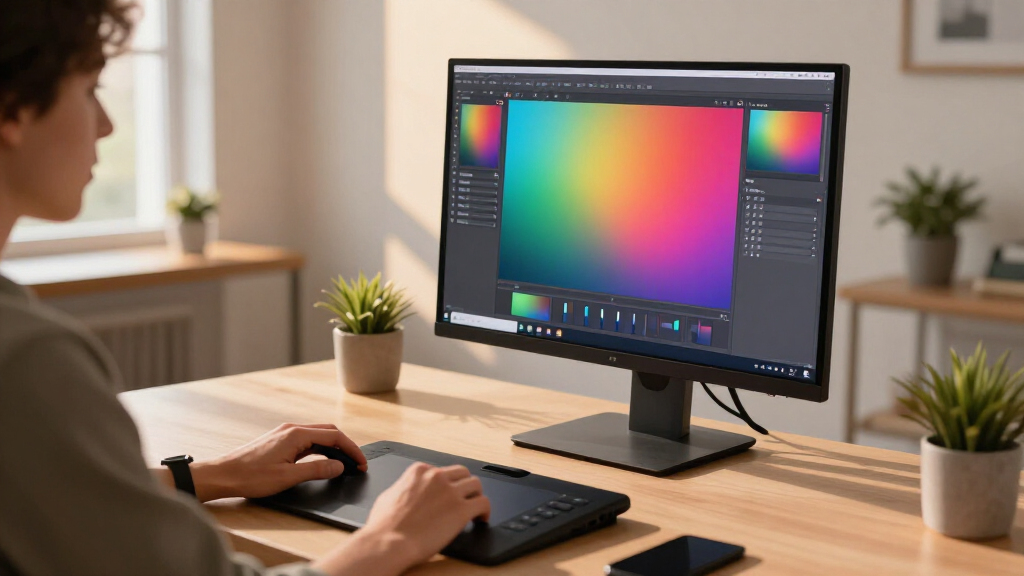
I evaluated these monitors based on their display quality, color accuracy, connectivity options, ergonomic features, and value. I prioritized professional-grade color calibration, high-resolution screens, and versatile connectivity like USB-C, which are crucial for graphic design. The tradeoffs considered include price, feature set, and target user—balancing professional needs versus casual or budget-friendly use. Each monitor was selected to represent different tiers of performance and price, ensuring a comprehensive overview for various types of creative professionals.| monitor for graphic design 4k | Connectivity |
|---|---|
| ASUS ProArt PA279CV 27 Inch 4K | USB-C with 65W PD, HDMI, DisplayPort, USB 3.1 hub |
| Dell 27 Monitor S2725QC 4K UHD | USB-C (up to 65W), HDMI, DisplayPort |
| ASUS ProArt PA279CRV 27 Inch 4 | USB-C with 96W PD, DisplayPort, HDMI, USB hub |
| LG 27UP650K-W 27-inch 4K UHD I | HDMI, DisplayPort |
| LG 27US500-W Ultrafine Monitor | — |
Factors to Consider When Choosing Monitor For Graphic Design 4k
Selecting the right 4K monitor for graphic design involves balancing color accuracy, resolution, connectivity, and ergonomic features. High-end professional monitors prioritize precise color reproduction and calibration, ideal for detailed work like photo editing and branding. Budget options still deliver good visuals but may lack comprehensive color coverage or adjustable stands, making them better suited for casual or entry-level use. Understanding your workflow requirements will help determine which features matter most, such as color accuracy, refresh rate, or connectivity options.Color Accuracy and Calibration
For professional graphic design, look for monitors offering factory calibration and wide color gamuts like Adobe RGB or DCI-P3. These ensure your colors are true to life and consistent across devices. Monitors like the ASUS ProArt series excel here, while less expensive options might only cover standard sRGB, suitable for non-critical tasks.
Connectivity and Workflow Compatibility
USB-C with Power Delivery simplifies cable management, especially if you work on laptops. Consider if your hardware supports daisy chaining or needs specific ports. Ergonomic features like height, tilt, and swivel adjustments help reduce fatigue during long sessions. For multi-monitor setups, daisy-chain support can be a game-changer.
Display Features and Performance
Resolution is a given at 4K for crisp visuals, but refresh rate and response time matter if your work involves video editing or fast-paced workflows. HDR support enhances contrast and color depth, especially useful for multimedia projects. Balance these features with your budget and workflow demands.
Frequently Asked Questions
Why is color accuracy important for graphic design monitors?
Color accuracy ensures that the colors you see on your monitor match the final output, whether print or digital. This consistency prevents surprises in color reproduction, saving time and resources in post-production. Professional-grade monitors with factory calibration and wide color gamuts are ideal for maintaining this precision.
Should I prioritize a higher refresh rate for graphic design work?
While a higher refresh rate like 120Hz can make moving images smoother, it’s less critical for static graphic design tasks. A standard 60Hz or 75Hz is usually sufficient unless you also do video editing or animation, where higher rates can improve workflow fluidity.
Is HDR necessary for graphic design monitors?
HDR support can enhance visual contrast and color vibrancy, especially for multimedia projects. However, for most print or digital graphic work, accurate color reproduction and calibration are more important. HDR is more relevant for video editing and high-end multimedia applications.
How important is connectivity for creative monitors?
Connectivity options like USB-C, HDMI, and DisplayPort facilitate seamless integration with your devices. USB-C with Power Delivery reduces cable clutter and allows for single-cable setups. Ergonomic adjustments and daisy-chaining support also improve your workspace flexibility and comfort.
Are budget monitors suitable for professional graphic design?
Budget monitors can be suitable for entry-level or hobbyist design work but might lack the color accuracy, calibration, and ergonomic features needed for professional-grade projects. For critical work, investing in a more calibrated and feature-rich monitor generally pays off in long-term quality and reliability.
Conclusion
If you’re a professional needing absolute color precision and workspace flexibility, the ASUS ProArt PA279CV or PA279CRV are your best bets. Casual content creators or those on a budget will find the LG 27UP650K-W or LG 27US500-W sufficient for everyday tasks. For multimedia enthusiasts who value smooth motion alongside vibrant visuals, the Dell S2725QC offers a versatile middle ground. Your choice should ultimately reflect your workflow priorities, whether that’s color accuracy, ergonomic comfort, or budget constraints.
Fall Picks
fall essentials
As an affiliate, we earn on qualifying purchases.