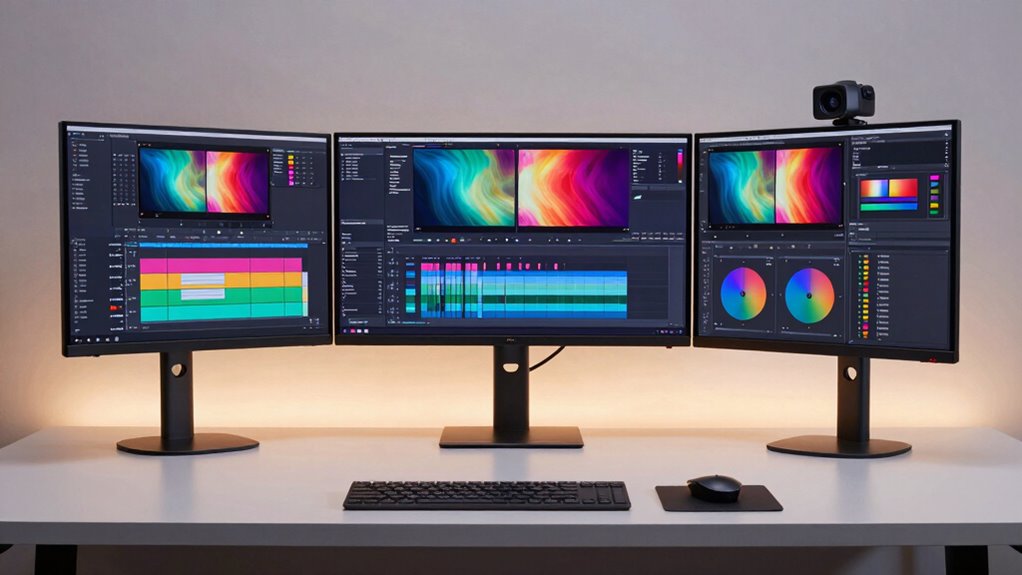

Finding the ideal monitor for video editing in 4K can be challenging, as it involves balancing color accuracy, resolution, and connectivity. The ASUS ProArt PA279CRV stands out as the best overall choice thanks to its precise color calibration and HDR support, perfect for professional editors. For a larger, immersive experience, the LG 32UN650K-W offers a 32-inch display with excellent color reproduction at a more accessible price. Meanwhile, the Dell S2725QS provides a high refresh rate and adaptive sync, making it suitable for editors who also do some light gaming or need smoother playback. Keep in mind that tradeoffs between price, screen size, and color accuracy are common in this category. Continue reading for the full breakdown of each option and what to consider when choosing your perfect 4K video editing monitor.

Get the latest gadgets delivered free with Prime
- Fast, free delivery on millions of items
- Prime Video, Amazon Music and more included
- Member-only deals all year
Complete the kit



Key Takeaways
- Top-tier color accuracy and factory calibration are essential for professional-grade video editing.
- Larger screens enhance detail work but often come at a higher price and require more desk space.
- High refresh rates and adaptive sync support benefit video playback and editing fluidity, especially for fast-paced workflows.
- Connectivity options like USB-C and HDMI influence ease of setup and compatibility with newer devices.
- Tradeoffs between price and professional features mean some budget options still deliver great performance for hobbyists.
| ASUS ProArt PA279CRV 27-Inch 4K UHD HDR Professional Monitor for Mac |  | Best Overall for Professional Color Accuracy | Display Size: 27 inches | Resolution: 3840 x 2160 (4K UHD) | Panel Type: IPS | VIEW ON AMAZON | See Our Full Breakdown |
| LG 32-Inch Class Ultrafine 4K UHD HDR10 IPS Monitor 32UN650K-W |  | Best for Spacious Workspaces and General 4K Clarity | Display Size: 32 inches | Resolution: 3840 x 2160 (4K UHD) | Refresh Rate: 60Hz | VIEW ON AMAZON | See Our Full Breakdown |
| Dell 27 Monitor S2725QS, 4K UHD IPS, 120Hz, 5ms, FreeSync Premium |  | Best for Smooth Editing and Entertainment Balance | Display Size: 27 inches | Resolution: 3840 x 2160 (4K UHD) | Refresh Rate: 120Hz | VIEW ON AMAZON | See Our Full Breakdown |
| ASUS ProArt PA279CV 27-Inch 4K UHD USB-C Professional Monitor |  | Best for Precise Color and Professional Content Creation | Display Size: 27 inches | Resolution: 3840 x 2160 (4K UHD) | Display Technology: LCD LED | VIEW ON AMAZON | See Our Full Breakdown |
| LG 27US500-W Ultrafine Monitor 27-Inch 4K UHD HDR10 IPS Borderless Design |  | Best for Vivid Colors and Stylish Design | Screen Size: 27 inches | Resolution: 3840×2160 (4K UHD) | Contrast Ratio: 1000:1 | VIEW ON AMAZON | See Our Full Breakdown |
| ASUS VY27UQ 27 Inch 4K UHD IPS Computer Monitor with HDMI, DisplayPort, and Speakers |  | Best Overall for Versatile Professional Use | Display Size: 27 inches | Resolution: 3840 x 2160 (4K UHD) | Panel Type: IPS | VIEW ON AMAZON | See Our Full Breakdown |
| LG 27UP850K-W 27-inch UltraFine 4K UHD IPS Monitor |  | Best for Ergonomic Versatility and Color Accuracy | Display Size: 27 inches | Resolution: 3840 x 2160 (4K UHD) | Panel Type: IPS | VIEW ON AMAZON | See Our Full Breakdown |
| Samsung 27″ ViewFinity S7 (S70H) High-Resolution Monitor |  | Best for Detail-Oriented Editing with Wide Viewing Angles | Screen Size: 27 inches | Resolution: 3840 x 2160 (4K UHD) | HDR: HDR10 | VIEW ON AMAZON | See Our Full Breakdown |
| monitor for video editing 4k | Resolution | Display Size | Connectivity | Color Gamut |
|---|---|---|---|---|
| ASUS ProArt PA279CRV 27-Inch 4 | 3840 x 2160 (4K UHD) | 27 inches | DisplayPort, HDMI, USB-C with 96W Power Delivery | — |
| LG 32-Inch Class Ultrafine 4K | 3840 x 2160 (4K UHD) | 32 inches | — | 95% |
| Dell 27 Monitor S2725QS | 3840 x 2160 (4K UHD) | 27 inches | — | — |
| ASUS ProArt PA279CV 27-Inch 4K | 3840 x 2160 (4K UHD) | 27 inches | HDMI, USB-C with 65W Power Delivery | 100% sRGB, 100% Rec. 709 |
| LG 27US500-W Ultrafine Monitor | 3840×2160 (4K UHD) | — | — | 90% DCI-P3 |
| ASUS VY27UQ 27 Inch 4K UHD IPS | 3840 x 2160 (4K UHD) | 27 inches | HDMI, DisplayPort | — |
| LG 27UP850K-W 27-inch UltraFin | 3840 x 2160 (4K UHD) | 27 inches | USB-C (90W), HDMI (2), DisplayPort, USB 3.0 (2) | 95% DCI-P3 |
| Samsung 27" ViewFinity S7 | 3840 x 2160 (4K UHD) | — | HDMI, DisplayPort | — |
More Details on Our Top Picks
ASUS ProArt PA279CRV 27-Inch 4K UHD HDR Professional Monitor for Mac
This model stands out for its exceptional color accuracy, covering 99% DCI-P3 and Adobe RGB, making it ideal for color-critical work. Compared with the LG 32UN650K-W, it offers superior calibration and a wider color gamut, though at a higher price and with a more compact 27-inch display. Its factory calibration and extensive connectivity, including USB-C with 96W Power Delivery, provide a seamless workflow for professionals. The ergonomic stand and extended 5-year warranty add to its appeal, but the premium cost may deter casual users or those on a tight budget. This pick makes the most sense for creative professionals who need reliable, high-accuracy color reproduction in a versatile workspace.
Pros:- High-resolution 4K display with accurate color reproduction
- Wide color coverage (99% DCI-P3, Adobe RGB)
- Versatile connectivity including USB-C with 96W Power Delivery
- Ergonomic stand with multiple adjustments
Cons:- Premium price may be high for non-professional users
- Requires compatible hardware to fully utilize USB-C features
Best for: Professional photographers, designers, and video editors who require precise color fidelity.
Not ideal for: Casual users or those with budget constraints, as the premium price may be hard to justify.
- Display Size:27 inches
- Resolution:3840 x 2160 (4K UHD)
- Panel Type:IPS
- Color Coverage:99% DCI-P3, 99% Adobe RGB
- Color Accuracy:Delta E < 2
- Connectivity:DisplayPort, HDMI, USB-C with 96W Power Delivery
Our verdict“This monitor is ideal for professionals demanding top-tier color accuracy and flexible connectivity, despite a higher cost.”
LG 32-Inch Class Ultrafine 4K UHD HDR10 IPS Monitor 32UN650K-W
This 32-inch LG offers a larger viewing area, making it well-suited for detailed editing and multitasking, especially compared with the smaller ASUS ProArt. Its IPS panel provides wide 178-degree viewing angles, and HDR10 support enhances contrast and color depth. With a 60Hz refresh rate and adaptive sync, it ensures smooth visuals, but it isn’t designed for high-speed editing or fast-paced gaming. Its bulkier design and limited connectivity may be less appealing for smaller desks or highly specialized workflows. This monitor makes sense for creators who prefer a larger screen for general editing and a broad workspace without needing ultra-precise color calibration.
Pros:- Large 32-inch display with 4K UHD resolution
- Wide viewing angles with IPS technology
- Supports HDR10 for enhanced contrast and color
- Multiple connectivity options including HDMI and DisplayPort
Cons:- Limited to 60Hz refresh rate, not suited for high-speed editing
- Design may be bulky for small desks
- No built-in speakers
Best for: Video editors and creative professionals working on detailed projects in spacious setups.
Not ideal for: Gamers or fast-paced video editors who need higher refresh rates or specialized color workflows.
- Display Size:32 inches
- Resolution:3840 x 2160 (4K UHD)
- Refresh Rate:60Hz
- Response Time:5ms
- Color Gamut:95%
Our verdict“This monitor suits creators needing a spacious, high-resolution display for detailed editing, with some limitations in refresh rate and size for tighter spaces.”
Dell 27 Monitor S2725QS, 4K UHD IPS, 120Hz, 5ms, FreeSync Premium
This Dell model offers a compelling mix of 4K clarity with a 120Hz refresh rate, making it a versatile choice for both editing and casual gaming. Its 99% sRGB coverage provides vibrant colors suitable for editing, while the FreeSync Premium support ensures tear-free visuals during fast motion. Its ultra-thin bezels and modern design stand out, but the audio quality and the price are less competitive compared to dedicated audio or higher-end professional monitors. Compared to the ASUS ProArt, it sacrifices some color accuracy accuracy for higher refresh rates, making it more adaptable for users who need a good balance between editing and entertainment. This makes it ideal for those who want a versatile monitor for multiple uses.
Pros:- Vivid 4K visuals with 99% sRGB coverage
- 120Hz refresh rate for smooth motion
- FreeSync Premium support for tear-free experience
- Sleek, ultra-thin bezel design
Cons:- Limited sound quality without dedicated speakers
- Price may be higher than typical 4K displays
- Lacks extensive professional calibration features
Best for: Video editors who also enjoy casual gaming or multimedia use on a single display.
Not ideal for: Purely professional color-critical workflows or those needing ultra-high color accuracy.
- Display Size:27 inches
- Resolution:3840 x 2160 (4K UHD)
- Refresh Rate:120Hz
- Response Time:5ms
- Color Coverage:99% sRGB
Our verdict“This monitor offers a flexible balance for editors who also want good motion handling for multimedia tasks, with some compromises on professional calibration.”
ASUS ProArt PA279CV 27-Inch 4K UHD USB-C Professional Monitor
This model is tailored for content creators demanding professional-grade color accuracy, with 100% sRGB and Rec. 709 coverage and factory calibration, making it comparable to the ASUS ProArt PA279CRV. Its extensive connectivity, including USB-C with 65W Power Delivery and multiple ports, supports streamlined workflows. The high brightness level and factory calibration make it suitable for detailed editing, but its 60Hz refresh rate limits its appeal for fast-paced editing or gaming. While it consumes 65W, it offers a slightly more affordable alternative to the CRV version, though the brightness might be excessive for some users. This is an excellent choice for creators prioritizing color accuracy over high refresh rates.
Pros:- High-precision color accuracy with factory calibration
- 100% sRGB and Rec. 709 coverage
- Extensive connectivity including USB-C with 65W Power Delivery
- Factory calibrated and Calman verified
Cons:- High power consumption at 65W
- Limited refresh rate at 60Hz for high-speed editing
- Brightness may be excessive for some working environments
Best for: Professional content creators and editors focused on color fidelity and connectivity.
Not ideal for: Gamers or users requiring very high refresh rates or gaming-specific features.
- Display Size:27 inches
- Resolution:3840 x 2160 (4K UHD)
- Display Technology:LCD LED
- Color Gamut:100% sRGB, 100% Rec. 709
- Brightness:1233.36 nits
- Connectivity:HDMI, USB-C with 65W Power Delivery
Our verdict“This monitor is a top pick for creators seeking reliable professional color accuracy and versatile connectivity, with some limitations on refresh rate and brightness.”
LG 27US500-W Ultrafine Monitor 27-Inch 4K UHD HDR10 IPS Borderless Design
The LG 27US500-W is a reliable 27-inch 4K display with a borderless design and HDR10 support, offering vibrant colors and ergonomic tilt adjustments. Its 90% DCI-P3 coverage and deep contrast provide impressive visuals for creative work. Compared with the ASUS ProArt models, it lacks professional calibration but compensates with a stylish, immersive borderless look and decent color depth. The absence of height adjustment and no built-in speakers limit its flexibility for long editing sessions. This monitor appeals to users who prioritize vivid visuals and sleek design over professional-grade calibration, making it suitable for casual editing and creative tasks.
Pros:- Vivid 4K display with deep blacks and bright colors
- HDR10 support enhances contrast and color depth
- Borderless, immersive design
- Ergonomic tilt adjustment
Cons:- No height adjustment
- Lacks professional calibration and wide color gamut
- No built-in speakers
Best for: Creative professionals who value style, vibrant visuals, and an immersive workspace.
Not ideal for: Color-critical professionals or those requiring extensive ergonomic adjustments.
- Screen Size:27 inches
- Resolution:3840×2160 (4K UHD)
- Contrast Ratio:1000:1
- Color Gamut:90% DCI-P3
- HDR:HDR10
- Design:Borderless
Our verdict“This monitor is best suited for users wanting vivid visuals and a stylish design for general creative work, not precise color workflows.”
ASUS VY27UQ 27 Inch 4K UHD IPS Computer Monitor with HDMI, DisplayPort, and Speakers
This monitor stands out for its sharp 4K UHD IPS panel, delivering vibrant colors and wide viewing angles that are essential for detailed video editing. Compared with the LG 27UP850K-W, it offers similar resolution but lacks the adjustable stand, which could impact ergonomic comfort during long editing sessions. Its HDR-10 support enhances dynamic range, making it suitable for color grading, yet it doesn’t include USB-C or extensive connectivity options, which might limit future-proofing. The built-in speakers are a bonus, but the absence of a USB hub and limited ergonomic features mean it’s less adaptable for a fully customized workspace. Overall, this model is ideal for creatives who prioritize high image fidelity and comprehensive connectivity without needing advanced ergonomic adjustments or extra ports.
Pros:- Vivid 4K UHD IPS display with accurate colors
- HDR-10 support for enhanced dynamic range
- Multiple connectivity options including HDMI and DisplayPort
- Built-in speakers for multimedia convenience
Cons:- No USB-C or additional USB ports for peripherals
- Limited ergonomic adjustability, especially height and pivot
- Higher price point due to advanced features
Best for: Video editors and multimedia professionals who need a reliable, high-quality display with broad connectivity options
Not ideal for: Ergonomic-focused users or those requiring extensive USB-C or hub features for their workflow
- Display Size:27 inches
- Resolution:3840 x 2160 (4K UHD)
- Panel Type:IPS
- Connectivity:HDMI, DisplayPort
- HDR Support:HDR-10
- Speakers:Yes
- Blue Light Filter:Yes
- Flicker-Free Technology:Yes
Our verdict“This monitor is a strong choice for professionals seeking a sharp, color-accurate display with versatile connectivity, but less suited for those prioritizing ergonomic flexibility or USB-C integration.”
LG 27UP850K-W 27-inch UltraFine 4K UHD IPS Monitor
This model excels with its ergonomic stand, offering height, tilt, and pivot adjustments that make long editing sessions more comfortable, setting it apart from the ASUS VY27UQ. Its 95% DCI-P3 color gamut and HDR 400 support deliver vibrant, accurate visuals, comparable to the Samsung ViewFinity S7, but with more flexible positioning. The inclusion of USB-C with 90W power delivery makes it highly suitable for users who want a single-cable solution for modern laptops. However, its 60Hz refresh rate and 5ms response time make it less ideal for high-end gaming or fast-paced editing requiring quick frame updates. This pick makes the most sense for professionals who need precise color control and ergonomic flexibility in a 4K workspace.
Pros:- Vibrant 4K UHD display with 95% DCI-P3 coverage
- Ergonomic stand with height, tilt, and pivot adjustments
- USB-C with 90W power delivery for simplified connectivity
- Built-in stereo speakers for multimedia use
Cons:- 60Hz refresh rate limits suitability for fast-paced editing
- Response time of 5ms may cause slight ghosting in fast motion
- HDR performance depends on compatible content
Best for: Creative professionals and multitaskers who value ergonomic comfort and color fidelity
Not ideal for: Gamers or users prioritizing ultra-fast response times for fast editing or gaming
- Display Size:27 inches
- Resolution:3840 x 2160 (4K UHD)
- Panel Type:IPS
- HDR:DisplayHDR 400
- Connectivity:USB-C (90W), HDMI (2), DisplayPort, USB 3.0 (2)
- Stand Adjustments:Height, tilt, pivot
- Color Gamut:95% DCI-P3
Our verdict“This monitor is perfect for creators who need precise color accuracy combined with ergonomic flexibility and modern connectivity, but not for high-speed gaming or fast video editing workflows.”
Samsung 27″ ViewFinity S7 (S70H) High-Resolution Monitor
The Samsung ViewFinity S7 provides a high pixel density and wide 178° viewing angle, making it especially suitable for detailed editing from multiple positions. Its HDR10 support enhances contrast and color accuracy, comparable to the LG 27UP850K-W, but with added features like Samsung Display Manager and KVM switch for more advanced multitasking. Its eye comfort technology reduces strain during extended editing sessions, a valuable feature for those working long hours. The main tradeoff is its premium price, which might not be justified for casual or hobbyist editors. Additionally, its 27-inch size could feel limited for users needing larger screens for complex timelines or multiple panels. This monitor suits professionals who want detailed visuals and wide viewing angles in a premium package.
Pros:- High-resolution 4K UHD display with excellent detail
- Wide 178° viewing angle ensures consistent visuals
- HDR10 support for vibrant contrast and color
- Eye comfort technology reduces strain
Cons:- Higher price point compared to similar models
- Limited to 27 inches, which may be small for some workflows
- Lacks USB-C or extensive hub features
Best for: Detail-focused editors and professionals who prioritize wide viewing angles and advanced multitasking features
Not ideal for: Budget-conscious users or those needing larger screens for complex editing workflows
- Screen Size:27 inches
- Resolution:3840 x 2160 (4K UHD)
- HDR:HDR10
- Viewing Angle:178°
- Connectivity:HDMI, DisplayPort
- Eye Comfort Technology:Yes
- Additional Features:Samsung Display Manager, KVM, PIP/PBP
Our verdict“This monitor is ideal for professionals who need precise, detailed visuals with wide viewing angles and advanced multitasking, though the premium price may be a barrier for some.”

How We Picked
In selecting these monitors, I prioritized image quality, color accuracy, and resolution performance, which are critical for precise editing work. I also considered build quality, connectivity options, and user reviews to gauge reliability and usability. Monitors were ranked based on their balance of professional features versus price, ensuring that each offers a clear advantage for specific types of video editors—from hobbyists to professionals. This approach ensures the lineup caters to different budgets and workflows, highlighting the best overall, value, and premium options for 4K video editing in 2026.| monitor for video editing 4k | Connectivity |
|---|---|
| ASUS ProArt PA279CRV 27-Inch 4 | DisplayPort, HDMI, USB-C with 96W Power Delivery |
| LG 32-Inch Class Ultrafine 4K | — |
| Dell 27 Monitor S2725QS | — |
| ASUS ProArt PA279CV 27-Inch 4K | HDMI, USB-C with 65W Power Delivery |
| LG 27US500-W Ultrafine Monitor | — |
| ASUS VY27UQ 27 Inch 4K UHD IPS | HDMI, DisplayPort |
| LG 27UP850K-W 27-inch UltraFin | USB-C (90W), HDMI (2), DisplayPort, USB 3.0 (2) |
| Samsung 27" ViewFinity S7 | HDMI, DisplayPort |
Factors to Consider When Choosing Monitor For Video Editing 4k
Choosing a monitor for 4K video editing involves more than just resolution. Several key factors influence how well a monitor supports professional workflows, from color accuracy to connectivity. Understanding these considerations can help you avoid common pitfalls, like sacrificing color fidelity for a lower price or choosing a size that doesn’t fit your workspace. Here are the most important aspects to consider when selecting a 4K monitor for video editing:Color Accuracy and Calibration
For video editing, accurate color reproduction is non-negotiable. Look for monitors with factory calibration and coverage of professional color spaces like Adobe RGB or DCI-P3. Monitors with high Delta E scores (closer to zero) ensure minimal color deviation, which is vital for color grading and matching footage across different devices. Skipping calibration or choosing a display with poor color fidelity can lead to inaccurate edits that look different when rendered or viewed elsewhere.
Resolution and Screen Size
While 4K is the standard for detailed editing, the size of the display impacts workflow. Larger screens (27-inch and above) allow for more timeline and window space, reducing eye strain and improving productivity. However, bigger displays also demand more desk space and higher GPU power. Balance your workspace constraints with the need for detailed visuals, and consider scaling options if you plan to work on smaller screens.
Connectivity Options
Modern video editing setups benefit from versatile connectivity. USB-C ports can deliver video, data, and power through a single cable, simplifying your workspace. HDMI and DisplayPort are still widely used, but ensure your chosen monitor supports the latest versions for maximum bandwidth and compatibility. Inadequate or outdated ports can limit your workflow or require additional adapters, adding clutter and complexity.
HDR Support and Brightness
HDR capability enhances the dynamic range and color depth of your footage, making it easier to see subtle details during editing. Look for monitors with high peak brightness (at least 600 nits for HDR work) and true HDR support rather than just HDR-compatible labels. Poor HDR support can result in a dull or overly contrasty display that misrepresents your footage’s true color and luminance.
Panel Type and Viewing Angles
IPS panels dominate for professional video editing because of their superior color consistency and wide viewing angles. Avoid TN panels, which can distort colors when viewed from different angles, and VA panels, which might suffer from slower response times. A good IPS panel ensures your colors stay accurate regardless of your viewing position, which is crucial for precise editing and grading.
Frequently Asked Questions
Is a higher refresh rate important for video editing?
While refresh rate is less critical for traditional editing than for gaming, higher refresh rates (such as 120Hz) can provide smoother playback of video previews and timeline scrubbing. If you also work with fast-paced footage or do color grading that benefits from fluid motion, a higher refresh rate can improve your experience. However, most professional editors prioritize color accuracy and resolution over refresh rate, so choose based on your specific workflow needs.
Do I need a monitor with HDR support for editing 4K videos?
HDR support is valuable if your workflow involves HDR footage, as it allows you to view and grade content with the correct luminance and color depth. However, not all HDR monitors are created equal; look for models with high peak brightness and true HDR capabilities. If your work is primarily SDR or you’re on a tight budget, you can still achieve excellent results without HDR, but investing in it improves your color grading options for compatible content.
How important is color coverage like Adobe RGB or DCI-P3?
Color coverage directly impacts how accurately your monitor can display colors used in professional workflows. Adobe RGB coverage is crucial for print and certain video projects, while DCI-P3 is more common in cinema and digital content creation. Monitors with wide color gamuts help ensure your edits look consistent across different screens and media. Skipping this feature risks producing footage that appears different on other devices or in final delivery.
Should I prioritize size or resolution when choosing a monitor?
For detailed editing, a larger screen (27 inches or more) paired with 4K resolution offers more workspace and less eye strain. However, larger screens demand more from your GPU and may require more desk space. If your workspace is limited, a 27-inch 4K monitor can still deliver sharp, detailed visuals. Balancing size and resolution based on your workspace and workflow needs ensures you get a monitor that enhances productivity without compromise.
Is USB-C connectivity essential for a video editing monitor?
USB-C provides a streamlined connection for video, data, and power, reducing cable clutter and simplifying setup—especially useful if you use a laptop or modern desktop. However, many professional-grade monitors also include HDMI and DisplayPort, which remain reliable and widely compatible. If you prefer a clean, minimalist workspace or work on a laptop, prioritizing USB-C support can be a significant convenience, but it’s not strictly necessary for all workflows.
Conclusion
For most professional video editors, the ASUS ProArt PA279CRV offers the best blend of color accuracy, HDR support, and build quality—making it the top overall pick. Budget-conscious editors will find the LG 32UN650K-W a compelling value with its large screen and solid performance. For those seeking a premium experience, the Samsung ViewFinity S7 provides exceptional resolution and color coverage, ideal for critical grading. Beginners or hobbyists should focus on affordable models with good color accuracy, while more advanced users benefit from high-end features like wide color gamuts and HDR support. Tailoring your choice to your workflow and workspace ensures the best results in 4K video editing in 2026.
Fall Picks
fall essentials
As an affiliate, we earn on qualifying purchases.