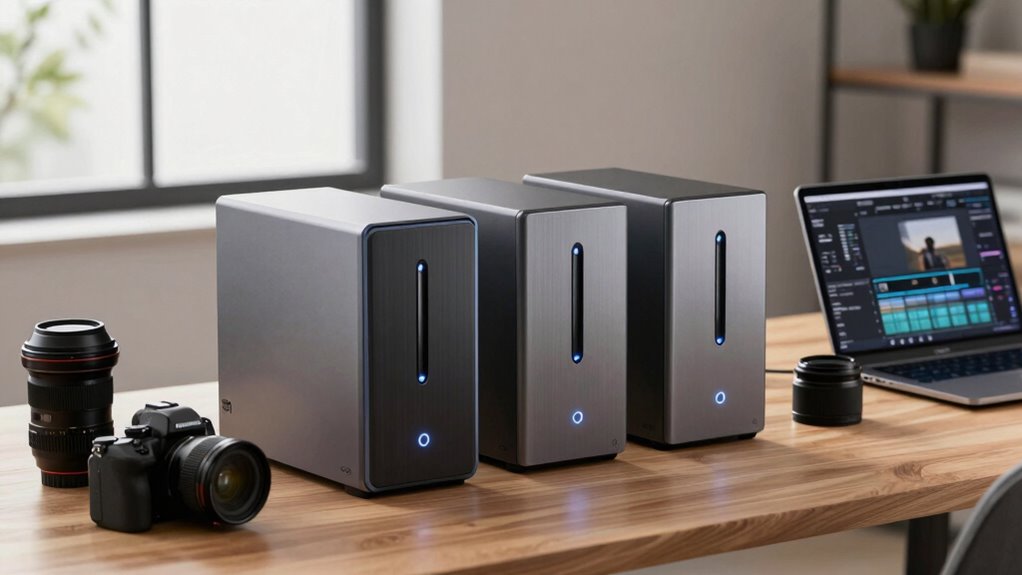

For photographers, selecting the right NAS can transform how you store, back up, and access your images. Top picks like the Synology DS225+ excel with seamless media streaming and robust data protection, while the UGREEN NAS DXP2800 offers high-speed performance tailored for demanding workflows. However, each option involves tradeoffs—some prioritize scalability, others focus on simplicity or advanced features. Understanding these distinctions is key to making an informed choice that matches your needs and budget.

Get the latest gadgets delivered free with Prime
- Fast, free delivery on millions of items
- Prime Video, Amazon Music and more included
- Member-only deals all year
Complete the kit



Key Takeaways
- The Synology DS225+ is best for those seeking advanced media handling and AI surveillance with a user-friendly interface.
- The Asustor Drivestor 2 offers fast network speeds suitable for small offices but is limited by its modest RAM.
- The UGREEN NAS DXP2800 caters to high-end users needing large capacity and high performance, with a higher complexity of setup.
- The Buffalo LinkStation 210 provides a straightforward, budget-friendly solution for basic file sharing and backup.
- All options require careful consideration of scalability, feature set, and ease of use based on your specific photography workflow.


| network attached storage for photographer | Warranty |
|---|---|
| Asustor Drivestor 2 Gen 2 AS12 | — |
| Buffalo LinkStation 210 2TB 1- | 2 years |
| UGREEN NAS DH2300 2-Bay Deskto | — |
| Synology DS225+ Private Cloud | 3 Years |
| UGREEN NAS DXP2800 2-Bay for A | 2 years |
More Details on Our Top Picks
Asustor Drivestor 2 Gen 2 AS1202T 2-Bay NAS Storage, Quad-Core 1.7GHz CPU, 2.5GbE Network, 1GB DDR4, 4K Media Server, Diskless
The Asustor Drivestor 2 stands out for its fast 2.5GbE network and straightforward setup, making it ideal for photographers who need quick data access and easy cloud creation. Compared with more advanced models like the Synology DS225+, it offers less RAM and fewer multimedia features, limiting its suitability for heavy multitasking or complex media management. Its tool-free drive installation simplifies upgrades, but the 1GB RAM can bottleneck performance during intensive tasks, so it’s better suited to light workflows.
Pros:- Fast 2.5GbE network for rapid data transfer
- Easy, tool-free drive installation
- Creates a secure personal cloud for remote access
Cons:- Limited to 1GB RAM, restricting multitasking
- No included drives, additional purchase needed
- Basic features may not satisfy advanced users
Best for: Photographers with small-scale storage needs who prioritize speed and simplicity
Not ideal for: Power users needing advanced media features or heavy multitasking
- Processor:Realtek RTD1619B quad-core 1.7GHz
- Memory:1GB DDR4
- Network:2.5GbE Ethernet
- Drive Bays:2
- Form Factor:Diskless
- Dimensions:3.94 x 3.94 x 3.94 inches
Our verdict“A reliable, straightforward NAS best suited for home or small office photographers prioritizing speed and ease of use.”
Buffalo LinkStation 210 2TB 1-Bay NAS Network Attached Storage with HDD Included
The Buffalo LinkStation 210 delivers a simple, plug-and-play solution for photographers needing reliable, centralized storage. Its included 2TB HDD and straightforward setup make it accessible for beginners or those with minimal technical skills. However, the single bay limits scalability, and it lacks advanced features like media indexing or AI capabilities found in more sophisticated models like the Synology. It’s an excellent choice for those who want basic backup and file sharing without fuss.
Pros:- Includes pre-installed HDD for immediate use
- Simple setup and reliable data sharing
- Two-year warranty with US support
Cons:- Limited to one drive bay, restricting growth
- Lacks advanced cloud or media features
- Compatible only with older macOS versions
Best for: Photographers seeking an uncomplicated, affordable backup device
Not ideal for: Users needing large capacity or advanced media management
- Capacity:2TB
- Number of Bays:1
- HDD Included:Yes
- Compatibility:Windows, macOS
- Support:24/7 US-based
- Warranty:2 years
Our verdict“An excellent entry-level NAS for photographers who prioritize straightforward backups over advanced media features.”
UGREEN NAS DH2300 2-Bay Desktop Network Attached Storage (NAS) Bundle with Cat8 Ethernet Cable
The UGREEN NAS DH2300 is designed for personal users and beginners who want hassle-free storage with big capacity. Its support for up to 64TB, combined with AI-powered photo organization, makes it appealing for photographers managing large digital libraries. Its transfer speeds of 125MB/s are solid for general backup and media access but won’t match high-end models like the UGREEN DXP2800. The device’s diskless design means additional drives must be purchased, which could complicate initial setup.
Pros:- Supports up to 64TB storage capacity
- Fast transfer speeds of 125MB/s
- AI-powered photo organization and duplicate detection
Cons:- No support for Docker or virtual machines
- Requires separate purchase of drives
- Limited advanced features
Best for: Beginners or casual photographers needing large storage and AI features
Not ideal for: Power users requiring virtual machines or advanced media workflows
- Digital Storage Capacity:64 TB
- Connectivity Technology:Ethernet
- Read Speed:125 MB/s
- Media Speed:125 MB/s
- Data Transfer Rate:125 MB/s
- Warranty & Support:30-day return, warranty details available
Our verdict“An accessible, high-capacity NAS ideal for photographers new to NAS who want AI organization features.”
Synology DS225+ Private Cloud Media Server – 2-Bay Diskless NAS with Intel CPU
The Synology DS225+ is a versatile choice for photographers who need robust media streaming, cloud access, and data protection. Its Intel CPU and support for 4K media make it suitable for high-quality video work and large image libraries. Unlike diskless models like the UGREEN DXP2800, it requires drives purchased separately but offers superior software support, including automated backups and surveillance. Its 3-year warranty adds peace of mind for long-term investment, though setup can be complex for newcomers due to its advanced feature set.
Pros:- Supports 4K media streaming and personal cloud storage
- Automated backup options and RAID redundancy
- Supports up to 30 IP cameras with AI detection
Cons:- Requires separate drives, increasing initial cost
- Setup may be complex for beginners
- Higher price point than basic models
Best for: Photographers seeking a balance of media capabilities, cloud storage, and security
Not ideal for: Casual users or those with limited technical skills
- Storage Bays:2-Bay
- CPU:Intel
- Transfer Speed:282 MB/s
- Warranty:3 Years
- Features:Media streaming, cloud storage, backups, RAID, surveillance
Our verdict“A powerful, flexible NAS for photographers who want media, security, and cloud features in one package.”
UGREEN NAS DXP2800 2-Bay for Advanced Home Users, Remote Workers & Creators
The UGREEN NAS DXP2800 is aimed at advanced users who need exceptional speed and capacity. Its Intel N100 CPU, 8GB DDR5 RAM, and support for up to 80TB make it ideal for managing large media collections or running demanding workflows. The device’s hardware-oriented features, including AI surveillance and high data transfer rates of over 300MB/s, cater to tech-savvy photographers and creators. However, it’s a diskless setup requiring additional drives, which adds to the initial cost and setup complexity.
Pros:- High-performance hardware with Intel N100 CPU and 8GB DDR5 RAM
- Supports up to 80TB storage with flexible drive options
- AI-powered surveillance and fast data transfer
Cons:- HDDs and SSDs sold separately, increasing initial costs
- Requires technical knowledge for setup
- More expensive than entry-level NAS devices
Best for: Professional photographers, creators, and remote workers needing high speed and large capacity
Not ideal for: Casual users or hobbyists who don’t require high performance or extensive storage
- Digital Storage Capacity:80 TB
- Hard Disk Interface:SATA
- Read Speed:312 MB/s
- Data Transfer Rate:334 MB/s
- Hardware Connectivity:Ethernet, SATA, USB
- Warranty:2 years
Our verdict“A premium choice for demanding photographers and creators who need speed, capacity, and advanced security features.”

How We Picked
Our selection process focused on models that balance performance, capacity, and usability for photographers. We prioritized devices with reliable hardware, good data transfer speeds, and features like media streaming or AI photo organization. Each product was evaluated against criteria such as scalability, ease of setup, and value, ensuring that the options cater to different levels of expertise and storage needs. We considered user reviews, technical specs, and the relevance of features to photography workflows to curate this list.
Factors to Consider When Choosing Network Attached Storage For Photographers
Choosing the right NAS for photography depends on understanding your storage needs, workflow complexity, and how much you value features like media streaming or AI organization. The key factors include capacity, performance, scalability, ease of setup, and future-proofing. Whether you’re a hobbyist or a professional, your ideal NAS should fit seamlessly into your workflow, providing reliable access and backup for your precious images.
Capacity and Scalability
Photographers often have large files and high-resolution images, so selecting a NAS with enough capacity to grow is essential. Devices like the UGREEN NAS DXP2800 support up to 80TB, perfect for extensive photo libraries. For smaller needs, a 2-bay NAS with RAID options can provide redundancy and scalability, but limit future growth if you outgrow its capacity.
Performance and Speed
Fast data transfer speeds reduce waiting times and improve workflow efficiency. Look for models with at least 1GbE Ethernet, but 2.5GbE or higher is preferable for large files. The Synology DS225+ and UGREEN DXP2800 deliver high throughput, which is critical when editing or transferring large RAW images or videos.
Ease of Use and Features
Beginners may prefer models with simple setup and management, like the Buffalo LinkStation 210. More advanced users might prioritize features like media streaming, AI organization, or surveillance support, found in the Synology DS225+ or UGREEN DXP2800. Consider your comfort level with technical setup when choosing.
Future-Proofing and Support
Investing in a device with good warranty coverage and software updates ensures your storage remains secure and functional long-term. Higher-end models like the Synology DS225+ offer extended warranties and software support, which can be valuable for professional workflows. Scalability options, such as additional drives or network upgrades, also help adapt as your needs grow.
Frequently Asked Questions
What is the ideal storage capacity for a photographer’s NAS?
It depends on your collection size and future growth plans. For hobbyists, a 4-8TB NAS might suffice, but professionals or those with large raw files should consider 20TB or more, especially with models supporting up to 80TB like the UGREEN DXP2800. Always choose a device that allows for expansion or additional drives to accommodate future needs.
Is a diskless NAS suitable for photographers?
Yes, diskless NAS units like the Synology DS225+ or UGREEN NAS DXP2800 provide flexibility to choose drives based on performance and capacity needs. However, initial setup is more involved since you must purchase and install drives separately. For those comfortable with hardware, this offers tailored performance; for beginners, pre-installed drives might be simpler.
How important is network speed for photographers?
Network speed significantly impacts how quickly you can transfer large image or video files. A 2.5GbE or higher connection minimizes waiting times during editing or backups. Models like the Asustor Drivestor 2 with 2.5GbE or the UGREEN DXP2800 with even higher transfer rates are well-suited for demanding workflows.
Should I prioritize media streaming capabilities in my NAS?
If you frequently showcase your work or need remote access to high-resolution videos and images, media streaming features like 4K support or AI organization can be highly beneficial. The Synology DS225+ excels here, offering robust media handling alongside cloud storage, making it suitable for multimedia-heavy workflows.
What are the benefits of AI features in a NAS for photographers?
AI-powered organization helps automatically sort, categorize, and detect duplicates in large photo libraries, saving time and reducing manual effort. Devices like the UGREEN NAS DXP2800 incorporate such features, making them especially useful for photographers managing extensive archives across multiple devices.