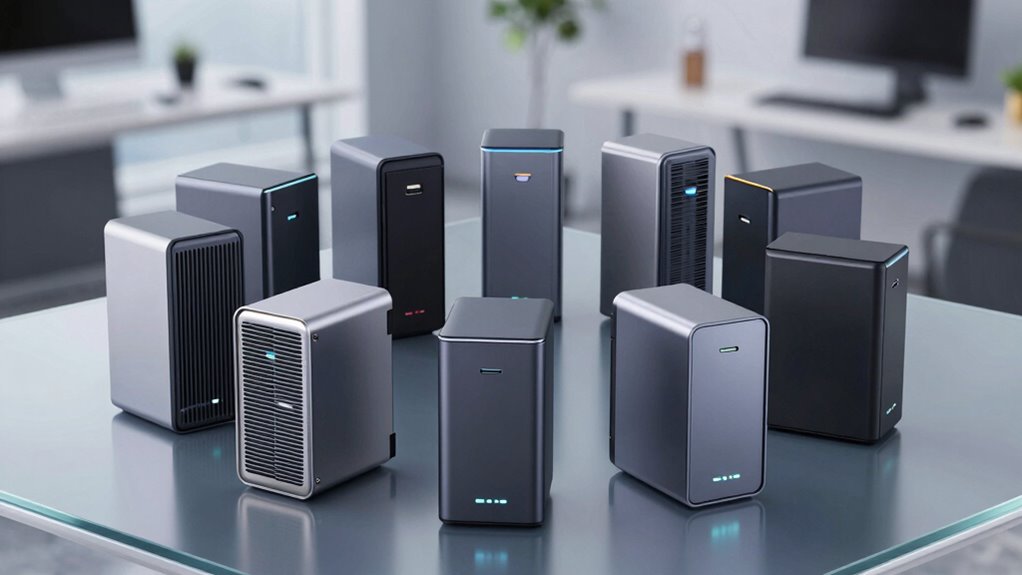

If you’re searching for a raid enclosure USB C, you’re likely balancing speed, capacity, and ease of setup. The best options offer flexible RAID modes, solid build quality, and reliable performance, but tradeoffs often include cost, complexity, or limited compatibility. The Ugreen 5-Bay USB-C DAS stands out for its versatile RAID options, while the Sabrent 4-Bay Docking Station excels with ultra-fast transfer speeds. Keep in mind, many enclosures either sacrifice some features to keep costs down or add complexity that might overwhelm casual users. Continue reading to see how these options compare across key factors to help you find the perfect fit.

Get the latest gadgets delivered free with Prime
- Fast, free delivery on millions of items
- Prime Video, Amazon Music and more included
- Member-only deals all year
Complete the kit



Key Takeaways
- Top-performing RAID enclosures balance speed, capacity, and build quality without excessive complexity.
- Versatile RAID mode support is a key differentiator for users with varying backup or performance needs.
- Build quality, especially cooling and materials, impacts long-term reliability and noise levels.
- Cost varies significantly; premium models often include advanced features like HDMI output or multi-bay configurations.
- Ease of use and hot-swappability remain critical for quick setup and maintenance.
| CENMATE Aluminum 4 Bay Hard Drive RAID Enclosure with Cooling Fan for 2.5/3.5″ SATA HDD/SSD |  | Best Overall for Large Capacity and Flexibility | Hardware Interface: USB 3.0, eSATA | Hardware Platform: Windows, Mac, Linux | Memory Storage Capacity: 80 TB | VIEW ON AMAZON | See Our Full Breakdown |
| UGREEN 5-Bay USB-C DAS Enclosure with 8 RAID Modes for 2.5/3.5″ SATA HDD/SSD |  | Best for High Storage and Performance with Multiple RAID Options | Hardware Interface: USB Type-C | Hardware Platform: Windows, Mac, Linux | Memory Storage Capacity: 160 TB | VIEW ON AMAZON | See Our Full Breakdown |
| WAVLINK 4-Bay SATA Hard Drive Enclosure with USB-C 3.2, HDMI, Cooling Fans, Aluminum Shell |  | Best for Professional Video and High-Speed Data with HDMI Output | Hardware Interface: USB 3.2 Gen 2, HDMI | Hardware Platform: Universal | Memory Storage Capacity: 88 TB | VIEW ON AMAZON | See Our Full Breakdown |
| CENMATE Aluminum 2 Bay Hard Drive Enclosure with Cooling Fan for 2.5“/3.5″ SATA HDD/SSD with USB A/C 3.0, Support Hot Swappable, Tool-Free HDD Enclosure, DAS(NO RAID/NAS) |  | Best for Small-Scale, Easy Hot-Swap Storage | Hardware Interface: USB 3.0 | Hardware Platform: Windows, Mac, Linux | Memory Storage Capacity: 40 TB | VIEW ON AMAZON | See Our Full Breakdown |
| CENMATE Aluminum 2 Bay Hard Drive RAID Enclosure with Cooling Fan for 2.5/3.5″ SATA HDD/SSD with USB A/C 3.0, Tool-Free HDD Enclosure, 4 Modes |  | Best for RAID Flexibility in Small Form Factor | Hardware Interface: USB 3.0 | Hardware Platform: Windows, Mac, Linux | Memory Storage Capacity: 40 TB | VIEW ON AMAZON | See Our Full Breakdown |
| TERRAMASTER D2-320 USB RAID Enclosure 2-Bay (Diskless) |  | Best Overall for Versatile RAID and Compatibility | Hardware Interface: USB 3.2 Gen 2 | Supported Devices Quantity: 1 | Data Transfer Rate: 10 Gbps | VIEW ON AMAZON | See Our Full Breakdown |
| QNAP TR-004 4-Bay USB Type-C Direct Attached Storage (DAS) with Hardware RAID (Diskless) |  | Best for Data Safety and Security with Lockable Bays | Hard Disk Interface: Serial ATA | Connectivity Technology: USB | Supported Devices Quantity: 4 | VIEW ON AMAZON | See Our Full Breakdown |
| Sabrent 4-Bay USB-C 10Gbps Hard Drive Enclosure Docking Station (DS-SC4B) |  | Best for Hot-Swappable Multi-Drive Access | Hardware Interface: USB 3.2 Gen 2, USB Type C | Supported Devices Quantity: 4 | Data Transfer Rate: 10 gigabits_per_second | VIEW ON AMAZON | See Our Full Breakdown |
| Yottamaster 5 Bay RAID Hard Drive Enclosure USB C, Aluminum RAID Enclosure for 3.5 & 2.5 Inch SATA HDD/SSD, Support 110TB(5x22TB) Direct Attached Storage DAS RAID1/5/10/JBOD/CLONE – PS500RC3 |  | Best for Large Capacity and Custom RAID Flexibility | Hardware Interface: USB 3.1 Type C | Supported Devices Quantity: 5 | Max Capacity: 110TB | VIEW ON AMAZON | See Our Full Breakdown |
| WAVLINK 4-Bay Hard Drive Enclosure for SATA HDD/SSD with USB-C 3.2, 4K HDMI, and Cooling Fans |  | Best for Professional Media Work with HDMI Output | Supported Drives: 3.5″ and 2.5″ SATA HDD/SSD | Max Capacity: 128TB | Data Transfer Speed: 10Gbps | VIEW ON AMAZON | See Our Full Breakdown |
| raid enclosure usb c | Supported Devices Quantity | Hardware Interface | Data Transfer Rate | Enclosure Material |
|---|---|---|---|---|
| CENMATE Aluminum 4 Bay Hard Dr | 4 | USB 3.0, eSATA | 5 Gbps | Aluminum |
| UGREEN 5-Bay USB-C DAS Enclosu | 5 | USB Type-C | 5 Gbps | Aluminum |
| WAVLINK 4-Bay SATA Hard Drive | 4 | USB 3.2 Gen 2, HDMI | 10 Gbps | Aluminum |
| CENMATE Aluminum 2 Bay Hard Dr | 2 | USB 3.0 | 5 Gbps | Aluminum |
| CENMATE Aluminum 2 Bay Hard Dr | 2 | USB 3.0 | 5 Gbps | Aluminum |
| TERRAMASTER D2-320 USB RAID En | 1 | USB 3.2 Gen 2 | 10 Gbps | Plastic |
| QNAP TR-004 4-Bay USB Type-C D | 4 | — | 5 gigabits_per_second | — |
| Sabrent 4-Bay USB-C 10Gbps Har | 4 | USB 3.2 Gen 2, USB Type C | 10 gigabits_per_second | Aluminum |
| Yottamaster 5 Bay RAID Hard Dr | 5 | USB 3.1 Type C | — | Aluminum |
| WAVLINK 4-Bay Hard Drive Enclo | — | — | — | — |
More Details on Our Top Picks
CENMATE Aluminum 4 Bay Hard Drive RAID Enclosure with Cooling Fan for 2.5/3.5″ SATA HDD/SSD
This CENMATE 4-bay enclosure stands out for supporting up to 80TB across multiple drives, making it a solid choice for users needing large-scale storage. Compared with the WAVLINK 4-Bay, it offers more RAID modes and better heat dissipation thanks to its aluminum body and built-in fans. However, the fan noise around 45 decibels could be disruptive for quiet environments, and RAID mode switching requires caution to avoid data loss. Its plug-and-play compatibility across Windows, Mac, and Linux simplifies setup for diverse users. The manual RAID switching and noise level are tradeoffs for high capacity and flexible management.
Pros:- Supports up to 80TB total capacity for extensive data needs
- Effective heat dissipation with aluminum shell and cooling fans
- Multiple RAID modes for flexible data management
- Universal plug-and-play compatibility
Cons:- Fan noise around 45 decibels may be loud in quiet spaces
- RAID mode switching requires careful manual operation, risking data loss
Best for: IT professionals or small enterprise users needing reliable, high-capacity external storage with flexible RAID options.
Not ideal for: Quiet home users or those sensitive to noise, due to fan noise and manual RAID management complexity.
- Hardware Interface:USB 3.0, eSATA
- Hardware Platform:Windows, Mac, Linux
- Memory Storage Capacity:80 TB
- Supported Devices Quantity:4
- Data Transfer Rate:5 Gbps
- Enclosure Material:Aluminum
- Dimensions:7.95″L x 5.2″W x 5.75″H
- Weight:4.2 pounds
Our verdict“Ideal for users who prioritize capacity and RAID flexibility over noise sensitivity and convenience.”
UGREEN 5-Bay USB-C DAS Enclosure with 8 RAID Modes for 2.5/3.5″ SATA HDD/SSD
This UGREEN 5-bay enclosure excels in offering a massive 160TB capacity, suitable for professionals managing large datasets. Its support for 8 different RAID configurations provides tailored options for performance or redundancy, setting it apart from the WAVLINK 4-bay that offers fewer RAID modes. The device delivers fast data transfer speeds of up to 5Gbps and features smart cooling, making it suitable for heavy workloads. The main tradeoff is that changing RAID modes requires reformatting drives, which can be inconvenient and time-consuming. Additionally, it doesn’t support drive pooling as NAS does, limiting its flexibility for network sharing.
Pros:- Supports up to 160TB total capacity with five bays
- Supports 8 different RAID modes for tailored data management
- Fast transfer speeds up to 5Gbps
- Smart, aluminum cooling system
Cons:- RAID mode switching requires drive reformatting, risking data loss
- No NAS-like drive pooling or network sharing capabilities
Best for: Content creators or data analysts who need high capacity and multiple RAID configurations for performance or backup purposes.
Not ideal for: Users seeking simple plug-and-play storage without complex RAID management or reformatting needs.
- Hardware Interface:USB Type-C
- Hardware Platform:Windows, Mac, Linux
- Memory Storage Capacity:160 TB
- Supported Devices Quantity:5
- Data Transfer Rate:5 Gbps
- Enclosure Material:Aluminum
- Dimensions:9.06″L x 5.37″W x 7.09″H
- Weight:5.3 pounds
Our verdict“Best suited for users who need extensive, customizable storage solutions with performance focus over simplicity.”
WAVLINK 4-Bay SATA Hard Drive Enclosure with USB-C 3.2, HDMI, Cooling Fans, Aluminum Shell
This WAVLINK enclosure supports both 3.5” and 2.5” drives with a high transfer rate of 10Gbps, making it excellent for professional workflows like video editing. Its inclusion of 4K HDMI output and cooling fans enhances multimedia use and heat management, a step above typical RAID enclosures like the Cenmate 4-bay which lacks HDMI. The complex setup with additional mounting brackets and the need for a host USB-C port capable of video output can be a barrier for some users. Moreover, the drive hot-swapping feature is limited by the requirement of compatible host ports and setup complexity.
Pros:- Supports drives up to 88TB capacity
- Fast data transfer at 10Gbps via USB-C
- Includes 4K HDMI output for direct video display
- Built-in temperature-controlled cooling fans
Cons:- Requires host port supporting video output, limiting flexibility
- Setup process can be complex due to additional brackets and configuration
Best for: Video editors and media professionals needing fast transfer and high-quality HDMI output for real-time viewing.
Not ideal for: Home users seeking straightforward storage, as setup and HDMI use can be complicated.
- Hardware Interface:USB 3.2 Gen 2, HDMI
- Hardware Platform:Universal
- Memory Storage Capacity:88 TB
- Supported Devices Quantity:4
- Data Transfer Rate:10 Gbps
- Enclosure Material:Aluminum
- Dimensions:Black
- Color:Black
Our verdict“Perfect for media professionals who need high-speed, multimedia-capable external storage with advanced heat management.”
CENMATE Aluminum 2 Bay Hard Drive Enclosure with Cooling Fan for 2.5“/3.5″ SATA HDD/SSD with USB A/C 3.0, Support Hot Swappable, Tool-Free HDD Enclosure, DAS(NO RAID/NAS)
This CENMATE dual-bay enclosure is well-suited for users needing quick, hot-swappable drives. Its tool-free tray design allows easy drive installation, ideal for quick backups or small data transfers. Compared to larger RAID systems like the Cenmate 4-bay, it offers a straightforward, no-RAID DAS solution for personal or small business use. The 20TB per drive maximum capacity limits scalability for heavy data environments, and the fan noise around 50 decibels might be unsuitable for quiet environments. It excels in convenience but lacks RAID or network sharing features.
Pros:- Supports hot-swappable drives for quick replacements
- Tool-free design simplifies installation
- Supports drives up to 20TB each
- Plug-and-play compatibility
Cons:- Limited maximum capacity per drive (20TB)
- No RAID or network sharing capabilities
Best for: Photographers or small business owners needing quick, reliable, hot-swappable external storage for occasional data transfers.
Not ideal for: Data centers or users requiring RAID redundancy or large scalable storage solutions.
- Hardware Interface:USB 3.0
- Hardware Platform:Windows, Mac, Linux
- Memory Storage Capacity:40 TB
- Supported Devices Quantity:2
- Data Transfer Rate:5 Gbps
- Enclosure Material:Aluminum
- Dimensions:7.95″L x 5.2″W x 3.5″H
- Weight:0.96 kg
Our verdict“Ideal for users who prioritize easy drive swapping and straightforward DAS operation over scalability.”
CENMATE Aluminum 2 Bay Hard Drive RAID Enclosure with Cooling Fan for 2.5/3.5″ SATA HDD/SSD with USB A/C 3.0, Tool-Free HDD Enclosure, 4 Modes
This CENMATE 2-bay RAID enclosure provides four RAID modes, allowing users to configure for redundancy or performance, which is useful for small-scale backups or mirror setups. Its aluminum shell and integrated fan help manage heat during intensive use. Compared to the non-RAID Cenmate dual bay, this model offers more flexibility but requires careful setup to avoid data loss, especially during RAID configuration. The noise level of 40-50 decibels is manageable, but some users may find it noticeable. Its plug-and-play nature makes it straightforward for those familiar with RAID, but novices should proceed cautiously.
Pros:- Supports 4 different RAID modes for flexibility
- Easy tool-free installation with hot-swappable drives
- Efficient heat management with aluminum construction and fan
- Supports drives up to 20TB each
Cons:- RAID setup can lead to data loss if misconfigured
- Limited maximum capacity per drive (20TB)
Best for: Small business or advanced home users needing RAID configurations with easy installation and thermal management.
Not ideal for: Users unfamiliar with RAID setups or who prefer simple, non-RAID external storage.
- Hardware Interface:USB 3.0
- Hardware Platform:Windows, Mac, Linux
- Memory Storage Capacity:40 TB
- Supported Devices Quantity:2
- Data Transfer Rate:5 Gbps
- Enclosure Material:Aluminum
- Dimensions:7.95″L x 5.2″W x 3.5″H
- Weight:2.1 pounds
Our verdict“Suitable for users seeking configurable RAID options in a compact, heat-managed enclosure.”
TERRAMASTER D2-320 USB RAID Enclosure 2-Bay (Diskless)
The TERRAMASTER D2-320 stands out for its flexible RAID options and support across Windows, Mac, and Linux, making it ideal for users needing adaptable storage solutions. Compared to the Yottamaster PS500RC3, it supports RAID 0, 1, JBOD, and single disk modes, offering more configuration flexibility. Its tool-free installation simplifies setup, while USB 3.2 Gen 2 ensures fast data transfer at 10Gbps. However, it relies on an external power source, and the plastic enclosure might be less durable over time. The absence of included drives means additional investment, and its plastic build could impact longevity. This enclosure fits those who want a reliable, high-speed RAID setup with broad OS compatibility, but might not be ideal for users seeking a rugged, all-metal case or built-in drives.
Pros:- Supports multiple RAID configurations including RAID 0, RAID 1, JBOD, and Single
- High-speed data transfer up to 10Gbps with USB 3.2 Gen 2
- Tool-free hard drive installation for quick setup
Cons:- Requires external power supply, adding clutter
- Plastic enclosure may be less durable than metal options
- No included drives, additional purchase required
Best for: Creative professionals or small offices needing flexible, high-speed RAID storage across multiple OS platforms
Not ideal for: Users seeking a rugged, all-metal enclosure or an integrated drive solution
- Hardware Interface:USB 3.2 Gen 2
- Supported Devices Quantity:1
- Data Transfer Rate:10 Gbps
- Compatible Devices:Hard Disk, SSD
- Hard Disk Form Factor:3.5 inches
- Enclosure Material:Plastic
- Item Dimensions:8.74″L x 4.69″W x 6.06″H
- Item Weight:1.3 kg
Our verdict“Ideal for users needing versatile, high-performance RAID storage compatible with various operating systems.”
QNAP TR-004 4-Bay USB Type-C Direct Attached Storage (DAS) with Hardware RAID (Diskless)
The QNAP TR-004 offers robust hardware RAID support up to 4 drives with lockable bays, making it a solid choice for safeguarding data in business or personal environments. It supports RAID 0, 1, 5, JBOD, and individual disks, providing extensive configuration options compared to the Sabrent DS-SC4B’s JBOD-only setup. Its compatibility with Windows, macOS, and Linux enhances versatility, while USB Type-C ensures a 5Gbps transfer rate. Yet, it doesn’t support NAS functions or combining storage pools with NAS devices, limiting its use case. Being diskless, it requires separate drives, and its USB-only connection might need adapters for some systems. This model suits those prioritizing security and multiple RAID levels, but not ideal for users wanting NAS-like capabilities or plug-and-play solutions.
Pros:- Supports multiple RAID levels including RAID 0, 1, 5, JBOD
- Lockable drive bays enhance security against accidental removal
- Compatible with Windows, macOS, and Linux
Cons:- Does not support NAS functionalities or pooling with other storage devices
- Requires separate drives to be installed, as it is diskless
- Limited to USB Type-C connection, possibly needing adapters
Best for: Small business or advanced users needing flexible RAID configurations and drive security
Not ideal for: Users looking for integrated NAS features or a ready-to-use storage solution
- Hard Disk Interface:Serial ATA
- Connectivity Technology:USB
- Supported Devices Quantity:4
- Data Transfer Rate:5 gigabits_per_second
- Form Factor:Mini-ITX
- Item Weight:4.1 pounds
Our verdict“Perfect for users seeking a secure, multi-RAID external enclosure with broad OS compatibility and drive protection.”
Sabrent 4-Bay USB-C 10Gbps Hard Drive Enclosure Docking Station (DS-SC4B)
The Sabrent DS-SC4B excels as a durable, aluminum 4-bay enclosure supporting hot-swappable drives with individual access. Its high data transfer rate of 10Gbps via USB-C makes it suitable for quick backups and large file transfers, especially compared to RAID-focused options. The active cooling fan and sturdy aluminum case ensure reliable operation during intensive workloads. Nevertheless, it only supports JBOD; no hardware RAID options are available, limiting configuration flexibility. The drives are not included, requiring separate purchase, and it needs an external power supply, which adds to desktop clutter. This dock makes sense for those prioritizing ease of drive swapping, individual drive access, and high-speed transfers, but it isn’t the best pick for RAID or data redundancy needs.
Pros:- Supports up to four drives with individual hot-swap access
- Durable aluminum housing with active cooling for continuous operation
- Fast transfer speeds of 10Gbps via USB-C
Cons:- Drives are not included; additional purchase needed
- Limited to JBOD mode, no hardware RAID support
- Requires external power supply for operation
Best for: Tech-savvy users who need quick, hot-swappable access to multiple drives with high transfer speeds
Not ideal for: Users seeking hardware RAID support or integrated data redundancy features
- Hardware Interface:USB 3.2 Gen 2, USB Type C
- Supported Devices Quantity:4
- Data Transfer Rate:10 gigabits_per_second
- Enclosure Material:Aluminum
- Item Dimensions:9.1″L x 5.8″W x 5.9″H
- Item Weight:9 pounds
Our verdict“Great for users needing quick, individual drive access with high transfer speeds but not for RAID or redundancy applications.”
Yottamaster 5 Bay RAID Hard Drive Enclosure USB C, Aluminum RAID Enclosure for 3.5 & 2.5 Inch SATA HDD/SSD, Support 110TB(5x22TB) Direct Attached Storage DAS RAID1/5/10/JBOD/CLONE – PS500RC3
The Yottamaster PS500RC3 provides an impressive 110TB of storage across 5 bays with support for RAID 0, 1, 3, 5, 10, JBOD, and clone modes, making it ideal for data-intensive workflows like video editing and large backups. Its rugged aluminum shell and 80mm silent fan help maintain optimal temperatures during extended use, surpassing the simpler cooling solutions of the WAVLINK enclosure. It supports both 2.5″ and 3.5″ drives with removable trays, offering versatile drive compatibility. The USB 3.1 interface delivers data transfer speeds up to 5Gbps, which is slower than some USB-C 10Gbps models but sufficient for many professional applications. The main tradeoff is that the enclosure requires drives to be installed separately, and complex RAID setup might be daunting for beginners. This enclosure suits experienced users with high-capacity needs and RAID setup knowledge, but not those seeking plug-and-play simplicity.
Pros:- Supports up to 110TB total capacity with 5 drives
- Supports multiple RAID modes including RAID 0, 1, 3, 5, 10, JBOD, and clone
- Rugged aluminum shell with silent, temperature-controlled cooling
Cons:- Supports maximum 5Gbps transfer speed, slower than 10Gbps options
- Requires separate drives to be installed, adding to initial setup complexity
- Power consumption limits may require external power for high-power drives
Best for: Content creators and professionals managing large datasets requiring flexible RAID configurations
Not ideal for: Beginners or users seeking a simple, ready-to-use external drive without RAID complexity
- Hardware Interface:USB 3.1 Type C
- Supported Devices Quantity:5
- Max Capacity:110TB
- Supported RAID Modes:0, 1, 3, 5, 10, JBOD, CLONE
- Enclosure Material:Aluminum
- Item Dimensions:5″L x 3.5″W x 1.2″H
- Item Weight:16 ounces
Our verdict“Best suited for advanced users needing massive, customizable storage with flexible RAID options and professional-grade cooling.”
WAVLINK 4-Bay Hard Drive Enclosure for SATA HDD/SSD with USB-C 3.2, 4K HDMI, and Cooling Fans
The WAVLINK 4-Bay Enclosure integrates high-capacity storage with multimedia features, supporting up to 128TB via four SATA drives. Its inclusion of 4K HDMI output distinguishes it from typical RAID enclosures, making it ideal for media professionals needing direct display and storage in one device. Its aluminum shell and built-in temperature-controlled fans ensure stable operation during intensive workloads. While it supports 10Gbps transfer speeds via USB-C, setup complexity increases with multiple ports and features, and some users might find the HDMI port’s compatibility limiting without proper host support. The need for additional mounting brackets for 2.5” drives and potential setup quirks could pose challenges for less experienced users. This enclosure appeals to creative professionals seeking integrated display and storage, but may be overkill for purely data storage needs.
Pros:- Supports up to 128TB storage with four drives
- Includes 4K HDMI output for direct display
- Built-in cooling fans and aluminum shell for heat dissipation
Cons:- Requires additional mounting brackets for 2.5″ drives (not included)
- HDMI output may need compatible host hardware for full functionality
- Setup can be complex with multiple ports and features
Best for: Video editors and media professionals wanting combined storage and high-resolution output
Not ideal for: Users primarily seeking simple, high-speed RAID storage without multimedia functions
- Supported Drives:3.5″ and 2.5″ SATA HDD/SSD
- Max Capacity:128TB
- Data Transfer Speed:10Gbps
- Connectivity:USB-C 3.2, HDMI
- Cooling:Built-in temperature-controlled fans
- Material:Aluminum
Our verdict“Best for multimedia professionals needing a combination of high-capacity storage and direct high-resolution display output.”
How We Picked
The products in this roundup were evaluated based on performance, build quality, usability, and feature set. Priority was given to enclosures that support a wide range of RAID modes, have solid thermal management, and are compatible with both 2.5 and 3.5-inch drives. We also considered overall value, ease of installation, and user flexibility, ensuring that each pick offers a different strength or price point. The rankings reflect a balance between these factors, with top picks excelling in versatility and reliability while more budget-friendly options provide simpler, straightforward solutions.| raid enclosure usb c | Hardware Platform | Enclosure Material |
|---|---|---|
| CENMATE Aluminum 4 Bay Hard Dr | Windows, Mac, Linux | Aluminum |
| UGREEN 5-Bay USB-C DAS Enclosu | Windows, Mac, Linux | Aluminum |
| WAVLINK 4-Bay SATA Hard Drive | Universal | Aluminum |
| CENMATE Aluminum 2 Bay Hard Dr | Windows, Mac, Linux | Aluminum |
| CENMATE Aluminum 2 Bay Hard Dr | Windows, Mac, Linux | Aluminum |
| TERRAMASTER D2-320 USB RAID En | — | Plastic |
| QNAP TR-004 4-Bay USB Type-C D | — | — |
| Sabrent 4-Bay USB-C 10Gbps Har | — | Aluminum |
| Yottamaster 5 Bay RAID Hard Dr | — | Aluminum |
| WAVLINK 4-Bay Hard Drive Enclo | — | — |
Factors to Consider When Choosing Raid Enclosure Usb C
Choosing the right raid enclosure USB C involves understanding your specific storage needs and the tradeoffs involved. The key factors below will help you make an informed decision beyond just specs, highlighting common pitfalls and what features truly matter for different user profiles.RAID Mode Support and Flexibility
Not all enclosures support the same RAID configurations, which can be a critical factor depending on your data redundancy or performance needs. Look for options that support multiple RAID levels like 0, 1, 5, or JBOD, especially if you plan to expand or change your storage setup over time. Be cautious of devices with limited RAID support—they might restrict your flexibility or force you into suboptimal configurations.Build Quality and Thermal Management
A sturdy construction with good cooling features minimizes the risk of overheating and prolongs drive lifespan. Aluminum shells and integrated cooling fans are common, but not all are equally effective. Overlooking thermal management can lead to noise issues or drive failures, especially during prolonged use or under heavy workloads.Drive Compatibility and Hot-Swappability
Ensure the enclosure supports both 2.5 and 3.5-inch drives if you need flexibility. Hot-swappability is also a valuable feature for quick drive replacement without shutting down the system, but some enclosures require opening the case or disconnecting cables. Compatibility with your existing drives and ease of maintenance are often overlooked but essential.Connectivity and Performance
A USB-C interface with high transfer speeds, ideally 10Gbps or higher, is vital for fast data access. Some enclosures add HDMI or additional ports, which can be useful but may increase cost and complexity. Consider your primary use—whether for backups, large file transfers, or media editing—and choose accordingly.Price and Future Scalability
While budget models are attractive, they may lack features or durability needed for long-term use. On the other hand, premium enclosures often support larger drives and more RAID options, offering better scalability. Think about your future storage needs and whether investing more now will save you from upgrades later.Frequently Asked Questions
Can I use a RAID enclosure with non-RAID drives?
Yes, you can use drives that are not configured in RAID mode within an enclosure, but in that case, the device typically functions as a simple dock or JBOD. To get RAID features, drives must be configured through the enclosure’s RAID support or set up in your operating system. Always verify compatibility, especially if you’re combining drives of different sizes or types, to avoid performance bottlenecks or data issues.
Is a USB C RAID enclosure suitable for professional video editing?
Absolutely, a high-quality USB-C RAID enclosure with fast transfer speeds and good thermal management can handle large media files efficiently, making it suitable for video editing. Look for enclosures supporting 10Gbps or higher USB-C, with RAID 0 or JBOD modes for maximum speed, and ensure it has adequate cooling to prevent overheating during intensive workloads. Compatibility with your editing workstation is also key.
Do I need a hardware or software RAID enclosure?
Hardware RAID enclosures handle RAID configurations internally, providing better performance and ease of use, especially for those who prefer a plug-and-play experience. Software RAID relies on the host system to manage RAID, which can be more flexible but may introduce performance overhead. Your choice depends on your performance needs, technical comfort, and whether you prioritize simplicity or customization.
How important is drive cooling in a RAID enclosure?
Cooling is vital, especially for multi-drive enclosures running under heavy loads or continuous operation. Overheating can lead to drive failures and data loss. Well-designed enclosures with aluminum shells and effective fans help dissipate heat, ensuring drives operate within safe temperature ranges. If you plan long, intensive sessions, prioritizing thermal management is a wise decision.
Can I expand storage with a RAID enclosure later?
Many RAID enclosures support adding drives or upgrading existing ones, but this depends on the model and RAID support. Some enclosures allow for easy drive swapping or expansion, while others require starting from scratch. Consider future scalability when choosing, especially if your storage needs are expected to grow, and verify whether the device supports hot-swapping or easy drive replacement.
Conclusion
For most users seeking a reliable, all-around raid enclosure USB C, the QNAP TR-004 offers a balanced mix of performance, flexibility, and expandability, making it ideal for professionals. Budget-conscious buyers will find the WAVLINK 4-Bay Enclosure sufficient for everyday use, especially with its cooling features. Those new to RAID should consider simplified models like the CENMATE 2-Bay Enclosure with straightforward setup. Power users demanding maximum speed and advanced features should look at premium options like the Sabrent 4-Bay Docking Station. Your choice should align with your specific workload, budget, and future plans.
As an affiliate, we earn on qualifying purchases.Fall Picks
fall essentials