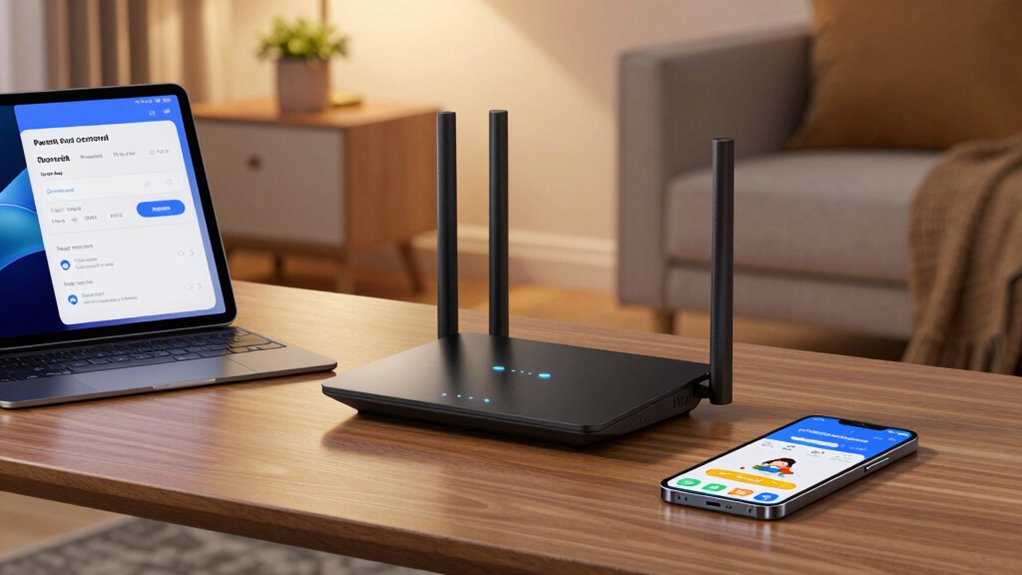

If you’re searching for a router with parental controls, you’re likely looking for a device that balances strong security features with user-friendly management. The TP-Link WiFi 6 Dual Band Router stands out for its advanced performance and easy setup, making it ideal for tech-savvy families. The Gryphon Guardian Mesh Router offers comprehensive security with built-in firewall features, perfect for households prioritizing security. However, many options come with tradeoffs: some prioritize raw speed but lack intuitive controls, while others focus on ease of use at the expense of advanced features. Continue reading for a detailed breakdown of the best choices for every family’s needs.

Get the latest gadgets delivered free with Prime
- Fast, free delivery on millions of items
- Prime Video, Amazon Music and more included
- Member-only deals all year
Complete the kit



Key Takeaways
- The top routers combine robust parental controls with strong security features, but the level of control varies widely.
- Mesh systems like Gryphon Guardian excel for whole-home coverage with integrated security, ideal for larger households.
- Advanced features such as customizable filtering and device management are often reserved for higher-end models.
- Ease of setup and user interface remain critical for non-technical users, influencing overall satisfaction.
- Speed and coverage are important, but they must be balanced with security features to find the best overall fit.
| TP-Link WiFi 6 Dual Band Router with 4 Gigabit LAN Ports |  | Best Overall Wi-Fi 6 Router for Parental Controls and High Capacity | Wi-Fi Technology: Wi-Fi 6 (802.11ax) | Speed: 1201 Mbps on 5 GHz, 300 Mbps on 2.4 GHz | Number of LAN Ports: 4 Gigabit Ethernet ports | VIEW ON AMAZON | See Our Full Breakdown |
| Synology RT2600ac Dual-Band Wi-Fi Router |  | Best for Advanced Network Management and Security | Processor: 1.7GHz Dual-core | Wi-Fi Standard: 802.11ac wave 2 | Wi-Fi Speed: up to 2.53Gbps | VIEW ON AMAZON | See Our Full Breakdown |
| Gryphon Guardian Mesh WiFi Router with Parental Controls and Firewall |  | Best for Large Area Coverage with Parental Controls & Security | Speed: 1.2 Gbps | Coverage: 1800 sq. ft. per unit | Frequency band: Dual-band | VIEW ON AMAZON | See Our Full Breakdown |
| D-Link AC1200 WiFi Router with Dual Band and Gigabit Ethernet |  | Best Budget Dual-Band Router with Parental Controls | WiFi Speed: 1200 Mbps | Frequency Bands: 2.4 GHz and 5 GHz | Ethernet Ports: 4x Gigabit Ethernet | VIEW ON AMAZON | See Our Full Breakdown |
| TP-Link AC1900 Wireless MU-MIMO WiFi Router – Dual Band Gigabit for Home |  | Best for Easy Setup with Parental Controls and QoS | Model: Archer C80 | WiFi Standard: AC1900 | Bands: Dual Band | VIEW ON AMAZON | See Our Full Breakdown |
| ASUS RT-AX1800S Dual Band WiFi 6 Router with Network Security and Parental Control |  | Best for Secure, High-Speed Home Networking with Advanced Parental Controls | WiFi Standard: WiFi 6 (802.11ax) | Antenna: External antenna x 4 | Processor: Dual-core | VIEW ON AMAZON | See Our Full Breakdown |
| router with parental control | Features | Speed | Processor | Technology |
|---|---|---|---|---|
| TP-Link WiFi 6 Dual Band Route | OneMesh, Beamforming, OFDMA, MU-MIMO | 1201 Mbps on 5 GHz, 300 Mbps on 2.4 GHz | Dual-Core 900MHz | — |
| Synology RT2600ac Dual-Band Wi | Layer 7 traffic control, VPN, dual WAN | — | 1.7GHz Dual-core | — |
| Gryphon Guardian Mesh WiFi Rou | WPS, Parental Controls, Firewall | 1.2 Gbps | — | Wi-Fi |
| D-Link AC1200 WiFi Router with | — | — | — | MU-MIMO, Mesh Smart Roaming |
| TP-Link AC1900 Wireless MU-MIM | Parental Controls, QoS, Beamforming | — | — | MU-MIMO |
| ASUS RT-AX1800S Dual Band WiFi | — | Supports 1024-QAM | Dual-core | — |
More Details on Our Top Picks
TP-Link WiFi 6 Dual Band Router with 4 Gigabit LAN Ports
The TP-Link Archer AX10 stands out as the best overall choice for families needing fast, reliable Wi-Fi with robust parental controls. Its support for Wi-Fi 6 means faster speeds and better handling of multiple devices, outperforming older Wi-Fi 5 options like the D-Link AC1200. The inclusion of four Gigabit Ethernet ports makes it ideal for wired devices, though it involves a higher cost and requires a modem for most ISPs. While setup is straightforward, the lack of bundled accessories might challenge less tech-savvy users. Compared to the Synology RT2600ac, this model offers less advanced network management but excels in speed and device capacity for typical household needs.
Pros:- Supports Wi-Fi 6 for faster speeds and higher capacity
- Multiple devices can connect simultaneously with reduced lag
- Includes four Gigabit Ethernet ports for wired connections
Cons:- Requires a separate modem for most ISPs
- No included accessories or simplified setup process
Best for: Families with multiple devices, streaming, and gaming who want fast Wi-Fi and reliable parental controls.
Not ideal for: Tech enthusiasts seeking advanced network management or VPN features, as those are limited compared to higher-end routers like the Synology RT2600ac.
- Wi-Fi Technology:Wi-Fi 6 (802.11ax)
- Speed:1201 Mbps on 5 GHz, 300 Mbps on 2.4 GHz
- Number of LAN Ports:4 Gigabit Ethernet ports
- Processor:Dual-Core 900MHz
- Compatibility:Works with all ISPs (modem required for most)
- Features:OneMesh, Beamforming, OFDMA, MU-MIMO
Our verdict“This router is perfect for families seeking a balance of speed, capacity, and parental controls without complex management features.”
Synology RT2600ac Dual-Band Wi-Fi Router
The Synology RT2600ac appeals to users who prioritize security, traffic management, and network customization, making it ideal for small offices or tech-savvy households. Its 1.7GHz dual-core processor and MU-MIMO technology enable high speeds up to 2.53Gbps, surpassing basic dual-band routers like the D-Link AC1200. The router offers sophisticated features such as Layer 7 traffic control, VPN support, and dual WAN, which are often overkill for casual users but invaluable for demanding environments. Setup may require technical knowledge, and it lacks built-in modem functionality. Compared to the Gryphon Guardian, it provides more advanced control but less integrated parental filtering and firewall options.
Pros:- High wireless speeds with MU-MIMO and Smart Connect
- Advanced security, traffic shaping, and VPN features
- Supports dual WAN for load balancing and failover
Cons:- Setup may require technical knowledge
- No built-in modem; additional equipment needed
Best for: Power users needing granular traffic control, security, and reliable bandwidth management in a home or small office setting.
Not ideal for: Less technical users or those seeking plug-and-play solutions, as initial setup can be complex.
- Processor:1.7GHz Dual-core
- Wi-Fi Standard:802.11ac wave 2
- Wi-Fi Speed:up to 2.53Gbps
- Antennas:4×4 dual-band
- Features:Layer 7 traffic control, VPN, dual WAN
- Compatibility:Supports mesh expansion
Our verdict“This router is suited for users who want maximum control over their network and security, even if setup is more involved.”
Gryphon Guardian Mesh WiFi Router with Parental Controls and Firewall
The Gryphon Guardian offers strong parental controls combined with a mesh system that covers up to 1800 sq. ft. per unit, making it ideal for large households with children. Its dual-band 1.2 Gbps speed supports smooth streaming and browsing, though it doesn’t match Wi-Fi 6 routers like the TP-Link AX10 in raw speed. The device excels in content filtering and firewall features, but details on advanced security are limited, and setup instructions are sparse. Compared to the D-Link AC1200, it provides better coverage and security-focused features but may lack some advanced network management options.
Pros:- Large coverage area per unit, suitable for big homes
- Effective parental controls and content filtering
- Provides a dedicated firewall for network security
Cons:- Limited information on advanced security features
- Setup instructions are not detailed
Best for: Parents wanting reliable coverage and content filtering across a large home, with straightforward parental controls.
Not ideal for: Tech enthusiasts needing detailed security management or seamless integration with existing mesh networks requiring advanced setup.
- Speed:1.2 Gbps
- Coverage:1800 sq. ft. per unit
- Frequency band:Dual-band
- Features:WPS, Parental Controls, Firewall
- Compatible devices:Personal Computers
- Technology:Wi-Fi
Our verdict“This mesh system is best for families prioritizing large coverage and parental controls over advanced network management features.”
D-Link AC1200 WiFi Router with Dual Band and Gigabit Ethernet
The D-Link AC1200 offers a budget-friendly option with decent speeds and coverage, making it suitable for light to moderate internet use. Its dual-band speeds up to 1200 Mbps are modest compared to Wi-Fi 6 models like the TP-Link AX10 but suffice for browsing, streaming, and casual gaming. The router features mesh smart roaming and MU-MIMO, aiding in seamless connectivity across multiple devices. Parental controls are included, but the setup process might be complex for less experienced users, and lacking integrated security features could be a concern for safety-conscious families. Compared with the TP-Link AC1900, it is less powerful but more affordable.
Pros:- Affordable dual-band WiFi speeds for everyday use
- Mesh smart roaming supports seamless device switching
- Gigabit Ethernet ports for wired devices
Cons:- Setup may be tricky for non-technical users
- Lacks comprehensive built-in security features
Best for: Budget-conscious families or users with basic internet needs who want parental controls without high costs.
Not ideal for: Heavy streamers or gamers requiring high speeds or advanced security features, as this router offers limited performance and security tools.
- WiFi Speed:1200 Mbps
- Frequency Bands:2.4 GHz and 5 GHz
- Ethernet Ports:4x Gigabit Ethernet
- Technology:MU-MIMO, Mesh Smart Roaming
- Parental Controls:Yes
- Setup:Requires some technical knowledge
Our verdict“This router is best for budget-minded households needing basic parental controls and reliable Wi-Fi coverage for moderate use.”
TP-Link AC1900 Wireless MU-MIMO WiFi Router – Dual Band Gigabit for Home
The TP-Link Archer C80 targets families seeking straightforward Wi-Fi with parental controls and QoS, making it an easy choice for less tech-savvy users. Its dual-band AC1900 speeds and MU-MIMO technology support multiple devices simultaneously, similar to the D-Link AC1200 but with faster Wi-Fi standards. The inclusion of parental controls and QoS helps manage online activities and prioritize bandwidth, though the product is a renewed unit, which might limit warranty coverage. Unlike the more feature-rich Synology RT2600ac, this model emphasizes ease of use over advanced security or traffic management, making it suitable for typical household needs.
Pros:- Fast dual-band WiFi with MU-MIMO for multiple devices
- Includes parental controls and QoS for traffic management
- Beamforming for improved wireless signal strength
Cons:- Renewed product may have limited warranty
- Lacks detailed security management features
Best for: Families seeking an easy-to-set-up router with basic parental controls and bandwidth management for everyday internet use.
Not ideal for: Advanced users needing detailed network security or extensive customization options, as this router focuses on simplicity.
- Model:Archer C80
- WiFi Standard:AC1900
- Bands:Dual Band
- Technology:MU-MIMO
- Ports:Gigabit Ethernet
- Features:Parental Controls, QoS, Beamforming
Our verdict“This router is ideal for families wanting quick setup and effective parental controls without complex configurations.”
ASUS RT-AX1800S Dual Band WiFi 6 Router with Network Security and Parental Control
The ASUS RT-AX1800S stands out for integrating WiFi 6 technology with robust security features, including VPN support and parental controls. Compared to the Gryphon Guardian, which emphasizes mesh coverage and firewall features, this model offers faster speeds and more wired connection options thanks to its four gigabit ports. However, its performance can fluctuate based on environment, and it requires compatible devices to maximize WiFi 6 benefits. Unlike the Synology RT2600ac, which focuses more on advanced network management, the ASUS prioritizes speed and security for busy households that demand both. This makes it ideal for gamers and streamers who need reliable, fast wireless connections alongside family safety features.
Pros:- Supports the latest WiFi 6 standard for faster, more efficient wireless connections
- Multiple gigabit ports facilitate high-speed wired devices
- Built-in security features including VPN and parental controls for comprehensive protection
- Supports AiMesh for easy network expansion
Cons:- Performance can vary based on environmental interference and device compatibility
- Lacks specific range and coverage details, making it harder to gauge suitability for larger homes
Best for: Tech-savvy households seeking strong security, fast WiFi 6 speeds, and multiple wired connections
Not ideal for: Small apartments or users with minimal device count, since environmental factors may impact performance and WiFi 6 benefits may not be fully realized
- WiFi Standard:WiFi 6 (802.11ax)
- Antenna:External antenna x 4
- Processor:Dual-core
- Speed:Supports 1024-QAM
- Ports:One Gigabit WAN, four Gigabit LAN
- Security:AiProtection Classic, VPN
Our verdict“This router is best suited for users who prioritize fast, secure WiFi 6 connectivity with flexible wired options and advanced parental controls.”

How We Picked
Our selection process focused on evaluating each router’s parental control capabilities, security features, ease of use, and overall performance. We prioritized models that offer intuitive management interfaces, customizable filtering options, and reliable network security. Devices were also assessed based on coverage, speed, and value for money. The rankings reflect a combination of these factors, emphasizing solutions that cater to different types of users—from tech enthusiasts to families seeking straightforward security. We aimed to identify routers that not only protect your network but also provide a seamless user experience.| router with parental control | Features | Technology |
|---|---|---|
| TP-Link WiFi 6 Dual Band Route | OneMesh, Beamforming, OFDMA, MU-MIMO | — |
| Synology RT2600ac Dual-Band Wi | Layer 7 traffic control, VPN, dual WAN | — |
| Gryphon Guardian Mesh WiFi Rou | WPS, Parental Controls, Firewall | Wi-Fi |
| D-Link AC1200 WiFi Router with | — | MU-MIMO, Mesh Smart Roaming |
| TP-Link AC1900 Wireless MU-MIM | Parental Controls, QoS, Beamforming | MU-MIMO |
| ASUS RT-AX1800S Dual Band WiFi | — | — |
Factors to Consider When Choosing Router With Parental Controls
Choosing the right router with parental controls requires balancing several key factors. Beyond basic security features, consider how easy it is to manage controls, the level of customization available, and whether the device fits your home’s size and internet needs. Understanding these factors can help you avoid common pitfalls like overpaying for unnecessary features or selecting a device with weak security. Here are the main considerations to keep in mind:Parental Control Features
Look for routers that offer flexible filtering options, such as time limits, content restrictions, and device-specific controls. Some routers provide profiles for each family member, making it easier to tailor restrictions. Avoid models with overly simplistic controls if you need granular management, but don’t sacrifice ease of use if you’re less tech-savvy. Features like scheduling and activity monitoring can help enforce healthy internet habits without constant supervision.
Security and Firewall Capabilities
Security features like integrated firewalls, malware protection, and automatic updates add vital layers of safety. A router that combines parental controls with robust security helps protect against external threats and prevents kids from accessing malicious sites. Be wary of devices that offer parental controls but lack comprehensive security, as this can leave your network vulnerable.
Ease of Setup and Management
Intuitive apps and straightforward setup processes are essential, especially for busy families. A complicated interface can discourage ongoing management, leading to inconsistent controls. Consider models with mobile apps or web interfaces praised for clarity and responsiveness, and check for features like remote control access to manage settings from anywhere.
Coverage and Performance
Ensure the router’s speed and range match your household’s size and internet plan. Mesh systems often deliver superior coverage for larger homes and multiple devices, but they may come at a higher cost. Speed is less relevant if your primary concern is secure control over device access, so balance performance with security features to meet your specific needs.
Value and Future-Proofing
Invest in a device that offers not just current features but also future updates and compatibility. Higher-end models tend to support newer Wi-Fi standards and additional security options, extending their usefulness over time. Avoid buying overly basic models if you anticipate needing advanced controls or increased network demands soon.
Frequently Asked Questions
Can I set different parental controls for individual devices?
Yes, many modern routers allow individual device management, letting you assign specific restrictions based on device type or user profiles. This granular control helps tailor internet access for children, work devices, or guests, ensuring that each gets appropriate permissions. Check the router’s app or interface to confirm this feature before purchasing.
Are parental controls effective against tech-savvy kids who use VPNs?
While parental controls can block many inappropriate sites and set time limits, tech-savvy children may bypass restrictions using VPNs or proxy servers. For stronger protection, pairing router controls with device-level software or monitoring tools can help, but no solution is foolproof. Open communication about internet safety remains essential.
Do mesh routers with parental controls offer better coverage than traditional routers?
Generally, yes. Mesh systems like Gryphon Guardian are designed to provide seamless coverage over larger areas, reducing dead zones. They often incorporate security and parental controls directly into their management apps, making them convenient for larger households. However, they tend to be more expensive than traditional routers with similar controls.
How often should I update my router’s firmware for security?
Regular firmware updates are vital for maintaining security and performance. Many routers check for updates automatically, but it’s good practice to verify periodically. Keeping firmware current patches vulnerabilities, adds features, and ensures compatibility with new security standards, so consider this an ongoing part of your network management routine.
Is it worth paying extra for advanced parental controls?
Investing in routers with advanced parental controls can be worthwhile if you need detailed filtering, activity reports, and device management. These features provide greater peace of mind and more control over your children’s internet use. However, if your needs are simple, more affordable options with basic controls may suffice, making it essential to match features with your specific requirements.
Conclusion
For families seeking a reliable, straightforward solution, the TP-Link WiFi 6 Dual Band Router offers a great balance of performance and parental controls at an accessible price, making it ideal for most households. Those prioritizing advanced security and comprehensive control will find the Gryphon Guardian Mesh Router a strong choice, especially for larger homes or security-conscious families. If budget is a concern but you still need essential controls, consider the D-Link AC1200. For users new to setting up routers, models with simple management apps are best. Finally, for those with higher demands and a willingness to invest, the ASUS RT-AX1800S provides future-proof features and robust security options. Tailor your choice to your household size, tech comfort level, and security needs for the best results.
Fall Picks
fall essentials
As an affiliate, we earn on qualifying purchases.