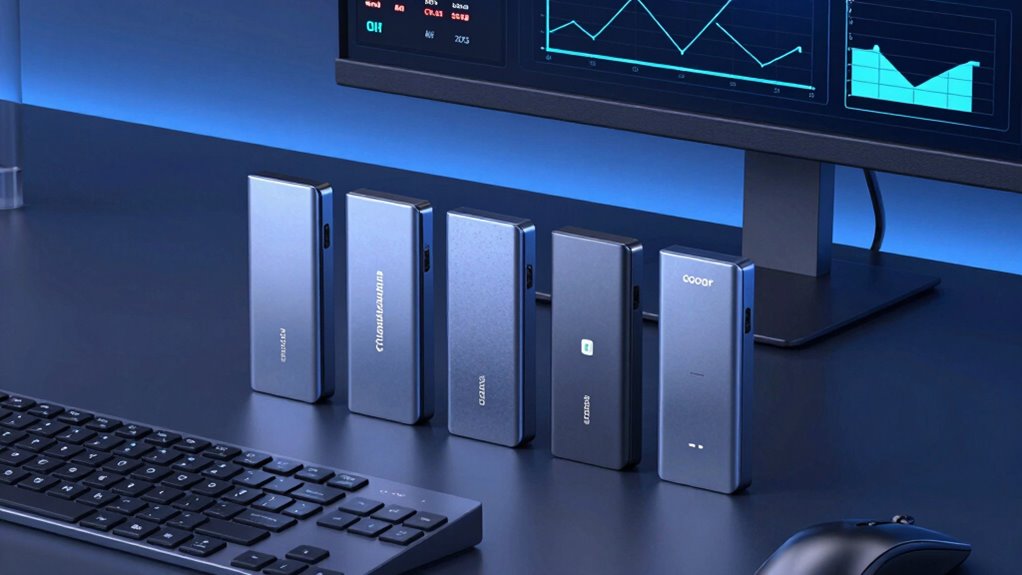

When it comes to high-speed external storage, Thunderbolt SSDs stand out for their blistering transfer rates and professional-grade durability. For 2026, the top picks include the SABRENT Rocket Nano XTRM 4TB for portability, the SanDisk Professional PRO-G40 for rugged outdoor use, and the SABRENT Rocket XTRM 5 with Thunderbolt 5’s blazing speeds. These options are tailored for different needs, balancing factors like speed, size, and toughness. However, choosing the right one involves weighing tradeoffs—such as cost versus performance and portability versus capacity.

Get the latest gadgets delivered free — and shop member deals
- Fast, free delivery on millions of items
- Access to Prime Big Deal Days deals on October 6–7
- Prime Video, Amazon Music and more included
Complete the kit



Key Takeaways
- The highest transfer speeds are found in Thunderbolt 5 SSDs, but they come at a premium.
- Rugged, water-resistant drives like the SanDisk PRO-G40 excel outdoors but may sacrifice some portability.
- Compact, portable SSDs like SABRENT Rocket Nano XTRM 2TB are ideal for on-the-go professionals, though they often have smaller capacities.
- Performance varies significantly depending on whether you prioritize speed (Thunderbolt 5) or durability (IP68, drop resistance).
- Compatibility is key: ensure your device supports Thunderbolt 3 or higher to maximize speed benefits.
| SABRENT Rocket Nano XTRM 4TB External SSD – Thunderbolt 3, USB 3.2 Gen 2, Compact Aluminum |  | Best Overall Portable Thunderbolt SSD | Storage Capacity: 4TB | Interface: Thunderbolt 3, USB 3.2 Gen 2 | Max Speed: 2700 MB/s Thunderbolt 3 | VIEW ON AMAZON | See Our Full Breakdown |
| SanDisk Professional 4TB PRO-G40 SSD – Up to 3000MB/s, Thunderbolt 3 & USB-C, IP68 Dust/Water Resistance, External Solid State Drive |  | Best Rugged Thunderbolt SSD | Storage Capacity: 4TB | Interface: Thunderbolt 3, USB-C | Max Speed: 3000 MB/s | VIEW ON AMAZON | See Our Full Breakdown |
| SABRENT Rocket Nano XTRM 2TB External SSD – Thunderbolt 3 & USB 3.2 Gen 2 | | Best Compact High-Speed SSD | Storage Capacity: 2TB | Interface: Thunderbolt 3 / USB 3.2 Gen 2 | Max Speed: 2700 MB/s | VIEW ON AMAZON | See Our Full Breakdown |
| SanDisk 2TB Extreme Portable SSD |  | Best Rugged Portable SSD for Active Users | Capacity: 2TB | Read Speed: 1050MB/s | Write Speed: 1000MB/s | VIEW ON AMAZON | See Our Full Breakdown |
| SABRENT Rocket XTRM 5 2TB Thunderbolt 5 Portable SSD |  | Best Future-Ready Thunderbolt SSD | Capacity: 2TB | Connection: Thunderbolt 5 | Transfer Speed: Up to 64Gbps | VIEW ON AMAZON | See Our Full Breakdown |
| thunderbolt external ssd | Storage Capacity | Interface | Max Speed | Dimensions |
|---|---|---|---|---|
| SABRENT Rocket Nano XTRM 4TB E | 4TB | Thunderbolt 3, USB 3.2 Gen 2 | 2700 MB/s Thunderbolt 3 | 2.95 x 1.34 x 0.71 inches |
| SanDisk Professional 4TB PRO-G | 4TB | Thunderbolt 3, USB-C | 3000 MB/s | 0.5 inches thick |
| SABRENT Rocket Nano XTRM 2TB E | 2TB | Thunderbolt 3 / USB 3.2 Gen 2 | 2700 MB/s | 2.95 x 1.34 x 0.71 inches |
| SanDisk 2TB Extreme Portable S | — | — | — | — |
| SABRENT Rocket XTRM 5 2TB Thun | — | — | — | — |
More Details on Our Top Picks
SABRENT Rocket Nano XTRM 4TB External SSD – Thunderbolt 3, USB 3.2 Gen 2, Compact Aluminum
The SABRENT Rocket Nano XTRM delivers impressive speeds of up to 2700 MB/s via Thunderbolt 3, making it ideal for professionals needing quick data transfer. Compared to similar options, it stands out for its combination of compact size and durability, owing to its aluminum chassis and silicone sleeve. While the 4TB capacity is a limitation for some, it strikes a good balance for on-the-move workflows. The premium price reflects its high performance, but it requires compatible Thunderbolt 3 ports to reach its full potential.
Pros:- Very fast transfer speeds up to 2700 MB/s
- Compact, lightweight, and durable design
- Includes both Thunderbolt and USB-C/USB-A cables
- Bus-powered for maximum portability
Cons:- Limited to 4TB capacity, which may be insufficient for some workflows
- Higher price point compared to basic external SSDs
- Requires compatible Thunderbolt 3 or USB 3.2 ports for top speeds
Best for: Traveling professionals and content creators needing fast, portable storage.
Not ideal for: Users with older computers lacking Thunderbolt 3 or USB 3.2 Gen 2 ports, or those needing larger capacities.
- Storage Capacity:4TB
- Interface:Thunderbolt 3, USB 3.2 Gen 2
- Max Speed:2700 MB/s Thunderbolt 3
- Dimensions:2.95 x 1.34 x 0.71 inches
- Weight:1.69 oz
- Material:Aluminum
Our verdict“This pick excels in portability and speed, making it the best choice for on-the-go professionals with compatible devices.”
SanDisk Professional 4TB PRO-G40 SSD – Up to 3000MB/s, Thunderbolt 3 & USB-C, IP68 Dust/Water Resistance, External Solid State Drive
The SanDisk PRO-G40 elevates ruggedness with IP68 dust and water resistance, along with drop and crush resistance, making it perfect for challenging environments. Its transfer speeds reach 3000 MB/s, slightly ahead of many competitors, thanks to its Thunderbolt 3 and USB-C compatibility. It’s better suited for outdoor or industrial use where durability outweighs portability, though its design is still portable enough for fieldwork.
Pros:- Ultra-fast transfer speeds up to 3000 MB/s
- Rugged IP68 dust and water resistance
- Drop and crush resistant
- Compatible with Thunderbolt 3 & USB-C
Cons:- Limited color options and design choices
- Designed primarily for durability over compactness
- Price may be higher due to rugged features
Best for: Outdoor professionals, field researchers, or anyone needing extreme durability.
Not ideal for: Users seeking a compact, lightweight drive for everyday use or light workloads.
- Storage Capacity:4TB
- Interface:Thunderbolt 3, USB-C
- Max Speed:3000 MB/s
- Dimensions:0.5 inches thick
- Compatibility:Mac, PC
Our verdict“This drive offers top-tier durability for outdoor and demanding environments without sacrificing speed.”
SABRENT Rocket Nano XTRM 2TB External SSD – Thunderbolt 3 & USB 3.2 Gen 2
The SABRENT Rocket Nano XTRM 2TB offers a portable solution with speeds up to 2700 MB/s via Thunderbolt 3, perfect for users who prioritize size without sacrificing performance. Its aluminum chassis and included silicone sleeve enhance durability and heat dissipation. While its 2TB capacity might limit some professional workloads, it is a clear choice for users needing a small, fast drive that fits in a pocket and works seamlessly across Mac, PC, and Linux systems.
Pros:- High transfer speeds up to 2700 MB/s
- Very compact and lightweight
- Durable aluminum chassis with silicone sleeve
- Includes versatile cables for broad compatibility
Cons:- Limited to 2TB capacity, less suited for large media projects
- Premium price for high-performance hardware
- Requires compatible Thunderbolt 3 ports to reach full speed
Best for: Mobile professionals and creators needing a lightweight, fast drive with ample capacity for everyday tasks.
Not ideal for: Users who need larger capacity drives or are less concerned about portability.
- Storage Capacity:2TB
- Interface:Thunderbolt 3 / USB 3.2 Gen 2
- Max Speed:2700 MB/s
- Dimensions:2.95 x 1.34 x 0.71 inches
- Weight:1.69 oz
Our verdict“This model provides a balanced mix of size and speed, ideal for users who need a portable, high-performance SSD.”
SanDisk 2TB Extreme Portable SSD
The SanDisk Extreme Portable SSD combines performance with ruggedness, offering 1050MB/s read and 1000MB/s write speeds in a tough IP65-rated case. It’s built for active users who need reliable storage in demanding conditions, with drop protection up to 3 meters and hardware encryption for security. While it doesn’t match the highest speed tiers of Thunderbolt 5 drives, its durability makes it a dependable choice for outdoor or rugged environments.
Pros:- Reliable speeds suitable for large file transfers
- Drop and water/dust resistant
- Hardware encryption for security
- Portable with carabiner loop
Cons:- Performance may vary depending on device compatibility
- No Thunderbolt interface; relies on USB-C
- Price may not be as competitive for similar speeds
Best for: Active users, outdoor professionals, and travelers needing durable, secure storage.
Not ideal for: High-end professional workflows requiring maximum transfer speeds or large capacities beyond 2TB.
- Capacity:2TB
- Read Speed:1050MB/s
- Write Speed:1000MB/s
- Drop Protection:Up to 3 meters
- Water/Dust Resistance:IP65
Our verdict“This drive offers a durable, secure option for active users who need ruggedness over the absolute highest speeds.”
SABRENT Rocket XTRM 5 2TB Thunderbolt 5 Portable SSD
The SABRENT Rocket XTRM 5 pushes performance boundaries with Thunderbolt 5 speeds reaching up to 64Gbps, making it suitable for the most demanding data transfers. Its compatibility spans Thunderbolt 3, 4, and USB4, providing broad future-proofing. The rugged aluminum and silicone case adds durability, but the high price and requirement for Thunderbolt 5 or compatible ports limit its immediate accessibility for all users. Nonetheless, this SSD is designed for professionals who need the fastest possible external storage.
Pros:- Unmatched transfer speeds up to 64Gbps
- Broad compatibility with Thunderbolt 3, 4, and USB4
- Durable, drop-protected construction
- Future-proofing with Thunderbolt 5
Cons:- Expensive compared to standard SSDs
- Requires Thunderbolt 5 or compatible ports for full speed
- Overkill for typical storage needs
Best for: Gurus of speed, professionals in data-heavy fields, and gamers with Thunderbolt 5 ports.
Not ideal for: Average users or those with older Thunderbolt ports who won’t see performance benefits.
- Capacity:2TB
- Connection:Thunderbolt 5
- Transfer Speed:Up to 64Gbps
- Build Material:Aluminum and Silicone
- Compatibility:Thunderbolt 3, 4, USB4
Our verdict“This SSD is a cutting-edge choice for users who need the fastest possible external storage and have the compatible hardware to run it.”

How We Picked
Our selection process focused on drives that emphasize Thunderbolt connectivity, prioritizing models that deliver high transfer speeds, durability features, and compatibility. We compared specifications like maximum read/write speeds, build quality, and capacity options, ensuring each pick serves a distinct user need. Cost was also a factor, balancing premium performance with value. We avoided drives that lack official Thunderbolt support or fall short on real-world performance claims.
| thunderbolt external ssd | Interface |
|---|---|
| SABRENT Rocket Nano XTRM 4TB E | Thunderbolt 3, USB 3.2 Gen 2 |
| SanDisk Professional 4TB PRO-G | Thunderbolt 3, USB-C |
| SABRENT Rocket Nano XTRM 2TB E | Thunderbolt 3 / USB 3.2 Gen 2 |
| SanDisk 2TB Extreme Portable S | — |
| SABRENT Rocket XTRM 5 2TB Thun | — |
Factors to Consider When Choosing Thunderbolt External Ssd
Selecting the right Thunderbolt external SSD involves balancing speed, durability, capacity, and price. First, determine your primary use—whether blazing-fast transfers for professional editing or ruggedness for outdoor work. Then, consider your device’s compatibility to ensure you leverage the full potential of Thunderbolt interfaces. Capacity needs vary, so match your storage demands with features like ruggedness or portability. Finally, budget accordingly, as high-speed Thunderbolt 5 drives command a premium, but offer future-proofing for years ahead.
Understanding Thunderbolt Speeds
Thunderbolt technology offers different versions, with Thunderbolt 3 supporting speeds up to 40Gbps and Thunderbolt 5 reaching 64Gbps. Faster speeds mean quicker file transfers, especially important for large media files or professional workflows. However, your device must support these standards fully to realize the benefits. If not, you’ll be limited to USB-C or Thunderbolt 3 speeds, which still offer excellent performance but may not match the latest models.
Durability and Portability
If you frequently work outdoors or in rugged environments, prioritize drives with water, dust, and drop resistance. The SanDisk PRO-G40 exemplifies ruggedness, while the SanDisk Extreme Portable SSD offers a good mix of durability and portability. For studio or office use, lighter, less rugged drives like SABRENT Nano XTRM models provide ease of transport without sacrificing speed, but less protection.
Capacity and Performance Tradeoffs
Higher capacities typically come at a higher cost and may impact size and weight. For most professionals, 2TB or 4TB strikes a balance between ample storage and portability. However, if your workload involves massive data sets, consider drives with larger capacities or multiple drives. Remember, maximum speed is often linked to interface; drives supporting Thunderbolt 5 deliver the fastest transfers but at a premium.
Compatibility Considerations
Ensure your computer supports the Thunderbolt version of your chosen drive. Thunderbolt 3 and 4 are widely compatible with newer Macs and PCs, but Thunderbolt 5 is still emerging. Many drives include USB-C cables, which provide broad compatibility, but to unlock full Thunderbolt speeds, your system must support the corresponding port. Check your device’s specifications before purchasing.
Frequently Asked Questions
What is the main difference between Thunderbolt 3 and Thunderbolt 5 SSDs?
Thunderbolt 3 SSDs support speeds up to 40Gbps, while Thunderbolt 5 drives push that boundary to 64Gbps. The higher speed in Thunderbolt 5 enables faster transfers of large files, which is beneficial for high-end professional workflows. However, to take advantage of Thunderbolt 5, your computer must also support Thunderbolt 5 or USB4, making compatibility a key consideration.
Are rugged Thunderbolt SSDs worth the extra cost?
Yes, if you frequently work outdoors or in harsh environments, rugged drives like the SanDisk PRO-G40 provide essential protection against dust, water, and impacts. While they tend to cost more, their durability significantly reduces the risk of data loss due to environmental damage, making them a worthwhile investment for fieldwork or outdoor projects.
Can I use a Thunderbolt SSD with a non-Thunderbolt port?
Most Thunderbolt drives include USB-C cables, allowing compatibility with USB-C ports. However, to achieve the maximum speeds supported by Thunderbolt, your device must also support Thunderbolt. Using a Thunderbolt SSD over a standard USB-C port will limit transfer speeds to USB 3.2 or USB4 levels, but it still provides fast and reliable storage.
Is capacity more important than speed for external SSDs?
This depends on your workload. For editing large video files or working with high-resolution images, faster speeds can save significant time. But if you need to store extensive media libraries or backups, capacity might take precedence. Consider your typical file sizes and transfer needs when choosing between speed and capacity.
How do I know if my device supports Thunderbolt 3 or 5?
Check your device’s specifications, typically found in the user manual or system info. Thunderbolt 3 ports are common on many modern Macs and some Windows laptops, identified by a lightning bolt icon next to the port. Thunderbolt 5 is newer and less common, so verify your hardware’s compatibility before investing in the latest drives. If your port supports USB-C but not Thunderbolt, you’ll still get good performance but not the maximum transfer speeds.
Conclusion
Choosing the right Thunderbolt external SSD depends on your specific needs. For professionals who prioritize portability and speed, the SABRENT Rocket Nano XTRM 4TB offers an excellent balance. Outdoor users or those working in rugged conditions will benefit from the SanDisk PRO-G40’s durability. Creators and data-heavy users seeking future-proofing should consider the SABRENT Rocket XTRM 5 with Thunderbolt 5. Meanwhile, active users needing a rugged, secure drive will find the SanDisk Extreme Portable SSD ideal. Matching your workflow, device compatibility, and environment with these options will lead to the best investment in high-speed external storage.
As an affiliate, we earn on qualifying purchases.Fall Picks
fall essentials