
If you want the fastest, most future-proof internet, your ISP likely requires a DOCSIS 3.1-compatible modem, which supports speeds up to 10 Gbps and lower latency. DOCSIS 3.0 modems can still work but limit you to around 1 Gbps and may not handle future growth efficiently. Ensuring your equipment meets these standards and understanding the implications can help you maximize your internet performance—keep exploring to learn more about your options.
Key Takeaways
- ISPs generally require DOCSIS 3.1-compatible modems for maximum speed plans, while DOCSIS 3.0 may suffice for lower-tier options.
- Upgrading to DOCSIS 3.1 ensures future-proofing and improved performance, often recommended by ISPs for higher-speed packages.
- Confirm your ISP’s certified modem list to ensure compatibility with either DOCSIS 3.0 or 3.1 standards.
- DOCSIS 3.1 modems support higher bandwidths and lower latency, aligning with most modern ISP service offerings.
- Using a DOCSIS 3.0 modem may limit your internet speeds if your ISP has upgraded to or recommends DOCSIS 3.1 infrastructure.

ARRIS SURFboard SB8200 DOCSIS 3.1 Multi‑Gig Cable Modem | 2 -1Gbps Ethernet Ports | Works with Xfinity, Cox, Spectrum | For Cable Internet Plans up to 2Gbps | Modem Only, Router Required
Multi‑Gig speed for today & tomorrow: DOCSIS 3.1 performance supports cable internet plans up to 2 Gbps, delivering…
As an affiliate, we earn on qualifying purchases.
As an affiliate, we earn on qualifying purchases.
What Are the Main Differences Between DOCSIS 3.1 and 3.0?
While both DOCSIS 3.1 and DOCSIS 3.0 are standards for high-speed cable internet, the key differences lie in their speed capabilities and technology. DOCSIS 3.1 offers significantly faster speeds, supporting up to 10 Gbps download and 1-2 Gbps upload, while DOCSIS 3.0 maxes out around 1 Gbps. This leap is made possible by advanced modulation techniques and broader bandwidth, often involving fiber optics integration for improved performance. Additionally, DOCSIS 3.1 reduces latency, resulting in smoother, more responsive internet experiences. These improvements mean less lag during gaming, streaming, or video calls. If you need future-proof speed and reduced latency, DOCSIS 3.1 is the better choice, especially for households demanding high bandwidth and low delay. Moreover, bandwidth efficiency improvements in DOCSIS 3.1 enable better handling of multiple devices simultaneously, enhancing overall network performance. As technology continues to evolve, understanding network standards can help consumers make informed decisions about their internet infrastructure. An understanding of technology evolution in cable standards is crucial for optimizing your network’s capabilities.

Hitron CODA56 Cable Internet Modem ONLY – DOCSIS 3.1 | 2.5 Gbps | NO WiFi – Requires Router | Xfinity/Spectrum/Cox Compatible | NOT for Fiber/DSL
⚠️ CABLE INTERNET ONLY – NOT COMPATIBLE WITH: Fiber (Verizon FiOS, AT&T), DSL, Satellite, or Fixed Wireless. ONLY…
As an affiliate, we earn on qualifying purchases.
As an affiliate, we earn on qualifying purchases.
What Hardware Do You Need for DOCSIS 3.1 and 3.0?
To access the high speeds offered by DOCSIS 3.1 and 3.0, you’ll need compatible hardware, starting with a cable modem that supports the specific standard. For DOCSIS 3.1, look for modems labeled as compatible with the latest standard, while DOCSIS 3.0 works with older models. Fiber optics isn’t directly involved in the modem but can enhance your overall internet setup when combined with suitable hardware. Wireless compatibility is also essential if you want Wi-Fi access, so choose a modem-router combo that supports dual-band or Wi-Fi 6 for the best performance. Make certain your modem has the necessary ports and features to handle the bandwidth your ISP provides. Proper hardware ensures you fully benefit from the speed and reliability of both DOCSIS standards.

NETGEAR Nighthawk Modem Router Combo (CAX30) DOCSIS 3.1 Cable Modem and WiFi 6 Router – AX2700 2.7 Gbps – Compatible with Xfinity, Spectrum, Cox, and More – Gigabit Wireless Internet
Compatible with major cable internet providers including Xfinity, Spectrum, Cox and more. NOT compatible with Verizon, AT and…
As an affiliate, we earn on qualifying purchases.
As an affiliate, we earn on qualifying purchases.
How Do Speed and Bandwidth Affect Your Internet Experience?
Your internet experience hinges on both speed and bandwidth, which directly influence how quickly and smoothly your online activities run. Higher speeds allow for faster downloads, streaming, and gaming, while greater bandwidth supports multiple devices without slowdown. Network latency affects how responsive your connection feels; lower latency means less delay, especially during video calls or online gaming. If your ISP practices data throttling, your speeds can be intentionally slowed during peak times or after reaching data limits, impacting your experience. Insufficient bandwidth causes buffering and lag, even if your connection is technically fast. To enjoy seamless browsing, streaming, and gaming, you need a balance of high speed, ample bandwidth, low network latency, and an ISP that doesn’t throttle your data.
ARRIS SURFboard SB8200 DOCSIS 3.1 Multi‑Gig Cable Modem | 2 -1Gbps Ethernet Ports | Works with Xfinity, Cox, Spectrum | For Cable Internet Plans up to 2Gbps | Modem Only, Router Required
Multi‑Gig speed for today & tomorrow: DOCSIS 3.1 performance supports cable internet plans up to 2 Gbps, delivering…
As an affiliate, we earn on qualifying purchases.
As an affiliate, we earn on qualifying purchases.
Which DOCSIS Standard Is More Future-Proof for Growing Demands?
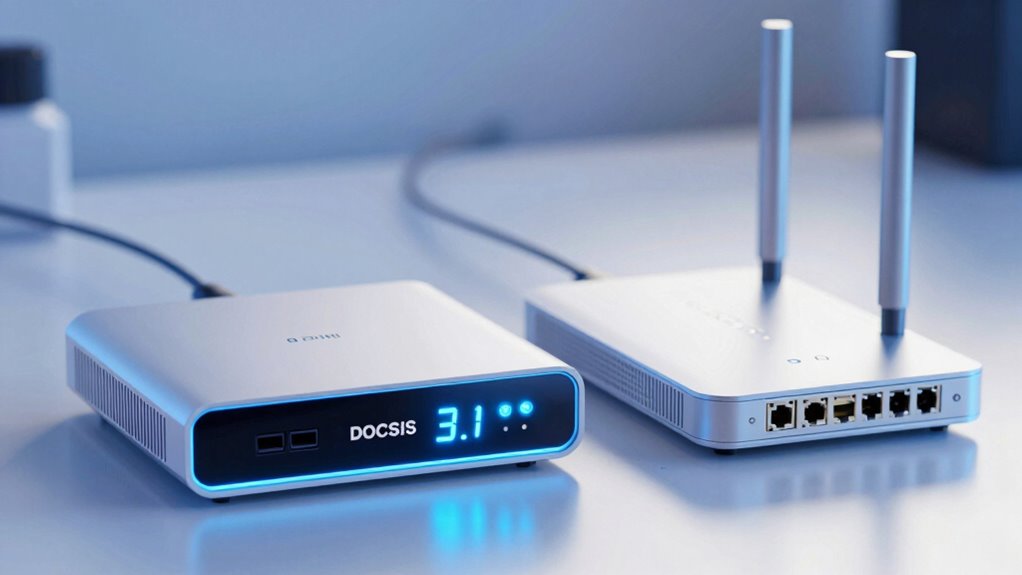
As internet demands continue to grow, selecting a future-proof connection standard becomes increasingly important. DOCSIS 3.1 is more future-proof than DOCSIS 3.0 because it supports higher bandwidths and advanced features, ensuring your connection can handle increased data loads. It also offers better signal stability, reducing latency and connection drops during peak usage. While DOCSIS 3.0 maintains legacy compatibility with older equipment, it’s limited in scaling for future demands. Choosing DOCSIS 3.1 means investing in a standard that can adapt as your needs evolve, providing longer-term reliability. Although upgrading might require new equipment, the enhanced performance and better support for growing bandwidth requirements make DOCSIS 3.1 the smarter choice for future-proofing your internet connection.
How Can You Make Sure Your Equipment Meets Your ISP’s Requirements?
Ensuring your equipment meets your ISP’s requirements is key to maximizing the benefits of a modern DOCSIS standard like 3.1. To do this, verify equipment compatibility by checking your modem’s specifications and ensuring it supports DOCSIS 3.1 if you want the latest speeds. Additionally, review your service plan options to confirm your current plan aligns with your equipment’s capabilities.
Ensure your equipment supports DOCSIS 3.1 and matches your ISP’s requirements for optimal internet performance.
Consider these steps:
- Confirm the modem is certified for your ISP’s network.
- Ensure your router supports the same DOCSIS standard.
- Check for firmware updates that improve compatibility and performance.
Doing so guarantees your setup efficiently handles your internet needs and meets your ISP’s standards, avoiding connection issues and unlocking optimal speeds.
Frequently Asked Questions
Can I Upgrade My Existing Modem to DOCSIS 3.1 Easily?
Upgrading your existing modem to DOCSIS 3.1 isn’t always straightforward. You need to check your modem compatibility first, ensuring it supports DOCSIS 3.1 standards. The installation process is usually simple—just unplug your old modem, connect the new one, and follow your ISP’s instructions. However, if your current modem isn’t compatible, you’ll need to purchase a new DOCSIS 3.1 modem for a seamless upgrade.
Will Switching to DOCSIS 3.1 Improve My Wi-Fi Performance?
Switching to DOCSIS 3.1 can improve your Wi-Fi performance, but it mainly enhances your internet speed and bandwidth, not directly your wireless signal. If you experience wireless interference or weak signal strength, upgrading your modem alone might not fix those issues. To truly boost Wi-Fi performance, consider upgrading your router, placing it ideally, and minimizing interference sources. DOCSIS 3.1 sets the stage for faster internet, but your Wi-Fi quality depends on your local network setup.
Are There Cost Differences Between DOCSIS 3.0 and 3.1?
You’ll find that the cost difference between DOCSIS 3.0 and 3.1 isn’t massive, but it does matter. DOCSIS 3.1 equipment tends to be pricier, reflecting its advanced technology, and installation expenses may also increase if upgrades are necessary. While tech-wise, DOCSIS 3.1 offers better future-proofing, your initial investment might be higher, so weigh these factors against your current needs and budget before deciding.
How Long Will DOCSIS 3.1 Be Relevant Before Newer Standards Emerge?
DOCSIS 3.1 will likely stay relevant for the next 5 to 7 years, as industry standards evolve slowly. Future technology, like 10G-PON or Wi-Fi 6E, may influence the industry, but DOCSIS 3.1 provides a solid foundation for high-speed internet now. You can expect ISPs to adopt newer standards gradually, but DOCSIS 3.1’s performance makes it a future-proof choice for the foreseeable future.
Does My Current Router Support DOCSIS 3.1 or 3.0?
Your current router’s compatibility depends on its model. Visualize it as a key fitting a lock—some keys (routers) only open certain doors (standards). Check your device’s specifications or firmware updates to see if it supports DOCSIS 3.1 or 3.0. Compatibility issues may arise if it’s outdated, but firmware updates can sometimes release new capabilities. If unsure, contact your manufacturer or ISP for precise info.
Conclusion
Ultimately, knowing the differences between DOCSIS 3.1 and 3.0 helps you make smarter choices for your internet setup. While 3.1 offers faster speeds and better future-proofing, it’s not always necessary for everyone. Make sure your equipment aligns with your ISP’s requirements so you don’t get caught with your pants down. Staying informed means you won’t be left holding the bag when technology moves forward—it’s better to be safe than sorry.