

To stay safe on public Wi‑Fi, always use a trusted VPN to encrypt your internet traffic and protect your data from hackers. Confirm the network’s legitimacy by checking for proper encryption like WPA2 or WPA3 and avoid open or suspicious networks. Enable your device’s firewall, keep software updated, and disable sharing features. HTTPS websites and avoiding sensitive transactions add extra security. Keep exploring to learn more about keeping your information secure in such environments.

Get the latest gadgets delivered free with Prime
- Fast, free delivery on millions of items
- Prime Video, Amazon Music and more included
- Member-only deals all year
Key Takeaways
- Using a reputable VPN encrypts your internet traffic, shielding data from interception on public Wi-Fi networks.
- Connecting only to secured networks with strong passwords and proper encryption (WPA2/WPA3) enhances safety.
- HTTPS websites encrypt data during transmission, reducing risks of eavesdropping and tampering.
- Keeping software, apps, and device security features updated minimizes vulnerabilities on public networks.
- Avoid sensitive activities, like entering passwords or personal info, unless on trusted, encrypted networks.
As an affiliate, we earn on qualifying purchases.
How Public Wi‑Fi Works and Why It’s Risky
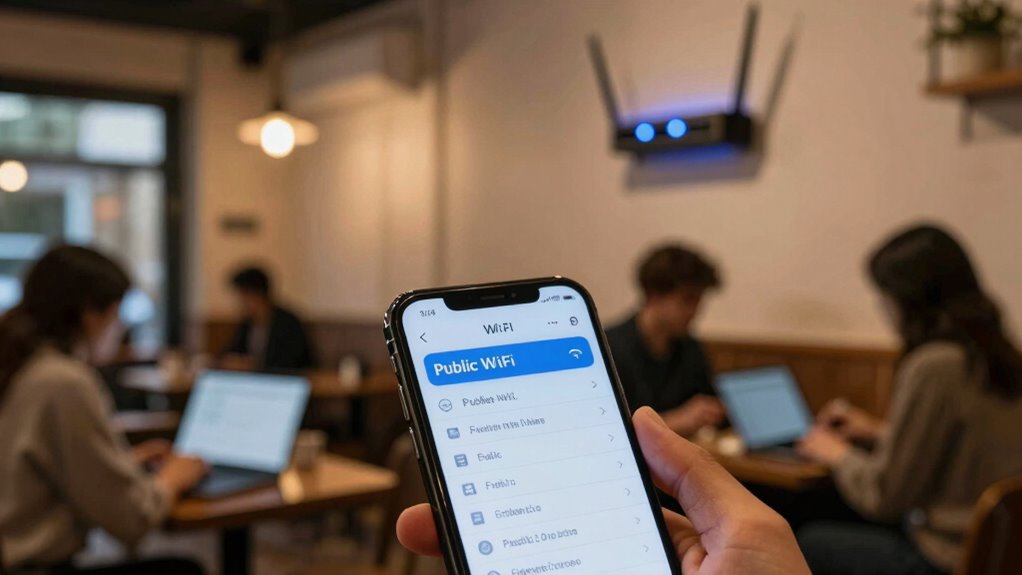
Public Wi-Fi networks are designed to make internet access convenient by allowing multiple users to connect to the internet through a shared wireless connection. When you connect, your device communicates with a router using wireless signals, often protected by encryption protocols. However, these protocols vary in strength, and some are easily bypassed by hackers. Network monitoring is also common on public networks, where administrators or malicious actors can track your activity or intercept data. Without proper security measures, your personal information, passwords, and browsing habits become vulnerable. Even if a network requires a password, it doesn’t guarantee safety. Understanding how these networks work helps you recognize their risks and emphasizes the importance of additional protections when browsing on public Wi-Fi. Additionally, encryption protocols can differ significantly in security, impacting your data’s safety. Being aware of wireless signal encryption helps you better evaluate the safety of the networks you connect to. Recognizing Free Floating network vulnerabilities can further assist in safeguarding your information. Moreover, the brand reputation of certain networks can influence their security levels, making some safer than others. Being informed about network security standards can help you choose safer options and avoid potential threats.
WPA2 WPA3 Wi-Fi security adapter
As an affiliate, we earn on qualifying purchases.
As an affiliate, we earn on qualifying purchases.
Common Myths About Public Wi‑Fi Debunked

Many people believe that connecting to a public Wi-Fi network automatically exposes their data to hackers, but this isn’t always true. Myth Busters have shown that while public networks can pose security risks, they don’t guarantee your data will be stolen. The truth is, the level of threat depends on how you connect and what precautions you take. Not every Wi-Fi network is a trap for cybercriminals, but some are more vulnerable than others. It’s a common misconception that all public Wi-Fi is dangerous, but with proper security measures—like using VPNs and avoiding sensitive transactions—you can protect yourself. Understanding these security risks helps you avoid unnecessary panic and use public Wi-Fi safely. Additionally, being aware of security measures can help you stay mindful of your digital footprint while respecting local customs and traditions. Being informed about public Wi-Fi vulnerabilities can further enhance your ability to stay secure in various environments, especially when considering different cybersecurity risks associated with different networks. A vetted approach to connecting can significantly reduce your exposure to potential threats.
As an affiliate, we earn on qualifying purchases.
How to Spot Unsafe Public Wi‑Fi Networks

While not all public Wi-Fi networks are dangerous, knowing how to identify unsafe ones can save you from potential security threats. Start by checking the network name; suspicious or unfamiliar public networks may be signs of a fake hotspot. Look at the signal strength—an overly strong signal can indicate a nearby malicious hotspot designed to intercept your data. Also, avoid networks that don’t require a password or have generic names like “Free Wi-Fi.” Be cautious if multiple networks with similar names appear, which could be an attempt to confuse users. If the network prompts you for unusual login details or redirects you to strange websites, it’s a red flag. Always verify the network’s legitimacy before connecting, especially in busy public places. Additionally, network security protocols can help determine whether a network is safe or not. Recognizing regional flavors and typical network setups in different areas can also help you assess whether a public Wi-Fi is legitimate or suspicious. Being aware of affiliate disclosures and privacy policies related to networks and providers can also give clues about the legitimacy and security of the connection. Furthermore, understanding common public Wi-Fi vulnerabilities can better prepare you to avoid potential threats and protect your data.
As an affiliate, we earn on qualifying purchases.
Top Security Measures to Protect Your Data on Public Wi‑Fi

To keep your data safe on public Wi‑Fi, you should always use a VPN to encrypt your connection and prevent snooping. Enabling your device’s firewall adds an extra layer of protection against unauthorized access. Together, these security measures help you browse securely and protect your sensitive information.
Use VPNs Consistently
Using a VPN consistently is one of the most effective ways to safeguard your data on public Wi‑Fi networks. A VPN encrypts your internet traffic using robust encryption protocols, making it nearly impossible for hackers to intercept your information. It also creates a secure tunnel between your device and the VPN server, adding an extra layer of protection. Additionally, many VPN services offer network segmentation, which divides your online activity into separate, isolated channels, reducing the risk of data leaks. By using a VPN regularly, you ensure your sensitive information stays private, even on unsecured networks. Remember, consistent use is key—disabling your VPN even temporarily can expose you to unnecessary risks. Stay vigilant, and make VPNs a routine part of your public Wi‑Fi safety strategy.
Enable Firewall Settings
Enabling your device’s firewall is a crucial step in protecting your data on public Wi‑Fi networks. Firewall configuration helps block unauthorized access and prevents malicious traffic from reaching your device. Make sure your firewall is turned on and properly set up to monitor incoming and outgoing connections. Active firewall settings serve as a barrier, stopping hackers from exploiting vulnerabilities. Additionally, good network monitoring helps you stay aware of suspicious activity and unusual data transfers. Regularly review your firewall rules and adjust them if necessary to enhance security. To further improve your protection, consider network monitoring practices that help you stay informed about potential threats. Ensuring your firewall is properly configured is essential for maintaining a strong defense against cyber threats. By maintaining a strong firewall configuration and keeping an eye on network activity, you considerably reduce your risk of cyber threats while using public Wi‑Fi. This simple step provides an essential layer of protection for your data. Incorporating cybersecurity best practices and firewall settings enhances your overall safety and helps safeguard your personal information. Remember that vulnerabilities in your network can be exploited if your security measures are not regularly updated.
How to Use VPNs for Public Wi‑Fi Security

When you connect to public Wi-Fi, your data can easily become vulnerable to hackers and eavesdroppers. Using a VPN helps protect your information by creating a secure, encrypted connection to a private server. This VPN encryption prevents outsiders from intercepting your data, even on a public network. To get started, choose a reputable VPN service and install the app on your device. Before browsing or transmitting sensitive information, activate the VPN. Make sure it’s connected securely before doing anything else. When your VPN is active, all your internet traffic is encrypted end-to-end, making it much harder for anyone to monitor or steal your data on a public network. This simple step considerably enhances your security when using public Wi-Fi.
Why HTTPS Matters When Browsing on Public Wi‑Fi

Even with a VPN protecting your data, it’s important to pay attention to the websites you visit. HTTPS encrypts your connection using advanced encryption techniques, making it harder for hackers or network monitoring tools to intercept your data. Without HTTPS, your information is vulnerable to eavesdropping, especially on public Wi‑Fi networks. When a website uses HTTPS, it ensures your data remains private and secure during transmission. Be cautious of sites that don’t, as they’re more susceptible to malicious actors. To help you understand, here’s a quick overview:
| Feature | Secure HTTPS Connection | Vulnerable Non-HTTPS Site | Benefit |
|---|---|---|---|
| Encryption | Yes | No | Protects data from monitoring |
| Data Integrity | Strong | Weak | Prevents tampering |
| Privacy | High | Low | Keeps browsing private |
| Risk Level | Low | High | Reduces hacking chances |
Additionally, understanding the importance of content encryption can help you better assess website security. Being aware of encryption techniques used by websites can further enhance your online safety. Recognizing cybersecurity measures can also help you identify secure sites and protect your personal information. Incorporating security protocols into your browsing habits can significantly reduce your vulnerability on public networks. Being familiar with digital safety practices can empower you to navigate the internet more securely.
Why You Should Avoid Sensitive Transactions on Public Wi‑Fi

Public Wi-Fi networks are often less secure than private connections, making them risky places to conduct sensitive transactions like online banking or shopping. These networks often lack strong data encryption, leaving your personal information vulnerable to eavesdropping. Even if a network claims to use encryption, weak or outdated protocols can be broken by attackers. Additionally, user authentication on public Wi-Fi is often minimal, making it easier for cybercriminals to impersonate legitimate users or create fake hotspots. Engaging in sensitive activities on these networks increases the risk of your login credentials, financial data, or personal details being intercepted. To protect yourself, avoid performing sensitive transactions on public Wi-Fi whenever possible, and wait until you’re on a secure, private connection. Using secure connections can help safeguard your data even when you need to access sensitive information remotely.
Simple Steps to Secure Your Device for Public Wi‑Fi

Securing your device before connecting to public Wi-Fi can considerably reduce the risk of data theft or malware infections. Enable device encryption to protect your personal information if your device gets lost or stolen. Encryption scrambles your data, making it unreadable without a password. Also, practice good password management by using strong, unique passwords for your accounts. Consider using a password manager to store and generate complex passwords securely. Keep your device’s software and apps up to date, as updates often include security patches. Disable sharing features and Bluetooth when not in use to prevent unauthorized access. These simple steps strengthen your device’s defenses, making it harder for cybercriminals to access your data while you’re on public Wi-Fi.
Practical Tips to Stay Safe When Using Public Wi‑Fi

When connecting to public Wi‑Fi, always choose secure networks to protect your data. Turning on a VPN adds an extra layer of privacy, preventing others from intercepting your information. These simple steps can substantially reduce your risk of cyber threats while browsing on the go.
Use Secure Networks Only
To stay safe while using Wi‑Fi hotspots, always connect only to secure networks that require a password. Public networks without password protection are vulnerable to eavesdropping and hacking. Look for networks with network encryption, which helps protect your data from interception.
Remember these tips:
- Confirm the network is secured with a password.
- Avoid open or free public networks if possible.
- Check for networks with “WPA2” or “WPA3” encryption for better security.
- Be cautious if the network name seems suspicious or unfamiliar.
Using secure networks reduces the risk of data theft and unauthorized access. Always prioritize networks with proper encryption to keep your information safe during public Wi‑Fi use.
Enable VPN for Privacy
Using a VPN adds an extra layer of protection once you’re connected to a public Wi‑Fi network. VPN benefits include encrypting your internet traffic, making it difficult for hackers to intercept your data. This encryption considerably enhances your privacy protection, preventing third parties from viewing your browsing habits or sensitive information. When you enable a VPN, your online activity becomes hidden from hackers, ISPs, and even the network provider. This is especially important on unsecured networks, where data leaks are common. By activating a VPN, you ensure your personal information, passwords, and financial details stay private. It’s a simple yet effective step to safeguard your digital identity, giving you peace of mind while browsing or conducting transactions on public Wi‑Fi.
Frequently Asked Questions
Can Public Wi-Fi Be Hacked Even if It Appears Secure?
Yes, public Wi-Fi can still be hacked, even if it looks secure. Hackers use techniques like exploiting weak encryption protocols or monitoring network activity to intercept data. You can protect yourself by ensuring the network uses strong encryption, such as WPA3, and being cautious of suspicious activity. Using a VPN adds an extra layer of security, making it much harder for hackers to access your information on public networks.
What Signs Indicate a Fake or Malicious Public Wi-Fi Network?
You can spot a fake network by checking for weak or inconsistent signal strength, suspicious names, or unfamiliar network labels. A fake network often mimics a legitimate one but has subtle differences in spelling or wording. If the network prompts you for unnecessary login details or redirects you unexpectedly, it’s likely malicious. Trust your instincts—if something feels off, avoid connecting, and always verify with the venue before joining a public Wi-Fi.
Are Public Wi-Fi Security Tools Effective Against All Threats?
Public Wi-Fi security tools are helpful but not foolproof against all threats. They rely on encryption protocols to safeguard your data and user authentication to verify your identity, which protect you from many attacks. However, sophisticated hackers can still bypass these defenses. Always use a VPN, avoid sensitive transactions, and enable firewalls for added security, as no single tool guarantees complete protection in every scenario.
How Often Should I Update My Device’s Security Settings?
You should update your device’s security settings regularly, ideally enabling automatic updates to guarantee you get the latest patches. Additionally, update your passwords frequently and use a reliable password management tool to keep track of them securely. Regular updates help protect against new threats, while strong, managed passwords reduce the risk of unauthorized access. Make it a habit to review and strengthen your security settings at least once a month.
Is It Safe to Connect to Public Wi-Fi With Iot Devices?
Connecting IoT devices to public Wi-Fi isn’t inherently safe, but you can protect yourself. Use device encryption to secure your devices’ data and enable network segmentation, which keeps IoT devices isolated from your main devices. This way, even if the network is compromised, your critical information stays protected. Always make certain your IoT devices have the latest firmware updates and avoid connecting sensitive devices to public networks whenever possible.
Conclusion
While public Wi‑Fi offers convenience, it’s a risky playground for hackers. Think of it like a busy market—without proper safeguards, your data is vulnerable. But with simple steps like using a VPN, avoiding sensitive transactions, and ensuring HTTPS, you can enjoy the benefits without the danger. Protecting your device turns a potential threat into a safe space, so you can surf freely—just smart, secure, and confident.
Halloween Picks
halloween
As an affiliate, we earn on qualifying purchases.