The Microsoft Surface Laptop 13-inch (2025) is my best overall pick for its current-generation Snapdragon platform, 16GB of memory, and practical 512GB storage. For a larger screen and more headroom, the 15-inch Surface Laptop (2024) with 32GB RAM stands out, while the Surface Laptop 13.8-inch (2026) with Snapdragon X2 Elite is the performance-focused choice. The main tradeoffs are screen size versus portability, Snapdragon efficiency versus Intel software compatibility, and newer hardware versus the uncertainty of buying a renewed older model. This roundup compares all 15 options by those differences, so keep reading to find the Surface that suits your workload and budget priorities.

Get the latest gadgets delivered free with Prime
- Fast, free delivery on millions of items
- Prime Video, Amazon Music and more included
- Member-only deals all year
Complete the kit



Key Takeaways
- The 2025 13-inch Surface Laptop is my best overall balance: it pairs a current Snapdragon X Plus chip with 16GB RAM and 512GB SSD without moving to a larger chassis.
- The 15-inch 2024 model is the standout for multitasking capacity, with 32GB RAM and 1TB storage; buyers who only need ordinary office work may not benefit from all that headroom.
- The 2026 13.8-inch Snapdragon X2 Elite model and the 15-inch X2 Plus model represent newer platform choices, but buyers should compare their priorities rather than assume the newest chip is automatically the best fit.
- Intel-based Surface Laptop 6 for Business models make more sense for workloads tied to Windows software compatibility, while Snapdragon models emphasize efficient everyday computing.
- The renewed Laptop 4 and Laptop 5 listings vary in storage, operating system, and refurbishing status, so condition, seller terms, and exact configuration matter as much as the model name.
| Microsoft Surface Laptop 13-inch (2025), Snapdragon X Plus, 16GB RAM, 512GB SSD, Platinum |  | Best Compact Copilot+ Pick | Processor: Snapdragon X Plus, 8-core (X1P-46-100) | Memory: 16GB RAM | Storage: 512GB SSD | VIEW LATEST PRICE | See Our Full Breakdown |
| Microsoft Surface Laptop 15-inch (2026), Snapdragon X2 Plus, 16GB RAM, 512GB SSD, Platinum |  | Best Large-Screen Surface | Display: 15-inch PixelSense LCD touchscreen, 3270 × 2180, 600 nits | Processor: Qualcomm Snapdragon X2 Plus, 10 cores | Memory: 16GB RAM | VIEW LATEST PRICE | See Our Full Breakdown |
| Microsoft Surface Laptop 4, 13.5-Inch Touchscreen, Intel Core i7-1185G7, 16GB RAM, 512GB SSD, Platinum (Renewed) |  | Best Renewed Intel Option | Processor: Intel Core i7-1185G7, 3 GHz (up to 4.8 GHz) | Memory: 16GB DDR4 SDRAM | Storage: 512GB SSD | VIEW LATEST PRICE | See Our Full Breakdown |
| Microsoft Surface Laptop 5 13.5-Inch Touchscreen, Intel Core i7, 16GB RAM, 256GB SSD, Windows 11 Pro, Matte Black (Renewed) |  | Best Renewed Surface for Windows 11 Pro | Display: 13.5-inch PixelSense touchscreen, 2256 × 1504 | Processor: 12th-generation Intel Core i7-1265U listed; processor details conflict in description | Memory: 16GB RAM | VIEW LATEST PRICE | See Our Full Breakdown |
| Microsoft Surface Laptop 13.8-inch (2026), Snapdragon X2 Elite, 16GB RAM, 512GB SSD, Platinum |  | Best for Multitasking in a Compact Size | Display: 13.8-inch LCD touchscreen; listed resolution 2304 × 1536 (source details inconsistent) | Processor: Qualcomm Snapdragon X2 Elite, 12-core | Memory: 16GB RAM | VIEW LATEST PRICE | See Our Full Breakdown |
| Microsoft Surface Laptop 5 13.5-Inch Touchscreen Notebook, Intel Core i7-1265U, 16GB RAM, 512GB SSD, Platinum (Renewed) |  | Best Renewed Surface Laptop 5 | Display: 13.5-inch LCD touchscreen, 2256 × 1504 | Processor: 12th Gen Intel Core i7-1265U, 2.9 GHz base and up to 4.8 GHz | Memory: 16GB LPDDR5, 4800 MHz | VIEW LATEST PRICE | See Our Full Breakdown |
| Microsoft Surface Laptop 7, Snapdragon X Plus, 16GB RAM, 1TB SSD |  | Best for Battery and Storage | Display: 13.8-inch touchscreen, 2304 × 1536, 120Hz | Processor: Snapdragon X Plus | Memory: 16GB DDR5 | VIEW LATEST PRICE | See Our Full Breakdown |
| Microsoft Surface Laptop 7 for Business (2025), 13.8-inch, Intel Core Ultra 7, 16GB RAM, 256GB SSD, Black (Renewed) |  | Best Renewed Business Pick | Display: 13.8-inch PixelSense Flow touchscreen; listed resolution 2256 × 1504, with 2560 × 1600 also listed | Processor: Intel Core Ultra 7, Series 2 | AI NPU: Intel AI Boost, up to 48 TOPS | VIEW LATEST PRICE | See Our Full Breakdown |
| Microsoft Surface Laptop 7th Edition, 15-Inch, Snapdragon X Elite, 16GB RAM, 512GB SSD, Windows 11 Home (Renewed) |  | Best Large-Screen Renewed Pick | Display: 15-inch PixelSense touchscreen, 2496 × 1664, up to 120Hz | Processor: 12-core Snapdragon X Elite | Memory: 16GB LPDDR5X | VIEW LATEST PRICE | See Our Full Breakdown |
| Microsoft Surface Laptop 6 for Business, 13.5-Inch, Intel Core Ultra 7 165H, 16GB RAM, 1TB SSD |  | Best Intel Business Configuration | Display: 13.5-inch LCD touchscreen, 2256 × 1504, 60Hz, 400 nits | Processor: 16-core Intel Core Ultra 7 165H | Memory: 16GB DDR5 | VIEW LATEST PRICE | See Our Full Breakdown |
| Surface Laptop Ultra 15-inch, NVIDIA N1X, 48GB RAM, 1TB SSD, Nightfall |  | Best for Memory-Heavy Creative Work | Display: 15-inch touchscreen | Processor: NVIDIA N1X, 20-core | Memory: 48GB LPDDR5X | VIEW LATEST PRICE | See Our Full Breakdown |
| Microsoft Surface Laptop (2024), 15-inch Touchscreen, Snapdragon X Elite, 32GB RAM, 1TB SSD, Black |  | Best for a Big-Screen Copilot+ PC | Display: 15-inch touchscreen | Processor: Snapdragon X Elite, 12-core | Memory: 32GB RAM | VIEW LATEST PRICE | See Our Full Breakdown |
| Microsoft Surface Laptop Go 2, 12.4-Inch Touchscreen, Intel Core i5, 16GB RAM, 256GB SSD, Windows 11 Pro (Renewed) | 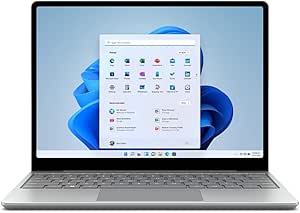 | Best Compact Renewed Surface | Model year: 2022 | Display: 12.4-inch LCD touchscreen, 1536 × 1024, 60 Hz | Processor: Intel Core i5-1135G7, 4 cores | VIEW LATEST PRICE | See Our Full Breakdown |
| Microsoft Surface Laptop 4 13.5-inch Touchscreen, Intel Core i7-1185G7, 16GB RAM, 256GB SSD, Windows 11 Pro, Matte Black (Certified Refurbished) | | Best Refurbished Display | Display: 13.5-inch PixelSense touchscreen, 2256 × 1504 | Processor: Intel Core i7-1185G7, 11th generation, 4 cores | Memory: 16GB DDR SDRAM | VIEW LATEST PRICE | See Our Full Breakdown |
| Microsoft Surface Laptop 6 for Business, 13.5-inch, Intel Core Ultra 5 135H, 16GB RAM, 512GB SSD |  | Best for Business Connectivity | Display: 13.5-inch touchscreen, 2256 × 1504, 400 nits | Processor: Intel Core Ultra 5 135H | Memory: 16GB DDR5 | VIEW LATEST PRICE | See Our Full Breakdown |
| Microsoft Surface laptop | Processor | Memory | Storage | Display |
|---|---|---|---|---|
| Microsoft Surface Laptop 13-in | Snapdragon X Plus, 8-core (X1P-46-100) | 16GB RAM | 512GB SSD | 13-inch LED touchscreen, 1920 × 1280, 60Hz, up to 400 nits |
| Microsoft Surface Laptop 15-in | Qualcomm Snapdragon X2 Plus, 10 cores | 16GB RAM | 512GB SSD | 15-inch PixelSense LCD touchscreen, 3270 × 2180, 600 nits |
| Microsoft Surface Laptop 4 | Intel Core i7-1185G7, 3 GHz (up to 4.8 GHz) | 16GB DDR4 SDRAM | 512GB SSD | 13.5-inch touchscreen, 2256 × 1504 |
| Microsoft Surface Laptop 5 13. | 12th-generation Intel Core i7-1265U listed; processor details conflict in description | 16GB RAM | 256GB SSD | 13.5-inch PixelSense touchscreen, 2256 × 1504 |
| Microsoft Surface Laptop 13.8- | Qualcomm Snapdragon X2 Elite, 12-core | 16GB RAM | 512GB SSD | 13.8-inch LCD touchscreen; listed resolution 2304 × 1536 (source details inconsistent) |
| Microsoft Surface Laptop 5 13. | 12th Gen Intel Core i7-1265U, 2.9 GHz base and up to 4.8 GHz | 16GB LPDDR5, 4800 MHz | 512GB SSD | 13.5-inch LCD touchscreen, 2256 × 1504 |
| Microsoft Surface Laptop 7 | Snapdragon X Plus | 16GB DDR5 | 1TB PCIe SSD | 13.8-inch touchscreen, 2304 × 1536, 120Hz |
| Microsoft Surface Laptop 7 for | Intel Core Ultra 7, Series 2 | 16GB DDR4 | 256GB SSD | 13.8-inch PixelSense Flow touchscreen; listed resolution 2256 × 1504, with 2560 × 1600 also listed |
| Microsoft Surface Laptop 7th E | 12-core Snapdragon X Elite | 16GB LPDDR5X | 512GB removable SSD | 15-inch PixelSense touchscreen, 2496 × 1664, up to 120Hz |
| Microsoft Surface Laptop 6 for | 16-core Intel Core Ultra 7 165H | 16GB DDR5 | 1TB SSD | 13.5-inch LCD touchscreen, 2256 × 1504, 60Hz, 400 nits |
| Surface Laptop Ultra 15-inch | NVIDIA N1X, 20-core | 48GB LPDDR5X | 1TB SSD | 15-inch touchscreen |
| Microsoft Surface Laptop | Snapdragon X Elite, 12-core | 32GB RAM | 1TB SSD | 15-inch touchscreen |
| Microsoft Surface Laptop Go 2 | Intel Core i5-1135G7, 4 cores | 16GB RAM | 256GB SSD | 12.4-inch LCD touchscreen, 1536 × 1024, 60 Hz |
| Microsoft Surface Laptop 4 13. | Intel Core i7-1185G7, 11th generation, 4 cores | 16GB DDR SDRAM | 256GB SSD | 13.5-inch PixelSense touchscreen, 2256 × 1504 |
| Microsoft Surface Laptop 6 for | Intel Core Ultra 5 135H | 16GB DDR5 | 512GB SSD | 13.5-inch touchscreen, 2256 × 1504, 400 nits |
More Details on Our Top Picks
Microsoft Surface Laptop 13-inch (2025), Snapdragon X Plus, 16GB RAM, 512GB SSD, Platinum
The 13-inch Surface Laptop makes the most sense for buyers who want a portable everyday Surface with current Copilot+ features, rather than the largest screen or strongest processor in this group. Its Snapdragon X Plus 8-core chip, 16GB of memory, and 512GB SSD suit routine work, browsing, and multitasking, while the touchscreen and advertised battery life of up to 23 hours support working away from an outlet. Compared with the 13.8-inch Surface Laptop (2026), this model gives up processor cores and display resolution for a smaller format and a longer stated battery-life figure. The tradeoff is a 1920 × 1280, 60Hz display, which offers less workspace and detail than the higher-resolution options. Battery life will vary with workload, and accessories are sold separately.
Pros:- Compact 13-inch touchscreen format suits portable work
- Snapdragon X Plus processor supports Copilot+ PC features
- 16GB RAM and 512GB SSD provide a useful everyday configuration
- Advertised battery life of up to 23 hours
Cons:- 1920 × 1280 resolution provides less workspace than the larger Surface models
- Battery life varies with usage and settings
- Accessories are sold separately
Best for: Students and mobile professionals who want a compact Windows laptop for everyday tasks, touchscreen use, and Copilot+ features.
Not ideal for: Buyers who need a high-resolution display for detailed creative work or want the more powerful 12-core processor in the 13.8-inch Surface Laptop (2026).
- Processor:Snapdragon X Plus, 8-core (X1P-46-100)
- Memory:16GB RAM
- Storage:512GB SSD
- Display:13-inch LED touchscreen, 1920 × 1280, 60Hz, up to 400 nits
- Graphics:Integrated Qualcomm Adreno
- Operating system:Windows 11 Home
- Battery life:Up to 23 hours (advertised)
- Ports:3 USB ports
Our verdict“Choose this compact Surface for portable everyday computing and Copilot+ features, but pick the 13.8-inch model for a sharper, roomier screen and a higher-core-count processor.”
Microsoft Surface Laptop 15-inch (2026), Snapdragon X2 Plus, 16GB RAM, 512GB SSD, Platinum
This 15-inch Surface Laptop is the lineup’s screen-first choice: its 3270 × 2180 PixelSense touchscreen gives spreadsheets, documents, and split-screen work considerably more room than the 13-inch Surface Laptop (2025). The stated 600-nit brightness is another advantage for users who often work in bright rooms. A 10-core Snapdragon X2 Plus, 16GB RAM, and 512GB SSD make it a capable everyday work machine, while two USB-C/USB4 ports support modern peripherals. Compared with the 13.8-inch Surface Laptop (2026), this one favors display size and resolution over easier portability and the other model’s 12-core X2 Elite processor. Its advertised battery life is up to 19 hours, below the smaller 13-inch model’s claim, and integrated graphics are not a substitute for dedicated graphics in demanding visual workloads.
Pros:- Large 15-inch PixelSense touchscreen with 3270 × 2180 resolution
- Listed display brightness of 600 nits
- 10-core Snapdragon X2 Plus processor and 16GB RAM
- Two USB-C/USB4 ports
Cons:- Larger screen makes it less suited to buyers prioritizing compact portability
- Advertised battery life is lower than the 13-inch Surface Laptop (2025)
- Integrated Adreno graphics are not dedicated graphics
Best for: Remote workers and multitaskers who want a large, bright touchscreen for documents, video calls, and side-by-side apps.
Not ideal for: Frequent travelers who prioritize a smaller laptop, or creative professionals whose graphics-heavy work calls for dedicated graphics.
- Display:15-inch PixelSense LCD touchscreen, 3270 × 2180, 600 nits
- Processor:Qualcomm Snapdragon X2 Plus, 10 cores
- Memory:16GB RAM
- Storage:512GB SSD
- Operating system:Windows 11 Home
- Graphics:Integrated Adreno
- Battery life:Up to 19 hours (advertised)
- Ports:Two USB-C/USB4
- Chassis:Aluminum alloy made with 100% recycled aluminum
Our verdict“Pick this model when screen size, resolution, and brightness matter more than a compact footprint or the 13.8-inch model’s higher-core-count processor.”
Microsoft Surface Laptop 4, 13.5-Inch Touchscreen, Intel Core i7-1185G7, 16GB RAM, 512GB SSD, Platinum (Renewed)
The renewed Surface Laptop 4 suits buyers who specifically want an Intel-based Surface with a high-resolution touchscreen, 16GB RAM, and a 512GB SSD. Its Core i7-1185G7 and 2256 × 1504 display make it a more traditional alternative to the Snapdragon-powered 13-inch Surface Laptop (2025); that newer model advertises longer battery life and Copilot+ features, while this one offers Windows 10 Pro and familiar Intel hardware. The renewed condition and included 90-day warranty give some recourse, but the listing warns that units may show subtle signs of prior use. At 3.9 pounds and with a 42 Wh battery, it is also a less compelling choice for frequent travel than the newer compact option. The adapter may be third-party or used, so buyers should be comfortable with refurbished-device uncertainty.
Pros:- 13.5-inch touchscreen with 2256 × 1504 resolution
- Intel Core i7-1185G7 processor
- 16GB RAM and 512GB SSD
- Includes a 90-day warranty
Cons:- Renewed unit may have subtle cosmetic signs of prior use
- Runs Windows 10 Pro rather than Windows 11
- AC adapter may be third-party new or OEM used
Best for: Buyers seeking a renewed Intel Surface for general office work who value a 512GB SSD and a higher-resolution touchscreen over newer Copilot+ features.
Not ideal for: Shoppers who want a new laptop, a longer stated battery-life claim, Windows 11, or the lighter portable profile of the 13-inch Surface Laptop (2025).
- Processor:Intel Core i7-1185G7, 3 GHz (up to 4.8 GHz)
- Memory:16GB DDR4 SDRAM
- Storage:512GB SSD
- Display:13.5-inch touchscreen, 2256 × 1504
- Operating system:Windows 10 Pro
- Weight:3.9 pounds
- Battery:42 Wh
- Warranty:90 days
Our verdict“Consider this renewed model for its Intel processor, sharp touchscreen, and 512GB SSD, but choose the newer 13-inch Surface Laptop for Windows 11 and Copilot+ features.”
Microsoft Surface Laptop 5 13.5-Inch Touchscreen, Intel Core i7, 16GB RAM, 256GB SSD, Windows 11 Pro, Matte Black (Renewed)
This renewed Surface Laptop 5 stands out for buyers who want Windows 11 Pro on a familiar 13.5-inch Surface, rather than the Windows 11 Home setup on the newer Snapdragon models. Its 2256 × 1504 PixelSense touchscreen, 16GB RAM, Wi-Fi 6, and Windows Hello sign-in support a straightforward work setup. Compared with the renewed Surface Laptop 4, it offers Windows 11 Pro and a lighter listed weight of 3.40 pounds, but its 256GB SSD has half the listed capacity of that Laptop 4 configuration. The listing also reports conflicting processor details, so I would verify the exact CPU with the seller before buying. A minimum 90-day warranty offers some protection, but the renewed condition and potentially generic box are tradeoffs.
Pros:- 13.5-inch PixelSense touchscreen with 2256 × 1504 resolution
- Windows 11 Pro and Windows Hello sign-in
- 16GB RAM and Wi-Fi 6
- Minimum 90-day renewed warranty
Cons:- 256GB SSD offers less storage than the renewed Surface Laptop 4 configuration
- Listing contains conflicting processor details
- Renewed unit may arrive in a generic box
Best for: Business users who want a renewed 13.5-inch Surface with Windows 11 Pro, Windows Hello, and Wi-Fi 6 for everyday office tasks.
Not ideal for: Buyers who need 512GB of built-in storage, want a new device, or prefer clearly documented specifications and a Snapdragon Copilot+ model.
- Display:13.5-inch PixelSense touchscreen, 2256 × 1504
- Processor:12th-generation Intel Core i7-1265U listed; processor details conflict in description
- Memory:16GB RAM
- Storage:256GB SSD
- Operating system:Windows 11 Pro
- Wireless:Wi-Fi 6, Bluetooth 5.0
- Weight:3.40 lb
- Ports:USB-C, USB-A, 3.5mm headphone jack, Surface Connect
- Warranty:Minimum 90 days
Our verdict“Choose this renewed Laptop 5 if Windows 11 Pro and Windows Hello matter more than storage capacity, but verify the processor listing before ordering.”
Microsoft Surface Laptop 13.8-inch (2026), Snapdragon X2 Elite, 16GB RAM, 512GB SSD, Platinum
The 13.8-inch Surface Laptop is the performance-leaning compact choice here. Its 12-core Snapdragon X2 Elite and 16GB RAM are better suited to heavier multitasking than the 8-core Snapdragon X Plus in the 13-inch Surface Laptop (2025), while the 2304 × 1536 touchscreen offers more detail and workspace. The advertised battery life of up to 20 hours also positions it between that smaller model’s 23-hour claim and the 15-inch X2 Plus’s 19-hour claim. Two USB-C/USB4 ports add useful connectivity in a recycled-aluminum chassis. The tradeoffs are integrated graphics, a 54.12 Wh battery, and inconsistent resolution details in the source listing. Buyers should confirm the display specifications before purchase, especially if exact resolution matters for their work.
Pros:- 12-core Snapdragon X2 Elite processor
- 13.8-inch touchscreen listed at 2304 × 1536
- 16GB RAM and 512GB SSD
- Two USB-C/USB4 ports and recycled-aluminum chassis
Cons:- Source listing contains inconsistent display-resolution details
- Integrated Adreno graphics are not dedicated graphics
- Advertised battery life varies with use and settings
Best for: Professionals who want a relatively portable Surface for frequent multitasking, everyday creative tasks, and a sharper touchscreen than the 13-inch model provides.
Not ideal for: Buyers who need dedicated graphics, a large 15-inch workspace, or certainty about display specifications without confirming the listing.
- Display:13.8-inch LCD touchscreen; listed resolution 2304 × 1536 (source details inconsistent)
- Processor:Qualcomm Snapdragon X2 Elite, 12-core
- Memory:16GB RAM
- Storage:512GB SSD
- Operating system:Windows 11 Home
- Graphics:Integrated Adreno
- Battery life:Up to 20 hours (advertised)
- Ports:Two USB-C/USB4
- Chassis:Aluminum alloy made with 100% recycled aluminum
Our verdict“Pick this model for a stronger compact multitasking configuration and a sharper screen than the 13-inch X Plus, after confirming the display details.”
Microsoft Surface Laptop 5 13.5-Inch Touchscreen Notebook, Intel Core i7-1265U, 16GB RAM, 512GB SSD, Platinum (Renewed)
The Surface Laptop 5 pairs a sharp 13.5-inch, 3:2 touchscreen with an 12th Gen Core i7, 16GB of memory, and a 512GB SSD, giving everyday office work and multitasking capable hardware in a 2.8-pound body. Compared with the newer Surface Laptop 7 models here, it has an older processor and a lower stated battery runtime, but its familiar Intel platform may suit buyers who prefer that generation of Windows hardware. Windows 11 Pro also makes it a better fit for work features than the Snapdragon-based Surface Laptop 7 with Windows 11 Home. The main compromise is its renewed condition, backed by only a 90-day limited warranty. Its advertised eight-hour runtime is modest, and the listing identifies just one USB port, so check your peripheral needs before choosing it.
Pros:- Sharp 2256 × 1504 touchscreen with a useful 3:2 workspace
- 16GB RAM and 512GB SSD suit multitasking and everyday file storage
- Light 2.8-pound design is convenient for commuting
- Windows 11 Pro is included
Cons:- Renewed condition and 90-day limited warranty offer less purchase assurance than the one-year-warranty Surface Laptop 7 Snapdragon X Plus listing
- Advertised battery runtime is up to 8 hours, shorter than the newer Surface Laptop 7 listings claim
- Only one USB port is listed, limiting direct peripheral connections
Best for: Traveling office users who want a light, renewed 13.5-inch Surface with Windows 11 Pro, 16GB RAM, and a 512GB SSD.
Not ideal for: Buyers who need a longer advertised battery runtime, multiple built-in USB ports, or the reassurance of a new device and longer warranty.
- Display:13.5-inch LCD touchscreen, 2256 × 1504
- Processor:12th Gen Intel Core i7-1265U, 2.9 GHz base and up to 4.8 GHz
- Memory:16GB LPDDR5, 4800 MHz
- Storage:512GB SSD
- Graphics:Integrated Intel Iris Xe
- Operating system:Windows 11 Pro
- Weight:2.8 pounds
- Battery runtime:Advertised up to 8 hours
- Condition and warranty:Renewed; 90-day limited warranty
Our verdict“Choose this renewed Surface Laptop 5 for a light Intel-based Windows 11 Pro laptop, but skip it if battery runtime or warranty coverage is a priority.”
Microsoft Surface Laptop 7, Snapdragon X Plus, 16GB RAM, 1TB SSD
This Surface Laptop 7 combines a 120Hz touchscreen with a 1TB SSD, giving it a useful advantage over the renewed Surface Laptop 5, which has half the listed storage and an older display specification. Its Snapdragon X Plus platform, 16GB memory, and claimed battery life of up to 20 hours make it a strong match for mobile work, while Wi-Fi 7 and two USB-C USB4 ports provide current connectivity. The 13.8-inch screen is larger than the Laptop 5’s without turning this into a 15-inch machine. The tradeoffs are practical: it runs Windows 11 Home, not Pro, and the seller says the computer was resealed for a system upgrade. Battery life is a claim rather than a guarantee, and buyers who rely on specialized Windows software should check compatibility with the Snapdragon processor before choosing it.
Pros:- 1TB PCIe SSD provides twice the listed storage of the renewed Surface Laptop 5
- 13.8-inch 120Hz touchscreen supports smooth scrolling and interaction
- Two USB-C USB4 ports, USB-A, and Wi-Fi 7 offer flexible connectivity
- Advertised battery life is up to 20 hours
Cons:- Windows 11 Home lacks the Pro edition included with the Surface Laptop 5 and Surface Laptop 6 for Business
- Resealed after a system upgrade, rather than presented as an untouched retail unit
- Snapdragon processor compatibility may not suit every Windows application or peripheral
Best for: Mobile professionals and students who want a compact Surface with a large SSD, a high-refresh touchscreen, and modern wireless connectivity.
Not ideal for: Business buyers who require Windows 11 Pro or users whose essential applications and peripherals need confirmed compatibility with Snapdragon-based Windows.
- Display:13.8-inch touchscreen, 2304 × 1536, 120Hz
- Processor:Snapdragon X Plus
- Memory:16GB DDR5
- Storage:1TB PCIe SSD
- Graphics:Integrated Qualcomm Adreno
- Operating system:Windows 11 Home
- Connectivity:Wi-Fi 7, Bluetooth 5.3, two USB-C USB4, one USB-A, Surface Connect, 3.5mm audio
- Battery life:Advertised up to 20 hours
- Warranty and condition:One-year Microsoft warranty; resealed for a system upgrade
Our verdict“Pick this Surface Laptop 7 if you want 1TB of storage, a 120Hz display, and long claimed battery life in a compact machine, and Windows 11 Home meets your needs.”
Microsoft Surface Laptop 7 for Business (2025), 13.8-inch, Intel Core Ultra 7, 16GB RAM, 256GB SSD, Black (Renewed)
For buyers who need Windows 11 Pro and an Intel business-oriented configuration, this renewed Surface Laptop 7 for Business offers a different fit from the Snapdragon Surface Laptop 7 with Windows 11 Home. Its Core Ultra 7 processor and listed 48-TOPS AI NPU suit workloads that can use on-device AI features, while fast charging and a claimed battery life of up to 22 hours support work away from an outlet. The 13.8-inch PixelSense Flow touchscreen keeps the footprint smaller than the 15-inch Snapdragon X Elite model. The storage is the clearest limitation: 256GB is half the capacity of the Surface Laptop 5 in this batch and a quarter of the Snapdragon X Plus Laptop 7. It is also renewed, with a 90-day warranty, and the listing gives mixed resolution figures.
Pros:- Windows 11 Pro and an Intel Core Ultra 7 suit business-focused setups
- Intel AI Boost NPU is listed at up to 48 TOPS
- Fast charging is supported through Surface Connect or USB-C
- Advertised battery life is up to 22 hours
Cons:- 256GB SSD leaves less room for local files than the 512GB Surface Laptop 5 or 1TB Snapdragon X Plus Laptop 7
- Renewed condition and 90-day limited warranty provide less coverage than the one-year-warranty Laptop 7 Snapdragon listing
- The listing gives different display resolution figures
Best for: Business users who need Windows 11 Pro and Intel hardware in a 13.8-inch touchscreen laptop, and can work within 256GB of storage.
Not ideal for: Buyers who keep large local media or project libraries, want a new device with a longer warranty, or need clearly stated display specifications.
- Display:13.8-inch PixelSense Flow touchscreen; listed resolution 2256 × 1504, with 2560 × 1600 also listed
- Processor:Intel Core Ultra 7, Series 2
- AI NPU:Intel AI Boost, up to 48 TOPS
- Memory:16GB DDR4
- Storage:256GB SSD
- Operating system:Windows 11 Pro
- Battery life:Advertised up to 22 hours
- Weight:3.1 pounds
- Condition and warranty:Renewed; 90-day limited warranty
Our verdict“Choose this renewed business model if Windows 11 Pro and Intel AI hardware matter more than storage capacity and warranty length.”
Microsoft Surface Laptop 7th Edition, 15-Inch, Snapdragon X Elite, 16GB RAM, 512GB SSD, Windows 11 Home (Renewed)
The 15-inch Surface Laptop 7th Edition is the choice here for buyers who want more screen area without stepping up to the 13.8-inch format. Its 2496 × 1664 PixelSense touchscreen runs at up to 120Hz, and the 12-core Snapdragon X Elite paired with 16GB LPDDR5X gives it a higher-tier processor configuration than the Snapdragon X Plus Surface Laptop 7. A 512GB removable SSD offers a middle ground between that model’s 1TB drive and the business Surface Laptop 7’s 256GB. The 1080p Studio Camera and Copilot+ features also fit frequent video calls and AI-enabled tasks. The tradeoffs are that it is renewed, runs Windows 11 Home, and its listing gives conflicting weights of 2.96 and 3.7 pounds, making portability harder to judge confidently.
Pros:- 15-inch, 2496 × 1664 touchscreen with refresh rates up to 120Hz
- 12-core Snapdragon X Elite and 16GB LPDDR5X provide a higher-tier listed processor than the X Plus Laptop 7
- 512GB removable SSD balances capacity against the 256GB business model
- 1080p Surface Studio Camera supports video calls and Studio effects
Cons:- Renewed condition may include signs of prior use
- Windows 11 Home does not offer the Pro edition on the business Surface Laptop 7 models
- The listing gives inconsistent weights of 2.96 and 3.7 pounds
Best for: Remote workers and multitaskers who prefer a spacious touchscreen, a Snapdragon X Elite processor, and a 512GB SSD.
Not ideal for: Buyers who need Windows 11 Pro, want a new-device warranty, or require dependable weight information before choosing a travel laptop.
- Display:15-inch PixelSense touchscreen, 2496 × 1664, up to 120Hz
- Processor:12-core Snapdragon X Elite
- Memory:16GB LPDDR5X
- Storage:512GB removable SSD
- Graphics:Integrated Qualcomm Adreno
- Operating system:Windows 11 Home
- Camera:1080p Surface Studio Camera
- Wireless:Wi-Fi 7, Bluetooth
- Condition and listed weight:Renewed; listing gives 2.96 pounds and 3.7 pounds
Our verdict“Choose this renewed 15-inch model for a larger high-refresh touchscreen and Snapdragon X Elite, but avoid it if Windows 11 Pro or a clearly verified weight is a must.”
Microsoft Surface Laptop 6 for Business, 13.5-Inch, Intel Core Ultra 7 165H, 16GB RAM, 1TB SSD
This Surface Laptop 6 for Business is the strongest match in this batch for buyers who want Windows 11 Pro, Intel processing, and 1TB of storage in a 13.5-inch Surface. Its Core Ultra 7 165H and 16GB of memory make it the more storage-rich Intel alternative to the renewed Surface Laptop 7 for Business, which has a newer listed model year and an AI NPU but only 256GB. The 2256 × 1504 touchscreen reaches 400 nits, while the 1080p camera with Windows Studio Effects suits frequent calls. Wi-Fi 6E and a mix of USB-C, USB-A, Surface Connect, and audio provide useful everyday connections. The machine was resealed after an SSD upgrade, so it is not an untouched retail unit; its one-year warranty is from the reseller, and the display is listed at 60Hz.
Pros:- Core Ultra 7 165H, 16GB RAM, and 1TB SSD suit demanding office multitasking and local file storage
- 2256 × 1504 touchscreen is listed at 400 nits
- Windows 11 Pro and a 1080p camera with Windows Studio Effects suit business use
- Wi-Fi 6E, Bluetooth 5.3, USB-C, USB-A, Surface Connect, and audio support varied setups
Cons:- Computer was resealed after an SSD upgrade
- 60Hz display is less fluid than the 120Hz screens on both Surface Laptop 7 models in this batch
- USB4 is listed as supporting one external 4K monitor at 60Hz without a docking station
Best for: Windows-based office professionals who need a compact Intel laptop with Windows 11 Pro, 1TB local storage, and a capable video-call camera.
Not ideal for: Buyers seeking a new, factory-sealed unit, a high-refresh display, or the newer listed AI NPU in the Surface Laptop 7 for Business.
- Display:13.5-inch LCD touchscreen, 2256 × 1504, 60Hz, 400 nits
- Processor:16-core Intel Core Ultra 7 165H
- Memory:16GB DDR5
- Storage:1TB SSD
- Graphics:Integrated Intel Graphics
- Operating system:Windows 11 Pro 64-bit
- Connectivity:Wi-Fi 6E, Bluetooth 5.3, USB4/USB-C, USB-A, Surface Connect, 3.5mm audio
- Battery life:Advertised up to 18.5 hours
- Condition and warranty:Resealed after SSD upgrade; one-year warranty from Issaquah Highlands Tech
Our verdict“Pick this Surface Laptop 6 for business if Intel, Windows 11 Pro, and 1TB storage are your priorities and the resealed condition is acceptable.”
Surface Laptop Ultra 15-inch, NVIDIA N1X, 48GB RAM, 1TB SSD, Nightfall
The 48GB of LPDDR5X memory gives this 15-inch Surface a distinct advantage for large projects, heavy multitasking, and demanding AI workloads. Its 20-core NVIDIA N1X processor and thermal system are presented as a better fit for sustained work than the more general-purpose Snapdragon X Elite in the Surface Laptop (2024) 15-inch. You also get a 1TB SSD, so working files have more room than on smaller-capacity configurations.
The tradeoff is uncertainty: the listing describes the graphics as integrated while also identifying an NVIDIA video processor, so I would verify graphics capabilities before buying for GPU-dependent software. Its claimed battery life is up to 15 hours, below the 2024 model’s claim of up to 20 hours, and real runtime depends on workload. This is the lineup’s workload-focused pick, not the safest choice for buyers who prioritize clear graphics details or long unplugged days.
Pros:- 48GB LPDDR5X memory suits demanding multitasking and large projects
- 1TB SSD provides room for substantial working files
- Thermal system is designed for sustained performance
- 15-inch touchscreen adds a large, direct-input workspace
Cons:- Product information gives conflicting descriptions of the graphics
- Claimed battery life of up to 15 hours is lower than the 2024 15-inch model’s claim
- Heavy workloads may reduce battery runtime
Best for: Creative professionals and AI users who need 48GB of memory, a 1TB drive, and a 15-inch screen for demanding multitasking.
Not ideal for: Buyers who need confirmed dedicated-graphics performance or prioritize longer claimed battery life; the graphics description is inconsistent and the battery claim is lower than the Surface Laptop (2024) 15-inch.
- Display:15-inch touchscreen
- Processor:NVIDIA N1X, 20-core
- Memory:48GB LPDDR5X
- Storage:1TB SSD
- Operating system:Windows 11 Pro
- Graphics:NVIDIA video processor; graphics description listed as integrated
- Battery:92Wh lithium-ion
- Color:Nightfall
Our verdict“Choose this Surface for its unusually generous memory and workload-oriented design, but verify the graphics configuration if your applications depend on GPU performance.”
Microsoft Surface Laptop (2024), 15-inch Touchscreen, Snapdragon X Elite, 32GB RAM, 1TB SSD, Black
This 15-inch Surface balances substantial memory and storage with a platform built for Copilot+ PC features. Its Snapdragon X Elite 12-core processor, 32GB of RAM, and 1TB SSD make it a more straightforward all-purpose choice than the more workload-specialized Surface Laptop Ultra 15-inch, whose graphics details are unclear. The large touchscreen also suits buyers who want a roomy screen for documents, creative work, and everyday multitasking.
The listing claims up to 20 hours of battery life, but that figure varies with use and configuration, so I would not treat it as a guaranteed workday. Some Copilot+ features may depend on updates or vary by device or market. Compared with the compact Surface Laptop Go 2, this is far better suited to a primary computer setup, but it is a less portable pick for people who value a small footprint above screen size.
Pros:- 12-core Snapdragon X Elite processor
- 32GB RAM and 1TB SSD support demanding multitasking and ample file storage
- 15-inch touchscreen provides a spacious workspace
- Supports Copilot+ PC features
Cons:- Actual battery life can differ from the claim of up to 20 hours
- Some Copilot+ features may require updates or vary by device or market
- 15-inch size is less suited to buyers seeking a compact laptop
Best for: Professionals and students who want a large touchscreen, strong everyday multitasking capacity, and access to Copilot+ PC features.
Not ideal for: People who want a compact, easy-to-carry Surface or need a confirmed feature set without update or market variation.
- Display:15-inch touchscreen
- Processor:Snapdragon X Elite, 12-core
- Memory:32GB RAM
- Storage:1TB SSD
- Operating system:Windows 11
- Copilot+:Supports Copilot+ PC features
- Claimed battery life:Up to 20 hours
- Color:Black
Our verdict“Pick this model for a large-screen Surface with ample memory, storage, and Copilot+ support, while treating its battery claim as a usage-dependent estimate.”
Microsoft Surface Laptop Go 2, 12.4-Inch Touchscreen, Intel Core i5, 16GB RAM, 256GB SSD, Windows 11 Pro (Renewed)
The 12.4-inch touchscreen makes the renewed Laptop Go 2 the most compact option in this group, and its 16GB of RAM gives it more multitasking headroom than a basic entry-level configuration. The Core i5-1135G7, Windows 11 Pro, Wi-Fi 6, and fingerprint sign-in cover everyday school, office, and browsing needs. Compared with the 15-inch Surface Laptop (2024), this model is easier to fit into a small bag, though its screen and 256GB SSD leave less room for expansive projects and files.
Its age and renewed condition are real tradeoffs: the processor is an 11th-generation Intel chip, the display resolution is 1536 × 1024, and the supplied warranty is a minimum of 90 days. Only one USB port is listed, which limits peripheral flexibility. I would choose it for portability and a modest workload, not as a long-term performance alternative to newer Surface laptops.
Pros:- Compact 12.4-inch touchscreen suits travel and smaller workspaces
- 16GB RAM supports everyday multitasking
- Windows 11 Pro, Wi-Fi 6, and fingerprint reader are included
- Renewed unit is tested and comes with a minimum 90-day warranty
Cons:- Older 11th-generation processor is less suited to demanding or future-heavy workloads
- 256GB SSD limits local file capacity
- Only one USB port is listed, and renewed packaging may be generic
Best for: Students and frequent commuters seeking a compact renewed Surface for documents, web use, video calls, and everyday schoolwork.
Not ideal for: Buyers who need a current-generation processor, a high-resolution display, substantial local storage, or several USB connections.
- Model year:2022
- Display:12.4-inch LCD touchscreen, 1536 × 1024, 60 Hz
- Processor:Intel Core i5-1135G7, 4 cores
- Memory:16GB RAM
- Storage:256GB SSD
- Operating system:Windows 11 Pro
- Connectivity:Wi-Fi 6 (802.11ax), Bluetooth
- Security:Fingerprint reader and Windows Hello
- Warranty:Minimum 90-day renewed warranty
Our verdict“Choose this renewed Laptop Go 2 for a compact everyday Surface, not for demanding work or buyers who need modern performance and ample storage.”
Microsoft Surface Laptop 4 13.5-inch Touchscreen, Intel Core i7-1185G7, 16GB RAM, 256GB SSD, Windows 11 Pro, Matte Black (Certified Refurbished)
The Surface Laptop 4’s strongest case is its 13.5-inch PixelSense touchscreen: at 2256 × 1504, it offers a sharper workspace than the smaller Surface Laptop Go 2’s 1536 × 1024 panel. Its Core i7-1185G7 and 16GB of RAM suit everyday productivity, while the selection of USB-C, USB-A, headphone, and Surface Connect ports gives it more connection flexibility than the Go 2, which lists only one USB port.
This is still a refurbished, older-generation laptop with a 256GB SSD, so it is not the best fit for buyers who need ample storage or current-generation performance. The certified refurbishment includes testing and inspection, but the warranty is a minimum of 90 days and packaging may be generic. I would favor this over the Laptop Go 2 when display detail and ports matter more than compact size; buyers wanting a newer business-focused configuration should look at the Surface Laptop 6 for Business instead.
Pros:- 2256 × 1504 PixelSense touchscreen offers a detailed 13.5-inch workspace
- Core i7 processor and 16GB RAM suit everyday productivity
- USB-C, USB-A, headphone, and Surface Connect ports provide flexible connections
- Wi-Fi 6, Bluetooth 5.0, and Windows Hello are included
Cons:- Certified refurbished condition may not suit buyers seeking a new device
- 256GB SSD offers limited room for large files and applications
- Warranty is a minimum of 90 days and packaging may be generic
Best for: Refurbished-Surface shoppers who want a detailed 13.5-inch touchscreen, a useful selection of ports, and Windows 11 Pro for office tasks.
Not ideal for: Buyers who need a new laptop, a larger SSD, or newer-generation performance; the refurbished condition and minimum 90-day warranty may also be a poor fit.
- Display:13.5-inch PixelSense touchscreen, 2256 × 1504
- Processor:Intel Core i7-1185G7, 11th generation, 4 cores
- Memory:16GB DDR SDRAM
- Storage:256GB SSD
- Operating system:Windows 11 Pro
- Graphics:Integrated Intel graphics
- Connectivity:Wi-Fi 6 (802.11ax), Bluetooth 5.0
- Ports:USB-C, USB-A, 3.5mm headphone jack, Surface Connect
- Condition and warranty:Certified refurbished; minimum 90-day warranty
Our verdict“Choose this refurbished Laptop 4 if a sharper screen and broad port selection matter more than new-device condition, newer hardware, or generous storage.”
Microsoft Surface Laptop 6 for Business, 13.5-inch, Intel Core Ultra 5 135H, 16GB RAM, 512GB SSD
The Surface Laptop 6 for Business pairs a 13.5-inch, 2256 × 1504 touchscreen with an Intel Core Ultra 5 processor, 16GB of memory, and a 512GB SSD. That extra storage doubles the capacity of the refurbished Surface Laptop 4 and Laptop Go 2 in this batch, making it the more practical fit for a business user keeping documents and applications on the laptop. Wi-Fi 6E, Bluetooth 5.3, a 1080p camera, and USB4 round out a newer-feeling work setup.
The listing’s condition disclosure needs attention: the computer is described as new but resealed for a system upgrade, and its one-year warranty comes from the seller rather than an identified manufacturer. The claimed battery life of up to 18.5 hours is not guaranteed, and USB4 supports one external 4K monitor at 60Hz without a dock. I’d favor it over the refurbished Laptop 4 for connectivity and storage, but buyers wanting an uncomplicated new-device purchase should check the seller terms closely.
Pros:- 13.5-inch 2K+ touchscreen is listed at 400 nits
- 512GB SSD provides more capacity than the 256GB drives in the refurbished models
- Wi-Fi 6E, Bluetooth 5.3, and a 1080p camera support modern office use
- USB4, USB-A, Surface Connect, and headphone ports offer useful connectivity
Cons:- Computer is disclosed as resealed for a system upgrade
- One-year warranty is from the seller, not identified as a manufacturer warranty
- USB4 supports one external 4K monitor at 60Hz without a dock
Best for: Office users who need Windows 11 Pro, a 1080p camera, newer wireless standards, and more local storage than the refurbished Surface Laptop 4 provides.
Not ideal for: Buyers who require an explicitly manufacturer-backed warranty, an unmodified new unit, or multi-monitor connectivity without a dock.
- Display:13.5-inch touchscreen, 2256 × 1504, 400 nits
- Processor:Intel Core Ultra 5 135H
- Memory:16GB DDR5
- Storage:512GB SSD
- Graphics:Integrated Intel Arc Graphics
- Operating system:Windows 11 Pro
- Wireless:Wi-Fi 6E, Bluetooth 5.3
- Camera:1080p FHD
- Condition and warranty:New computer resealed for a system upgrade; one-year warranty from Issaquah Highlands Tech
Our verdict“Choose this business Surface for its 512GB storage and modern connectivity, provided the resealed condition and seller-backed warranty meet your requirements.”

How We Picked
I compared the 15 listings by the factors that change the ownership experience: processor platform, memory, storage, screen size, portability, and whether each model is new or renewed. I gave more weight to configurations that make sense for a broad range of work and study than to a single headline specification. That puts the 2025 13-inch Snapdragon X Plus model first as a balanced current-generation option, while the 15-inch 2024 model earns a specialist role for buyers who need 32GB RAM and 1TB storage.
Ranking also reflects the tradeoffs between Snapdragon and Intel, and between newer generations and older refurbished machines. The Intel Laptop 6 for Business options retain a place for buyers who value that platform and its business-oriented configuration, while renewed Laptop 4 and Laptop 5 models rank lower because their older hardware and variable condition call for more careful checks. I treated the listed Surface Laptop Ultra as an unverified outlier rather than a leading recommendation: buyers should confirm its official model identity, specifications, and support before relying on the listing.
| Microsoft Surface laptop | Graphics | Operating system |
|---|---|---|
| Microsoft Surface Laptop 13-in | Integrated Qualcomm Adreno | Windows 11 Home |
| Microsoft Surface Laptop 15-in | Integrated Adreno | Windows 11 Home |
| Microsoft Surface Laptop 4 | — | Windows 10 Pro |
| Microsoft Surface Laptop 5 13. | — | Windows 11 Pro |
| Microsoft Surface Laptop 13.8- | Integrated Adreno | Windows 11 Home |
| Microsoft Surface Laptop 5 13. | Integrated Intel Iris Xe | Windows 11 Pro |
| Microsoft Surface Laptop 7 | Integrated Qualcomm Adreno | Windows 11 Home |
| Microsoft Surface Laptop 7 for | — | Windows 11 Pro |
| Microsoft Surface Laptop 7th E | Integrated Qualcomm Adreno | Windows 11 Home |
| Microsoft Surface Laptop 6 for | Integrated Intel Graphics | Windows 11 Pro 64-bit |
| Surface Laptop Ultra 15-inch | NVIDIA video processor; graphics description listed as integrated | Windows 11 Pro |
| Microsoft Surface Laptop | — | Windows 11 |
| Microsoft Surface Laptop Go 2 | — | Windows 11 Pro |
| Microsoft Surface Laptop 4 13. | Integrated Intel graphics | Windows 11 Pro |
| Microsoft Surface Laptop 6 for | Integrated Intel Arc Graphics | Windows 11 Pro |
Factors to Consider When Choosing Best Microsoft Surface Laptops
Surface names can make similar-looking laptops seem interchangeable, but the right choice depends on more than the generation number. I would first match the processor and software to the tasks you actually run, then check memory, storage, screen size, and the condition of the specific listing. These decisions can prevent paying for capacity you will not use or choosing a model that complicates everyday work.
Choose Snapdragon or Intel Around Your Apps
Snapdragon Surface models are a strong fit for everyday productivity, browsing, video calls, and portable use, but a processor label alone does not confirm that every specialist app or accessory will work exactly as expected. Before choosing one, check whether your essential programs are supported natively or through emulation and whether your organization permits the platform. Intel-based Surface Laptop 6 for Business models may be a safer match for workplaces built around specific Windows tools, device management, or peripherals. Do not assume that Intel automatically means faster for every task; performance depends on the workload and configuration. If your work relies on older drivers, test compatibility before replacing a trusted machine. The practical choice is the platform that fits your software, not the one with the most prominent chip name.
Match RAM and Storage to How Long You Keep a Laptop
Memory affects how comfortably a laptop handles many open apps, large files, and demanding creative work, while storage determines how much you can keep locally. The 16GB configurations in this roundup suit many common workloads, but the 32GB 2024 model offers more room for heavy multitasking or longer-term use. A 1TB SSD can be helpful if you keep large media libraries or work files on the laptop, though cloud storage and external drives may reduce the need. A common mistake is choosing a bigger SSD while overlooking memory, which can matter more when several demanding programs run at once. Also check whether the configuration can be upgraded later rather than assuming it can. Buy for your likely workload over the next few years, not just the files you have today.
Pick Screen Size for Your Daily Setup
A 13-inch-class Surface is easier to carry and works well in tight spaces, while a 15-inch model gives documents, spreadsheets, and side-by-side windows more room. Screen size is not a simple upgrade: a larger display can make travel and small desks less convenient. If you spend most of the day at a desk, an external monitor may offer more usable workspace than carrying a larger laptop everywhere. Touchscreen support can be useful for direct interaction, but it should not outweigh keyboard comfort or the software you use. Think about where you open the laptop most often and whether you need the screen to serve as your main workspace. That routine is a better guide than choosing the biggest panel by default.
Treat Renewed Listings as Configuration-Specific Purchases
Several older Laptop 4 and Laptop 5 options here are marked renewed or certified refurbished, so the model name does not tell the whole story. Check the precise CPU, SSD capacity, operating system, refurbishing standard, included charger, return window, and warranty before selecting one. A renewed listing can make sense when a particular Intel configuration is needed, but it carries more uncertainty than choosing a new current-generation model. Battery health is especially relevant for a portable laptop, and listings do not always spell out its condition clearly. Avoid comparing listings by generation alone when one has 256GB storage and another has 512GB. If the seller cannot clarify condition or support, a newer option may be the more dependable choice.
Separate Business Features From Everyday Needs
The Surface Laptop 6 for Business models are worth a closer look when workplace compatibility and managed-device requirements shape the purchase. For home, school, and general office use, a business label by itself does not promise a better experience. Check the operating system edition and confirm any required security, management, or networking features with your IT team. The listings also differ in processor tier and storage, so compare the full configuration rather than treating both Laptop 6 models as the same machine. Buyers who do not need business-specific support may find that a consumer Surface better matches their priorities. Ask your organization which features it supports before paying for a work-focused configuration.
Verify Unusual Model Names Before Ordering
Product listings sometimes contain naming or specification combinations that deserve extra checking, and the listed Surface Laptop Ultra with NVIDIA N1X is an especially unusual entry in this group. Confirm the exact model number, manufacturer documentation, warranty, and return terms before treating its stated hardware as established. The same care applies when a listing uses broad labels such as “Surface Laptop 7” without a clear screen size or platform. Match the retailer’s product details to Microsoft’s official specifications so you know which device is being sold. This step is particularly useful when a listing combines an unfamiliar chip name with a high-memory configuration. If core details remain unclear, I would choose a model with verifiable specifications instead.
Frequently Asked Questions
Is a Snapdragon Surface Laptop a good choice if I use specialist Windows software?
It can be, but the answer depends on whether your specific apps and connected devices support the Snapdragon platform. Check the software maker’s current compatibility guidance, and ask your workplace IT team about required tools, security software, and drivers. Standard productivity apps may be a straightforward fit, while older utilities or specialist hardware can need extra checks. If compatibility is uncertain and the software is essential, an Intel Surface Laptop 6 for Business configuration is the more cautious route in this roundup. Do not rely on the app’s name alone; confirm the version and any required plug-ins.
Should I choose the 15-inch model or a 13-inch Surface Laptop?
Choose based on where you work most often and how much screen space you need without an external display. A 15-inch model gives documents and multiple windows more room, and the 2024 configuration also offers 32GB RAM and 1TB storage. A 13-inch-class model is easier to carry and may be a better fit for commuting, classes, or small work areas. If you mostly work at a fixed desk, an external monitor can make the smaller laptop a more flexible option. Consider both screen size and the added memory or storage in a particular listing rather than treating size as the only difference.
Is a renewed Surface Laptop 4 or 5 a sensible purchase?
A renewed Laptop 4 or 5 can suit someone who specifically needs an older Intel configuration, but the purchase depends heavily on the listing’s condition and support terms. Check battery health, the exact CPU and SSD, the Windows edition, included accessories, warranty, and return policy before ordering. The Laptop 4 and Laptop 5 entries here are not identical, even when their screen sizes and memory match. Compare their specifications directly with newer options rather than assuming an older model is the better deal. If the seller provides little information about refurbishment or battery condition, choosing a newer model reduces uncertainty.
How much RAM and storage should I choose for a Surface Laptop?
For everyday browsing, documents, video calls, and typical school or office work, a 16GB RAM configuration with 512GB storage is a balanced starting point among these listings. Consider 32GB RAM if your normal routine includes demanding creative software, large projects, or many heavy apps open at once. A 1TB SSD is most useful when you keep substantial files on the laptop and prefer not to rely on cloud or external storage. Do not choose storage capacity in place of enough memory; they solve different problems. Check whether a particular configuration can be upgraded later before counting on that as a fallback.
What should I verify about the Surface Laptop Ultra listing?
I would treat the listed Surface Laptop Ultra as an unverified entry until its identity and specifications are confirmed through reliable documentation. Look for an exact model number, official manufacturer specifications, warranty details, and a clear return policy. Compare the stated NVIDIA N1X configuration with the seller’s full product page and Microsoft documentation rather than relying on the title alone. If the details do not match or the seller cannot confirm them, choose one of the clearly identified Surface Laptop models instead. This extra check matters because an unusual listing can make a buyer think they are getting a product configuration that is not actually established.
Conclusion
For most buyers, I recommend the Surface Laptop 13-inch (2025) as the best overall choice: its 16GB RAM and 512GB SSD make a balanced everyday setup, and its current Snapdragon platform suits general productivity. The best value depends on the individual listing; a renewed Laptop 5 or Laptop 4 may appeal if you need an Intel model, but only when its condition, battery, warranty, and configuration are clear. For a premium, higher-capacity pick, the 15-inch Surface Laptop (2024) with 32GB RAM and 1TB storage is the clearest option for multitasking and local files. For beginners, I would start with the straightforward 13-inch 2025 model rather than an older renewed listing or an unusual product name. Buyers with business software requirements should compare the Surface Laptop 6 for Business Intel configurations against their IT requirements, while frequent travelers may prefer a compact 13-inch model. If a listing’s identity or specifications cannot be verified, skip it and choose a clearly documented Surface instead.
Columbus Day / Indigenous Peoples' Day Picks
long weekend sales
As an affiliate, we earn on qualifying purchases.