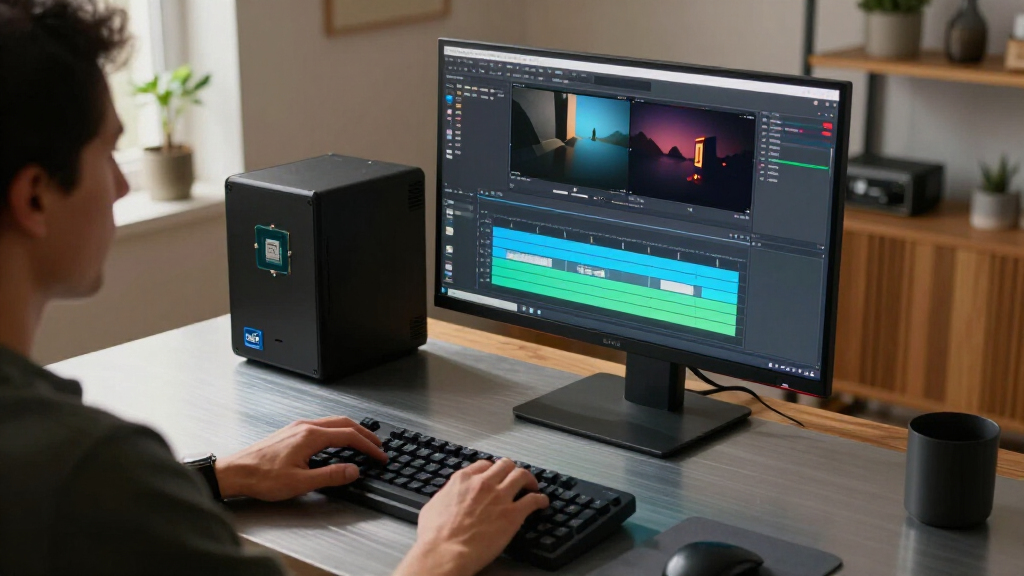
The best Intel CPU for most high-performance desktop builds is the Core i7-14700K, pairing strong multi-core capacity with integrated graphics and an unlocked design. For a newer platform, the Core Ultra 7 265K is a compelling alternative, while the Core i5-14400 suits everyday builds that need balanced performance without an enthusiast-class processor. Your choice comes down to workload, platform compatibility, cooling needs, and whether integrated graphics or overclocking matter to you. This roundup compares 15 Intel chips across current and older generations so you can see where the real tradeoffs lie. Read on for the full breakdown and guidance by buyer type.

Get the latest gadgets delivered free with Prime
- Fast, free delivery on millions of items
- Prime Video, Amazon Music and more included
- Member-only deals all year
Complete the kit



Key Takeaways
- The Core i7-14700K is the most balanced high-performance pick: it offers 20 cores, an unlocked design, and integrated graphics, unlike the otherwise similar 14700KF.
- Core Ultra options broaden the platform choices: the Ultra 7 265K and Ultra 7 265 pair 20 cores with different clock ceilings and unlocked status, while the Ultra 9 285K targets buyers seeking the lineup’s highest core count.
- F-suffix models require a graphics card: the Core i7-14700KF, i5-14400F, i5-14600KF, and i9-12900KF lack integrated graphics, which can limit troubleshooting and display options.
- Value depends on the whole build: the i5-14400 and i5-14400F can leave more of a system budget for a graphics card, while high-core-count models may call for stronger cooling and power delivery.
- Older socket options are upgrade picks, not automatic bargains: the i7-9700K and 12th- through 14th-generation CPUs suit compatible boards, but a new build should compare motherboard and memory costs before choosing a legacy platform.
| Intel Core i7-14700KF 20-Core Unlocked Desktop Processor |  | Best for Discrete-GPU Gaming and Productivity | Cores: 20 (8 P-cores + 12 E-cores) | Threads: Product details conflict: title and description state 28; product information states 16 | Maximum speed: Up to 5.6 GHz | VIEW LATEST PRICE | See Our Full Breakdown |
| Intel Core i7-14700K Desktop Processor, 20 Cores, Unlocked |  | Best for a Flexible High-End LGA 1700 Build | Cores: 20 (8 P-cores + 12 E-cores) | Threads: 28 | Maximum speed: Up to 5.6 GHz | VIEW LATEST PRICE | See Our Full Breakdown |
| Intel Core Ultra 5 225 Desktop Processor, 10 Cores, Up to 4.9 GHz |  | Best Entry Point to Intel 800-Series | Cores and threads: 10 cores (6 P-cores + 4 E-cores), 14 threads | Maximum speed: Up to 4.9 GHz | Processor speed: 4.4 GHz | VIEW LATEST PRICE | See Our Full Breakdown |
| Intel Core Ultra 7 265K Desktop Processor, 20 Cores, Up to 5.5 GHz |  | Best for Tuning a New DDR5 Platform | Cores and threads: 20 cores (8 P-cores + 12 E-cores), 20 threads | Maximum speed: Up to 5.5 GHz | Socket: LGA 1851 | VIEW LATEST PRICE | See Our Full Breakdown |
| Intel Core i5-14400 Desktop Processor, 10 Cores (6 P-Cores + 4 E-Cores), 4.7 GHz |  | Best Value for a Mainstream LGA 1700 Build | Cores and threads: 10 cores (6 P-cores + 4 E-cores), 16 threads | Maximum speed: Up to 4.7 GHz | Socket: LGA 1700 | VIEW LATEST PRICE | See Our Full Breakdown |
| Intel Core Ultra 7 Desktop Processor 265, 20-Core, up to 5.3 GHz |  | Best Efficient Productivity Pick | Cores / threads: 20 cores (8 P-cores + 12 E-cores) / 20 threads | Maximum speed: Up to 5.3 GHz | Cache: 36 MB | VIEW LATEST PRICE | See Our Full Breakdown |
| Intel Core Ultra 5 250K Plus Processor, 18 Cores, Up to 5.5 GHz |  | Best for Tunable Gaming and Multithreading | Cores / threads: 18 cores (6 P-cores + 12 E-cores) / 36 threads | Maximum turbo frequency: Up to 5.5 GHz | Cache: 30 MB | VIEW LATEST PRICE | See Our Full Breakdown |
| Intel Core i7-9700K 8-Core Desktop Processor, up to 4.9 GHz |  | Best for Existing LGA 1151 Builds | Generation: 9th Gen Intel Core | Cores / threads: 8 cores / 8 threads | Base / maximum turbo frequency: 3.60 GHz / 4.90 GHz | VIEW LATEST PRICE | See Our Full Breakdown |
| Intel Core i5-14400F 14th Gen Desktop Processor |  | Best Mainstream Value for Discrete-GPU Builds | Generation: 14th Gen | Cores / threads: 10 cores (6 P-cores + 4 E-cores) / 16 threads | Maximum speed: Up to 4.7 GHz | VIEW LATEST PRICE | See Our Full Breakdown |
| Intel Core i9-14900K Desktop Processor |  | Best for Maximum LGA1700 Performance | Cores / threads: 24 cores (8 P-cores + 16 E-cores) / 32 threads | Maximum clock speed: Up to 6.0 GHz | Cache: 36 MB | VIEW LATEST PRICE | See Our Full Breakdown |
| Intel Core i5-14600KF Desktop Processor, 14 Cores, Unlocked |  | Best for DDR4/DDR5 Flexibility | Cores / threads: 14 (6 P-cores + 8 E-cores) / 20 | Max turbo frequency: Up to 5.3 GHz | Socket: LGA 1700 | VIEW LATEST PRICE | See Our Full Breakdown |
| Intel Core i9-12900K Unlocked Desktop Processor with Integrated Graphics |  | Best for Integrated Graphics on an Enthusiast CPU | Cores / threads: 16 (8 P-cores + 8 E-cores) / 24 | Processor speed: 3.2 GHz | Maximum speed: Up to 5.2 GHz | VIEW LATEST PRICE | See Our Full Breakdown |
| Intel Core Ultra 9 285K Desktop Processor, 24 Cores, Up to 5.7 GHz |  | Best Premium Intel CPU | Cores / threads: 24 (8 P-cores + 16 E-cores) / 24 | Maximum speed: Up to 5.7 GHz | Socket: LGA 1851 | VIEW LATEST PRICE | See Our Full Breakdown |
| Intel Core i9-12900KF 16-Core Unlocked Desktop Processor |  | Best for LGA 1700 Builds with a Dedicated GPU | Cores / threads: 16 (8 P-cores + 8 E-cores) / 24 | Processor speed: 3.2 GHz | Maximum speed: Up to 5.2 GHz | VIEW LATEST PRICE | See Our Full Breakdown |
| Intel Core Ultra 7 270K Plus 24-Core Processor, Up to 5.5 GHz |  | Best for a 24-Core New-Platform Build | Cores / threads: 24 (8 P-cores + 16 E-cores) / 24 | Base clock speed: 3.7 GHz | Max turbo frequency: Up to 5.5 GHz | VIEW LATEST PRICE | See Our Full Breakdown |
| Intel CPU | Socket | Cache | Memory support | Maximum speed |
|---|---|---|---|---|
| Intel Core i7-14700KF 20-Core | LGA 1700 | 33 MB | DDR4 and DDR5 | Up to 5.6 GHz |
| Intel Core i7-14700K Desktop P | Listed as LGA 771; verify against motherboard compatibility | 33 MB | DDR4 and DDR5 | Up to 5.6 GHz |
| Intel Core Ultra 5 225 Desktop | LGA 1851 | 22 MB | DDR5 | Up to 4.9 GHz |
| Intel Core Ultra 7 265K Deskto | LGA 1851 | 36 MB | DDR5 | Up to 5.5 GHz |
| Intel Core i5-14400 Desktop Pr | LGA 1700 | 20 MB | DDR4 and DDR5 | Up to 4.7 GHz |
| Intel Core Ultra 7 Desktop Pro | LGA 1851 | 36 MB | — | Up to 5.3 GHz |
| Intel Core Ultra 5 250K Plus P | LGA1851 | 30 MB | DDR5 up to 7200 MT/s | — |
| Intel Core i7-9700K 8-Core Des | LGA 1151 | 12 MB | DDR4-2666, up to 64 GB | — |
| Intel Core i5-14400F 14th Gen | LGA1700 | 20 MB | DDR4 and DDR5 | Up to 4.7 GHz |
| Intel Core i9-14900K Desktop P | LGA 1700 | 36 MB | DDR4 and DDR5 | — |
| Intel Core i5-14600KF Desktop | LGA 1700 | — | DDR4 and DDR5 | — |
| Intel Core i9-12900K Unlocked | LGA 1700 | — | — | Up to 5.2 GHz |
| Intel Core Ultra 9 285K Deskto | LGA 1851 | 40 MB | DDR5 | Up to 5.7 GHz |
| Intel Core i9-12900KF 16-Core | LGA 1700 | — | — | Up to 5.2 GHz |
| Intel Core Ultra 7 270K Plus 2 | LGA 1851 | 40 MB installed; 36 MB secondary | DDR5 up to 7200 MT/s | — |
More Details on Our Top Picks
Intel Core i7-14700KF 20-Core Unlocked Desktop Processor
The Core i7-14700KF suits a build that already has a graphics card and needs strong multitasking alongside gaming. Its 20 cores, including 12 efficiency cores, give demanding background work more room than the 10-core Core i5-14400, while boost speeds up to 5.6 GHz target workloads that benefit from high clock rates. It is unlocked for tuning and supports either DDR4 or DDR5, which can help when upgrading an existing LGA 1700 system. The key compromise is the missing integrated graphics: unlike the Core i7-14700K, this KF model cannot provide display output or graphics troubleshooting without a discrete card. I’d also verify the thread-count listing before purchase, since the supplied product details conflict on that figure.
Pros:- 20 cores combine high-performance and efficiency cores for mixed workloads
- Boosts up to 5.6 GHz and supports processor tuning
- Supports DDR4 and DDR5 memory
- Compatible with Intel 600- and 700-series motherboards, subject to BIOS support
Cons:- No integrated graphics, so a discrete GPU is required
- Some Intel 600-series motherboards may need a BIOS update
- Supplied product details disagree about the thread count
Best for: PC builders with a discrete graphics card who want a high-core-count LGA 1700 processor for gaming, streaming, and productivity.
Not ideal for: Anyone building without a graphics card, or buyers seeking an easy upgrade onto a 600-series board without checking BIOS support first.
- Cores:20 (8 P-cores + 12 E-cores)
- Threads:Product details conflict: title and description state 28; product information states 16
- Maximum speed:Up to 5.6 GHz
- Socket:LGA 1700
- Cache:33 MB
- Base power:125 W
- Memory support:DDR4 and DDR5
- Graphics:Discrete graphics required; no processor graphics
Our verdict“Choose the i7-14700KF for a discrete-GPU build that needs more multitasking capacity than the Core i5-14400, and skip it if you need integrated graphics.”
Intel Core i7-14700K Desktop Processor, 20 Cores, Unlocked
The Core i7-14700K keeps the 20-core, up-to-5.6-GHz performance of the 14700KF while adding Intel UHD Graphics 770. That integrated graphics support is useful for a build that will add a discrete card later, and it provides a basic display option for troubleshooting; the KF sibling cannot do either. Like that model, this is an unlocked LGA 1700 processor with DDR4 and DDR5 support, so it can suit an existing compatible system as well as a new one. The tradeoff is that it remains a high-power, enthusiast-leaning chip, not the simpler, lower-power choice represented by the Core i5-14400. The supplied socket field says LGA 771, which conflicts with the stated 600- and 700-series compatibility; verify the motherboard/socket listing before buying.
Pros:- 20 cores and 28 threads support gaming and heavily multitasked workloads
- Integrated Intel UHD Graphics 770 provides display output without a discrete GPU
- Unlocked and boosts up to 5.6 GHz
- Supports DDR4 and DDR5 memory
Cons:- Some Intel 600-series motherboards may need a BIOS update
- The listed LGA 771 socket conflicts with the stated platform compatibility and needs verification
- Its 125 W base power makes it a less suitable fit for power-conscious builds than the Core i5-14400
Best for: Builders who want a powerful unlocked LGA 1700 CPU and need integrated graphics for initial setup, backup display, or GPU troubleshooting.
Not ideal for: Buyers seeking a low-power processor with an included cooler, or anyone unwilling to verify the conflicting socket information before ordering.
- Cores:20 (8 P-cores + 12 E-cores)
- Threads:28
- Maximum speed:Up to 5.6 GHz
- Socket:Listed as LGA 771; verify against motherboard compatibility
- Cache:33 MB
- Base power:125 W
- Integrated graphics:Intel UHD Graphics 770
- Memory support:DDR4 and DDR5
Our verdict“Pick the i7-14700K over the 14700KF if you want the same broad performance class with integrated graphics as a backup.”
Intel Core Ultra 5 225 Desktop Processor, 10 Cores, Up to 4.9 GHz
The Core Ultra 5 225 is the more approachable pick here for a new Intel 800-series system: it has 10 cores, 14 threads, integrated graphics, and a 65 W base power rating. The included Laminar RM2 cooler also means the listed package supplies a basic thermal solution, unlike the Core Ultra 7 265K, which is sold without one. Its 4.9-GHz maximum speed and smaller core count make it a more modest option than either Core i7-14700K, particularly for workloads that can use many threads. The platform change is the bigger buying decision: this CPU requires an LGA 1851 motherboard and DDR5, so it cannot reuse the LGA 1700 board or DDR4 memory supported by the i5-14400. Choose it for a straightforward new-platform build, not an inexpensive drop-in upgrade.
Pros:- 65 W base power rating suits a more restrained desktop build
- Integrated Intel Graphics provides display output without a discrete GPU
- Intel Laminar RM2 cooler is included
- Supports DDR5 and PCIe 5.0
Cons:- Requires an Intel 800-series motherboard with an LGA 1851 socket
- DDR5-only support rules out reusing DDR4 memory
- Its 10 cores and 14 threads offer less parallel capacity than the 20-core i7-14700K
Best for: First-time builders planning an Intel 800-series, DDR5 system who want integrated graphics and an included stock cooler.
Not ideal for: Owners of LGA 1700 systems or DDR4 kits who want to reuse their current platform, and buyers with heavily threaded workloads.
- Cores and threads:10 cores (6 P-cores + 4 E-cores), 14 threads
- Maximum speed:Up to 4.9 GHz
- Processor speed:4.4 GHz
- Socket:LGA 1851
- Cache:22 MB
- Processor base power:65 W
- Memory support:DDR5
- Included cooler:Intel Laminar RM2
Our verdict“Choose the Core Ultra 5 225 for a new, moderate-power Intel 800-series build with integrated graphics and a bundled cooler.”
Intel Core Ultra 7 265K Desktop Processor, 20 Cores, Up to 5.5 GHz
The Core Ultra 7 265K pairs 20 cores with an unlocked design, giving builders a higher-tier option for a new LGA 1851 system and processor tuning. Its DDR5 and PCIe 5.0 support fit a modern platform, while the 5.5-GHz maximum speed places it close to the Core i7-14700K’s listed 5.6 GHz. The distinction is less about that small clock-rate gap and more about platform commitment: the 265K requires an Intel 800-series board and cannot reuse the i7’s LGA 1700 motherboard or DDR4 memory. It also has 20 threads, fewer than the 28 listed for the i7-14700K, so core count alone does not settle the comparison. No thermal solution is included, adding another part to plan for in a build.
Pros:- 20 cores suit demanding productivity and multitasking
- Unlocked design supports processor tuning
- Supports DDR5 and PCIe 5.0
- Up to 5.5 GHz maximum speed
Cons:- Requires an Intel 800-series motherboard with an LGA 1851 socket
- Thermal solution is not included
- Listed 20-thread count is lower than the 28 threads specified for the Core i7-14700K
Best for: Enthusiasts building an Intel 800-series DDR5 desktop who want an unlocked 20-core processor and already plan to source suitable cooling.
Not ideal for: Upgraders with LGA 1700 boards or DDR4 memory, and builders who want a cooler included in the processor package.
- Cores and threads:20 cores (8 P-cores + 12 E-cores), 20 threads
- Maximum speed:Up to 5.5 GHz
- Socket:LGA 1851
- Cache:36 MB
- Secondary cache:30 MB
- Base power:125 W
- Memory support:DDR5
- Thermal solution:Not included
Our verdict“Choose the 265K for an unlocked, 20-core build on Intel 800 series if you are prepared to buy a separate cooler and move to DDR5.”
Intel Core i5-14400 Desktop Processor, 10 Cores (6 P-Cores + 4 E-Cores), 4.7 GHz
The Core i5-14400 is the practical choice for a mainstream LGA 1700 desktop: its 10 cores and 16 threads handle everyday multitasking and productivity without moving up to the larger Core i7-14700K. Integrated UHD Graphics 730 means a discrete card is optional, and the included Laminar RM1 cooler simplifies a standard build. It also offers useful flexibility for existing systems, with support for both DDR4 and DDR5 memory and Intel 600- or 700-series boards. Compared with the newer Core Ultra 5 225, this i5 can work with DDR4 and an LGA 1700 platform, but it tops out at 4.7 GHz and belongs to an older socket generation. It is not the pick for maximum threaded performance or overclocking; its appeal is a balanced feature set and fewer required add-ons.
Pros:- 10 cores and 16 threads support everyday multitasking and productivity
- Integrated Intel UHD Graphics 730 allows use without a discrete graphics card
- Supports both DDR4 and DDR5 memory
- Intel Laminar RM1 cooler is included
Cons:- Maximum speed of 4.7 GHz is lower than the Core i7-14700K’s 5.6 GHz
- Some Intel 600-series motherboards may need a BIOS update
- LGA 1700 limits compatibility with newer Intel 800-series platforms
Best for: Mainstream PC builders and LGA 1700 upgraders who want integrated graphics, an included cooler, and the option to use DDR4 or DDR5.
Not ideal for: Enthusiasts seeking an unlocked CPU or the higher core count and boost speed of the Core i7-14700K.
- Cores and threads:10 cores (6 P-cores + 4 E-cores), 16 threads
- Maximum speed:Up to 4.7 GHz
- Socket:LGA 1700
- Cache:20 MB
- Base power:65 W
- Integrated graphics:Intel UHD Graphics 730
- Memory support:DDR4 and DDR5
- Included cooler:Intel Laminar RM1
Our verdict“Choose the i5-14400 for a balanced LGA 1700 build with integrated graphics and a bundled cooler, rather than paying for the i7’s extra cores and higher boost ceiling.”
Intel Core Ultra 7 Desktop Processor 265, 20-Core, up to 5.3 GHz
The Core Ultra 7 265 balances parallel-work capacity with a 65 W base power, making it a strong fit for productivity-focused systems where a top-tier unlocked chip would be more than needed. Its 8 performance cores and 12 efficiency cores give it 20 cores for multitasking, while integrated Intel Graphics lets a system run without a separate graphics card for basic display tasks. Compared with the Core Ultra 7 265K, this model has a lower stated maximum speed and is not presented as an unlocked tuning pick, but its lower base power can suit quieter, less demanding builds. The main catch is platform commitment: it needs an LGA 1851 motherboard, and no thermal solution is included. Buyers should budget for a compatible cooler rather than assume one comes in the box.
Pros:- 20 cores combine 8 performance cores and 12 efficiency cores for demanding multitasking
- Integrated Intel Graphics can handle display output without a discrete graphics card
- DDR5 and PCIe 5.0 support suit current-generation components
- 65 W base power is lower than the 125 W Core Ultra 5 250K Plus
Cons:- Requires an Intel 800-series motherboard with an LGA 1851 socket
- Thermal solution is not included
- Its 5.3 GHz maximum speed is lower than the 5.5 GHz Core Ultra 5 250K Plus
Best for: Productivity-focused PC builders who want 20 cores, integrated graphics, and a 65 W base-power processor for an Intel 800-series system.
Not ideal for: Overclockers and buyers upgrading an LGA 1700 system, since this processor needs an LGA 1851 motherboard and no cooler is included.
- Cores / threads:20 cores (8 P-cores + 12 E-cores) / 20 threads
- Maximum speed:Up to 5.3 GHz
- Cache:36 MB
- Socket:LGA 1851
- Base power:65 W
- Graphics:Integrated Intel Graphics
- Memory and PCIe:DDR5; PCIe 5.0 and 4.0
- Compatible chipsets:Intel 800 series
Our verdict“Choose the Core Ultra 7 265 for a high-core-count, integrated-graphics productivity build where modest base power matters more than overclocking.”
Intel Core Ultra 5 250K Plus Processor, 18 Cores, Up to 5.5 GHz
The Core Ultra 5 250K Plus stands out for buyers who want both a high core count and the option to tune performance: it pairs 18 cores and 36 threads with an unlocked design for Intel Z-series boards. That makes it a different proposition from the 20-core Core Ultra 7 265, which has more cores but a 65 W base-power rating and no stated tuning focus. The 250K Plus reaches up to 5.5 GHz and supports DDR5 up to 7200 MT/s, giving gaming and productivity builds room to use fast memory. The tradeoff is substantial power demand: its maximum turbo power is 250 W, so the cooling and power setup need to match. It also requires a newer LGA1851 platform, making it a poor fit for an existing LGA1700 build.
Pros:- 18 cores and 36 threads support demanding parallel workloads
- Unlocked for performance tuning with Intel Z-series chipsets
- Maximum turbo frequency reaches 5.5 GHz
- Supports DDR5 memory up to 7200 MT/s and PCIe 5.0
Cons:- Maximum turbo power of 250 W calls for capable cooling and power delivery
- Requires an Intel 800-series LGA1851 motherboard
- No integrated graphics are specified in the supplied product data
Best for: PC builders using an Intel Z-series motherboard who want an unlocked processor for gaming, tuning, and heavily threaded work.
Not ideal for: Low-power or quiet-PC builders and owners of LGA1700 systems, because its maximum turbo power is 250 W and it requires an LGA1851 motherboard.
- Cores / threads:18 cores (6 P-cores + 12 E-cores) / 36 threads
- Maximum turbo frequency:Up to 5.5 GHz
- Cache:30 MB
- Socket:LGA1851
- Base / maximum turbo power:125 W / 250 W
- Memory support:DDR5 up to 7200 MT/s
- Chipset compatibility:Intel 800 Series; tuning with Intel Z-series chipsets
- Warranty:3 years
Our verdict“Pick the Core Ultra 5 250K Plus if you want an unlocked LGA1851 processor for high-thread-count work and are prepared to manage its power and cooling needs.”
Intel Core i7-9700K 8-Core Desktop Processor, up to 4.9 GHz
The Core i7-9700K earns a place here mainly as an upgrade option for owners of compatible Intel 300-series systems—not as a fresh-build rival to newer chips. Its 8 cores, unlocked multiplier, and up-to-4.9 GHz turbo frequency can still suit gaming and general desktop work when paired with a supported LGA 1151 motherboard. By comparison, the Core i5-14400F offers 10 cores and 16 threads, along with support for newer DDR5 platforms, so it is a more flexible starting point for a new PC. The 9700K’s advantage is continuity for an existing system, plus Intel UHD Graphics 630 for basic display output. Its age shows in the 8-thread design and DDR4-2666 ceiling, and buyers must supply their own cooling solution.
Pros:- Unlocked multiplier supports overclocking on a compatible system
- Up to 4.9 GHz turbo frequency suits gaming and lightly threaded tasks
- Integrated Intel UHD Graphics 630 provides basic display output
- Supports up to 64 GB of DDR4 memory
Cons:- Eight threads trail the 16 threads of the Core i5-14400F for parallel work
- Limited to Intel 300-series motherboards and DDR4-2666 memory
- Cooling solution is not included
Best for: Owners of Intel 300-series LGA 1151 desktops seeking an unlocked CPU upgrade while keeping their existing motherboard and DDR4 memory.
Not ideal for: New-build shoppers or users running heavily threaded workloads, since newer options such as the Core i5-14400F provide more threads and newer memory support.
- Generation:9th Gen Intel Core
- Cores / threads:8 cores / 8 threads
- Base / maximum turbo frequency:3.60 GHz / 4.90 GHz
- Cache:12 MB
- Socket:LGA 1151
- TDP:95 W
- Memory support:DDR4-2666, up to 64 GB
- Graphics:Intel UHD Graphics 630
- Cooling:Cooling device not included
Our verdict“Choose the Core i7-9700K chiefly as a compatible upgrade for an existing Intel 300-series PC, not as the foundation for a new platform.”
Intel Core i5-14400F 14th Gen Desktop Processor
The Core i5-14400F is the practical pick for a mainstream gaming or general-purpose PC that already includes a discrete graphics card. Its 10 cores and 16 threads provide more parallel capacity than the older 8-core, 8-thread Core i7-9700K, while the included Intel Laminar RM1 cooler reduces the number of parts a builder needs to source separately. Support for both DDR4 and DDR5 also gives buyers a choice: reuse compatible memory or build around a newer platform. The “F” designation brings a firm limitation, though: this CPU has no usable integrated graphics listed, so a graphics card is required for display output. Its 4.7 GHz maximum speed also sits below faster premium options such as the Core i9-14900K, and an Intel 600-series board may need a BIOS update.
Pros:- 10 cores and 16 threads handle multitasking better than the older Core i7-9700K
- Supports both DDR4 and DDR5 memory
- PCIe 5.0 and 4.0 support provides options for current expansion hardware
- Includes an Intel Laminar RM1 cooler
Cons:- Requires a discrete graphics card for display output
- Some Intel 600-series motherboards may need a BIOS update
- Up-to-4.7 GHz maximum speed is below the Core i9-14900K’s 6.0 GHz
Best for: Mainstream gamers and home-PC builders who already plan to use a discrete graphics card and want the option of DDR4 or DDR5 memory.
Not ideal for: Office or troubleshooting builds that need graphics output without a graphics card, and owners unwilling to check 600-series motherboard BIOS support.
- Generation:14th Gen
- Cores / threads:10 cores (6 P-cores + 4 E-cores) / 16 threads
- Maximum speed:Up to 4.7 GHz
- Cache:20 MB
- Socket:LGA1700
- Memory support:DDR4 and DDR5
- PCIe support:PCIe 5.0 and 4.0
- Compatible chipsets:Intel 600-series and 700-series
- Included cooler / graphics:Intel Laminar RM1; discrete graphics required
Our verdict“The Core i5-14400F makes sense for a cost-conscious mainstream build with a discrete graphics card, especially if DDR4 reuse matters.”
Intel Core i9-14900K Desktop Processor
The Core i9-14900K is the performance-first choice in this group, with 24 cores, 32 threads, and up to 6.0 GHz of clock speed. That combination targets demanding gaming and creation workloads where a more modest chip such as the Core i5-14400F may leave less headroom for simultaneous tasks. It also offers useful platform flexibility: support for DDR4 or DDR5 and Intel 600- or 700-series motherboards can help preserve parts from an LGA1700 build. Integrated Intel UHD Graphics 770 is available for display output or troubleshooting, unlike the 14400F. The tradeoff is that this is a high-demand flagship-class processor, not a restrained upgrade; buyers should plan around its cooling and power needs. Some 600-series boards may also require a BIOS update, and supplied thread-count data conflicts, so the stated 32 threads are used here.
Pros:- 24 cores and 32 threads suit heavy multitasking and content creation
- Maximum clock speed reaches up to 6.0 GHz
- Integrated Intel UHD Graphics 770 provides display output without a discrete GPU
- Supports DDR4 or DDR5 and PCIe 5.0 and 4.0
Cons:- High-performance use calls for capable cooling and power delivery
- Some Intel 600-series motherboards may need a BIOS update
- Supplied specifications conflict on thread count, although 32 threads are listed in the core specification
Best for: Enthusiasts and creators with a capable LGA1700 system who want high clock speeds, many cores, and the flexibility to use DDR4 or DDR5.
Not ideal for: Low-power or budget-conscious builders, and anyone seeking a simple plug-in upgrade without checking motherboard BIOS support or cooling capacity.
- Cores / threads:24 cores (8 P-cores + 16 E-cores) / 32 threads
- Maximum clock speed:Up to 6.0 GHz
- Cache:36 MB
- Socket:LGA 1700
- Base power:125 W
- Graphics:Intel UHD Graphics 770
- Memory support:DDR4 and DDR5
- PCIe support:PCIe 5.0 and 4.0
- Chipset compatibility:Intel 600-series (BIOS update may be required) and 700-series
Our verdict“Choose the Core i9-14900K for a powerful, flexible LGA1700 build if your cooling, power delivery, and motherboard firmware are ready for it.”
Intel Core i5-14600KF Desktop Processor, 14 Cores, Unlocked
The Core i5-14600KF is a strong fit for a performance-focused build that needs room to choose its memory platform. Its 14 cores and 20 threads handle demanding games and multitasking, while the unlocked design allows tuning with suitable components. Unlike the Core i9-12900K, it has no integrated graphics, so a discrete graphics card is mandatory—even for initial setup and troubleshooting. Its LGA 1700 compatibility with 600- and 700-series boards can also help reuse an existing motherboard, though a 600-series board may need a BIOS update. Compared with newer Core Ultra options, this chip keeps support for DDR4 as well as DDR5, but it belongs to an older platform and offers fewer cores than the 24-core models here.
Pros:- 14-core, 20-thread design suits gaming and multitasking
- Unlocked multiplier supports tuning
- Supports both DDR4 and DDR5 memory
- Compatible with Intel 600- and 700-series motherboards
Cons:- No integrated graphics; a discrete graphics card is required
- Some 600-series motherboards may need a BIOS update
- LGA 1700 platform has fewer cores than the 24-core Core Ultra options in this roundup
Best for: PC builders upgrading an LGA 1700 system or choosing between existing DDR4 and DDR5 memory while planning to use a discrete graphics card.
Not ideal for: First-time builders without a graphics card, or buyers seeking a newer LGA 1851 platform and 24-core configuration.
- Cores / threads:14 (6 P-cores + 8 E-cores) / 20
- Max turbo frequency:Up to 5.3 GHz
- Socket:LGA 1700
- Memory support:DDR4 and DDR5
- Chipset compatibility:Intel 700-series and 600-series; 600-series may require a BIOS update
- Processor base power:125 W
- Graphics:No processor graphics; discrete graphics required
- Warranty:3 years
Our verdict“Choose the Core i5-14600KF if you want an unlocked LGA 1700 CPU with flexible memory support and already have a discrete graphics card.”
Intel Core i9-12900K Unlocked Desktop Processor with Integrated Graphics
The Core i9-12900K pairs a 16-core, 24-thread layout with Intel UHD 770 graphics, a useful distinction from the otherwise similar Core i9-12900KF. That built-in graphics gives a system a display output without a separate card and provides a fallback for diagnosing a graphics-card issue. Its unlocked design and 5.2 GHz maximum speed suit buyers who want a capable LGA 1700 processor for mixed gaming and heavy multitasking. Against the newer Core Ultra 9 285K, it has fewer cores and uses an older socket, but it works with Intel 600- and 700-series chipsets. The tradeoff is platform longevity: anyone building around LGA 1700 should accept that the newer Ultra models require a different motherboard.
Pros:- 16 cores and 24 threads support demanding multitasking
- Intel UHD 770 provides display output without a discrete graphics card
- Unlocked design supports processor tuning
- Compatible with Intel 600- and 700-series chipsets
Cons:- Requires an LGA 1700 motherboard
- Offers fewer cores than the 24-core Core Ultra 9 285K
- Listed base speed of 3.2 GHz is below its maximum turbo speed
Best for: LGA 1700 builders who want a high-core-count processor and need integrated graphics for setup, troubleshooting, or a system that may run without a discrete GPU.
Not ideal for: Buyers starting a new build around Intel 800-series motherboards, or those prioritizing a 24-core newer-platform processor.
- Cores / threads:16 (8 P-cores + 8 E-cores) / 24
- Processor speed:3.2 GHz
- Maximum speed:Up to 5.2 GHz
- Socket:LGA 1700
- Chipset compatibility:Intel 600- and 700-series
- Integrated graphics:Intel UHD 770
- L3 cache:30 MB
- Power:125 W
Our verdict“Pick the Core i9-12900K if you want an unlocked 16-core LGA 1700 CPU with integrated graphics rather than a newer-platform model.”
Intel Core Ultra 9 285K Desktop Processor, 24 Cores, Up to 5.7 GHz
For buyers building a high-end system around Intel’s 800-series platform, the Core Ultra 9 285K brings 24 cores and a listed maximum speed of 5.7 GHz to gaming and creator workloads. Its 8 P-cores and 16 E-cores provide substantial parallel capacity, while integrated Intel Graphics can handle display output without a separate card. Compared with the Core Ultra 7 270K Plus, it has a higher listed maximum speed, but both share 24 cores, DDR5 support, PCIe 5.0 support, and the LGA 1851 platform. That makes the Ultra 7 a relevant alternative for buyers who do not need the Ultra 9’s frequency advantage. This processor’s main system-building costs are platform-specific: it needs an Intel 800-series board, DDR5 memory, and a separately sourced thermal solution.
Pros:- 24-core hybrid design supports heavily threaded workloads
- Maximum speed reaches up to 5.7 GHz
- Integrated Intel Graphics provides display output
- Supports DDR5 memory and PCIe 5.0
Cons:- Requires an Intel 800-series motherboard with an LGA 1851 socket
- Thermal solution is not included
- Requires DDR5 rather than offering the DDR4 option available with the Core i5-14600KF
Best for: Enthusiasts and creators building a new Intel 800-series desktop who want 24 cores, integrated graphics, and an unlocked processor.
Not ideal for: Owners of LGA 1700 systems who want a drop-in upgrade, or builders who need a processor bundled with a thermal solution.
- Cores / threads:24 (8 P-cores + 16 E-cores) / 24
- Maximum speed:Up to 5.7 GHz
- Socket:LGA 1851
- Compatible chipset:Intel 800-series
- Cache:40 MB
- Processor base power:125 W
- Memory support:DDR5
- Thermal solution:Not included
Our verdict“Choose the Core Ultra 9 285K for a premium 24-core LGA 1851 build when its higher listed maximum speed matters more than reusing an older platform.”
Intel Core i9-12900KF 16-Core Unlocked Desktop Processor
The Core i9-12900KF gives LGA 1700 builders a 16-core, 24-thread unlocked processor for gaming and parallel workloads, with a maximum speed of 5.2 GHz. Its 8 P-cores and 8 E-cores make it a step up in core count from the Core i5-14600KF, though that i5 reaches a slightly higher listed turbo frequency and supports both DDR4 and DDR5. The defining compromise here is the “F” model’s lack of integrated graphics: a discrete card is required, and there is no processor graphics fallback for troubleshooting. Compared with the Core i9-12900K, this KF version keeps the same stated core count and maximum speed but drops the UHD 770 graphics. It makes the most sense when the system will always use a dedicated GPU.
Pros:- 16 cores and 24 threads suit gaming and demanding multitasking
- Unlocked design supports tuning
- Maximum speed reaches up to 5.2 GHz
- Compatible with Intel 600- and 700-series chipsets
Cons:- Discrete graphics card is required
- Requires an LGA 1700 motherboard
- Does not support the DDR4-and-DDR5 flexibility listed for the Core i5-14600KF
Best for: Gamers and multitaskers upgrading an LGA 1700 desktop that already has a discrete graphics card.
Not ideal for: Builders who need integrated graphics for setup or fallback, or anyone moving to an Intel 800-series LGA 1851 system.
- Cores / threads:16 (8 P-cores + 8 E-cores) / 24
- Processor speed:3.2 GHz
- Maximum speed:Up to 5.2 GHz
- Socket:LGA 1700
- Compatible chipsets:Intel 600- and 700-series
- L3 cache:30 MB
- Power:125 W
- Graphics:Discrete graphics required
Our verdict“Choose the Core i9-12900KF if you want 16 cores for an LGA 1700 build and will pair it with a dedicated graphics card.”
Intel Core Ultra 7 270K Plus 24-Core Processor, Up to 5.5 GHz
The Core Ultra 7 270K Plus combines 24 cores—8 P-cores and 16 E-cores—with a maximum speed of 5.5 GHz, making it a compelling fit for mixed creator and gaming workloads on Intel’s LGA 1851 platform. It shares its core count and 40 MB cache with the Core Ultra 9 285K, but lists a lower maximum speed; buyers who prioritize that higher frequency may prefer the Ultra 9. In return, this model still brings DDR5 support up to 7200 MT/s, PCIe 5.0, and an unlocked design for tuning with a compatible Z-series chipset. The motherboard requirement rules out upgrades to LGA 1700 systems, and its 250 W maximum turbo power means the rest of the build should be planned around adequate cooling and power delivery.
Pros:- 24 cores support heavily threaded creator workloads
- Boosts up to 5.5 GHz
- Supports DDR5 up to 7200 MT/s and PCIe 5.0
- Unlocked for tuning with compatible Intel Z-series chipsets
Cons:- Requires an Intel 800-series LGA 1851 motherboard
- Maximum turbo power is 250 W
- Listed maximum speed is lower than the Core Ultra 9 285K
Best for: Creators and enthusiasts planning a new LGA 1851 system who want 24 cores, DDR5 memory support, and tuning options.
Not ideal for: Owners of LGA 1700 motherboards, or compact-build shoppers who cannot accommodate the cooling and power demands associated with up to 250 W turbo power.
- Cores / threads:24 (8 P-cores + 16 E-cores) / 24
- Base clock speed:3.7 GHz
- Max turbo frequency:Up to 5.5 GHz
- Socket:LGA 1851
- Compatible chipset:Intel 800-series
- Memory support:DDR5 up to 7200 MT/s
- Processor base power / max turbo power:125 W / 250 W
- Cache:40 MB installed; 36 MB secondary
Our verdict“Pick the Core Ultra 7 270K Plus for a new LGA 1851 build needing 24 cores and tuning support, provided your cooling and power setup can handle its turbo power.”
How We Picked
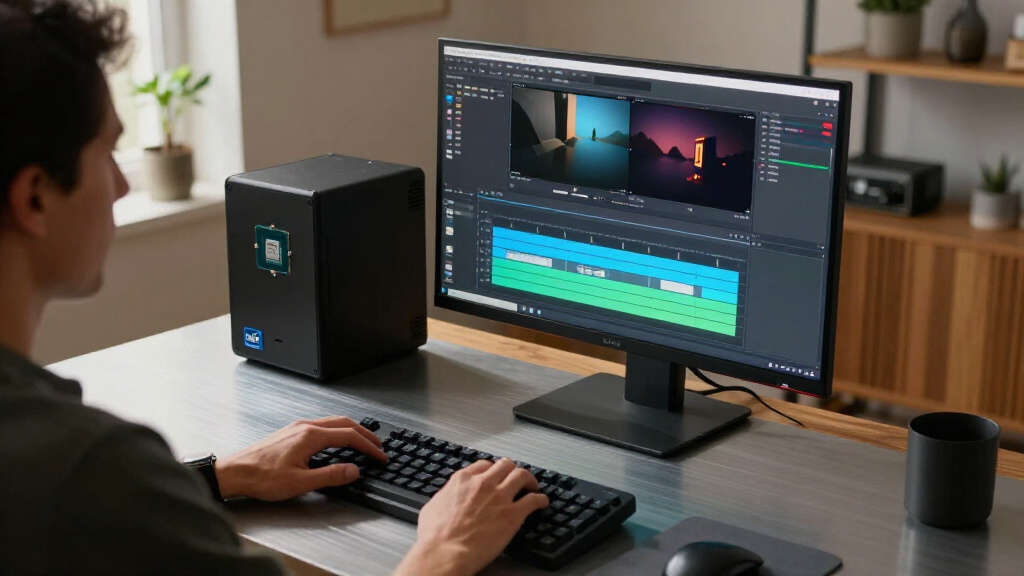
I ranked these CPUs by how well their specifications fit common desktop goals: gaming, mixed workloads, content creation, general use, and upgrades to an existing Intel system. I weighed core count and listed clock speeds alongside practical differences such as integrated graphics, unlocked status, cooling demands, and whether a chip belongs to an older platform. Those factors matter because headline specifications alone do not reveal the full cost or compatibility needs of a build.
The order favors processors with broad usefulness and fewer compromises, then moves toward more specialized, premium, or platform-dependent choices. I distinguish close siblings where the difference affects a buyer: the 14700K includes integrated graphics while the 14700KF does not, and the Ultra 7 265K is unlocked while the 265 is not. Since actual performance depends on cooling, motherboard settings, memory, and workload, I use the listed specifications and product positioning rather than implying benchmark results.
| Intel CPU | Socket | Memory support |
|---|---|---|
| Intel Core i7-14700KF 20-Core | LGA 1700 | DDR4 and DDR5 |
| Intel Core i7-14700K Desktop P | Listed as LGA 771; verify against motherboard compatibility | DDR4 and DDR5 |
| Intel Core Ultra 5 225 Desktop | LGA 1851 | DDR5 |
| Intel Core Ultra 7 265K Deskto | LGA 1851 | DDR5 |
| Intel Core i5-14400 Desktop Pr | LGA 1700 | DDR4 and DDR5 |
| Intel Core Ultra 7 Desktop Pro | LGA 1851 | — |
| Intel Core Ultra 5 250K Plus P | LGA1851 | DDR5 up to 7200 MT/s |
| Intel Core i7-9700K 8-Core Des | LGA 1151 | DDR4-2666, up to 64 GB |
| Intel Core i5-14400F 14th Gen | LGA1700 | DDR4 and DDR5 |
| Intel Core i9-14900K Desktop P | LGA 1700 | DDR4 and DDR5 |
| Intel Core i5-14600KF Desktop | LGA 1700 | DDR4 and DDR5 |
| Intel Core i9-12900K Unlocked | LGA 1700 | — |
| Intel Core Ultra 9 285K Deskto | LGA 1851 | DDR5 |
| Intel Core i9-12900KF 16-Core | LGA 1700 | — |
| Intel Core Ultra 7 270K Plus 2 | LGA 1851 | DDR5 up to 7200 MT/s |
Factors to Consider When Choosing Best Intel CPUs
Before picking a model, match the processor to the complete system you plan to build or upgrade. These chips span different generations, sockets, graphics capabilities, and power expectations, so a higher core count does not automatically make a better fit.
Check Motherboard and Socket Compatibility First
Intel CPUs from different generations do not all fit the same motherboard, even when their names look similar. Check the exact socket and motherboard CPU-support list before ordering, and confirm whether a firmware update is needed for an older board. A processor upgrade can become a platform upgrade if the current board cannot support the chip you want. That may also affect memory reuse, since a board’s supported memory type can shape the total build cost. For a new system, compare the cost and features of a complete CPU-and-board combination rather than choosing a processor in isolation. For an existing system, a compatible upgrade may be more useful than a newer chip that requires replacing several parts.
Choose Integrated Graphics for Flexibility
A CPU with integrated graphics can display an image without a separate graphics card, which is handy for basic desktop work, diagnostics, and troubleshooting a discrete GPU. Models with an F suffix in this roundup do not include integrated graphics, so a graphics card is required for display output. That can be a sensible choice in a gaming build where a discrete GPU is already part of the plan. It is less convenient if you want to assemble the computer before buying a graphics card or need a fallback when the card has a problem. Do not assume that two otherwise similar CPUs offer the same graphics features. Check the exact model name, since the suffix can change how easy the system is to set up and maintain.
Match Core Count to Your Workload
More cores can help when software runs many tasks at once, such as rendering, encoding, or compiling large projects. They are less useful if your main activities are web browsing, office work, and games that do not make effective use of additional cores. A larger core count can also bring higher cooling and power requirements, so its cost reaches beyond the CPU itself. Think about the programs you run today and whether your work genuinely benefits from parallel processing. For a mixed-use desktop, a midrange chip may leave room in the budget for a stronger graphics card, more memory, or faster storage. Buy extra cores for a workload you can identify, not just because the number looks more future-proof.
Budget for Cooling, Power, and Case Space
High-performance and unlocked processors can require a capable cooler and motherboard power delivery, particularly during sustained workloads. A cooler that is adequate for a modest desktop may not keep a higher-tier CPU quiet or within its preferred operating range. Check the cooler included with the specific processor rather than assuming one is in the box. Also review your case’s cooler height or radiator support, power supply capacity, and airflow before settling on a build. These parts affect noise and sustained operation as well as compatibility. A less demanding CPU can be the better overall purchase if it lets you avoid spending heavily on supporting hardware.
Decide Whether Overclocking Matters
An unlocked processor gives enthusiasts more room to adjust clock settings, but those controls only help if the motherboard, cooling, and power supply can support the tuning plan. Overclocking also takes setup time and can raise heat and power use, so it is not a free performance boost. If you want a straightforward system at standard settings, a non-K model may make more sense than paying for flexibility you will not use. K and KF chips are unlocked, while the non-K Ultra 7 265 is not; the F suffix separately signals the absence of integrated graphics. Read both parts of the model name rather than treating K, KF, and non-K options as interchangeable. This distinction helps avoid buying an enthusiast feature set that does not match your build.
Treat Older CPUs as Platform-Specific Upgrades
The Core i7-9700K belongs to a much older generation than the newer Core and Core Ultra choices here, so its appeal depends heavily on owning a compatible system already. A chip that can drop into an existing board may extend a computer’s useful life without requiring a full rebuild. For a new PC, the age of the platform can limit upgrade options and make it harder to justify if the supporting parts are not already on hand. The 12th-, 13th-, and 14th-generation choices also need a motherboard that supports their socket and model. Check the exact board, memory, and firmware requirements before treating an older CPU as a simple upgrade. Compare the cost of keeping the existing platform with the cost of moving to a newer one.
Frequently Asked Questions
Should I choose the Core i7-14700K or the Core i7-14700KF?
Both are unlocked 20-core processors, so the main practical difference called out here is integrated graphics. The 14700K includes integrated graphics, giving you display output and a troubleshooting fallback without a separate graphics card. The 14700KF lacks integrated graphics, which makes it a less flexible choice if your graphics card is unavailable or you want to build the system in stages. If a discrete GPU will always be installed, that limitation may not matter to your setup. Check your graphics plan before choosing between these close siblings.
Is a Core Ultra CPU a better choice than a 14th-generation Core CPU?
Not automatically: the right choice depends on the motherboard platform you own or plan to buy and the features you need. A 14th-generation Core chip may be the more direct option for an existing compatible system, while a Core Ultra model may suit a new build aimed at a different platform. Compare the full CPU, motherboard, and memory combination instead of relying on generation labels alone. Also weigh unlocked status, integrated graphics, core count, and cooling requirements. If you are upgrading, verify your board’s support list before selecting either family.
Do I need integrated graphics if I already plan to buy a graphics card?
No, a discrete graphics card can handle display output in a gaming or workstation build. Integrated graphics still provide a useful fallback for setup and troubleshooting if the graphics card fails or is being replaced. They can also help if you assemble the system before the discrete card arrives. F-suffix CPUs in this roundup do not include integrated graphics, so the system needs a separate graphics solution for display. Choose based on how much you value flexibility, not just on whether a graphics card is in your initial parts list.
Can I use the Core i7-9700K in a new PC build?
You can build around it only with compatible parts, but its strongest case is as an upgrade for someone who already owns a suitable motherboard and memory. For a new system, compare the complete platform cost and the upgrade options available with newer CPUs in this roundup. A lower-cost processor is not necessarily a better deal if it requires hard-to-find or costly supporting components. Confirm socket, board support, and memory compatibility before purchasing. If those parts are already in your system, an upgrade may make more sense than replacing the whole platform.
Should I pay for a high-core-count CPU for gaming?
Only if the games and other tasks you run can make use of the added capacity. High-core-count models such as the Core Ultra 9 285K are more compelling for buyers combining gaming with demanding multi-threaded work than for a gaming-only system by default. A less expensive CPU may let you direct more of the build budget to the graphics card, which often has a more direct role in gaming performance. Also account for the cooling and power hardware a higher-tier processor may call for. Match the CPU to your game settings, background tasks, and non-gaming workload rather than choosing by core count alone.
Conclusion
For the broadest mix of gaming and productivity, I would start with the Core i7-14700K; its integrated graphics and unlocked design make it a flexible high-performance pick. The Core i5-14400 is my value-oriented choice for general use and balanced builds, while the Core Ultra 9 285K is the premium option for buyers whose work can use a high core count. For beginners, I would favor a non-F model such as the i5-14400, since integrated graphics can simplify initial setup and troubleshooting. Choose the 14700KF, 14400F, 14600KF, or 12900KF when a discrete graphics card is part of the plan and you are comfortable giving up that fallback. If you already own a compatible older system, weigh the 9700K or 12th- to 14th-generation options as targeted upgrades; otherwise, compare the cost of the entire platform before deciding.
Halloween Picks
halloween
As an affiliate, we earn on qualifying purchases.