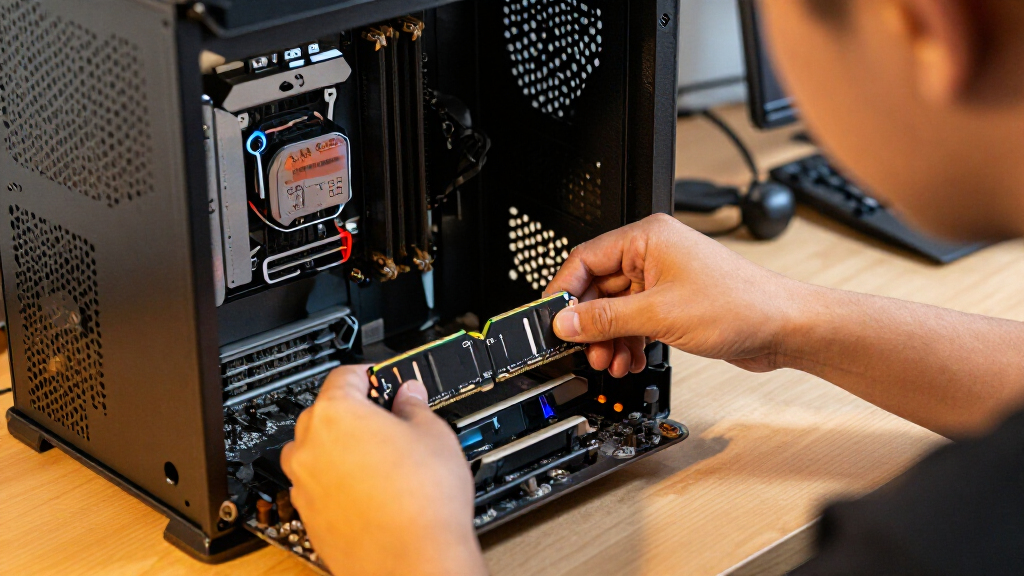

The best DDR4 RAM kit for most desktop buyers is the Corsair Vengeance LPX 32GB kit, which pairs 3200MHz speed with tighter CL16 timings than the standard CL22 options. For a straightforward, broadly compatible desktop upgrade, Crucial Pro 32GB is a strong alternative, while Crucial Pro 64GB suits heavier workloads that need more capacity. Laptop buyers need SODIMM modules, and their choices here range from 2666MHz kits to 3200MHz options and a 64GB set. Capacity, module type, motherboard support, and memory profiles matter as much as the speed printed on the package. Read on for the full breakdown of which kit fits each upgrade.

Get the latest gadgets delivered free with Prime
- Fast, free delivery on millions of items
- Prime Video, Amazon Music and more included
- Member-only deals all year
Complete the kit



Key Takeaways
- Corsair Vengeance LPX leads the desktop picks with 32GB, 3200MHz, and CL16 timings; many standard-speed alternatives in the lineup use CL22.
- Crucial Pro 64GB is the capacity pick for desktop users with memory-heavy workloads, while most other desktop kits here provide 16GB or 32GB.
- Laptop and desktop memory are not interchangeable: the A-Tech, TEAMGROUP Elite, GIGASTONE, and Crucial 64GB laptop kits are SODIMM, while desktop kits use UDIMM.
- Not every 3200MHz kit has the same performance profile. Timing differences, such as CL16 versus CL22, and whether a memory profile is enabled can affect setup and performance.
- The 16GB options suit narrower upgrade needs or systems with modest memory demands; they give up capacity compared with the 32GB kits that lead this roundup.


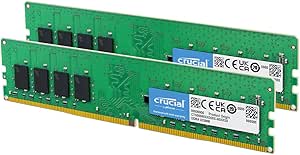


| DDR4 RAM kit | Capacity | Memory type | Form factor | Voltage |
|---|---|---|---|---|
| A-Tech DDR4 RAM 32GB Kit | 32GB (2 x 16GB) | DDR4 | SODIMM | 1.2V |
| PNY DDR4 32GB | 32GB (2 x 16GB) | DDR4 | DIMM | 1.2V |
| TEAMGROUP Elite DDR4 32GB Kit | 32GB (2 x 16GB) | DDR4 | SODIMM | 1.2V |
| Crucial Pro 32GB DDR4 RAM Kit | 32GB (2 x 16GB) | DDR4 | UDIMM | 1.2V |
| Timetec 32GB | 32GB (2 x 16GB) | DDR4 | DIMM | 1.2V |
| Corsair Vengeance LPX DDR4 32G | 32GB (2x16GB) | DDR4 | 288-pin DIMM | 1.35V |
| GIGASTONE 32GB | 32GB (2x16GB) | DDR4 | SODIMM | 1.2V |
| G.SKILL Ripjaws V Series DDR4 | 32GB (2x16GB) | DDR4 | UDIMM | 1.35V |
| Crucial Pro 64GB DDR4 RAM Kit | 64GB (2x32GB) | DDR4 | 288-pin DIMM | 1.2V |
| Crucial 64GB DDR4 RAM Kit | 64GB (2x32GB) | DDR4 | 260-pin SODIMM | 1.2V |
| TEAMGROUP T-Force Vulcan Z DDR | 16GB (2 x 8GB) | DDR4 | 288-pin DIMM | 1.35V |
| Timetec 16GB Kit | 16GB (2 x 8GB) | DDR4 | 288-pin DIMM | 1.2V |
| Crucial 32GB DDR4 RAM Kit | 32GB (2 x 16GB) | DDR4 | 288-pin UDIMM | 1.2V |
| GIGASTONE Game PRO 32GB DDR4 3 | 32GB (2 x 16GB) | DDR4 | 288-pin UDIMM | 1.35V |
| PUSKILL DDR4 3200MHz CL16 Desk | 16GB (2 x 8GB) | DDR4 | 288-pin DIMM | 1.35V |
More Details on Our Top Picks
A-Tech DDR4 RAM 32GB Kit (2x16GB) 2666MHz PC4-21300 SODIMM Laptop Memory
This A-Tech kit suits laptop owners who need 32GB of memory but whose system supports DDR4-2666 rather than faster modules. Its two 16GB SODIMMs offer a straightforward capacity upgrade for multitasking, while the 260-pin laptop form factor rules it out for desktop builds. Compared with the TEAMGROUP Elite 3200MHz SODIMM, A-Tech runs at a lower rated speed, making it a better match for machines capped at 2666MHz—not the stronger pick when a laptop can use 3200MHz. CL19 timing and 1.2V operation fit a conventional laptop memory upgrade, and the listed limited lifetime warranty adds support. Check the laptop’s memory limits and module compatibility before buying; plug-and-play installation does not make this compatible with every laptop.
Pros:- 32GB total capacity in a two-module kit
- 2666MHz rating suits compatible systems that do not support faster memory
- 260-pin SODIMM form factor is designed for laptops and mini PCs
- Listed limited lifetime warranty
Cons:- Slower rated speed than the 3200MHz TEAMGROUP Elite laptop kit
- Requires checking system capacity and memory compatibility before purchase
- Cannot fit standard desktop DIMM slots
Best for: Laptop and mini-PC owners whose DDR4 systems support 2666MHz SODIMMs and need 32GB across two memory slots.
Not ideal for: Desktop builders or laptop owners whose systems require DDR3, DDR5, or a different memory capacity or speed.
- Capacity:32GB (2 x 16GB)
- Memory type:DDR4
- Speed:2666MHz
- Form factor:SODIMM
- Pins:260
- Voltage:1.2V
- Latency:CL19
- Warranty:Limited lifetime
Our verdict“Choose this A-Tech kit for a compatible DDR4 laptop or mini PC capped at 2666MHz; pick the faster TEAMGROUP Elite if your system supports 3200MHz.”
PNY DDR4 32GB (2x16GB) 3200MHz CL22 Performance Desktop Memory Kit
PNY’s kit is a practical choice for a desktop owner who wants 32GB at 3200MHz without paying for enthusiast-oriented timings or styling. The two DIMMs suit multitasking, gaming, and creative workloads that benefit from having more memory available, while the 1.2V specification keeps the kit within standard operating voltage. Compared with the Crucial Pro 32GB DDR4 kit, both offer 3200MHz and CL22, so the choice is less about a listed speed advantage and more about confirming fit and platform support. PNY specifies desktop compatibility and 288 pins, but not a broader processor compatibility range in the supplied data. Its CL22 timing is looser than the CL16 G.SKILL Ripjaws V option elsewhere in the roundup, so buyers prioritizing lower latency should look there instead. Full speed depends on motherboard support.
Pros:- 32GB capacity from two 16GB modules
- 3200MHz rated speed for compatible desktops
- 1.2V operation
- Designed for desktop DIMM slots
Cons:- CL22 timing is looser than the CL16 G.SKILL Ripjaws V kit
- Requires a compatible motherboard to run at the rated speed
- Not suitable for laptops or SODIMM slots
Best for: Desktop owners building or upgrading a DDR4 system that supports 3200MHz and need 32GB for gaming, creative tasks, or heavier multitasking.
Not ideal for: Laptop owners, or desktop builders focused on lower timings who would rather choose a listed CL16 kit.
- Capacity:32GB (2 x 16GB)
- Memory type:DDR4
- Speed:3200MHz
- Form factor:DIMM
- Pins:288
- Voltage:1.2V
- Timing:CL22
- Compatibility:Desktop
Our verdict“Pick PNY for a simple 32GB, 3200MHz desktop upgrade, but choose the G.SKILL Ripjaws V if lower listed timings matter more to you.”
TEAMGROUP Elite DDR4 32GB Kit (2 x 16GB) 3200MHz SODIMM Laptop Memory Module
For laptops that can use DDR4-3200, TEAMGROUP Elite brings together 32GB capacity and the fastest rated speed among the two laptop kits in this batch. That makes it a better fit than the A-Tech 2666MHz SODIMM when the laptop supports 3200MHz; on a system with a lower memory limit, the extra rated speed may not translate into a faster running configuration. The 2 x 16GB layout provides a matched pair, and the 260-pin SODIMM format is for laptop memory slots, not desktop boards. CL22 timing is conventional rather than enthusiast-focused, and actual operating speed depends on the device. TEAMGROUP lists a lifetime warranty and technical support, but buyers still need to verify the laptop’s supported capacity, module configuration, and speed.
Pros:- 3200MHz rated speed, higher than the A-Tech laptop kit’s 2666MHz
- 32GB capacity supplied as two 16GB SODIMMs
- 1.2V operating voltage
- Listed lifetime warranty and technical support
Cons:- The laptop may run the memory below 3200MHz depending on system support
- Requires checking device capacity and module compatibility
- CL22 timing is not aimed at buyers seeking enthusiast-grade low latency
Best for: Laptop owners with two compatible DDR4 SODIMM slots who want 32GB and support for memory speeds up to 3200MHz.
Not ideal for: Owners of laptops limited to 2666MHz who want a closer speed match, or anyone upgrading a desktop DIMM system.
- Capacity:32GB (2 x 16GB)
- Memory type:DDR4
- Speed:3200MHz
- Form factor:SODIMM
- Pins:260
- Voltage:1.2V
- Latency:CL22
- Warranty:Lifetime
Our verdict“Choose TEAMGROUP Elite for a laptop that supports 3200MHz SODIMMs and 32GB; choose A-Tech when your system is capped at 2666MHz.”
Crucial Pro 32GB DDR4 RAM Kit (2x16GB), 3200MHz Desktop Memory UDIMM 288-Pin, Compatible with Intel and AMD Ryzen
Crucial Pro earns its place for builders who want a 32GB DDR4 desktop kit with stated support across a broad range of Intel and AMD Ryzen processors. Its 3200MHz rating matches the PNY kit, and both list CL22, so Crucial’s clearest distinction here is its specified platform range rather than a speed or timing edge. The two 16GB 288-pin UDIMMs suit compatible desktop boards; they cannot serve as laptop memory. Unlike the lower-speed Timetec 2666MHz kit, this one is rated for 3200MHz, which gives compatible systems a higher memory-speed target. There are no listed heatsinks or RGB lighting, and CL22 is less appealing than the CL16 G.SKILL Ripjaws V for buyers chasing tighter timings. Treat the processor compatibility list as a starting point and confirm motherboard support.
Pros:- 32GB capacity in a matched 2 x 16GB kit
- 3200MHz rating for supported DDR4 desktop systems
- Compatibility listed for Intel 8th–13th Gen and AMD Ryzen 1000–5000
- 1.2V operation and non-ECC UDIMM design
Cons:- CL22 timing is looser than the CL16 G.SKILL Ripjaws V option
- No included heatsinks or RGB lighting
- Only fits compatible DDR4 desktop UDIMM slots
Best for: Desktop builders with compatible Intel 8th–13th Gen or AMD Ryzen 1000–5000 systems who want a 32GB, 3200MHz kit from a specified cross-platform range.
Not ideal for: Laptop owners, buyers needing DDR5, or desktop enthusiasts prioritizing CL16 timings, heatsinks, or RGB lighting.
- Capacity:32GB (2 x 16GB)
- Memory type:DDR4
- Speed:3200MHz
- Form factor:UDIMM
- Pins:288
- Voltage:1.2V
- Latency:CL22
- Compatibility:Intel 8th–13th Gen; AMD Ryzen 1000–5000
Our verdict“Choose Crucial Pro for a broadly specified Intel or AMD DDR4 desktop build; look to the G.SKILL kit if lower timings are your priority.”
Timetec 32GB (2x16GB) DDR4 2666MHz Desktop RAM Kit
Timetec’s kit is aimed at desktop owners who need 32GB of DDR4-2666 for a system designed around that speed, rather than a faster 3200MHz upgrade. It supplies two 16GB, 288-pin unbuffered DIMMs, making it a direct form-factor match for compatible desktop PCs and workstations. Compared with the Crucial Pro 3200MHz kit, Timetec has a lower rated speed, but its CL19 timing is tighter on paper than Crucial’s CL22. That does not make it the faster overall choice; buyers should match memory to the motherboard and processor support. The 1.2V, non-ECC design keeps the specification conventional, and the listed lifetime warranty is useful for a long-term replacement. Its main limitation is clear: it will not fit laptops or systems that require SODIMMs.
Pros:- 32GB capacity split across two 16GB modules
- CL19 timing at the listed 2666MHz speed
- 288-pin unbuffered DIMM format for compatible desktops
- Listed lifetime warranty
Cons:- Lower rated speed than the 3200MHz Crucial Pro desktop kit
- Not compatible with laptop SODIMM slots
- Requires a DDR4-compatible motherboard that supports 288-pin UDIMMs
Best for: Desktop PC and workstation owners with DDR4 UDIMM slots who need 32GB at a system-supported 2666MHz speed.
Not ideal for: Laptop owners or desktop builders whose compatible system can use 3200MHz and who want the higher rated speed.
- Capacity:32GB (2 x 16GB)
- Memory type:DDR4
- Speed:2666MHz
- Form factor:DIMM
- Pins:288
- Voltage:1.2V
- Latency:CL19
- Memory configuration:Non-ECC, unbuffered
- Warranty:Lifetime
Our verdict“Choose Timetec for a compatible desktop capped at DDR4-2666; choose Crucial Pro if your system supports 3200MHz and you want the faster rated speed.”
Corsair Vengeance LPX DDR4 32GB (2x16GB) RAM, 3200MHz, CL16-20-20-38, 1.35V, Intel XMP/AMD EXPO, Black
The Corsair Vengeance LPX suits desktop builders who want 32GB at 3200MHz without a tall heat spreader competing for space around the CPU cooler. Its low-profile design is the key distinction from the G.SKILL Ripjaws V: both offer 2x16GB and CL16 timings, but Corsair is the more sensible fit when cooler clearance matters. The aluminum spreader and XMP support add straightforward thermal management and a way to set the rated profile in BIOS. That speed is not automatic on every system, though; memory settings and motherboard compatibility affect whether the kit runs at its rated profile. It also gives up decorative lighting and is less suited to buyers who prioritize the Crucial Pro 64GB kit’s higher capacity over tighter timings.
Pros:- Low-profile modules leave more clearance around CPU coolers.
- 32GB capacity is a practical fit for gaming and demanding desktop use.
- CL16 rated timing is tighter than the CL22 Crucial Pro 64GB desktop kit.
- Aluminum heat spreader and XMP support provide cooling and profile-tuning features.
Cons:- Reaching the rated speed may require BIOS adjustments and a compatible system.
- The 32GB capacity is lower than the Crucial Pro 64GB desktop kit.
- No RGB lighting for buyers building around illuminated components.
Best for: Desktop builders seeking a 32GB, low-profile kit for a compact case or a system with a large CPU cooler.
Not ideal for: Buyers who need more than 32GB, want RGB lighting, or prefer memory that runs at its rated profile without BIOS setup.
- Capacity:32GB (2x16GB)
- Memory type:DDR4
- Speed:3200MHz
- Latency:CL16-20-20-38
- Voltage:1.35V
- Form factor:288-pin DIMM
- Heat spreader:Aluminum
- Color:Black
Our verdict“Choose the Vengeance LPX for a cooler-clearance-friendly 32GB desktop build, but pick the Crucial Pro 64GB if capacity matters more than CL16 timings.”
GIGASTONE 32GB (2x16GB) DDR4 3200MHz Laptop RAM Kit
The GIGASTONE 32GB SODIMM kit is the laptop-specific choice in this group: its 2x16GB modules fit compatible notebooks, unlike the desktop DIMMs such as the Corsair Vengeance LPX. At 3200MHz and 1.2V, it offers a straightforward capacity and speed upgrade for a laptop that supports DDR4 SODIMMs. The 32GB total is useful for heavier multitasking, but it is half the capacity of the Crucial 64GB laptop kit, so users running memory-intensive workloads should compare those options before buying. Compatibility is the main caveat: the laptop must support this module type and speed, and the kit is not for desktop systems. The supplied details do not specify a warranty, which leaves less information for buyers weighing long-term support.
Pros:- 2x16GB configuration provides 32GB total for compatible laptops.
- 3200MHz transfer rate suits laptops that support DDR4-3200.
- 1.2V operation matches the listed laptop-memory specification.
- Non-ECC SODIMM format clearly distinguishes it from desktop kits.
Cons:- It cannot be installed in desktop DIMM slots.
- Capacity is lower than the Crucial 64GB SODIMM kit.
- Warranty details are not provided in the product data.
Best for: Laptop owners with two DDR4 SODIMM slots who want a 32GB upgrade for multitasking or everyday productivity.
Not ideal for: Desktop builders, owners of laptops with soldered memory, or users who need 64GB for memory-heavy work.
- Capacity:32GB (2x16GB)
- Memory type:DDR4
- Speed:3200MHz
- Form factor:SODIMM
- Pin count:260
- Voltage:1.2V
- ECC:Non-ECC
Our verdict“Choose this kit for a compatible DDR4 laptop needing 32GB, and consider the Crucial 64GB SODIMM kit if your workload needs more headroom.”
G.SKILL Ripjaws V Series DDR4 RAM 32GB (2x16GB) Up to 3200MT/s CL16-18-18-38 1.35V for Desktop
For desktop buyers comparing 32GB kits, the G.SKILL Ripjaws V pairs 3200MT/s with CL16-18-18-38 timings, making it a timing-focused alternative to the Crucial Pro 64GB desktop kit, which offers twice the capacity but CL22. That difference favors builds where 32GB is enough and the buyer values tighter listed timings over extra memory headroom. XMP 2.0 provides a route to the rated profile, but it may require a BIOS setting rather than running automatically at full speed. Compared with the Corsair Vengeance LPX, this kit is another 2x16GB CL16 option, so the choice comes down to fit and platform support rather than a major capacity difference. Do not mix it with unrelated memory kits if stability matters.
Pros:- 32GB dual-module kit suits many gaming and performance desktops.
- CL16-18-18-38 timings are tighter than the Crucial Pro 64GB kit’s CL22.
- XMP 2.0 supports setting the rated memory profile.
- 3200MT/s rated speed fits compatible DDR4 desktop platforms.
Cons:- BIOS adjustments may be needed to reach the rated profile.
- 32GB provides less capacity than the Crucial Pro 64GB desktop kit.
- Mixing memory kits can compromise stability.
Best for: Desktop gamers and performance-build owners who want 32GB with CL16 timings and are comfortable enabling a BIOS memory profile.
Not ideal for: Buyers who need 64GB, want plug-and-play rated speed without BIOS changes, or need laptop SODIMMs.
- Capacity:32GB (2x16GB)
- Memory type:DDR4
- Speed:Up to 3200MT/s
- Latency:CL16-18-18-38
- Voltage:1.35V
- Form factor:UDIMM
- Pin count:288
- Memory profile:Intel XMP 2.0
Our verdict“Pick Ripjaws V when 32GB and tighter timings matter more than the Crucial Pro 64GB kit’s extra capacity.”
Crucial Pro 64GB DDR4 RAM Kit (2x32GB), 3200MHz Desktop Memory, Compatible with Intel and AMD Ryzen
The Crucial Pro 64GB kit earns its place for desktop users whose applications benefit from more memory than a typical 32GB kit provides. Its 2x32GB layout doubles the capacity of the Corsair Vengeance LPX and G.SKILL Ripjaws V, making it the stronger fit for heavy multitasking and demanding productivity workloads. The tradeoff is its listed CL22 latency: both 32GB alternatives specify CL16 timings, which may appeal more to buyers prioritizing tighter timings over capacity. This kit runs at 3200MHz on compatible systems and can downclock to 3000MHz or 2666MHz, offering fallback speeds when platform support calls for them. At 1.2V, it also differs from the 1.35V CL16 desktop kits. Check motherboard and processor support before choosing the full 64GB.
Pros:- 64GB capacity offers twice the memory of the 32GB desktop kits in this batch.
- 2x32GB configuration uses two modules to reach the listed capacity.
- 3200MHz operation with downclocking options for supported systems.
- Listed compatibility spans Intel 8th–13th Gen and AMD Ryzen 1000–5000 Series.
Cons:- CL22 timings are looser than the CL16 timings listed for Corsair Vengeance LPX and G.SKILL Ripjaws V.
- Full speed and capacity depend on compatible motherboard and processor support.
- No RGB lighting or other listed aesthetic features.
Best for: Desktop users running memory-heavy productivity workloads, extensive multitasking, or applications that benefit from 64GB.
Not ideal for: Gamers or general users who do not need 64GB and would prefer the tighter listed timings of the Corsair or G.SKILL 32GB kits.
- Capacity:64GB (2x32GB)
- Memory type:DDR4
- Speed:3200MHz
- Latency:CL22
- Voltage:1.2V
- Form factor:288-pin DIMM
- ECC:Non-ECC
- Downclocking:3000MHz or 2666MHz
Our verdict“Choose this Crucial kit when 64GB capacity matters more than the tighter timings offered by the 32GB desktop alternatives.”
Crucial 64GB DDR4 RAM Kit (2x32GB), 3200MHz SODIMM Laptop Memory, CL22, Compatible with 13th Gen Intel Core and AMD Ryzen 7000
The Crucial 64GB SODIMM kit is for compatible laptops that need substantially more memory than the GIGASTONE 32GB laptop kit supplies. Its 2x32GB configuration makes it the high-capacity choice here for laptop users handling large projects or many demanding applications at once. The tradeoff is CL22 latency, rather than the tighter CL16 timings found in the desktop Corsair and G.SKILL kits; those desktop alternatives cannot fit laptop SODIMM slots anyway. This kit runs at 3200MHz where supported and can downclock to 2933MHz or 2666MHz, which offers compatibility flexibility but does not override a laptop’s memory limits. Confirm that the machine has accessible DDR4 SODIMM slots and supports 64GB before purchasing; the listed compatibility is not universal across all laptops.
Pros:- 64GB capacity doubles the GIGASTONE kit’s 32GB total.
- 3200MHz rated speed with downclocking to 2933MHz or 2666MHz.
- 2x32GB SODIMM configuration is designed for compatible laptop memory slots.
- Non-ECC, 1.2V specification suits supported laptop platforms.
Cons:- CL22 timings are less performance-focused than the CL16 desktop kits listed here.
- It is limited to compatible DDR4 laptop SODIMM slots and cannot serve desktop builds.
- Laptop memory limits and slot access can prevent installation or use of the full capacity.
Best for: Laptop owners with two upgradeable DDR4 SODIMM slots who need 64GB for large projects, virtual machines, or intensive multitasking.
Not ideal for: Desktop builders, laptop owners limited to 32GB, or users seeking lower-latency memory for a system that supports faster timings.
- Capacity:64GB (2x32GB)
- Memory type:DDR4
- Speed:3200MHz
- Latency:CL22
- Voltage:1.2V
- Form factor:260-pin SODIMM
- ECC:Non-ECC
- Downclocking:2933MHz or 2666MHz
Our verdict“Choose this kit over GIGASTONE’s 32GB SODIMMs when a compatible laptop can use 64GB and your workload needs the added capacity.”
TEAMGROUP T-Force Vulcan Z DDR4 16GB Kit (2x8GB) 3200MHz Desktop Memory Module (Gray)
The Vulcan Z makes sense for a desktop build that needs a straightforward 16GB dual-channel kit with a faster profile than basic DDR4-2666 memory. Its 3200MHz speed and CL16 latency give it a more performance-focused specification than the Timetec 16GB kit, which runs at 2666MHz and CL19. XMP 2.0 support can make the advertised speed easier to select on a compatible motherboard, while the heat-conductive adhesive and lifetime warranty add practical reassurance.
The tradeoff is capacity: two 8GB modules leave less room for demanding multitasking than the 32GB Crucial or GIGASTONE kits. I’d also check motherboard support before buying, since the kit’s rated speed depends on system compatibility and configuration. Choose it for a modest gaming or general-use desktop, not a workstation expected to handle heavy workloads.
Pros:- 3200MHz with CL16 latency is a stronger speed-and-latency combination than the Timetec 2666MHz CL19 kit.
- Two modules support dual-channel operation on a compatible desktop motherboard.
- XMP 2.0 support provides a way to enable the rated profile when the platform allows it.
- Lifetime warranty and heat-conductive adhesive are useful practical features.
Cons:- 16GB can be limiting for heavier multitasking and newer memory-intensive workloads.
- Rated speed depends on motherboard and CPU memory-controller compatibility.
- The 3200MHz limit offers less headroom than faster memory configurations.
Best for: Desktop builders who want an affordable-spec, dual-channel 16GB kit for everyday use and lighter gaming, with 3200MHz and CL16 on the spec sheet.
Not ideal for: People running memory-heavy games, content creation, or extensive multitasking who would benefit from 32GB, and buyers who need laptop SODIMMs.
- Capacity:16GB (2 x 8GB)
- Memory type:DDR4
- Speed:3200MHz
- Latency:CL16
- Voltage:1.35V
- Form factor:288-pin DIMM
- Profile support:XMP 2.0
- Warranty:Lifetime
Our verdict“Pick the Vulcan Z for a compatible desktop that needs 16GB at 3200MHz and CL16, but choose a 32GB kit for more demanding workloads.”
Timetec 16GB Kit (2x8GB) DDR4 2666MHz Desktop RAM – PC4-2666V, 288-Pin, CL19, Non-ECC, Unbuffered
The Timetec kit is the practical pick when a desktop needs standard 16GB DDR4 and the system is built around 2666MHz memory. Its 1.2V rating and plug-and-play positioning suit an upgrade focused on compatibility rather than tuning. Against the TEAMGROUP T-Force Vulcan Z, it gives up speed and tighter CL16 latency; in return, it is a simpler match for systems that use a 2666MHz memory specification and do not need an XMP-oriented performance profile.
That modest specification also defines its limits. CL19 and 2666MHz are less appealing for a new gaming build than 3200MHz alternatives, and 16GB is a smaller capacity than the Crucial 32GB kit. Timetec notes that color and rank can vary between batches, so buyers who need an exact module appearance or configuration should verify the listing and system requirements before ordering.
Pros:- Two 8GB modules provide 16GB in a dual-module desktop kit.
- 1.2V operation fits standard DDR4-2666 system specifications.
- Plug-and-play positioning avoids making performance tuning the focus.
- Lifetime warranty is included.
Cons:- 2666MHz and CL19 are slower, looser specifications than the TEAMGROUP Vulcan Z 3200MHz CL16 kit.
- 16GB offers less room for demanding games and multitasking than 32GB options.
- Color and rank may vary between batches.
Best for: Owners of DDR4 desktop PCs specified for 2666MHz UDIMM memory who want a simple 16GB replacement or capacity upgrade.
Not ideal for: New gaming-PC builders seeking 3200MHz performance, buyers who need 32GB, or anyone upgrading a laptop that requires SODIMMs.
- Capacity:16GB (2 x 8GB)
- Memory type:DDR4
- Speed:2666MHz
- CAS latency:CL19
- Voltage:1.2V
- Form factor:288-pin DIMM
- Memory configuration:Non-ECC, unbuffered
- Warranty:Lifetime
Our verdict“Choose this Timetec kit for a compatible 2666MHz desktop refresh, but favor a 3200MHz or 32GB alternative for a newer performance-focused build.”
Crucial 32GB DDR4 RAM Kit (2x16GB), 3200MHz, CL22, UDIMM 288-Pin, Downclockable to 2933/2666MHz, Compatible with Intel and AMD Ryzen
This Crucial kit is the balanced choice for a desktop buyer who wants 32GB capacity without making a low-latency gaming profile the priority. Two 16GB modules give multitasking and everyday creative workloads more room than the 16GB TEAMGROUP Vulcan Z, while the listed 3200MHz speed is a better fit for many current DDR4 desktop builds than the Timetec 2666MHz kit. Its ability to run at 2933MHz or 2666MHz also gives supported systems lower-speed options.
The compromise is CL22 latency, looser than the Vulcan Z’s CL16 and the GIGASTONE Game PRO’s gaming-oriented positioning. This is a capacity-first option, not the kit I’d choose to prioritize tighter timings. The 1.2V specification and Intel/AMD desktop compatibility make it broadly useful, but buyers should confirm their motherboard’s supported memory speeds.
Pros:- 32GB across two 16GB modules provides more working capacity than the 16GB kits in this batch.
- 3200MHz rated speed suits many DDR4 desktop configurations.
- Can downclock to 2933MHz or 2666MHz for supported systems.
- Listed for compatibility with Intel and AMD Ryzen desktop platforms.
Cons:- CL22 latency is looser than the CL16 TEAMGROUP Vulcan Z and PUSKILL kits.
- Downclocking is specified only for 2933MHz and 2666MHz.
- Plain styling offers no RGB or other listed visual features.
Best for: Desktop users who multitask, keep many applications open, or do everyday creative work and want 32GB with flexible speed support.
Not ideal for: Performance-focused gamers prioritizing tighter timings, or laptop owners who need SODIMM memory rather than desktop UDIMMs.
- Capacity:32GB (2 x 16GB)
- Memory type:DDR4
- CAS latency:CL22
- Voltage:1.2V
- Form factor:288-pin UDIMM
- Memory configuration:Non-ECC
- Downclock options:2933MHz or 2666MHz
Our verdict“Choose Crucial for a flexible 32GB desktop upgrade where capacity matters more than tight timings or gaming-focused tuning.”
GIGASTONE Game PRO 32GB DDR4 3200MHz RAM Kit (2x16GB) for Gaming Desktop
The GIGASTONE Game PRO pairs 32GB capacity with 3200MHz operation and XMP 2.0 support, making it a stronger fit for gaming desktops that also handle streaming, browser tabs, or other active applications. Compared with the Crucial 32GB kit, it foregrounds XMP and gaming use rather than listing specific downclocking options. The two 16GB modules also give a builder more capacity than the 16GB TEAMGROUP Vulcan Z without requiring four DIMM slots.
Its suitability depends on the motherboard and processor supporting the kit’s profile; XMP does not guarantee the same operating speed on every system. The available specs do not state a CAS latency, so I can’t rank its timing performance against the CL16 Vulcan Z or PUSKILL. It is also a desktop UDIMM kit with no listed RGB feature, not a laptop or appearance-focused choice.
Pros:- 32GB capacity suits gaming alongside multitasking and demanding applications.
- 3200MHz rated speed fits common DDR4 performance builds.
- XMP 2.0 support offers profile-based setup on compatible systems.
- Two 16GB UDIMMs leave two-slot configurations available on suitable motherboards.
Cons:- The provided specifications do not state CAS latency, limiting timing comparisons.
- Rated profile performance depends on motherboard and CPU support.
- No RGB lighting is listed for buyers building around illuminated components.
Best for: Gaming desktop builders who want 32GB in two modules and plan to use XMP 2.0 on a compatible Intel or AMD platform.
Not ideal for: Laptop owners, desktop users who need a stated CAS latency before comparing timing performance, or buyers whose motherboard cannot support the rated profile.
- Capacity:32GB (2 x 16GB)
- Memory type:DDR4
- Speed:3200MHz
- Form factor:288-pin UDIMM
- Voltage:1.35V
- Memory configuration:Non-ECC, unbuffered
- Profile support:Intel XMP 2.0
- Platform support:Intel and AMD Ryzen
Our verdict“Pick the Game PRO for a compatible gaming desktop needing 32GB and XMP support, but choose Crucial if you prefer stated downclocking options.”
PUSKILL DDR4 3200MHz CL16 Desktop RAM Kit Heatsink, 16GB (2x8GB)
PUSKILL stands out among the 16GB options by pairing 3200MHz and CL16 with a listed aluminum heatsink. That makes its core speed-and-latency specification a close match for the TEAMGROUP T-Force Vulcan Z, while the heatsink gives it a more visibly hardware-focused build. Both kits list XMP support and Intel/AMD compatibility, so the choice rests less on headline performance and more on the physical design and buyer’s preference between these 16GB kits.
The main limitation is still capacity: the Crucial and GIGASTONE 32GB kits are better suited to heavier multitasking and gaming alongside other demanding tasks. PUSKILL also requires XMP or DOCP activation to reach its advertised speed, and it uses desktop DIMMs rather than laptop memory. Buyers should verify motherboard support and leave time for a BIOS profile change rather than expecting 3200MHz automatically.
Pros:- 3200MHz and CL16 provide a tighter timing specification than the Crucial 32GB CL22 kit.
- Aluminum heatsink is included for heat dissipation and a more finished module appearance.
- Two 8GB modules support dual-channel operation on a compatible motherboard.
- XMP 2.0 support is listed for Intel and AMD systems.
Cons:- 16GB has less capacity than the Crucial and GIGASTONE 32GB kits.
- XMP or DOCP must be enabled to reach the advertised speed.
- Desktop DIMM form factor is not suitable for laptops.
Best for: Desktop builders who want a 16GB dual-channel kit with 3200MHz CL16 specifications and an aluminum heatsink.
Not ideal for: Laptop owners, users who need 32GB for heavier workloads, or buyers who want rated speed without enabling a BIOS memory profile.
- Capacity:16GB (2 x 8GB)
- Memory type:DDR4
- Speed:3200MHz
- CAS latency:CL16
- Voltage:1.35V
- Form factor:288-pin DIMM
- Profile support:XMP 2.0
- Additional feature:Aluminum heatsink
Our verdict“Choose PUSKILL for a heatsinked 16GB desktop kit with 3200MHz CL16, and step up to 32GB if your workload needs more capacity.”
How We Picked
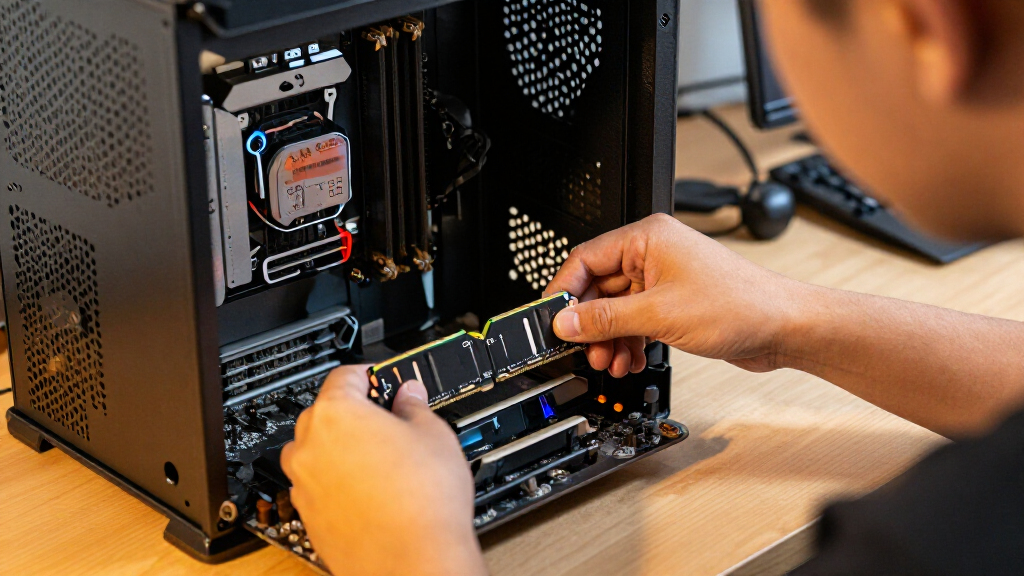
I ranked these kits by how well their capacity, rated speed, timings, form factor, and setup requirements match common DDR4 upgrades. Compatibility comes first: laptop SODIMMs and desktop UDIMMs serve different systems, and a kit is only useful if it matches the motherboard or laptop’s supported memory type. Among desktop 32GB kits, I gave extra weight to the Corsair Vengeance LPX’s CL16 timings, while straightforward 3200MHz CL22 kits remain compelling for buyers who value uncomplicated capacity over tighter latency.
I also compared the lineup by the buyer problem each kit solves, rather than treating every 3200MHz set as equivalent. Larger 64GB kits rank well for workloads that can use the extra capacity, while 16GB kits are more limited but still fit entry-level or targeted upgrades. I favored clear, useful distinctions—such as laptop versus desktop fit, capacity, and specified timings—and accounted for the tradeoff between speed, setup, and broader compatibility. The order reflects fit for common needs, not a claim that one specification wins for every system.
Factors to Consider When Choosing Best DDR4 RAM Kits
Before choosing among these kits, start with the system you are upgrading, not the fastest number on a product page. The right capacity and module format can matter more than a modest speed difference, and the motherboard or laptop may set limits on both. These factors help narrow the field before you compare individual picks.
Match SODIMM or UDIMM to Your System
Laptop memory usually uses SODIMM modules, while most desktop motherboards take UDIMMs; the modules are physically different and cannot be swapped between those platforms. Check the device manual or motherboard specifications before ordering, since some laptops have memory soldered in place or only one accessible slot. Also confirm whether the system supports replacing existing modules or adding a pair. A kit’s listed generation and speed cannot make the wrong form factor fit. When upgrading a laptop, verify capacity limits for the exact model rather than relying on the processor family alone. This check prevents a common mistake: buying a technically correct DDR4 kit that the machine cannot accept.
Choose Capacity for Your Actual Workload
Capacity determines how much work your system can keep in memory before relying more heavily on storage, so it can matter more than a small clock-speed increase. A 16GB kit can suit basic computing or a modest budget build, while 32GB offers more room for multitasking, larger games, and creative applications. The 64GB desktop and laptop options make sense when the workload can use that headroom, not simply because the number is larger. Check your current memory configuration and the system’s maximum supported capacity before deciding. Leaving open slots can make a later upgrade easier, but mixing kits can introduce compatibility issues. For a new build, buying a matched pair is a simple way to get the intended dual-channel configuration.
Compare Timings as Well as MHz
Memory speed labels do not tell the whole performance story: timings such as CL16 and CL22 also affect latency. A 3200MHz CL16 kit, like the Corsair Vengeance LPX, has a different timing profile from the 3200MHz CL22 choices in this lineup. The difference is most relevant when comparing kits at similar speeds and capacities; it does not make compatibility or capacity unimportant. Avoid assuming that a higher advertised speed will run automatically at that setting on every system. The processor and motherboard can limit the supported memory speed, and faster profiles may need to be enabled in firmware. Check the system’s supported settings before paying extra for specifications it may not use.
Check Profile Support and Setup Expectations
Some desktop kits rely on a memory profile to reach their rated speed, while a system may default to a slower standard setting until that profile is enabled. Read the motherboard documentation to see what profile formats and speeds it supports, and confirm that your chosen kit appears on any compatibility list if setup certainty matters. A profile is a configuration aid, not a promise that every CPU and motherboard will run every setting. Buyers who prefer a simple installation may value a kit whose rated settings align with their platform’s supported defaults. If you are comfortable adjusting firmware settings, a wider range of performance-oriented kits becomes practical. Keep the system’s stability requirements in view rather than chasing a number in isolation.
Balance Memory Speed Against Capacity and Use
For many upgrades, moving from too little memory to a suitable capacity can produce a more useful improvement than choosing slightly faster RAM. That is why a 64GB kit can be a better fit for memory-intensive work than a lower-capacity kit with tighter timings. Gaming and everyday use still benefit from a balanced setup, but results depend on the full system and the software being used. Check whether your applications actually need more than 16GB or 32GB before committing to a larger kit. If your system spends time paging data to storage, capacity may be the constraint; if memory use is already modest, speed and timings may matter more. Match the upgrade to the bottleneck you are trying to address.
Plan for Physical Clearance and Future Upgrades
Desktop memory heat spreaders can affect clearance around large CPU coolers, so check the module height against your case and cooling hardware before buying. Compact or low-profile kits may be easier to fit in crowded builds, even when another kit has a more prominent heatsink. Consider how many memory slots your board has and whether you want to preserve room for a future capacity increase. Filling every slot now can limit simple expansion later, while using fewer, larger modules may leave slots free if the board supports that arrangement. Laptop buyers should also check access requirements and whether a disassembly step could affect warranty terms. These practical details can outweigh small differences in headline speed.
Frequently Asked Questions
Can I use a laptop DDR4 kit in a desktop motherboard?
No. Laptop kits in this roundup use SODIMM modules, while desktop kits use full-size UDIMMs; their physical dimensions and slot layouts differ. A laptop SODIMM will not fit a standard desktop memory slot, even when the capacity and speed match. Before buying, check the device or motherboard manual for the required form factor and supported DDR generation. This matters especially when comparing the Crucial 64GB laptop kit with the desktop Crucial Pro 64GB kit, which serve different systems.
Should I choose a 32GB kit or a 64GB kit?
Choose based on the applications you run and how much memory they use, rather than treating the larger kit as automatically better. The 32GB kits in this roundup suit many general desktop and gaming upgrades, while 64GB is more relevant for heavy multitasking, large creative projects, virtual machines, or other memory-intensive work. Check your platform’s maximum capacity and available slots first. If your typical workload leaves substantial memory free, extra capacity may bring little benefit. If the system regularly runs short, capacity can matter more than tighter timings.
Will a 3200MHz DDR4 kit run at 3200MHz in my computer?
Not necessarily. The memory controller, motherboard, processor, and firmware settings all affect the speed a system can run, and some kits need a supported profile enabled to reach their rated setting. Check your system documentation for supported memory speeds and profile compatibility before purchase. If the system cannot run 3200MHz, a kit may operate at a lower supported speed instead. A compatible 2666MHz kit can be a more straightforward choice for an older platform that does not support faster memory settings.
Is CL16 worth choosing over CL22 for a 3200MHz kit?
CL16 indicates tighter latency timings than CL22 at the same rated speed, which makes it a useful distinction when comparing otherwise similar kits. In this roundup, Corsair Vengeance LPX is the standout 3200MHz CL16 desktop option, while several standard-capacity alternatives specify CL22. The practical effect depends on the system and workload, so it should not outweigh a mismatch in form factor or insufficient capacity. If the price and compatibility are right, tighter timings are a reasonable preference; for a basic upgrade, capacity and reliable platform support may matter more.
Can I mix one of these kits with the RAM already in my computer?
Mixing kits can work, but the modules may run at the speed and timings supported by the slowest or least compatible combination. Differences in capacity, rank, timings, and module design can also make stability less predictable. A matched kit is the safer route when replacing memory or aiming for a particular rated speed. Before adding modules, check the motherboard’s guidance on slot placement and supported configurations. If you do mix memory, test system stability after installation rather than assuming the advertised settings will apply to every module.
Conclusion
For most desktop upgrades, I recommend the Corsair Vengeance LPX 32GB as the best overall pick because it combines 3200MHz with CL16 timings. For a straightforward 32GB desktop kit without a focus on tighter latency, Crucial Pro 32GB is my best value-style choice; buyers who need more room for demanding workloads should look at Crucial Pro 64GB as the premium-capacity pick. Beginners should start by matching the kit’s form factor and supported speed to their system, then favor a matched pair such as the Crucial Pro 32GB rather than chasing unneeded specifications. Laptop owners should choose a compatible SODIMM option: TEAMGROUP Elite or GIGASTONE for 32GB at 3200MHz, or Crucial’s 64GB kit when capacity is the priority. For a modest desktop upgrade, the TEAMGROUP T-Force Vulcan Z 16GB is a better fit than a larger kit if your workload needs no more; confirm your platform’s limits before ordering any of these options.
Halloween Picks

Kalolary 12ft Halloween Witch Haunted House Inflatable Archway

HOPOCO Halloween Pumpkin Fog Machine with 12 LED Colors and 4 Light Modes

10ft Halloween Inflatable Archway – Pumpkin Skeleton Yard Décor
As an affiliate, we earn on qualifying purchases.