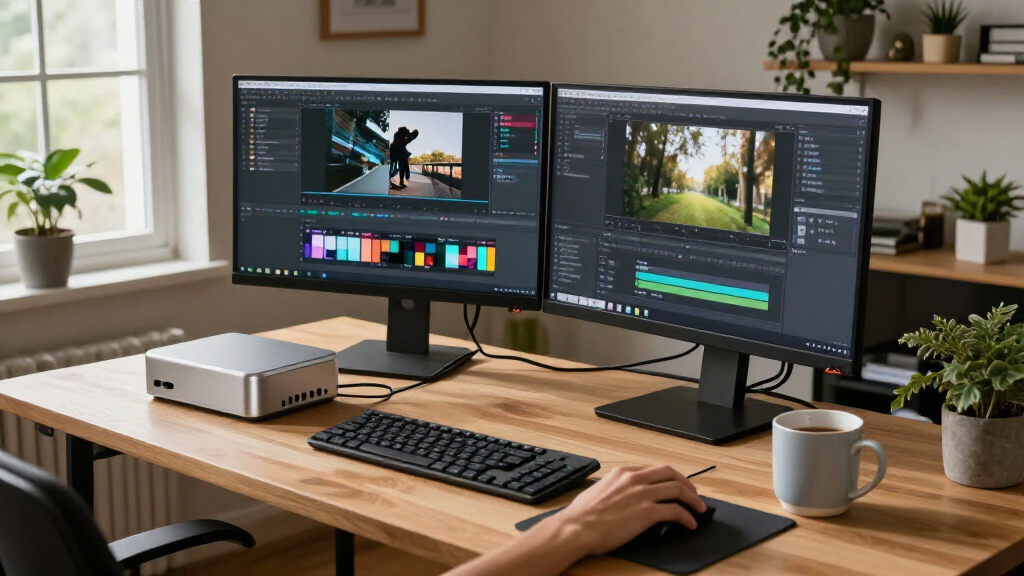

The best compact AI PCs balance capable processors, enough memory, and a small footprint without forcing every buyer into a costly high-end configuration. My best overall pick is the NIMO AI Mini PC with Ryzen AI Max+ 388, 64GB RAM, and Radeon 8060S Graphics, a strong fit for demanding local workloads; the FANPEEC Ryzen 7 7840HS models offer a more restrained everyday-computing option, while the reComputer Mini J5012 targets edge AI and camera-based projects. The main tradeoffs are integrated graphics and AI capability versus office-focused efficiency, plus paying for more memory or storage than your workload can use. Read on for the full breakdown of how these 12 systems differ and which one suits your setup.

Get the latest gadgets delivered free with Prime
- Fast, free delivery on millions of items
- Prime Video, Amazon Music and more included
- Member-only deals all year
Complete the kit



Key Takeaways
- NIMO’s Ryzen AI Max+ 388 systems lead for demanding local workloads: their shared 64GB memory and Radeon 8060S graphics distinguish them from the more general-purpose FANPEEC and GEEKOM systems.
- The NIMO configurations differ mainly by storage: the 1TB, 2TB, and 4TB versions offer a way to match capacity to local models and project files, but extra storage alone does not make the PC faster at AI tasks.
- FANPEEC’s two Ryzen 7 7840HS options make memory the key choice: 16GB is a tighter fit for light use, while 32GB gives more room for multitasking and larger workloads.
- Dell’s Pro Micro models prioritize managed desktop use: the Core Ultra 5 and Core Ultra 7 configurations are office-oriented alternatives, not direct substitutes for systems with Radeon 8060S graphics or Jetson edge hardware.
- The reComputer Mini J5012 has a specialized role: GMSL and Jetson AGX Orin 64GB suit edge deployments and camera integrations, but make it less straightforward as a general desktop PC.
| FANPEEC Mini PC with AMD Ryzen 7 7840HS, 16GB DDR5, and 512GB NVMe SSD |  | Best for Network and Display Flexibility | Processor: AMD Ryzen 7 7840HS, 8 cores and 16 threads, up to 5.1GHz | AI acceleration: Integrated Ryzen AI NPU, 10 TOPS | Memory: 16GB DDR5; two SO-DIMM slots, up to 64GB at 5600MHz | VIEW LATEST PRICE | See Our Full Breakdown |
| FANPEEC Mini PC with AMD Ryzen 7 7840HS, 32GB DDR5 RAM, and 512GB NVMe SSD | | Best Ready-to-Work Configuration | Processor: AMD Ryzen 7 7840HS, 8 cores and 16 threads, up to 5.1GHz | AI NPU: 10 TOPS | Memory: 32GB DDR5; two SO-DIMM slots, up to 64GB at 5600MHz | VIEW LATEST PRICE | See Our Full Breakdown |
| GEEKOM A5 Mini PC, AMD Ryzen 7 7730U, 16GB RAM, 256GB NVMe SSD |  | Best for Everyday Compact Computing | Processor: AMD Ryzen 7 7730U, 8 cores and 16 threads | Memory: 16GB DDR4, expandable to 64GB | Storage: 256GB PCIe NVMe SSD; product details list up to 7TB maximum storage | VIEW LATEST PRICE | See Our Full Breakdown |
| NIMO AI Mini PC with AMD Ryzen AI Max+ 388, 64GB LPDDR5X RAM, 1TB SSD, and Radeon 8060S Graphics |  | Best for Graphics-Heavy AI Workloads | Processor: AMD Ryzen AI Max+ 388, up to 5.0GHz | Graphics: Radeon 8060S, 40 compute units | Memory: 64GB LPDDR5X at 8000MHz | VIEW LATEST PRICE | See Our Full Breakdown |
| Dell Pro Micro QCM1250 Mini PC, Intel Core Ultra 5-235T, 16GB DDR5, 1TB SSD |  | Best for a Business-Ready Setup | Processor: Intel Core Ultra 5-235T, 14 cores, up to 4.9GHz | Memory: 16GB DDR5 at 4800MHz; maximum listed capacity 64GB | Storage: 1TB PCIe NVMe SSD | VIEW LATEST PRICE | See Our Full Breakdown |
| Dell Pro Micro Plus QBM1250 Mini Desktop, Intel Core Ultra 7 265, 16GB DDR5 RAM, 512GB SSD |  | Best for Multi-Monitor Business Desks | Processor: Intel Core Ultra 7 265 | Graphics: Integrated Intel Graphics | Memory: 16GB DDR5, 5600 MHz; maximum 64GB | VIEW LATEST PRICE | See Our Full Breakdown |
| Dell Pro Micro Plus QBM1250 Desktop, Intel Core Ultra 7 265, 16GB RAM, 512GB SSD | | Best for a Compact Managed Office PC | Processor: Intel Core Ultra 7 265 | Graphics: Integrated Intel Graphics | Memory: 16GB DDR5 | VIEW LATEST PRICE | See Our Full Breakdown |
| GEEKOM A5 Mini PC with AMD Ryzen 7 7730U, 16GB RAM, and 500GB SSD |  | Best for Expandable Everyday Use | Processor: AMD Ryzen 7 7730U, 8 cores and 16 threads, up to 4.5GHz | Graphics: AMD Radeon Vega 8 | Memory: 16GB DDR4, expandable up to 64GB | VIEW LATEST PRICE | See Our Full Breakdown |
| reComputer Mini J5012 with GMSL and NVIDIA Jetson AGX Orin 64GB |  | Best for Compact Edge AI and Robotics | Processor: NVIDIA Jetson AGX Orin 64GB | AI performance: Up to 275 TOPS | Memory: 64GB LPDDR5 | VIEW LATEST PRICE | See Our Full Breakdown |
| NIMO AI Mini PC with AMD Ryzen AI Max+ 388, 64GB RAM, 2TB SSD | | Best Premium Compact PC for Local AI | Processor: AMD Ryzen AI Max+ 388, up to 5.0GHz | Graphics: Radeon 8060S, 40 compute units | Memory: 64GB LPDDR5X, 8000 MT/s | VIEW LATEST PRICE | See Our Full Breakdown |
| NIMO AI Mini PC with AMD Ryzen AI Max+ 388, 64GB RAM, 4TB SSD and Radeon 8060S Graphics | | Best for Built-In Storage | Processor: AMD Ryzen AI Max+ 388, up to 5.0GHz | Graphics: Integrated Radeon 8060S, 40 compute units | Memory: 64GB LPDDR5X, 8000MHz | VIEW LATEST PRICE | See Our Full Breakdown |
| NIMO AI Mini PC with AMD Ryzen AI Max+ 388, 64GB RAM and Radeon 8060S Graphics | | Best for Flexible Storage Needs | Processor: AMD Ryzen AI Max+ 388, up to 5.0GHz | Graphics: Integrated Radeon 8060S, 40 compute units | Memory: 64GB LPDDR5X, 8000MHz | VIEW LATEST PRICE | See Our Full Breakdown |
| compact AI PC | Processor | Memory | Storage | Connectivity |
|---|---|---|---|---|
| FANPEEC Mini PC with AMD Ryzen | AMD Ryzen 7 7840HS, 8 cores and 16 threads, up to 5.1GHz | 16GB DDR5; two SO-DIMM slots, up to 64GB at 5600MHz | 512GB NVMe SSD; dual M.2 2280 slots, up to 4TB total | — |
| FANPEEC Mini PC with AMD Ryzen | AMD Ryzen 7 7840HS, 8 cores and 16 threads, up to 5.1GHz | 32GB DDR5; two SO-DIMM slots, up to 64GB at 5600MHz | 512GB NVMe SSD; dual M.2 2280 slots support up to 4TB total | — |
| GEEKOM A5 Mini PC | AMD Ryzen 7 7730U, 8 cores and 16 threads | 16GB DDR4, expandable to 64GB | 256GB PCIe NVMe SSD; product details list up to 7TB maximum storage | Wi-Fi 6, Bluetooth 5.4, 2.5GbE, dual HDMI, dual USB-C, and SD card reader |
| NIMO AI Mini PC with AMD Ryzen | AMD Ryzen AI Max+ 388, up to 5.0GHz | 64GB LPDDR5X at 8000MHz | 1TB SSD | USB4, OCuLink, HDMI, USB 3.2 Gen 2, and USB Type-C |
| Dell Pro Micro QCM1250 Mini PC | Intel Core Ultra 5-235T, 14 cores, up to 4.9GHz | 16GB DDR5 at 4800MHz; maximum listed capacity 64GB | 1TB PCIe NVMe SSD | — |
| Dell Pro Micro Plus QBM1250 Mi | Intel Core Ultra 7 265 | 16GB DDR5, 5600 MHz; maximum 64GB | 512GB M.2 NVMe SSD | Wi-Fi 6E, Bluetooth, Ethernet; 2 USB-C, 6 USB-A, 3 DisplayPort |
| Dell Pro Micro Plus QBM1250 De | Intel Core Ultra 7 265 | 16GB DDR5 | 512GB M.2 NVMe SSD | Wi-Fi 6E, Bluetooth, Ethernet; 2 USB-C, 6 USB-A, 3 DisplayPort |
| GEEKOM A5 Mini PC with AMD Ryz | AMD Ryzen 7 7730U, 8 cores and 16 threads, up to 4.5GHz | 16GB DDR4, expandable up to 64GB | 500GB M.2 2280 PCIe Gen4 x4 NVMe SSD | Wi-Fi 6, Bluetooth 5.4, 2.5GbE LAN; dual HDMI and dual USB-C |
| reComputer Mini J5012 with GMS | NVIDIA Jetson AGX Orin 64GB | 64GB LPDDR5 | — | USB, 10G Ethernet, 1G Ethernet, CAN, RS-485, GPI, GPO, I2S |
| NIMO AI Mini PC with AMD Ryzen | AMD Ryzen AI Max+ 388, up to 5.0GHz | 64GB LPDDR5X, 8000 MT/s | 2TB SSD | USB4, OCuLink, 2.5GbE Ethernet |
| NIMO AI Mini PC with AMD Ryzen | AMD Ryzen AI Max+ 388, up to 5.0GHz | 64GB LPDDR5X, 8000MHz | 4TB SSD | USB4, OCuLink, 2.5GbE Ethernet |
| NIMO AI Mini PC with AMD Ryzen | AMD Ryzen AI Max+ 388, up to 5.0GHz | 64GB LPDDR5X, 8000MHz | SSD; title states up to 8TB, installed capacity not specified | USB4, OCuLink, 2.5GbE Ethernet |
More Details on Our Top Picks
FANPEEC Mini PC with AMD Ryzen 7 7840HS, 16GB DDR5, and 512GB NVMe SSD
The FANPEEC Ryzen 7 7840HS pairs an eight-core processor and 10-TOPS Ryzen AI NPU with a particularly useful set of connections: dual 2.5GbE and outputs for three 4K displays. That makes it a better fit than the Dell Pro Micro QCM1250 for a compact home server, network appliance, or multi-screen workstation. Its two M.2 slots and expandable DDR5 also leave room to add capacity as needs change. The tradeoff is that this 16GB configuration starts with less memory than its 32GB FANPEEC sibling, so heavier multitasking may call for an upgrade. The 10-TOPS NPU is an added acceleration feature, not a promise of desktop-class local AI performance, and sustained workloads still rely on cooling in a small chassis.
Pros:- Eight-core Ryzen 7 7840HS processor with integrated 10-TOPS Ryzen AI NPU
- Dual 2.5GbE ports suit network appliances and fast wired connections
- Three 4K display outputs support flexible multi-screen setups
- Two M.2 slots, upgradeable DDR5 memory, and VESA mounting
Cons:- The included 16GB memory may need an upgrade for heavy development or multitasking
- The 10-TOPS NPU is modest for demanding local AI workloads
- Compact cooling can constrain sustained performance under prolonged heavy load
Best for: Home-lab builders and small-office users who need dual 2.5GbE, multiple 4K displays, and room to expand memory or storage.
Not ideal for: Buyers who want 32GB ready for demanding multitasking or expect a compact PC to replace a dedicated high-end AI accelerator.
- Processor:AMD Ryzen 7 7840HS, 8 cores and 16 threads, up to 5.1GHz
- AI acceleration:Integrated Ryzen AI NPU, 10 TOPS
- Memory:16GB DDR5; two SO-DIMM slots, up to 64GB at 5600MHz
- Storage:512GB NVMe SSD; dual M.2 2280 slots, up to 4TB total
- Networking:2 × 2.5GbE
- Display outputs:HDMI 2.0 up to 4K@60Hz; DisplayPort 1.4 and USB-C up to 4K@120Hz
- Dimensions and weight:135 × 125 × 52mm; 0.8kg
- Mounting and operating systems:VESA 75/100mm; Windows 10, Windows 11, and Linux
Our verdict“Choose this FANPEEC if dual 2.5GbE and multi-display flexibility matter more than having 32GB of memory out of the box.”
FANPEEC Mini PC with AMD Ryzen 7 7840HS, 32GB DDR5 RAM, and 512GB NVMe SSD
This FANPEEC keeps the same Ryzen 7 7840HS, 10-TOPS NPU, dual 2.5G Ethernet, and three 4K outputs as the 16GB model, but its 32GB of DDR5 makes it the more capable configuration from the start. That extra memory is useful for developers, creative users, and anyone running several demanding applications without immediately opening the case for an upgrade. Compared with the Dell Pro Micro QCM1250, it offers more flexible multi-display connectivity and a second M.2 slot; the Dell instead includes a 1TB SSD and Windows 11 Pro. Here, storage begins at 512GB, and the compact vapor-chamber cooling system can limit long-running workloads. Choose this version over its 16GB sibling when ready-to-use memory matters more than keeping the initial configuration lean.
Pros:- 32GB DDR5 is better equipped for multitasking than the 16GB FANPEEC configuration
- Ryzen 7 7840HS combines 8 cores and 16 threads with a 10-TOPS AI NPU
- Supports three 4K displays and dual 2.5G Ethernet
- Two M.2 slots and two SO-DIMM slots allow storage and memory upgrades
Cons:- 512GB SSD may be limiting for large media or project libraries
- Memory expansion is capped at 64GB
- Small chassis cooling may restrict sustained heavy workloads
Best for: Developers and multitaskers who want 32GB of memory, strong CPU performance, and multi-display or dual-Ethernet connectivity in a small PC.
Not ideal for: Buyers who need a larger SSD and Windows 11 Pro included, or who expect extensive memory upgrades beyond 64GB.
- Processor:AMD Ryzen 7 7840HS, 8 cores and 16 threads, up to 5.1GHz
- AI NPU:10 TOPS
- Memory:32GB DDR5; two SO-DIMM slots, up to 64GB at 5600MHz
- Storage:512GB NVMe SSD; dual M.2 2280 slots support up to 4TB total
- Networking:Dual 2.5G Ethernet
- Video outputs:HDMI 2.0 up to 4K@60Hz; DisplayPort 1.4 and USB-C up to 4K@120Hz
- Cooling:Copper vapor chamber, phase-change thermal pad, and turbo fan
- Dimensions and weight:135 × 125 × 52mm; 0.8kg
Our verdict“Pick this FANPEEC over the 16GB version if you want a stronger multitasking baseline without giving up expansion options.”
GEEKOM A5 Mini PC, AMD Ryzen 7 7730U, 16GB RAM, 256GB NVMe SSD
The GEEKOM A5 takes a more everyday approach to a compact AI PC: its Ryzen 7 7730U has eight cores and 16 threads, but the listed configuration emphasizes office work, home use, and multitasking rather than a dedicated AI NPU. Compared with either FANPEEC Ryzen 7 7840HS, it offers a lower 25-watt power-consumption figure and support for up to four displays, but its 256GB SSD is the smallest starting drive in this group. Wi-Fi 6, Bluetooth 5.4, 2.5GbE, an SD card reader, and a three-year limited warranty make it a practical desk or media setup. Its 16GB DDR4 is expandable to 64GB, though the processor and memory platform are less suited to buyers prioritizing newer AI acceleration. The listed operating system is unspecified.
Pros:- Eight-core, 16-thread Ryzen 7 7730U for office work and everyday multitasking
- Supports up to four displays and includes an SD card reader
- 16GB DDR4 can be expanded to 64GB, with storage expansion listed up to 7TB
- Wi-Fi 6, Bluetooth 5.4, 2.5GbE, and a three-year limited warranty
Cons:- 256GB NVMe SSD leaves less room for applications and files than the 512GB or 1TB alternatives
- No dedicated AI NPU is listed, unlike the FANPEEC and Dell options
- The pre-installed operating system is not specified
Best for: Home and office users who want a modest-power mini PC for everyday multitasking, several displays, and expandable memory.
Not ideal for: Local-AI enthusiasts or users with large applications and media libraries who need a specified operating system and more SSD capacity from the outset.
- Processor:AMD Ryzen 7 7730U, 8 cores and 16 threads
- Memory:16GB DDR4, expandable to 64GB
- Storage:256GB PCIe NVMe SSD; product details list up to 7TB maximum storage
- Display support:Up to four displays; USB-C output up to 8K
- Connectivity:Wi-Fi 6, Bluetooth 5.4, 2.5GbE, dual HDMI, dual USB-C, and SD card reader
- Power consumption:25 watts
- Dimensions and weight:8.94 × 6.92 × 5.27 inches; 1kg
- Warranty:3-year limited warranty
Our verdict“Choose the GEEKOM A5 for everyday work and broad display support, but look elsewhere for dedicated AI acceleration or more starting storage.”
NIMO AI Mini PC with AMD Ryzen AI Max+ 388, 64GB LPDDR5X RAM, 1TB SSD, and Radeon 8060S Graphics
The NIMO AI Mini PC occupies a different performance tier from the FANPEEC and Dell models: its Ryzen AI Max+ 388 is paired with Radeon 8060S graphics and 64GB of fast LPDDR5X, giving creators and local-AI users more memory and graphics capability in a 1L chassis. That combination also makes it the strongest fit here for graphics-heavy work and gaming, rather than a basic office or network appliance. Against the FANPEEC 32GB model, NIMO supplies twice the memory and a 1TB SSD, but the FANPEEC offers dual 2.5GbE and more clearly specified memory and storage upgrade paths. NIMO’s memory is capped at 64GB and is not listed as user-expandable; internal expansion may also be constrained. USB4 and OCuLink add options for external devices, but the compact size does not remove those limits.
Pros:- Ryzen AI Max+ 388 paired with Radeon 8060S graphics for graphics-intensive work
- 64GB LPDDR5X at 8000MHz supports demanding multitasking and memory-heavy workloads
- 1TB SSD provides more starting capacity than the FANPEEC models
- USB4 and OCuLink offer additional connectivity and expansion options
Cons:- Memory is capped at 64GB and listed as LPDDR5X rather than user-upgradeable modules
- Compact 1L chassis may limit internal expansion
- Only one 2.5GbE connection is specified
Best for: Creators and local-AI users who need 64GB of fast memory and substantially stronger integrated graphics in a compact desktop.
Not ideal for: Buyers who need upgradeable memory, multiple wired Ethernet ports, or a clearly documented path to large internal storage expansion.
- Processor:AMD Ryzen AI Max+ 388, up to 5.0GHz
- Graphics:Radeon 8060S, 40 compute units
- Memory:64GB LPDDR5X at 8000MHz
- Storage:1TB SSD
- Operating system:Windows 11
- Networking:2.5GbE Ethernet
- Connectivity:USB4, OCuLink, HDMI, USB 3.2 Gen 2, and USB Type-C
- Chassis and dimensions:1L silver mini PC; 6.3 × 6.3 × 1.85 inches
- Weight:3.3 pounds
Our verdict“Choose NIMO when graphics and high-bandwidth 64GB memory outweigh upgrade flexibility and multiple wired network ports.”
Dell Pro Micro QCM1250 Mini PC, Intel Core Ultra 5-235T, 16GB DDR5, 1TB SSD
The Dell Pro Micro QCM1250 is the straightforward office choice: it combines a 14-core Core Ultra 5-235T with an integrated AI Boost NPU, Windows 11 Pro, a 1TB SSD, and a keyboard and mouse. That ready-to-deploy package is a clearer fit for managed business desks than the FANPEEC models, which offer dual 2.5GbE and three 4K outputs but are described with Windows 10, Windows 11, and Linux support rather than a specific installed Pro edition. Dell’s compact 2.5-pound body and Wi-Fi 6E also suit space-limited work areas. The tradeoff is its integrated graphics, which make it a weaker match for graphics-heavy creation or gaming than the NIMO Radeon 8060S system. Memory is listed as 16GB, with a 64GB maximum, though the source notes inconsistent capacity information.
Pros:- 14-core Core Ultra 5-235T with integrated AI Boost NPU
- Windows 11 Pro and a 1TB PCIe NVMe SSD are included
- Wi-Fi 6E and Bluetooth 5.4 support modern wireless connections
- USB keyboard and mouse are included for a ready-to-set-up desktop
Cons:- Integrated graphics are less suited to demanding creative or gaming workloads than the NIMO Radeon 8060S
- Memory capacity information is inconsistent, despite a listed 64GB maximum
- Connectivity lacks the dual 2.5GbE and three-display output combination offered by the FANPEEC models
Best for: Small-business and office buyers who want Windows 11 Pro, a 1TB SSD, wireless connectivity, and basic peripherals in one compact package.
Not ideal for: Creators, gamers, or local-AI users whose workloads need stronger graphics, and buyers who require dual 2.5GbE or three 4K outputs.
- Processor:Intel Core Ultra 5-235T, 14 cores, up to 4.9GHz
- Memory:16GB DDR5 at 4800MHz; maximum listed capacity 64GB
- Storage:1TB PCIe NVMe SSD
- Graphics:Integrated graphics
- Operating system:Windows 11 Pro 64-bit
- Wireless connectivity:Wi-Fi 6E and Bluetooth 5.4
- Ports:HDMI 2.1, DisplayPort, USB-C, USB-A, RJ-45 Ethernet, and headphone/microphone combo jack
- Dimensions and weight:7.25 × 7.9 × 1.5 inches; 2.5 lb
- Included accessories:USB keyboard and mouse
Our verdict“Pick the Dell for a compact office PC with Windows 11 Pro and peripherals included, not for graphics-intensive work.”
Dell Pro Micro Plus QBM1250 Mini Desktop, Intel Core Ultra 7 265, 16GB DDR5 RAM, 512GB SSD
I’d choose this Dell for a compact office setup that needs several screens and business-oriented Windows features. Its three DisplayPort outputs support up to three 4K monitors, while Wi-Fi 6E, Ethernet, and a generous mix of USB ports make it easy to fit into an existing desk setup. Compared with the GEEKOM A5, it has a stronger business focus and Windows 11 Pro, though the GEEKOM offers broader storage expansion and support for up to four displays.
The Core Ultra 7 265 and 16GB of DDR5 suit everyday productivity and multitasking, but integrated graphics are not a substitute for a discrete GPU in graphics-heavy work. I’d also weigh the resealed-for-upgrade condition before buying; that disclosure makes this less straightforward than a standard new configuration. Its 512GB SSD may call for external or replacement storage as files accumulate.
Pros:- Compact 2.71-pound chassis fits easily on a crowded desk.
- Supports up to three external 4K displays at 60Hz.
- Windows 11 Pro, Wi-Fi 6E, Bluetooth, and Ethernet suit managed office setups.
- Includes two USB-C ports, six USB-A ports, and three DisplayPort connections.
Cons:- The system is disclosed as resealed after a system upgrade.
- Integrated Intel Graphics limits graphics-intensive work.
- The 512GB SSD can feel restrictive for large local project files.
Best for: Office workers and small business teams who need a compact Windows 11 Pro desktop driving up to three 4K monitors.
Not ideal for: Buyers who require a clearly new, unopened system or need dedicated graphics for demanding 3D, video, or GPU-based AI workloads.
- Processor:Intel Core Ultra 7 265
- Graphics:Integrated Intel Graphics
- Memory:16GB DDR5, 5600 MHz; maximum 64GB
- Storage:512GB M.2 NVMe SSD
- Operating system:Windows 11 Pro 64-bit
- Display support:Up to three external monitors, up to 4K at 60Hz
- Connectivity:Wi-Fi 6E, Bluetooth, Ethernet; 2 USB-C, 6 USB-A, 3 DisplayPort
- Dimensions and weight:7.17 x 1.41 x 7.01 inches; 2.71 lbs
- Condition and support:Resealed for a system upgrade; Dell support through June 2029
Our verdict“Choose this Dell for a small business desk that needs Windows 11 Pro and three-monitor support, provided the resealed condition and integrated graphics fit your needs.”
Dell Pro Micro Plus QBM1250 Desktop, Intel Core Ultra 7 265, 16GB RAM, 512GB SSD
This QBM1250 is a good fit when a business wants a small Windows 11 Pro desktop with room for three 4K displays, rather than a workstation built around a discrete GPU. Its 2.71-pound design and broad selection of USB ports make it easy to position behind a monitor or connect to existing office peripherals. Compared with the resealed Dell QBM1250 listing, this product description does not disclose a resealing, making it the clearer pick for buyers who want to avoid that particular condition caveat.
The Core Ultra 7 265 and 16GB of DDR5 are suited to office multitasking and AI-assisted tasks that do not depend on heavy graphics processing. The GEEKOM A5 offers four-display support and more explicit internal storage expansion, while this Dell emphasizes business deployment and three DisplayPort outputs. Integrated graphics and a compact chassis limit graphics workloads and upgrade flexibility, so I would not treat it as a small gaming or creator workstation.
Pros:- Small, lightweight chassis is easy to place in a business workspace.
- Supports up to three external monitors at 4K and 60Hz.
- Windows 11 Pro and Dell support through June 2029 suit business use.
- Offers Wi-Fi 6E, Bluetooth, Ethernet, USB-C, and six USB-A ports.
Cons:- Integrated graphics restrict demanding visual and GPU-accelerated workloads.
- The compact chassis may limit internal upgrades.
- The listed 16GB memory and 512GB SSD may need expansion for heavier workloads.
Best for: Small-business IT buyers setting up compact Windows desktops for staff who use several monitors and standard productivity applications.
Not ideal for: Creators, gamers, or local AI users whose workloads need powerful dedicated graphics or substantial internal component upgrades.
- Processor:Intel Core Ultra 7 265
- Graphics:Integrated Intel Graphics
- Memory:16GB DDR5
- Storage:512GB M.2 NVMe SSD
- Operating system:Windows 11 Pro 64-bit
- Display support:Up to three external monitors, up to 4K at 60Hz
- Connectivity:Wi-Fi 6E, Bluetooth, Ethernet; 2 USB-C, 6 USB-A, 3 DisplayPort
- Weight:2.71 lbs
- Support:Dell support until June 2029
Our verdict“Pick this Dell for a compact, multi-monitor Windows 11 Pro office setup, but choose a more graphics-capable mini PC for creative or GPU-heavy work.”
GEEKOM A5 Mini PC with AMD Ryzen 7 7730U, 16GB RAM, and 500GB SSD
The GEEKOM A5 makes the most sense for buyers who want a compact everyday PC with clear memory and storage upgrade paths. Its Ryzen 7 7730U has eight cores and 16 threads, and the Radeon Vega 8 graphics can handle routine desktop tasks without a separate graphics card. Compared with either Dell Pro Micro Plus QBM1250, it can connect up to four displays and offers a second M.2 slot plus a 2.5-inch SATA bay, giving it more room to grow as files and projects expand.
That flexibility comes with a less business-focused setup: the A5 runs Windows 11, not the listed Windows 11 Pro edition found on the Dells, and its cloud AI workflows depend on compatible services rather than dedicated local AI hardware. The included 16GB RAM and 500GB SSD are workable for everyday use, but buyers planning heavier multitasking should budget time for an upgrade. Wi-Fi 6, Bluetooth 5.4, 2.5GbE, and a three-year limited warranty round out a practical home or small-office option.
Pros:- Memory can be expanded up to 64GB.
- Storage expansion includes an M.2 SATA slot and a 2.5-inch SATA bay.
- Supports up to four displays, including 8K output through USB-C.
- Includes Wi-Fi 6, Bluetooth 5.4, 2.5GbE LAN, and a three-year limited warranty.
Cons:- The included 16GB RAM and 500GB SSD may constrain demanding projects.
- Cloud AI workflows depend on compatible services rather than dedicated local AI hardware.
- Radeon Vega 8 integrated graphics are not suited to demanding graphics workloads.
Best for: Home-office users and hands-on buyers who want a small Windows PC with straightforward memory and storage expansion.
Not ideal for: Business users who require Windows 11 Pro, or buyers seeking a dedicated local AI accelerator and strong graphics performance.
- Processor:AMD Ryzen 7 7730U, 8 cores and 16 threads, up to 4.5GHz
- Graphics:AMD Radeon Vega 8
- Memory:16GB DDR4, expandable up to 64GB
- Storage:500GB M.2 2280 PCIe Gen4 x4 NVMe SSD
- Storage expansion:M.2 2242 SATA III slot and 2.5-inch SATA bay; up to 10TB total
- Operating system:Windows 11
- Display support:Up to four displays; up to 8K via USB-C
- Connectivity:Wi-Fi 6, Bluetooth 5.4, 2.5GbE LAN; dual HDMI and dual USB-C
- Warranty:3-year limited warranty
Our verdict“Choose the GEEKOM A5 if upgrade flexibility and four-display support matter more than Windows 11 Pro or dedicated local AI performance.”
reComputer Mini J5012 with GMSL and NVIDIA Jetson AGX Orin 64GB
This is the specialist pick in this group: the reComputer Mini J5012 is built for edge AI, robotics, and computer vision, not as a general Windows desktop. The NVIDIA Jetson AGX Orin 64GB is listed at up to 275 TOPS, and support for as many as eight GMSL2 cameras makes it a distinctive platform for multi-camera systems. Its 119 x 119 mm footprint is substantially more purpose-built for embedded projects than the NIMO AI Mini PC, which is a better match for desktop productivity and local AI workflows.
The tradeoff is a more specialized software and connection environment: it lists JetPack 5.x, Linux, and Ubuntu 20.04 LTS rather than Windows, and its USB, Ethernet, CAN, RS-485, GPI, GPO, and I2S connections suit hardware integration more than a typical desk. I’d choose it when its camera and robotics interfaces match the project, not simply because its AI performance figure is high. The listed 54 V input limit and two-year warranty are also details to account for when planning deployment.
Pros:- Jetson AGX Orin 64GB is rated for up to 275 TOPS of AI performance.
- Supports connections for up to eight GMSL2 cameras.
- Compact 119 x 119 mm footprint suits space-constrained embedded installations.
- Includes robotics-oriented connections such as CAN, RS-485, GPI, GPO, and I2S.
Cons:- Linux and JetPack software options make it less suited to standard Windows desktop use.
- Its camera and industrial connections may be unnecessary complexity for ordinary office buyers.
- The listed input voltage limit is 54 V, and warranty availability is two years.
Best for: Robotics engineers and computer-vision teams building compact edge systems that need multiple GMSL2 cameras and industrial interfaces.
Not ideal for: Buyers seeking a familiar Windows mini desktop for office tasks, gaming, or creative work with standard monitor and peripheral connections.
- Processor:NVIDIA Jetson AGX Orin 64GB
- AI performance:Up to 275 TOPS
- Memory:64GB LPDDR5
- Dimensions:119 x 119 mm footprint
- Camera support:Up to eight GMSL2 cameras
- Operating system:JetPack 5.x, Linux, Ubuntu 20.04 LTS
- Connectivity:USB, 10G Ethernet, 1G Ethernet, CAN, RS-485, GPI, GPO, I2S
- Video output:HDMI
- Warranty availability:2 years
Our verdict“Buy the reComputer Mini J5012 for camera-rich robotics and edge inference projects, not as a general-purpose compact PC.”
NIMO AI Mini PC with AMD Ryzen AI Max+ 388, 64GB RAM, 2TB SSD
The NIMO is the strongest desktop-style choice here for buyers who want substantial memory, fast integrated graphics, and room for local AI workflows in a small chassis. Its Ryzen AI Max+ 388 is paired with Radeon 8060S graphics and 64GB of LPDDR5X memory, while the 2TB SSD provides more built-in storage than the Dell Pro Micro Plus QBM1250 or GEEKOM A5 configurations in this batch. That combination makes it a better fit for creative work and demanding multitasking than those office-oriented systems, without stepping into the specialized Linux and camera-focused role of the reComputer Mini J5012.
The 1L, 3.3-pound design stays compact, and USB4, OCuLink, and 2.5GbE give it useful options for peripherals and expansion. The key limit is that its 64GB LPDDR5X memory is listed as a fixed capacity, so buyers cannot plan on a memory upgrade beyond that. I’d also choose it for Windows desktop workloads rather than assuming it replaces a purpose-built embedded AI system.
Pros:- 64GB of LPDDR5X memory supports demanding multitasking and local workloads.
- 2TB SSD provides generous included storage for projects and data.
- Radeon 8060S graphics and Ryzen AI Max+ 388 target creative and AI-assisted work.
- Compact 1L chassis includes USB4, OCuLink, and 2.5GbE Ethernet.
Cons:- Memory is listed at 64GB with no larger capacity option in this configuration.
- Integrated Radeon graphics do not provide the flexibility of a separate graphics card.
- Its desktop-oriented design lacks the multi-camera and industrial I/O of the reComputer Mini J5012.
Best for: Power users, creators, and local AI hobbyists who want a compact Windows desktop with 64GB memory and a large included SSD.
Not ideal for: Buyers who need more than 64GB of memory, a discrete graphics card, or the camera and industrial interfaces of an edge-computing platform.
- Processor:AMD Ryzen AI Max+ 388, up to 5.0GHz
- Graphics:Radeon 8060S, 40 compute units
- Memory:64GB LPDDR5X, 8000 MT/s
- Storage:2TB SSD
- Operating system:Windows 11
- Connectivity:USB4, OCuLink, 2.5GbE Ethernet
- Dimensions:6.3 x 6.3 x 1.85 inches
- Weight:3.3 pounds
- Color:Silver
Our verdict“Choose this NIMO for a compact Windows PC with high memory capacity, strong integrated graphics, and 2TB of storage for local workloads.”
NIMO AI Mini PC with AMD Ryzen AI Max+ 388, 64GB RAM, 4TB SSD and Radeon 8060S Graphics
The 4TB SSD gives this compact NIMO a clear advantage for buyers keeping large creative projects, media libraries, or local AI files on the system. It pairs that capacity with 64GB of LPDDR5X memory and Radeon 8060S graphics, making it a more capable fit for memory-heavy work than the FANPEEC Ryzen 7 7840HS models listed with 16GB or 32GB. Its 1L chassis also takes up little desk space, while USB4, OCuLink, and 2.5GbE offer useful connection and expansion options. The tradeoff is that the memory is capped at 64GB, so it cannot be upgraded later, and the listing does not spell out detailed display outputs. Compared with the similar NIMO model whose storage is unclear, this version is the safer pick when known internal capacity matters.
Pros:- Specified 4TB SSD provides ample onboard room for large files and applications
- 64GB LPDDR5X memory supports demanding multitasking
- Radeon 8060S integrated graphics with 40 compute units suits graphics-intensive workloads
- USB4, OCuLink, and 2.5GbE add connection and expansion flexibility in a 1L chassis
Cons:- Memory is limited to the installed 64GB and cannot be expanded
- Detailed display output capabilities are not specified
Best for: Compact-PC buyers who need 4TB of specified onboard storage for large project files, media, or local AI work alongside 64GB of memory.
Not ideal for: Buyers who expect to upgrade system memory later or need clearly documented display connections before choosing a multi-monitor workstation.
- Processor:AMD Ryzen AI Max+ 388, up to 5.0GHz
- Graphics:Integrated Radeon 8060S, 40 compute units
- Memory:64GB LPDDR5X, 8000MHz
- Storage:4TB SSD
- Operating system:Windows 11
- Connectivity:USB4, OCuLink, 2.5GbE Ethernet
- Dimensions:6.3 x 6.3 x 1.85 inches
- Weight:3.3 pounds
Our verdict“Choose this NIMO if you want a compact AI PC with clearly stated 4TB storage and can work within its fixed 64GB memory ceiling.”
NIMO AI Mini PC with AMD Ryzen AI Max+ 388, 64GB RAM and Radeon 8060S Graphics
This NIMO packs the same Ryzen AI Max+ 388, 64GB of LPDDR5X, and Radeon 8060S graphics as its 4TB sibling into the same 1L footprint. That shared platform makes it a strong fit for compact creative and local AI workflows, while USB4, OCuLink, and 2.5GbE give it more expansion and networking flexibility than the smaller-storage FANPEEC Ryzen 7 7840HS configurations. Its point of difference is less settled: the title mentions storage up to 8TB, but the supplied product details do not confirm the installed SSD capacity. I would choose it over the 4TB NIMO only if the seller confirms the exact configuration or if a configurable storage option suits your plans. The fixed 64GB memory limit remains a constraint for buyers who may need more later.
Pros:- 64GB LPDDR5X memory supports demanding multitasking and creative workloads
- Radeon 8060S integrated graphics has 40 compute units
- USB4, OCuLink, and 2.5GbE Ethernet support flexible connectivity and expansion
- Compact 1L chassis measures 6.3 x 6.3 x 1.85 inches
Cons:- Installed SSD capacity is not clearly stated, despite the title mentioning up to 8TB
- 64GB memory is the stated capacity and cannot be expanded beyond it
- Detailed display output capabilities are not provided
Best for: Buyers focused on the NIMO’s high-memory, integrated-graphics platform who can verify the SSD configuration before purchase or plan to expand storage.
Not ideal for: People who need a confirmed, ready-to-use storage capacity in the listing; the 4TB NIMO is clearer on that point.
- Processor:AMD Ryzen AI Max+ 388, up to 5.0GHz
- Graphics:Integrated Radeon 8060S, 40 compute units
- Memory:64GB LPDDR5X, 8000MHz
- Storage:SSD; title states up to 8TB, installed capacity not specified
- Operating system:Windows 11
- Connectivity:USB4, OCuLink, 2.5GbE Ethernet
- Dimensions:6.3 x 6.3 x 1.85 inches
- Weight:3.3 pounds
Our verdict“Consider this NIMO for its compact, high-memory AI-capable platform only after confirming the SSD capacity, especially when the 4TB sibling offers clearer storage details.”
How We Picked
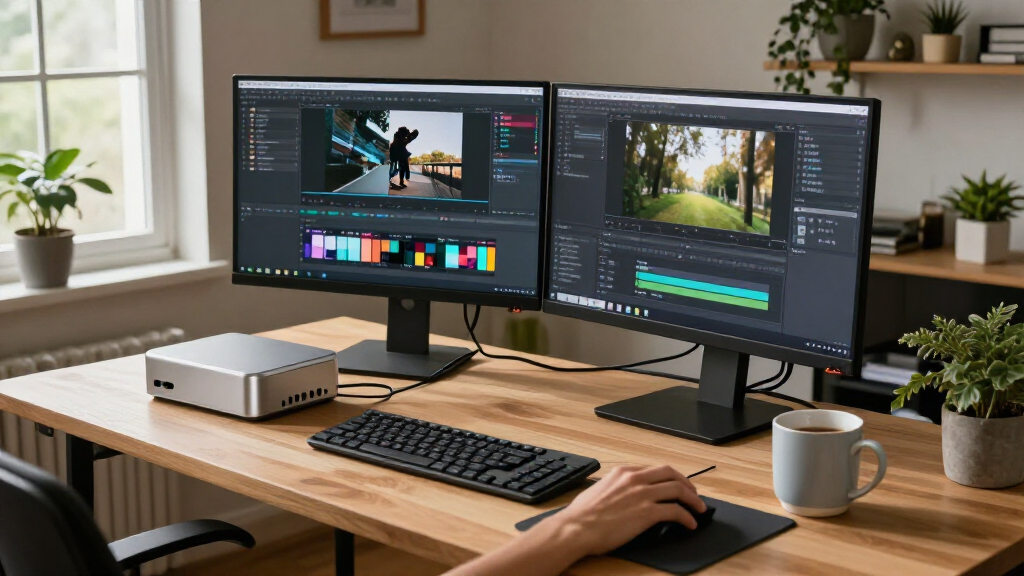
I ranked these compact AI PCs by how well their hardware and intended use align, rather than treating every machine as a general-purpose desktop. I weighed processor capability, memory capacity, graphics or AI hardware, storage configuration, and the practical value of each specification. For local AI and graphics-heavy tasks, memory and GPU capability matter more than a larger SSD; for office work, manageability and a sensible configuration can matter more than peak compute.
That logic puts the NIMO Ryzen AI Max+ 388 family at the top for buyers seeking local AI capability, with its different storage configurations distinguished by capacity rather than assumed performance. FANPEEC’s Ryzen 7 7840HS systems follow as more approachable general-purpose options, with the 32GB version better equipped for multitasking than the 16GB version. GEEKOM’s Ryzen 7 7730U models and Dell’s Pro Micro desktops serve lighter or managed business roles, while the reComputer Mini J5012 ranks as a specialist choice: its Jetson platform and GMSL support are valuable for edge-camera projects, but narrower in everyday desktop use. Closely related configurations are not treated as separate performance tiers when their listed core hardware is alike.
| compact AI PC | Connectivity | Graphics | Operating system |
|---|---|---|---|
| FANPEEC Mini PC with AMD Ryzen | — | — | — |
| FANPEEC Mini PC with AMD Ryzen | — | — | — |
| GEEKOM A5 Mini PC | Wi-Fi 6, Bluetooth 5.4, 2.5GbE, dual HDMI, dual USB-C, and SD card reader | — | — |
| NIMO AI Mini PC with AMD Ryzen | USB4, OCuLink, HDMI, USB 3.2 Gen 2, and USB Type-C | Radeon 8060S, 40 compute units | Windows 11 |
| Dell Pro Micro QCM1250 Mini PC | — | Integrated graphics | Windows 11 Pro 64-bit |
| Dell Pro Micro Plus QBM1250 Mi | Wi-Fi 6E, Bluetooth, Ethernet; 2 USB-C, 6 USB-A, 3 DisplayPort | Integrated Intel Graphics | Windows 11 Pro 64-bit |
| Dell Pro Micro Plus QBM1250 De | Wi-Fi 6E, Bluetooth, Ethernet; 2 USB-C, 6 USB-A, 3 DisplayPort | Integrated Intel Graphics | Windows 11 Pro 64-bit |
| GEEKOM A5 Mini PC with AMD Ryz | Wi-Fi 6, Bluetooth 5.4, 2.5GbE LAN; dual HDMI and dual USB-C | AMD Radeon Vega 8 | Windows 11 |
| reComputer Mini J5012 with GMS | USB, 10G Ethernet, 1G Ethernet, CAN, RS-485, GPI, GPO, I2S | — | JetPack 5.x, Linux, Ubuntu 20.04 LTS |
| NIMO AI Mini PC with AMD Ryzen | USB4, OCuLink, 2.5GbE Ethernet | Radeon 8060S, 40 compute units | Windows 11 |
| NIMO AI Mini PC with AMD Ryzen | USB4, OCuLink, 2.5GbE Ethernet | Integrated Radeon 8060S, 40 compute units | Windows 11 |
| NIMO AI Mini PC with AMD Ryzen | USB4, OCuLink, 2.5GbE Ethernet | Integrated Radeon 8060S, 40 compute units | Windows 11 |
Factors to Consider When Choosing Best Compact AI PCs
Compact AI PCs vary less by their small footprint than by what they are built to compute. Before choosing a configuration, I would match the system to the AI workload, then check the memory, software, and upgrade path that workload depends on.
Match the AI workload to the kind of hardware
Start by deciding whether AI runs locally, in the cloud, or as part of an edge device. A compact PC used for office apps and cloud-based assistants does not need the same graphics capability as one running models on-device. For local inference, check the software’s supported processor, GPU, and acceleration frameworks rather than relying on an AI label alone. Edge systems can have connectors and compute platforms built for cameras or sensors, which may matter more than desktop convenience. A common mistake is buying for a peak specification while the intended software cannot make use of it. If you are uncertain, prioritize a system that supports the applications you already plan to run.
Choose memory for the workload, not just the processor
Memory can set the practical limit on how many applications, model files, and data can stay active at once. Integrated graphics may also draw on system memory, leaving less available to other tasks. Check whether the memory is upgradeable or fixed before purchase, since compact systems can offer less room for later changes. For light desktop work, a high memory configuration may provide little benefit; local models and sustained multitasking can make additional capacity more useful. Do not confuse system RAM with graphics memory, as they are not always interchangeable in software requirements. When comparing models, confirm the exact memory type and configuration instead of assuming similar product names mean identical internals.
Treat storage capacity and compute speed as separate decisions
Local AI models, datasets, and media files can fill storage quickly, so capacity matters when those files need to stay on the PC. A larger SSD, however, does not by itself improve model inference speed or make a processor more capable. Consider how much space your operating system and active projects require, then leave room for updates and working files. If the system supports storage expansion, a smaller included drive may be a reasonable starting point, but confirm the expansion method and limits first. Buyers who move models between machines may prefer external storage, while those running offline workloads may value internal capacity more. Match drive size to your workflow instead of treating the largest option as the best-performing one.
Account for cooling, noise, and sustained workloads
A compact enclosure saves desk space but leaves less room for cooling than a larger desktop. Short bursts of work and long model runs can place different demands on thermal performance, so look for information about sustained operation rather than peak processor specifications alone. A small system that becomes loud under load may be a poor fit for a quiet office or shared workspace. Dust access and the ability to clean vents also affect long-term upkeep. Check the placement of air intakes before mounting a mini PC behind a monitor or inside a cabinet. For workloads that run for hours, cooling design and operating environment can matter as much as headline compute.
Check software compatibility and deployment needs
AI performance depends on the software stack as well as the hardware. Confirm operating system support, driver availability, and compatibility with the libraries used by your models before committing to a platform. Edge projects may also require specific camera interfaces, timing support, or deployment tools that a conventional mini desktop does not provide. Conversely, a specialized edge board may demand more setup than a plug-in office PC. Plan for updates, security policies, remote administration, and backups if the system will operate unattended. Buying hardware first and checking the software later can leave expensive compute unused.
Pay extra only for capacity your plans can use
Higher memory, graphics capability, and storage can make a compact PC more flexible, but each upgrade should solve a clear problem. If your tasks rely on cloud services, a capable office-oriented system may be a better fit than a local-AI-focused machine. If you run larger models on-device, spending more on memory and graphics capability may matter more than adding storage beyond your project needs. For beginners, straightforward desktop setup and broad everyday compatibility can outweigh specialized connectors or edge features. Also check whether a configuration can be upgraded later before paying upfront for every capacity increase. The best fit is the least complex system that meets your workload today while leaving sensible room for growth.
Frequently Asked Questions
Is a compact AI PC worthwhile if I mostly use cloud-based AI tools?
Usually, a cloud-first workflow does not require a high-end local AI system. A compact PC with a capable general-purpose processor and enough memory for your everyday applications may be the more sensible choice. Local graphics and larger memory configurations matter when models or data need to run on the device. Consider whether privacy, offline access, or recurring workloads justify local compute for you. If not, spend more attention on connectivity, software compatibility, and day-to-day usability than on AI-specific hardware.
Should I choose 16GB or 32GB of RAM for a compact AI PC?
Choose based on the applications and models you expect to run at the same time. Sixteen gigabytes can suit everyday work and lighter multitasking, while 32GB leaves more room for heavier projects and integrated graphics that share system memory. AI software requirements vary, so check the model and framework documentation before deciding. Also find out whether the memory can be upgraded; fixed memory makes the initial choice more consequential. For a cloud-based workflow, extra RAM may matter less than it does for local inference.
Does a larger SSD make an AI PC run models faster?
Not by itself. A larger SSD mainly gives you more room for model files, datasets, applications, and project output. Inference speed depends more on the processor, graphics hardware, memory, and software support. Storage speed can affect loading and file transfers, but capacity should not be mistaken for compute performance. If you expect to keep many models locally, capacity is useful; if you use only a small set, you may be better served by a configuration with stronger compute or memory.
Can I use a Jetson edge system as my everyday desktop?
A Jetson-based edge system may handle specialized development and deployment work, but it is not automatically as convenient as a conventional mini PC for daily desktop tasks. Check its operating system, application support, display setup, and peripheral compatibility against your routine. GMSL and edge-oriented features can be valuable when connecting supported cameras, but they may go unused in an office setup. If you need a general desktop first and an edge platform second, a conventional PC may be easier to live with. Choose the Jetson route when the edge workload is central to the project.
When should I pay more for a compact PC with stronger local graphics?
Paying for stronger graphics makes sense when your software can use them and your workload runs locally often enough to benefit. Examples include supported local AI inference, graphics-intensive work, or development that depends on GPU acceleration. For mostly web-based tools and office applications, a graphics-heavy system may add capability you rarely use. Check framework support and memory requirements before deciding, since nominal GPU capability does not guarantee compatibility with every model. If local AI is only an occasional experiment, consider whether a less specialized PC better fits your regular work.
Conclusion
For the best overall local-AI capability, I would choose the NIMO Ryzen AI Max+ 388 system with 64GB RAM and Radeon 8060S graphics, then select its SSD capacity based on the size of your model library. The best value for general-purpose use is the FANPEEC Ryzen 7 7840HS with 16GB RAM for lighter workloads; choose its 32GB version if you expect heavier multitasking or local experimentation. The best premium choice is the NIMO 4TB configuration for buyers who need substantial built-in project and model storage, not because storage alone raises compute speed. For beginners, the GEEKOM A5 or a Dell Pro Micro is a more straightforward starting point for everyday tasks, with the Dell suited to managed office environments. For camera-based edge deployments, the reComputer Mini J5012 is the purpose-built pick; skip it if you mainly want a conventional desktop. Match the system to the work you will actually run, and the ranking becomes a choice between local compute, everyday simplicity, and specialized deployment.
Halloween Picks
halloween
As an affiliate, we earn on qualifying purchases.