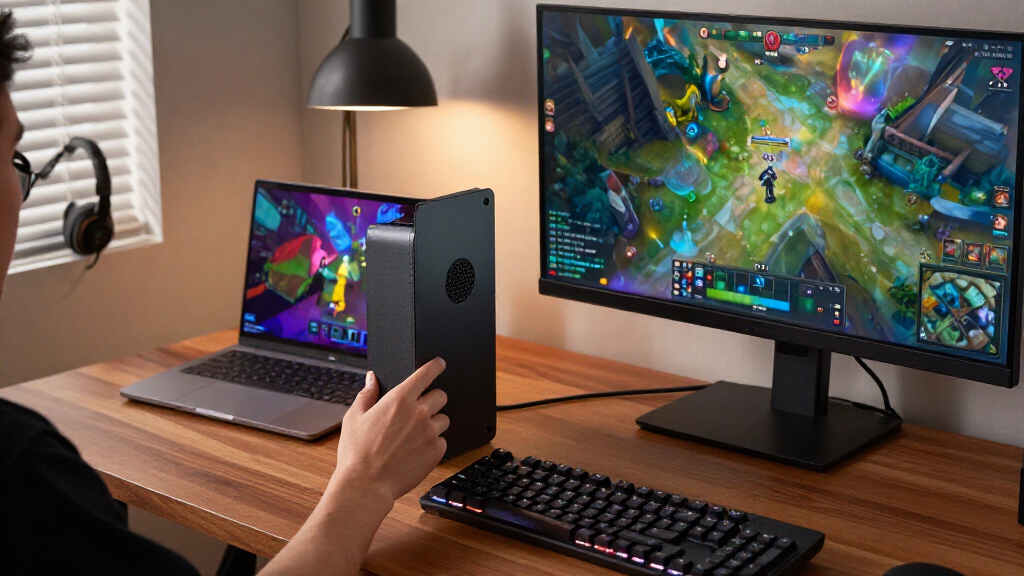
🔍 Read the full analysis: A 2027 Guide To 10 Best External GPUs For AI And Gaming on ThorstenMeyerAI.com

Get the latest gadgets delivered free with Prime
- Fast, free delivery on millions of items
- Prime Video, Amazon Music and more included
- Member-only deals all year
TL;DR
This is a buyer’s guide, not a report of a new product launch: it compares 10 external GPU options for AI and gaming based on the supplied source. The source favors the Razer Core X V2 for broad Thunderbolt compatibility, while OCuLink docks such as the MINISFORUM DEG1 are presented as higher-bandwidth choices for compatible computers.
A 2027 buyer’s guide from ThorstenMeyerAI.com compares 10 external GPU options for AI workloads and gaming, with its main finding that the best choice depends on a computer’s connection and the buyer’s tolerance for setup work, as detailed in the original analysis. The guide names the Razer Core X V2 its general-purpose pick, but points users with compatible OCuLink ports toward higher-bandwidth docks such as the MINISFORUM DEG1, alongside other external GPU options for laptops.
The guide distinguishes between GPU enclosures, which require buyers to supply a graphics card, and integrated products that arrive with graphics hardware installed. It describes the Razer as a Thunderbolt 4 enclosure suited to users seeking broad compatibility, while the ASUS ROG XG Mobile is presented as a compact, integrated option tied to ASUS’s proprietary connection and ecosystem.
For systems with OCuLink, the source highlights the MINISFORUM DEG1 as a lower-cost, high-bandwidth dock and says OCuLink can provide a direct PCIe 4.0 x4 link, a key consideration covered in this external GPU buying guide. It also includes the NIMO RX 7600M XT as a complete mid-range gaming setup, alongside DIY docks from OwlTree and RGEEK that require separate components and more hands-on assembly.
The source material names only five distinct product families, not 10. To avoid inventing models, this guide treats the remaining five entries as setup categories from the source: a Thunderbolt enclosure with a user-supplied GPU; an OCuLink dock with a user-supplied GPU; an OCuLink mini-PC setup; an OwlTree DIY dock; and an RGEEK DIY dock. These are categories rather than five verified product models, so readers should check exact product versions and compatibility before buying.
The 10 picks
- 1
 GIGABYTE AORUS RTX 5090 AI Box External GPUView on Amazon →
- 2
 ASUS ROG XG Mobile (2025) External Graphics Card with NVIDIA GeForce RTX 5090View on Amazon →
- 3
 NIMO External Graphics Card Enclosure with AMD Radeon RX 7600M XTView on Amazon →
- 4
 NIMO External GPU Docking Station with AMD Radeon RX 7600M XT 8GB GDDR6View on Amazon →
- 5
 Razer Core X V2 External Graphics Enclosure (eGPU)View on Amazon →
- 6
 MINISFORUM DEG1 OCuLink eGPU DockView on Amazon →
- 7
 RGEEK PCIe 5.0 OCuLink eGPU Dock for External Graphics CardsView on Amazon →
- 8
 OCuLink PCIe 4.0 x4 eGPU Dock with 19.7-Inch CableView on Amazon →
- 9
 OwlTree PCIe 4.0 x4 eGPU Dock with OCuLink CableView on Amazon →
- 10
 OwlTree PCIe 3.0 x16 eGPU Dock with Thunderbolt 4 CableView on Amazon →
Connection Choice Sets the Ceiling
External GPU performance depends not just on the card but on how it communicates with the host computer. The guide says Thunderbolt 4 is rated at 40 Gbps, with a lower effective data rate, while it describes OCuLink as offering up to 63 Gbps. Those figures are not a guarantee of gaming or AI performance: results depend on the computer, workload, GPU, drivers and configuration.
That distinction matters for buyers weighing the total cost. An enclosure may appear cheaper than an integrated unit, but a separate GPU—and, for some DIY docks, a power supply—can substantially raise the final price. Conversely, a bundled product is simpler to start using but may offer limited upgrade options. Buyers should compare the full setup and confirm their laptop or mini PC has the required port before treating a performance claim as relevant to them.
Products Worth Considering

Logitech MX Master 4 for Mac

Logitech MX Mechanical Wireless Illuminated Keyboard, Tactile Quiet, Graphite

DJI Mini 3 Drone with DJI RC and 3-Axis Gimbal
As an affiliate, we earn on qualifying purchases.
Five Named Products, Five Setups
The supplied source says its ranking weighs bandwidth, compatibility and total cost of ownership. It places ease of use ahead of maximum DIY flexibility for general buyers, which helps explain its recommendation of a Thunderbolt enclosure. It favors OCuLink for enthusiasts whose computers already support that less-common connection.
The source also warns that the listed products are not interchangeable. Thunderbolt enclosures generally serve a wider range of computers, while OCuLink needs a compatible port. Power delivery is another distinction: some Thunderbolt setups can charge a laptop over the connection, but buyers should verify the port and cable capabilities. OCuLink docks typically use separate power, so a laptop may need its own charger.
“The Razer Core X V2 stands out as the best overall choice for most users.”
— ThorstenMeyerAI.com guide
Model Details Need Verification
The supplied material does not provide exact model numbers, prices, retailer availability, test methods or measured results for all 10 entries. It names only five distinct product families; the other five entries above are setup categories, not confirmed products. The guide’s numerical bandwidth and performance statements are source claims, and the provided material does not include independent testing data to verify them.
It is also unclear which specific ASUS ROG XG Mobile version is intended, what GPU configurations are available for each enclosure, and whether the cited performance differences apply to particular AI tasks. The source’s statement that Thunderbolt can bottleneck high-end cards by 15–20% is not accompanied here by a test setup or comparison baseline, so it should not be treated as a result that applies to every system.
Check Ports Before Purchase
Before buying, readers should confirm the exact computer port, operating-system support, power requirements and GPU dimensions for the specific product. They should also verify whether the quoted price includes the graphics card, power supply and required cables. For AI use, confirm that the intended software supports the GPU and its memory capacity; for gaming, look for testing on a system similar to the one being considered.
Because this is a guide rather than a product announcement, there is no launch date or company milestone to track. The practical next step is to compare current product listings and manufacturer specifications against the guide’s recommendations, particularly where availability, hardware revisions or prices may have changed.
Key Questions
Which external GPU does the guide recommend for most users?
It recommends the Razer Core X V2 for broad Thunderbolt 4 compatibility. It is an enclosure, so buyers must supply a separate graphics card.
Is OCuLink faster than Thunderbolt 4?
The source describes OCuLink as having higher theoretical bandwidth: up to 63 Gbps compared with Thunderbolt 4’s 40 Gbps rating. Actual performance varies, and OCuLink requires a compatible computer port.
Does the guide provide 10 verified product models?
No. The supplied source names five product families. The other five entries in this article are clearly labeled setup categories, not separately verified models.
Do external GPU enclosures include a graphics card?
Not necessarily. The Razer Core X V2 and DIY docks are described as enclosures or docks that require a separate GPU. The NIMO RX 7600M XT and ASUS ROG XG Mobile are presented as integrated options.
Source: ThorstenMeyerAI.com