📊 Full opportunity report: Build vs Buy a Prebuilt AI Workstation on ThorstenMeyerAI.com — validation score, market gap, and execution plan.

Get the latest gadgets delivered free with Prime
- Fast, free delivery on millions of items
- Prime Video, Amazon Music and more included
- Member-only deals all year
TL;DR
In 2026, prebuilt AI workstations often match or beat DIY costs due to shortages and bulk buying. They offer faster deployment and reliability, but building provides more control. The choice depends on your priorities for speed, customization, and long-term management.
In 2026, the decision to build or buy an AI workstation has become more nuanced due to rising component costs, shortages, and improved prebuilt options. Prebuilt systems now often match or surpass DIY prices thanks to bulk purchasing and supply chain efficiencies, while offering faster deployment and validated reliability. This shift impacts how organizations and individuals approach acquiring high-performance AI hardware, emphasizing speed and operational risk reduction.
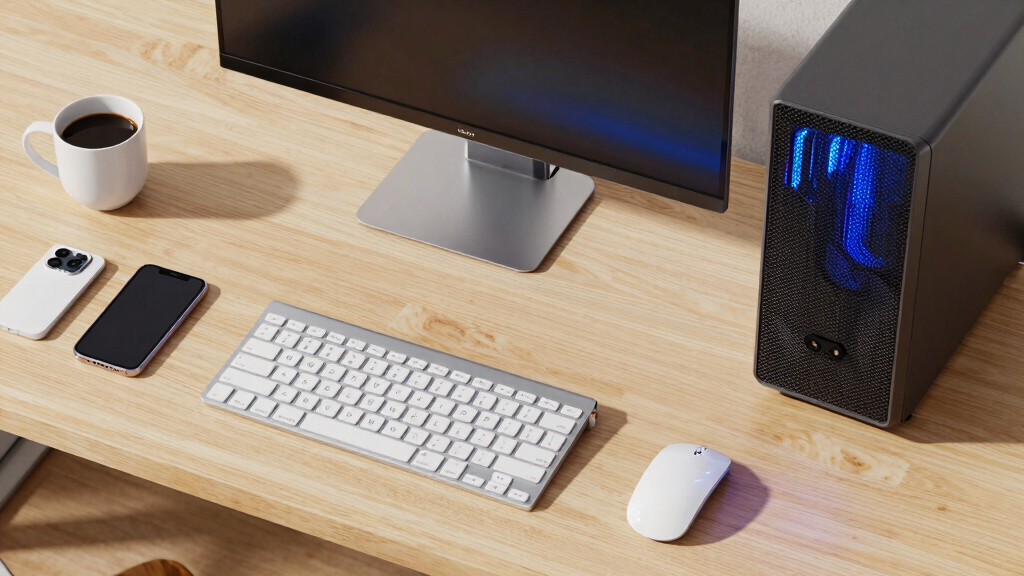
Prebuilt AI workstations in 2026 come fully assembled, tested, and optimized, with features like water cooling, pre-installed software, and warranties. For more details, see the original analysis. Vendors such as Lambda and Puget offer systems that reduce setup time from weeks to days, with validated thermals and noise levels, minimizing troubleshooting and hardware failure risks.
Building your own system, historically cheaper, now often costs more due to global chip shortages and rising component prices, with DIY setups frequently exceeding $1,250 for parts alone. Learn more about the build vs buy considerations. While building offers maximum customization and control over hardware, software, and security, it requires significant time, expertise, and ongoing management.
Cost comparisons reveal that prebuilt solutions can be as affordable or more so than DIY, especially when factoring in hidden costs like troubleshooting, maintenance, and support. Deployment timelines favor prebuilt systems, which can be operational within 1–2 weeks, versus DIY builds that may take a month or more.
Build vs buy
an AI workstation.
The real question behind this whole series: do you pull the five heat-and-noise levers yourself, or buy a prebuilt where the vendor pulled them for you? And in 2026, the old “building is cheaper” rule has broken. Match your situation in Part 3.
Why the 2026 Shift Changes AI Hardware Choices
This shift affects organizations by influencing budget planning, deployment speed, and operational risk. For an in-depth overview, see the Build vs Buy a Prebuilt AI Workstation article. Faster deployment of prebuilt systems enables quicker project start-ups, crucial for competitive markets. Conversely, the control offered by building remains valuable for security-sensitive environments or highly customized workloads. The evolving landscape requires careful evaluation of total ownership costs, not just initial purchase price.
As an affiliate, we earn on qualifying purchases.
Supply Chain and Cost Trends Reshaping the Market
Global chip shortages and supply chain disruptions since 2023 have driven up component prices and extended lead times, making DIY builds more expensive and less predictable. Meanwhile, vendors leveraging bulk buying and supply chain efficiencies now offer prebuilt workstations that often match or beat DIY prices, with added benefits of validation and support. This environment has shifted the traditional build vs buy calculus, emphasizing speed and reliability over mere hardware cost savings.
"Choosing between build and buy depends heavily on your need for speed and control. Prebuilts are ideal for quick deployment, but custom builds offer unmatched flexibility."
— Jane Liu, CTO of TechSolutions
As an affiliate, we earn on qualifying purchases.
Unresolved Questions About Long-Term Ownership
It remains unclear how long prebuilt systems will maintain their cost advantage as supply chains stabilize and component prices fluctuate. Additionally, the durability and upgradeability of prebuilt solutions compared to custom builds are still being evaluated, especially for long-term operational costs and security considerations.
As an affiliate, we earn on qualifying purchases.
Future Trends in AI Workstation Procurement
Expect continued evolution in supply chain management, with vendors expanding customization options and improving support services. The market may see more hybrid solutions combining prebuilt reliability with modular upgrades, allowing users to balance speed, control, and cost. Monitoring these developments will help organizations optimize their hardware strategies in the coming years.
As an affiliate, we earn on qualifying purchases.
Key Questions
Is it more cost-effective to build or buy an AI workstation in 2026?
It depends on your priorities. Prebuilt systems often match or beat DIY costs due to bulk purchasing, especially when factoring in hidden costs like troubleshooting and support. Building offers more control but may incur higher expenses and longer setup times.
How long does it take to deploy a prebuilt AI workstation?
Most prebuilt solutions can be operational within 1–2 weeks, as they arrive fully assembled, tested, and ready to run. DIY builds may take a month or more due to sourcing, assembly, and testing.
What are the main advantages of buying a prebuilt AI workstation?
Prebuilts provide validated thermals, noise management, warranties, and support, reducing setup time and operational risks. They are ideal for rapid deployment and mission-critical workloads.
Can I upgrade a prebuilt AI workstation later?
Upgrade options vary by vendor and model. Some prebuilt systems offer modular components for future upgrades, but extensive customization might be limited compared to building your own system.
What should I consider before choosing build or buy?
Assess your need for speed, control, long-term ownership, and your team's technical expertise. Consider total costs, including hidden expenses, and your operational priorities.
Source: ThorstenMeyerAI.com
Fall Picks
fall essentials
As an affiliate, we earn on qualifying purchases.