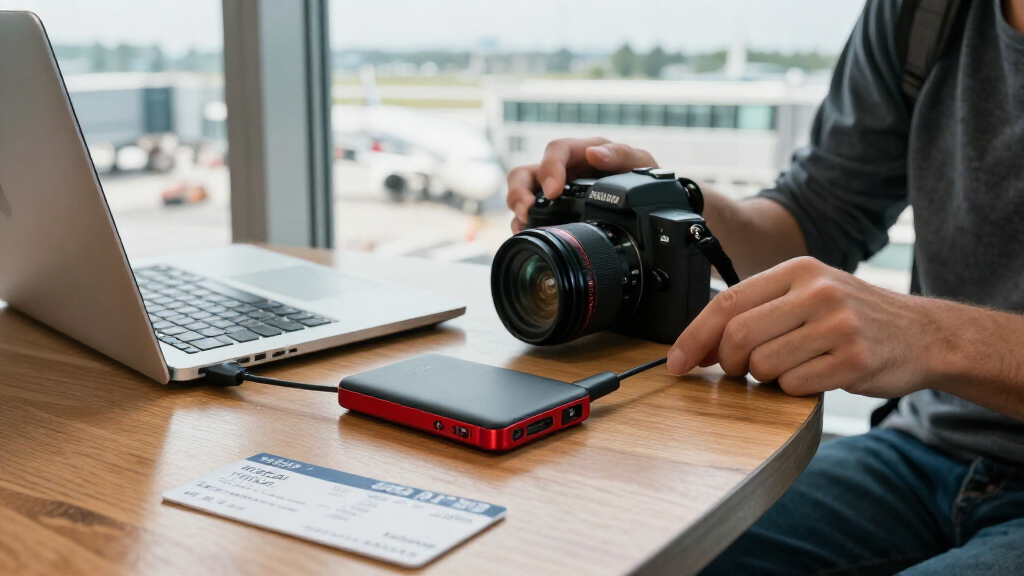

The best SanDisk storage device for most people is the SanDisk 1TB Portable SSD rated for up to 1000 MB/s: it balances generous capacity, practical transfer speed, and a straightforward portable-SSD format. For demanding transfers, the Extreme PRO Portable SSD 2TB offers more capacity and a higher-performance tier, while the Ultra Dual Drive Luxe 1TB is a better match for moving files between USB-C devices and older USB-A ports. The main tradeoffs are speed versus capacity, SSD durability and bulk versus flash-drive convenience, and connector compatibility with phones and computers. Phone-specific drives can simplify transfers, but they only make sense when their connectors match your device. Read on for the full comparison, buying guidance, and picks for different needs.

Get the latest gadgets delivered free with Prime
- Fast, free delivery on millions of items
- Prime Video, Amazon Music and more included
- Member-only deals all year
Complete the kit



Key Takeaways
- The 1TB Portable SSD rated up to 1000 MB/s is the strongest all-rounder: it pairs ample room with a speed tier that suits frequent file transfers without requiring a PRO model.
- SanDisk’s portable SSD names and speed tiers matter: the lineup includes 600 MB/s, 800 MB/s, 1000 MB/s, and 2000 MB/s claims, so buyers should compare the exact model rather than assume every Portable or Extreme SSD performs alike.
- Connector choice divides the flash drives: the Luxe and Go models bridge USB-C and USB-A, while the m3.0 is aimed at microUSB-era devices and the Extreme Fit is designed to sit compactly in a USB-C port.
- Phone drives are connector-specific tools, not universal upgrades: the iPhone version pairs USB-C and Lightning, while the Android version pairs USB-C and USB-A; selecting the wrong set can make a drive inconvenient or unusable for the intended phone.
- Capacity and portability do not always move together: the lineup ranges from 256GB phone and microUSB drives to 2TB SSD storage, so buyers should match capacity to file habits rather than pay for unused space or rely on a small drive for a growing archive.
| SanDisk Ultra Dual Drive Luxe USB Type-C 1TB Flash Drive Bundle with Lanyard |  | Best for Phone-to-Computer Transfers | Capacity: 1 TB | Interface: USB 3.1 Gen 1 | Connectors: USB Type-C and USB Type-A | VIEW LATEST PRICE | See Our Full Breakdown |
| SanDisk 1TB Portable SSD, Up to 1000 MB/s, Black |  | Best Everyday Portable SSD | Storage capacity: 1 TB | Interface: USB 3.0 | Connector: USB Type-C | VIEW LATEST PRICE | See Our Full Breakdown |
| SanDisk Extreme Portable 500GB External SSD |  | Best for Outdoor Carry | Storage capacity: 500 GB | Read speed: Up to 550 MB/s | Interface: USB 3.1 and USB-C | VIEW LATEST PRICE | See Our Full Breakdown |
| SanDisk 500GB Portable Drive, Up to 600MB/s Read Speed, Black |  | Best Compact 500GB Pick | Storage capacity: 500 GB | Interface: USB 3.0 | Connector: USB Type-C | VIEW LATEST PRICE | See Our Full Breakdown |
| SanDisk Extreme PRO Portable SSD 2TB |  | Best for Professional Workflows | Capacity: 2 TB | Read speed: Up to 4000 MB/s | Write speed: Up to 3800 MB/s | VIEW LATEST PRICE | See Our Full Breakdown |
| SanDisk Extreme Portable SSD, 1TB |  | Best Balanced Portable SSD | Storage capacity: 1 TB | Interface: USB Type-C | Read speed: Up to 1,000 MB/s | VIEW LATEST PRICE | See Our Full Breakdown |
| SanDisk 256GB Phone Drive for iPhone with USB-C and Lightning Connectors |  | Best for Moving Files Between iPhone Generations | Storage capacity: 256 GB | Connectors: USB-C and Lightning | Read speed: Up to 150 MB/s | VIEW LATEST PRICE | See Our Full Breakdown |
| SanDisk 1TB Ultra Dual Drive Go USB Type-C and Type-A Flash Drive with Lanyard |  | Best for Sharing Files Across USB-C and USB-A | Storage capacity: 1 TB | Interface: USB 3.2 Gen 1 | Connectors: USB Type-C and USB Type-A | VIEW LATEST PRICE | See Our Full Breakdown |
| SanDisk Extreme Portable SSD, 1TB, Up to 2000MB/s |  | Best Rugged High-Speed SSD | Storage capacity: 1 TB | Interface: USB 3.0 | Connector: USB Type-C | VIEW LATEST PRICE | See Our Full Breakdown |
| SanDisk Extreme Fit 512GB USB-C Flash Drive |  | Best Compact Plug-and-Stay Drive | Storage capacity: 512 GB | Interface: USB 3.2 Gen 1 | Connector: USB Type-C | VIEW LATEST PRICE | See Our Full Breakdown |
| SanDisk 256GB Phone Drive for Android with USB-C and USB-A Connectors |  | Best for USB-C and USB-A Sharing | Storage capacity: 256 GB | Connectors: USB-C and USB-A | Read speed: Up to 100 MB/s | VIEW LATEST PRICE | See Our Full Breakdown |
| SanDisk 1TB Portable SSD, Up to 800MB/s, Black |  | Best for Rugged 1TB Portable Storage | Storage capacity: 1 TB | Drive type: Portable solid-state drive | Read speed: Up to 800 MB/s | VIEW LATEST PRICE | See Our Full Breakdown |
| SanDisk Ultra Dual Drive m3.0 256GB for Android Devices and Computers (microUSB/USB 3.0) |  | Best for Older Micro-USB Android Devices | Storage capacity: 256 GB | Interface: USB 3.0 | Read speed: Up to 130 MB/s | VIEW LATEST PRICE | See Our Full Breakdown |
| SanDisk storage device | Interface | Read speed | Storage capacity | Compatible devices |
|---|---|---|---|---|
| SanDisk Ultra Dual Drive Luxe | USB 3.1 Gen 1 | Up to 150 MB/s | — | Android smartphones, iPhones, tablets, Macs, and PCs |
| SanDisk 1TB Portable SSD | USB 3.0 | — | 1 TB | Desktop, laptop, smartphone, and tablet |
| SanDisk Extreme Portable 500GB | USB 3.1 and USB-C | Up to 550 MB/s | 500 GB | — |
| SanDisk 500GB Portable Drive | USB 3.0 | Up to 600 MB/s | 500 GB | Desktop, laptop, smartphone, and tablet |
| SanDisk Extreme PRO Portable S | USB Type-C, USB 3.0/USB4 compatible | Up to 4000 MB/s | — | — |
| SanDisk Extreme Portable SSD | USB Type-C | Up to 1,000 MB/s | 1 TB | Laptop, desktop, smartphone, tablet, Mac |
| SanDisk 256GB Phone Drive for | — | Up to 150 MB/s | 256 GB | — |
| SanDisk 1TB Ultra Dual Drive G | USB 3.2 Gen 1 | Up to 400 MB/s | 1 TB | Android smartphones, tablets, and computers with USB Type-C or Type-A ports |
| SanDisk Extreme Portable SSD | USB 3.0 | — | 1 TB | — |
| SanDisk Extreme Fit 512GB USB- | USB 3.2 Gen 1 | Up to 400 MB/s | 512 GB | Tablets, smartphones, personal computers |
| SanDisk 256GB Phone Drive for | USB | Up to 100 MB/s | 256 GB | — |
| SanDisk 1TB Portable SSD | USB 3.2 Gen 2 | Up to 800 MB/s | 1 TB | Laptop; Xbox Series S |
| SanDisk Ultra Dual Drive m3.0 | USB 3.0 | Up to 130 MB/s | 256 GB | Android with Micro-USB OTG; Mac/PC with USB Type-A |
More Details on Our Top Picks
SanDisk Ultra Dual Drive Luxe USB Type-C 1TB Flash Drive Bundle with Lanyard
The Ultra Dual Drive Luxe is the most flexible pick here for moving files directly between devices with different ports. Its USB-C and USB-A connectors let you transfer photos from a compatible phone or tablet to an older computer without carrying an adapter, while its 1TB capacity gives it far more room than the 500GB portable drives in this lineup. The metal body and swivel cover also make it easier to carry than a separate cable-and-drive setup. The tradeoff is speed: its stated 150 MB/s is well below the SanDisk 1TB Portable SSD at up to 1000 MB/s, so large video projects take longer to move. Mobile use also depends on OTG support, and the lanyard may add bulk. Choose it for connector convenience, not SSD-level performance.
Pros:- USB-C and USB-A connectors work with a broad range of compatible devices without a separate adapter.
- 1TB capacity fits a large collection of photos, documents, and media in a flash-drive form.
- Metal casing and swivel cover protect the connectors without a loose cap.
- Included lanyard offers a convenient way to keep the drive attached to a bag or key ring.
Cons:- Read and write speeds of up to 150 MB/s are far below the faster portable SSD options.
- Direct transfers from mobile devices require OTG support.
- The lanyard can make an already portable drive less convenient to carry in a pocket.
Best for: People who regularly move photos and documents between USB-C phones or tablets and USB-A computers, and want 1TB in a small drive.
Not ideal for: Video editors moving large project files or mobile users whose devices lack OTG support; its listed transfer speed is modest next to the portable SSDs.
- Capacity:1 TB
- Interface:USB 3.1 Gen 1
- Connectors:USB Type-C and USB Type-A
- Read speed:Up to 150 MB/s
- Write speed:Up to 150 MB/s
- Material and color:Metal, silver
- Bundle contents:Flash drive and lanyard
- Compatible devices:Android smartphones, iPhones, tablets, Macs, and PCs
Our verdict“Pick this drive if moving files between USB-C mobile devices and USB-A computers matters more than SSD-class speed.”
SanDisk 1TB Portable SSD, Up to 1000 MB/s, Black
This 1TB portable SSD is the most balanced choice in this group for carrying substantial files without moving up to professional-grade hardware. Its stated read speed of up to 1000 MB/s is far ahead of the Ultra Dual Drive Luxe flash drive, making it a better fit for moving large photo libraries or video files. At 1.12 ounces, it remains easy to pack, and its stated 2-meter drop protection offers reassurance for everyday travel. The Extreme PRO Portable SSD 2TB is a much faster choice for intensive editing, but it brings more speed and capacity than many general users need. This model’s main compromise is that only the maximum read speed is specified; writes are lower, and actual usable space is less than the labeled capacity. It also uses USB-C, so older USB-A devices may need an adapter.
Pros:- Up to 1000 MB/s read speed makes large transfers quicker than with the lineup’s flash drive.
- 1TB capacity provides room for sizeable project files and backups.
- Lightweight, compact body is easy to carry with a laptop or phone.
- Drop protection up to 2 meters adds resilience during everyday transport.
Cons:- Write speeds are lower than the stated maximum read speed and are not specified here.
- USB-C connectivity may require an adapter for devices with only USB-A ports.
- Usable storage is less than the labeled 1TB capacity.
Best for: Photographers, students, and laptop or phone users who need a pocketable 1TB drive for routine backups and large file transfers.
Not ideal for: Professionals who need sustained high-speed writes for demanding video workflows, or people who need a built-in USB-A connector.
- Storage capacity:1 TB
- Interface:USB 3.0
- Connector:USB Type-C
- Maximum read speed:Up to 1000 MB/s
- Drop protection:Up to 2 meters
- Weight:1.12 ounces
- Dimensions:1.77 x 3.35 x 0.39 inches
- Compatible devices:Desktop, laptop, smartphone, and tablet
Our verdict“Choose this as a portable everyday SSD when you want 1TB and faster transfers without the specialized performance focus of the Extreme PRO.”
SanDisk Extreme Portable 500GB External SSD
The Extreme Portable 500GB SSD makes the most sense for buyers who value weather resistance in a compact drive more than maximum capacity or headline speed. Its IP55 rating helps protect against dust and water exposure when the drive is clean and dry, while its shock- and vibration-resistant solid-state core suits travel with camera gear. The newer SanDisk 500GB Portable Drive lists a slightly higher read speed of up to 600 MB/s and 2-meter drop protection, but this model’s defined IP55 rating gives buyers a clearer basis for choosing it around wet or dusty conditions. Capacity is the bigger limitation: at 500GB, it offers half the space of the 1TB Portable SSD. Performance can also vary by host and application, so the stated 550 MB/s is not a guaranteed result for every setup.
Pros:- IP55 water and dust resistance adds protection for travel and outdoor storage.
- Compact, 1.44-ounce design fits easily with camera or laptop equipment.
- Shock- and vibration-resistant solid-state construction suits mobile use.
- Up to 550 MB/s read speed supports quicker file access than a typical flash drive.
Cons:- 500GB capacity may be limiting for large video collections or ongoing project backups.
- The newer SanDisk 500GB Portable Drive lists a higher read speed of up to 600 MB/s.
- Water and dust resistance applies when the drive is clean and dry, and performance varies by host and application.
Best for: Traveling photographers and field workers who want a compact 500GB SSD with stated water and dust resistance for clean, dry use.
Not ideal for: People who need 1TB or more, or buyers who prioritize the highest listed read speed over a specific IP-rated design.
- Storage capacity:500 GB
- Read speed:Up to 550 MB/s
- Interface:USB 3.1 and USB-C
- Water and dust resistance:IP55
- Shock resistance:Up to 1500G
- Weight:1.44 ounces
- Operating temperature:0°C to 45°C
- Warranty:3-year limited manufacturer warranty
Our verdict“Choose this model if its stated IP55 resistance matters more to your field kit than having a newer 600 MB/s 500GB option.”
SanDisk 500GB Portable Drive, Up to 600MB/s Read Speed, Black
This 500GB portable drive is the straightforward compact option for buyers who want more speed and drop protection than a flash drive, without carrying a 1TB model. Its read speed of up to 600 MB/s edges past the older Extreme Portable 500GB SSD’s listed 550 MB/s, while the 1.12-ounce body and pocket-sized dimensions keep it travel-friendly. The newer 1TB Portable SSD is the more versatile choice if you need twice the storage and higher listed read speed, but this model keeps capacity and portability in a smaller package. It has no moving parts and is rated for drops up to 2 meters. The tradeoff is that the product data gives no write-speed figure, and its USB-C connection can call for an adapter with older USB-A hardware.
Pros:- Up to 600 MB/s read speed is the highest listed figure among the 500GB portable drives here.
- Up to 2-meter drop protection and a design with no moving parts suit everyday carrying.
- At 1.12 ounces, it is easy to slip into a pocket or small bag.
- USB-C connection supports compatible desktops, laptops, smartphones, and tablets.
Cons:- 500GB may not be enough for large creative projects or extensive backups.
- Write speed is lower than the stated read speed and is not specified in the product data.
- USB-C may require an adapter for older devices with USB-A ports.
Best for: Laptop and tablet owners who need a light, pocket-sized 500GB drive for documents, media, and regular file transfers.
Not ideal for: People storing extensive video libraries or needing a specified high write speed; the listed capacity is 500GB and the stated speed covers reads.
- Storage capacity:500 GB
- Interface:USB 3.0
- Connector:USB Type-C
- Read speed:Up to 600 MB/s
- Drop protection:Up to 2 meters
- Weight:1.12 ounces
- Dimensions:2.95 x 1.77 x 0.39 inches
- Compatible devices:Desktop, laptop, smartphone, and tablet
Our verdict“Pick this compact model if 500GB is enough and you want the lineup’s highest listed read speed among its 500GB portable drives.”
SanDisk Extreme PRO Portable SSD 2TB
The Extreme PRO Portable SSD 2TB is the performance leader in this group, aimed at people whose work involves large media files rather than routine backups. Its stated speeds—up to 4000 MB/s read and 3800 MB/s write, with 3100 MB/s sustained writes—give video editors and photographers more headroom than the 1TB Portable SSD, whose listed read speed reaches 1000 MB/s. The extra capacity also suits projects that need to travel with their source files. Protection is stronger on paper too: IP65 resistance and drops up to 3 meters, plus 256-bit AES encryption. That capability comes with compatibility caveats: performance depends on the host and interface, and the encryption software requires a separate download. For everyday transfers, this is more drive than the Ultra Dual Drive Luxe or standard portable SSD requires.
Pros:- Up to 4000 MB/s read and 3800 MB/s write speeds suit demanding large-file workflows.
- 2TB capacity holds substantial project files and media libraries.
- IP65 rating and up to 3-meter drop protection support use in demanding environments.
- 256-bit AES encryption provides a hardware-based security feature.
Cons:- Real-world performance depends on the host device and interface conditions.
- Password protection software requires a separate download.
- Its speed and capacity exceed what many routine backup and file-transfer users need.
Best for: Video editors and photographers carrying large active projects who have compatible USB-C hardware and can make use of high sustained transfer speeds.
Not ideal for: Casual backup users, buyers on older or slower interfaces, and anyone who wants encryption without downloading separate password software.
- Capacity:2 TB
- Read speed:Up to 4000 MB/s
- Write speed:Up to 3800 MB/s
- Sustained write speed:3100 MB/s
- Interface:USB Type-C, USB 3.0/USB4 compatible
- Encryption:256-bit AES
- Durability:IP65 rated; drop protection up to 3 meters
- Weight:2.24 ounces
- Compatibility:Windows 10+, macOS v13+, iPadOS, Android, Xbox Series X/S, PlayStation 4/5
Our verdict“Choose the Extreme PRO when your compatible editing setup can use its high sustained speeds and 2TB capacity, not for basic everyday storage.”
SanDisk Extreme Portable SSD, 1TB
The SanDisk Extreme Portable SSD, 1TB is the balanced choice for people who want SSD speeds and room for a working library without stepping up to the newer, faster Extreme model. Its USB-C connection and listed speeds of up to 1,000 MB/s read and 950 MB/s write suit moving large photo or video files and keeping backups close at hand. Compared with the SanDisk Extreme Portable SSD, 1TB, Up to 2000MB/s, this version has a lower speed ceiling and its provided details do not list the same dust, water, or drop protection. In return, it still offers a straightforward 1TB portable-SSD setup, plus support for iPhone or iPad file management and Mac Time Machine backups. The main limitation is compatibility: devices need a suitable USB-C connection, and maximum speeds depend on the setup.
Pros:- 1TB capacity for projects, media, and backups
- Listed read and write speeds reach 1,000 MB/s and 950 MB/s
- USB-C compatibility spans computers, tablets, and supported mobile devices
- Supports iPhone or iPad file management and Mac Time Machine backups
Cons:- Requires a compatible USB-C connection
- Maximum speeds are not guaranteed across every device or workflow
- Provided product details do not specify dust, water, or drop protection
Best for: Photographers, students, and Mac users who want a 1TB USB-C SSD for file transfers, device storage, or Time Machine backups.
Not ideal for: Buyers who need documented rugged protection or the highest listed transfer speeds; the 2,000 MB/s Extreme Portable SSD is a closer match.
- Storage capacity:1 TB
- Interface:USB Type-C
- Read speed:Up to 1,000 MB/s
- Write speed:Up to 950 MB/s
- Form factor:External portable SSD
- Color:Black
- Compatible devices:Laptop, desktop, smartphone, tablet, Mac
- Model:SDSSDE62-2T00-GAO
Our verdict“Choose this model for a versatile 1TB USB-C SSD, but pick the 2,000 MB/s Extreme if speed and listed rugged protection matter more.”
SanDisk 256GB Phone Drive for iPhone with USB-C and Lightning Connectors
This 256GB Phone Drive solves a specific problem that a standard USB-C flash drive cannot: its Lightning and USB-C connectors can bridge compatible older and newer iPhones. That makes it useful for moving photos or files during an upgrade, or making a portable copy without relying on a cloud transfer. Compared with the SanDisk 1TB Ultra Dual Drive Go, it offers less capacity and lower listed speeds, but its Lightning connector gives it a distinct role for iPhone owners. Backups, Lightning file copying, and password-protected encryption rely on the SanDisk Memory Zone app; automatic backups require the app even over USB-C. The metal enclosure is compact, though its 256GB capacity and app-dependent workflow make it less suitable as a large, app-free general-purpose drive.
Pros:- Lightning and USB-C connectors support transfers across compatible older and newer Apple devices
- Memory Zone supports manual and automatic backups with progress tracking
- App-based password-protected file encryption is available
- Compact metal enclosure is easy to carry
Cons:- Memory Zone is required for Lightning file copying and backup functions
- Automatic backups require the app even over USB-C
- Listed write speed of 10–50 MB/s is modest for large transfers
Best for: iPhone owners with a Lightning model and a USB-C model in the household, or anyone moving files between compatible iPhones and computers.
Not ideal for: People who want high-capacity project storage, fast large-file transfers, or app-free backups; the 1TB Ultra Dual Drive Go offers more space, while this drive depends on Memory Zone for backup functions.
- Storage capacity:256 GB
- Connectors:USB-C and Lightning
- Read speed:Up to 150 MB/s
- Write speed:10–50 MB/s
- Dimensions:0.34 × 0.61 × 1.97 in
- Material:Metal enclosure
- Color:Metallic blue
- App requirement:Memory Zone required for Lightning copy and backup functions; automatic USB-C backup also requires the app
- Compatibility:iPhone 15 or newer with USB-C; iPhone 14 or older with Lightning; compatible iPads, Macs, and other devices
Our verdict“Choose this drive to bridge compatible Lightning and USB-C iPhones, but skip it if you want large capacity or backups without an app.”
SanDisk 1TB Ultra Dual Drive Go USB Type-C and Type-A Flash Drive with Lanyard
For buyers who regularly move files between a phone or tablet and an older computer, the 1TB Ultra Dual Drive Go offers a practical alternative to carrying separate adapters. Its reversible USB-C and USB-A connectors work with compatible ports, and the 1TB capacity gives it room for media libraries and larger file collections. Compared with the SanDisk Extreme Portable SSD, 1TB, this is a smaller flash-drive-style option with a lower listed read speed of up to 400 MB/s, rather than a portable SSD aimed at faster project workflows. It is also less suited to buyers who need rugged protection, since none is specified here. The included lanyard helps keep the drive close, but USB-C phone transfers depend on OTG support, and actual speeds can vary by device.
Pros:- USB-C and USB-A connectors make transfers between compatible device generations simpler
- 1TB capacity holds substantial media and file collections
- Listed read speed reaches up to 400 MB/s
- Included lanyard helps keep the drive accessible
Cons:- USB-C mobile transfers require a compatible device with OTG support
- Listed maximum read speed is below the 1,000 MB/s Extreme Portable SSD
- Product details do not specify dust, water, or drop protection
Best for: Android users and computer owners who need one high-capacity drive for transfers between USB-C mobile devices and USB-A computers.
Not ideal for: Video editors moving large files frequently, or phone owners whose USB-C devices lack OTG support; a portable SSD is a better fit for heavier workflows.
- Storage capacity:1 TB
- Interface:USB 3.2 Gen 1
- Connectors:USB Type-C and USB Type-A
- Read speed:Up to 400 MB/s
- Write speed:400 MB/s
- Color:Black
- Compatible devices:Android smartphones, tablets, and computers with USB Type-C or Type-A ports
- Included accessory:Everything But Stromboli lanyard
Our verdict“Pick this drive for high-capacity file sharing across USB-C and USB-A ports, not for rugged use or SSD-level project performance.”
SanDisk Extreme Portable SSD, 1TB, Up to 2000MB/s
The SanDisk Extreme Portable SSD, 1TB, Up to 2000MB/s is the strongest fit here for buyers who move large files and work outside a protected desk setup. Its listed read speed of up to 2,000 MB/s is twice the ceiling of the other 1TB Extreme SSD in this batch, while IP65 dust and water resistance and drop protection up to 3 meters add practical safeguards for travel. At 1.6 oz, it is also easy to pack. Compared with the 1TB Ultra Dual Drive Go, this SSD prioritizes speed and protection over dual USB-A/USB-C flash-drive convenience. One caveat is that the stated read speed does not tell the whole write-speed story; write speeds are lower. Password protection also requires software, and encryption support is limited to specified Windows and macOS versions.
Pros:- Listed read speed reaches up to 2,000 MB/s
- IP65 dust and water resistance adds protection for travel and field work
- Drop protection is specified up to 3 meters
- Pocket-sized 1.6 oz design with 256-bit AES encryption support
Cons:- Write speeds are lower than the stated maximum read speed
- Encryption requires a software download and is supported on Windows 10+ and macOS 12+
- USB-C connector may not suit devices that only offer USB-A without an adapter
Best for: Photographers, videographers, and mobile professionals who need 1TB of portable storage, faster listed reads, and stated dust, water, and drop protection.
Not ideal for: Buyers seeking a simple USB-A/USB-C flash drive or guaranteed high write speeds; the Ultra Dual Drive Go has dual connectors, and this SSD’s write performance is lower than its maximum read figure.
- Storage capacity:1 TB
- Interface:USB 3.0
- Connector:USB Type-C
- Maximum read speed:Up to 2,000 MB/s
- Dust and water resistance:IP65
- Drop protection:Up to 3 m
- Encryption:256-bit AES
- Dimensions and weight:3.35 × 2 × 0.39 in; 1.6 oz
- Compatible devices and platforms:Desktop, laptop, smartphone, tablet; Mac, PC; Sony PlayStation 5
Our verdict“Choose this Extreme SSD for a fast, rugged 1TB drive, but check write-speed needs and software compatibility before relying on encryption.”
SanDisk Extreme Fit 512GB USB-C Flash Drive
The SanDisk Extreme Fit 512GB suits buyers who want extra storage to remain connected rather than carried as a separate drive. Its compact USB-C form can stay plugged into a compatible laptop, tablet, or phone, while 512GB capacity and listed read speeds up to 400 MB/s support everyday file access and transfers. Compared with the 1TB Ultra Dual Drive Go, it has half the capacity and lacks a USB-A connector, but its plug-and-stay design is better suited to a USB-C device with a port that can remain occupied. It is not the same kind of project drive as the Extreme Portable SSD, 1TB, Up to 2000MB/s: it offers less capacity and a lower listed speed ceiling. The stated performance requires USB 3.2, and Memory Zone must be downloaded for its file-management and backup functions.
Pros:- Compact plug-and-stay design can remain attached to a compatible device
- 512GB capacity provides room for everyday files and media
- Listed read speeds reach up to 400 MB/s
- Memory Zone supports file management and backups on Windows and Mac
Cons:- USB 3.2 is required for the stated performance
- Memory Zone requires a separate download and installation
- USB-C connector does not provide the USB-A flexibility of the Ultra Dual Drive Go
Best for: Laptop and tablet owners with USB-C ports who want semi-permanent extra space for documents, photos, and frequently accessed files.
Not ideal for: People needing 1TB, a USB-A connector, or a portable SSD for large project transfers; the Ultra Dual Drive Go or an Extreme Portable SSD fits those needs better.
- Storage capacity:512 GB
- Interface:USB 3.2 Gen 1
- Connector:USB Type-C
- Read speed:Up to 400 MB/s
- Color:Black
- Dimensions:0.73 × 0.54 × 0.63 in (D × W × H)
- Compatible devices:Tablets, smartphones, personal computers
- File management:SanDisk Memory Zone app for Windows and Mac
Our verdict“Choose the Extreme Fit for unobtrusive extra storage on a USB-C device, but pick a dual-connector or portable SSD model for broader compatibility or heavier transfers.”
SanDisk 256GB Phone Drive for Android with USB-C and USB-A Connectors
I’d choose this drive when files need to move between a USB-C Android phone and a computer with a USB-A port without relying on cloud storage. Its two connectors make that handoff simpler than the micro-USB/USB-A SanDisk Ultra Dual Drive m3.0, which suits older Android devices but not USB-C phones without an adapter. The 256GB capacity leaves room for media and documents, while Memory Zone can automate backups after you install the app. Read speeds reach up to 100 MB/s under supported conditions, so this is more about convenient transfers than SSD-like performance. The keyring attachment helps keep it within reach, though the drive’s listed dimensions are less pocket-friendly than a tiny single-connector flash drive. I’d skip it if you need rugged backup storage or don’t want to manage files through an app.
Pros:- USB-C and USB-A connectors allow transfers between compatible phones and computers.
- 256GB capacity accommodates substantial photo, video, music, and document libraries.
- Memory Zone supports automatic file backups after app installation.
- Keyring attachment helps keep the drive accessible.
Cons:- Read speeds of up to 100 MB/s depend on the host device and usage conditions.
- Automatic backup requires downloading and installing the Memory Zone app.
- RescuePRO Deluxe recovery software requires registration and download.
Best for: Android users with USB-C phones who regularly transfer photos, videos, or documents to computers with USB-A ports.
Not ideal for: People seeking fast, rugged backups for large projects, or users whose phone has only a micro-USB port.
- Storage capacity:256 GB
- Connectors:USB-C and USB-A
- Read speed:Up to 100 MB/s
- Write speed:100
- Interface:USB
- Compatibility:Devices with USB-C and USB-A ports
- Color:Black
- Dimensions:2.76 × 3.15 × 0.44 in
- Model:SDDDC6-256G-G46
Our verdict“Choose this for straightforward file sharing between USB-C Android phones and USB-A computers, not for high-speed or rugged backup work.”
SanDisk 1TB Portable SSD, Up to 800MB/s, Black
This portable SSD is a sensible pick for carrying a large working library when drop protection matters as much as capacity. Its 1TB of storage and read speeds of up to 800 MB/s put it ahead of the 256GB phone drives for sizable backups and media transfers, while the listed protection against drops of up to two meters adds reassurance for travel. A rubber attachment hook also makes it easier to secure to a bag. Compared with SanDisk’s 1TB Portable SSD rated up to 1,000 MB/s, this model gives up some peak read speed, so I’d favor the faster sibling for frequent large-file workflows. Write speeds are lower than read speeds, and real performance depends on the host and connection. It’s better suited to mobile storage than a pocket flash drive, and it doesn’t offer the greater speed tier of the 1,000 MB/s model.
Pros:- 1TB capacity provides room for sizable file libraries and backups.
- Read speeds reach up to 800 MB/s for quicker transfers than the listed phone flash drives.
- Drop protection is rated up to 2 meters.
- Rubber attachment hook can secure the drive to a belt loop or backpack.
Cons:- Write speeds are lower than read speeds.
- Actual performance varies with the host device, interface, and usage conditions.
- Its peak read speed is lower than the SanDisk 1TB Portable SSD rated up to 1,000 MB/s.
Best for: Traveling photographers, students, and laptop users who want 1TB of portable backup storage with drop protection.
Not ideal for: Buyers who need the highest transfer speeds for frequent large-file work or who want a tiny drive for phone-to-computer transfers.
- Storage capacity:1 TB
- Drive type:Portable solid-state drive
- Read speed:Up to 800 MB/s
- Interface:USB 3.2 Gen 2
- Connectivity:USB-C to USB-A cable
- Drop protection:Up to 2 meters
- Enclosure material:Rubber
- Form factor:2.5 inches
- Compatible devices:Laptop; Xbox Series S
Our verdict“Pick this 1TB SSD for portable backups where drop protection matters more than matching the higher read speed of SanDisk’s 1,000 MB/s model.”
SanDisk Ultra Dual Drive m3.0 256GB for Android Devices and Computers (microUSB/USB 3.0)
I’d put this drive on the shortlist only for buyers with an Android device that has micro-USB and supports OTG. The retractable design pairs that connector with USB Type-A, so it can shuttle files to a compatible computer without a separate cable. Its 256GB capacity and read speeds up to 130 MB/s make it a more capable everyday transfer option than the newer 256GB SanDisk Phone Drive when the phone still uses micro-USB. The tradeoff is compatibility: USB-C-only phones need an adapter, and the 40 MB/s write speed can make loading large collections slower than reading them back. Memory Zone helps manage backups, but there’s no built-in password protection. For current USB-C phones, I’d choose the Phone Drive instead; this m3.0 is for keeping older OTG hardware useful.
Pros:- Retractable micro-USB and USB Type-A connectors support transfers between compatible Android devices and computers.
- 256GB capacity offers substantial space for portable files and media.
- Read speeds reach up to 130 MB/s with compatible USB 3.0 devices.
- Memory Zone supports photo and video management and automatic backup.
Cons:- Requires a micro-USB port with OTG support and does not directly fit USB-C-only phones.
- Write speeds are limited to 40 MB/s.
- Stored data has no built-in encryption or password protection.
Best for: Owners of micro-USB Android phones or tablets with OTG support who also transfer files to USB-A computers.
Not ideal for: USB-C-only phone owners, or anyone who needs fast write speeds or built-in data protection.
- Storage capacity:256 GB
- Interface:USB 3.0
- Read speed:Up to 130 MB/s
- Write speed:Up to 40 MB/s
- Connectors:Micro-USB (OTG) and USB Type-A (USB 3.0)
- Color:Black
- Compatible devices:Android with Micro-USB OTG; Mac/PC with USB Type-A
Our verdict“Choose this retractable drive for a micro-USB OTG Android device; USB-C phone owners are better matched to the SanDisk Phone Drive.”
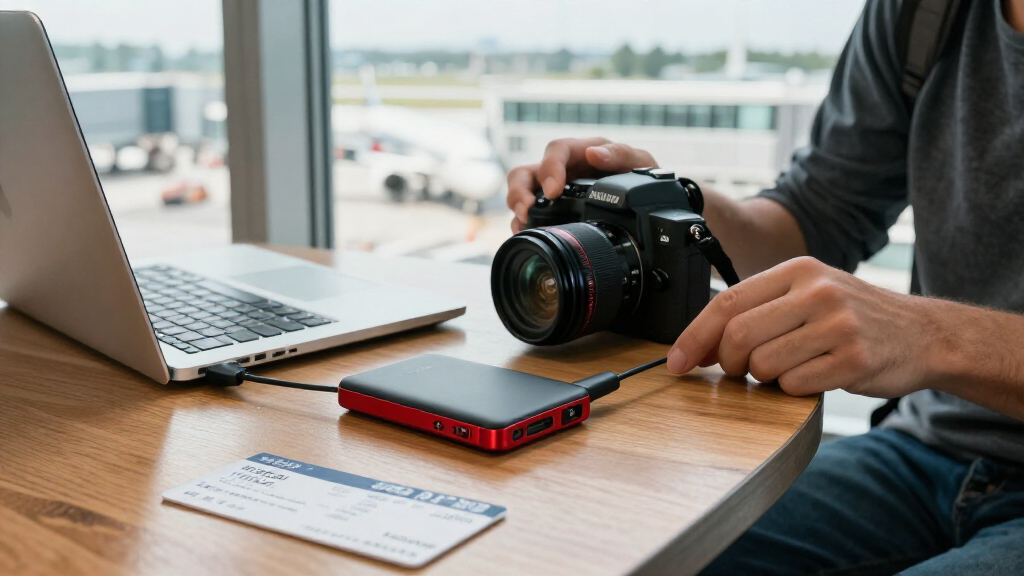
How We Picked
I ranked these 13 SanDisk devices around the decisions buyers actually face: device compatibility, capacity, claimed transfer speed, portability, and intended workload. I gave broader-use models an advantage when they combine useful storage with flexible everyday connections, while reserving higher spots for SSDs when their performance and capacity suit sustained, frequent transfers. For flash drives and phone drives, connector fit and ease of moving files mattered more than headline speed alone.
The order reflects usefulness across common scenarios, not a claim that one format is best for everyone. Models with similar names remain distinct where their rated speeds, capacity, or connectors differ; the 2000 MB/s Extreme SSD and 2TB Extreme PRO serve more demanding needs than a basic portable drive, while microUSB and Lightning options target narrower device groups. Since the product list does not establish durability certifications, included software, or real-world performance, I avoid treating those as proven advantages.
Factors to Consider When Choosing Best SanDisk Storage Devices
Before choosing a SanDisk drive, start with the device and the job rather than the product family name. The same brand offers pocketable flash drives, phone-transfer tools, and SSDs built for larger or more frequent transfers, and their strengths do not overlap completely.
Match the connector to every device you plan to use
Write down the ports on the source and destination devices before choosing a drive, especially if a phone is involved. USB-C does not automatically mean universal compatibility: an iPhone’s connector and file-management support may differ from an Android phone’s, and older computers may rely on USB-A. A dual-connector drive can reduce the need for adapters when moving files between newer and older hardware, but check that both ends suit your actual devices. The m3.0’s microUSB connection targets older phones and tablets, so it is a poor choice for a USB-C-only setup. Also check whether your phone supports external storage and whether its operating system allows the file transfers you want. A physically compatible plug is only the first part of a workable phone-storage setup.
Choose capacity from your file habits, not a vague rule
Estimate the kinds of files you will keep and how often you expect to clear the drive. Photos and documents can fit comfortably on smaller capacities, while video libraries, project folders, and ongoing backups can fill them quickly. The 256GB options in this roundup suit targeted transfers or modest collections; 1TB drives offer more room for general storage, and the 2TB SSD is aimed at larger working sets. Leave headroom for new files rather than buying a drive that is nearly full on day one. Capacity printed on the packaging is not all available for user files because formatting and system use take space. If the device will hold your only copy of important data, plan a separate backup instead of treating extra capacity as protection.
Pay for speed only when your workflow can use it
Higher speed ratings help most when you regularly move large files, but they do not make every task feel faster. Large video files and repeated project transfers benefit more than occasional document copies, and the host computer, cable, port, and file system can all limit actual throughput. The listed SSD tiers range from 600 MB/s to 2000 MB/s, so compare the exact model and its rated ceiling rather than relying on a family name. A faster drive connected to a slower port cannot deliver its full potential. Small flash drives may be more convenient for quick handoffs even when an SSD offers a higher speed rating. If transfers are infrequent and modest, capacity and connector fit may be better reasons to choose than the highest number.
Decide between an SSD and a flash drive by how you carry data
A portable SSD is better suited to larger, repeated transfers and a sizable collection of files, while a flash drive is easier to tuck into a pocket or leave connected for short-term access. Their different formats also shape how you handle them: a tiny drive can be easier to misplace, and a portable SSD takes more room than a compact USB stick. Do not infer ruggedness from a product name alone; check the specific model’s documented protection claims if drops, dust, or water are part of your routine. For long-term storage, neither format should be the only copy of important files. Think about where the drive will live—on a keyring, in a laptop bag, or beside a workstation—before choosing based on speed or capacity alone.
Treat phone drives as transfer tools with format and app limits
Phone drives can make it easier to move photos and other files without routing everything through a computer, but connector match is only one compatibility check. Confirm whether your phone’s operating system supports the drive’s file system and whether an app or file manager is needed for the intended transfer. Moving media off a phone may not automatically preserve every library detail, edit, or album arrangement. If you want the drive to work with a computer too, check its second connector and the computer’s ports before buying. For a large archive, an SSD may be a more useful destination than a small phone drive, while a phone-focused model can be convenient for occasional space clearing. Keep another copy of irreplaceable photos even after transferring them.
Compare exact model labels before buying a replacement
SanDisk uses related names across different capacities, connectors, and speed tiers, so a familiar series name is not enough to identify the right device. Check the full product name and rated speed, especially when comparing the 800 MB/s and 1000 MB/s Portable SSDs or the standard and 2000 MB/s Extreme models. Confirm capacity, connector type, and whether the listing specifies the version you intend to buy. This also helps prevent buying a drive with an older connector for a newer phone or a smaller capacity than planned. If a device is being replaced, compare its physical connector and workflow—not just its brand and appearance. Small differences in the model label can affect whether the upgrade is actually useful.
Frequently Asked Questions
Which SanDisk option makes the most sense for a general-purpose portable drive?
The 1TB Portable SSD rated up to 1000 MB/s is the most balanced starting point in this lineup for a mix of storage and regular transfers. It offers more room than the 500GB options without pushing into the specialist role of the 2TB Extreme PRO. If you mostly move small documents or want a drive that plugs directly into older and newer computers, a dual-connector flash drive may be more convenient. Check your computer’s port and the exact listing before choosing, since the product names cover different speed tiers. Pick based on how often you transfer large files, not on the SSD label alone.
Do I need the 2000 MB/s Extreme Portable SSD instead of the 1000 MB/s model?
Choose the 2000 MB/s-rated model when your work involves frequent large transfers and your host device supports a connection fast enough to make use of its higher ceiling. For everyday backups, documents, and occasional media transfers, the 1000 MB/s tier may be a more sensible fit. The rated figure is a maximum claim, not a promise that every computer or file transfer will reach it. Your cable, port, and workload can all constrain performance. If those limits are unclear, checking your device specifications may matter more than choosing the highest rating.
Can I use the iPhone Phone Drive with any iPhone or Android phone?
No—the included connectors and phone support determine compatibility. The listed iPhone drive has USB-C and Lightning connectors, while the Android version has USB-C and USB-A, so they serve different device combinations. Confirm the port on your specific phone, since connector generations vary, and check its operating system’s support for external storage and file transfers. A matching plug does not guarantee that every app or media library will work the way you expect. If you plan to share the drive between a phone and computer, verify both ends of that workflow first.
Should I buy a 1TB dual-connector flash drive or a 1TB portable SSD?
Pick a dual-connector flash drive if direct USB-C and USB-A access and a compact format matter more than SSD-style transfer performance. A portable SSD is a better match for frequent, larger file transfers or a working collection that you want to carry in a separate drive. The products differ in physical form and rated speed, so neither automatically replaces the other. Consider how often the drive will be plugged into phones or older computers, and whether you prefer a stick that occupies a port or a separate portable unit. For important files, keep a second copy regardless of which format you choose.
Is the 256GB microUSB Ultra Dual Drive m3.0 still a sensible choice?
The m3.0 is a targeted choice for compatible older devices that use microUSB and computers with USB 3.0 Type-A ports. It is less suitable as a new general-purpose drive if your phone and computer now use USB-C, since you may need adapters or find the connector inconvenient. Its 256GB capacity can work for selected transfers, but it provides less room than the 1TB flash drives and SSDs in this roundup. Check the exact port and operating-system support on the older device before buying. If you are replacing an old drive for newer hardware, a USB-C or dual USB-C/USB-A model is likely a better fit.
Conclusion
For the broadest mix of capacity and everyday transfer needs, I recommend the 1TB Portable SSD rated up to 1000 MB/s as the best overall pick. The best value in practical utility is the 1TB Ultra Dual Drive Go for buyers who need USB-C and USB-A access in a flash-drive format, while the best premium option is the 2TB Extreme PRO for people who want greater capacity and a higher-performance SSD tier. Beginners who want a simple general-purpose storage device can start with the 500GB Portable Drive rated up to 600 MB/s, provided its capacity and connector suit their setup. For specific needs, choose the iPhone or Android Phone Drive for matching phone connectors, the Extreme Fit for a compact USB-C stick, or the m3.0 only for compatible microUSB-era devices. If your work involves very large, frequent transfers, compare the 2000 MB/s Extreme Portable SSD with your computer’s supported ports before deciding.
Evergreen bestsellers Picks

Ninja Foodi 8-Quart DualZone 6-in-1 Air Fryer, Grey (DZ201)

Ninja Foodi 6-in-1 DualZone FlexBasket Air Fryer, 7-Qt MegaZone, Black, DZ071

KitchenAid Artisan 5-Quart Tilt-Head Stand Mixer, Almond Cream
As an affiliate, we earn on qualifying purchases.