
The best Nvidia RTX desktops balance graphics performance, practical memory and storage, and a configuration that fits how you plan to use the PC. I’d put the Alienware Aurora with RTX 5080 at the top for buyers seeking the strongest gaming hardware in this lineup, while the iBUYPOWER Element with RTX 5070 stands out for a more balanced gaming and multitasking build. For everyday gaming, several RTX 5060 towers offer a more modest alternative, and Dell’s RTX A-series workstations suit professional graphics tasks rather than gaming-first use. The main tradeoffs are GPU capability, memory and storage capacity, physical size, and whether you need a gaming card or a workstation GPU. Read on for the full breakdown and guidance on choosing the right fit.

Get the latest gadgets delivered free with Prime
- Fast, free delivery on millions of items
- Prime Video, Amazon Music and more included
- Member-only deals all year
Complete the kit



Key Takeaways
- The RTX 5080 Alienware is the performance leader in this group, but its premium-class graphics hardware is unnecessary for buyers focused on everyday gaming or office work.
- RTX 5070 desktops provide the clearest step up from RTX 5060 models: the iBUYPOWER pairs the GPU with a Ryzen 9 7900X, while MSI offers a different processor platform.
- Most Dell gaming towers share an RTX 5060 and 32GB memory baseline. Compare their exact CPU, operating system, and configuration rather than assuming a similar name means an identical system.
- Storage and memory separate several value-minded options: the CyberPowerPC Gamer Xtreme includes 2TB storage and 32GB memory, while the Gamer Master lists 16GB memory.
- Dell’s RTX A1000 and RTX A400 workstations serve a different purpose from GeForce gaming desktops; compact size and professional workflows matter more than gaming-focused GPU tiers for these picks.
| Dell Tower Desktop with Intel Core Ultra 7, RTX 5060, 32GB DDR5 RAM, and 1TB NVMe SSD |  | Best Balanced Home Office & Light Gaming | Processor: Intel Core Ultra 7 265F (20 Cores) | Graphics: NVIDIA GeForce RTX 5060 (8GB GDDR7) | Memory: 32GB DDR5 | VIEW LATEST PRICE | See Our Full Breakdown |
| Dell Tower Desktop with Intel Core Ultra 7 265F, GeForce RTX 5060, 32GB DDR5, 1TB SSD, and Windows 11 Pro |  | Best for Upgradability & Connectivity | Processor: Intel Core Ultra 7 265F | Graphics: NVIDIA GeForce RTX 5060 (8GB GDDR7) | Memory: 32GB DDR5 | VIEW LATEST PRICE | See Our Full Breakdown |
| Dell Pro Max Slim Desktop, Intel Core Ultra 7 265, NVIDIA RTX A1000, 64GB DDR5, 1TB SSD, Windows 11 Pro |  | Best Professional CAD & Design Workstation | Processor: Intel Core Ultra 7 265 | Graphics: NVIDIA RTX A1000 (8GB GDDR6) | Memory: 64GB DDR5 (Max 128GB) | VIEW LATEST PRICE | See Our Full Breakdown |
| Alienware Aurora Gaming Desktop with NVIDIA GeForce RTX 5080 and Intel Core Ultra 9 285 |  | Best Premium High-Performance Gaming | Processor: Intel Core Ultra 9 285 | Graphics: NVIDIA GeForce RTX 5080 | Memory: 32GB DDR5 (5200 MHz) | VIEW LATEST PRICE | See Our Full Breakdown |
| CyberPowerPC Gamer Master Gaming Desktop, Ryzen 5 8400F, GeForce RTX 5060, 16GB DDR5, 1TB NVMe SSD, Windows 11 Home |  | Best Value Entry-Level Gaming | Processor: AMD Ryzen 5 8400F (6 Cores) | Graphics: NVIDIA GeForce RTX 5060 (8GB GDDR7) | Memory: 16GB DDR5 | VIEW LATEST PRICE | See Our Full Breakdown |
| Dell DECT1250 Tower Desktop with Intel Core Ultra 7 265F, RTX 5060, 32GB RAM, and 1TB SSD |  | Best for Professional Productivity | Processor: Intel Core Ultra 7 265F (20 cores, up to 5.3GHz) | Graphics: NVIDIA GeForce RTX 5060 (8GB GDDR7) | Memory: 32GB DDR5 5600MT/s (1x32GB) | VIEW LATEST PRICE | See Our Full Breakdown |
| Dell Tower Desktop with Intel Core Ultra 7 265F, RTX 5060, 32GB DDR5, and 1TB SSD |  | Best for Upgradability | Processor: Intel Core Ultra 7 265F (20 cores, up to 5.3GHz) | Graphics: NVIDIA GeForce RTX 5060 (8GB GDDR7) | Memory: 32GB DDR5 | VIEW LATEST PRICE | See Our Full Breakdown |
| ZOTAC MEK Gaming Desktop PC with GeForce RTX 5060 and AMD Ryzen 5 7600 |  | Best for Compact Gaming Aesthetics | Processor: AMD Ryzen 5 7600 (6 cores, up to 5.1GHz) | Graphics: NVIDIA GeForce RTX 5060 (8GB GDDR7) | Memory: 16GB RGB DDR5 5200MT/s | VIEW LATEST PRICE | See Our Full Breakdown |
| Dell Pro Max Micro FCM2250 Mini Workstation, Intel Core Ultra 5 235, NVIDIA RTX A400, 32GB DDR5, 1TB SSD, Windows 11 Pro |  | Best for Space-Constrained Professionals | Processor: Intel Core Ultra 5 235 | Graphics: NVIDIA RTX A400 (4GB) | Memory: 32GB DDR5 4800MHz | VIEW LATEST PRICE | See Our Full Breakdown |
| Dell Tower Desktop with Intel Core Ultra 7 265F, NVIDIA GeForce RTX 5060, 32GB DDR5 RAM, 1TB SSD, and Windows 11 Pro | | Best All-Round Business & Gaming | Processor: Intel Core Ultra 7 265F (20 cores, up to 5.3GHz) | Graphics: NVIDIA GeForce RTX 5060 (8GB GDDR7) | Memory: 32GB DDR5 5600MT/s | VIEW LATEST PRICE | See Our Full Breakdown |
| iBUYPOWER Element Gaming Desktop, AMD Ryzen 9 7900X, GeForce RTX 5070 12GB |  | Best High-Performance Creator Rig | Processor: AMD Ryzen 9 7900X | Graphics Card: NVIDIA GeForce RTX 5070, 12GB | Memory: 32GB DDR5 RGB, 4800MHz | VIEW LATEST PRICE | See Our Full Breakdown |
| CyberPowerPC Gamer Xtreme Gaming Desktop, Intel Core Ultra 5 225F, GeForce RTX 5060 |  | Best Value Entry-Level RTX 5060 | Processor: Intel Core Ultra 5 225F | Graphics: NVIDIA GeForce RTX 5060, 8GB GDDR7 | Memory: 32GB DDR5, 6400 MHz | VIEW LATEST PRICE | See Our Full Breakdown |
| MSI Codex R2 Gaming Desktop – Intel Core i5-14400F, GeForce RTX 5070 12GB |  | Best Balanced Gaming Performance | Processor: Intel Core i5-14400F | Graphics: GeForce RTX 5070 12GB | Memory: 32GB DDR5, 6000 MT/s | VIEW LATEST PRICE | See Our Full Breakdown |
| iBUYPOWER Element Gaming Desktop, Intel Core Ultra 7 265F, GeForce RTX 5060 Ti 8GB |  | Best High-Core Productivity Hybrid | Processor: Intel Core Ultra 7 265F, 20-core | Graphics: GeForce RTX 5060 Ti, 8GB | Memory: 32GB DDR5 5200MHz | VIEW LATEST PRICE | See Our Full Breakdown |
| MSI Codex R2 Gaming Desktop, Intel Core Ultra 7 265, RTX 5060 Ti, 2TB NVMe SSD |  | Best Creator-Focused Mid-Tier | Processor: Intel Core Ultra 7 265, 20 cores | Graphics: NVIDIA GeForce RTX 5060 Ti, 8GB GDDR7 | Memory: 32GB DDR5 | VIEW LATEST PRICE | See Our Full Breakdown |
| Nvidia RTX desktop | Processor | Memory | Storage | Graphics |
|---|---|---|---|---|
| Dell Tower Desktop with Intel | Intel Core Ultra 7 265F (20 Cores) | 32GB DDR5 | 1TB PCIe NVMe SSD | NVIDIA GeForce RTX 5060 (8GB GDDR7) |
| Dell Tower Desktop with Intel | Intel Core Ultra 7 265F | 32GB DDR5 | 1TB NVMe PCIe SSD | NVIDIA GeForce RTX 5060 (8GB GDDR7) |
| Dell Pro Max Slim Desktop | Intel Core Ultra 7 265 | 64GB DDR5 (Max 128GB) | 1TB SSD | NVIDIA RTX A1000 (8GB GDDR6) |
| Alienware Aurora Gaming Deskto | Intel Core Ultra 9 285 | 32GB DDR5 (5200 MHz) | 1TB SSD | NVIDIA GeForce RTX 5080 |
| CyberPowerPC Gamer Master Gami | AMD Ryzen 5 8400F (6 Cores) | 16GB DDR5 | 1TB PCIe 4.0 NVMe SSD | NVIDIA GeForce RTX 5060 (8GB GDDR7) |
| Dell DECT1250 Tower Desktop wi | Intel Core Ultra 7 265F (20 cores, up to 5.3GHz) | 32GB DDR5 5600MT/s (1x32GB) | 1TB M.2 PCIe NVMe SSD | NVIDIA GeForce RTX 5060 (8GB GDDR7) |
| Dell Tower Desktop with Intel | Intel Core Ultra 7 265F (20 cores, up to 5.3GHz) | 32GB DDR5 | 1TB M.2 PCIe NVMe SSD | NVIDIA GeForce RTX 5060 (8GB GDDR7) |
| ZOTAC MEK Gaming Desktop PC wi | AMD Ryzen 5 7600 (6 cores, up to 5.1GHz) | 16GB RGB DDR5 5200MT/s | 1TB NVMe M.2 SSD | NVIDIA GeForce RTX 5060 (8GB GDDR7) |
| Dell Pro Max Micro FCM2250 Min | Intel Core Ultra 5 235 | 32GB DDR5 4800MHz | 1TB SSD | NVIDIA RTX A400 (4GB) |
| Dell Tower Desktop with Intel | Intel Core Ultra 7 265F (20 cores, up to 5.3GHz) | 32GB DDR5 5600MT/s | 1TB M.2 PCIe NVMe SSD | NVIDIA GeForce RTX 5060 (8GB GDDR7) |
| iBUYPOWER Element Gaming Deskt | AMD Ryzen 9 7900X | 32GB DDR5 RGB, 4800MHz | 1TB NVMe SSD | — |
| CyberPowerPC Gamer Xtreme Gami | Intel Core Ultra 5 225F | 32GB DDR5, 6400 MHz | 2TB PCIe 4.0 NVMe SSD | NVIDIA GeForce RTX 5060, 8GB GDDR7 |
| MSI Codex R2 Gaming Desktop | Intel Core i5-14400F | 32GB DDR5, 6000 MT/s | 1TB NVMe SSD | GeForce RTX 5070 12GB |
| iBUYPOWER Element Gaming Deskt | Intel Core Ultra 7 265F, 20-core | 32GB DDR5 5200MHz | 1TB PCIe NVMe M.2 SSD | GeForce RTX 5060 Ti, 8GB |
| MSI Codex R2 Gaming Desktop | Intel Core Ultra 7 265, 20 cores | 32GB DDR5 | 2TB NVMe SSD | NVIDIA GeForce RTX 5060 Ti, 8GB GDDR7 |
More Details on Our Top Picks
Dell Tower Desktop with Intel Core Ultra 7, RTX 5060, 32GB DDR5 RAM, and 1TB NVMe SSD
This Dell tower stands out for its balanced configuration that bridges the gap between professional productivity and casual gaming. The Intel Core Ultra 7 265F paired with 32GB DDR5 RAM ensures smooth multitasking, making it superior to the CyberPowerPC Gamer Master, which is limited by only 16GB of memory. While the RTX 5060 handles modern titles at 1080p well, it lacks the raw power of the Alienware Aurora’s RTX 5080. The inclusion of Windows 11 Pro is a significant advantage for business users needing BitLocker or Remote Desktop, unlike the Home editions found in many gaming-focused alternatives. However, the tool-less access is great for upgrades, but the included peripherals are basic wired devices, which may feel dated compared to wireless setups.Pros:- 32GB DDR5 RAM provides ample headroom for heavy multitasking and virtual machines
- Windows 11 Pro offers business-grade security and management features
- Tool-less entry simplifies future hardware upgrades without special tools
- Compact tower size fits easily under most desks without consuming excessive floor space
Cons:- Included wired keyboard and mouse are basic and lack ergonomic comfort
- RTX 5060 is limited for high-refresh-rate gaming at resolutions above 1080p
- Single HDMI and DisplayPort output may limit multi-monitor setups without adapters
Best for: Professionals who need a reliable workhorse for office tasks with the occasional need for light gaming or creative editing.
Not ideal for: Hardcore gamers seeking 4K performance or those who prefer a compact, space-saving form factor.
- Processor:Intel Core Ultra 7 265F (20 Cores)
- Graphics:NVIDIA GeForce RTX 5060 (8GB GDDR7)
- Memory:32GB DDR5
- Storage:1TB PCIe NVMe SSD
- Operating System:Windows 11 Pro
- Connectivity:Wi-Fi 6, Bluetooth 5.4
- Dimensions:11.53 x 6.06 x 12.77 inches
Our verdict“A dependable all-rounder that prioritizes business features and upgradeability over pure gaming aesthetics.”
Dell Tower Desktop with Intel Core Ultra 7 265F, GeForce RTX 5060, 32GB DDR5, 1TB SSD, and Windows 11 Pro
This model is nearly identical to the other Dell RTX 5060 tower but distinguishes itself through explicit port visibility and a 360W power supply. While the 360W PSU is a potential bottleneck for future high-end GPU swaps, the rich I/O selection including USB-C and an SD card reader makes it more versatile for content creators than the Alienware Aurora. Compared to the CyberPowerPC Gamer Master, this Dell offers 32GB of RAM out of the box, eliminating the immediate need for an upgrade. The Intel Core Ultra 7 265F provides robust multi-core performance for rendering tasks, though it remains less powerful than the Core Ultra 9 found in premium gaming rigs. The lack of a DVD drive is standard for modern builds, but the limited power budget requires careful planning if you intend to install a power-hungry graphics card later.Pros:- Extensive port selection including USB-C and SD card reader for versatile connectivity
- 32GB DDR5 memory is sufficient for most professional and gaming workloads
- Windows 11 Pro supports enterprise management and security protocols
- Compact footprint allows for flexible placement in tight office spaces
Cons:- 360W power supply restricts the installation of high-power third-party GPUs
- No optical drive included, which may be a hurdle for legacy media users
- Wired peripherals included are basic and may require immediate replacement
Best for: Users who prioritize a wide variety of ports and RAM capacity for content creation workflows.
Not ideal for: Enthusiasts planning significant future GPU upgrades due to the constrained 360W power supply.
- Processor:Intel Core Ultra 7 265F
- Graphics:NVIDIA GeForce RTX 5060 (8GB GDDR7)
- Memory:32GB DDR5
- Storage:1TB NVMe PCIe SSD
- Power Supply:360W
- Operating System:Windows 11 Pro
- Dimensions:11.54 x 6.06 x 12.77 inches
Our verdict“A well-connected business tower that offers great port variety but limits future graphics card upgrades.”
Dell Pro Max Slim Desktop, Intel Core Ultra 7 265, NVIDIA RTX A1000, 64GB DDR5, 1TB SSD, Windows 11 Pro
This slim workstation targets a different niche than the gaming-focused options like the Alienware Aurora or CyberPowerPC Gamer Master. It features an NVIDIA RTX A1000 professional GPU, which is optimized for CAD, 3D modeling, and scientific computing rather than gaming. The 64GB DDR5 memory is a standout feature, offering double the capacity of the standard 32GB found in the Dell Towers, making it ideal for massive datasets or complex simulations. Its slim form factor saves desk space, a clear advantage over the bulky 18-inch tall towers in this roundup. However, the RTX A1000 is significantly weaker for gaming than the RTX 5060 or 5080 cards. With support for up to six monitors via multiple DisplayPort outputs, it serves users needing expansive visual real estate, though the lack of HDMI ports may require adapters for consumer displays.Pros:- 64GB DDR5 memory allows for handling extremely large files and complex models
- Slim design conserves valuable desk real estate compared to traditional towers
- Supports up to six monitors for expansive multi-display productivity
- Professional-grade RTX A1000 graphics are certified for CAD and design software
Cons:- RTX A1000 graphics performance is poor for modern gaming titles
- Lack of HDMI ports requires adapters for many standard consumer monitors
- Premium price point is justified only for professional workflow needs
Best for: Engineers, architects, and data scientists who need certified drivers and massive RAM for professional applications.
Not ideal for: Gamers looking for high frame rates or users who need HDMI outputs for consumer monitors.
- Processor:Intel Core Ultra 7 265
- Graphics:NVIDIA RTX A1000 (8GB GDDR6)
- Memory:64GB DDR5 (Max 128GB)
- Storage:1TB SSD
- Monitor Support:Up to 6 monitors
- Form Factor:Slim Desktop
- Operating System:Windows 11 Pro
Our verdict“A space-saving powerhouse for professional design work, not suited for gaming entertainment.”
Alienware Aurora Gaming Desktop with NVIDIA GeForce RTX 5080 and Intel Core Ultra 9 285
The Alienware Aurora sits at the top of this lineup for raw performance, featuring the NVIDIA GeForce RTX 5080 and Intel Core Ultra 9 285. This configuration dwarfs the Dell Tower Desktops and CyberPowerPC options in terms of graphical horsepower, making it suitable for 4K gaming and ray tracing. The liquid cooling system helps maintain lower temperatures and acoustics compared to the air-cooled CyberPowerPC, though the chassis is significantly heavier at 33.9 pounds. While the 32GB DDR5 RAM matches the Dell models, the premium price is driven by the superior GPU and processor. The AlienFX lighting and custom software appeal to gamers who value aesthetics and control, whereas the Dell models prioritize professional neutrality. Note that the 1000W power consumption indicates this is a power-hungry beast that requires a dedicated circuit or robust power infrastructure.Pros:- RTX 5080 graphics deliver exceptional performance for 4K and ray-traced gaming
- Intel Core Ultra 9 processor handles intensive multitasking and streaming effortlessly
- Liquid cooling system maintains quieter operation under heavy loads
- Customizable AlienFX lighting and software provide deep aesthetic control
Cons:- Heavy 33.9-pound weight makes it difficult to move or rearrange
- High 1000-watt power consumption increases energy costs and heat output
- Premium pricing places it well above the value of the RTX 5060 alternatives
Best for: Serious gamers and enthusiasts who want the highest possible frame rates and visual fidelity without building a PC.
Not ideal for: Budget-conscious buyers or those with limited desk space, as the tower is large and heavy.
- Processor:Intel Core Ultra 9 285
- Graphics:NVIDIA GeForce RTX 5080
- Memory:32GB DDR5 (5200 MHz)
- Storage:1TB SSD
- Cooling:Water cooling with 240mm heat exchanger
- Power Consumption:1000 Watts
- Weight:33.9 pounds
Our verdict“The definitive choice for high-end gaming performance, offering a premium build and top-tier components.”
CyberPowerPC Gamer Master Gaming Desktop, Ryzen 5 8400F, GeForce RTX 5060, 16GB DDR5, 1TB NVMe SSD, Windows 11 Home
The CyberPowerPC Gamer Master offers an accessible entry point into RTX 50-series gaming, pairing the RTX 5060 with an AMD Ryzen 5 8400F. This setup is more affordable than the Alienware Aurora and the Intel-based Dell Towers, making it attractive for budget gamers. However, the 16GB DDR5 RAM is a significant limitation compared to the 32GB found in the Dell models, potentially causing bottlenecks in memory-heavy games or multitasking scenarios. The 600W 80 Plus Gold PSU provides better upgrade potential than the Dell’s 360W unit, allowing for future component swaps. The aesthetic, with its tempered glass and RGB lighting, caters to gaming culture, unlike the stealthy black towers from Dell. While the Ryzen 5 8400F is efficient, it lacks the core count of the Core Ultra 7 processors, which may impact performance in heavy productivity tasks.Pros:- RTX 5060 graphics provide excellent performance for 1080p and 1440p gaming
- 600W 80 Plus Gold power supply allows for reasonable future hardware upgrades
- Tempered glass side panel and RGB lighting appeal to gaming aesthetics
- AMD Ryzen 5 8400F is energy-efficient and adequate for gaming workloads
Cons:- 16GB DDR5 RAM is insufficient for modern multitasking and heavy gaming titles
- Air cooling may result in higher noise levels compared to liquid-cooled alternatives
- Bulky 43-pound chassis takes up significant desk or floor space
Best for: Budget-conscious gamers who want modern RTX graphics for 1080p play and plan to upgrade RAM later.
Not ideal for: Content creators or multitaskers who need more than 16GB of RAM out of the box.
- Processor:AMD Ryzen 5 8400F (6 Cores)
- Graphics:NVIDIA GeForce RTX 5060 (8GB GDDR7)
- Memory:16GB DDR5
- Storage:1TB PCIe 4.0 NVMe SSD
- Power Supply:600W 80 Plus Gold
- Cooling:Air Cooling
- Weight:43 pounds
Our verdict“A cost-effective gaming rig that delivers modern graphics performance but requires a RAM upgrade for longevity.”
Dell DECT1250 Tower Desktop with Intel Core Ultra 7 265F, RTX 5060, 32GB RAM, and 1TB SSD
This Dell DECT1250 stands out as a balanced powerhouse for mixed-use workloads, bridging the gap between creative work and moderate gaming. The Intel Core Ultra 7 265F offers superior multi-threaded performance compared to the 6-core AMD Ryzen 5 found in the ZOTAC MEK, making it a better choice for rendering or compiling code. While the RTX 5060 handles modern games at high settings, its primary strength here is the stability and professional driver support expected from Dell. The inclusion of Windows 11 Pro adds value for business users needing BitLocker or remote desktop features, which the home-edition competitors lack. However, the single-module 32GB RAM configuration limits future dual-channel upgrade flexibility compared to some custom builds.Pros:- Strong 20-core CPU ideal for multitasking and productivity
- Includes Windows 11 Pro for business-grade security features
- Compact tower design fits well in office environments
Cons:- Single 32GB RAM stick prevents dual-channel bandwidth benefits
- Manufacturer box may be opened for pre-installation checks
- Air cooling may run louder under sustained heavy loads
Best for: Hybrid users who need a reliable machine for business software, video editing, and casual gaming without building a PC themselves.
Not ideal for: Hardcore gamers who prioritize maximum frame rates over CPU multi-core performance or professional software stability.
- Processor:Intel Core Ultra 7 265F (20 cores, up to 5.3GHz)
- Graphics:NVIDIA GeForce RTX 5060 (8GB GDDR7)
- Memory:32GB DDR5 5600MT/s (1x32GB)
- Storage:1TB M.2 PCIe NVMe SSD
- Operating System:Windows 11 Pro
- Connectivity:Wi-Fi 6, Bluetooth 5.3, Gigabit Ethernet
- Form Factor:Tower Desktop
Our verdict“Choose this if you need a professional-grade desktop that handles work and play with enterprise-level reliability.”
Dell Tower Desktop with Intel Core Ultra 7 265F, RTX 5060, 32GB DDR5, and 1TB SSD
This model shares the same core specs as the other Dell DECT1250 variant but distinguishes itself through its specific port layout and included accessories. The 360W power supply is a notable constraint; while sufficient for the current RTX 5060 and Core Ultra 7 combo, it leaves less headroom for future GPU swaps than the 650W unit in the ZOTAC MEK. That said, the tower chassis offers better internal airflow and easier access for adding secondary drives or extra fans compared to smaller form factors. It includes a SD card reader, a convenience feature for photographers and videographers that is often missing in gaming-focused builds. For users who value serviceability and standard desktop connectivity over raw gaming aesthetics, this is a practical choice.Pros:- Includes a built-in SD card reader for media workflows
- Tower chassis allows for better component accessibility than SFF PCs
- Includes wired keyboard and mouse to reduce initial setup costs
Cons:- 360W power supply limits future high-end GPU upgrades
- Configuration listings can vary, requiring careful verification at checkout
- Single RAM stick configuration limits memory bandwidth
Best for: Users who anticipate adding extra storage or peripherals and value front-facing SD card slots for creative workflows.
Not ideal for: Enthusiasts planning to upgrade to a high-end GPU like the RTX 4080/5080 later, as the 360W PSU will likely bottleneck that move.
- Processor:Intel Core Ultra 7 265F (20 cores, up to 5.3GHz)
- Graphics:NVIDIA GeForce RTX 5060 (8GB GDDR7)
- Memory:32GB DDR5
- Storage:1TB M.2 PCIe NVMe SSD
- Power Supply:360W
- Operating System:Windows 11 Pro
- Extras:SD Card Reader, Wired Keyboard/Mouse
Our verdict“This is the sensible pick for professionals who want a serviceable, well-connected desktop with decent gaming capability.”
ZOTAC MEK Gaming Desktop PC with GeForce RTX 5060 and AMD Ryzen 5 7600
The ZOTAC MEK targets users who want a visually striking, space-saving gaming rig rather than a pure productivity workhorse. With an AMD Ryzen 5 7600, it offers strong single-core performance for gaming, often matching or exceeding the Intel Core Ultra 7 in pure frame-rate scenarios despite having fewer cores. The 650W 80+ Gold PSU provides significantly more upgrade headroom than the Dell towers, allowing for easier future GPU swaps. Its compact case with a tempered-glass panel and RGB fans appeals to those who display their setup. However, the tradeoff is clear: 16GB of RAM is the bare minimum for modern multitasking, and Wi-Fi 5 connectivity feels dated compared to the Wi-Fi 6 found in the Dell alternatives.Pros:- 650W 80+ Gold power supply allows for easier future upgrades
- Compact, stylish case with tempered glass and RGB lighting
- Strong gaming performance from Ryzen 5 7600 and RTX 5060
Cons:- Only 16GB of RAM included, requiring an immediate upgrade for heavy multitasking
- Wi-Fi 5 connectivity is slower and less robust than Wi-Fi 6/6E
- Lacks the multi-core CPU strength of Intel Core Ultra 7 options
Best for: Gamers and students who want a stylish, compact rig with upgrade potential and prioritize frame rates over multi-core productivity.
Not ideal for: Video editors or streamers who need 32GB+ of RAM out of the box and modern wireless standards.
- Processor:AMD Ryzen 5 7600 (6 cores, up to 5.1GHz)
- Graphics:NVIDIA GeForce RTX 5060 (8GB GDDR7)
- Memory:16GB RGB DDR5 5200MT/s
- Storage:1TB NVMe M.2 SSD
- Power Supply:650W 80+ Gold
- Connectivity:Wi-Fi 5, Bluetooth 5.2
- Case Features:Tempered glass, RGB fans, magnetic dust filters
Our verdict“Pick this for a good-looking, upgrade-friendly gaming box if you are willing to add more RAM yourself.”
Dell Pro Max Micro FCM2250 Mini Workstation, Intel Core Ultra 5 235, NVIDIA RTX A400, 32GB DDR5, 1TB SSD, Windows 11 Pro
This is the outlier in the list, designed strictly for professional workflows rather than gaming. The NVIDIA RTX A400 is a professional-grade GPU optimized for CAD, BIM, and scientific visualization, offering certified drivers that the consumer RTX 5060 in the Dell towers lacks. At just 5.2 pounds and a footprint smaller than a book, it fits anywhere, making it ideal for crowded offices. The Intel Core Ultra 5 235 is a capable mid-range CPU, though it trails the Core Ultra 7 in raw multi-core power. The major drawback is connectivity: it has no Wi-Fi or Bluetooth, forcing reliance on wired Ethernet. This is not a gaming PC; it is a specialized tool for engineers and designers who need professional stability in a tiny package.Pros:- Extremely compact form factor saves significant desk space
- RTX A400 offers certified drivers for professional creative software
- Supports up to four 4K displays for extensive multitasking
Cons:- No built-in Wi-Fi or Bluetooth connectivity
- Not suitable for gaming due to professional GPU drivers and lower gaming performance
- Resealed unit status may concern buyers expecting factory-sealed packaging
Best for: Architects, engineers, or designers who need certified professional graphics drivers and extreme desk-space savings.
Not ideal for: Gamers, general home users, or anyone who requires wireless connectivity without a dongle.
- Processor:Intel Core Ultra 5 235
- Graphics:NVIDIA RTX A400 (4GB)
- Memory:32GB DDR5 4800MHz
- Storage:1TB SSD
- Operating System:Windows 11 Pro
- Connectivity:No Wi-Fi/Bluetooth; Gigabit Ethernet
- Display Support:Up to 4x 4K displays
Our verdict“This is the only choice for professionals who need workstation certification in a micro-sized chassis.”
Dell Tower Desktop with Intel Core Ultra 7 265F, NVIDIA GeForce RTX 5060, 32GB DDR5 RAM, 1TB SSD, and Windows 11 Pro
This configuration mirrors the other Dell DECT1250 models but often appears in listings with slightly different peripheral bundles or regional availability. It retains the robust 20-core Core Ultra 7 265F and RTX 5060 combination, making it a versatile machine for both heavy multitasking and 1080p/1440p gaming. Compared to the ZOTAC MEK, this Dell offers a much stronger CPU for productivity tasks and includes Windows 11 Pro, which is critical for corporate environments. The inconsistency in Bluetooth version listings (5.3 vs 5.4) is a minor annoyance but unlikely to impact most users. It remains a safe, reliable choice for those who want a pre-built system with Dell’s support infrastructure, though the single-RAM-stick limitation persists across this line.Pros:- High-performance 20-core CPU excels in multitasking and productivity
- Balanced RTX 5060 graphics handle modern games and creative apps
- Includes Windows 11 Pro and standard Dell warranty support
Cons:- Single 32GB RAM module limits bandwidth and upgrade options
- Inconsistent Bluetooth version information in product listings
- Box may be opened for inspection, affecting ‘new’ perception
Best for: Corporate users or home offices needing a single machine for demanding business applications and occasional gaming.
Not ideal for: Budget-conscious gamers who don’t need Windows Pro or multi-core CPU power.
- Processor:Intel Core Ultra 7 265F (20 cores, up to 5.3GHz)
- Graphics:NVIDIA GeForce RTX 5060 (8GB GDDR7)
- Memory:32GB DDR5 5600MT/s
- Storage:1TB M.2 PCIe NVMe SSD
- Operating System:Windows 11 Pro
- Connectivity:Wi-Fi 6, Bluetooth, Gigabit Ethernet
- Form Factor:Tower Desktop
Our verdict“A dependable all-rounder that delivers professional CPU power with capable gaming graphics in a standard tower.”
iBUYPOWER Element Gaming Desktop, AMD Ryzen 9 7900X, GeForce RTX 5070 12GB
This iBUYPOWER Element stands out for its exceptional CPU power relative to the price point. While most RTX 5070 desktops in this roundup pair the GPU with mid-tier Intel chips, this model utilizes the AMD Ryzen 9 7900X, a 12-core monster that excels at rendering and multitasking. It is significantly more capable for video editing and streaming than the CyberPowerPC Gamer Xtreme, which relies on a lower-tier Intel Core Ultra 5. The inclusion of 240mm liquid cooling is a critical differentiator, ensuring the Ryzen 9 sustains boost clocks under heavy load where air-cooled alternatives might throttle. However, the chassis is bulky at 36 pounds, and the 802.11ac Wi-Fi feels dated compared to the Wi-Fi 6E found in the MSI Codex R2. This desktop is less about pure gaming frame rates and more about providing a workstation-class processor that happens to game well.Pros:- Ryzen 9 7900X offers superior multi-core performance for productivity tasks.
- 240mm liquid cooling maintains lower temperatures than air-cooled competitors.
- Includes a full RGB aesthetic package with keyboard and mouse.
Cons:- Heavier and bulkier chassis compared to compact alternatives.
- Older 802.11ac Wi-Fi standard lacks the speed of modern Wi-Fi 6/6E.
Best for: Content creators and streamers who need strong CPU performance for encoding and rendering alongside high-end gaming.
Not ideal for: Gamers with limited desk space or those who prioritize the latest wireless networking standards over raw CPU cores.
- Processor:AMD Ryzen 9 7900X
- Graphics Card:NVIDIA GeForce RTX 5070, 12GB
- Memory:32GB DDR5 RGB, 4800MHz
- Storage:1TB NVMe SSD
- Cooling:240mm liquid CPU cooling
- Wireless:802.11ac Wi-Fi
- Weight:36 pounds
Our verdict“Choose this if your workload involves heavy CPU tasks like video editing, not just gaming.”
CyberPowerPC Gamer Xtreme Gaming Desktop, Intel Core Ultra 5 225F, GeForce RTX 5060
The CyberPowerPC Gamer Xtreme targets the budget-conscious gamer who wants modern architecture without premium pricing. It pairs the new Intel Core Ultra 5 225F with the RTX 5060, a combination that offers solid 1080p and entry-level 1440p performance. Compared to the MSI Codex R2 with its RTX 5070, this system trades GPU horsepower for a larger 2TB NVMe SSD, which is a tangible quality-of-life benefit for users with large game libraries. The inclusion of Wi-Fi 6 and Bluetooth 5.3 ensures connectivity is current, unlike the older standard in the iBUYPOWER Element. However, the 600W power supply and basic air cooling limit future upgrade paths. If you plan to swap in a more power-hungry GPU later, you may need to replace the PSU, making this a better fit for users who intend to keep the configuration as-is.Pros:- Massive 2TB storage capacity out of the box.
- Modern Intel Core Ultra 5 architecture with efficient power usage.
- Includes Wi-Fi 6 and Bluetooth 5.3 for current wireless standards.
Cons:- 600W power supply may restrict future GPU upgrades.
- Basic air cooling is less effective than liquid solutions under sustained load.
Best for: Budget-focused gamers who want a large storage drive and modern connectivity without paying for high-end graphics.
Not ideal for: Enthusiasts planning significant future upgrades who need a higher-wattage power supply and better thermal headroom.
- Processor:Intel Core Ultra 5 225F
- Graphics:NVIDIA GeForce RTX 5060, 8GB GDDR7
- Memory:32GB DDR5, 6400 MHz
- Storage:2TB PCIe 4.0 NVMe SSD
- Power Supply:600W 80 Plus Gold
- Networking:Wi-Fi 6, Bluetooth 5.3
- Warranty:2 years
Our verdict“A sensible choice for gamers who value storage space over top-tier graphics performance.”
MSI Codex R2 Gaming Desktop – Intel Core i5-14400F, GeForce RTX 5070 12GB
This MSI Codex R2 hits the sweet spot for pure gaming by pairing a capable Intel Core i5-14400F with the powerful RTX 5070. Unlike the iBUYPOWER Element, which overpowers its GPU with a high-end CPU, this configuration balances resources where they matter most for frame rates. The Wi-Fi 6E connectivity is a distinct advantage, offering lower latency and faster speeds than the Wi-Fi 6 found in the CyberPowerPC or the older standard in the iBUYPOWER. MSI’s four-fan airflow system ensures stable temperatures during long sessions, though it lacks the liquid cooling premium of the iBUYPOWER. The chassis is relatively compact at 21.3 pounds, making it easier to fit on a standard desk than the heavier competitors. It is the logical choice for users who want high-end graphics without the tax of a flagship CPU.Pros:- RTX 5070 delivers excellent 1440p gaming performance.
- Wi-Fi 6E provides superior wireless connectivity compared to many rivals.
- Compact and lightweight design fits easily on smaller desks.
Cons:- Base CPU is adequate for gaming but weak for heavy productivity.
- 1TB storage may fill up quickly for users with large libraries.
Best for: Gamers who prioritize high frame rates and ray tracing performance over CPU-intensive productivity tasks.
Not ideal for: Video editors and streamers who need more than six cores for heavy multitasking or rendering workloads.
- Processor:Intel Core i5-14400F
- Graphics:GeForce RTX 5070 12GB
- Memory:32GB DDR5, 6000 MT/s
- Storage:1TB NVMe SSD
- Wireless Connectivity:Wi-Fi 6E, Bluetooth
- Power Supply:750W, 80+ Gold
- Weight:21.3 pounds
Our verdict“The most balanced option for gamers seeking high-end graphics without unnecessary CPU cost.”
iBUYPOWER Element Gaming Desktop, Intel Core Ultra 7 265F, GeForce RTX 5060 Ti 8GB
This iBUYPOWER Element distinguishes itself with a 20-core Intel Core Ultra 7 265F, offering significantly higher thread counts than the 6-core i5 in the MSI Codex R2. While the RTX 5060 Ti is a step down in graphical power compared to the MSI’s RTX 5070, the CPU makes this system far superior for multitasking, coding, and heavy background processes. It is a direct competitor to the CyberPowerPC, but swaps the smaller SSD and lower-tier CPU for a more powerful processor and standard 1TB storage. The tradeoff is thermal management; relying on air cooling for a 20-core chip means fans will likely run louder and hotter than the liquid-cooled iBUYPOWER Ryzen 9 model. This desktop is ideal for users whose primary bottleneck is CPU-bound tasks rather than pure graphical fidelity.Pros:- 20-core processor excels at multitasking and productivity workloads.
- RTX 5060 Ti offers solid 1080p and entry 1440p gaming performance.
- Includes modern Wi-Fi 6 and Bluetooth 5.3 connectivity.
Cons:- Air cooling may struggle to keep the 20-core CPU quiet under load.
- Lower GPU performance compared to RTX 5070-equipped models.
Best for: Developers and multitaskers who need high core counts for compiling code or running virtual machines alongside gaming.
Not ideal for: Pure gamers who want the highest possible frame rates and ray tracing settings in AAA titles.
- Processor:Intel Core Ultra 7 265F, 20-core
- Graphics:GeForce RTX 5060 Ti, 8GB
- Memory:32GB DDR5 5200MHz
- Storage:1TB PCIe NVMe M.2 SSD
- Cooling:Air cooling
- Wireless:Wi-Fi 6, Bluetooth 5.3
- Weight:36 lb
Our verdict“Choose this if your workflow demands more CPU cores than the standard gaming builds offer.”
MSI Codex R2 Gaming Desktop, Intel Core Ultra 7 265, RTX 5060 Ti, 2TB NVMe SSD
The MSI Codex R2 with the Intel Core Ultra 7 265 and RTX 5060 Ti is designed for creators who need a blend of CPU and GPU capability. It outperforms the CyberPowerPC in both CPU core count and cooling sophistication, thanks to MSI’s Frozr AI Cooling system which dynamically adjusts to load. Compared to the iBUYPOWER Element with the RTX 5060 Ti, this MSI model offers a more refined chassis and better thermal management for the high-core-count processor. The 2TB NVMe SSD matches the CyberPowerPC’s storage advantage, making it ready for large project files immediately. However, the port selection is sparse, with only one HDMI port listed, which could be a limitation for multi-monitor setups requiring HDMI connections. This system is a polished, balanced option for users who want reliability and creator-friendly specs without the bulk of the iBUYPOWER towers.Pros:- 2TB storage capacity is ideal for large media projects.
- Frozr AI Cooling provides efficient thermal management for the 20-core CPU.
- Compact chassis design saves desk space compared to larger towers.
Cons:- Limited HDMI port selection may require adapters for some displays.
- RTX 5060 Ti is less powerful than the RTX 5070 found in other picks.
Best for: Content creators and gamers who need a balanced system with ample storage and efficient cooling.
Not ideal for: Users who require multiple HDMI outputs for specific monitor or TV configurations.
- Processor:Intel Core Ultra 7 265, 20 cores
- Graphics:NVIDIA GeForce RTX 5060 Ti, 8GB GDDR7
- Memory:32GB DDR5
- Storage:2TB NVMe SSD
- Cooling:Frozr AI Cooling
- Wireless Connectivity:Wi-Fi, Bluetooth
- Package Weight:31.7 lbs
Our verdict“A well-rounded choice for creators who value storage and cooling efficiency over raw GPU power.”
How We Picked
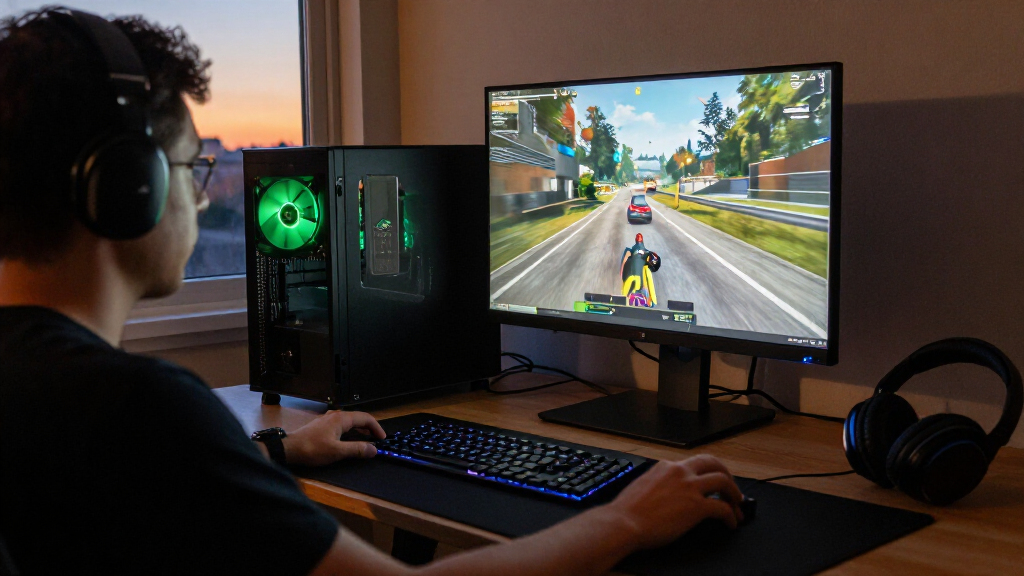
I ranked these desktops by how well their stated configurations match likely buyer needs: gaming capability from the GPU tier, the balance of processor and graphics hardware, memory and SSD capacity, and the flexibility implied by the system type. I also separated GeForce gaming PCs from Dell’s RTX A-series workstations, since the intended workloads differ and a gaming ranking alone would not fairly compare them. Size matters too: a compact workstation can suit a desk or office where a larger gaming tower would be a poor fit.
The order favors systems with the strongest fit for a broad range of buyers, not simply the largest component numbers. The Alienware leads for high-end gaming; RTX 5070 systems follow as stronger mid-to-upper gaming choices; and RTX 5060 configurations form the more accessible mainstream tier. Among similar Dell towers, I treat small configuration differences—such as Windows edition—as relevant but not proof of a major performance gap. I also account for tradeoffs: the RTX 5060 Ti’s 8GB of graphics memory, the Gamer Master’s 16GB system memory, and workstation GPUs’ distinct purpose all affect who should choose each option.
Factors to Consider When Choosing Best Nvidia RTX Desktops
Before choosing among these desktops, I’d match the PC to your screen, software, and working space rather than buying by model name alone. The same RTX label can appear in a gaming tower or a professional workstation, and those systems are not interchangeable for every task. These factors help clarify where an upgrade matters and where it may add little value.
Match the GPU Tier to Your Display and Games
Start with your monitor’s resolution and refresh rate, then consider the games you actually play. Higher graphics settings and demanding resolutions place more pressure on the GPU, while competitive games may benefit more from a fast, consistent frame rate than from maximum visual detail. An RTX 5080 system makes more sense for demanding gaming goals than a 5060 desktop, but it can be excessive for a basic 1080p setup. Don’t assume a newer or higher-tier card fixes every limit; a CPU-heavy game, an old monitor, or insufficient storage can shape the experience too. Check independent performance results for the specific GPU and games you care about before choosing a tier. A sensible match can leave room in your budget for a better monitor or other useful equipment.
Distinguish GeForce Gaming PCs from RTX Workstations
The word RTX alone does not tell you whether a desktop is meant for gaming. GeForce RTX systems in this roundup are the natural starting point for games and many general creative applications, while Dell’s RTX A1000 and RTX A400 models are workstation-oriented configurations. Professional software may benefit from certified drivers or a workstation setup, so check the requirements for your specific applications instead of choosing by gaming benchmarks. Conversely, a workstation GPU should not be treated as a faster GeForce card simply because both use Nvidia RTX branding. Buyers who split time between games and professional work should confirm that the software supports their chosen GPU and driver path. This distinction can prevent spending on the wrong type of graphics hardware.
Read Memory Capacity Alongside GPU Memory
System memory and graphics memory solve different problems. A desktop with 32GB of system RAM has more room for games, browsers, and background tools than one with 16GB, while the graphics card’s own memory affects the assets and visual settings it can handle. This matters for the RTX 5060 Ti configuration listed with 8GB of graphics memory: its card tier and memory capacity should both be checked against your games and applications. Avoid treating one large memory number as proof that the whole system is ready for every workload. For creative projects, look at the application’s recommended memory and project size; for gaming, check the requirements of the titles you play. Leave room for future upgrades, but confirm the desktop’s available slots and supported capacity first.
Choose SSD Capacity for Your Actual Library
Modern games and creative files can fill a drive faster than a buyer expects, so 1TB and 2TB configurations represent a practical difference even when the GPU is unchanged. A 2TB SSD means more room for installed games and active projects before you need to move files or add another drive. Yet a larger SSD does not make a graphics card faster, and it may be less valuable than a GPU upgrade for a gaming-focused buyer. Check whether the desktop offers an open M.2 slot or other straightforward storage expansion before deciding to pay for capacity upfront. Also account for the operating system and applications, which use part of the advertised storage. Buyers with a large game library should prioritize capacity more than someone who keeps only a few active titles installed.
Check the Case, Cooling, and Upgrade Path
A desktop’s size affects more than appearance: it can limit airflow, component clearance, and future upgrades. Compact workstation systems suit spaces where a full gaming tower would be awkward, but their small chassis can offer fewer options for replacing or adding parts. Before buying any prebuilt, check the case dimensions, power supply capacity, cooling layout, and whether standard components are used. A powerful GPU can produce more heat, making airflow and fan design relevant to long gaming sessions. If you expect to upgrade later, look for accessible internals and room for the specific graphics card or storage you may add. A modest configuration with a practical upgrade path can suit some buyers better than a stronger system that is difficult to modify.
Pay for the Component That Removes Your Bottleneck
When comparing configurations, identify what currently limits your work or play before paying for an upgrade. A gaming-focused buyer may gain more from moving up a GPU tier, while a multitasker could benefit from ample system memory and a fast processor. More storage helps with libraries and projects, but it does not replace graphics performance; a premium CPU cannot compensate for a GPU that falls short of your target settings. Consider the full system too, including the included operating system and whether the desktop can connect to your existing monitor and accessories. Avoid paying extra for a feature you will not use just because it looks strongest on a spec sheet. A balanced configuration is usually a better fit than maximizing one component while neglecting the rest.
Frequently Asked Questions
Should I choose an RTX 5070 desktop over an RTX 5060 model?
Choose an RTX 5070 system if your games, display resolution, or creative workload can make use of the stronger graphics tier. In this lineup, the RTX 5070 models also differ in processor: the iBUYPOWER pairs it with a Ryzen 9 7900X, while the MSI uses an Intel Core i5-14400F. An RTX 5060 desktop may be the better fit for less demanding play or a buyer who values other configuration details, such as 2TB storage on the CyberPowerPC Gamer Xtreme. Compare performance for your own games and software rather than relying on the GPU name alone. If your monitor is modest and your current games are not graphics-intensive, the upgrade may bring less practical benefit.
Is an RTX A-series Dell workstation a good gaming PC?
It can run some games, but I would not select a workstation model as a gaming-first desktop without checking game-specific performance. The Dell Pro Max Slim with RTX A1000 and the Pro Max Micro with RTX A400 are aimed at professional or office workflows, not the same buyer as a GeForce gaming tower. A workstation may be a better fit when professional applications, driver support, or a compact business setup are the priority. For gaming, the GeForce RTX desktops in this roundup are the more direct choices. Confirm your software’s GPU requirements before treating an A-series card as a substitute for a GeForce model.
Is 16GB of system memory enough for an RTX 5060 desktop?
It can suit a simpler gaming setup, but it leaves less room for demanding games, browser tabs, voice chat, and other apps running together than a 32GB configuration. The CyberPowerPC Gamer Master is the listed option with 16GB, while many alternatives in this roundup specify 32GB. Whether that difference matters depends on your games and habits, so check the requirements of the titles and software you use. Also confirm the desktop’s memory layout and upgrade support before assuming an easy expansion. If you want more headroom from the start, a 32GB model is the safer fit.
Does a 2TB SSD make a desktop a better buy than a faster GPU?
It depends on whether storage space or graphics performance is your main limitation. A 2TB SSD can hold a larger game library and more active project files, which reduces the need to uninstall or move data. A stronger GPU is usually the more direct improvement for demanding gaming settings, but it will not solve a shortage of storage space. In this roundup, the CyberPowerPC Gamer Xtreme and MSI Codex R2 with RTX 5060 Ti list 2TB drives, while several other systems list 1TB. Pick based on your library and workload, and check whether the smaller-drive system has a straightforward expansion path.
How should I choose between the similar Dell RTX 5060 towers?
Compare the exact product configuration rather than relying on the Dell Tower name. Several entries list an Intel Core Ultra 7 265F, RTX 5060, 32GB memory, and a 1TB SSD, so their core gaming specifications appear closely matched. The listed differences include Windows 11 Pro on some configurations and distinct model identifiers, which may matter for work or deployment needs but do not automatically indicate a graphics-performance difference. Check the seller’s exact specification sheet for ports, wireless connectivity, case details, and included software before ordering. If those details match your needs, choose based on configuration accuracy and support rather than assuming one similarly named tower is substantially faster.
Conclusion
For the strongest gaming setup in this group, I’d choose the Alienware Aurora with RTX 5080 as best overall, while recognizing it is more graphics power than many buyers need. My best value-style choice is the CyberPowerPC Gamer Xtreme: its RTX 5060, 32GB of memory, and 2TB SSD make a practical combination for everyday gaming and a larger library. For a more powerful mid-to-upper gaming build, the iBUYPOWER Element with RTX 5070 is my best step-up pick; the MSI RTX 5070 is an alternative with a different processor pairing. Beginners who want a straightforward gaming tower can start with a 32GB RTX 5060 system, such as the Dell configurations, after checking the exact model details. For professional graphics workflows or a compact office setup, I’d look at the Dell Pro Max workstations instead of treating them as GeForce gaming replacements. Match the GPU to your screen and software, then choose the memory, storage, and case that suit your daily use.