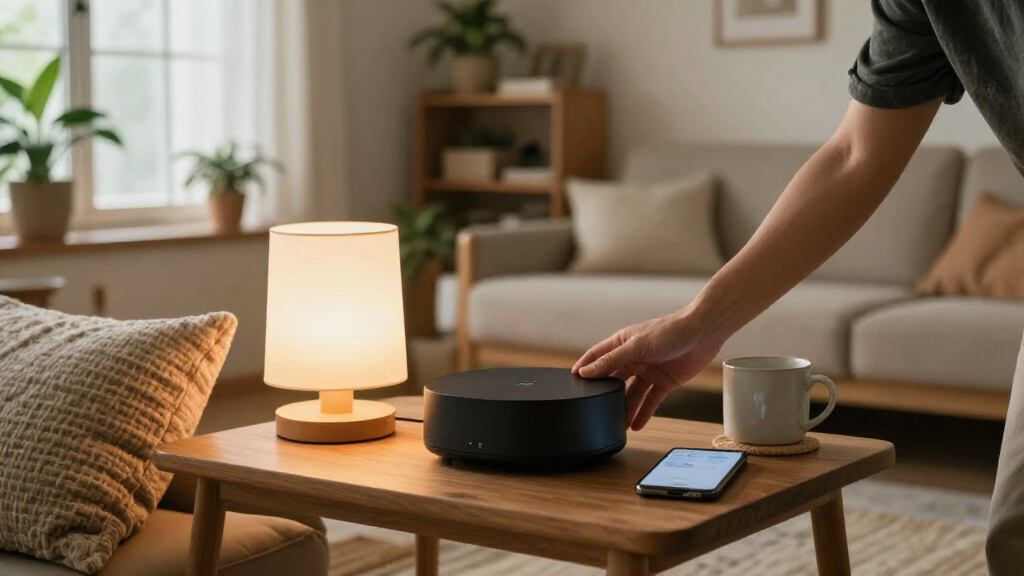
Choosing the right smart home automation hubs can determine whether your setup runs smoothly or requires constant troubleshooting. The Home Assistant Green stands out as the best overall pick for users who prioritize local control and unlimited customization without cloud dependency. For those committed to a specific ecosystem, the Lutron Caséta Smart Hub offers unmatched reliability for lighting and shades, while the Aeotec Smart Home Hub 2 bridges the gap between broad device compatibility and ease of use. The main tradeoff you will face is between the simplicity of cloud-connected platforms and the privacy and speed of local-processing hubs. Continue reading for a detailed breakdown of how these devices compare in performance, protocol support, and long-term value.

Get the latest gadgets delivered free with Prime
- Fast, free delivery on millions of items
- Prime Video, Amazon Music and more included
- Member-only deals all year
Complete the kit



Key Takeaways
- Local processing hubs like amazon.com/dp/B0CXVKSG19?tag=techieus-20&ascsubtag=dc-1271880″ target=”_blank” rel=”nofollow sponsored noopener”>Home Assistant and Hubitat offer faster response times and work during internet outages, unlike cloud-dependent alternatives.
- Matter protocol support is now standard on most premium hubs, but implementation quality varies widely between manufacturers.
- Zigbee and Thread radio coverage significantly impacts device stability; hubs with external antennas or multiple radios provide better mesh performance.
- Ecosystem lock-in is real; hubs optimized for Apple HomeKit or Amazon Alexa often restrict advanced automation features available on open platforms.
- Display-integrated hubs add convenience for wall-mounted control but often sacrifice processing power compared to headless server-style hubs.
| SwitchBot Hub 3 Smart Home Hub with 2.4-Inch IPS Screen and Dial Control |  | Best for Physical Control and Legacy IR Devices | Display: 2.4-inch IPS screen | Connectivity: 2.4 GHz Wi-Fi, Bluetooth, Infrared, Matter | Matter Device Support: Up to 30 devices via wireless remotes | VIEW LATEST PRICE | See Our Full Breakdown |
| Lutron Caséta Smart Hub for Alexa, Apple HomeKit, Google Assistant, and More | 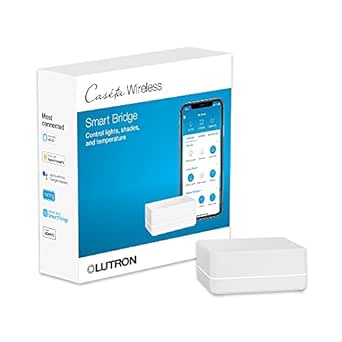 | Best for Reliable Lighting and Shade Control | Connectivity: Clear Connect Technology (Router connected) | Max Devices: 75 Caséta devices | Compatible Platforms: Alexa, Apple HomeKit, Google Assistant, Ring, Sonos | VIEW LATEST PRICE | See Our Full Breakdown |
| Aeotec Smart Home Hub 2 V4 with Matter and Zigbee |  | Best for Local Automation and Zigbee Support | Supported Protocols: Matter, Zigbee, SmartThings | Connectivity: Wi-Fi, Ethernet | Local Automations: Supported | VIEW LATEST PRICE | See Our Full Breakdown |
| SwitchBot AI Smart Home Hub with OpenClaw Support |  | Best for AI Integration and Camera Context | Storage: 16GB MicroSD (Expandable to 1TB) | Camera Capacity: Up to 8 compatible cameras | Connectivity: Dual-band Wi-Fi | VIEW LATEST PRICE | See Our Full Breakdown |
| Samsung SmartThings Hub (3rd Generation), White |  | Best for Broad Protocol Compatibility | Protocols: Zigbee, Z-Wave, Cloud-to-Cloud | Power Source: Battery powered | Dimensions: 5 x 5 x 1.2 inches | VIEW LATEST PRICE | See Our Full Breakdown |
| HomeHub Smart Gateway (Bluetooth + Zigbee) |  | Best Budget Entry Point | Manufacturer: Hangzhou Adaprox Intelligent Technology Co., Ltd. | Weight: 2.11 ounces | Dimensions: 2.72 x 0.98 x 2.68 inches | VIEW LATEST PRICE | See Our Full Breakdown |
| SONOFF Bridge-M Smart Home Hub |  | Best for Home Assistant Users | Model: Bridge-M | Connectivity: Wi-Fi, Ethernet, Zigbee | Wi-Fi standard: IEEE 802.11a/b/g/n/ac/ax | VIEW LATEST PRICE | See Our Full Breakdown |
| Homey Pro mini Smart Home Hub |  | Best All-Rounder for Multi-Protocol Homes | Brand: Homey | Manufacturer: Athom B.V. | Model: HOMEY-PRO-MINI-US-01 | VIEW LATEST PRICE | See Our Full Breakdown |
| Home Assistant Green Smart Home Hub |  | Best for Privacy and Customization | Brand: Nabu Casa | Model: Home Assistant Green | Processor: Quad-core | VIEW LATEST PRICE | See Our Full Breakdown |
| Amazon Echo Hub 8-inch Smart Home Control Panel |  | Best Visual Interface for Families | Display: 8-inch touchscreen, 1280 x 800 resolution | Connectivity: Dual-band Wi-Fi, Bluetooth, Zigbee, Matter, Thread, Amazon Sidewalk | Audio: Stereo playback with two full-range speakers | VIEW LATEST PRICE | See Our Full Breakdown |
| Aqara Smart Home Hub M3 |  | Best High-Capacity Aqara Ecosystem Hub | Model: HM-G01E | Protocols: Zigbee, Thread, Bluetooth, Wi-Fi, PoE | Device Capacity: 127 Zigbee + 127 Thread | VIEW LATEST PRICE | See Our Full Breakdown |
| Hubitat Elevation C-8 Pro |  | Best for Multi-Protocol Power Users | Model: C-8 Pro | Protocols: Matter 1.5, Z-Wave 800, Zigbee 3.0, Bluetooth | Device Support: 1,000+ devices | VIEW LATEST PRICE | See Our Full Breakdown |
| Aqara Smart Hub M200 |  | Best Balanced Aqara Hub with IR | Model: HM-G03E | Protocols: Zigbee, Thread, Wi-Fi, IR, PoE | Device Capacity: 40 Zigbee + 40 Thread | VIEW LATEST PRICE | See Our Full Breakdown |
| MOES Zigbee 3.0 and Bluetooth Mesh Hub |  | Best Value for Tuya Ecosystem | Protocols: Zigbee 3.0, Bluetooth Mesh | Wi-Fi: 2.4 GHz Only | Max Devices: 128 | VIEW LATEST PRICE | See Our Full Breakdown |
| Aqara Smart Hub M100 |  | Best Entry-Level Aqara Hub | Model: M100 | Protocols: Zigbee, Thread, Wi-Fi 6 | Device Capacity: 20 Zigbee + 20 Thread | VIEW LATEST PRICE | See Our Full Breakdown |
| smart home automation hub | Connectivity |
|---|---|
| SwitchBot Hub 3 Smart Home Hub | 2.4 GHz Wi-Fi, Bluetooth, Infrared, Matter |
| Lutron Caséta Smart Hub for Al | Clear Connect Technology (Router connected) |
| Aeotec Smart Home Hub 2 V4 wit | Wi-Fi, Ethernet |
| SwitchBot AI Smart Home Hub wi | Dual-band Wi-Fi |
| Samsung SmartThings Hub | — |
| HomeHub Smart Gateway | — |
| SONOFF Bridge-M Smart Home Hub | Wi-Fi, Ethernet, Zigbee |
| Homey Pro mini Smart Home Hub | — |
| Home Assistant Green Smart Hom | Ethernet, USB, Bluetooth |
| Amazon Echo Hub 8-inch Smart H | Dual-band Wi-Fi, Bluetooth, Zigbee, Matter, Thread, Amazon Sidewalk |
| Aqara Smart Home Hub M3 | — |
| Hubitat Elevation C-8 Pro | — |
| Aqara Smart Hub M200 | Dual-band Wi-Fi, PoE, USB-C |
| MOES Zigbee 3.0 and Bluetooth | — |
| Aqara Smart Hub M100 | — |
More Details on Our Top Picks
SwitchBot Hub 3 Smart Home Hub with 2.4-Inch IPS Screen and Dial Control
This hub stands out for its tactile interface, featuring a physical dial and customizable buttons that appeal to users who dislike relying solely on smartphone apps. Unlike the Aeotec Smart Home Hub 2 V4, which is a silent background device, the SwitchBot Hub 3 acts as a central dashboard, displaying live temperature and humidity data on its 2.4-inch IPS screen. It excels at controlling older appliances via infrared, a feature missing from most modern Matter-centric hubs. However, it is limited to 2.4 GHz Wi-Fi and lacks support for RF devices like garage doors. While it supports Matter, its primary strength lies in its ecosystem-specific hardware integration rather than broad protocol flexibility.
Pros:- Physical dial and buttons allow quick automation triggering without opening an app
- Built-in IR blaster controls non-smart TVs, air conditioners, and fans
- IPS screen provides real-time environmental data and status updates
Cons:- Strictly requires 2.4 GHz Wi-Fi, which can be congested in dense apartments
- No support for RF protocols, meaning it cannot control garage doors or ceiling fan remotes
Best for: Users with many legacy IR appliances (TVs, A/Cs) who want a physical control panel on their wall or counter.
Not ideal for: Those with dual-band Wi-Fi 5/6 networks who want a hub that doesn’t require forcing devices onto the 2.4 GHz band.
- Display:2.4-inch IPS screen
- Connectivity:2.4 GHz Wi-Fi, Bluetooth, Infrared, Matter
- Matter Device Support:Up to 30 devices via wireless remotes
- Voice Assistants:Alexa, Google Assistant, Apple Home
- Dimensions:3.7 x 1.5 x 4.96 inches
- Temperature Accuracy:±0.2°C
Our verdict“Choose this if you want a hub that doubles as a home dashboard and controls your older IR appliances.”
Lutron Caséta Smart Hub for Alexa, Apple HomeKit, Google Assistant, and More
The Lutron Caséta Hub is not a general-purpose automation brain; it is a dedicated controller for lighting and shades. Its Clear Connect Technology operates on a frequency that does not interfere with Wi-Fi, offering rock-solid reliability for critical home functions like lights. Compared to the SwitchBot Hub 3, which tries to do everything, Lutron does one thing exceptionally well: it never drops a signal. It integrates seamlessly with Apple HomeKit and Alexa but offers no native support for third-party sensors or locks. This hub requires proprietary Lutron switches and dimmers, making it an investment rather than a simple add-on, but the stability is unmatched for lighting scenes.
Pros:- Clear Connect Technology avoids Wi-Fi congestion for ultra-reliable signal
- Deep integration with Apple HomeKit, Alexa, and Google Assistant
- Supports up to 75 Caséta devices for whole-home lighting scenes
Cons:- Only works with Lutron-branded devices, locking users into their ecosystem
- Requires a router connection and Lutron app for initial setup and management
Best for: Homeowners who prioritize 100% reliable lighting and shade control over broad device compatibility.
Not ideal for: Users looking to connect smart plugs, sensors, or non-Lutron devices directly to the hub.
- Connectivity:Clear Connect Technology (Router connected)
- Max Devices:75 Caséta devices
- Compatible Platforms:Alexa, Apple HomeKit, Google Assistant, Ring, Sonos
- Mounting Type:Plug-in
- Dimensions:1.44 x 2.94 x 4.69 inches
- Operating Voltage:120 V
Our verdict“This is the gold standard for smart lighting, but it won’t manage your entire smart home.”
Aeotec Smart Home Hub 2 V4 with Matter and Zigbee
This hub is a powerhouse for users who value local execution. Unlike the cloud-dependent Samsung SmartThings Hub, the Aeotec V4 can run many automations even if your internet goes down, ensuring your lights and locks keep working. It supports Zigbee and Matter, making it highly compatible with a vast array of third-party sensors and bulbs. While it lacks the physical interface of the SwitchBot Hub 3, it offers a more robust backend for complex routines via the SmartThings app. The downside is its lack of Z-Wave support, which excludes a segment of older smart home hardware, and its reliance on the SmartThings ecosystem for configuration.
Pros:- Supports local automations, keeping routines active during internet outages
- Dual connectivity via Wi-Fi and Ethernet for flexible placement
- Native support for Zigbee and Matter expands device compatibility significantly
Cons:- No support for Z-Wave devices, limiting compatibility with some legacy hardware
- Configuration is tied strictly to the SmartThings app interface
Best for: Tech-savvy users who want a reliable, local-first hub that supports Zigbee sensors and Matter devices.
Not ideal for: Users who rely heavily on Z-Wave devices or prefer a hub with a built-in screen for manual control.
- Supported Protocols:Matter, Zigbee, SmartThings
- Connectivity:Wi-Fi, Ethernet
- Local Automations:Supported
- Z-Wave Support:Not supported
- Compatible Platforms:Amazon Alexa, Google Assistant, SmartThings
- Model Number:GP-AEOHUBV4US
Our verdict“A robust choice for Zigbee users who need reliable local automation without cloud dependency.”
SwitchBot AI Smart Home Hub with OpenClaw Support
This hub targets the future of smart homes, focusing on AI-driven automation and camera integration. With Home Assistant pre-installed, it appeals to power users who want advanced local control without the setup hassle of building their own server. It supports up to 8 compatible cameras and uses AI to provide context to events, a feature far beyond the simple trigger-action logic of the Aeotec Smart Home Hub 2 V4. However, the most interesting features are locked behind an AI+ subscription, and it lacks infrared control, meaning it cannot replace the SwitchBot Hub 3 for controlling legacy appliances. It is a specialized tool for camera-heavy setups.
Pros:- Home Assistant is pre-installed, simplifying complex local automation setups
- Supports up to 8 cameras with local event storage via included MicroSD
- Matter Bridge capability allows integration into broader smart home ecosystems
Cons:- Key AI features require a recurring AI+ subscription
- Does not include an IR blaster, requiring separate hardware for legacy control
Best for: Advanced users who want pre-installed Home Assistant and AI-powered camera context for their security setup.
Not ideal for: Budget-conscious buyers or those who want to control IR appliances without buying separate modules.
- Storage:16GB MicroSD (Expandable to 1TB)
- Camera Capacity:Up to 8 compatible cameras
- Connectivity:Dual-band Wi-Fi
- Pre-installed Software:Home Assistant
- Dimensions:7.8 x 5.79 x 2.2 inches
- Weight:1.17 pounds
Our verdict“Ideal for tech enthusiasts who want a ready-made Home Assistant hub with strong camera and AI capabilities.”
Samsung SmartThings Hub (3rd Generation), White
The Samsung SmartThings Hub 3rd Gen remains a versatile option because it supports Zigbee, Z-Wave, and cloud-to-cloud integrations in a single package. This breadth of protocol support allows it to connect to a wider variety of sensors and locks than the Aeotec Smart Home Hub 2 V4, which dropped Z-Wave. It is a compact, battery-backed option that fits easily into any home. However, its automation logic is often cloud-dependent, meaning internet outages can disrupt routines unless you use specific local-compatible devices. It lacks the modern Matter-first focus of newer hubs, serving more as a bridge for existing legacy SmartThings users rather than a new entry point.
Pros:- Supports both Zigbee and Z-Wave protocols for broad device compatibility
- Compact, battery-backed design ensures operation during minor power fluctuations
- Integrates with a massive library of SmartThings cloud devices
Cons:- Many automations rely on cloud connectivity, causing failures during internet outages
- Lacks native Matter support, requiring bridges for newer standard-compliant devices
Best for: Users with a mix of Zigbee and Z-Wave devices who are already invested in the Samsung SmartThings ecosystem.
Not ideal for: New users looking for a Matter-native hub or those who require fully local automation without cloud reliance.
- Protocols:Zigbee, Z-Wave, Cloud-to-Cloud
- Power Source:Battery powered
- Dimensions:5 x 5 x 1.2 inches
- Weight:8 ounces
- Warranty:1 year limited
- Generation:3rd Generation
Our verdict“A solid legacy hub for mixing Zigbee and Z-Wave devices, though it feels dated compared to Matter-native options.”
HomeHub Smart Gateway (Bluetooth + Zigbee)
This gateway stands out as the most affordable entry point for users already invested in Bluetooth or Zigbee ecosystems. Unlike the Home Assistant Green, which requires technical know-how and additional hardware, this hub offers a straightforward plug-and-play experience. It effectively bridges basic sensors and lights to major voice assistants like Alexa and Siri. However, the tradeoff is significant: it lacks the protocol breadth of the Homey Pro mini. If you plan to expand into Matter or Thread devices later, you will likely outgrow this unit quickly. It serves its purpose well for simple setups but feels restrictive for complex automations.
Pros:- Supports both Bluetooth and Zigbee protocols for broad device compatibility
- Compact design includes a built-in battery for backup power
- Voice assistant integration works with Alexa, Google Assistant, and Siri
- Remote app control lets you manage devices from anywhere with internet access
Cons:- Functionality limited to devices that are compatible with Bluetooth or Zigbee only
- Requires an active internet connection for remote features
- Lacks support for newer standards like Matter or Thread
Best for: Beginners with existing Bluetooth/Zigbee devices who want basic voice control without technical complexity.
Not ideal for: Power users planning a multi-protocol ecosystem or those needing local-only automation without cloud dependency.
- Manufacturer:Hangzhou Adaprox Intelligent Technology Co., Ltd.
- Weight:2.11 ounces
- Dimensions:2.72 x 0.98 x 2.68 inches
- Model Number:TYGWBZ01
- Battery Type:1 Lithium Ion (included)
- Color:White
Our verdict“A simple, low-cost bridge for basic smart home starters who don’t need advanced local control.”
SONOFF Bridge-M Smart Home Hub
The SONOFF Bridge-M is a powerful tool for those already using Home Assistant. It excels at bridging Zigbee and eWeLink devices into Matter-compatible platforms, a feature the HomeHub Smart Gateway completely lacks. Its local web console allows control without cloud reliance, offering a level of privacy and speed that cloud-only hubs cannot match. However, it is strictly a bridge; it cannot act as a Matter controller to add new Matter devices directly. This makes it less versatile than the Homey Pro mini for standalone use, but an invaluable add-on for DIY enthusiasts managing mixed ecosystems.
Pros:- Bridges Zigbee, BTHome, and eWeLink devices to Matter platforms
- Local web console works without cloud services
- Supports Home Assistant integration through MQTT
- Built-in 90 dB alarm and mobile notifications
Cons:- Cannot add Matter devices directly as a Matter controller
- Requires technical familiarity with MQTT for optimal setup
- Limited standalone functionality compared to full controllers
Best for: Home Assistant power users who need to bridge legacy Zigbee or eWeLink devices into a Matter environment.
Not ideal for: Casual users who want a standalone hub that can directly control or add new Matter devices.
- Model:Bridge-M
- Connectivity:Wi-Fi, Ethernet, Zigbee
- Wi-Fi standard:IEEE 802.11a/b/g/n/ac/ax
- Zigbee standard:IEEE 802.15.4
- Voltage:5 volts
- Weight:2.88 ounces
- Alarm:90 dB
- Matter functionality:Matter Bridge; not a Matter Controller
Our verdict“An essential bridge for Home Assistant users looking to integrate legacy devices into a modern Matter framework.”
Homey Pro mini Smart Home Hub
The Homey Pro mini strikes a balance between accessibility and power. It natively supports Zigbee, Matter, and Thread, offering a cleaner setup than the Home Assistant Green, which requires separate USB dongles for those same protocols. With over 1,000 compatible brands, it reduces the friction of mixing manufacturers. While it lacks the touchscreen interface of the Amazon Echo Hub, its app-based automation logic is more flexible. The main drawback is the need for a separate Homey Bridge to enable Z-Wave or Bluetooth, adding to the total cost. It is ideal for those wanting a unified control center without the steep learning curve of DIY Linux systems.
Pros:- Supports multiple smart home protocols out of the box
- Offers local control and automations
- Works with devices from over 1,000 brands
- No monthly subscription required
Cons:- Z-Wave, Bluetooth, and infrared require a separately sold Homey Bridge
- No built-in display for quick status checks
- App interface can be overwhelming for absolute beginners
Best for: Users with a mix of Zigbee, Matter, and Thread devices who want a no-subscription, app-driven experience.
Not ideal for: Those who need native Z-Wave or Bluetooth support out of the box without purchasing extra hardware.
- Brand:Homey
- Manufacturer:Athom B.V.
- Model:HOMEY-PRO-MINI-US-01
- Protocols:Zigbee, Matter, Thread, Ethernet
- Supported voice assistants:Alexa, Google Assistant, Siri
- Compatible brands:1000+
- Color:Black
- Material:Plastic
Our verdict“A versatile, subscription-free hub that simplifies multi-protocol management for intermediate smart home users.”
Home Assistant Green Smart Home Hub
Home Assistant Green is designed for users who prioritize data privacy and unlimited customization. Unlike the SONOFF Bridge-M, which acts as a bridge, this is a full operating system that runs locally. It stores all your home data on the device, ensuring no cloud dependence. However, it is not plug-and-play in the traditional sense; you must buy and install USB radios for Zigbee or Z-Wave, making it more expensive and complex than the Homey Pro mini. It is the superior choice for tech-savvy individuals who want total control over their automation logic, but it demands patience and technical comfort.
Pros:- Home Assistant is preinstalled for straightforward setup
- Fanless, silent, and power efficient
- Stores home data locally
- USB ports support optional Z-Wave, Zigbee, and Thread adapters
Cons:- Z-Wave, Zigbee, and Thread connectivity requires separate USB devices
- Requires an Ethernet connection
- Steep learning curve for non-technical users
Best for: Tech-savvy users who want local-only control, privacy, and the ability to customize every aspect of their smart home.
Not ideal for: Beginners who want a ready-to-use hub with built-in radio protocols and a simple graphical interface.
- Brand:Nabu Casa
- Model:Home Assistant Green
- Processor:Quad-core
- RAM:4 GB LPDDR4X
- Storage:32 GB
- Operating System:Home Assistant OS
- Connectivity:Ethernet, USB, Bluetooth
- USB Ports:2
- Dimensions:4.41 × 4.41 × 1.26 inches
Our verdict“The ultimate hub for privacy-focused DIYers who want a powerful, local-only automation platform.”
Amazon Echo Hub 8-inch Smart Home Control Panel
The Echo Hub redefines the hub by adding a physical interface. Its 8-inch touchscreen allows family members to control lights, view cameras, and run routines without needing a phone or voice command. Compared to the Homey Pro mini, which relies solely on an app, this provides immediate, shared access. It supports a wide range of protocols including Matter and Thread, similar to the Aqara Smart Hub M3. However, it is tethered to the Amazon ecosystem; while it works with other devices, the experience is optimized for Alexa. It is less flexible for deep custom automations than the Home Assistant Green, but far more user-friendly for non-tech-savvy households.
Pros:- Customizable dashboard for devices and routines
- Built-in hub supports multiple smart home connection standards
- Includes wall mount and power adapter
- Can help manage compatible home security devices
Cons:- Requires an internet connection for setup
- Tabletop stand, cable pass-throughs, and PoE adapter are sold separately
- Not intended for handheld or portable use
Best for: Households that want a shared, wall-mounted control center for cameras, lights, and routines without app usage.
Not ideal for: Users who dislike Amazon ecosystems or prefer a discreet, screenless hub that blends into decor.
- Display:8-inch touchscreen, 1280 x 800 resolution
- Connectivity:Dual-band Wi-Fi, Bluetooth, Zigbee, Matter, Thread, Amazon Sidewalk
- Audio:Stereo playback with two full-range speakers
- Sensors:Passive infrared proximity sensor and ambient light sensor
- Power:12.5W power adapter included
- Installation:Wall mount included; tabletop stand sold separately
- Materials:27% recycled materials
Our verdict“A visual, family-friendly control panel that simplifies smart home interaction for shared living spaces.”
Aqara Smart Home Hub M3
This hub stands out for its exceptional device capacity, supporting up to 127 Aqara Zigbee and 127 Thread devices. Compared to the Aqara Smart Hub M200, which caps out at 40 devices per protocol, the M3 is the clear choice for larger homes or complex setups. It includes PoE and dual-band Wi-Fi, offering robust connectivity options that the smaller M100 lacks. However, the tradeoff is its ecosystem lock-in; like its siblings, it does not support third-party Zigbee devices. If you are already invested in Aqara sensors and lights, this hub provides the necessary headroom and local automation power without requiring a subscription.
Pros:- Supports up to 127 Aqara Zigbee and 127 Thread devices
- Includes PoE and dual-band Wi-Fi for flexible installation
- 360° IR blaster with status feedback for AC control
- 8 GB encrypted local storage for offline automation resilience
Cons:- Incompatible with third-party Zigbee devices
- USB power adapter not included in the box
- Only one AC device can be exposed to Matter
Best for: Users with large Aqara device inventories needing maximum local automation capacity and PoE flexibility.
Not ideal for: Mixed-brand households using non-Aqara Zigbee devices, as it ignores third-party Zigbee hardware entirely.
- Model:HM-G01E
- Protocols:Zigbee, Thread, Bluetooth, Wi-Fi, PoE
- Device Capacity:127 Zigbee + 127 Thread
- Storage:8 GB Encrypted
- IR Control:360° with feedback
- Warranty:12 Months
Our verdict“The definitive hub for extensive Aqara-only smart homes requiring high device counts and reliable local execution.”
Hubitat Elevation C-8 Pro
This model is better suited to technical enthusiasts who demand broad hardware compatibility. Unlike the Aqara Smart Home Hub M3, which restricts Zigbee usage to its own brand, the Hubitat C-8 Pro supports over 1,000 devices across 100+ brands via Zigbee, Z-Wave, and Bluetooth. It processes all automations locally, ensuring speed and privacy without a mandatory subscription. The inclusion of external antennas significantly extends wireless range compared to internal-antenna competitors like the Homey Pro mini. The drawback is a steeper learning curve; the advanced rule engine requires more effort to master than the plug-and-play simplicity of consumer-focused hubs.
Pros:- Supports Zigbee, Z-Wave, Bluetooth, and Matter simultaneously
- Completely local automation with no subscription required
- External antennas provide superior wireless range
- Compatible with 1,000+ devices from major brands
Cons:- Steep learning curve for automation rules
- Requires compatible devices for full feature utilization
Best for: Advanced users managing mixed-protocol homes (Zigbee, Z-Wave, Matter) who prioritize local control and no fees.
Not ideal for: Beginners seeking a simple, app-driven setup, as the configuration interface is complex and technical.
- Model:C-8 Pro
- Protocols:Matter 1.5, Z-Wave 800, Zigbee 3.0, Bluetooth
- Device Support:1,000+ devices
- Antennas:2 External (Z-Wave/Zigbee)
- Subscription:None Required
- Dimensions:2.95 x 3.23 x 0.67 inches
Our verdict“Ideal for power users who want unrestricted protocol support and local control without ongoing costs.”
Aqara Smart Hub M200
This option strikes a balance between capacity and cost for mid-sized Aqara setups. It supports 40 Zigbee and 40 Thread devices, double the capacity of the Aqara Smart Hub M100, but less than the Aqara Smart Home Hub M3. It features PoE and dual-band Wi-Fi, matching the M3’s connectivity versatility, and includes a 360° IR blaster for controlling legacy appliances. While it bridges devices to Matter, Apple Home, and Alexa, it shares the same limitation as other Aqara hubs: no third-party Zigbee support. It is the logical upgrade for M100 users who need more device slots and IR control without jumping to the high-capacity M3.
Pros:- Supports 40 Zigbee and 40 Thread devices
- Includes PoE and dual-band Wi-Fi connectivity
- 360° IR blaster with status feedback for ACs
- Local automation execution without cloud dependency
Cons:- Does not support third-party Zigbee devices
- USB-C power adapter not included
Best for: Aqara users with 20-40 devices who need IR control and PoE flexibility without the bulk of the M3.
Not ideal for: Users with small apartments (M100 is cheaper) or large estates (M3 offers double the capacity).
- Model:HM-G03E
- Protocols:Zigbee, Thread, Wi-Fi, IR, PoE
- Device Capacity:40 Zigbee + 40 Thread
- IR Blaster:360° with feedback
- Connectivity:Dual-band Wi-Fi, PoE, USB-C
- Weight:4.6 ounces
Our verdict“A versatile middle-ground hub for Aqara households needing IR control and moderate device capacity.”
MOES Zigbee 3.0 and Bluetooth Mesh Hub
This gateway is best for Tuya and Smart Life users looking for a low-cost entry point into Zigbee and Bluetooth Mesh. It supports up to 128 devices, comparable to the Aeotec Smart Home Hub 2 V4 in raw numbers, but is restricted strictly to the Tuya ecosystem. Unlike the Hubitat Elevation C-8 Pro, which offers open standards and local processing flexibility, the MOES hub relies heavily on the Smart Life app and cloud connectivity for many features. It lacks Matter support and 5 GHz Wi-Fi, making it less future-proof. However, for those already owning Tuya bulbs and switches, it provides essential Zigbee 3.0 and Bluetooth Mesh bridging at a fraction of the cost of premium hubs.
Pros:- Supports both Zigbee 3.0 and Bluetooth Mesh devices
- Connects up to 128 Tuya-compatible devices
- Works with Alexa and Google Home voice commands
- Supports local automation and alarm features
Cons:- Locked to Tuya/Smart Life ecosystem only
- Supports only 2.4 GHz Wi-Fi networks
- No Matter protocol support
Best for: Budget-conscious users already invested in the Tuya/Smart Life ecosystem with Zigbee and Bluetooth devices.
Not ideal for: Users wanting Matter support, 5 GHz Wi-Fi, or integration with non-Tuya smart home brands.
- Protocols:Zigbee 3.0, Bluetooth Mesh
- Wi-Fi:2.4 GHz Only
- Max Devices:128
- App Compatibility:Smart Life, Tuya
- Voice Assistants:Alexa, Google Home
- Warranty:2 Years
Our verdict“A cost-effective bridge for Tuya users needing Zigbee and Bluetooth Mesh connectivity without premium features.”
Aqara Smart Hub M100
This compact hub is the starting point for small Aqara installations. It supports up to 20 Zigbee and 20 Thread devices, which is sufficient for apartments or starter kits but limited compared to the Aqara Smart Hub M200. It features Wi-Fi 6 support and WPA3 security, offering modern connectivity standards, but lacks the IR blaster and PoE found in higher-tier models. Like all Aqara hubs, it does not support third-party Zigbee devices. If you are building a small, focused system with Aqara sensors and locks, the M100 provides the necessary Matter bridging and local automation capabilities without the extra cost or size of the M200 or M3.
Pros:- Supports 20 Zigbee and 20 Thread devices
- Wi-Fi 6 (802.11ax) with WPA3 security
- Local automation runs without internet access
- Compact, adjustable design with USB-A power
Cons:- No IR blaster for appliance control
- Limited device capacity compared to M200/M3
- Power adapter not included
Best for: Beginners or renters with fewer than 20 Aqara devices who need Matter bridging and local automation.
Not ideal for: Users needing IR control, PoE power, or more than 20 devices per protocol.
- Model:M100
- Protocols:Zigbee, Thread, Wi-Fi 6
- Device Capacity:20 Zigbee + 20 Thread
- Security:WPA3
- Power:USB-A (5V 0.5A)
- Automation:Local Execution
Our verdict“The essential hub for small Aqara setups requiring modern Wi-Fi 6 connectivity and Matter compatibility.”
How We Picked
I evaluated these hubs based on three core pillars: protocol versatility, automation logic depth, and ecosystem integration. Protocol versatility measured how well each device handled Zigbee, Z-Wave, Thread, Matter, and Bluetooth simultaneously without interference. A hub that supports Matter but struggles with legacy Zigbee devices ranked lower than one with robust multi-protocol support. Automation logic depth assessed whether the hub could handle complex if-this-then-that scenarios locally, or if it relied on cloud servers for basic triggers. Devices offering local execution scored higher for reliability and privacy.
Ecosystem integration determined how easily the hub connected to major voice assistants and third-party services. I also considered long-term viability, favoring manufacturers with active software development and strong community support. Hubs with proprietary, closed systems were penalized unless they offered exceptional hardware reliability, such as Lutron. The final ranking reflects a balance between ease of entry for beginners and the flexibility required by power users who demand granular control over their smart home environment.
Factors to Consider When Choosing Smart Home Automation Hubs
Selecting a hub is not just about buying hardware; it is about choosing a software ecosystem that will govern your home for years. These factors help you avoid common pitfalls and match the hub to your actual usage patterns.Local Processing vs. Cloud Dependency
The most significant architectural difference in smart home hubs is where the automation logic runs. Local processing means the hub executes rules on its own hardware, ensuring lights turn on instantly even if your internet connection fails. Cloud-dependent hubs require a server connection to process commands, which introduces latency and potential downtime during outages. For users who value reliability above all else, local control is a non-negotiable feature. However, cloud hubs often simplify initial setup and remote access configuration, making them friendlier for those who do not want to manage port forwarding or local networks. Consider how many critical automations (like security or climate control) rely on the hub before choosing a cloud-only option.
Matter and Thread Support Reality
While Matter is marketed as the universal standard, not all hubs implement it equally. Some devices act merely as Thread border routers, allowing Matter devices to join the network but limiting how they interact with non-Matter legacy devices. True Matter controllers allow you to bridge Zigbee or Z-Wave devices into the Matter ecosystem, creating a unified control plane. Check whether the hub supports Matter bridging if you plan to mix older Zigbee sensors with new Matter locks. A hub that only supports Matter as a client, rather than a controller, may leave you with fragmented apps and incompatible scenes. Verify the firmware roadmap, as Matter support is still evolving and requires regular updates to fix compatibility bugs.
Radio Frequency Interference and Coverage
Smart home hubs often juggle multiple wireless protocols, primarily Zigbee and Thread, which both operate on the 2.4 GHz band. This can cause interference with Wi-Fi networks, leading to dropped device connections or slow response times. Hubs with external, adjustable antennas allow you to optimize signal placement away from dense Wi-Fi channels. Internal antennas in compact hubs are cleaner aesthetically but may struggle to cover larger homes without additional repeaters. If your home has thick walls or multiple floors, prioritize hubs that support Zigbee repeater devices or have strong transmission power. Testing signal strength in dead zones before finalizing your automation schedule can save hours of troubleshooting later.
Open Source vs. Proprietary Software
Proprietary hubs like Lutron or Aqara offer polished, user-friendly interfaces that require minimal technical knowledge to configure. Open-source platforms like Home Assistant provide infinite customization but demand a steeper learning curve and regular maintenance. Proprietary systems are less likely to break after updates but may limit you to that brand’s device catalog. Open-source hubs excel at integrating diverse brands and creating complex, cross-platform automations. Decide if you prefer a “set it and forget it” appliance or a programmable platform you can tweak indefinitely. For most beginners, a proprietary hub with good Matter support offers the best balance of simplicity and future-proofing.
Integration with Voice Assistants
While most hubs claim support for Alexa, Google Home, and Apple HomeKit, the depth of this integration varies. Some hubs expose all devices as simple switches, hiding advanced features like lock codes or dimmer ramps. Apple HomeKit is particularly strict, requiring hubs to be HomeKit-certified to expose accessories properly. If you are deep in the Apple ecosystem, ensure the hub is a native HomeKit controller, not just a bridge, to maintain fast, local voice responses. Android users may find Google Home integration more flexible but occasionally less stable with third-party hubs. Test voice command latency with a few devices before committing to a hub that serves as your primary voice assistant bridge.
Frequently Asked Questions
Do I need a separate hub if I already have an Echo Dot or Nest Hub?
It depends on the specific devices you want to control. Modern Echo and Nest hubs often include Zigbee radios, allowing them to control basic smart plugs and bulbs directly. However, they lack the processing power and advanced automation logic of dedicated hubs. If you want complex scenes involving multiple sensors, security integration, or cross-ecosystem compatibility, a dedicated hub like Home Assistant or Hubitat is necessary. Additionally, dedicated hubs handle local processing better, ensuring your automations work without internet access. For simple on/off control of a few devices, a smart speaker hub is sufficient; for a fully automated home, a dedicated controller is superior.
Is Zigbee still relevant with the rise of Matter and Thread?
Yes, Zigbee remains highly relevant due to its massive installed base and low power consumption for battery-operated sensors. Matter is designed to work alongside existing protocols, often using hubs like Aqara M3 or Homey Pro to bridge Zigbee devices into the Matter ecosystem. Thread is newer and offers better IP connectivity but has fewer device options and higher costs for some sensor types. Many users find that Zigbee provides the most cost-effective way to deploy dozens of window and door sensors. You do not need to abandon Zigbee; instead, look for a hub that supports both Zigbee and Thread to future-proof your setup while leveraging current device availability.
Can I run multiple smart home hubs in one house?
Yes, but it requires careful planning to avoid conflicts and fragmentation. Running multiple hubs, such as a Lutron Caséta for lighting and a Home Assistant Green for everything else, is a common strategy for power users. The key is to ensure the hubs can communicate or that you can control them through a unified interface like HomeKit or a dashboard app. Avoid having two hubs try to manage the same Zigbee network, as this causes device conflicts and instability. Assign specific roles to each hub (e.g., one for security, one for lighting) and use a central controller or voice assistant to bridge the gaps. This approach maximizes the strengths of specialized hardware but increases setup complexity.
What is the biggest mistake people make when buying a hub?
The most common error is buying a hub based solely on price without checking device compatibility. A cheap hub may support Zigbee but not the specific frequency or manufacturer-specific features of your existing bulbs or locks. Another frequent mistake is ignoring the ecosystem lock-in; if you buy a proprietary hub, you may be forced to buy future devices from that same brand. Always check the manufacturer’s compatible device list for your specific models before purchasing. Additionally, users often underestimate the need for a hub with strong local processing, leading to frustration when internet outages disable their automations. Prioritize compatibility and architecture over initial cost savings.
Do I need a hub with a built-in screen?
A built-in screen, like the one on the SwitchBot Hub 3 or Amazon Echo Hub, adds convenience for wall-mounted control and status monitoring. These screens are excellent for families or guests who are not comfortable using smartphone apps for basic tasks like locking doors or adjusting thermostats. However, they often come with a higher price tag and may have slower processing speeds than headless hubs. If you primarily control your home via voice or mobile apps, a screenless hub is more cost-effective and flexible. Consider a screen hub if you want a dedicated command center in a hallway or kitchen; otherwise, a compact, hidden hub will perform the same background tasks without the visual clutter.
Conclusion
Selecting the right smart home automation hubs ultimately depends on your technical comfort level and existing device ecosystem. For the majority of users seeking a balance of power and simplicity, the Home Assistant Green is the best overall choice due to its local processing and open-source flexibility. If you prioritize plug-and-play reliability within a walled garden, the Lutron Caséta Smart Hub remains the gold standard for lighting and shades, though it lacks broader versatility. Best for Beginners: The Aeotec Smart Home Hub 2 offers the easiest path to Matter compatibility with minimal setup friction. Best Value: The Sonoff Bridge-M provides essential Zigbee and Matter bridging capabilities at an accessible entry point for budget-conscious builders. Best Premium: The Homey Pro mini stands out for its robust hardware and extensive protocol support, ideal for enthusiasts who want to manage a complex, multi-protocol home without compromising on performance or aesthetics.