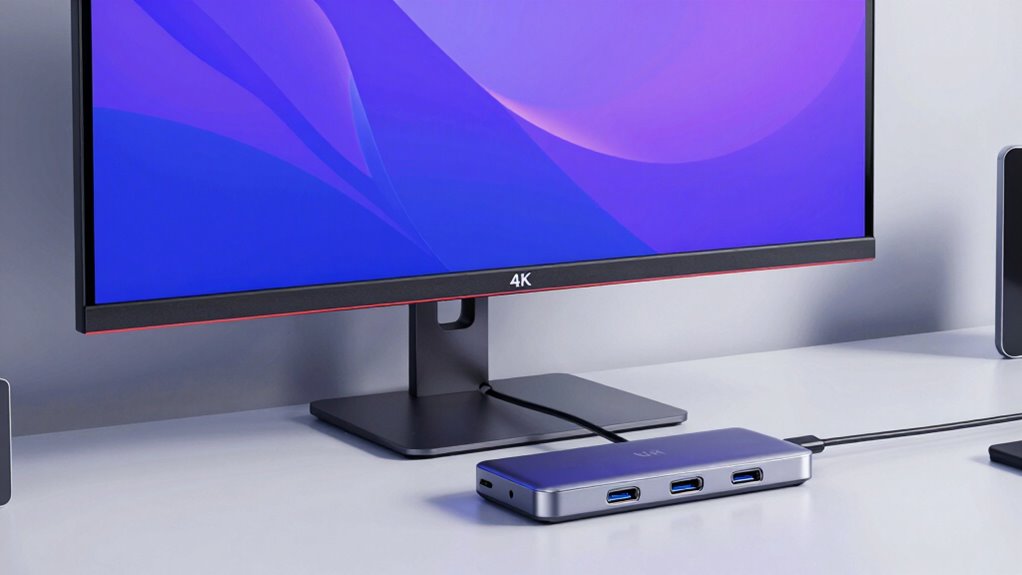

As more professionals and creators turn to 4K displays with integrated USB-C hubs, finding the right monitor can be challenging. For those prioritizing versatile connectivity, the Dell P2725QE offers robust features with a focus on color accuracy and ergonomic adjustments. Meanwhile, the LG 27UP850K-W stands out for its HDR support, vibrant visuals, and built-in speakers, making it ideal for multimedia use. For gamers or users needing a smoother experience, the Dell 27 S2725QC provides a rapid 120Hz refresh rate, though it lacks extensive stand adjustments. Finally, the larger Dell P3225QE caters to creative professionals with its expansive screen and comprehensive ergonomic options. Each of these options balances performance, connectivity, and price differently, with tradeoffs in features like built-in audio, stand flexibility, and price point.

Get the latest gadgets delivered free with Prime
- Fast, free delivery on millions of items
- Prime Video, Amazon Music and more included
- Member-only deals all year
Complete the kit



Key Takeaways
- The Dell P2725QE offers a high-resolution display with excellent color accuracy and multiple connectivity options, ideal for professional work.
- The LG 27UP850K-W provides HDR support and built-in speakers, making it a great choice for multimedia creators.
- The Dell S2725QC emphasizes smooth visuals with a 120Hz refresh rate, suitable for casual gaming and extended use.
- The Dell P3225QE balances large screen real estate with extensive ergonomic features, perfect for creative workflows.
- Tradeoffs include differences in stand adjustability, built-in audio quality, and price, guiding different user priorities.
| Dell P2725QE 27-Inch 4K UHD IPS Monitor with USB-C Hub | 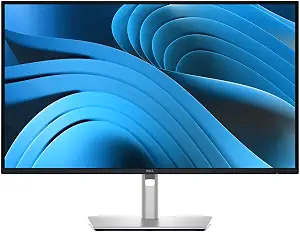 | Best Overall for Productivity and Color Accuracy | Display Size: 27 inches | Panel Type: IPS | Resolution: 3840 x 2160 | VIEW ON AMAZON | See Our Full Breakdown |
| LG 27UP850K-W 27-inch 4K UHD IPS Monitor with HDR 400 and USB-C |  | Best for Multimedia and Vivid Visuals | Display Size: 27 inches | Resolution: 3840 x 2160 (4K UHD) | Color Gamut: 95% DCI-P3 | VIEW ON AMAZON | See Our Full Breakdown |
| Dell 27 Monitor S2725QC 4K UHD IPS with 120Hz Refresh Rate |  | Best for Smooth Visuals and Gaming | Screen Size: 27 inches | Resolution: 4K UHD | Refresh Rate: 120Hz | VIEW ON AMAZON | See Our Full Breakdown |
| Dell P3225QE 31.5-Inch 4K Ultra HD IPS LED Monitor with USB-C |  | Best for Creative Professionals and Large Workspace | Screen Size: 31.5 inches | Resolution: 3840 x 2160 | Panel Type: IPS | VIEW ON AMAZON | See Our Full Breakdown |
| Philips 27″ 4K UHD IPS Monitor with USB-C, HDR400 |  | Best for Professionals and Gamers with Vivid Visuals | Display Size: 27 inches | Resolution: 3840 x 2160 | HDR: DisplayHDR 400 | VIEW ON AMAZON | See Our Full Breakdown |
| 4k monitor usb c hub | Resolution | Connectivity | Display Size | Refresh Rate |
|---|---|---|---|---|
| Dell P2725QE 27-Inch 4K UHD IP | 3840 x 2160 | — | 27 inches | 100 Hz |
| LG 27UP850K-W 27-inch 4K UHD I | 3840 x 2160 (4K UHD) | USB Type-C, DisplayPort, HDMI | 27 inches | — |
| Dell 27 Monitor S2725QC 4K UHD | 4K UHD | USB-C up to 65W | — | 120Hz |
| Dell P3225QE 31.5-Inch 4K Ultr | 3840 x 2160 | HDMI, DisplayPort, USB-C | — | 100Hz |
| Philips 27" 4K UHD IPS Monitor | 3840 x 2160 | USB-C, HDMI, DisplayPort | 27 inches | — |
More Details on Our Top Picks
Dell P2725QE 27-Inch 4K UHD IPS Monitor with USB-C Hub
The Dell P2725QE excels as a balanced choice, combining a sharp 27-inch 4K IPS panel with robust connectivity including USB-C with 90W power delivery. Its adjustable stand supports ergonomic needs, making it suitable for prolonged work sessions. The monitor supports a wide color gamut and has eye comfort certifications, making it ideal for professionals who need color precision and comfort. Compared with the LG 27UP850K-W, it lacks HDR support but compensates with better ergonomic flexibility and a broader connectivity suite. Its main tradeoff is the somewhat ambiguous specs listing, which could cause confusion about resolution or native display quality. Overall, this model is best suited for those seeking a reliable, high-quality display for detailed work.
Pros:- High-resolution 4K display with accurate colors
- Multiple connectivity options including USB-C with power delivery
- Fully adjustable ergonomic stand
- Eye comfort certifications
Cons:- Confusing specs listing regarding native resolution
- No built-in speakers
- Price may be high for budget users
Best for: Professional users needing accurate colors and ergonomic comfort
Not ideal for: Casual users or gamers looking for high refresh rates or built-in speakers
- Display Size:27 inches
- Panel Type:IPS
- Resolution:3840 x 2160
- Refresh Rate:100 Hz
- Response Time:5 ms
- Contrast Ratio:15000:1
- Brightness:350 nits
- Color Support:1.07 billion colors
- Color Gamut:99% sRGB
Our verdict“A top-tier choice for professionals prioritizing color accuracy and ergonomic flexibility.”
LG 27UP850K-W 27-inch 4K UHD IPS Monitor with HDR 400 and USB-C
The LG 27UP850K-W is distinguished by its support for HDR 400, broad DCI-P3 color coverage, and built-in stereo speakers. Its USB-C port delivers up to 65W power, making it easy to connect and charge compatible laptops. The monitor’s versatile ergonomic stand supports height, tilt, and pivot, which suits users who frequently adjust their setup for comfort. Compared to the Dell P2725QE, it provides superior multimedia features at the expense of slightly less color accuracy and a lower maximum power delivery. It does not mention built-in microphones or gaming-specific features, which could limit its appeal for some users. Overall, this monitor makes a compelling choice for creative professionals who want vibrant visuals and integrated audio for multimedia editing or entertainment.
Pros:- Vivid 4K display with HDR 400 support
- Wide color gamut (95% DCI-P3)
- Built-in stereo speakers
- Flexible ergonomic stand
Cons:- No mention of built-in microphone
- Potentially high price
- Limited gaming features
Best for: Creative professionals and multimedia enthusiasts
Not ideal for: Gaming or users needing extensive ergonomic adjustments
- Display Size:27 inches
- Resolution:3840 x 2160 (4K UHD)
- Color Gamut:95% DCI-P3
- HDR:VESA DisplayHDR 400
- Connectivity:USB Type-C, DisplayPort, HDMI
- Speakers:Stereo with Waves MaxxAudio
Our verdict“Ideal for multimedia creatives seeking vibrant visuals and integrated audio options.”
Dell 27 Monitor S2725QC 4K UHD IPS with 120Hz Refresh Rate
The Dell S2725QC combines stunning 4K visuals with a fast 120Hz refresh rate, making it suitable for gaming and extended multimedia use. Its low blue light mode adds to comfort during long sessions, and the single USB-C cable simplifies connectivity with up to 65W power transfer. However, it lacks detailed information on the quality of built-in speakers and does not offer extensive ergonomic adjustments, which may be a drawback for users needing a highly customizable workspace. Its primary strength is the high refresh rate paired with 4K resolution, a combination not common at this price point, yet it falls short on ergonomic flexibility compared with larger models like the P3225QE. This makes it a strong choice for users wanting smooth visuals without sacrificing 4K clarity, especially for casual gaming and media consumption.
Pros:- Vibrant 4K visuals with wide color coverage
- Fast 120Hz refresh rate with FreeSync Premium
- Low blue light mode for extended use
- Single USB-C connection with 65W charging
Cons:- Limited info on built-in speakers quality
- No adjustable stand or extensive ergonomic features
- Price may be higher than budget options
Best for: Gamers and users prioritizing refresh rate and smooth motion
Not ideal for: Users needing high ergonomic flexibility or professional color accuracy
- Screen Size:27 inches
- Resolution:4K UHD
- Refresh Rate:120Hz
- Response Time:4 ms
- Color Coverage:99% sRGB
- Connectivity:USB-C up to 65W
Our verdict“A compelling choice for gamers and multimedia users seeking smooth, high-res visuals.”
Dell P3225QE 31.5-Inch 4K Ultra HD IPS LED Monitor with USB-C
The Dell P3225QE stands out for its expansive 31.5-inch 4K display combined with comprehensive ergonomic adjustments, including tilt, swivel, pivot, and height. Its high resolution and 99% sRGB coverage make it suitable for detailed creative work, while the USB-C port supports up to 90W power delivery, simplifying cable management. Compared to smaller models, the larger display makes multitasking and detailed editing more comfortable, though it comes at a higher cost and may be overkill for casual users. Its limited information on integrated speakers suggests it’s more aimed at productivity rather than entertainment. This monitor is a strong choice for professionals needing ample screen real estate and flexible ergonomic options.
Pros:- Large 31.5-inch 4K display for detailed work
- Vibrant and accurate color reproduction
- Versatile connectivity including USB-C with 90W charging
- Full ergonomic adjustability
Cons:- Expensive for casual users
- Limited info on built-in speakers
- Size may be impractical for small desks
Best for: Creative professionals and users with extensive workspace needs
Not ideal for: Casual users or those with limited desk space
- Screen Size:31.5 inches
- Resolution:3840 x 2160
- Panel Type:IPS
- Refresh Rate:100Hz
- Response Time:5 ms
- Color Gamut:99% sRGB
- Connectivity:HDMI, DisplayPort, USB-C
- Power Delivery:Up to 90W
Our verdict“An excellent choice for creative professionals who need expansive, color-accurate screens with ergonomic flexibility.”
Philips 27″ 4K UHD IPS Monitor with USB-C, HDR400
The Philips 27E1N5900R combines a 27-inch 4K UHD IPS panel with HDR400 support and USB-C connectivity, making it suitable for both detailed work and entertainment. Its ergonomic stand allows for height, tilt, and pivot adjustments, enhancing comfort during long use sessions. The inclusion of eye care features like LowBlue Mode and Flicker-Free technology benefits those working for extended periods. While it offers excellent visuals and a single USB-C cable for charging and data, it lacks specific details on built-in speakers or advanced gaming features. Its glossy finish and high HDR support make it appealing for users who prioritize vivid, dynamic visuals, yet it may be cost-prohibitive for budget-conscious buyers.
Pros:- Vivid 4K UHD display with HDR400
- Single USB-C connection with 65W charging
- Ergonomic stand with multiple adjustments
- Eye care technology
Cons:- Limited details on built-in speakers
- High price for some users
- No mention of gaming-specific features
Best for: Creative professionals and gamers seeking vivid, HDR visuals
Not ideal for: Users needing extensive multimedia features or high ergonomic flexibility
- Display Size:27 inches
- Resolution:3840 x 2160
- HDR:DisplayHDR 400
- Connectivity:USB-C, HDMI, DisplayPort
- Power Delivery:Up to 65W
- Contrast Ratio:1000:1
Our verdict“A solid choice for users who want vivid HDR visuals combined with flexible ergonomics.”

How We Picked
Our selection process focused on monitors with native 4K resolution and integrated USB-C hubs, prioritizing features that enhance productivity, visual quality, and connectivity. We examined the range of connectivity options, ergonomic adjustments, color accuracy, and additional features like HDR support and built-in speakers. Price was considered, but the main goal was to identify models that provide a balanced combination of performance and versatility for diverse user needs. Each pick was evaluated against its role to ensure it offers a clear advantage for specific use cases, whether professional, creative, or casual.
| 4k monitor usb c hub | Connectivity |
|---|---|
| Dell P2725QE 27-Inch 4K UHD IP | — |
| LG 27UP850K-W 27-inch 4K UHD I | USB Type-C, DisplayPort, HDMI |
| Dell 27 Monitor S2725QC 4K UHD | USB-C up to 65W |
| Dell P3225QE 31.5-Inch 4K Ultr | HDMI, DisplayPort, USB-C |
| Philips 27" 4K UHD IPS Monitor | USB-C, HDMI, DisplayPort |
Factors to Consider When Choosing 4k Monitor Usb C Hub
Selecting the right 4K monitor with a USB-C hub involves balancing display quality, connectivity options, ergonomic features, and additional functionalities. Understanding your primary needs—whether professional color accuracy, multimedia support, gaming performance, or workspace flexibility—will guide your choice. Consider the importance of features like HDR support, built-in speakers, and stand adjustability. With a range of options tailored to different priorities, this guide helps clarify which monitor best aligns with your specific work or entertainment demands.Display Quality and Resolution
The core of any 4K monitor is its display quality. Look for IPS panels for wide viewing angles and consistent color. High resolution ensures sharp details, vital for creative work, while features like HDR support can enhance multimedia experiences. Consider whether color accuracy or vibrant visuals matter most for your tasks, and match those needs with the monitor’s color gamut and HDR capabilities.
Connectivity and USB-C Features
USB-C hubs are prized for their simplicity—single cable for video, data, and power. Check the maximum power delivery supported, especially if you plan to charge your laptop. Additional ports like HDMI, DisplayPort, and USB-A can expand versatility, but prioritize models with sufficient bandwidth and compatibility with your devices. Some monitors also include built-in Ethernet or SD card readers, which can be useful for creative workflows.
Ergonomics and Size
Comfort during extended use depends on adjustable stands supporting tilt, swivel, height, and pivot. Larger screens provide more workspace, but require more desk space. Consider your workspace dimensions and whether the monitor offers enough ergonomic flexibility for your posture. For creative professionals, a larger display with detailed color accuracy and stand adjustments is often worth the investment.
Additional Features and Considerations
Built-in speakers, webcam integration, and gaming-specific features like high refresh rates or FreeSync can influence your choice. However, be wary of features that may increase cost without adding substantial value for your use case. Also, reading reviews on actual build quality and panel uniformity can prevent surprises. Finally, consider the monitor’s design—glossy versus matte finishes can affect glare and visibility in various lighting conditions.
Frequently Asked Questions
Can I use a 4K monitor with a USB-C hub for my laptop?
Yes, most modern 4K monitors with USB-C hubs are designed to connect seamlessly with laptops that support DisplayPort over USB-C. These connections typically support video output, data transfer, and power delivery through a single cable, simplifying your workspace. However, it’s important to verify that your laptop’s USB-C port supports video output and adequate power delivery to maximize compatibility and performance.
What should I prioritize: HDR support or color accuracy?
This depends on your primary use. If you work with multimedia content or enjoy vibrant visuals, HDR support can significantly enhance the viewing experience. For professional tasks like photo editing or design, color accuracy and a wide color gamut are more critical. Many monitors offer both, but high-end options tend to emphasize one over the other, so choose based on your workflow and entertainment needs.
Are built-in speakers necessary in a 4K monitor?
Built-in speakers can add convenience, especially if you don’t want to clutter your desk with external audio devices. However, their sound quality is often limited, making external speakers or headphones a better choice for serious multimedia or gaming. If audio quality is a priority, consider monitors with higher-end integrated sound systems or plan for external audio setups.
How important is stand adjustability on a 4K monitor?
Stand adjustability is essential for ergonomic comfort, especially during long work or gaming sessions. Features like tilt, swivel, pivot, and height adjustment help you maintain good posture, reduce strain, and customize your viewing angle. For creative professionals or anyone spending hours at their desk, a fully adjustable stand makes a significant difference in overall comfort and productivity.
Is a higher refresh rate beneficial on a 4K monitor?
Higher refresh rates, such as 120Hz, provide smoother motion, which is particularly noticeable in gaming or fast-paced multimedia. However, at 4K resolution, achieving high refresh rates often requires powerful graphics hardware. For general productivity and media consumption, 60-100Hz is sufficient. If gaming is a priority, look for models like the Dell S2725QC that combine 4K with high refresh rates to balance clarity and smoothness.
Conclusion
Choosing the right 4K monitor with a USB-C hub depends heavily on your specific needs. Professionals focused on color accuracy and ergonomic flexibility will benefit most from models like the Dell P2725QE or P3225QE. Creative users seeking vivid visuals and HDR support should consider the LG 27UP850K-W or Philips 27E1N5900R. Gamers and multimedia enthusiasts will find the Dell S2725QC with its high refresh rate appealing, though they may need to compromise on ergonomic features. Budget-conscious buyers or those needing basic connectivity might opt for simpler options, but in most cases, investing in a monitor with the right combination of features yields better long-term satisfaction.
Halloween Picks
halloween
As an affiliate, we earn on qualifying purchases.