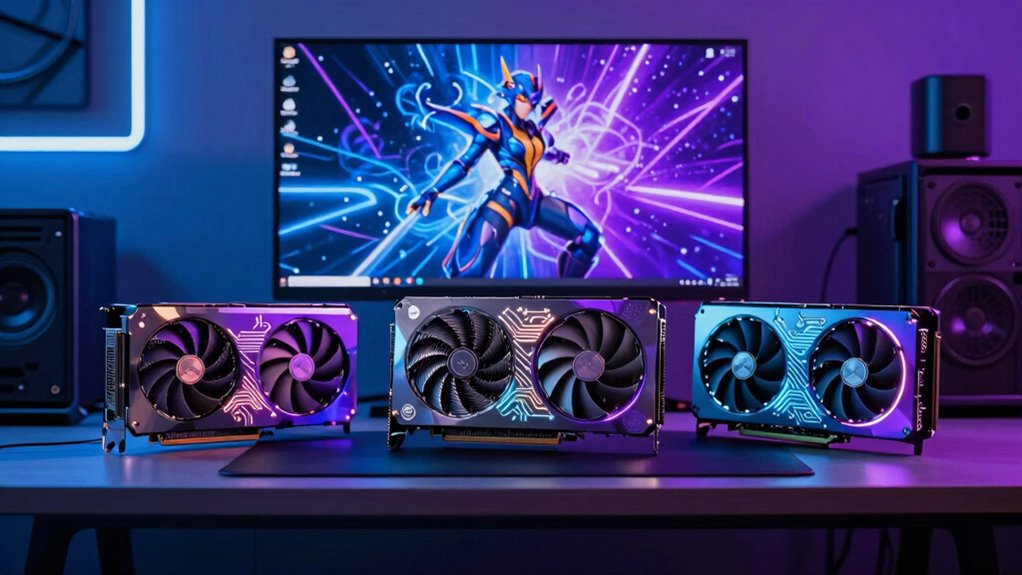

Choosing the right graphics card for content creation in 2026 involves balancing performance, memory, and compatibility. The ASRock Radeon AI PRO R9700 stands out for AI-heavy workflows and large datasets, thanks to its massive 32GB GDDR6 memory. The ASUS Prime NVIDIA GeForce RTX 5070 OC is a compact yet powerful option perfect for small builds and high-resolution workflows. Meanwhile, the GIGABYTE GeForce RTX 5080 Gaming OC offers cutting-edge GPU architecture with ample 16GB GDDR7 RAM for demanding rendering and editing. Each of these choices emphasizes different priorities—whether raw memory, size, or architecture—while tradeoffs include noise, size, or cost.

Get the latest gadgets delivered free with Prime
- Fast, free delivery on millions of items
- Prime Video, Amazon Music and more included
- Member-only deals all year
Complete the kit



Key Takeaways
- Large memory capacity (32GB) is ideal for AI and 8K editing but may be overkill for standard tasks.
- Compact designs like the ASUS RTX 5070 suit small cases but might limit expansion options.
- High-end GPUs like the RTX 5080 excel in rendering speed at a potentially steep price and size.
- Professional-grade cards such as the ASRock Radeon AI PRO focus on multi-GPU setups and sustained workloads.
- Compatibility and power requirements are critical factors, especially for high-performance workstation GPUs.
| ASRock Radeon AI PRO R9700 32GB Professional Graphics Card |  | Best for AI and Large Dataset Workloads | Memory: 32GB GDDR6 | Boost Clock: 2920 MHz | Bus: 256-bit | VIEW ON AMAZON | See Our Full Breakdown |
| ASUS Prime NVIDIA GeForce RTX 5070 OC Edition Graphics Card |  | Best for Small Form-Factor and High-Resolution Work | Graphics Coprocessor: NVIDIA GeForce RTX 5070 | RAM: 12 GB | GPU Clock Speed: 2587 MHz | VIEW ON AMAZON | See Our Full Breakdown |
| GIGABYTE GeForce RTX 5080 Gaming OC 16G |  | Best for High-End Rendering and 8K Editing | Graphics Coprocessor: NVIDIA GeForce RTX 5080 | Memory: 16 GB GDDR7 | GPU Clock Speed: 2.73 GHz | VIEW ON AMAZON | See Our Full Breakdown |
| ASRock Intel Arc Pro B70 Creator 32GB Workstation Graphics Card |  | Best for AI, Rendering, and Multi-Display Setups | GPU Architecture: Intel Xe2-HPG | Memory: 32GB GDDR6 | Memory Bus: 256-bit | VIEW ON AMAZON | See Our Full Breakdown |
| ASRock Intel Arc Pro B60 24GB Graphics Card |  | Best for Multi-Display and Moderate Workloads | Graphics Coprocessor: Intel Arc Pro B60 | Memory: 24 GB | GPU Clock Speed: 2400 MHz | VIEW ON AMAZON | See Our Full Breakdown |
| graphics card for creator | Memory | Display Outputs | Graphics Coprocessor | GPU Clock Speed |
|---|---|---|---|---|
| ASRock Radeon AI PRO R9700 32G | 32GB GDDR6 | 4 x DisplayPort 2.1a | — | — |
| ASUS Prime NVIDIA GeForce RTX | — | — | NVIDIA GeForce RTX 5070 | 2587 MHz |
| GIGABYTE GeForce RTX 5080 Gami | 16 GB GDDR7 | — | NVIDIA GeForce RTX 5080 | 2.73 GHz |
| ASRock Intel Arc Pro B70 Creat | 32GB GDDR6 | 4x DisplayPort 2.1 | — | — |
| ASRock Intel Arc Pro B60 24GB | 24 GB | 4x DisplayPort 2.1 | Intel Arc Pro B60 | 2400 MHz |
More Details on Our Top Picks
ASRock Radeon AI PRO R9700 32GB Professional Graphics Card
This professional-grade card excels in AI development, large dataset processing, and high-resolution editing, thanks to its 32GB GDDR6 memory and RDNA 4 architecture with AI accelerators. Compared with gaming-oriented options, it prioritizes stability and sustained performance in multi-GPU workstation setups. However, its blower cooling system may generate more noise, and it is primarily designed for professional environments, making it less suitable for gaming or casual users.
Pros:- Massive 32GB GDDR6 memory for handling large AI models and 8K video
- Advanced RDNA 4 architecture with dedicated AI accelerators
- Durable build with die-cast metal shroud and backplate
Cons:- Designed mainly for professional workstations, not gaming
- Single blower may be noisy under load
- Requires verification of software and driver compatibility
Best for: AI developers, video editors working with 8K footage, large dataset processing
Not ideal for: Casual gamers, users with small or non-professional workstations
- Memory:32GB GDDR6
- Boost Clock:2920 MHz
- Bus:256-bit
- Architecture:AMD RDNA 4
- Cooling:Blower cooler
- Display Outputs:4 x DisplayPort 2.1a
Our verdict“Best suited for professionals needing high memory capacity and AI acceleration in workstation environments.”
ASUS Prime NVIDIA GeForce RTX 5070 OC Edition Graphics Card
This compact card offers impressive performance with a 12GB GDDR7 memory and a boost clock up to 2587 MHz, making it ideal for small cases and high-resolution tasks. Its axial-tech cooling and dual BIOS provide good thermal management and flexibility, but the limited size means fewer expansion options. It’s best for creators who need a powerful yet space-efficient GPU, though it demands a PCIe 5.0 motherboard for full feature support.
Pros:- Compact 2.5-slot design fits small cases easily
- High clock speeds with OC mode for extra performance
- Effective cooling with axial-tech fans and dual BIOS
Cons:- Limited expansion options in small cases
- Requires PCIe 5.0 compatibility
- Price information not available, but premium features suggest higher cost
Best for: Creators with small builds, 4K video editing, high-res rendering
Not ideal for: Heavy multi-GPU setups, overclocking beyond OC mode
- Graphics Coprocessor:NVIDIA GeForce RTX 5070
- RAM:12 GB
- GPU Clock Speed:2587 MHz
- Video Output Interface:DisplayPort, HDMI
- Graphics RAM Type:GDDR7
- Maximum Resolution:3840 x 2160
Our verdict“A strong choice for creators needing high performance in a small, space-efficient package.”
GIGABYTE GeForce RTX 5080 Gaming OC 16G
The RTX 5080 Gaming OC delivers cutting-edge NVIDIA architecture with 16GB GDDR7 memory, optimized for 8K editing, rendering, and AI acceleration. Its WINDFORCE cooling system keeps temperatures in check during demanding tasks, but its size and high price point may limit accessibility. This card makes sense for high-end creators prioritizing speed and high-resolution workflows, though it requires a spacious case and significant power supply.
Pros:- High-performance RTX 5080 GPU architecture
- Large 16GB GDDR7 memory for demanding tasks
- Efficient WINDFORCE cooling system with 3 fans
Cons:- Expensive and large, requiring spacious case
- High power consumption
- Potentially overkill for casual workflows
Best for: Professionals working with 8K, 3D rendering, and AI workloads
Not ideal for: Budget-conscious creators or those with small cases
- Graphics Coprocessor:NVIDIA GeForce RTX 5080
- Memory:16 GB GDDR7
- GPU Clock Speed:2.73 GHz
- Video Output Interface:DisplayPort, HDMI
- Maximum Resolution:7680×4320
- Cooling System:WINDFORCE 3 fans
Our verdict“Ideal for creators seeking maximum rendering power and high-resolution support at a premium price.”
ASRock Intel Arc Pro B70 Creator 32GB Workstation Graphics Card
The Intel Arc Pro B70 combines 32GB GDDR6 memory with PCIe 5.0 support, making it a formidable choice for AI, rendering, and multi-monitor setups. Its blower fan with vapor chamber cooling ensures consistent performance under load, and its professional-grade features like multiple DisplayPort 2.1 outputs cater to complex workflows. The main drawback involves verifying compatibility with specific chassis and power supplies, as it is aimed at high-end professional environments rather than casual use.
Pros:- Massive 32GB GDDR6 VRAM for large datasets
- Supports PCIe 5.0 for maximum data transfer speed
- Robust cooling with vapor chamber and blower fan
Cons:- Requires careful chassis and PSU verification
- Designed mainly for professional use
- Potentially over-spec for standard tasks
Best for: AI developers, complex visualization, multi-display workflows
Not ideal for: Casual users or gaming enthusiasts
- GPU Architecture:Intel Xe2-HPG
- Memory:32GB GDDR6
- Memory Bus:256-bit
- Memory Speed:19 Gbps
- Interface:PCIe 5.0 x16
- Display Outputs:4x DisplayPort 2.1
Our verdict“A highly capable workstation GPU for demanding AI and rendering tasks requiring extensive VRAM and stability.”
ASRock Intel Arc Pro B60 24GB Graphics Card
The B60 offers 24GB GDDR6 VRAM and PCIe 5.0 support, making it suitable for multi-monitor setups, AI, and rendering. Its blower-style cooling system and 0dB fan technology keep noise low during light loads, but its cooling effectiveness might diminish under heavy workloads. This card suits creators who need reliable multi-display support without the need for extensive VRAM or high-end architecture, though it may be overkill for casual users.
Pros:- 24GB GDDR6 VRAM for mid-level AI and rendering
- PCIe 5.0 support for high bandwidth
- Multiple DisplayPort 2.1 outputs
Cons:- Single blower fan may limit cooling in sustained workloads
- Designed for professional use, not casual tasks
- Chassis and power supply compatibility need verification
Best for: Multi-monitor setups, moderate rendering, AI workflows
Not ideal for: High-end 8K workflows or gaming-focused users
- Graphics Coprocessor:Intel Arc Pro B60
- Memory:24 GB
- GPU Clock Speed:2400 MHz
- Display Outputs:4x DisplayPort 2.1
- Maximum Resolution:7680 x 4320
Our verdict“A dependable workstation GPU for multi-monitor creators with moderate rendering needs at a reasonable price point.”

How We Picked
Our selection process focused on GPUs that cater specifically to creators, prioritizing high-memory capacity, professional features, and support for high resolutions. We compared specifications like VRAM, architecture, cooling solutions, and connectivity options, ensuring each card offers a unique role in a creator’s workflow. We also considered size and power consumption, since these can be limiting in certain setups. Finally, we balanced performance with value, looking for options that deliver professional-grade capabilities without unnecessary overkill.
| graphics card for creator | Graphics Coprocessor |
|---|---|
| ASRock Radeon AI PRO R9700 32G | — |
| ASUS Prime NVIDIA GeForce RTX | NVIDIA GeForce RTX 5070 |
| GIGABYTE GeForce RTX 5080 Gami | NVIDIA GeForce RTX 5080 |
| ASRock Intel Arc Pro B70 Creat | — |
| ASRock Intel Arc Pro B60 24GB | Intel Arc Pro B60 |
Factors to Consider When Choosing Graphics Card For Creator
When selecting a graphics card for content creation, the key factors include VRAM capacity, architecture, cooling solutions, and compatibility. High VRAM is vital for large projects like 8K editing or AI workloads, while architecture determines performance efficiency and feature support. Cooling is equally important to maintain stability during long rendering sessions, and compatibility with your system’s power supply and chassis size can limit options. Understanding your workload and workflow will help identify whether you need a professional-grade workstation card or a high-performance gaming GPU.
Memory Capacity
For creators working with large files, 24GB or more VRAM provides the headroom needed for smooth editing and rendering. If your projects involve 8K video or complex AI models, opting for 32GB is advisable. However, for standard 4K editing or general use, 12-16GB often suffices, allowing for a more cost-effective solution without sacrificing performance.
Architecture and Performance
Professional architectures like AMD RDNA 4 and Intel Xe2-HPG prioritize stability and multi-GPU support, making them suitable for demanding workflows. Gaming architectures like NVIDIA’s RTX 50 Series focus on raw speed and ray tracing, benefiting creators who also game or require high frame rates during viewport navigation. Match architecture to your specific workload needs for best results.
Cooling and Size
Effective cooling systems, such as blower fans or multi-fan setups, prevent thermal throttling during intensive tasks. Size matters — compact cards are ideal for small cases but may limit expansion, while larger cards deliver maximum performance at the expense of space. Ensure your chassis and PSU can support your chosen card’s physical and power requirements.
Frequently Asked Questions
What VRAM size should I look for as a creator?
For most creative workflows, 16GB to 24GB of VRAM is sufficient for editing 4K videos and moderate 3D rendering. If you handle large datasets, 32GB or more becomes essential for smooth performance, especially with AI models or 8K editing.
Are professional workstation GPUs worth it for creative work?
Yes, if your projects involve large files, complex rendering, or multi-GPU setups. These cards are optimized for stability and sustained workloads, but they come at a higher price and may be overkill for casual or hobbyist creators.
Can I use gaming GPUs for professional creative work?
While gaming GPUs like the RTX series often deliver excellent performance, they lack some professional features such as ECC memory or optimized drivers for CAD and rendering software. For most creators, high-end gaming cards provide a good balance of performance and value, but professional cards may offer better stability for long sessions.
How important is cooling in a graphics card for creators?
Cooling ensures your GPU maintains optimal performance during prolonged workloads. Efficient cooling systems reduce thermal throttling, extend hardware lifespan, and maintain system stability, making them a critical consideration for creators working on large projects.
Do I need PCIe 5.0 support in my graphics card?
PCIe 5.0 support provides higher data transfer speeds, which can benefit large data transfers and future-proofing. While not mandatory today, having PCIe 5.0 compatibility can help maximize performance with the latest motherboards and SSDs, especially in professional environments.
Conclusion
If you primarily work with AI, large datasets, or 8K footage, the ASRock Radeon AI PRO R9700 offers unmatched VRAM and professional features. For creators with limited space or building smaller systems, the ASUS Prime RTX 5070 OC provides a compact yet powerful option. High-end professionals demanding maximum rendering and editing speed should consider the GIGABYTE RTX 5080, despite its size and cost. For multi-monitor setups and moderate workloads, the ASRock Intel Arc Pro B60 delivers reliable performance. Ultimately, your choice hinges on your project scale, system compatibility, and budget.
Halloween Picks
halloween
As an affiliate, we earn on qualifying purchases.