Choosing the right Bluetooth codec on your phone matters when you want the best sound quality, stable connection, and good battery life. Higher-quality codecs like AAC, AptX, or LDAC can improve audio and reduce latency, but they may affect battery usage and compatibility. If you notice dropouts or sound issues, adjusting codecs or updating settings might help. If you keep exploring, you’ll discover how to optimize your wireless listening experience and troubleshoot common problems.

Get the latest gadgets delivered free with Prime
- Fast, free delivery on millions of items
- Prime Video, Amazon Music and more included
- Member-only deals all year
Key Takeaways
- Codec selection impacts audio quality, latency, and connection stability, crucial during high-quality music listening or gaming sessions.
- Compatibility between device and codec determines whether high-fidelity audio or fallback options are used.
- When prioritizing battery life, choosing codecs like SBC or AAC can help reduce power consumption.
- Interference and environment affect codec performance; higher-quality codecs may need stronger, stable connections.
- Checking and adjusting Bluetooth codec settings ensures optimal audio performance based on usage scenarios.
Bluetooth headphones with aptX codec
As an affiliate, we earn on qualifying purchases.
As an affiliate, we earn on qualifying purchases.
What Are Bluetooth Codecs and Why Do They Matter?
Bluetooth codecs are essential because they determine how audio is compressed and transmitted wirelessly between your device and headphones or speakers. They directly influence the quality, latency, and stability of your wireless connection. Different codecs handle data differently, which can impact your experience—especially in environments with wireless interference that may cause dropouts or noise. You might notice that some codecs use more battery power, affecting your device’s battery impact over time. Choosing the right codec depends on your priorities: better sound quality, lower latency, or longer battery life. Understanding what Bluetooth codecs do helps you make smarter choices, ensuring your wireless listening experience is smooth, clear, and reliable without draining your device’s battery unnecessarily. Additionally, wireless interference can significantly affect the performance of certain codecs, making it important to select the best option for your environment. Being aware of audio compression techniques used by different codecs can help you choose one that balances sound quality and data efficiency effectively. Awareness of codec compatibility can further optimize your overall wireless experience, especially when using multiple devices. Recognizing how natural environment factors influence wireless signal quality can also guide you in selecting codecs that perform well in outdoor or complex settings. Moreover, understanding the data transfer capabilities of each codec can help you prioritize either higher fidelity or lower latency depending on your usage needs.
LDAC compatible wireless earbuds
As an affiliate, we earn on qualifying purchases.
As an affiliate, we earn on qualifying purchases.
How Do Bluetooth Codecs Impact Audio Quality and Connection Stability?
Bluetooth codecs use compression techniques that can affect audio clarity and detail, so some codecs deliver better sound quality than others. Signal stability factors like interference and bandwidth also influence how reliably your connection stays strong. Understanding these points helps you choose a codec that balances audio fidelity with a stable, consistent connection. Additionally, car protection accessories can help ensure your devices and connections remain secure and protected in your vehicle environment. Being aware of wireless connection factors can further assist in optimizing your listening experience, especially in environments with many competing signals. Awareness of interference sources is crucial for maintaining a strong, high-quality Bluetooth connection in busy areas, where environmental factors like urban wireless congestion can impact signal performance. Moreover, considering signal interference mitigation techniques can help improve connection stability and audio quality in challenging environments.
Codec Compression Techniques
Codec compression techniques play a crucial role in balancing audio quality and connection stability in wireless audio devices. They determine how much data is compressed, impacting sound fidelity and latency. Higher compression reduces data size, which can improve stability amid wireless interference but may sacrifice audio clarity. Conversely, lower compression preserves sound quality but demands more bandwidth and battery power.
- Higher compression minimizes data transmission, conserving battery but risking quality loss.
- Lossless codecs retain original audio quality at the expense of increased data needs.
- Adaptive codecs adjust compression levels based on connection quality.
- Efficient algorithms help reduce latency, improving synchronization.
- Balancing compression and quality is key to avoiding dropouts and excessive battery drain, especially in environments with wireless interference.
Signal Stability Factors
The way codecs manage data compression directly influences both audio quality and connection stability during wireless playback. Higher-quality codecs, like aptX or LDAC, tend to require a stronger and more stable connection, making them more susceptible to wireless interference. When multiple devices operate nearby, interference can cause dropouts or degraded audio, especially with less robust codecs. Device compatibility also plays a role; not all devices support the same codecs, which can limit stability or force a fallback to lower-quality options. To guarantee a stable connection, choose codecs suited to your environment and device capabilities. Minimizing wireless interference—by reducing other active Bluetooth devices or moving away from Wi-Fi routers—helps maintain connection integrity and overall audio experience.
Audio Fidelity Differences
While higher-quality codecs often deliver clearer and more detailed sound, their ability to do so depends heavily on the connection’s stability. If your Bluetooth connection faces wireless interference, even the best codec can struggle to maintain audio fidelity. Advanced codecs like aptX or LDAC can maximize sound quality, but they may increase battery consumption and are more sensitive to signal disruptions. You might notice that the audio becomes choppy or loses depth during unstable connections. To guarantee ideal audio, consider the following:
- Wireless interference from other devices
- Signal range and obstacles
- Codec compatibility with your device
- Battery life impacts of high-fidelity codecs
- Network congestion affecting connection stability
- Fabric technology and materials used in wireless headphones can also influence durability and signal performance. Additionally, understanding how different wireless technology standards operate helps you optimize your listening experience and choose the best device for your needs. Being aware of how interference sources can affect your Bluetooth connection is essential for maintaining consistent audio quality. Recognizing the importance of connection stability can help you troubleshoot issues more effectively. Regularly checking for firmware updates can also improve connection performance and codec compatibility.
Bluetooth audio receiver with AAC support
As an affiliate, we earn on qualifying purchases.
As an affiliate, we earn on qualifying purchases.
When Should You Worry About Bluetooth Codecs on Your Phone?
You should start paying attention to Bluetooth codecs on your phone when you notice audio quality issues or experience frequent disconnects during use. Poor sound clarity or interruptions often indicate that your current codec isn’t ideal for your device or headphones. Additionally, if your phone struggles to connect reliably, it could be due to compatibility issues between the Bluetooth codec and your accessories. In such cases, you might also want to consider Bluetooth security—ensuring your connections remain private and protected. When upgrading or troubleshooting, check whether your device supports the desired codec and if your headphones are compatible. Ignoring these factors can compromise audio performance and security, making it worth paying attention when problems arise.
Bluetooth codec tester for smartphones
As an affiliate, we earn on qualifying purchases.
As an affiliate, we earn on qualifying purchases.
Comparing the Most Common Bluetooth Codecs: SBC, AAC, AptX, LDAC
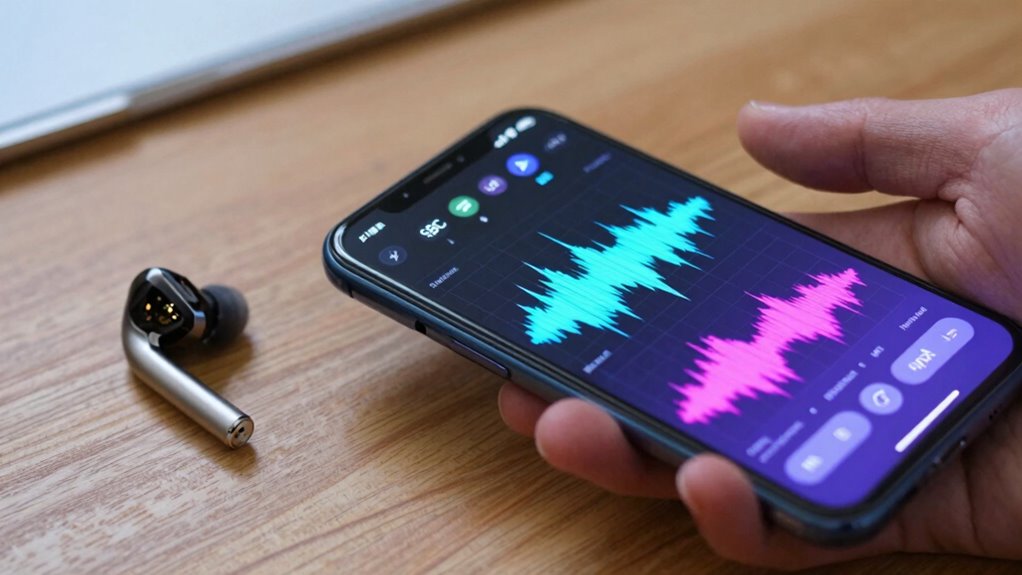
Understanding the differences between the most common Bluetooth codecs can help you select the best options for your devices and improve your listening experience. SBC is the default, offering decent quality but limited compression efficiency, with minimal battery impact. AAC provides better sound quality, especially on Apple devices, but may have a higher battery impact and codec licensing considerations. AptX codecs deliver improved audio with low latency, ideal for calls and gaming, though some variants require licensing fees. LDAC supports high-resolution audio, but it demands more battery and has complex codec licensing. Additionally, guided access and accessibility features can enhance the overall device experience for kids, ensuring safer and more controlled usage. Being aware of Bluetooth codec compatibility can help you optimize your device setup for the best audio experience. Understanding the audio quality trade-offs associated with each codec can help you make more informed choices based on your priorities. For example, battery consumption considerations are crucial when choosing a codec that balances sound quality and device longevity.
How to Check and Change Bluetooth Codec Settings on Your Phone

Checking and changing your Bluetooth codec settings on your phone allows you to enhance audio quality and performance based on your preferences and devices. To do this, go to your phone’s developer options or Bluetooth settings, depending on your device. Look for “Bluetooth Audio Codec” or similar options. When adjusting, consider device compatibility—some codecs work better with certain headphones or speakers. Keep in mind that wireless interference from other devices can impact your connection quality, so selecting a more stable codec might help. If you notice audio issues, switching codecs can improve performance. Making sure your device and Bluetooth accessories support the codec you choose ensures seamless compatibility and excellent sound. Regularly checking these settings helps you maximize your wireless listening experience, especially as wireless interference from other devices can impact your connection quality and overall performance. Additionally, being aware of effective strategies for wireless connectivity can help you maintain a reliable Bluetooth connection. Understanding Bluetooth codec compatibility can further optimize your device’s audio experience, and staying informed about regional flavors and chicory/coffee insights can enhance your appreciation of different cultural nuances in your listening environment.
Troubleshooting Bluetooth Codec Problems for Better Sound
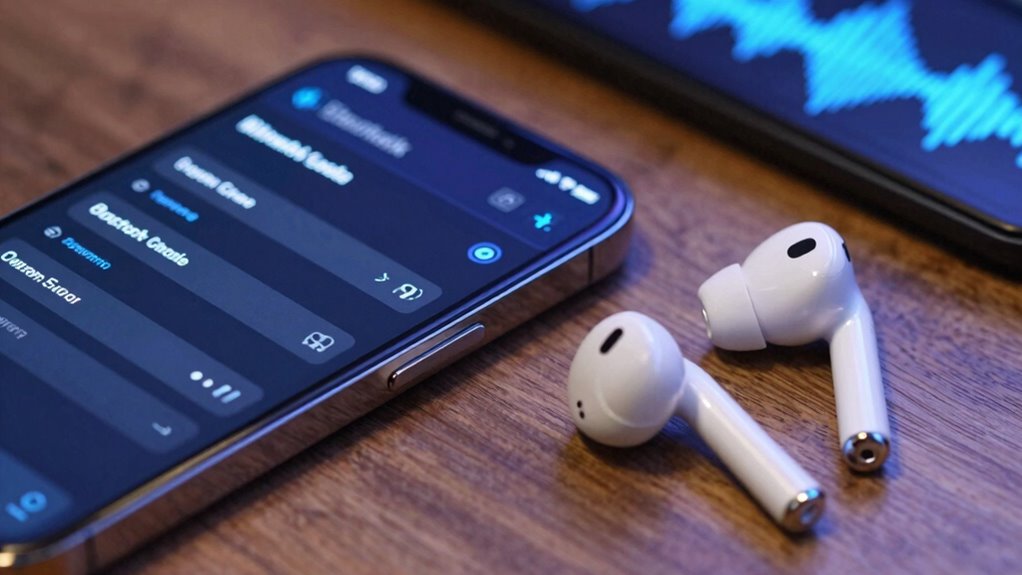
Even after adjusting your Bluetooth codec settings, you might still encounter audio issues that affect your listening experience. To troubleshoot, check for compatibility issues between your phone and headphones, as mismatched codecs can cause dropouts or poor sound quality. Confirm your device’s firmware and Bluetooth drivers are up to date, which can improve battery efficiency and stability. Consider resetting Bluetooth connections or restarting your device to clear temporary glitches. A thorough understanding of Bluetooth codec compatibility can also help prevent future connection problems.
- Verify codec compatibility before pairing new devices
- Update your phone’s software and drivers
- Reduce interference from other wireless devices
- Avoid low battery levels, which can impair Bluetooth performance
- Test with different headphones to identify hardware issues
Addressing these factors helps optimize sound quality and minimizes codec-related problems.
Future Trends in Bluetooth Codecs and Wireless Audio Technology

Future Bluetooth codecs will likely include emerging standards that improve audio quality and efficiency. You can also expect enhanced compression techniques that deliver better sound with less data, even on limited bandwidth. Additionally, wireless audio will increasingly integrate with smart devices, making seamless control and connectivity more common.
Emerging Codec Standards
As wireless audio technology continues to evolve, new codec standards are emerging that promise to substantially improve sound quality and reduce latency. These standards aim to maximize wireless bandwidth while maintaining broad device compatibility. Future codecs, like LC3+ and AAC-ELD, are designed to deliver higher fidelity even with limited bandwidth, enabling seamless streaming across various devices. They also focus on optimizing power efficiency, which benefits battery life. Additionally, these emerging standards support adaptive streaming, adjusting quality based on connection stability. You’ll see improvements in low-latency performance for gaming and video calls.
- Enhanced audio fidelity at lower bitrates
- Broader device compatibility across brands
- Improved power efficiency for longer battery life
- Adaptive streaming for stable connections
- Reduced latency for real-time audio
Enhanced Audio Compression
Enhanced audio compression is set to revolutionize wireless sound quality by enabling more efficient data transfer without sacrificing clarity. This advancement helps minimize issues caused by wireless interference, ensuring a more stable connection even in crowded environments. As compression algorithms improve, they reduce the amount of data needed for high-quality audio, which can lessen latency and enhance listening experiences. However, tighter compression may increase the battery impact on your device since it requires more processing power. Developers are working to strike a balance between compression efficiency and power consumption, so your phone can deliver superior sound without draining your battery quickly. Overall, enhanced audio compression promises clearer, more reliable wireless audio, making your listening experience smoother and more enjoyable.
Integration With Smart Devices
Smart devices are increasingly integrating advanced Bluetooth codecs to create seamless and intuitive wireless experiences. As technology evolves, compatibility across smart gadgets becomes more essential, driven by Bluetooth protocol updates that enhance data transfer and audio quality. Future trends include wider support for high-fidelity codecs, enabling richer sound in smart home systems, wearables, and voice assistants. Your devices will likely adapt more quickly to new standards, ensuring reliable connectivity and improved user experience.
- Compatibility across diverse smart device ecosystems
- Faster Bluetooth protocol updates for real-time audio quality
- Enhanced low-latency support for immersive experiences
- Broader adoption of high-bitrate codecs for better sound fidelity
- Smarter automatic codec switching based on device capabilities
Frequently Asked Questions
Can I Upgrade My Phone’s Bluetooth Codec Support Through Software Updates?
You can’t upgrade your phone’s Bluetooth codec support through software updates. Codec compatibility is built into your device’s hardware and firmware, limiting upgrades to the existing capabilities. While updates might improve overall wireless audio performance, they won’t change supported codecs. To get better wireless audio quality, consider upgrading to a newer phone with advanced Bluetooth codecs like aptX or LDAC, which enhance sound clarity and connection stability.
Do All Headphones Automatically Support the Highest Quality Bluetooth Codecs?
Not all headphones automatically support the highest quality Bluetooth codecs. It depends on their Codec compatibility and hardware support. Some headphones are limited to older codecs like SBC, while premium models support advanced ones like aptX or LDAC. To enjoy the best audio quality, check your headphone’s specifications for codec support, and guarantee your device also supports those codecs. Upgrading your device or headphones might be necessary for ideal performance.
How Do Bluetooth Codecs Affect Battery Life on My Device?
Bluetooth codecs can impact your device’s battery life because higher-quality codecs like aptX or LDAC often require more processing power. This increased processing can lead to faster battery drain during activities like audio playback or device pairing. Additionally, codecs with lower audio latency might be more efficient, saving battery. So, choosing the right codec depends on balancing audio quality, latency, and battery life for your needs.
Are There Compatibility Issues Between Different Bluetooth Codecs and Devices?
It’s like a vintage radio trying to sync with a modern MP3 player—compatibility issues can arise between different Bluetooth codecs and devices. You might notice problems like increased codec latency or difficulty during device pairing. Some devices support specific codecs, so mismatched codecs can cause audio glitches or connection drops. Always check your device’s compatibility to guarantee smooth pairing and peak audio quality with the right Bluetooth codecs.
What Is the Difference Between Bluetooth 4.0, 4.1, and 5.0 in Codec Support?
Bluetooth 4.0, 4.1, and 5.0 differ mainly in codec compression efficiency and wireless stability. With each upgrade, codec support improves, offering better audio quality and reduced latency. Bluetooth 5.0 enhances wireless stability and range, making streaming more reliable, even with higher-quality codecs like aptX or LDAC. You’ll notice smoother playback and fewer dropouts, especially when using newer devices that leverage these advancements for superior audio experiences.
Conclusion
Think of Bluetooth codecs as the spices in your favorite dish—they can turn a bland experience into something extraordinary. By understanding and managing these codecs, you’re the chef controlling the flavor, ensuring your audio is just right. Don’t settle for a mediocre sound—adjust your settings and troubleshoot as needed. With the right codec, your wireless audio journey becomes a smooth sailing ship, sailing confidently toward crisp, clear sound every time.
Fall Picks
fall essentials
As an affiliate, we earn on qualifying purchases.