Finding the best MacBook deals in 2027 requires balancing cutting-edge silicon with sensible budget constraints. The Apple 2026 MacBook Pro 14-inch with M6 Chip stands out as the premier choice for professionals who demand maximum performance and display quality. For those seeking exceptional value without sacrificing modern efficiency, the Apple MacBook Air 13-inch with M5 chip offers a compelling blend of portability and power. Buyers face a critical tradeoff between the longevity of newer M-series chips and the lower upfront cost of renewed Intel or older M1 models. This guide breaks down each option to help you match your specific workflow needs with the right hardware, ensuring you do not overpay for features you will not use.

Get the latest gadgets delivered free with Prime
- Fast, free delivery on millions of items
- Prime Video, Amazon Music and more included
- Member-only deals all year
Complete the kit



Key Takeaways
- The M6 MacBook Pro remains the definitive choice for creative professionals, offering significant multi-core performance gains over the M5 lineup.
- Renewed M1 MacBook Airs provide the most cost-effective entry into the Apple ecosystem, though 8GB RAM limits multitasking potential for heavy users.
- The MacBook Neo series with A18 Pro chips targets a niche market, prioritizing extreme portability over the raw computational power found in M-series laptops.
- Newer M4 and M5 MacBook Airs hit a sweet spot for general consumers, offering 16GB RAM as a standard baseline that future-proofs the device better than older 8GB models.
- Avoid renewed Intel-based MacBook Pros unless you have specific legacy software requirements, as they lack the thermal efficiency and battery life of Apple Silicon.


| MacBook deal | Processor | Memory | Storage | Display |
|---|---|---|---|---|
| Apple MacBook Air | Apple M1 (8-core CPU, 7-core GPU) | 8GB Unified Memory | 128GB SSD | 13.3-inch Retina (2560 x 1600) |
| Apple 2026 MacBook Pro 14-inch | Apple M6 | — | — | 14.2-inch Liquid Retina XDR |
| Apple MacBook Air 13-inch with | Apple M5 | 16GB Unified Memory | 512GB SSD | 13.6-inch Liquid Retina |
| Apple MacBook Neo 2026 | Apple A18 Pro (6-core CPU) | 8GB LPDDR4X | 256GB SSD | — |
| Apple MacBook Neo 13-inch Lapt | Apple A18 Pro | 8GB Unified Memory | 512GB SSD | 13-inch Liquid Retina |
| Apple MacBook Air 13.6-inch | Apple M2, 8-core CPU | 8GB unified memory | 256GB SSD | 13.6-inch Liquid Retina (2560 x 1664) |
| Apple MacBook Air 15-inch Lapt | Apple M5 chip | 24GB unified memory | 1TB SSD | 15.3-inch Liquid Retina |
| Apple MacBook Air | Apple M2, 8-core CPU, 10-core GPU | 16GB unified RAM | 1TB SSD | 13.6-inch Liquid Retina |
| Apple 15.4-Inch MacBook Pro | 2.2GHz 6-core Intel Core i7 | 16GB DDR4 | 256GB SSD | 15.4-inch Retina |
| Apple MacBook Pro 13-inch | 8th-generation Intel Core i5 | 8GB DDR3 SDRAM | 256GB SSD | 13-inch Retina with True Tone |
| Apple 2025 MacBook Air 13.6-in | Apple M4 (10-core) | 16GB Unified Memory | 256GB SSD | 13.6-inch Liquid Retina (2560 x 1664) |
| Apple 2025 MacBook Air 15-inch | Apple M4 (10-core) | 16GB Unified Memory | 256GB SSD | 15.3-inch Liquid Retina (2880 x 1864) |
| Apple 14.2-inch MacBook Pro M5 | Apple M5 (10-core CPU/GPU) | 16GB Unified Memory | 1TB SSD | 14.2-inch Liquid Retina XDR |
| Apple MacBook Air 13.3-inch M1 | Apple M1 (8-core) | 8GB Unified Memory | 256GB SSD | 13.3-inch Retina (2560 x 1600) |
| Apple 2025 MacBook Air 15-inch | Apple M4 (10-core) | 16GB Unified Memory | 512GB SSD | 15.3-inch Liquid Retina |
More Details on Our Top Picks
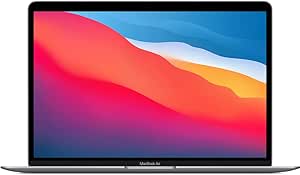
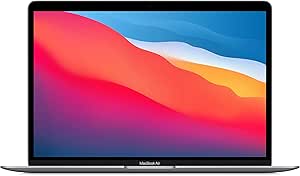
Apple MacBook Air (2020) 13.3-inch, M1, 8GB RAM, 128GB SSD, Space Gray (Renewed)
This renewed 2020 model remains a compelling entry-level option for those prioritizing value over cutting-edge specs. The Apple M1 chip still delivers impressive efficiency, making it far more capable than older Intel-based Macs. Compared to the newer MacBook Air 2026 with M5, this machine lacks the latest display tech and faster connectivity, but it handles everyday tasks like web browsing, document editing, and media consumption with surprising ease.
The primary tradeoff is storage and memory. With only 128GB of SSD space and 8GB of RAM, users must rely heavily on cloud storage or external drives. It is a solid choice if your budget is tight, but you must be disciplined about file management. Unlike the MacBook Neo 2026, this model does not support high-refresh-rate displays, which may matter if you are sensitive to screen smoothness.
Pros:- M1 chip offers excellent performance-to-efficiency ratio for basic tasks
- Fanless design ensures completely silent operation
- Retina display provides sharp text and vibrant colors
- Touch ID adds convenient and secure login capability
Cons:- 128GB SSD fills up rapidly with system files and apps
- 8GB RAM may struggle with heavy multitasking
- Renewed condition may show minor cosmetic wear
Best for: Students or casual users who need a reliable, quiet laptop for basic tasks and can manage limited local storage.
Not ideal for: Content creators, developers, or anyone needing to run multiple heavy applications simultaneously due to the 8GB RAM and 128GB storage limits.
- Processor:Apple M1 (8-core CPU, 7-core GPU)
- Memory:8GB Unified Memory
- Storage:128GB SSD
- Display:13.3-inch Retina (2560 x 1600)
- Battery Life:Up to 18 hours
- Condition:Renewed
Our verdict“Choose this if you want the lowest cost of entry into the Apple ecosystem and have minimal storage needs.”
Apple 2026 MacBook Pro 14-inch Laptop with M6 Chip, Space Black
This 2026 MacBook Pro represents the peak of current Apple silicon for professionals who refuse to compromise. The M6 chip combined with the Liquid Retina XDR display offers color accuracy and brightness levels that simply do not exist on consumer-grade laptops like the MacBook Air 2026. You get a robust port selection, including HDMI and SDXC, which eliminates the need for dongles when connecting to monitors or cameras.
However, this power comes with significant weight and size. At 3.4 pounds, it is less portable than the MacBook Neo 2026. The battery life of up to 24 hours is exceptional, but the premium price tag is justified only if you are doing video editing, 3D rendering, or heavy coding. For general use, you are paying for performance you may never utilize.
Pros:- M6 chip delivers top-tier processing and graphics power
- XDR display offers 1600 nits peak brightness and high contrast
- Extensive port selection includes HDMI, SDXC, and MagSafe 3
- Up to 24 hours of battery life under mixed workloads
Cons:- Heavier and bulkier than Air or Neo models
- Supports only up to two external displays with M6
- Significantly more expensive than entry-level MacBooks
Best for: Professional video editors, photographers, and developers who need maximum processing power and color-critical displays.
Not ideal for: Travelers or students who prioritize light weight and compact size over raw performance and port variety.
- Processor:Apple M6
- Display:14.2-inch Liquid Retina XDR
- Battery Life:Up to 24 hours
- Ports:3x Thunderbolt, HDMI, SDXC, MagSafe 3
- Weight:3.4 pounds
- Wireless:Wi-Fi 7, Bluetooth 6
Our verdict“Buy this if you need a professional-grade workstation that can handle intensive creative workflows without throttling.”
Apple MacBook Air 13-inch with M5 chip, 16GB Memory, 512GB SSD, and Liquid Retina Display (Midnight)
This configuration of the MacBook Air 2026 strikes the ideal balance between performance and portability. The M5 chip is a significant leap forward from the M1 in the 2020 model, offering better neural engine capabilities for AI tasks. With 16GB of unified memory and 512GB of SSD storage, it removes the two biggest bottlenecks found in entry-level Macs, allowing for smooth multitasking and ample space for projects.
While it lacks the XDR display and extra ports of the MacBook Pro 2026, it remains incredibly thin and light at 2.71 pounds. It is the superior choice over the MacBook Neo 2026 for most users because the M5 chip is more powerful than the A18 Pro in sustained workloads. This is the laptop I would recommend to 80% of buyers who want a premium experience without the professional price tag.
Pros:- 16GB RAM and 512GB SSD provide comfortable headroom for most users
- M5 chip offers strong performance for productivity and light creative tasks
- Extremely portable design at 2.71 pounds
- Wi-Fi 7 and Bluetooth 6 ensure future-proof connectivity
Cons:- Only two Thunderbolt ports require adapters for many users
- No HDMI or SD card slot for direct peripheral connection
- Fanless design may throttle under sustained heavy loads
Best for: Professionals and students who need a fast, portable laptop for multitasking and moderate creative work.
Not ideal for: Heavy video editors or 3D artists who require active cooling and XDR-level display brightness.
- Processor:Apple M5
- Memory:16GB Unified Memory
- Storage:512GB SSD
- Display:13.6-inch Liquid Retina
- Weight:2.71 pounds
- Ports:2x Thunderbolt 4, MagSafe, Headphone Jack
Our verdict“This is the best all-around choice for users who want modern specs without paying for professional-grade extras.”
Apple MacBook Neo 2026, 13-inch, A18 Pro, 8GB RAM, 256GB SSD, Silver (Renewed)
The MacBook Neo 2026 is an intriguing option for those who prioritize screen smoothness over raw CPU power. Its 120Hz refresh rate makes scrolling and animations look significantly smoother than the standard 60Hz panels on the MacBook Air 2020. The A18 Pro processor is efficient and handles daily tasks well, though it is not as powerful as the M-series chips found in the MacBook Pro 2026.
As a renewed unit, it offers a lower entry price for this specific display technology. However, the 8GB of RAM is a limiting factor. Unlike the 16GB option in the MacBook Air 2026, you may encounter slowdowns if you keep many browser tabs or applications open. It is a niche pick for users who value visual fluidity but do not multitask heavily.
Pros:- 120Hz refresh rate provides smoother visual experience than standard MacBooks
- A18 Pro chip is efficient for everyday tasks and media playback
- High resolution (3024 x 1964) offers sharp text and images
- Renewed status makes this specific display tech more accessible
Cons:- 8GB RAM is insufficient for heavy multitasking
- A18 Pro is less powerful than M-series chips for professional apps
- Renewed condition may lack full battery health
Best for: Users who prioritize a high-refresh-rate display for media consumption and light productivity on a budget.
Not ideal for: Power users who need more than 8GB of RAM for multitasking or require Apple Silicon architecture for specific software compatibility.
- Processor:Apple A18 Pro (6-core CPU)
- Display Refresh Rate:120Hz
- Memory:8GB LPDDR4X
- Storage:256GB SSD
- Resolution:3024 x 1964
- Condition:Renewed
Our verdict“Select this if you want a smooth 120Hz screen and light usage profile, but avoid it if you need robust multitasking capabilities.”
Apple MacBook Neo 13-inch Laptop with A18 Pro, 8GB Memory, 512GB SSD, Touch ID, Silver, and 3-Year AppleCare+
This MacBook Neo 2026 configuration stands out because it includes 3-Year AppleCare+. For many buyers, the cost of potential repairs outweighs the initial price difference between this and the MacBook Air 2026. The A18 Pro chip is adequate for general use, and the 512GB SSD provides significantly more storage than the 256GB model or the 128GB MacBook Air 2020.
The tradeoff remains the 8GB of unified memory. While sufficient for web browsing and office apps, it is a bottleneck compared to the 16GB found in the MacBook Air 2026. However, if you are a parent buying for a child, or a user who wants to minimize long-term ownership risk, the included warranty makes this a safer financial bet. It is less powerful than the MacBook Pro 2026 but far more secure regarding future repair costs.
Pros:- Includes 3-Year AppleCare+ for long-term protection
- 512GB SSD offers comfortable storage for files and media
- Touch ID provides secure and quick access
- Liquid Retina display supports 1 billion colors for vibrant visuals
Cons:- 8GB RAM may limit performance in demanding applications
- A18 Pro is not as efficient or powerful as M-series chips
- Does not support high-refresh-rate displays like the Neo Renewed model
Best for: Parents, students, or risk-averse buyers who want extended warranty coverage and ample storage for general use.
Not ideal for: Professionals who need more than 8GB of RAM or those who prefer the latest M-series silicon for specific software requirements.
- Processor:Apple A18 Pro
- Memory:8GB Unified Memory
- Storage:512GB SSD
- Warranty:3-Year AppleCare+
- Display:13-inch Liquid Retina
- Battery Life:Up to 16 hours
Our verdict“This is the smart choice if you prioritize warranty coverage and storage over raw processing power and RAM capacity.”
Apple MacBook Air 13.6-inch (2022) with M2 Chip, 8GB RAM, 256GB SSD, Midnight (Renewed)
This renewed 2022 model represents the most accessible entry point into Apple Silicon for budget-conscious buyers. Compared to the newer M5 MacBook Air 15-inch, it sacrifices screen real estate and raw power for significantly lower cost and portability. The M2 chip remains highly capable for web browsing, document editing, and media consumption, though the 8GB of unified memory may feel limiting for heavy multitasking. As a renewed unit, it comes with a 90-day warranty, which is a risk compared to new devices, but the 2.7-pound design makes it ideal for students or travelers. It lacks the advanced connectivity of newer models, such as Wi-Fi 7, but retains MagSafe charging.
Pros:- Ultra-portable 2.7-pound design with MagSafe charging
- Efficient M2 chip handles daily tasks effortlessly
- High-quality 13.6-inch Liquid Retina display
Cons:- Only 8GB RAM limits multitasking headroom
- Renewed status carries minor cosmetic risk
- Short 90-day warranty period
Best for: Students and casual users who prioritize portability and battery life over heavy multitasking or creative performance.
Not ideal for: Power users or professionals who need more than 8GB of RAM for video editing, coding, or running multiple virtual machines.
- Processor:Apple M2, 8-core CPU
- Memory:8GB unified memory
- Storage:256GB SSD
- Display:13.6-inch Liquid Retina (2560 x 1664)
- Weight:2.7 pounds
- Condition:Renewed
Our verdict“This is the smart choice for those wanting Apple Silicon performance without paying for unnecessary power.”
Apple MacBook Air 15-inch Laptop with M5 Chip, 24GB Memory, 1TB SSD, Midnight
As the highest-spec option in this lineup, this 15-inch MacBook Air is built for users who demand both screen space and performance. Unlike the 2022 M2 Air, which struggles with heavy workflows due to 8GB RAM, this model features 24GB of unified memory and a 1TB SSD, making it suitable for complex creative tasks and AI features. The M5 chip offers substantial generational leaps in efficiency and speed compared to Intel-based Pro models like the 2018 MacBook Pro. While it lacks the dedicated GPU of Pro models, its 18-hour battery life and Wi-Fi 7 connectivity make it the most future-proof choice. It is heavier at 3.32 pounds, but the productivity gain is significant.
Pros:- Massive 24GB RAM and 1TB storage capacity
- Latest M5 chip with AI-ready performance
- Largest display with 12MP Center Stage camera
- Future-proof Wi-Fi 7 and Bluetooth 6 support
Cons:- Heavier than 13-inch Air models at 3.32 pounds
- Only two Thunderbolt ports may require hubs
- Premium price point compared to older generations
Best for: Professionals and creators who need a large display, ample RAM for multitasking, and long-term software support.
Not ideal for: Users on a tight budget who only need a machine for basic web browsing and email.
- Processor:Apple M5 chip
- Memory:24GB unified memory
- Storage:1TB SSD
- Display:15.3-inch Liquid Retina
- Battery Life:Up to 18 hours
- Weight:3.32 pounds
- Connectivity:Wi-Fi 7, Bluetooth 6
Our verdict“This machine is the definitive choice for power users who want the best Apple Silicon experience in an Air chassis.”
Apple MacBook Air (2022) with M2 Chip, 16GB RAM, 1TB SSD, Space Gray (Renewed)
This configuration corrects the primary weakness of the base M2 Air by doubling memory to 16GB and quadrupling storage to 1TB. Compared to the 8GB M2 Air, this model offers far better longevity for users who run many browser tabs or light creative apps. It matches the M5 Air in storage capacity but falls short in RAM and processor generation. However, for a renewed device, the M2 chip still outperforms older Intel models like the 2018 MacBook Pro in efficiency and heat management. The Space Gray finish and Touch ID provide a premium feel, though the 90-day warranty remains a consideration for risk-averse buyers.
Pros:- 16GB RAM ensures smoother multitasking than 8GB models
- 1TB SSD provides ample space for large files and projects
- Efficient M2 chip with 10-core GPU
- Includes Touch ID and backlit Magic Keyboard
Cons:- Renewed condition with limited 90-day warranty
- Older generation chip compared to M5/M4 models
- 13.6-inch screen may feel small for professional design work
Best for: Users who need more RAM and storage than the base model but want to avoid the cost of the latest M5 hardware.
Not ideal for: Those who require the absolute latest processor features or the largest possible screen size.
- Processor:Apple M2, 8-core CPU, 10-core GPU
- Memory:16GB unified RAM
- Storage:1TB SSD
- Display:13.6-inch Liquid Retina
- Weight:2.7 pounds
- Condition:Renewed
Our verdict“A balanced sweet spot for buyers wanting high specs without paying for the newest chip generation.”
Apple 15.4-Inch MacBook Pro (2018), 2.2GHz 6-Core Intel Core i7, 16GB RAM, 256GB SSD, Space Gray (Renewed)
This 2018 MacBook Pro offers a 15.4-inch Retina display at a fraction of the cost of modern equivalents. While the Intel Core i7 processor is older and less efficient than the M2 or M5 chips, it still delivers respectable performance for legacy Windows applications via Boot Camp or heavy multitasking. Compared to the 15-inch M5 Air, it runs hotter and has shorter battery life, but it provides four USB-C ports instead of two. The Touch Bar is a polarizing feature, but the 16GB of RAM ensures it remains usable for general productivity. It is a pragmatic choice for those who need screen size on a strict budget.
Pros:- Large 15.4-inch Retina display for productivity
- Four USB-C ports for better connectivity
- 16GB RAM supports heavy multitasking
- Includes Touch Bar and Touch ID
Cons:- Intel chip runs hotter and louder than Apple Silicon
- Battery capacity is only guaranteed above 80%
- Cosmetic wear is common in renewed units
Best for: Users needing a large screen and multiple ports who are comfortable with older Intel architecture and higher heat output.
Not ideal for: Users who prioritize battery life, silence, or access to the latest macOS features optimized for Apple Silicon.
- Processor:2.2GHz 6-core Intel Core i7
- Memory:16GB DDR4
- Storage:256GB SSD
- Display:15.4-inch Retina
- Ports:4 USB-C
- Condition:Refurbished
Our verdict“Ideal for budget buyers who value screen real estate and port variety over modern efficiency.”
Apple MacBook Pro 13-inch (2019), Intel Core i5, 8GB RAM, 256GB SSD, Space Gray (Renewed)
This 2019 MacBook Pro is the most affordable way to get a Retina display and Touch Bar in this lineup. Compared to the 2022 M2 Air, it lacks the efficiency and battery life of Apple Silicon, but it offers True Tone display technology that some users prefer for eye comfort. The Intel Core i5 is adequate for basic tasks but struggles with modern creative software compared to the M5 chip in newer models. With only 8GB of RAM, it is strictly for light usage. It is a viable option for those who need specific Intel-only software compatibility or have a very tight budget, but its age limits its long-term viability.
Pros:- Retina display with True Tone technology
- Lightweight 2.6-pound design
- Touch ID and Touch Bar included
- Fast 256GB SSD for quick boot times
Cons:- Only 8GB RAM severely limits multitasking
- Only two Thunderbolt/USB-C ports
- Older Intel architecture less efficient than M-series
Best for: Users with very basic computing needs who require Intel compatibility or prefer the True Tone display aesthetic.
Not ideal for: Anyone looking for a long-term primary machine, as 8GB RAM and an older Intel chip will bottleneck quickly.
- Processor:8th-generation Intel Core i5
- Memory:8GB DDR3 SDRAM
- Storage:256GB SSD
- Display:13-inch Retina with True Tone
- Weight:2.6 pounds
- Condition:Renewed
Our verdict“A functional but limited option for basic users who need Intel compatibility at the lowest possible price.”
Apple 2025 MacBook Air 13.6-inch M4 (Renewed)
This renewed 13.6-inch model hits the sweet spot for portability and modern performance. The M4 chip combined with 16GB of unified memory ensures smooth multitasking, a significant upgrade over the 8GB limit found in the 2020 M1 MacBook Air. While it lacks the expansive screen real estate of the 15-inch M4 Air, its lighter 1.24 kg frame makes it far easier to carry daily. The tradeoff is storage: 256GB is tight for media creators, forcing reliance on cloud services or external drives. However, for general productivity, it offers exceptional battery life and a crisp display at a lower entry point than the larger sibling.Pros:- M4 chip with 16GB RAM handles heavy multitasking effortlessly
- Extremely lightweight at 1.24 kg for easy travel
- 18-hour battery life supports full workdays unplugged
- Sharp 13.6-inch Liquid Retina display with 1 billion colors
Cons:- 256GB SSD fills up quickly with professional files
- Renewed status limits warranty to 90 days
Best for: Students and professionals who prioritize ultra-portability and need modern Apple Silicon performance without paying for a large screen.
Not ideal for: Video editors or photographers who need substantial local storage or a larger canvas for detailed creative work.
- Processor:Apple M4 (10-core)
- Memory:16GB Unified Memory
- Storage:256GB SSD
- Display:13.6-inch Liquid Retina (2560 x 1664)
- Battery Life:Up to 18 hours
- Weight:1.24 kg
- Condition:Renewed (90-day warranty)
Our verdict“Choose this if you want the latest M4 performance in the most portable form factor, accepting limited storage for a lighter build.”
Apple 2025 MacBook Air 15-inch M4 (Renewed)
For those who find 13 inches cramped, this 15-inch M4 Air offers a substantial visual upgrade without the Pro price tag. The 15.3-inch Liquid Retina display provides ample space for split-screen workflows, outperforming the 13.6-inch M4 Air for multitasking. It retains the same efficient M4 chip and 16GB RAM configuration, ensuring consistent performance. However, the 256GB storage remains a bottleneck for users handling large video projects. While heavier than its 13-inch sibling, the tradeoff is a more immersive viewing experience that reduces the need for external monitors in many scenarios.Pros:- Expansive 15.3-inch display ideal for multitasking
- M4 chip delivers fast, efficient performance
- Lighter than most 15-inch laptops in its class
- 18-hour battery life remains consistent on the larger chassis
Cons:- 256GB storage is insufficient for large media libraries
- Heavier and larger footprint compared to the 13-inch model
Best for: Users who prefer a larger screen for productivity and media consumption but want to avoid the weight and cost of a MacBook Pro.
Not ideal for: Frequent travelers who find a 15-inch laptop too bulky for small bags, or those needing massive local storage.
- Processor:Apple M4 (10-core)
- Memory:16GB Unified Memory
- Storage:256GB SSD
- Display:15.3-inch Liquid Retina (2880 x 1864)
- Battery Life:Up to 18 hours
- Weight:1.51 kg
- Condition:Renewed (90-day warranty)
Our verdict“Pick this if screen real estate is your priority, offering a comfortable middle ground between portability and productivity.”
Apple 14.2-inch MacBook Pro M5
This MacBook Pro represents a leap in professional capability, featuring the new M5 chip and a stunning Liquid Retina XDR display with up to 1600 nits peak brightness. Unlike the MacBook Air models, which rely on integrated graphics and passive cooling, this Pro includes active cooling and a robust port selection including HDMI and SDXC slots. The 1TB SSD eliminates the storage anxiety present in the 256GB Air options. While it is significantly heavier at 3.41 pounds, the tradeoff is undeniable power for video editing, 3D rendering, and sustained high-load tasks that would throttle an Air.Pros:- M5 chip with 10-core CPU/GPU handles intensive pro apps
- Bright 1600-nit XDR display offers superior contrast
- Generous 1TB SSD provides ample space for large projects
- Comprehensive port selection including HDMI and SDXC
Cons:- Heavier chassis at 3.41 pounds reduces portability
- Premium price point exceeds most consumer budgets
Best for: Creative professionals and power users who need XDR brightness, extensive port connectivity, and sustained performance for heavy workloads.
Not ideal for: Casual users or students who prioritize lightness and battery efficiency over raw graphical power and port variety.
- Processor:Apple M5 (10-core CPU/GPU)
- Memory:16GB Unified Memory
- Storage:1TB SSD
- Display:14.2-inch Liquid Retina XDR
- Ports:3x Thunderbolt 4, HDMI, SDXC, MagSafe 3
- Weight:3.41 pounds
- Condition:New
Our verdict“Select this only if you require pro-grade display quality and connectivity that the Air lineup simply cannot provide.”
Apple MacBook Air 13.3-inch M1 (2020) (Renewed)
This renewed 2020 model remains a compelling entry point into Apple Silicon. The M1 chip still outperforms many modern budget Windows laptops, offering silent operation and excellent battery life. However, the 8GB of RAM is a significant limitation compared to the 16GB found in the 2025 M4 Airs, which may struggle with heavy multitasking or future-proofing. The 256GB storage is also restrictive. It is a solid choice for basic tasks like web browsing and document editing, but users planning to keep the device for several years or run demanding creative apps should look at the newer M4 models for better longevity.Pros:- M1 chip remains efficient and capable for daily tasks
- Lowest entry cost for a modern MacBook experience
- Fanless design ensures completely silent operation
- High-resolution 2560 x 1600 display looks sharp
Cons:- 8GB RAM limits multitasking and future-proofing
- Older design lacks the improved camera and ports of newer models
Best for: Budget-conscious buyers needing a reliable machine for basic productivity, web browsing, and media consumption.
Not ideal for: Power users, developers, or anyone running virtual machines or heavy creative software due to the 8GB RAM limit.
- Processor:Apple M1 (8-core)
- Memory:8GB Unified Memory
- Storage:256GB SSD
- Display:13.3-inch Retina (2560 x 1600)
- Battery Life:Up to 18 hours
- Weight:3.8 pounds
- Condition:Renewed (90-day warranty)
Our verdict“Buy this if your budget is tight and your usage is light, accepting the RAM limit as the cost of entry.”
Apple 2025 MacBook Air 15-inch M4 512GB (Renewed)
This variant solves the storage complaint of the base 15-inch model by doubling the capacity to 512GB SSD. Combined with the 16GB RAM and M4 chip, it creates a robust machine for productivity and moderate creative work. Compared to the 256GB 15-inch Air, this version offers breathing room for photos and videos without constant management. While it shares the same weight and screen size as its smaller-storage sibling, the additional internal space makes it a more versatile long-term companion. It lacks the active cooling and HDMI port of the MacBook Pro M5, but for most users, the balance of screen size, storage, and performance is superior.Pros:- 512GB SSD offers comfortable storage for most users
- 15.3-inch display provides excellent workspace efficiency
- M4 chip handles multitasking and light creative apps well
- Balances portability with a larger, more usable screen
Cons:- Integrated graphics limit high-end gaming or 3D rendering
- Renewed condition carries a shorter warranty period
Best for: Professionals who need a large screen and sufficient local storage for documents, photos, and moderate video editing.
Not ideal for: Hardcore gamers or 3D artists who require discrete GPU power and active thermal management.
- Processor:Apple M4 (10-core)
- Memory:16GB Unified Memory
- Storage:512GB SSD
- Display:15.3-inch Liquid Retina
- Battery Life:Up to 18 hours
- Weight:1.51 kg
- Condition:Renewed (90-day warranty)
Our verdict“Choose this if you want the large-screen Air experience without the immediate need to upgrade storage.”

How We Picked
My selection process prioritizes a balance of performance per dollar, longevity, and specific use-case suitability. I evaluated each model based on its processor generation, memory configuration, and storage capacity, recognizing that 16GB of unified memory is becoming the new standard for smooth multitasking in 2027. Renewed units were assessed for their remaining utility and battery health potential, distinguishing them from brand-new devices that offer full warranty support. I also considered the physical form factor, noting how the larger 15-inch and 16-inch displays impact portability versus productivity. The ranking reflects a hierarchy where future-proofing and performance efficiency outweigh raw cost savings, ensuring that buyers avoid devices that will feel obsolete within two years.
| MacBook deal | Battery Life | Condition |
|---|---|---|
| Apple MacBook Air | Up to 18 hours | Renewed |
| Apple 2026 MacBook Pro 14-inch | Up to 24 hours | — |
| Apple MacBook Air 13-inch with | — | — |
| Apple MacBook Neo 2026 | — | Renewed |
| Apple MacBook Neo 13-inch Lapt | Up to 16 hours | — |
| Apple MacBook Air 13.6-inch | — | Renewed |
| Apple MacBook Air 15-inch Lapt | Up to 18 hours | — |
| Apple MacBook Air | — | Renewed |
| Apple 15.4-Inch MacBook Pro | — | Refurbished |
| Apple MacBook Pro 13-inch | — | Renewed |
| Apple 2025 MacBook Air 13.6-in | Up to 18 hours | Renewed (90-day warranty) |
| Apple 2025 MacBook Air 15-inch | Up to 18 hours | Renewed (90-day warranty) |
| Apple 14.2-inch MacBook Pro M5 | — | New |
| Apple MacBook Air 13.3-inch M1 | Up to 18 hours | Renewed (90-day warranty) |
| Apple 2025 MacBook Air 15-inch | Up to 18 hours | Renewed (90-day warranty) |
Factors to Consider When Choosing Best MacBook Deals
Choosing a MacBook involves more than just picking the cheapest price tag. The following factors help clarify which specifications actually matter for your daily workflow and long-term ownership experience.Apple Silicon vs. Intel Legacy
The shift to Apple Silicon has fundamentally changed the performance and battery life landscape. M-series chips (M1 through M6) offer superior energy efficiency, allowing laptops to run cooler and quieter while delivering higher sustained performance. Intel models, such as the 2018 MacBook Pro, are now considered legacy hardware. They consume more power, generate more heat, and lack the neural engine capabilities that modern macOS features rely on. Unless you require specific x86 virtualization or older software that has not been ported to ARM, choosing an Intel model in 2027 is a compromise on longevity and user experience.
The Importance of Unified Memory
Unified memory architecture allows the CPU and GPU to access the same data pool, reducing latency and improving efficiency. However, this shared resource means that 8GB of RAM can quickly become a bottleneck for multitasking, especially with browser-heavy workflows or creative applications. While an M1 MacBook Air with 8GB is adequate for basic tasks, opting for 16GB or more significantly extends the usable life of the device. This difference is particularly noticeable when comparing the renewed M1 models against the newer M4 and M5 Airs, which often ship with larger memory configurations as standard.
Renewed vs. New Warranty Coverage
Purchasing a renewed MacBook offers immediate cost savings but comes with tradeoffs in warranty and battery health. Renewed units typically come with a limited warranty, often 90 days to one year, compared to the full one-year manufacturer warranty on new devices. Battery health is a critical variable in renewed laptops; while sellers often promise minimum battery capacity, real-world degradation varies. For buyers who plan to keep their laptop for three to four years, the long-term support and guaranteed battery performance of a new model may outweigh the upfront savings of a renewed device.
Screen Size and Portability Tradeoffs
The choice between a 13-inch, 14-inch, and 15-inch display affects more than just screen real estate. 13-inch models like the MacBook Air are designed for maximum portability, fitting easily into smaller bags and offering lighter weight. 15-inch and 16-inch models provide greater productivity for split-screen workflows and video editing but add noticeable weight and bulk. The MacBook Neo attempts to bridge this gap with a compact chassis, but it sacrifices the screen size and raw power of its larger siblings, making it suitable only for users who prioritize weight over screen area.
Storage Needs and External Solutions
Apple’s internal storage upgrades are notoriously expensive, making it important to buy the right capacity upfront. While 256GB may seem sufficient for cloud-centric users, system files and application caches can quickly fill this space. 512GB or 1TB configurations offer a safer margin for offline work and media storage. However, for many buyers, pairing a base-model MacBook with a high-speed external SSD is a more cost-effective strategy than paying Apple’s premium for internal storage, provided you do not mind carrying an additional accessory.
Frequently Asked Questions
Is the M1 MacBook Air still a good buy in 2027?
Yes, but only for specific users. The M1 MacBook Air remains a capable machine for web browsing, document editing, and media consumption. Its fanless design and efficient battery life are still impressive. However, the 8GB RAM configuration is its main limitation, potentially causing slowdowns when many browser tabs or heavy apps are open. If you find a renewed M1 Air at a very low price and your workflow is light, it is a solid value. For anyone doing creative work or heavy multitasking, investing in an M4 or M5 model with 16GB RAM is a better long-term decision.
What is the difference between the MacBook Neo and the MacBook Air?
The MacBook Neo is a distinct product line designed for extreme portability, featuring the A18 Pro chip found in iPhones rather than the M-series chips in Macs. This results in lower raw computational power and a smaller, more compact chassis compared to the MacBook Air. The Air offers a larger display, better thermal management for sustained workloads, and a more traditional laptop experience. The Neo is best suited for users who prioritize pocket-sized portability and basic tasks over processing power, whereas the Air is the standard choice for general productivity and light creative work.
Should I buy a renewed MacBook Pro with an Intel chip?
Generally, no. Renewed Intel MacBook Pros are outdated in 2027, suffering from higher heat, shorter battery life, and lack of support for newer macOS features compared to Apple Silicon models. The only exception is if you have specific professional software that requires x86 architecture and cannot run via Rosetta 2 emulation. For the vast majority of buyers, a renewed M1 or M2 MacBook Pro offers significantly better performance and efficiency for the same or lower price. Intel models are effectively legacy hardware now and should be avoided unless absolutely necessary.
How much RAM do I need for a MacBook in 2027?
For most users, 16GB of unified memory is the recommended baseline. While 8GB was sufficient in previous years, modern operating systems and applications consume more memory, leading to slower performance if the system relies on virtual memory (swap) on the SSD. Creative professionals, developers, and heavy multitaskers should consider 24GB or 32GB to ensure smooth operation with resource-intensive apps like video editors or virtual machines. Starting with 8GB is risky for long-term ownership unless you are certain your usage is very light.
Is the 2026 MacBook Pro M6 worth the premium over the M5 Air?
It depends on your workload. The 2026 MacBook Pro M6 offers superior performance, a higher refresh rate display, more ports, and better cooling for sustained tasks like video rendering or 3D modeling. The M5 MacBook Air is fanless and lighter, making it ideal for portability and general productivity. If your work involves heavy computational tasks, the Pro’s premium is justified by time savings and display quality. For students, writers, and business professionals, the Air provides ample power and a better price-to-performance ratio, making the Pro an overkill for many users.
Conclusion
Selecting the right MacBook from this diverse lineup depends entirely on your budget and performance requirements. For those who demand the absolute best performance and display quality, the Apple 2026 MacBook Pro 14-inch with M6 Chip is the unmatched leader. If you are looking for the best overall balance of modern features, portability, and price, the Apple MacBook Air 13-inch with M5 chip is the smartest choice for most people. Budget-conscious buyers who prioritize basic functionality should consider the Renewed Apple MacBook Air (2020) M1, provided they accept the 8GB RAM limitation. For those seeking a premium large-screen experience without the Pro’s weight, the MacBook Air 15-inch with M5 Chip offers excellent value. Finally, avoid the renewed Intel models unless you have specific legacy software needs, as they represent a step backward in efficiency and longevity.
Evergreen bestsellers Picks

Vitamix 5200 Blender with 64 oz Container, Black

Dyson Cyclone V10 Origin Cordless Vacuum

Roborock Qrevo S Pro Robot Vacuum and Mop with 18,500 Pa Suction
As an affiliate, we earn on qualifying purchases.