
📊 Full opportunity report: Mac vs GPU Tower for Local LLMs: The Heat-and-Noise Tradeoff on ThorstenMeyerAI.com — validation score, market gap, and execution plan.
TL;DR
This article compares Mac Studio and GPU towers for running local large language models, highlighting heat, noise, capacity, and performance differences. The choice depends on model size and workload priorities.
Apple Silicon Macs, such as the Mac Studio M3 Ultra, offer near-silent operation and low power consumption for local large language model (LLM) inference, contrasting with high-performance GPU towers that generate significant heat and noise.
Confirmed: Mac Studio M3 Ultra can run models exceeding 70 billion parameters by leveraging its large unified memory pool of up to 512GB, enabling inference on models that do not fit in typical GPU VRAM. It operates quietly and consumes a fraction of the power of GPU towers, which often draw over 800W and produce substantial heat requiring extensive thermal management.
GPU towers, equipped with high-bandwidth RTX 5090 GPUs, deliver significantly higher throughput for models that fit within their VRAM (24–32GB per card), offering faster token generation and native CUDA ecosystem support. However, they demand complex cooling solutions and ongoing thermal management efforts to manage heat and noise, especially with multi-GPU setups.
While GPU towers excel in maximum throughput and upgradeability, the Mac’s advantage lies in handling larger models without thermal noise and power concerns, making it ideal for continuous, low-maintenance operation. The fundamental tradeoff is between raw speed on smaller models and capacity plus silent operation for larger models.
Mac vs GPU tower
for local LLMs.
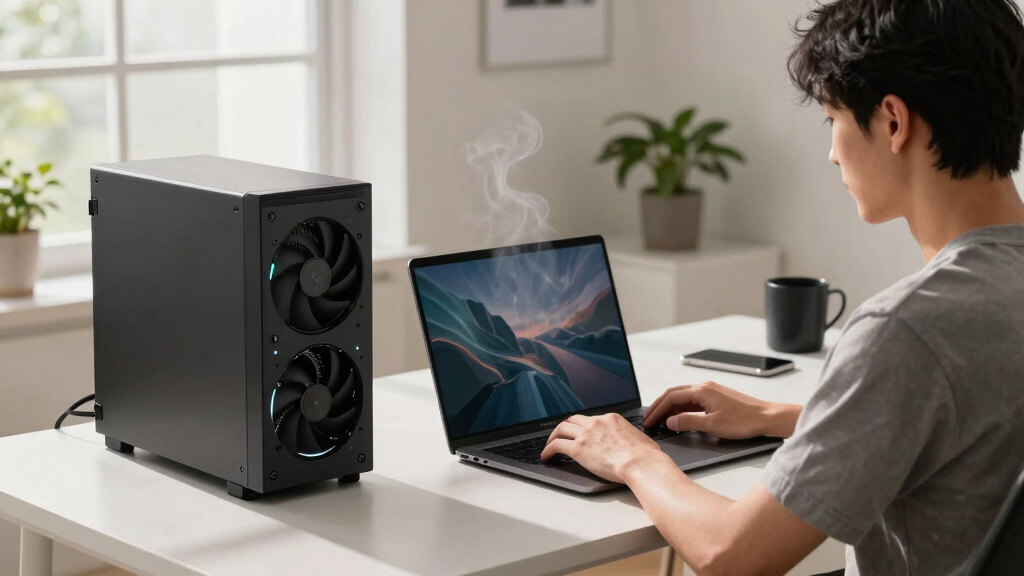
What if you sidestep the heat entirely with a different kind of machine? A tower is a high-bandwidth furnace you spend five levers quieting. Apple Silicon is near-silent by design — but asks for different tradeoffs. Match your priority in Part 2.
Put the loud, hot machine where its noise doesn’t matter, and the quiet one where you do. SSH into the tower when you need raw power; let the Mac handle everything else, silently.
Implications for Local AI Deployment Choices
This comparison highlights a fundamental tradeoff in local AI hardware: performance versus practicality. For users prioritizing high throughput on models that fit in VRAM, GPU towers remain optimal despite their heat and noise. Conversely, those needing to run large models continuously, with minimal noise and power use, may prefer Mac systems. The decision impacts deployment strategies, hardware costs, and workflow flexibility.
Mac Studio M3 Ultra large memory workstation
As an affiliate, we earn on qualifying purchases.
As an affiliate, we earn on qualifying purchases.
Background on Hardware Architectures for LLMs
Traditional GPU towers leverage high memory bandwidth and GPU-specific ecosystems like CUDA, excelling in training and fine-tuning models up to a certain size. Apple Silicon's unified memory architecture allows for larger models to be run entirely on-device, albeit at slower inference speeds. The ongoing debate centers on whether raw speed or capacity and silence are more critical for local AI work.
Previous discussions have focused on heat and noise management in GPU setups, but the rise of large models that exceed typical GPU VRAM sizes has shifted attention toward alternative hardware like Macs, which can handle bigger models without thermal issues.
"An Apple Silicon machine is near-silent and sips power by design — but asks you to accept a different set of tradeoffs."
— Thorsten Meyer

GIGABYTE AORUS RTX 5090 AI Box Graphics Card - 32GB GDDR7, 512Bit, PCI-E 5.0, 2407MHz Core Clock, 3X DP 2.1, 1x HDMI 2.1, GV-N5090IXEB-32GD 1.0
Supported by NVIDIA Blackwell architecture and DLSS 4
As an affiliate, we earn on qualifying purchases.
As an affiliate, we earn on qualifying purchases.
Unresolved Questions About Long-Term Use
It is not yet clear how well Mac systems will scale with future larger models or new inference workloads. The performance gap for models that do not fit into VRAM remains to be fully characterized, especially as Apple continues to improve its MLX ecosystem and hardware capabilities.

Acer Veriton AI Mini Workstation GN100-UD11 NVIDIA GB10 Grace Blackwell Superchip (20-core Arm: 10x Cortex-X925, 10x Cortex-A725)
Experience the raw power of the NVIDIA GB10 Grace Blackwell Superchip. Delivering 1 PFLOPS of FP4 AI performance,...
As an affiliate, we earn on qualifying purchases.
As an affiliate, we earn on qualifying purchases.
Next Steps in Hardware Development and Testing
Further benchmarking of Mac systems with larger models and diverse workloads is expected. Additionally, hardware updates to GPU architectures and cooling solutions may influence the performance advantage of GPU towers. Industry trends suggest ongoing improvements in both ecosystems, shaping future hardware choices for local AI deployment.

GEEKOM IT13 MAX AI Mini PC(i9 13900HK Replacement), Intel Ultra 9 185H (65W) Idea Code/Tasks, DDR5 16GB 1TB SSD, Windows 11 Pro, Arc GPU, Video Editing, Dual 2.5GbE LAN,WiFi 7,8K Quad Display
➊ 3-Year Warranty + Precision Engineering for Long-Term Reliability & Business Use: From design to components, GEEKOM maintains...
As an affiliate, we earn on qualifying purchases.
As an affiliate, we earn on qualifying purchases.
Key Questions
Can a Mac Studio run the same models as a GPU tower?
Yes, a Mac Studio with sufficient unified memory can run models larger than 70 billion parameters, which typically cannot fit into consumer GPU VRAM. However, inference may be slower compared to GPU towers for models that fit entirely in VRAM.
Is heat and noise the main reason to choose a Mac over a GPU tower?
Heat and noise are significant factors, especially for continuous, low-maintenance operation. Macs are designed to operate quietly and with minimal heat, making them ideal for office or home environments.
Will GPU towers become quieter or more energy-efficient?
Potentially, as cooling technology advances and power efficiency improves, but current high-performance GPUs still generate substantial heat and noise, requiring active thermal management.
Which hardware is better for training large models?
GPU towers currently outperform Macs for training large models due to higher bandwidth, native CUDA support, and upgradeability, but Macs are suitable for inference on large models that exceed GPU VRAM capacity.
Source: ThorstenMeyerAI.com