
📊 Full opportunity report: Build vs Buy a Prebuilt AI Workstation on ThorstenMeyerAI.com — validation score, market gap, and execution plan.

Get the latest gadgets delivered free — and shop member deals
- Fast, free delivery on millions of items
- Access to Prime Big Deal Days deals on October 6–7
- Prime Video, Amazon Music and more included
TL;DR
The cost gap between building and buying AI workstations has narrowed in 2026, driven by component shortages and price spikes. Buyers now need to consider control, thermal management, and time, not just price.
In 2026, the long-standing assumption that building a custom AI workstation is cheaper than buying a prebuilt has been challenged by market conditions, with component shortages and price spikes narrowing or reversing the cost advantage.
Traditionally, DIY AI workstations were considered more cost-effective, allowing enthusiasts to select components, undervolt GPUs, and optimize thermal performance. If you’re considering whether to build vs buy a prebuilt AI workstation, it’s important to weigh these factors. However, recent market disruptions caused by AI boom-driven component shortages have significantly increased prices for key parts such as GPUs, DDR5 RAM, and SSDs. As a result, prebuilt systems from major vendors, which purchased components in bulk before prices surged, now often match or beat DIY costs for similar configurations.
Manufacturers like BIZON, Puget Systems, and Lambda now offer prebuilt workstations validated for thermal performance and equipped with factory tuning, burn-in testing, and warranties. These systems are designed to run under sustained loads with minimal noise and throttling, reducing the need for technical expertise and ongoing maintenance. For buyers, this shifts the decision from purely cost-based to a trade-off involving time, control, thermal management, and risk.
Meanwhile, DIY builders still benefit from control and upgradeability, especially for hobbyists or those with time and technical skills. The choice now hinges on whether the value of pre-validated, ready-to-run systems outweighs the savings of building oneself, given current market prices.
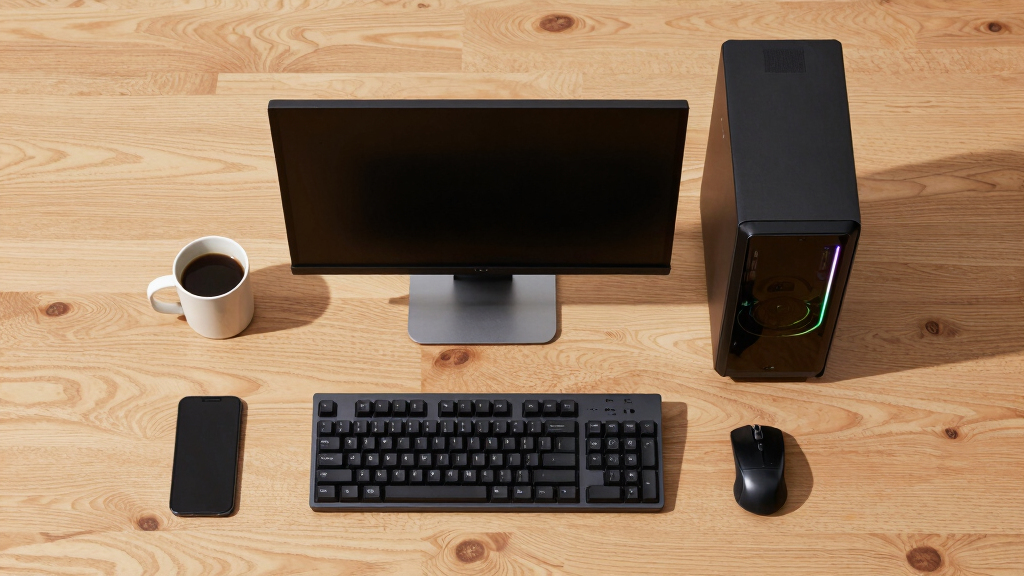
Build vs buy
an AI workstation.
The real question behind this whole series: do you pull the five heat-and-noise levers yourself, or buy a prebuilt where the vendor pulled them for you? And in 2026, the old “building is cheaper” rule has broken. Match your situation in Part 3.
Market Shift Changes AI Workstation Buying Decisions
This shift in pricing dynamics significantly impacts buyers, making prebuilt AI workstations a more competitive option financially. It also emphasizes the importance of thermal validation, warranty, and support, especially for professional or high-end configurations. The decision now involves a broader assessment of cost, time, risk, and control, rather than a straightforward cost-saving choice.
As an affiliate, we earn on qualifying purchases.
Component Shortages and Market Conditions in 2026
Since 2024, the AI boom has driven unprecedented demand for GPUs, DDR5 RAM, and SSDs, causing sharp price increases and supply shortages. Bulk purchasing by major vendors before these spikes has enabled them to offer systems at prices that are difficult to match through DIY sourcing. This market environment has overturned the traditional rule that building is always cheaper, prompting a reevaluation of build vs buy strategies for AI workstations.
"The market conditions in 2026 have made prebuilt workstations not only more convenient but often more cost-effective than DIY for high-end AI configurations."
— Thorsten Meyer, AI hardware expert
As an affiliate, we earn on qualifying purchases.
Uncertainties in Future Market Pricing and Supply
It remains unclear how long the current market conditions will persist. Component shortages and price spikes could stabilize or worsen, affecting the cost competitiveness of prebuilt versus DIY systems. Considering current trends, reviewing options on building or buying an AI workstation can help make an informed decision. Additionally, technological advancements or new supply chain developments could alter the landscape further, making current trends temporary or long-lasting.
As an affiliate, we earn on qualifying purchases.
Monitoring Market Trends and Evaluating Options
Buyers should continue to compare prices for their specific configurations, considering not only initial costs but also thermal management, warranty, and support. For guidance, see our article on build vs buy a prebuilt AI workstation. As supply chains stabilize or shift, the relative advantages of build versus buy may change. Industry analysts recommend reassessing options regularly and considering vendor-specific validation and support services before making a purchase decision.
As an affiliate, we earn on qualifying purchases.
Key Questions
Is building my own AI workstation still cheaper in 2026?
Not necessarily. Due to component shortages and price spikes, prebuilt systems from major vendors now often match or beat DIY costs for similar configurations.
What are the main benefits of buying a prebuilt AI workstation?
Prebuilts offer plug-and-play convenience, validated thermal performance, comprehensive warranties, and reduced setup time, especially for high-end multi-GPU systems.
Can I upgrade a prebuilt workstation easily later?
It depends on the system design, but many prebuilt systems are upgradeable, though some components like power supplies and cooling may limit future expansions.
Should hobbyists still build their own AI workstations?
Yes, if they value control, customization, and learning, and are willing to invest time and effort into thermal tuning and maintenance.
How long will current market conditions last?
The duration is uncertain; supply chain stabilization could occur within months or extend further depending on broader economic factors.
Source: ThorstenMeyerAI.com
Fall Picks
fall essentials
As an affiliate, we earn on qualifying purchases.