TL;DR

Get the latest gadgets delivered free with Prime
- Fast, free delivery on millions of items
- Prime Video, Amazon Music and more included
- Member-only deals all year
Building a custom AI workstation used to be cheaper, but in 2026, prebuilt options often match or beat DIY prices thanks to supply chain issues. Your decision now hinges on how much control, speed, and support matter to you, not just cost.
Build vs buy
an AI workstation.
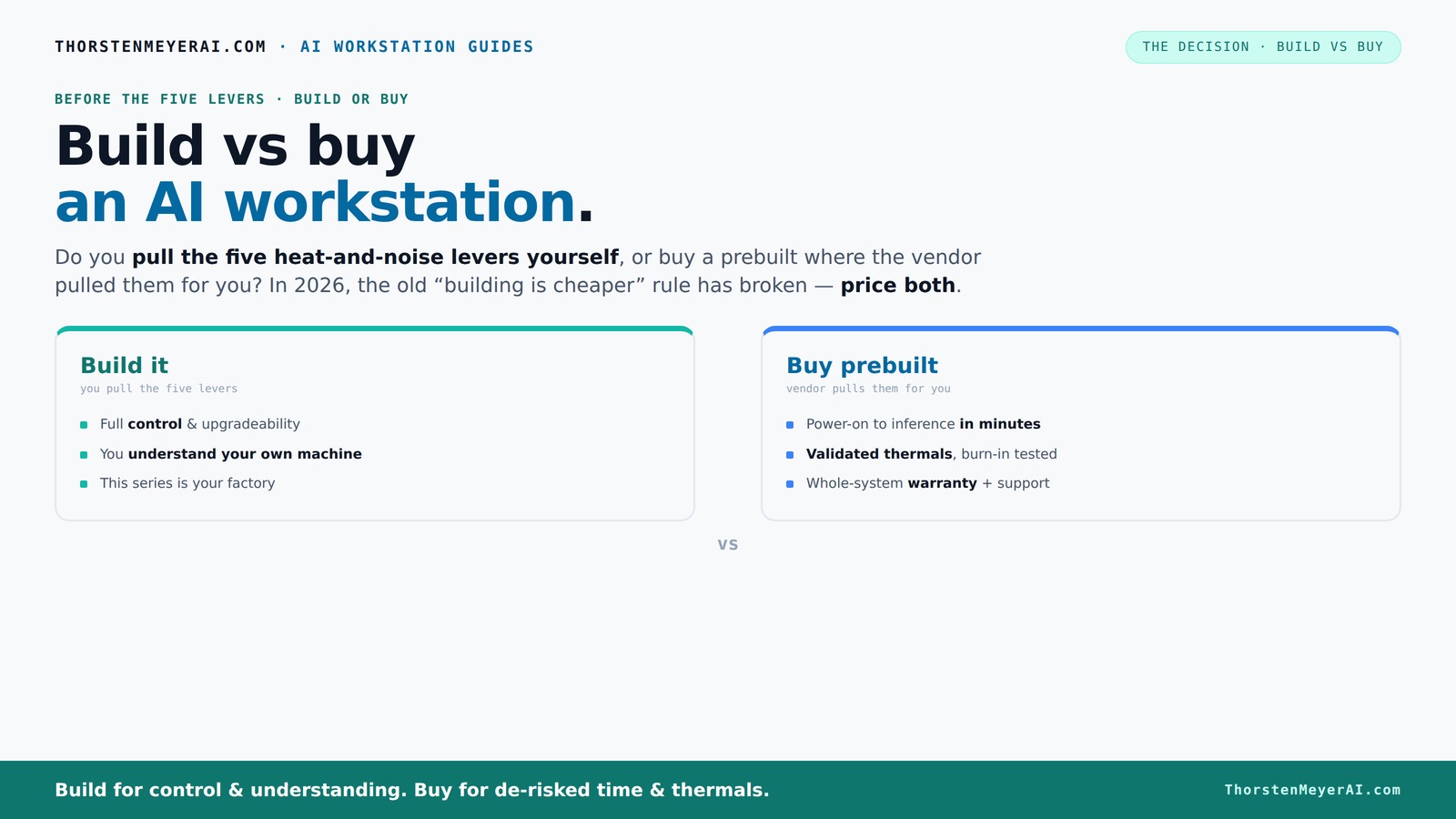
The real question behind this whole series: do you pull the five heat-and-noise levers yourself, or buy a prebuilt where the vendor pulled them for you? And in 2026, the old “building is cheaper” rule has broken. Match your situation in Part 3.
Key Takeaways
- In 2026, component shortages and bulk buying have made prebuilt AI workstations often as affordable as, or cheaper than, DIY options.
- Thermal management and noise control are key factors; prebuilt vendors validate and tune these for you, saving time and effort.
- Building your own system offers unmatched control and customization but requires technical skill and ongoing maintenance.
- Consider your timeline, support needs, and workload complexity—these will heavily influence whether build or buy makes sense.
- Hybrid models—buy the base system and customize—are increasingly popular for balancing speed, control, and support.
As an affiliate, we earn on qualifying purchases.
Why 2026 Changes Everything About Building vs Buying
Building your own AI workstation used to be the clear winner for cost. But in 2026, supply chain issues, component shortages, and bulk buying have flipped that script. A DIY build that cost $1,000 a few years ago now easily hits $1,250 or more, thanks to rising prices for GPUs, DDR5 RAM, and SSDs.
Meanwhile, prebuilt vendors like Lambda and BIZON have locked in bulk discounts and optimized their manufacturing—sometimes offering systems at prices that are hard to beat if you try to assemble the same parts yourself. So, the age-old rule of 'build cheaper' no longer applies across the board. Now, it’s a fair fight, and sometimes the prebuilt wins on price, speed, and reliability.
This shift means you need to do the math for your specific setup—costs are no longer a given. You might find it helpful to explore build vs buy a prebuilt AI workstation to understand your options better. Instead, think about what matters most: time to deployment, thermal tuning, support, or upgradeability. It’s a real tradeoff, and understanding that is your first step to making the right choice.
As an affiliate, we earn on qualifying purchases.
The Heat and Noise Levers: Who Controls the Thermals?
The core of the build vs buy debate is about who pulls the five levers of thermal management: undervolting the GPU, matching the cooling system, optimizing airflow, tuning fans, and placing the system for best airflow. For detailed guidance, see this guide on quiet GPUs. These levers determine how quiet and cool your machine runs under heavy AI workloads.
Buy a prebuilt → the vendor does all this for you. They validate thermals, tune fan curves, and often include water-cooling that keeps noise levels down even during intense training. For example, Lambda’s systems are tested for 'up to 30% lower noise and temperature,' so you get a machine ready to perform without thermal throttling.
Build it yourself → you control every detail. You select a quiet GPU (here’s a guide), undervolt it (see how), choose a silent cooler (this one), and set up case airflow (here’s what to look for). The benefit? A machine perfectly tuned to your needs, with the knowledge to fix or upgrade it over time.
This choice comes down to whether you want to pay for a 'ready-made' thermal solution or enjoy the control and customization of tuning everything yourself.
As an affiliate, we earn on qualifying purchases.
Cost Comparison: Building or Buying in 2026?
| Factor | Build a DIY AI Workstation | Buy a Prebuilt |
|---|---|---|
| Initial hardware cost | $1,250+ (parts + OS) | Usually $2,000–$3,000 for high-end systems |
| Time to deploy | 4–8 weeks (sourcing, assembly, testing) | 1–4 weeks (configure and ship) |
| Support & warranty | Owner-managed, variable reliability | Vendor-backed, often 3–5 years |
| Upgradeability | Easy—swap GPU, RAM, etc. | Limited—depends on vendor options |
| Thermal tuning | DIY — requires expertise | Validated & tested at factory |
While DIY can sound cheaper, recent shortages and higher component prices make prebuilt options competitive or even cheaper in some configurations. If you’re considering a ready-made system, you might want to check out build vs buy a prebuilt AI workstation for more insights. Plus, they save you weeks of sourcing parts, troubleshooting, and tuning. Beyond the immediate costs, consider the long-term implications—upgrading a DIY system can be more complex and costly if components become obsolete or incompatible, while prebuilt systems often come with streamlined upgrade paths, reducing future hassle and expense.
As an affiliate, we earn on qualifying purchases.
When Building Makes Sense (And When It Doesn’t)
Building is best if you crave total control and want to optimize every detail. For more on the benefits and challenges of building your own AI system, visit this guide on build vs buy. If you’re a hobbyist, student, or researcher who enjoys tuning fans and undervolting GPUs, DIY is your playground. You can tailor the machine for specific workloads, like local LLMs or specialized AI training, where every watt and decibel counts.
However, the implications of building extend beyond just customization. It requires a significant investment in time and technical knowledge, and ongoing maintenance can become burdensome if you're not prepared for troubleshooting hardware issues or managing thermal performance. The tradeoff is that you gain a deep understanding of your system, which can lead to better long-term performance and flexibility. But remember, this level of control often comes with increased complexity and potential for errors, which could offset the benefits if your main goal is quick deployment.
But if your priority is fast deployment, support, and avoiding hassle, buying a prebuilt might be smarter. For example, enterprises running multiple systems value the warranty and validated thermals—errors cost time and money. Vendors like BIZON and Puget offer systems tested for hours under load, ensuring reliability from day one.
Think about your workload complexity, skill level, and timeline. If you need a machine yesterday, buying saves weeks. If you want a machine that’s a perfect fit and you enjoy the tinkering, building might still hold appeal.
Hidden Costs You Might Not Expect
Building your own machine isn’t just about hardware. The hidden costs include ongoing maintenance, troubleshooting, driver updates, security patches, and sometimes replacing parts sooner than expected. You can learn more about managing these costs at earnqa.com. These costs are significant because they require time, technical expertise, and sometimes additional financial investment, especially if issues arise unexpectedly. Neglecting these factors can lead to increased downtime and expenses that erode any initial savings.
Prebuilt vendors absorb much of this hassle. They handle updates, warranty repairs, and thermal management. This reduces your need to be hands-on, saving time and reducing errors. However, this convenience can come with vendor lock-in—dependence on their roadmap and limited upgrade options. If your workload is dynamic or your hardware needs evolve rapidly, this inflexibility can lead to higher costs or the need for future replacements. Therefore, understanding the full lifecycle costs—including maintenance, upgrades, and potential vendor limitations—is crucial for making a truly informed decision.
Pro tip: Always factor in the long-term operational costs and how much control you need over your environment. A hybrid approach—buy the base system and customize the software or upgrades—can strike a good balance, allowing flexibility while minimizing initial hassle.
The Right Choice for Different Users
Are you a researcher or startup with tight deadlines? A prebuilt system offers quick deployment, validated thermals, and support, making it ideal for getting AI projects off the ground fast. This reduces the risk of delays due to hardware issues or setup problems, ensuring your project can move forward without unnecessary troubleshooting.
Are you a hobbyist or someone who loves to tinker? Building your own allows you to fine-tune every setting, select specific quiet components, and learn the ins and outs of thermal management. This approach can be highly rewarding but requires patience, technical skill, and a willingness to troubleshoot issues that arise.
For enterprise teams, a hybrid approach—buying a robust platform and customizing the AI stack—is often the best way to balance speed, control, and support. It allows organizations to deploy quickly while retaining some level of customization and control over their hardware environment. When choosing, consider your workload demands, your team’s expertise, and your future upgrade plans to ensure the solution aligns with your strategic goals.
Your Decision Checklist: What Matters Most?
- Budget: Can you afford custom parts and the time to assemble?
- Timeline: Do you need a machine yesterday or in a few months?
- Technical skill: Are you comfortable tuning hardware and BIOS?
- Workload complexity: Is your AI task standard or highly specialized?
- Support needs: Do you want vendor backing or DIY troubleshooting?
Frequently Asked Questions
Is it cheaper to build or buy a prebuilt AI workstation?
With current supply chain issues, prebuilt workstations often cost as much or less than building your own, especially when you factor in the time and effort involved in sourcing parts, assembling, and tuning a DIY rig.How long does it take to build vs buy?
Building a machine typically takes 4–8 weeks due to sourcing and assembly, while buying a prebuilt can be done in 1–4 weeks, making it the faster route for urgent projects.What workloads justify building instead of buying?
If your AI tasks involve proprietary workflows, specialized hardware needs, or extremely tight control over performance and security, building allows full customization. Otherwise, prebuilt systems suit standard inference and training workloads well.Can a prebuilt workstation be upgraded later?
Yes, but upgrade options depend on the vendor’s design. Many high-end prebuilt systems allow GPU or RAM upgrades, but some may limit motherboard or cooling modifications, making future flexibility a key consideration.What are the hidden costs of building my own workstation?
Beyond hardware, expect to spend time and money on ongoing maintenance, troubleshooting, thermal tuning, driver updates, and potential component replacements—especially if you lack experience in hardware management. These costs can accumulate unexpectedly, and the time investment might offset initial savings, especially if issues arise frequently or the hardware is highly customized.Conclusion
Choosing between building and buying your AI workstation isn’t just about saving a few bucks. It’s about how fast you need to deploy, how much control you want, and whether you enjoy tinkering or prefer a plug-and-play solution. In 2026, the smartest move is to weigh these factors carefully—because the best choice aligns with your project goals, not just your budget.Fall Picks
fall essentials
As an affiliate, we earn on qualifying purchases.