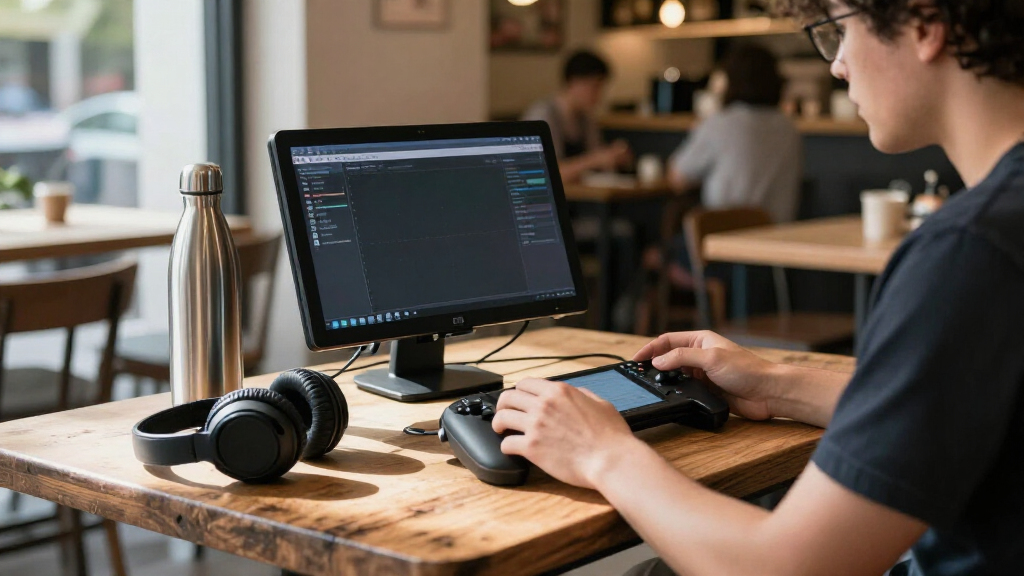
Portable gaming monitors give you a larger, smoother screen for a laptop, handheld or console, but the right choice depends on whether you value refresh rate, resolution, screen size or easy packing most. My best overall pick is the ARZOPA Z1FC, whose 16.1-inch Full HD panel and 144Hz refresh rate make a balanced match for portable play. For sharper detail, the VisionOwl 16-Inch 2.5K 144Hz stands out; for a larger view, the EVICIV 18.5-Inch 120Hz trades some portability for extra screen space. Higher resolution can demand more from your device, while larger panels and faster refresh rates can add bulk or narrow compatibility. Read on for the full comparison, buying advice and picks for different gaming setups.

Get the latest gadgets delivered free with Prime
- Fast, free delivery on millions of items
- Prime Video, Amazon Music and more included
- Member-only deals all year
Complete the kit


Key Takeaways
- The ARZOPA Z1FC is the balanced pick: its 16.1-inch Full HD display and 144Hz refresh rate avoid the extra graphics and connection demands of QHD.
- QHD and high refresh rate can go together: the ARZOPA Z3FC lists 180Hz at QHD, while the VisionOwl and kksmart offer 2.5K at 144Hz; check that your device and cable can support the mode you want.
- 18.5-inch models prioritize screen area: the EVICIV and Aimuonos pair that larger size with 120Hz Full HD, a different balance from compact 16-inch high-refresh picks.
- Portable does not always mean easy to pack: the 23.8-inch UPERFECT is better for a roomy temporary setup than a small travel bag.
- Resolution and refresh rate are only part of the choice: this lineup also includes 1920×1200 screens, a 15.6-inch Acer Nitro at 165Hz, and a basic MNN option, so match the panel to your games, device and portability needs.
| ARZOPA Z1FC 16.1-Inch 144Hz Portable Gaming Monitor |  | Best for Competitive Gaming | Screen size: 16.1 inches | Resolution: 1920 × 1080 | Refresh rate: 144 Hz | VIEW LATEST PRICE | See Our Full Breakdown |
| 18.5-Inch Portable Monitor, 120Hz, Full HD |  | Best for a Larger Portable Screen | Screen size: 18.5 inches | Resolution: 1920 × 1080 (Full HD) | Refresh rate: 120 Hz | VIEW LATEST PRICE | See Our Full Breakdown |
| MNN 15.6-Inch FHD Portable Monitor |  | Best for Everyday Gaming and Work | Screen size: 15.6 inches | Resolution: 1920 × 1080 | Refresh rate: 60 Hz | VIEW LATEST PRICE | See Our Full Breakdown |
| EVICIV 18.5-Inch 120Hz Portable IPS Monitor |  | Best Matte-Screen Big-Screen Pick | Screen size: 18.5 inches | Resolution: 1920 × 1080 (FHD) | Refresh rate: 120 Hz | VIEW LATEST PRICE | See Our Full Breakdown |
| VisionOwl 16-Inch 2.5K QHD 144Hz Portable Monitor |  | Best for High-Detail Gaming | Screen size: 16 inches | Resolution: 2560 × 1600 | Aspect ratio: 16:10 | VIEW LATEST PRICE | See Our Full Breakdown |
| Aimuonos 18.5-Inch Portable 1080p 120Hz IPS Monitor |  | Best for a Larger Full HD Play Area | Screen size: 18.5 inches | Resolution: 1920 × 1080 | Refresh rate: 120Hz | VIEW LATEST PRICE | See Our Full Breakdown |
| InnoView 16-Inch Portable Monitor, 1920×1200, 144Hz |  | Best for Mixed Gaming and Work | Screen size: 16 inches | Resolution: 1920×1200 | Aspect ratio: 16:10 | VIEW LATEST PRICE | See Our Full Breakdown |
| kksmart 16-Inch Portable 2.5K Monitor, 144Hz, USB-C and HDMI |  | Best for Sharp, Color-Rich Portable Gaming | Screen size: 16 inches | Resolution: 2560 × 1600 | Aspect ratio: 16:10 | VIEW LATEST PRICE | See Our Full Breakdown |
| cocopar 18.5-Inch Portable 2K QHD 120Hz Monitor |  | Best for a Large, Bright QHD Picture | Screen size: 18.5 inches | Resolution: 2560 × 1440 (QHD) | Refresh rate: 120Hz | VIEW LATEST PRICE | See Our Full Breakdown |
| ARZOPA Z3FC 16.1-Inch 180Hz QHD Portable Monitor |  | Best for Maximum Refresh Rate | Screen size: 16.1 inches | Resolution: 2560 × 1440 (QHD) | Refresh rate: 180Hz | VIEW LATEST PRICE | See Our Full Breakdown |
| UPERFECT 16-Inch 144Hz 2.5K QLED Portable Gaming Monitor |  | Best for High-Resolution Gaming | Screen size: 16 inches | Resolution: 2560 × 1600 | Refresh rate: 144Hz | VIEW LATEST PRICE | See Our Full Breakdown |
| UPERFECT 23.8-Inch QLED Portable Monitor, 144Hz, FHD |  | Best for a Large Portable Gaming Setup | Screen size: 23.8 inches | Resolution: 1920 × 1080 (FHD) | Refresh rate: 144Hz | VIEW LATEST PRICE | See Our Full Breakdown |
| Acer Nitro PG161Q P 15.6-Inch FHD IPS 165Hz Portable Gaming Monitor |  | Best for Fast-Refresh FHD Gaming | Screen size: 15.6 inches | Resolution: 1920 × 1080 (Full HD) | Panel: IPS LCD | VIEW LATEST PRICE | See Our Full Breakdown |
| 16-inch 144Hz Portable Monitor, 1920 × 1200, IPS, HDR, FreeSync |  | Best Lightweight Travel Pick | Screen size: 16 inches | Resolution: 1920 × 1200 | Aspect ratio: 16:10 | VIEW LATEST PRICE | See Our Full Breakdown |
| WGK 15.6-Inch Portable FHD Monitor with Stand and Speakers |  | Best for Simple, Flexible Setups | Screen size: 15.6 inches | Resolution: 1920 × 1080 | Panel: LCD IPS | VIEW LATEST PRICE | See Our Full Breakdown |
| portable gaming monitor | Screen size | Resolution | Refresh rate | Weight |
|---|---|---|---|---|
| ARZOPA Z1FC 16.1-Inch 144Hz Po | 16.1 inches | 1920 × 1080 | 144 Hz | 1.42 kg |
| 18.5-Inch Portable Monitor | 18.5 inches | 1920 × 1080 (Full HD) | 120 Hz | — |
| MNN 15.6-Inch FHD Portable Mon | 15.6 inches | 1920 × 1080 | 60 Hz | 1.5 lbs |
| EVICIV 18.5-Inch 120Hz Portabl | 18.5 inches | 1920 × 1080 (FHD) | 120 Hz | 1.8 pounds |
| VisionOwl 16-Inch 2.5K QHD 144 | 16 inches | 2560 × 1600 | 144 Hz | 1.5 lbs |
| Aimuonos 18.5-Inch Portable 10 | 18.5 inches | 1920 × 1080 | 120Hz | 2.4 pounds |
| InnoView 16-Inch Portable Moni | 16 inches | 1920×1200 | 144Hz via USB-C; HDMI up to 120Hz | About 1.7 pounds |
| kksmart 16-Inch Portable 2.5K | 16 inches | 2560 × 1600 | Up to 144Hz via USB-C; up to 120Hz via HDMI | 1.5 pounds |
| cocopar 18.5-Inch Portable 2K | 18.5 inches | 2560 × 1440 (QHD) | 120Hz | 2.48 pounds |
| ARZOPA Z3FC 16.1-Inch 180Hz QH | 16.1 inches | 2560 × 1440 (QHD) | 180Hz | 780 g |
| UPERFECT 16-Inch 144Hz 2.5K QL | 16 inches | 2560 × 1600 | 144Hz | 1,200 g |
| UPERFECT 23.8-Inch QLED Portab | 23.8 inches | 1920 × 1080 (FHD) | 144Hz | 5.37 pounds (1,919 g) |
| Acer Nitro PG161Q P 15.6-Inch | 15.6 inches | 1920 × 1080 (Full HD) | 165Hz | — |
| 16-inch 144Hz Portable Monitor | 16 inches | 1920 × 1200 | Up to 144Hz via USB-C; HDMI limited to 120Hz | 1.5 pounds |
| WGK 15.6-Inch Portable FHD Mon | 15.6 inches | 1920 × 1080 | — | 2.7 pounds |
More Details on Our Top Picks
ARZOPA Z1FC 16.1-Inch 144Hz Portable Gaming Monitor
The ARZOPA Z1FC pairs a 144Hz refresh rate with a 1ms response time, making it a stronger fit for fast-paced play than the MNN 15.6-Inch FHD, which tops out at 60Hz. Its 16.1-inch 1080p IPS screen keeps the setup compact, while the adjustable kickstand and USB-C or Mini HDMI connections make it practical to move between a laptop and console. The matte finish can help reduce distracting reflections, and its 106% sRGB gamut gives games more color range than a basic office display. The tradeoff is that adaptive sync and FreeSync are absent, so frame-rate fluctuations may look less smooth than on a compatible alternative. I’d choose it for high-refresh portable play, not for adaptive-sync support or extra resolution.
Pros:- 144Hz refresh rate and 1ms response time suit fast-paced games
- Matte 16.1-inch IPS screen is practical for portable setups
- Adjustable built-in kickstand supports flexible placement
- USB-C and Mini HDMI provide options for compatible computers and consoles
Cons:- No adaptive sync or FreeSync support
- 1080p resolution offers less detail than the VisionOwl 16-Inch 2.5K QHD 144Hz
Best for: Laptop and console gamers who prioritize a compact 144Hz screen for fast-moving games.
Not ideal for: Gamers who need adaptive sync to smooth variable frame rates or want a resolution above 1080p.
- Screen size:16.1 inches
- Resolution:1920 × 1080
- Refresh rate:144 Hz
- Panel type:IPS LCD
- Response time:1 ms
- Ports:2 USB Type-C, 1 Mini HDMI
- Weight:1.42 kg
- Adaptive sync:Not supported
Our verdict“Choose the ARZOPA Z1FC for compact 144Hz gaming if you can do without adaptive sync and higher resolution.”
18.5-Inch Portable Monitor, 120Hz, Full HD
For gaming away from a desk, the 18.5-inch Full HD screen gives this monitor more viewing area than the 16.1-inch ARZOPA Z1FC, while its 120Hz refresh rate still supports smoother motion than a standard 60Hz portable display. That larger panel can make split-screen play and menus easier to see, and the built-in stereo speakers reduce the gear needed for a simple travel setup. Dual USB-C and Mini HDMI offer flexible connections, with an adjustable kickstand for positioning. Compared with the EVICIV 18.5-Inch 120Hz, this model lists speakers and display modes, while EVICIV specifies a matte finish and VESA mounting. Its glossy surface can reflect nearby light, and the product data gives no weight, making portability harder to judge before buying.
Pros:- 18.5-inch Full HD screen provides more viewing area than 16-inch-class options
- 120Hz refresh rate supports smoother motion than 60Hz portable screens
- Dual USB-C and Mini HDMI support different compatible devices
- Built-in speakers and adjustable kickstand simplify a portable setup
Cons:- Glossy finish may reflect lights and windows
- Weight is not specified in the product data
- At 120Hz, it has a lower refresh rate than the ARZOPA Z1FC 144Hz
Best for: Console and laptop gamers who want a larger portable image and built-in speakers for casual play.
Not ideal for: People gaming in bright or reflective spaces, or travelers who need a clearly documented low carry weight.
- Screen size:18.5 inches
- Resolution:1920 × 1080 (Full HD)
- Refresh rate:120 Hz
- Display panel:IPS LED
- Brightness:300 nits
- Screen finish:Glossy
- Connectivity:Dual USB-C, Mini HDMI
- Audio:Built-in dual stereo speakers
Our verdict“Pick this model when a larger screen and built-in speakers matter more than a matte finish or a documented carry weight.”
MNN 15.6-Inch FHD Portable Monitor
The MNN 15.6-Inch FHD is the practical pick for buyers who want one portable screen for console sessions, laptop work, and occasional second-screen use. Its 1080p IPS panel and included smart cover keep the package straightforward, and the cover doubles as a stand while allowing landscape or portrait placement. Compared with the ARZOPA Z1FC, MNN prioritizes a lighter listed weight and included cables over high-refresh gaming: this display runs at 60Hz with a 5ms response time, so motion will look less fluid in fast games. The stated HDR support may appeal for compatible content, but it does not change that refresh-rate gap. USB-C video also depends on the source device supporting Thunderbolt 3 or DP Alt Mode, so a matching port alone may not be enough.
Pros:- 1080p IPS display supports broad everyday use
- Smart cover doubles as a stand and supports portrait or landscape orientation
- Includes Mini HDMI and full-function USB-C cables
- Listed weight of 1.5 pounds suits a portable setup
Cons:- 60Hz refresh rate and 5ms response time are less suited to fast-paced gaming than the ARZOPA Z1FC
- USB-C video requires Thunderbolt 3 or USB-C DP Alt Mode support
- A cover stand is less adjustable than a built-in adjustable kickstand
Best for: Students and console owners who want an affordable-to-carry second screen for casual gaming, study, and general laptop use.
Not ideal for: Competitive gamers seeking high refresh rates, or buyers whose USB-C devices lack Thunderbolt 3 or DP Alt Mode.
- Screen size:15.6 inches
- Resolution:1920 × 1080
- Refresh rate:60 Hz
- Display type:LCD IPS
- Brightness:300 nits
- Response time:5 ms
- Ports:2 USB-C, 1 HDMI
- Weight:1.5 lbs
Our verdict“Choose the MNN for casual gaming and everyday second-screen use if portability and included cables matter more than high refresh.”
EVICIV 18.5-Inch 120Hz Portable IPS Monitor
The EVICIV 18.5-Inch 120Hz combines a larger portable display with a matte finish, which makes it a compelling alternative to the similarly sized glossy 18.5-Inch Portable Monitor, 120Hz, Full HD for gaming where reflections are a concern. Its 350 cd/m² brightness and listed 2000:1 contrast ratio give it a stronger stated display spec sheet than that rival, and the 120Hz refresh rate with 1ms response time is aimed at responsive play. A travel sleeve, adjustable stand, and 75 × 75 mm VESA mounting add flexibility for moving between a bag, desk, and fixed setup. The screen remains 1080p, though, so it cannot match the VisionOwl’s 2560 × 1600 detail. It also has only one Mini HDMI port, and the port listing does not specify USB-C.
Pros:- Matte 18.5-inch IPS screen is less reflective than the glossy 18.5-inch rival
- 120Hz refresh rate and 1ms response time target responsive gaming
- Travel sleeve and adjustable stand support portable use
- 75 × 75 mm VESA mounting supports fixed placement
Cons:- 1080p resolution provides less detail than the VisionOwl 16-Inch 2.5K QHD 144Hz
- Only one Mini HDMI port is listed
- USB-C connectivity is not specified in the product data
Best for: Gamers who want an 18.5-inch portable 120Hz screen with a matte finish and the option to use VESA mounting.
Not ideal for: Buyers seeking higher-than-1080p detail, multiple HDMI inputs, or clearly specified USB-C connectivity.
- Screen size:18.5 inches
- Resolution:1920 × 1080 (FHD)
- Refresh rate:120 Hz
- Response time:1 ms
- Brightness:350 cd/m²
- Screen finish:Matte
- Ports:1 Mini HDMI, 2 USB 3.0
- Weight:1.8 pounds
Our verdict“Choose EVICIV if you want a matte, larger 120Hz portable monitor with VESA flexibility and can accept its 1080p resolution.”
VisionOwl 16-Inch 2.5K QHD 144Hz Portable Monitor
The VisionOwl 16-Inch 2.5K QHD is the resolution-first choice in this batch: its 2560 × 1600 panel packs more detail into a portable 16-inch screen than the 1080p ARZOPA Z1FC, while retaining a 144Hz refresh rate. The 16:10 shape also gives compatible games and general-use windows more vertical room than a standard 16:9 panel. At 470 nits, its stated brightness is the highest among these five products, and the matte finish suits varied travel environments. A built-in kickstand, VESA holes, speakers, and travel kit add setup options. Its key compatibility caveat is single-cable video and power: that requires Thunderbolt 3/4 or DisplayPort Alt Mode. Buyers who only need 1080p gaming may prefer the simpler ARZOPA instead.
Pros:- 2560 × 1600 resolution delivers more detail than the 1080p ARZOPA Z1FC
- 144Hz refresh rate pairs high resolution with smooth motion
- 470-nit matte IPS display suits varied lighting conditions
- Kickstand, VESA holes, speakers, and travel kit support flexible setups
Cons:- Single-cable video and power depends on Thunderbolt 3/4 or DisplayPort Alt Mode
- 16:10 aspect ratio may not match every game’s intended 16:9 presentation
- Higher resolution can demand more from the connected gaming device than 1080p
Best for: Portable PC gamers who want sharper-than-Full-HD detail, high refresh, and a bright 16:10 screen.
Not ideal for: Console users or travelers whose devices lack Thunderbolt 3/4 or DisplayPort Alt Mode for single-cable video and power.
- Screen size:16 inches
- Resolution:2560 × 1600
- Aspect ratio:16:10
- Refresh rate:144 Hz
- Brightness:470 nits
- Color gamut:110% sRGB
- Weight:1.5 lbs
- Connectivity:2 USB-C ports and standard HDMI
Our verdict“Pick VisionOwl for portable gaming when 2.5K detail and 144Hz matter and your device supports its USB-C video requirements.”
Aimuonos 18.5-Inch Portable 1080p 120Hz IPS Monitor
The Aimuonos pairs an 18.5-inch screen with 120Hz Full HD, giving console players more room than the 16-inch options in this group while keeping the resolution easier to drive than QHD. Its retractable kickstand supports portrait or landscape orientation, and the USB-C and mini HDMI inputs cover compatible laptops and consoles. Compared with the cocopar 18.5-Inch Portable 2K QHD, this model gives up sharpness and brightness for a simpler 1080p display. That tradeoff can suit buyers prioritizing a big, portable gaming image over fine detail. The matte IPS panel and built-in speakers make setup self-contained, but USB-C video needs DisplayPort Alt Mode or Thunderbolt, and Apple mobile devices may require a separate Lightning-to-HDMI adapter. Its 5 ms response time also trails the cocopar’s listed 3 ms.
Pros:- 18.5-inch IPS screen offers more gaming area than the 16-inch picks
- 120Hz refresh rate supports smoother motion than standard 60Hz displays
- Mini HDMI and two USB-C ports provide flexible connections
- Retractable stand supports portrait and landscape use
Cons:- Full HD resolution is less sharp than the QHD cocopar and kksmart options
- USB-C video requires DisplayPort Alt Mode or Thunderbolt support
- 5 ms response time is slower than the cocopar’s listed 3 ms
Best for: Console and laptop players who want a larger portable screen at Full HD resolution.
Not ideal for: Buyers seeking QHD detail, faster listed response times, or plug-and-play USB-C video from devices without DisplayPort Alt Mode or Thunderbolt.
- Screen size:18.5 inches
- Resolution:1920 × 1080
- Refresh rate:120Hz
- Panel:IPS
- Response time:5 milliseconds
- Ports:2 USB-C, 1 mini HDMI
- Weight:2.4 pounds
- Stand:Retractable kickstand; landscape or portrait orientation
Our verdict“Choose the Aimuonos for a roomy 18.5-inch Full HD gaming display if screen size matters more than QHD detail.”
InnoView 16-Inch Portable Monitor, 1920×1200, 144Hz
The InnoView’s 16:10 screen adds vertical space compared with the 16:9 ARZOPA Z3FC, which can make it a more useful travel display for documents alongside games. Its 144Hz refresh rate and FreeSync support target fluid gameplay, though the full refresh rate is available over USB-C; HDMI tops out at 120Hz. At about 1.7 pounds and 0.25 inches thick, it is lighter and thinner than the larger Aimuonos, making it easier to pack. The compromise is the 45% color gamut, which limits color richness compared with the kksmart’s stated 100% sRGB coverage. Brightness is 300 cd/m², and there is no power adapter included, so travelers should plan around their available power source as well as their connection.
Pros:- 1920×1200 16:10 panel provides extra vertical workspace
- 144Hz refresh rate and FreeSync support smoother compatible gameplay
- Lightweight 1.7-pound, 0.25-inch-thin design suits travel
- Two USB-C ports and HDMI support multiple connection types
Cons:- HDMI connection is limited to 120Hz
- 45% color gamut is limited compared with the kksmart’s 100% sRGB coverage
- Power adapter is not included
Best for: Traveling students and laptop gamers who want one lightweight screen for 16:10 work and high-refresh gaming.
Not ideal for: Players who prioritize vivid color, need 144Hz through HDMI, or want an included power adapter.
- Screen size:16 inches
- Resolution:1920×1200
- Aspect ratio:16:10
- Refresh rate:144Hz via USB-C; HDMI up to 120Hz
- Brightness:300 cd/m²
- Color gamut:45%
- Connectivity:2 USB-C ports, HDMI
- Weight:About 1.7 pounds
Our verdict“Pick the InnoView if you need a slim 16:10 travel screen for both work and gaming and can accept its limited color gamut.”
kksmart 16-Inch Portable 2.5K Monitor, 144Hz, USB-C and HDMI
The kksmart stands out for balancing QHD detail, color coverage, and portability: its 2560×1600 16:10 panel has 100% sRGB coverage, 470-nit brightness, and weighs just 1.5 pounds. That gives it a stronger picture specification than the InnoView 16-Inch, whose lower-resolution panel has a stated 45% color gamut. The kksmart also reaches 144Hz over USB-C, while HDMI is limited to 120Hz. Its integrated kickstand and VESA compatibility make placement more flexible than relying only on a simple travel stand. The tradeoff is that driving its higher resolution at high refresh rates can ask more of a gaming device than the Aimuonos’s Full HD panel. Single-cable USB-C video also depends on DisplayPort Alt Mode or Thunderbolt support.
Pros:- 2560×1600 resolution offers sharper detail than the Full HD Aimuonos
- 100% sRGB coverage and 470-nit brightness support a vivid, bright image
- Up to 144Hz over USB-C supports high-refresh gaming
- Lightweight 1.5-pound design, integrated kickstand, and VESA compatibility
Cons:- 144Hz is available through USB-C; HDMI is limited to 120Hz
- Single-cable USB-C video requires DisplayPort Alt Mode or Thunderbolt
- Higher resolution can demand more from a gaming device than Full HD
Best for: Laptop and handheld-console gamers who want a lightweight QHD screen with strong stated color coverage.
Not ideal for: Buyers whose device cannot drive USB-C video or who want 144Hz over HDMI.
- Screen size:16 inches
- Resolution:2560 × 1600
- Aspect ratio:16:10
- Refresh rate:Up to 144Hz via USB-C; up to 120Hz via HDMI
- Brightness:470 nits
- Color gamut:100% sRGB
- Ports:2 × USB-C, 1 × HDMI
- Weight:1.5 pounds
- Mounting:Integrated kickstand; VESA compatible
Our verdict“Choose the kksmart if you want a light QHD gaming monitor with strong color coverage and your device supports USB-C video.”
cocopar 18.5-Inch Portable 2K QHD 120Hz Monitor
The cocopar combines the roundup’s larger 18.5-inch format with QHD resolution, giving games more screen area and finer detail than the Full HD Aimuonos. Its 500-nit brightness and stated 120% sRGB gamut also make it a stronger fit for bright rooms and colorful scenes than that simpler 1080p alternative. The 120Hz refresh rate and listed 3 ms response time suit players who want fluid motion without chasing the ARZOPA Z3FC’s higher 180Hz ceiling. At 2.48 pounds, it is less convenient to carry than the 1.5-pound kksmart, though it offers a larger display. HDMI and USB-C inputs, an adjustable kickstand, and 75 × 75 mm VESA mounting add placement options. USB-C video needs a compatible port, and the product data does not specify included cables or accessories.
Pros:- 18.5-inch QHD screen combines a large image with more detail than the Aimuonos
- 500-nit brightness and 120% sRGB gamut are suited to bright, colorful content
- 120Hz refresh rate and listed 3 ms response time support responsive gameplay
- Adjustable kickstand and 75 × 75 mm VESA mounting offer flexible placement
Cons:- At 2.48 pounds, it is heavier than the 1.5-pound kksmart
- USB-C video requires Thunderbolt or DisplayPort Alt Mode
- Included cables and accessories are not specified
Best for: Console and laptop gamers who want a large QHD portable display for vivid play in brighter spaces.
Not ideal for: Frequent travelers who want the lightest option, or buyers who need confirmed cable and accessory details before setup.
- Screen size:18.5 inches
- Resolution:2560 × 1440 (QHD)
- Refresh rate:120Hz
- Brightness:500 nits
- Color gamut:120% sRGB
- Response time:3 ms
- Ports:1 HDMI, 2 USB-C
- Weight:2.48 pounds
- VESA mount:75 × 75 mm
Our verdict“Choose the cocopar for a bright, large QHD gaming screen if carrying a little more weight is acceptable.”
ARZOPA Z3FC 16.1-Inch 180Hz QHD Portable Monitor
The ARZOPA Z3FC has the highest listed refresh rate in this batch: 180Hz on a 16.1-inch QHD screen. That makes it the pick for players who value a high refresh ceiling in a compact format; the cocopar 18.5-Inch QHD gives you more screen area and brighter stated output, but tops out at 120Hz. The ARZOPA’s 400-nit brightness and 107% sRGB gamut provide a capable picture, while USB-C and Mini HDMI cover common portable setups. Its 780-gram weight helps with travel, and the adjustable kickstand makes quick placement easier. The main concern is the listed 9 ms response time, which is a less compelling match for fast competitive play than its refresh figure suggests. Resolution, refresh rate, and response time each affect the experience, so buyers should weigh the full set of specs.
Pros:- 180Hz refresh rate is the highest listed in this batch
- 2560 × 1440 resolution provides QHD detail
- 780-gram weight and adjustable kickstand suit portable setups
- Two USB-C ports and Mini HDMI provide flexible connections
Cons:- Listed 9 ms response time is a drawback for fast competitive gaming
- 16.1-inch screen is smaller than the 18.5-inch cocopar
- 400-nit brightness is below the cocopar’s stated 500 nits
Best for: Traveling PC and console players who prioritize a high refresh-rate ceiling on a QHD portable screen.
Not ideal for: Competitive players focused on fast listed response times or buyers who prefer a larger 18.5-inch screen.
- Screen size:16.1 inches
- Resolution:2560 × 1440 (QHD)
- Refresh rate:180Hz
- Response time:9 ms
- Brightness:400 nits
- Color gamut:107% sRGB
- Ports:2 USB-C, 1 Mini HDMI
- Weight:780 g
Our verdict“Pick the ARZOPA Z3FC if a 180Hz ceiling matters more to you than a faster listed response time or a larger screen.”
UPERFECT 16-Inch 144Hz 2.5K QLED Portable Gaming Monitor
The 16-inch 2.5K QLED panel sets this UPERFECT apart for players who want finer detail and richer color in a travel-size screen. Its 144Hz refresh rate, 0.1ms stated response time, and FreeSync support suit fast games, while the 16:10 resolution gives a little more vertical room than the FHD Acer Nitro PG161Q P. That extra sharpness asks more of the connected gaming device, though, and compatible HDMI or USB-C cables are needed. At 1,200 g, it is also heavier than the 1.5 lb 16-inch IPS option in this lineup. I’d choose it for image detail and color over minimum carry weight; players prioritizing the lightest setup should look elsewhere.
Pros:- 2560 × 1600 resolution offers more detail and vertical space than FHD portable monitors.
- 144Hz refresh rate and FreeSync support smoother gameplay.
- 100% DCI-P3 color gamut and QLED panel suit vivid games and media.
- Built-in kickstand, VESA compatibility, and included sleeve support flexible setups.
Cons:- At 1,200 g, it is heavier than the 1.5 lb 16-inch IPS option in this lineup.
- The host device and connection must support the desired resolution and refresh rate.
- The listed 0.1ms response time may not reflect every real-world setup.
Best for: Laptop and handheld PC players who want a sharper, wide-gamut screen for gaming and media while traveling.
Not ideal for: Frequent travelers prioritizing the lightest bag, or players whose devices and cables cannot support its connections and higher-resolution output.
- Screen size:16 inches
- Resolution:2560 × 1600
- Refresh rate:144Hz
- Display type:QLED
- Color gamut:100% DCI-P3
- Brightness:400 cd/m²
- Adaptive sync:FreeSync
- Weight:1,200 g
- Connectivity:HDMI, USB Type-C, mini HDMI, 3.5mm audio
Our verdict“Choose this UPERFECT if screen detail and color matter more to you than carrying the lightest 16-inch monitor.”
UPERFECT 23.8-Inch QLED Portable Monitor, 144Hz, FHD
This 23.8-inch QLED screen gives gaming more room than the 15.6-inch Acer Nitro PG161Q P, making it a better fit for a dorm desk, shared workspace, or a portable console station than a light travel bag. The 144Hz refresh rate keeps motion smooth, and the matte FHD panel can help reduce distracting reflections. Its 450 cd/m² brightness and stated 145% sRGB gamut also give it a vivid presentation, though the FHD resolution is spread over a larger screen than on the smaller options. The tradeoff is portability: at 5.37 pounds, it is far heavier than the 1.5 lb 16-inch monitor in this group, and the stand may be unstable when tilted steeply downward. I’d pick it when screen size matters more than easy packing.
Pros:- 23.8-inch screen provides substantially more viewing area than the 15.6-inch Acer Nitro.
- 144Hz refresh rate supports smooth motion in compatible games.
- Matte QLED display with 450 cd/m² brightness and stated 145% sRGB gamut.
- HDMI, USB-C, built-in stand, and VESA compatibility allow varied setups.
Cons:- At 5.37 pounds, it is much heavier than the 1.5 lb 16-inch portable option.
- FHD resolution is less dense across this larger screen than on smaller monitors.
- The stand may be unstable at steep downward angles.
Best for: Console and laptop players who want a large screen for a semi-permanent dorm, studio, or shared-table setup.
Not ideal for: Commuters and frequent travelers who need a lightweight monitor, or users who rely on steep downward stand angles.
- Screen size:23.8 inches
- Resolution:1920 × 1080 (FHD)
- Refresh rate:144Hz
- Display type:QLED
- Brightness:450 cd/m²
- Color gamut:145% sRGB
- Response time:5 milliseconds
- Weight:5.37 pounds (1,919 g)
- Connectivity:HDMI, USB-C
Our verdict“Pick this UPERFECT when you want a roomy gaming screen that can move between nearby setups, not a monitor for frequent travel.”
Acer Nitro PG161Q P 15.6-Inch FHD IPS 165Hz Portable Gaming Monitor
The Acer Nitro PG161Q P targets players who value high refresh rate at FHD resolution in a compact gaming screen. Its 165Hz refresh rate edges past the 144Hz UPERFECT 16-inch 2.5K QLED, while AMD FreeSync can help reduce tearing with compatible hardware. Two USB-C ports and two Mini HDMI ports give it useful connection flexibility, and the tilt-adjustable stand and VESA support make positioning easier across desks and gaming setups. The compromise is its 250-nit brightness, which may feel limiting in bright rooms compared with the brighter UPERFECT QLED models. Its stated weight is also inconsistent: the listing gives both 2.73 lb and 1.91 kg. I’d favor the Acer for refresh rate and connection choice, but not for bright outdoor use.
Pros:- 165Hz refresh rate is higher than the 144Hz options in this batch.
- AMD FreeSync supports smoother play with compatible devices.
- Two USB-C and two Mini HDMI ports provide flexible connections.
- Tilt-adjustable stand, VESA mounting, and built-in speakers are included.
Cons:- 250-nit brightness may be limiting in brightly lit rooms.
- Listed weight is inconsistent at 2.73 lb and 1.91 kg.
- Built-in speakers are rated at only 1 watt each.
Best for: FHD laptop and handheld gamers who want a 165Hz panel, FreeSync, and multiple USB-C and Mini HDMI connections.
Not ideal for: Players gaming in bright environments or buyers who need a clearly documented, very low carry weight.
- Screen size:15.6 inches
- Resolution:1920 × 1080 (Full HD)
- Panel:IPS LCD
- Refresh rate:165Hz
- Response time:6ms (G to G)
- Brightness:250 nits
- Adaptive sync:AMD FreeSync
- Connectivity:2 × USB-C, 2 × Mini HDMI
- Stand and mounting:15°–30° tilt; VESA 75 × 75 mm
Our verdict“Choose the Acer for a high-refresh FHD gaming setup with flexible ports, provided its modest brightness suits your playing space.”
16-inch 144Hz Portable Monitor, 1920 × 1200, IPS, HDR, FreeSync
At a stated 1.5 pounds and 0.4 inches thick, this 16-inch monitor is the easiest fit here for a bag that already carries a laptop or handheld console. Its 1920 × 1200, 16:10 panel gives more vertical room than the FHD 16:9 Acer Nitro PG161Q P, which can help with both menus and everyday work between gaming sessions. FreeSync and VRR support add useful motion features, while the adjustable stand and VESA compatibility offer setup flexibility. There are connection limits: the full 144Hz rate requires USB-C, and Mini HDMI is capped at 120Hz. Its 250–300-nit brightness is also more modest than the 400-nit UPERFECT 2.5K QLED. This makes the most sense when low carry weight outranks peak brightness.
Pros:- Stated 1.5 lb weight and 0.4-inch thickness suit frequent travel.
- 16:10 resolution provides more vertical workspace than FHD 16:9 panels.
- FreeSync and VRR support smooth gaming with compatible devices.
- Adjustable stand, VESA support, and built-in speakers are included.
Cons:- 144Hz requires USB-C; Mini HDMI is limited to 120Hz.
- 250–300-nit brightness is lower than the 400-nit UPERFECT 2.5K QLED.
- Some devices require a separate power connection.
Best for: Laptop and handheld gamers who carry a monitor often and want a lightweight screen that also offers extra vertical workspace.
Not ideal for: Console players who expect 144Hz over HDMI, or buyers who need stronger brightness for sunlit rooms.
- Screen size:16 inches
- Resolution:1920 × 1200
- Aspect ratio:16:10
- Refresh rate:Up to 144Hz via USB-C; HDMI limited to 120Hz
- Panel:IPS with LED backlight
- Brightness:250–300 nits
- Adaptive sync:FreeSync, VRR
- Weight:1.5 pounds
- Connectivity:2 full-function USB-C ports, 1 Mini HDMI port
Our verdict“Choose this 16-inch IPS model if a light, thin travel screen matters more than maximum brightness or 144Hz over HDMI.”
WGK 15.6-Inch Portable FHD Monitor with Stand and Speakers
The WGK is a straightforward choice for players who want a 15.6-inch FHD IPS screen with a built-in stand and common USB-C and Mini HDMI connections. VESA mounting gives it another way to fit a compact desk or console setup, while the wide viewing angle can help when the screen is shared. Compared with the Acer Nitro PG161Q P, the WGK listing does not specify a high refresh rate or adaptive sync, so it is harder to recommend for competitive play. Its stated 2.7-pound weight is also higher than the 1.5 lb 16-inch IPS travel pick. HDR and low blue light are listed, but there is no brightness or refresh-rate figure to help judge the gaming experience. I’d choose it for flexible basic use, with the caveat that some computers may need external power.
Pros:- 15.6-inch FHD IPS display with a stated 178-degree viewing angle.
- Two USB-C ports and Mini HDMI support common device connections.
- Built-in adjustable stand, speakers, and VESA mounting provide setup options.
- HDR and low blue light are listed features.
Cons:- The product data does not specify refresh rate or adaptive sync.
- At 2.7 pounds, it is heavier than the 1.5 lb 16-inch IPS option.
- May need an external 5V/2A power supply when the connected computer provides insufficient power.
Best for: Casual console and laptop players who want a simple FHD second screen with a stand and VESA mounting option.
Not ideal for: Competitive gamers seeking a specified high refresh rate, or frequent travelers focused on minimizing carry weight.
- Screen size:15.6 inches
- Resolution:1920 × 1080
- Panel:LCD IPS
- Aspect ratio:16:9
- Viewing angle:178 degrees
- Contrast ratio:1000:1
- Weight:2.7 pounds
- Connectivity:2 USB-C ports, 1 Mini HDMI port
- Features:HDR, low blue light, built-in stand, speakers, VESA mountable
Our verdict“Pick the WGK for flexible basic gaming and display use, but choose the Acer Nitro if a documented high refresh rate matters.”

How We Picked
I compared the stated screen size, resolution and refresh rate because those decide how a monitor feels to play on and how practical it is to carry. I also weighed the likely demands of each display on a laptop or handheld, along with connection options, listed stand or speaker features, and whether the design suits gaming away from a desk. Where product information identifies only a Full HD panel or a stand, I treated that as a more basic use case rather than assuming unlisted gaming features.
The order reflects how broadly each option fits portable gaming, then how well it serves a specific need. The ARZOPA Z1FC leads as a clear Full HD, 144Hz middle ground. Higher-resolution, faster or larger models rank for buyers whose hardware and setup can take advantage of those traits; basic FHD models rank lower for gaming when their listed specifications give fewer reasons to choose them over the more gaming-focused alternatives. Confirm exact ports, supported refresh rates, power needs and included accessories for the configuration you plan to buy.
Factors to Consider When Choosing Portable Gaming Monitors
Choosing a portable gaming monitor starts with the device you will connect and the place you will use it. I would settle those constraints before comparing headline specs, since a monitor that cannot run at its advertised resolution and refresh rate with your setup may not deliver the experience you expect.
Match the display to the games and device
Refresh rate matters most when your game and connected device can produce enough frames to use it. A 144Hz or 180Hz label alone does not make a game run faster, and many console games are designed around lower frame rates. Higher resolution can make fine details look sharper, but it also asks more of the graphics hardware. If you mainly play competitive games on a capable laptop, prioritize the refresh rate your system can actually drive. For handheld gaming or slower-paced titles, resolution and readable text may matter more than the highest refresh number. Check the monitor’s supported modes against the device’s video output before choosing.
Choose a size you will really carry
A screen around 15.6 or 16 inches is easier to fit into many bags than an 18.5-inch panel, while a 23.8-inch screen is closer to a portable desktop setup. Measure your bag’s usable space, including room for a case and cables, rather than judging portability by the screen diagonal alone. Larger panels can make split-screen play and distant viewing more comfortable, but they take more surface area and can be awkward on a train tray or small hotel desk. Consider where the monitor will sit and how far away you will be when playing. If it mostly stays at one destination, a larger screen may be a sensible trade. If you carry it daily, compact dimensions may be worth more than extra screen area.
Check the full connection path
Portable monitors often rely on USB-C, HDMI or a combination, but the port shape does not guarantee every feature will work. Some USB-C ports carry video, power and data, while others may not support video output; HDMI connections may need a separate power cable. Check the source device, monitor and cable together for resolution, refresh rate and power support. A connection that works at Full HD may not support the highest QHD refresh mode. Console owners should confirm the monitor accepts the console’s output format and that audio can be routed as needed. A short compatibility check can prevent carrying adapters that still leave you without the mode you wanted.
Think about power and the place you play
Portable screens can draw power from a connected device or use a separate supply, depending on the model and connection. Bus power keeps a setup simpler, but it can drain a laptop or handheld faster during a long session. A separate adapter adds another item to pack but may leave more power for the gaming device. Consider whether you usually play near an outlet and whether your power bank supports the monitor’s requirements. Also check how the screen is supported: a built-in stand, cover or separate kickstand can change how stable it is on uneven surfaces. For travel, a reliable stand and tidy cables may matter more day to day than a small spec advantage.
Treat HDR, FreeSync and speakers as features to verify
Feature labels are useful starting points, but they do not tell the whole story. HDR support does not by itself promise strong contrast or bright highlights, so look for detailed panel information if HDR is a deciding factor. FreeSync can help reduce tearing when the monitor and graphics source support a compatible range, but check that the feature works through your intended connection. Built-in speakers can cover system sounds or a casual session, though headphones or external audio may be better for game detail. These extras can simplify a travel setup, but they should not outweigh a screen size, connection or refresh rate that better fits your actual use. Verify the exact configuration and supported modes before relying on a feature.
Frequently Asked Questions
Will a 144Hz portable monitor make my console games run at 144 frames per second?
No. The monitor’s refresh rate is the maximum number of screen updates it can display, while the console and game determine the frame rate they produce. A high-refresh screen can still be useful for compatible games and connected PCs, but it will not raise a console game’s frame rate on its own. Check the console’s supported video modes and the monitor’s input limits for the connection you plan to use. If your main device rarely outputs high frame rates, a sharper or larger screen may be a better priority.
Should I choose a QHD portable monitor over Full HD for a handheld?
Choose QHD when your handheld can output that resolution at a useful frame rate and you value sharper detail on the larger external screen. The higher pixel count can also place more demand on the device, which may lower game performance or increase power use depending on the setup. Full HD is often the simpler match for handhelds with limited graphics headroom and can still look clear at portable screen sizes. Check the device’s output support and the monitor’s refresh modes rather than relying on resolution labels alone. If you mostly play demanding games, a stable frame rate may matter more than extra pixels.
Is an 18.5-inch portable gaming monitor too large for travel?
It depends on how you travel and where you plan to set up. An 18.5-inch screen gives more room for games and menus than a 15.6 or 16-inch option, but it needs a larger bag and more desk space. Check the actual product dimensions, weight and case size before deciding, since screen diagonal does not include the frame or accessories. For frequent transit or small tables, a more compact model is easier to manage. If you mostly travel by car or use the monitor at a roomy temporary desk, the extra area may be worthwhile.
Can one USB-C cable power the monitor and carry video from my laptop?
Sometimes, but both the laptop port and monitor must support video over USB-C, and the connection must provide enough power for the display. A USB-C port used only for charging or data will not send a picture. Some setups also need a separate power supply, particularly at higher brightness or with demanding modes. Verify the monitor’s connection details and the laptop’s USB-C capabilities, then use a cable rated for video and the required power. Keep an HDMI option or adapter in mind if your device’s USB-C port lacks video output.
Is a portable monitor with HDR or built-in speakers a good replacement for a TV?
It can work for a compact personal gaming setup, but those labels do not guarantee TV-like image or sound quality. HDR performance depends on the panel’s brightness and contrast, while small built-in speakers may be adequate for casual play rather than immersive audio. Screen size also affects viewing distance and shared play; the 23.8-inch UPERFECT is more suited to a roomy temporary setup than the smaller travel options. Check the monitor’s detailed display specifications and audio connections if those features matter to you. For a shared living-room setup, a television may be a better fit.
Conclusion
For a balanced portable gaming setup, I recommend the ARZOPA Z1FC as the best overall pick, with Full HD resolution and 144Hz refresh aimed at a broad range of gaming devices. Buyers seeking a more affordable, straightforward second screen can look at the MNN 15.6-Inch FHD as a basic option, while recognizing that its listed specifications offer fewer gaming-focused distinctions. For a premium-leaning feature set, the ARZOPA Z3FC pairs QHD resolution with 180Hz, provided your device and connection support the modes you want. Beginners who want a simple Full HD screen can start with the MNN; players who value sharper detail should compare the VisionOwl 2.5K 144Hz and kksmart 2.5K 144Hz. Choose the EVICIV 18.5-Inch 120Hz for more screen space, or the Acer Nitro PG161Q P if its 165Hz Full HD format better suits your gaming setup. Before ordering, confirm compatibility, power and the exact included accessories for your device.