To place access points for maximum coverage, start by evaluating your space with Wi-Fi analyzer tools to identify dead zones and interference sources. Position your access points centrally and elevated, like on ceilings or high walls, away from electronic devices or metal objects. Choose less congested channels and secure mounting to prevent disruptions. Regularly test signal strength and adjust placement as needed. If you keep these tips in mind, you’ll improve coverage—and discover even more ways to optimize your network.

Get the latest gadgets delivered free — and shop member deals
- Fast, free delivery on millions of items
- Access to Prime Big Deal Days deals on October 6–7
- Prime Video, Amazon Music and more included
Key Takeaways
- Place access points centrally and at elevated heights, like ceilings or high walls, to maximize signal distribution.
- Avoid positioning near electronic interference sources, thick walls, or large metal objects that obstruct signals.
- Use Wi-Fi analyzer apps to identify weak spots and adjust access point placement accordingly.
- Mount access points securely to prevent disruptions and ensure consistent coverage.
- Select less congested channels to reduce interference and optimize signal strength across the network.
Wi-Fi analyzer app for signal strength
As an affiliate, we earn on qualifying purchases.
As an affiliate, we earn on qualifying purchases.
Assess Your Space for Wi-Fi Coverage

To guarantee your Wi-Fi network provides reliable coverage throughout your space, you need to start by evaluating your environment. Check the signal strength in different areas to identify dead zones or weak spots. Use a Wi-Fi analyzer app to measure signal quality and ensure your devices will work smoothly. Keep in mind that device compatibility impacts overall performance; some older devices may struggle with certain frequencies or standards. Also, note the layout of your space, including walls, furniture, and electronic interference, which can weaken signals. By understanding these factors, you can better plan where to place your access points for maximum coverage. Ensuring your network supports the appropriate wireless technology standards can significantly improve overall performance. Additionally, considering interference sources such as other electronic devices can help you optimize your placement for better connectivity. Addressing signal strength and device compatibility early on helps prevent connectivity issues later, especially when considering additional access point placement strategies. Recognizing how environmental factors influence Wi-Fi signals enables you to make more informed decisions during installation.
As an affiliate, we earn on qualifying purchases.
Choose the Best Locations for Your Access Points
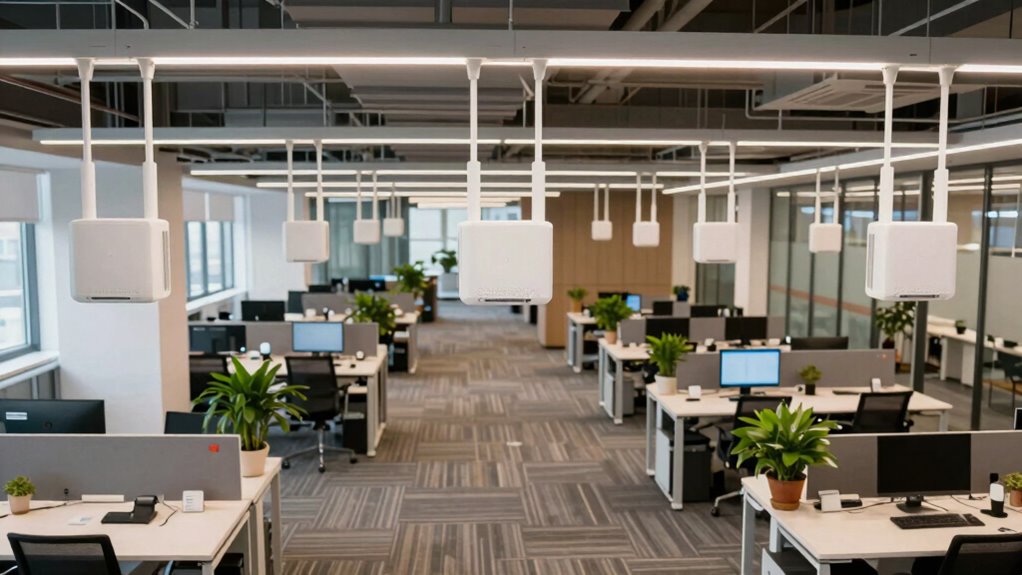
To get the best coverage, you should place your access points centrally in your space to guarantee a uniform signal. Avoid areas with many electronic devices or thick walls that can cause interference. By doing this, you’ll maximize performance and minimize dead zones. Additionally, consider the placement of cycling gear to ensure your devices remain protected and functional in various environments. Proper color matching can also help your equipment blend seamlessly into your surroundings, reducing the risk of damage or theft. Remember, understanding digital safety practices can further protect your network and devices from potential threats.
Centralize for Uniform Coverage
Have you ever wondered how to guarantee your Wi-Fi signal reaches every corner of your space? Centralizing your access points helps achieve that by promoting uniform coverage. Place them in central locations to maximize signal strength and minimize dead zones. Avoid spreading them out unevenly, which can create weak spots and cause frustration. When access points are well-placed, you also improve network security by reducing areas where unauthorized access could occur. Keep them elevated and away from interference sources for peak performance. Proper placement of access points is crucial for achieving optimal coverage and minimizing connectivity issues. Additionally, understanding signal interference can help you select the best spots to prevent disruptions. Recognizing nail biology and how nails grow and strengthen can serve as a useful analogy for strategic planning—just as well-maintained nails are less prone to damage, properly placed access points are less likely to experience issues. Paying attention to environmental factors like interference sources can further enhance your network’s reliability. By centralizing your access points thoughtfully, you create a stronger, more secure network that covers every inch of your environment effectively. Just as choosing the right engine upgrades can boost a vehicle’s performance, strategic placement of access points enhances your network’s reliability and efficiency.
Minimize Interference Sources
Choosing the right locations for your access points is vital to minimize interference and guarantee peak performance. To do this, focus on frequency coordination, ensuring your access points operate on separate channels to avoid overlap. Place access points away from electronic devices, microwaves, and thick walls that can cause signal disruption. Proper antenna orientation is also essential; point antennas to direct signals where needed and reduce interference with neighboring devices. Avoid placing access points too close to each other, which can create channel conflicts, or too far apart, which causes weak signals. Regularly scan your network to identify sources of interference and adjust placement accordingly. Maintaining signal clarity and optimizing placement can significantly enhance network reliability and performance. Additionally, understanding interference sources helps in selecting optimal locations and tuning antenna orientation, greatly improving network reliability and performance. Being aware of potential hazards like metal objects or reflective surfaces can further help in preventing unexpected signal degradation. Considering environmental factors such as nearby reflective surfaces or electromagnetic interference can also play a crucial role in placement decisions. For example, conducting site surveys to identify problematic areas ensures better placement choices and minimizes disruptions.
Wireless access point with adjustable channels
As an affiliate, we earn on qualifying purchases.
As an affiliate, we earn on qualifying purchases.
Mount and Install Access Points Effectively
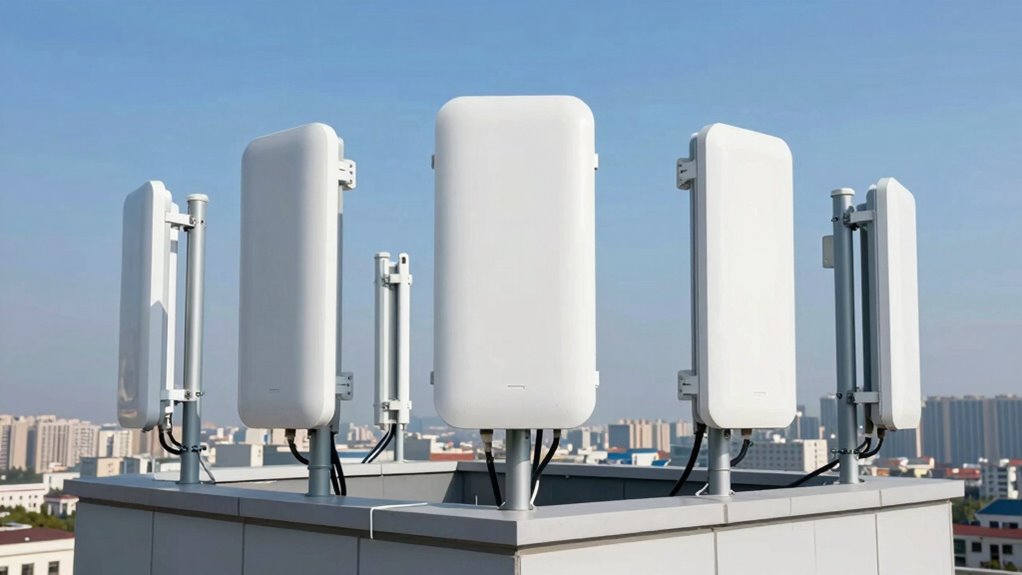
To guarantee your access points perform their best, you need to focus on choosing ideal mounting locations that maximize coverage. Proper installation techniques, including secure mounting, prevent disruptions and maintain signal strength. Additionally, considering trust and reliability in your setup can help ensure consistent performance over time. Ensuring the correct placement of your access points is essential, as even small changes in location can significantly impact wireless performance. Proper placement also involves taking into account wireless coverage to avoid dead zones and ensure all areas are adequately served. Evaluating environmental factors such as interference and physical obstructions can further optimize your setup. By paying attention to these key points, you can set up a reliable and effective wireless network.
Optimal Mounting Locations
Selecting the right mounting locations is essential for guaranteeing your access points deliver maximum coverage. You want to position them where they can provide strong signal strength across all coverage zones. Aim for central locations in the area to reduce dead spots and ensure even distribution. Keep the access points away from metal objects, thick walls, or electronic interference that can weaken signals. Mount them at a height that enhances coverage without being obstructed, typically on ceilings or high on walls. Avoid placing access points near large appliances or sources of interference. By choosing ideal mounting locations, you’ll maximize signal strength and guarantee consistent, reliable coverage throughout your space. Proper placement is key to achieving the best network performance. Additionally, consider air quality benefits when positioning access points to ensure they do not obstruct airflow or ventilation paths. Understanding network coverage principles can help you optimize placement for comprehensive connectivity, especially by considering signal propagation characteristics.
Secure Installation Techniques
Properly mounting and installing your access points guarantees they stay secure and perform reliably over time. Begin by choosing sturdy mounting hardware and secure locations to prevent tampering or accidental disconnection. Use encryption protocols like WPA3 to protect your network from unauthorized access, and verify your access points support these standards. Implement strong password management by setting complex passwords and changing them regularly to prevent breaches. When installing, position the access point to minimize interference and maximize coverage, but also make sure it’s out of reach to avoid physical tampering. Regularly check the physical security, update firmware, and verify encryption settings. These measures help safeguard your network, maintain performance, and guarantee your access points remain resilient against potential threats.
As an affiliate, we earn on qualifying purchases.
Reduce Interference and Eliminate Dead Spots
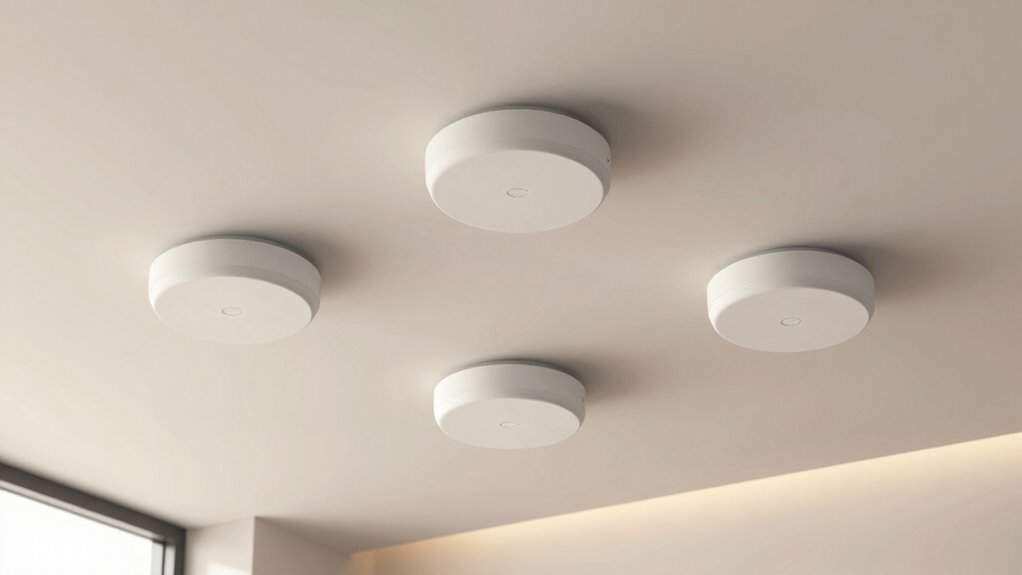
Interference can considerably degrade your Wi-Fi signal, causing slow speeds and dropped connections, especially in areas with many electronic devices or thick walls. To reduce interference, carefully select the right channels for your access points. Use tools to identify which channels are less congested and switch to those with minimal traffic. Maintaining strong signal strength is also essential; place access points centrally and avoid placing them near large metal objects or other electronic devices that can cause signal disruption. Adjusting channel selection and optimizing signal strength helps create a cleaner environment for your Wi-Fi, reducing dead spots and ensuring more consistent coverage. Regularly monitor your network to identify interference sources and make adjustments as needed for peak performance.
Test Your Wi-Fi and Make Adjustments

To guarantee your Wi-Fi network performs at its best, it’s essential to regularly test your connection and make necessary adjustments. Start by checking the signal strength in different areas using a Wi-Fi analyzer app. This helps you identify weak spots and determine if your access points are ideally placed. Next, verify device compatibility; ensure your devices connect seamlessly and maintain strong signals across your network. Finally, run speed tests to confirm your network delivers the expected performance. Adjust your access points based on these tests to improve coverage and reduce dead spots. Regular testing ensures your network remains reliable and fast. Remember, ongoing adjustments based on real data are key to maintaining excellent Wi-Fi coverage.
Maintain and Expand Your Wireless Network
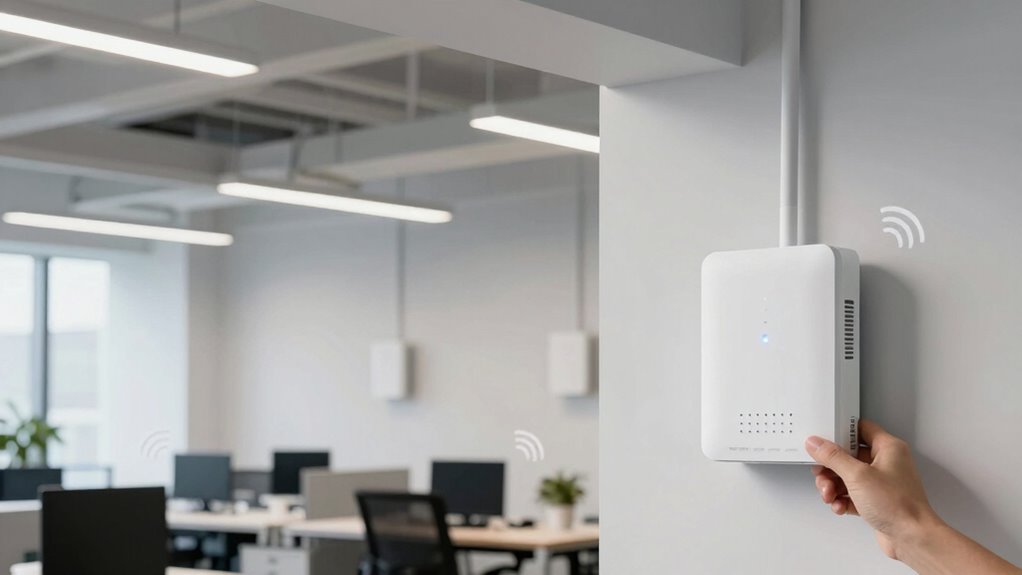
Once you’ve tested your Wi-Fi and made adjustments to improve coverage, maintaining and expanding your network becomes the next step to guarantee consistent performance. Regularly review your network security to prevent unauthorized user access and protect sensitive data. Keep firmware updated on your access points to patch vulnerabilities and enhance stability. As your network grows, consider adding more access points strategically to cover new areas without creating interference. Monitor network performance and user access patterns to identify congestion or dead zones that need attention. Educate users about best practices for securing their devices and connections. By proactively managing security and user access, you assure your wireless network remains reliable, scalable, and safe for everyone.
Frequently Asked Questions
How Often Should I Update or Replace My Access Points?
You should update your access points whenever firmware updates are released, typically every few months, to improve performance and security. Replace hardware when it becomes outdated or if you experience persistent connectivity issues, usually every 3-5 years. Regular hardware upgrades guarantee you benefit from the latest features and technology. Staying proactive with firmware updates and hardware replacement keeps your network secure, reliable, and running at peak speed.
Can Access Point Placement Affect Network Security?
Yes, access point placement can affect network security. If you place your access points in easily accessible or poorly secured locations, it increases the risk of network vulnerabilities and unauthorized access. Proper placement helps you control physical access, reduce blind spots, and prevent intruders from exploiting weak spots. By strategically positioning your access points, you minimize security risks and protect your network from potential threats.
What Are Signs of Poor Access Point Performance?
When your network’s performance dips, it’s a clear sign of trouble. You might notice slow speeds, dropped connections, or inconsistent signals. Interference sources like microwaves or neighboring Wi-Fi networks can cause chaos, while signal obstructions like thick walls weaken your connection. If your access points aren’t working effectively, these signs indicate it’s time to troubleshoot interference sources and reposition your access points to boost performance and keep things running smoothly.
Is Professional Installation Necessary for Optimal Coverage?
Professional installation isn’t always necessary for ideal coverage, but it can be highly beneficial. A professional can identify interference sources and minimize signal overlap, ensuring your access points are positioned correctly. They have the expertise to enhance placement, reduce dead zones, and improve overall performance. If you’re unfamiliar with networking or dealing with complex environments, investing in expert help can save you time and ensure reliable, maximum coverage.
How Do Building Materials Impact Wi-Fi Signal Strength?
Building materials greatly impact Wi-Fi signal strength through building interference and material barriers. Thick walls, metal, concrete, and even some drywall can block or weaken signals, causing dead zones or slow connections. To improve coverage, you should consider these factors when placing your access points, avoiding obstacles whenever possible, and possibly upgrading to hardware designed to penetrate dense materials. This proactive approach ensures a stronger, more reliable Wi-Fi signal throughout your space.
Conclusion
Now that you’ve learned how to place your access points strategically, you’re ready to enjoy seamless Wi-Fi coverage. Think of your network like a well-orchestrated symphony—each access point a crucial instrument. Neglecting placement can cause dead zones, but with careful planning, your signal flows smoothly, connecting every corner. Remember, a little effort today ensures uninterrupted browsing tomorrow, turning your space into a wireless haven rather than a frustrating dead zone.
Fall Picks
fall essentials
As an affiliate, we earn on qualifying purchases.