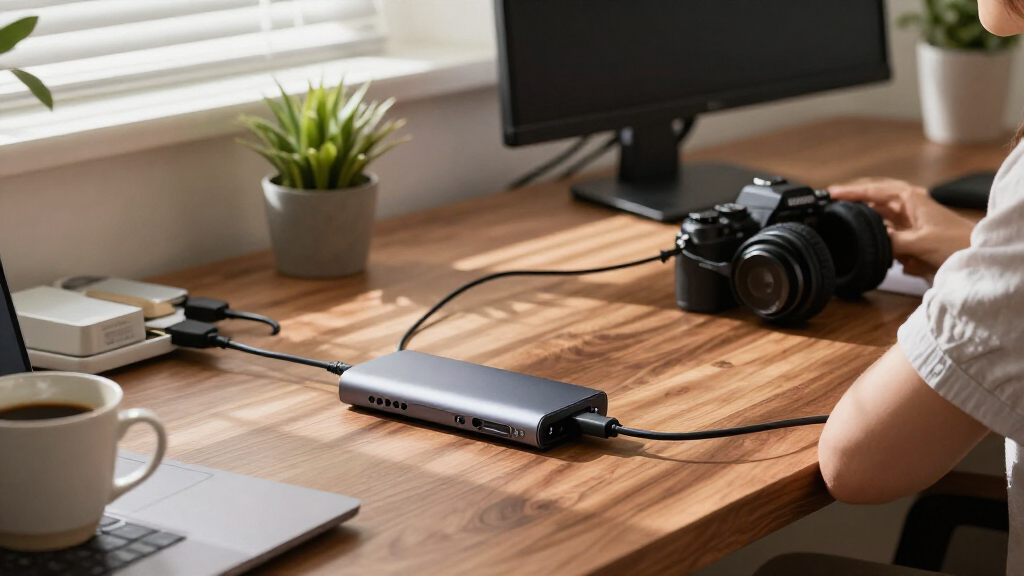

The best USB hub overall in this roundup is the Acer 8-in-1 USB-C Hub, which combines 4K HDMI, USB ports, and 100W power delivery for a broad range of laptop setups. For many connected devices, the ACASIS 16-Port Powered USB 3.2 Hub stands out for its mix of USB-A and USB-C ports, while the Belkin 4-Port USB-C Hub is a simpler choice for fast data and pass-through charging. The main tradeoffs are port count versus portability, powered versus bus-powered operation, and a hub’s data speed versus its ability to support displays or charge a laptop. Keep reading for the full breakdown, buying advice, and picks for different setups.

Get the latest gadgets delivered free with Prime
- Fast, free delivery on millions of items
- Prime Video, Amazon Music and more included
- Member-only deals all year
Complete the kit



Key Takeaways
- The Acer 8-in-1 is the most versatile single-cable laptop pick in this lineup because it pairs 4K HDMI with 100W power delivery; buyers who need many USB connections should choose a powered multiport model instead.
- ACASIS leads on connection count and port variety with 16 ports split between USB-A and USB-C, but its desk-oriented powered design is less suited to travel than compact hubs.
- Powered hubs make more sense for groups of accessories: the TP-Link, Atolla, Wenter, Rosonway, intpw 9-Port, and ACASIS models add external power, while compact splitters rely more heavily on the host connection.
- USB-C does not automatically mean display output or laptop charging: the Acer, intpw 9-in-1, and Anker video hubs list HDMI, while the Belkin and Acer 8-in-1 list 100W pass-through or power delivery.
- Small hubs trade breadth for easy setup: the Anker 4-Port, UGREEN 4-Port, and Acer 4-Port focus on extra USB connections, while the 7-in-1 and 9-in-1 hubs add display or card-reader functions.
| Atolla Powered USB 3.0 Hub, 8-Port Data Hub with Smart Charging Port and Individual Switches |  | Best for Per-Port Control | Data ports: 7 USB 3.0 | Charging ports: 1 smart charging port, up to 2.4A | Maximum data rate: 5Gbps | VIEW LATEST PRICE | See Our Full Breakdown |
| ACASIS 16-Port Powered USB 3.2 Hub (8 USB-A + 8 USB-C), 10Gbps |  | Best for Maximum Port Count | Ports: 8 USB-A 3.2 and 8 USB-C 3.2 | Maximum data rate: 10Gbps | Power adapter: 96W | VIEW LATEST PRICE | See Our Full Breakdown |
| Acer 8-in-1 USB-C Hub with 4K HDMI and 100W Power Delivery |  | Best for Laptop Expansion | Connections: HDMI, 2 USB-C, 2 USB-A, SD, microSD, and USB-C PD | HDMI output: Up to 4K at 60Hz | USB-C data rate: Up to 10Gbps | VIEW LATEST PRICE | See Our Full Breakdown |
| Belkin 4-Port USB-C Hub with 10Gbps Data Transfer and 100W Pass-Through Charging |  | Best Compact USB-C Hub | Ports: 4 USB-C | Maximum data rate: 10Gbps | Pass-through charging: Up to 100W; up to 85W to host | VIEW LATEST PRICE | See Our Full Breakdown |
| TP-Link UH720 Powered USB Hub with 7 USB 3.0 Data Ports and 2 Charging Ports |  | Best for Simultaneous Charging | Data ports: 7 USB 3.0 Standard-A | Charging ports: 2 USB ports, 5V/2.4A | Upstream interface: USB 3.0 Micro-B | VIEW LATEST PRICE | See Our Full Breakdown |
| Acer 4-Port USB 3.0 Hub with 2 ft Cable and USB-C Power Input |  | Best Compact Hub with Optional Power | USB-A ports: 4 | Maximum data rate: Up to 5Gbps | Power input: USB-C, 5V | VIEW LATEST PRICE | See Our Full Breakdown |
| Rosonway 7-Port Powered USB 3.2 Hub with 4 USB-C and 3 USB-A Ports, 10Gbps, Aluminum, 36W Adapter |  | Best for Mixed USB-C and USB-A Data | Total ports: 7 | Port mix: 4 USB-C and 3 USB-A | Maximum data rate: 10Gbps | VIEW LATEST PRICE | See Our Full Breakdown |
| intpw 9-Port Powered USB-C Hub, 10Gbps, with 65W Adapter |  | Best for Ports Plus Dedicated USB-C Charging | Total ports: 9 | 10Gbps data ports: 1 USB-C and 2 USB-A | USB-A 3.0 data ports: 4, up to 5Gbps | VIEW LATEST PRICE | See Our Full Breakdown |
| Anker 4-Port USB 3.0 Hub with 5Gbps Data Transfer |  | Best Simple USB-A Expansion | USB-A ports: 4 | Interface: USB 3.0 | Maximum data rate: 5Gbps | VIEW LATEST PRICE | See Our Full Breakdown |
| Wenter 11-Port Powered USB 3.0 Hub with Individual On/Off Switches |  | Best for a Large Peripheral Setup | Total ports: 11: 10 data and 1 charging | Interface: USB 3.0 | Maximum data rate: 5Gbps | VIEW LATEST PRICE | See Our Full Breakdown |
| UGREEN USB 3.0 Hub 4-Port Ultra-Slim USB A Splitter |  | Best Compact USB-A Hub | Interface: USB 3.0 | USB ports: 4 USB-A | Data transfer rate: Up to 5 Gbps | VIEW LATEST PRICE | See Our Full Breakdown |
| intpw 9-in-1 USB-C Hub with 4K@60Hz HDMI, 100W PD Charging, and Aluminum Ergonomic Design |  | Best Ergonomic USB-C Hub | Ports: 9: HDMI, USB-C PD, USB-C 3.0, 2× USB-A 3.0, 2× USB 2.0, SD, TF | Video output: HDMI up to 4K at 60Hz | Pass-through charging: Up to 100W | VIEW LATEST PRICE | See Our Full Breakdown |
| Anker 7-in-1 USB-C Hub with 4K HDMI, USB-A, USB-C Data, and SD/TF Card Reader |  | Best Balanced USB-C Hub | Ports: 7 | Video output: HDMI up to 4K at 60Hz | Data transfer rate: Up to 5 Gbps | VIEW LATEST PRICE | See Our Full Breakdown |
| Anker USB-C Hub 5-in-1 USB-C to HDMI Splitter with 4K Display | 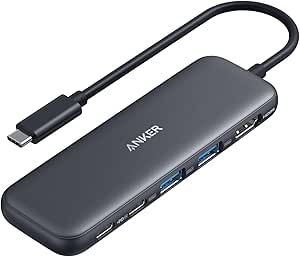 | Best Simple USB-C Display Hub | Ports: 5 total: HDMI, USB-C PD-IN, USB-C data, 2× USB-A | Video output: HDMI up to 4K at 30Hz | Data transfer rate: Up to 5 Gbps | VIEW LATEST PRICE | See Our Full Breakdown |
| USB hub | Compatibility | Maximum data rate | Enclosure | Dimensions |
|---|---|---|---|---|
| Atolla Powered USB 3.0 Hub | Windows, macOS, Linux | 5Gbps | Black plastic | — |
| ACASIS 16-Port Powered USB 3.2 | Windows, macOS, Linux | 10Gbps | Gray aluminum alloy | 8.7 × 2.09 × 0.75in |
| Acer 8-in-1 USB-C Hub with 4K | — | — | — | — |
| Belkin 4-Port USB-C Hub with 1 | USB-C MacBook, iPad, Chromebook, and PC | 10Gbps | Plastic with at least 72% post-consumer recycled content | 2.95 × 1.65 × 0.55in |
| TP-Link UH720 Powered USB Hub | Windows, Mac OS X, Linux, Chrome OS | 5Gbps | — | — |
| Acer 4-Port USB 3.0 Hub with 2 | Windows, ChromeOS, Linux, macOS, laptops, desktops, and gaming consoles | Up to 5Gbps | ABS, black | 4.13 × 1.18 × 0.35 in |
| Rosonway 7-Port Powered USB 3. | Windows, macOS, and Linux | 10Gbps | — | — |
| intpw 9-Port Powered USB-C Hub | Windows, Linux, macOS, iPad, and iPhone | — | — | — |
| Anker 4-Port USB 3.0 Hub with | — | 5Gbps | Heat-resistant plastic, black | 4.23 × 1.23 × 0.39 in |
| Wenter 11-Port Powered USB 3.0 | — | 5Gbps | — | — |
| UGREEN USB 3.0 Hub 4-Port Ultr | — | — | Plastic | 3.1 × 0.8 × 0.3 in |
| intpw 9-in-1 USB-C Hub with 4K | MacBook, iPad, iPhone 15–17 series, iMac, Steam Deck, Windows, Chrome OS, Linux | — | — | 8.27 × 4.72 × 2.2 in |
| Anker 7-in-1 USB-C Hub with 4K | Windows and macOS computers with USB-C DP Alt Mode and Power Delivery; USB4 and Thunderbolt 3/4/5 | — | — | — |
| Anker USB-C Hub 5-in-1 USB-C t | — | — | ABS | 4.78 × 1.59 × 0.45 in |
More Details on Our Top Picks
Atolla Powered USB 3.0 Hub, 8-Port Data Hub with Smart Charging Port and Individual Switches
The Atolla is a practical pick when you want several USB-A data connections and the ability to switch each device off independently. Its seven 5Gbps data ports suit everyday peripherals and storage, while the separate charging port keeps a phone or other device powered without occupying a data connection. Compared with the TP-Link UH720, Atolla offers individual switches on every port rather than a single hub power button; that is useful for managing connected drives or accessories one at a time. The tradeoff is that Atolla has only one dedicated charging port, while TP-Link has two. Both require an external adapter, so neither is ideal for a minimal, cable-free desk. Choose Atolla when per-port control matters more than extra charging capacity.
Pros:- Seven USB 3.0 data ports support transfer speeds up to 5Gbps.
- Individual switches provide direct control over each connected port.
- Dedicated charging port supplies up to 2.4A.
- Works with Windows, macOS, and Linux without driver installation.
Cons:- Only one port is designated for charging.
- The external 5V/4A adapter adds another cable and power brick to the desk.
Best for: Desktop users with several USB-A peripherals who want to disconnect individual devices without unplugging them.
Not ideal for: People who need multiple dedicated charging ports or want a compact hub without a separate power adapter.
- Data ports:7 USB 3.0
- Charging ports:1 smart charging port, up to 2.4A
- Maximum data rate:5Gbps
- Power adapter:5V/4A
- Cable length:100cm
- Enclosure:Black plastic
- Compatibility:Windows, macOS, Linux
- Warranty:18 months
Our verdict“Choose the Atolla if you want seven USB-A data ports with individual switches and can make do with one dedicated charging port.”
ACASIS 16-Port Powered USB 3.2 Hub (8 USB-A + 8 USB-C), 10Gbps
If your desk has a mix of USB-A and USB-C devices, the ACASIS 16-port hub offers more connections than any other option in this group. Its eight ports of each type reduce the need for adapters, and 10Gbps transfers can help when moving large files between compatible devices. Individual switches also let you cut power to a port without disturbing the rest of the setup. Compared with the Atolla, ACASIS doubles the number of ports and raises the listed transfer rate, but it takes up more room and depends on a substantial 96W adapter. Its aluminum enclosure is a sturdier, heat-dissipating alternative to the plastic bodies on Atolla and TP-Link. This is a data hub, not a display dock: it does not provide video output.
Pros:- Sixteen ports provide eight USB-A and eight USB-C connections.
- Supports data transfer rates up to 10Gbps.
- Independent switches allow control of each port.
- Aluminum alloy housing supports heat dissipation.
Cons:- Does not support video output.
- The 96W adapter and 727g hub add bulk to a desk setup.
Best for: Power users with many USB-A and USB-C peripherals who want fast data connections and individual port control.
Not ideal for: Laptop users seeking HDMI or DisplayPort output, or anyone prioritizing a light, travel-friendly setup.
- Ports:8 USB-A 3.2 and 8 USB-C 3.2
- Maximum data rate:10Gbps
- Power adapter:96W
- Enclosure:Gray aluminum alloy
- Dimensions:8.7 × 2.09 × 0.75in
- Weight:727g
- Compatibility:Windows, macOS, Linux
- Per-port controls:Individual on/off switches
Our verdict“Pick ACASIS when port count and mixed USB-A/USB-C connectivity matter more than portability or display connections.”
Acer 8-in-1 USB-C Hub with 4K HDMI and 100W Power Delivery
The Acer 8-in-1 is the most versatile choice here for a USB-C laptop user who needs more than extra USB ports. It combines 4K HDMI at 60Hz, USB-A and USB-C data connections, SD and microSD readers, and power delivery in one compact adapter. That makes it better suited to a mobile workstation than the Belkin 4-Port USB-C Hub, which adds USB-C ports but no display or card-reader connections. Acer’s USB-C data ports reach 10Gbps, while its card readers are slower at up to 104Mbps, so frequent large card transfers may take longer. The hub can pass up to 90W to the host from a 100W PD input, but a charging cable is not included. HDMI also requires DisplayPort Alt Mode on the laptop, so check host support before choosing it.
Pros:- Combines HDMI, USB-A, USB-C, SD, and microSD connections.
- Supports HDMI output up to 4K at 60Hz on compatible hosts.
- USB-C data supports speeds up to 10Gbps.
- Provides up to 90W host charging through a 100W PD input.
Cons:- HDMI output depends on the host supporting DisplayPort Alt Mode.
- Charging cable is not included.
- SD and microSD transfer rates are limited to up to 104Mbps.
Best for: USB-C laptop owners who need a monitor connection, card readers, peripheral ports, and pass-through charging in one hub.
Not ideal for: Users whose USB-C host lacks DisplayPort Alt Mode or buyers who only need extra USB-C data ports.
- Connections:HDMI, 2 USB-C, 2 USB-A, SD, microSD, and USB-C PD
- HDMI output:Up to 4K at 60Hz
- USB-C data rate:Up to 10Gbps
- USB-A data rate:Up to 5Gbps
- Card-reader rate:Up to 104Mbps
- Power delivery:100W input; up to 90W output
- Dimensions and weight:5.4 × 0.4 × 1.4in; 118g
- Video compatibility:USB-C host must support DisplayPort Alt Mode
Our verdict“Choose the Acer for a USB-C laptop setup that needs display, card-reader, data, and charging connections in one adapter.”
Belkin 4-Port USB-C Hub with 10Gbps Data Transfer and 100W Pass-Through Charging
The Belkin 4-Port USB-C Hub is a focused solution for a newer laptop or tablet that needs more USB-C connections, not a full assortment of ports. All four outputs support data rates up to 10Gbps, and pass-through charging can supply up to 85W to the host when paired with a suitable 100W adapter. At just 50g, it is much easier to carry than the powered ACASIS 16-port hub, but that comparison also shows the limitation: Belkin offers only four USB-C ports and no USB-A, HDMI, or card reader. Its small size and plug-and-play setup suit a travel bag or a tidy desk, while the host’s USB-C port must be compatible. The recycled-content plastic housing and built-in electrical protections add practical touches, but this is not the pick for expanding a mixed legacy setup.
Pros:- Four USB-C ports support data rates up to 10Gbps.
- Pass-through charging supports up to 100W, with up to 85W delivered to the host.
- Compact 50g design is easy to carry.
- Housing contains at least 72% post-consumer recycled content.
Cons:- Provides no USB-A, HDMI, SD, or microSD connections.
- The host receives up to 85W because some adapter power is reserved.
Best for: People with USB-C MacBooks, iPads, Chromebooks, or PCs who want a lightweight way to connect several USB-C peripherals while charging.
Not ideal for: Users with USB-A accessories, a need for HDMI or card readers, or a laptop that lacks a compatible USB-C port.
- Ports:4 USB-C
- Maximum data rate:10Gbps
- Pass-through charging:Up to 100W; up to 85W to host
- Dimensions:2.95 × 1.65 × 0.55in
- Weight:50g
- Enclosure:Plastic with at least 72% post-consumer recycled content
- Compatibility:USB-C MacBook, iPad, Chromebook, and PC
- Warranty:2-year limited warranty
Our verdict“Choose Belkin if you want a small, USB-C-only hub with fast data and pass-through charging rather than a multi-format dock.”
TP-Link UH720 Powered USB Hub with 7 USB 3.0 Data Ports and 2 Charging Ports
The TP-Link UH720 balances a useful number of USB-A data connections with two dedicated charging ports, making it a sensible hub for a desk with peripherals and devices to recharge. Its seven data ports support up to 5Gbps, while the charging ports deliver up to 2.4A each and do not take data connections away from keyboards, storage, or other accessories. Compared with the Atolla, TP-Link gives you an extra charging port and a single power button instead of individual port switches. That simpler control scheme may suit buyers who want to power down the whole hub, but it offers less selective control. The hub also needs its 12V/4A adapter, and its charging ports cannot sync data. Its USB 3.0 operation may interfere with some nearby 2.4GHz wireless adapters, a placement issue worth noting for desk setups.
Pros:- Seven USB 3.0 data ports and two dedicated charging ports.
- Data transfer speeds reach up to 5Gbps.
- Includes a 12V/4A power adapter and a hub power button.
- Supports plug-and-play use and hot swapping across several operating systems.
Cons:- Charging ports do not support data syncing, and data ports are not intended for charging.
- Some 2.4GHz wireless adapters may be unreliable near USB 3.0 devices or the hub.
- The powered design adds a separate adapter to the setup.
Best for: Home and office users with several USB-A peripherals who also want two separate ports for charging phones or other devices.
Not ideal for: Buyers who need USB-C connections, individual on/off switches for every port, or charging ports that also transfer data.
- Data ports:7 USB 3.0 Standard-A
- Charging ports:2 USB ports, 5V/2.4A
- Upstream interface:USB 3.0 Micro-B
- Maximum data rate:5Gbps
- Power adapter:12V/4A
- Dimensions and weight:7.8 × 5.8 × 2.8in; 500g
- Compatibility:Windows, Mac OS X, Linux, Chrome OS
- Protection:Overheat, overload, overvoltage, short-circuit, and surge protection
Our verdict“Pick the TP-Link UH720 if you want seven USB-A data ports plus two separate charging ports and do not need per-port switches.”
Acer 4-Port USB 3.0 Hub with 2 ft Cable and USB-C Power Input
I’d choose the Acer when the goal is to add a few everyday USB-A connections without taking over a desk or bag. Its four USB-A ports handle keyboards, mice, and flash drives at up to 5Gbps, while the 2-foot cable gives it more placement flexibility than a directly attached splitter. A USB-C power input can help stabilize transfers with hard drives, a useful option the Anker 4-Port USB 3.0 Hub does not list. The tradeoff is that power support is only optional: the adapter and cable are not included, and this USB-C port carries power only. Unlike the powered Wenter 11-Port Hub, the Acer is a lightweight, low-clutter choice, not a solution for a desk full of drives or devices that need charging.
Pros:- Four USB-A ports support simultaneous peripheral connections.
- Up to 5Gbps data transfer suits everyday storage and accessory use.
- Compact 1.6-ounce body and 2-foot cable are easy to place or pack.
- Optional USB-C power input can help stabilize hard-drive transfers.
Cons:- USB-C power adapter and cable are not included.
- USB-C input does not transfer data or charge connected devices.
- Four ports and bus-powered operation are limiting for drive-heavy setups.
Best for: Laptop and desktop users who need four USB-A connections for low-power peripherals and want the option to add separate power for a hard drive.
Not ideal for: Buyers who need included external power, USB-C data ports, or charging for several devices; the Acer’s power accessories are sold separately and its USB-C input is power-only.
- USB-A ports:4
- Maximum data rate:Up to 5Gbps
- Power input:USB-C, 5V
- Cable length:2 ft
- Dimensions:4.13 × 1.18 × 0.35 in
- Weight:1.6 oz
- Enclosure:ABS, black
- Compatibility:Windows, ChromeOS, Linux, macOS, laptops, desktops, and gaming consoles
Our verdict“Pick the Acer for a compact four-port USB-A expansion hub, but choose the powered Wenter if you need a larger, externally powered desk setup.”
Rosonway 7-Port Powered USB 3.2 Hub with 4 USB-C and 3 USB-A Ports, 10Gbps, Aluminum, 36W Adapter
The Rosonway is the strongest fit here for a desk that mixes newer USB-C accessories with USB-A devices. Its four USB-C and three USB-A data ports all support up to 10Gbps, a faster and more flexible combination than the USB-A-only Acer or Anker four-port hubs. A 36W adapter supplies external power, while individual switches and LEDs make it easier to turn connections on or off without pulling cables. The aluminum body also gives this model a sturdier, more heat-conscious design than the plastic Wenter. That flexibility has a boundary: these USB-C ports do not provide video output or PD charging, and their charging is limited to standard 1.5A. I’d skip it if USB-C laptop charging or display connections are the main reason for buying a hub.
Pros:- Seven data ports combine four USB-C and three USB-A connections.
- All ports support data transfer up to 10Gbps.
- Included 36W adapter provides external power for a multi-device setup.
- Individual switches, LED indicators, and aluminum construction aid desk management.
Cons:- USB-C ports do not support PD charging or video output.
- USB-C charging is limited to standard 1.5A speeds.
- Requires desk space for the hub and its external power adapter.
Best for: Desk-based users with several USB-C data accessories and some USB-A peripherals who want external power and per-port control.
Not ideal for: People seeking USB-C laptop charging, monitor output, or high-power device charging; the USB-C ports carry data but do not support PD or DisplayPort Alt Mode.
- Total ports:7
- Port mix:4 USB-C and 3 USB-A
- Maximum data rate:10Gbps
- Power adapter:36W, 12V/3A
- Cable length:3.3 ft
- Material:Aluminum
- Port controls:Individual electronic switches with LED indicators
- Compatibility:Windows, macOS, and Linux
Our verdict“Choose the Rosonway for fast mixed USB-C and USB-A data connections, not for display output or laptop charging.”
intpw 9-Port Powered USB-C Hub, 10Gbps, with 65W Adapter
The intpw makes sense when one hub needs to cover a broad mix of data peripherals and USB-C charging accessories. It has nine ports, including a 10Gbps USB-C data connection, two 10Gbps USB-A ports, four slower USB-A ports, and two USB-C charging-only ports rated up to 45W each. That split is useful for keeping phones or tablets powered while data devices stay connected; the Rosonway, by contrast, offers more USB-C data ports but no PD charging. The included 65W adapter and angled aluminum body suit a fixed desk setup. This isn’t a video dock, though, and its charging capability has limits: it is not recommended for computers or multiple SSDs at once. I’d choose a simpler hub if those are central tasks.
Pros:- Nine connections combine data ports with two dedicated USB-C charging ports.
- USB 3.2 connections support data rates up to 10Gbps.
- Included 65W adapter and USB-C cable provide the main power accessories.
- Angled aluminum design has stabilizing feet and listed electrical protections.
Cons:- USB-C charging ports do not transfer data.
- No video output, so it cannot replace a display-capable USB-C dock.
- Not recommended for charging computers or running multiple SSDs simultaneously.
Best for: Desk users who want several USB-A data connections plus dedicated USB-C charging for phones or tablets, without needing display output.
Not ideal for: People who need a USB-C dock for monitor output, laptop charging, or simultaneous use of multiple SSDs; this model does not support those use cases.
- Total ports:9
- 10Gbps data ports:1 USB-C and 2 USB-A
- USB-A 3.0 data ports:4, up to 5Gbps
- USB-C charging ports:2, up to 45W each; no data transfer
- Power adapter:65W, 20V/3.25A
- Cable:USB-C to USB-C, 3.3 ft
- Dimensions and weight:2.5 × 1 × 7 in; 0.57 kg
- Compatibility:Windows, Linux, macOS, iPad, and iPhone
Our verdict“Pick the intpw if you need many desk connections and separate USB-C charging for smaller devices, but not if your setup depends on displays or multiple SSDs.”
Anker 4-Port USB 3.0 Hub with 5Gbps Data Transfer
I’d pick this Anker for a straightforward job: turning one USB-A connection into four for a keyboard, mouse, flash drive, and similar accessories. Its 5Gbps USB 3.0 data rate matches the Acer four-port hub, and its 1.28-ounce body is slightly lighter, making it easy to keep in a laptop bag. The difference is in power flexibility: the Acer includes a USB-C power input that can help steady hard-drive transfers, while this Anker has no listed auxiliary power option and does not charge devices. That keeps the setup simple, but narrows its role to data and peripherals rather than powered storage or charging. Compared with the larger Wenter, it has far fewer ports and no individual switches; that’s a benefit only if a compact, uncomplicated connection is what you need.
Pros:- Adds four USB-A connections from one USB-A port.
- Supports data transfer rates up to 5Gbps.
- Lightweight 1.28-ounce design is easy to carry.
- Heat-resistant plastic enclosure keeps the design simple and compact.
Cons:- Does not support charging connected devices.
- Requires a USB-A port, so it is not a direct fit for USB-C-only computers.
- No auxiliary power input for devices that need more power.
Best for: Laptop and desktop users who need four USB-A ports for keyboards, mice, and occasional flash-drive transfers in a lightweight, simple hub.
Not ideal for: Anyone who needs device charging, extra power for hard drives, USB-C connections, or a large number of ports.
- USB-A ports:4
- Interface:USB 3.0
- Maximum data rate:5Gbps
- Cable length:2 ft
- Dimensions:4.23 × 1.23 × 0.39 in
- Weight:1.28 oz
- Enclosure:Heat-resistant plastic, black
- Charging support:Not supported
Our verdict“Choose the Anker for basic, portable USB-A expansion; opt for the Acer if optional power for hard-drive transfers matters.”
Wenter 11-Port Powered USB 3.0 Hub with Individual On/Off Switches
For a desk crowded with peripherals, the Wenter offers the most hands-on connection management of these five picks. It provides 10 USB 3.0 data ports plus a separate smart-charging port, so it can handle a wider mix of connected gear than the seven-port Rosonway, though its data rate is 5Gbps rather than 10Gbps. Individual LED switches let me recommend it for setups where devices are plugged in permanently but do not need to stay active all the time. The included 12V/3A adapter and long power cable support a more flexible desktop arrangement. The tradeoffs are its external power brick, plastic enclosure, and just one dedicated charging port. I’d favor the Rosonway for faster USB-C data connections or metal construction; the Wenter is about port count and control.
Pros:- Ten data ports plus one dedicated charging port accommodate a large peripheral setup.
- Individual on/off switches and LEDs allow per-port control.
- Included 12V/3A adapter powers the hub independently of the host connection.
- Long USB and power cables allow flexible placement on a desk.
Cons:- External power adapter adds bulk and requires an outlet.
- Plastic enclosure is less substantial than the Rosonway’s aluminum body.
- Only one dedicated charging port is provided.
Best for: Desktop users with many USB-A peripherals who want externally powered connections and individual switches to control devices without unplugging them.
Not ideal for: Buyers seeking USB-C data ports, 10Gbps transfer, a compact travel hub, or several dedicated charging ports.
- Total ports:11: 10 data and 1 charging
- Interface:USB 3.0
- Maximum data rate:5Gbps
- Power adapter:12V/3A
- Charging current:Up to 2.4A
- USB cable length:100cm (3.3 ft)
- Power cable length:120–150cm (4–5 ft)
- Material:Plastic
Our verdict“Pick the Wenter for a large, switch-controlled USB 3.0 desk setup, but choose the Rosonway if faster USB-C data ports matter more than capacity.”
UGREEN USB 3.0 Hub 4-Port Ultra-Slim USB A Splitter
I’d choose the UGREEN 4-port hub when a laptop has too few USB-A connections and the priority is a small, simple expansion rather than a desk full of extras. Its 5 Gbps USB 3.0 connection suits everyday peripherals and file transfers, while the slim 33 g body is easy to carry. Compared with the Anker 7-in-1 USB-C Hub, it gives up HDMI, card readers, USB-C, and pass-through charging, but it is also a more focused option for devices that only need USB-A ports. That simplicity comes with limits: there are no dedicated charging ports, and the 0.5 ft cable may keep the hub close to the host port. I’d skip it if you need flexible placement or a modern USB-C docking setup.
Pros:- Adds four USB-A ports from one host connection
- Supports data transfer up to 5 Gbps
- Slim, lightweight design is convenient for travel
- Plug-and-play compatibility with Windows, macOS, Linux, and Chrome OS
Cons:- Has no USB-C ports or dedicated charging output
- Short 0.5 ft cable limits where it can sit
- Plastic enclosure offers less substantial construction than the metal hubs in this roundup
Best for: Laptop users who need four extra USB-A ports for peripherals and want a light hub to carry between home and work
Not ideal for: USB-C-only device owners, or anyone who needs HDMI, card readers, dedicated charging, or a longer cable
- Interface:USB 3.0
- USB ports:4 USB-A
- Data transfer rate:Up to 5 Gbps
- Cable length:0.5 ft
- Dimensions:3.1 × 0.8 × 0.3 in
- Weight:33 g
- Enclosure:Plastic
- Compatible operating systems:Windows 10, macOS, Linux, Chrome OS
Our verdict“Choose the UGREEN if you want portable, straightforward USB-A expansion and do not need video, charging, or USB-C connectivity.”
intpw 9-in-1 USB-C Hub with 4K@60Hz HDMI, 100W PD Charging, and Aluminum Ergonomic Design
The intpw 9-in-1 is the most feature-packed choice here for a USB-C laptop setup that needs display output, card readers, and several kinds of ports in one place. Its 4K at 60Hz HDMI supports a smoother external-display experience than the Anker 5-in-1’s 4K at 30Hz, and its SD and TF slots suit photographers moving files without a separate reader. The 28-degree aluminum body angles the ports upward and gives the hub a more substantial desktop role than the slim UGREEN USB-A splitter. The tradeoff is size: at 8.27 inches long, it is less of a pocketable travel adapter. Its USB-C PD port is for pass-through power only, and video requires a host that supports DP Alt Mode or Thunderbolt; the power adapter is not included.
Pros:- Combines HDMI, USB-A and USB-C data ports, and SD and TF readers
- HDMI supports 4K output at 60Hz
- Pass-through charging supports up to 100W
- Angled aluminum body and 19.7-inch cable suit a stable desktop setup
Cons:- USB-C PD port does not carry data or video
- Video output depends on host support for DP Alt Mode or Thunderbolt
- Power adapter is not included, and its larger body is less travel-friendly than compact hubs
Best for: MacBook, iPad, and Windows USB-C users who want an angled desktop hub with HDMI, card readers, and pass-through charging
Not ideal for: Travelers seeking a tiny adapter, or buyers who need USB-C data and video through the same PD port or want an included power adapter
- Ports:9: HDMI, USB-C PD, USB-C 3.0, 2× USB-A 3.0, 2× USB 2.0, SD, TF
- Video output:HDMI up to 4K at 60Hz
- Pass-through charging:Up to 100W
- Data rates:USB 3.0 up to 5 Gbps; SD/TF up to 104 MB/s
- Cable length:19.7 in
- Material:Aluminum unibody
- Dimensions:8.27 × 4.72 × 2.2 in
- Weight:0.25 kg
- Compatibility:MacBook, iPad, iPhone 15–17 series, iMac, Steam Deck, Windows, Chrome OS, Linux
Our verdict“Pick the intpw if you want a substantial, angled USB-C hub for a desk setup with 4K video and built-in card readers.”
Anker 7-in-1 USB-C Hub with 4K HDMI, USB-A, USB-C Data, and SD/TF Card Reader
I’d put the Anker 7-in-1 ahead of simpler adapters when one compact hub needs to cover everyday laptop connections without taking over the desk. It pairs 4K at 60Hz HDMI with two USB-A ports, USB-C data, SD and TF readers, and power input, so it handles common display and file-transfer tasks in one unit. Compared with the intpw 9-in-1, it gives up the extra USB 2.0 ports and angled ergonomic design, but its 5.17-inch metal body is easier to pack and its port mix stays focused. Charging is the main compromise: the hub accepts up to 100W input but delivers up to 85W to the laptop, and the charger is not included. Its USB-C data port does not output video, so the HDMI port handles display connections.
Pros:- Combines HDMI, USB-A, USB-C data, SD, and TF in a compact hub
- HDMI supports 4K output at 60Hz
- USB data ports support transfer rates up to 5 Gbps
- Metal enclosure weighs 67 g
Cons:- Laptop charging is limited to 85W, and a compatible charger is not included
- USB-C data port does not support video output
- Requires host support for USB-C DP Alt Mode and Power Delivery for video and charging functions
Best for: USB-C laptop owners who want a compact metal hub for an external 4K display, common peripherals, card transfers, and laptop power
Not ideal for: Users who need more than two USB-A ports, video through USB-C, or a hub that includes its own power adapter
- Ports:7
- Video output:HDMI up to 4K at 60Hz
- Data transfer rate:Up to 5 Gbps
- USB-A ports:2
- USB-C data ports:1
- USB-C power input:Up to 100W input; laptop charging up to 85W
- Card slots:SD and TF
- Dimensions and weight:5.17 × 1.46 × 0.47 in; 67 g
- Compatibility:Windows and macOS computers with USB-C DP Alt Mode and Power Delivery; USB4 and Thunderbolt 3/4/5
Our verdict“Choose the Anker 7-in-1 for a portable, well-rounded USB-C hub when you want 4K HDMI and card readers without the larger footprint of the intpw.”
Anker USB-C Hub 5-in-1 USB-C to HDMI Splitter with 4K Display
The Anker 5-in-1 makes more sense for a laptop owner who needs a few connections and an external display, not a full set of card readers and extra ports. It provides HDMI, two USB-A data ports, USB-C data, and 85W pass-through charging, covering a common work setup in a compact 4.78-inch body. The key difference from the Anker 7-in-1 is its less capable display output: HDMI tops out at 4K at 30Hz, rather than 60Hz, and there are no SD or TF slots. That can suit routine office use, but it is a weaker fit for smoother high-refresh display needs. Its USB-C PD-IN port charges only, and the USB-C data port cannot carry video. I’d also rule it out for Linux systems.
Pros:- Offers HDMI, two USB-A data ports, and a USB-C data port
- Supports 85W pass-through laptop charging
- Data ports transfer at up to 5 Gbps
- Compact, lightweight body is easy to carry
Cons:- HDMI is limited to 4K at 30Hz, below the Anker 7-in-1’s 60Hz output
- USB-C PD-IN port supports charging only, not peripheral data
- Not compatible with Linux devices
Best for: MacBook and Windows laptop users who need a compact HDMI adapter, a few data ports, and pass-through power for everyday desk work
Not ideal for: Linux users, buyers who need 4K at 60Hz or card readers, and anyone who expects data or video through the PD-IN port
- Ports:5 total: HDMI, USB-C PD-IN, USB-C data, 2× USB-A
- Video output:HDMI up to 4K at 30Hz
- Data transfer rate:Up to 5 Gbps
- Pass-through charging:Up to 85W
- Host compatibility:Windows and MacBook computers with USB-C DP Alt Mode and Power Delivery; USB4 and Thunderbolt 3/4/5
- Operating systems listed:Chrome OS, Windows 10, Windows 7; Linux not supported
- Enclosure:ABS
- Dimensions:4.78 × 1.59 × 0.45 in
- Weight:1.44 oz
Our verdict“Choose the Anker 5-in-1 if your priority is a small USB-C hub for basic display, data, and charging needs rather than higher-refresh video or card access.”
How We Picked
I compared these 14 hubs by how well their listed features solve distinct connection problems: adding basic USB ports, supporting several power-hungry accessories, connecting USB-C laptops to displays, and balancing data speed with portability. Port count mattered, but I also looked at port types, stated data rates, external power, charging and display support, cable design, and whether a hub’s feature set suits a desk or a travel bag. A large port count does not automatically make a hub a better pick if it lacks the connections a buyer needs.
The ranking favors useful combinations of features and clear fit for common setups. The Acer 8-in-1 ranks as best overall for its blend of HDMI, USB expansion, and 100W power delivery; ACASIS ranks highly for maximum USB connectivity; and the Belkin stands out for a simpler, faster four-port USB-C setup. Powered hubs rank above basic splitters for accessory-heavy desks, while compact models remain strong choices when portability and straightforward expansion matter more than HDMI, card readers, or a large port array. I have not treated similar-sounding specifications as interchangeable: HDMI, data transfer, and charging address different needs.
Factors to Consider When Choosing Best USB Hubs
Before choosing a hub, I would start with the devices you plan to connect and the job each port must do. A hub can add sockets without adding the display support, charging capacity, or independent power that a setup needs. These factors help separate a simple port splitter from a full laptop dock and reduce the risk of buying extra features that will go unused.
Match the Hub to the Host Port
Check the port on your computer before comparing hubs: USB-A and USB-C plugs are not interchangeable, and a USB-C-shaped connector does not guarantee every USB-C feature. Some hubs carry data only, while others also list HDMI or power delivery. Read the host connection and supported functions together, rather than assuming the connector shape tells the whole story. If your laptop has few ports, leave room for the hub’s own connection so it does not block a neighboring socket. A hub that fits an older USB-A computer may be the simplest option, but it will not give that computer USB-C display or charging functions.
Separate Data Speed From Port Count
A high number of ports can be useful, but multiple devices connected to one hub may share the link back to the computer. That matters most when you move large files from several storage devices at once; a mouse, keyboard, and occasional receiver put much less pressure on the connection. Compare the stated transfer rate with the needs of your fastest device, and remember that the hub cannot make a slower host port faster. Avoid choosing by the largest port count alone if a few high-speed connections would serve you better. For everyday peripherals, extra ports and convenient layout may matter more than the maximum data figure.
Decide Whether External Power Is Worth the Desk Space
A powered hub uses an adapter to supply connected devices, which can help when several accessories or charging devices draw power at the same time. It also adds a power brick and another cable, so it is less convenient to pack than a small bus-powered splitter. Do not assume a hub’s charging port also provides data, or that a device-charging feature can charge the laptop itself. Check which ports carry data, which provide power, and whether the computer must remain connected for the hub to function. For a mostly stationary setup, external power can be a worthwhile trade; for a few low-power peripherals, it may be unnecessary clutter.
Treat HDMI and Card Readers as Separate Jobs
If you want to connect a monitor, confirm that HDMI is explicitly listed and check the supported resolution and refresh rate against your display. A hub with many USB ports may still offer no video output, while a compact video hub may have fewer spare connections. Card readers are useful for photographers and creators who regularly transfer media, but they add little value if your computer already has the readers you need. Think through which connections must be available at the same time; a hub’s headline port count may include a mix of functions rather than that many general-purpose USB ports. Choosing a focused hub can be more convenient than carrying a larger unit with unused features.
Balance Portability Against Cable Reach and Layout
A slim hub is easy to carry, but a short attached cable can leave it dangling from a laptop or make crowded ports harder to reach. A longer cable can make placement easier on a desk, though it adds bulk to a travel kit. Also check whether frequently used plugs can fit side by side, especially if you rely on wide USB devices. A hub with individual switches may help manage devices that do not need to stay connected, but switches and a powered enclosure take more room than a basic splitter. Choose around where the hub will sit, not just how it looks in a product listing.
Frequently Asked Questions
Can I use a USB hub to charge my laptop and connect a monitor at the same time?
Only if the hub explicitly supports both laptop power delivery and video output, and your computer’s USB-C port supports those functions. In this roundup, the Acer 8-in-1 lists 4K HDMI and 100W power delivery, while the intpw 9-in-1 also lists HDMI and 100W PD charging. Check the laptop’s own charging and display requirements before relying on those figures, since the hub’s available power may be shared with connected devices. A basic USB-A splitter or a hub without HDMI will not replace a video-capable dock. If either feature is essential, verify it on the exact model rather than inferring it from the USB-C connector.
Should I choose a powered hub or a compact hub that draws power from my computer?
Choose a powered model when you plan to attach several devices that need stable power, or when the hub will stay on a desk with multiple accessories connected. A compact bus-powered hub is usually a better fit for a mouse, keyboard, flash drive, or other modest setup where portability matters. External power adds an adapter and another cable, but it can reduce the load on the computer’s port. Check whether the ports described as charging ports also support data, since that varies by design. If you are unsure, list the devices you will use simultaneously and check their power needs rather than counting ports alone.
Will a USB hub make my external drive transfer files faster?
A hub cannot exceed the speed supported by the slowest link among the drive, hub, cable, and computer port. A hub with a stated 10Gbps rate may offer more headroom than one rated at 5Gbps, but that does not mean every connected drive will reach that rate. When several storage devices transfer files at once, they may also share bandwidth through the hub’s connection to the computer. For a single everyday drive, convenience and dependable power can matter more than a headline speed figure. Check the drive and host specifications before paying for a faster hub.
Do I need a USB-C hub if my laptop only has USB-A ports?
Not necessarily: a USB-A hub is a straightforward match if your goal is to add USB-A connections. A USB-C hub may require an adapter, and using one that way does not grant the laptop USB-C features such as power delivery or display output. Check which connector your computer has and what tasks you need the hub to perform. If you expect to replace your computer soon, a USB-C model may suit the next setup, but it may not solve today’s needs without compatible ports. For current use, matching the host connection is usually the simpler choice.
How do I choose between a high-port-count hub and a hub with HDMI and card readers?
Choose a high-port-count model if you regularly connect many USB devices at once, such as storage, input devices, and accessories on a fixed desk. Choose a hub with HDMI or card readers if those functions would replace adapters you currently carry or free up a laptop port. The ACASIS 16-Port is built around USB-A and USB-C expansion, while the Acer 8-in-1 and Anker 7-in-1 combine USB connections with display support; the Anker also lists SD and TF readers. Count the functions you will use simultaneously, not just the sockets shown in a product title. A focused hub is often easier to carry and use than a larger model whose extra ports stay empty.
Conclusion
For most USB-C laptop users, I recommend the Acer 8-in-1 as the best overall because it combines display output, USB expansion, and 100W power delivery. The best value for a simple setup is the Anker 4-Port USB 3.0 Hub: it keeps the job focused on adding USB-A connections without the bulk of a powered desk hub. For beginners who want an uncomplicated way to add ports, the UGREEN 4-Port USB 3.0 Hub is a straightforward compact splitter. If you want a premium, feature-rich USB-C option, consider the intpw 9-in-1 for its HDMI and 100W PD, while the ACASIS 16-Port is the specific pick for a desk with many USB-A and USB-C devices. Choose the Belkin instead if a compact USB-C hub with 10Gbps data and pass-through charging matters more than HDMI or a large port count.